Error:
After a normal java project is transferred to a maven project, the resource is not on the build path of a java project
Solution:
Check java build source, delete the error package and re-add src source package
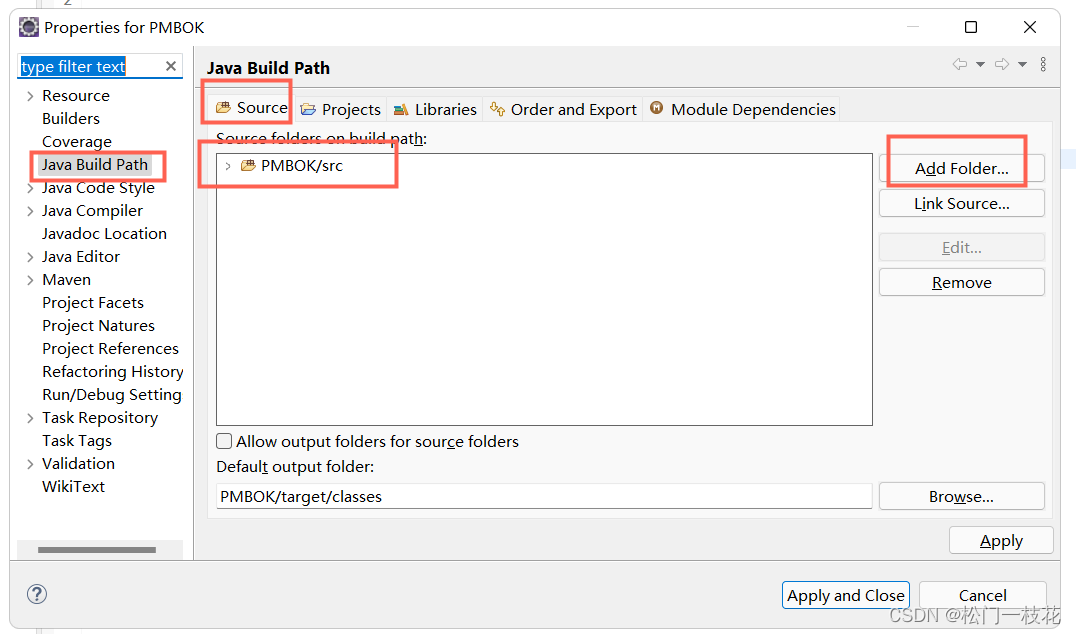
Error:
After a normal java project is transferred to a maven project, the resource is not on the build path of a java project
Solution:
Check java build source, delete the error package and re-add src source package
Solve the problem that the primary key of mybatisplus inserted data is suddenly large
1. Enter the corresponding database in the administrator window, and then enter the following instructions:
alter table sys_user AUTO_INCREMENT=30;
sys_user is the name of the data table to be modified, and 30 is to modify the self increment starting value to 30
In this way, the primary key value of the data table will return to normal
2. In the entity class of the project, add a @Tableid annotation to the primary key of the class
package baocms.entity;

import com.baomidou.mybatisplus.annotation.IdType;
import com.baomidou.mybatisplus.annotation.TableId;
import com.baomidou.mybatisplus.annotation.TableName;
import lombok.AllArgsConstructor;
import lombok.Data;
import lombok.NoArgsConstructor;

@Data
@NoArgsConstructor
@AllArgsConstructor
@TableName(value = "sys_user")
public class User {
    @TableId(value = "id",type = IdType.AUTO)
    private Integer id;
    private String username;
    private String password;
    private String nickname;
    private String email;
    private String phone;
    private String address;
}

When importing the element ui, you need to introduce the corresponding component in element.js if you choose on-demand import.
import { ElForm } from 'element-plus'
import { ElButton } from 'element-plus'
import { ElFormItem } from 'element-plus'
import { ElInput } from 'element-plus'
import lang from 'element-plus/lib/locale/lang/zh-cn'
import locale from 'element-plus/lib/locale'

export default (app) => {
  locale.use(lang)
  app.use(ElButton)
  app.use(ElForm)
  app.use(ElFormItem)
  app.use(ElInput)
}
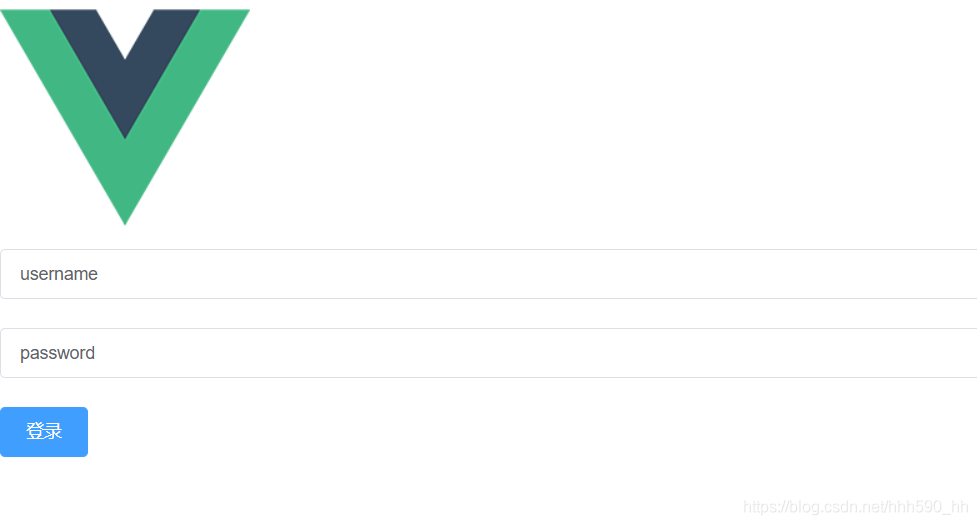
The page can be displayed normally
Problem Description:
php artisan migrate Error:
Illuminate\Database\QueryException

  SQLSTATE[42000]: Syntax error or access violation: 1071 Specified key was too long; max key length is 1000 bytes (SQL: alter table `users` add unique `users_em
ail_unique`(`email`))
Cause Analysis:
The maximum character length of utf8 encoding supported by MySql is 3 bytes, if a wide character of 4 bytes is encountered, an insertion exception will occur. The maximum Unicode character that can be encoded by three bytes UTF-8 is 0xffff, which is the basic multiliterate plane (BMP) in Unicode. Therefore, Unicode characters that are not in the Basic Multicultural Plane, including Emoji emojis (Emoji is a special Unicode encoding), cannot be stored using MySql’s utf8 character set.
This should also be one of the reasons why Laravel 5.4 switched to the 4-byte length utf8mb4 character encoding. However, it should be noted that the utf8mb4 character encoding is only supported from MySql version 5.5.3 onwards (check the version: selection version();). If the MySql version is too low, a version update is required.
Solution:
1. Upgrade MySql version to 5.5.3 or higher. Add in /app/providers/AppServiceProvider.php:
use Illuminate\Support\Facades\Schema;

public function boot()
    {
        Schema::defaultStringLength(191);
    }
2. Delete the table in the database and re execute php artisan migrate
Error reporting record
1. Import module: failed to load the specified module. Solution:
Solution: find the neo4j PS1 file in the bin directory, open it, find the import module, and change the relative path to the absolute path, that is,
"D:\Neo4j\neo4j-community-3.5.25\bin\Neo4j-Management.psd1"
2. When changing the password, neo4j Neo.ClientError.Security.Unauthorized
Solution: open neo4j.conf in the conf folder and delete the comment in front of #dbms.security.auth_enabled=false
After clicking configure, an error will be reported by default. Check the log file:
The system is: Windows - 10.0.19042 - AMD64Reason: the compiler is not selected correctly. You should select the one installed on your computer. For example, the 2019 version I installed is changed to 2019.
Solution: click file->delete cache to reselect the compiler.
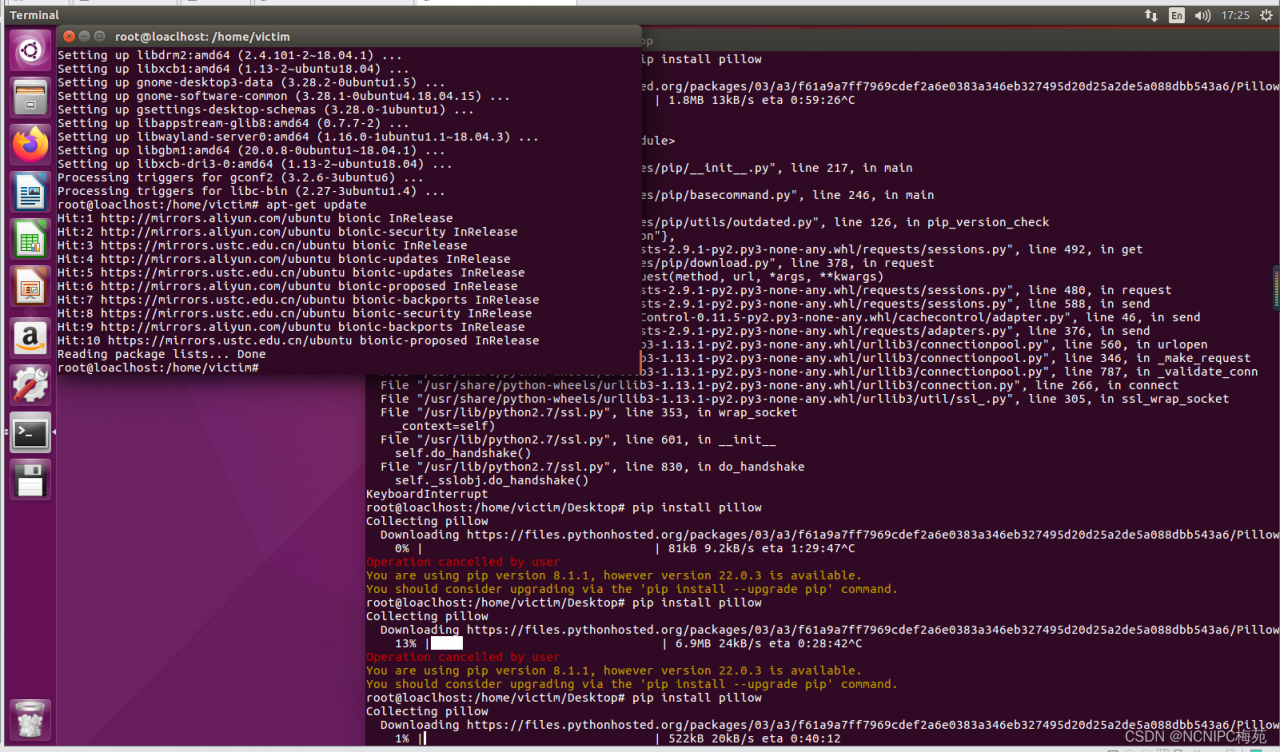
UBUNTU update source error:
E: Problem executing scripts APT::Update::Post-Invoke-Success ‘if /usr/bin/test -w /var/cache/app-info -a -e /usr/bin/appstreamcli; then appstreamcli refresh > /dev/null; fi’ E: Sub-process returned an error code
Solution:
apt-get purge libappstream3
apt-get update
When eclipse starts the project, it suddenly reports: Errors occurred during the build. Errors running builder ‘Integrated External Tool Builder’ on project ‘acc-bid’. The builder launch configuration could not be found. The builder launch configuration could not be found.
The project kept building when it started, so I unchecked the validation box, which resulted in the above error
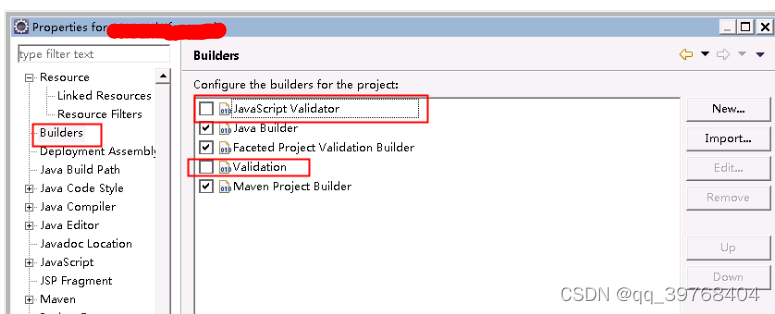
And when you look at buliders again, you bring a red cross
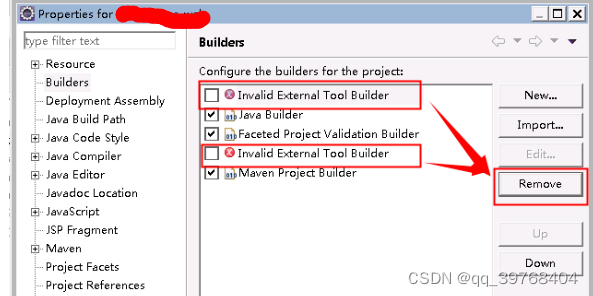
If you remove the fork, you won’t report an error
Error Cause & Solution:
1. Configuration is wrong: driver=com.mysql.jdbc.Driver.
2. Wrong database connection address: url=jdbc:mysql://localhost:3306/test (test is user-defined creation, variable).
3. Wrong password or account: username=root (default is root).
4. Wrong account: password=root (password is set by the user).
5. The database is not started or not authorized to access.
6. The corresponding driver jar package mysql-connector-java-5.1.6-bin.jar has not been introduced, or the mysql-connector-java dependency has not been injected in the Maven project.
sshd restart error:
systemctl restart sshd.service
The screenshot is as following:
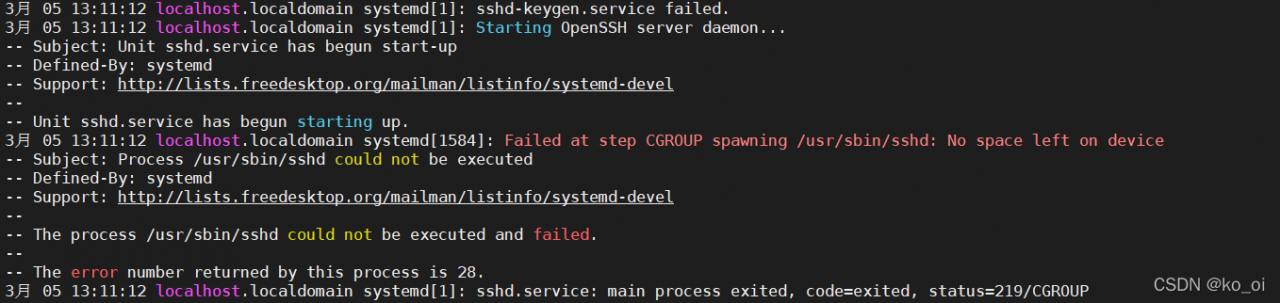
Error Messages:
Failed at step CGROUP spawning /usr/sbin/sshd: No space left on device
Failed to create cgroup /system.slice/sshd.service: No such file or directory
The reason for this is that the cgroup is not mounted.
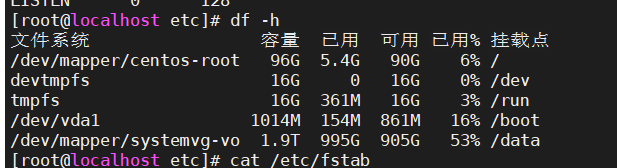
Solution:
Mount the cgroup directory
mount -t tmpfs cgroup_root /sys/fs/cgroup
umount -t tmpfs cgroup_root /sys/fs/cgroup
umount /sys/fs/cgroup
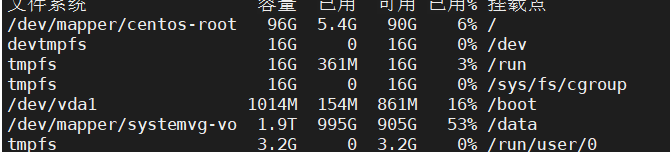
then restart to connect normally
systemctl start sshd.service
[webpack-cli] Invalid configuration object. Webpack has been initialized using a configuration object that does not match the API schema.
 - configuration.optimization.splitChunks has an unknown property 'CacheGroups'. These properties are valid:
   object { automaticNameDelimiter?, cacheGroups?, chunks?, defaultSizeTypes?, enforceSizeThreshold?, fallbackCacheGroup?, filename?, hidePathInfo?, maxAsyncRequests?, maxAsyncSize?, maxInitialRequests?, maxInitialSize?, maxSize?, minChunks?, minRemainingSize?, minSize?, minSizeReduction?, name?, usedExports?}
   -> Options object for splitting chunks into smaller chunks.
Previous version:
  CacheGroups:{
                vendor:{
                    test:/[\\/]node_modules[\\/]/,
                    name:'vendors',
                    chunks:'all'
                }
            }
The solution is to reduce the version or follow the new writing method
New writing:
cacheGroups: {
                commons: {
                  test: /[\\/]node_modules[\\/]/,
                  name: 'vendors',
                  chunks: 'all',
                },
},Found multiple occurrences of org.json.JSONObject on the class path:
jar:file:/C:/Users/Administrator/.m2/repository/org/json/json/20160810/json-20160810.jar!/org/json/JSONObject.class
jar:file:/C:/Users/Administrator/.m2/repository/com/vaadin/external/google/android-json/0.0.20131108.vaadin1/android-json-0.0.20131108.vaadin1.jar!/org/json/JSONObject.class
You may wish to exclude one of them to ensure predictable runtime behaviorSolution:
Add to pomz: com.vaadin.external.google dependency ignore can be
<dependency>
			<groupId>org.springframework.boot</groupId>
			<artifactId>spring-boot-starter-test</artifactId>
			<scope>test</scope>
			<exclusions>
				<exclusion>
					<groupId>org.junit.vintage</groupId>
					<artifactId>junit-vintage-engine</artifactId>
				</exclusion>
				<exclusion>
					<groupId>com.vaadin.external.google</groupId>
					<artifactId>android-json</artifactId>
				</exclusion>
			</exclusions>
		</dependency>