An error was reported today.
error: where in subquery source
Reason:
This is actually because all subqueries in hive need to be aliased
An error was reported today.
error: where in subquery source
Reason:
This is actually because all subqueries in hive need to be aliased
Insert code snippet here
```Error: unable to load D:\work\elasticsearch-7.13.1-windows-x86_64\elasticsearch-7.13.2\logstash-7.13.1-windows-x86_64\logstash-7.13.1\bin\mysql-connector-java-8.0.25\mysql-connector-java-8.0.20.jar from :jdbc_driver_library, file not readable (please check user and group permissions for the path)
  Exception: LogStash::PluginLoadingError
  Stack: D:/work/elasticsearch-7.13.1-windows-x86_64/elasticsearch-7.13.2/logstash-7.13.1-windows-x86_64/logstash-7.13.1/vendor/bundle/jruby/2.5.0/gems/logstash-integration-jdbc-5.0.7/lib/logstash/plugin_mixins/jdbc/common.rb:47:in `block in load_driver_jars'
org/jruby/RubyArray.java:1809:in `each'
Scenario: if you want to delete only the data under the index without deleting the index structure, there is no postman tool in the (Windows Environment) server
First, only delete all the data in the index without deleting the index structure
POST 192.168.100.88:9200/my_index/_delete_by_query


get
{
  "query": {
    "match_all": {}
  }
}


Notes:
where my_index is the index name
Second, delete the specified data in the index without deleting the index structure
HEADER
DELETE 192.168.100.88:9200/log_index/log_type/D8D1D480190945C2A50B32D2255AA3D3


Notes.
where log_index is the index name, log_type is the index type, and D8D1D480190945C2A50B32D2255AA3D3 is the document id
Third: delete all data and index structure
DELETE 192.168.100.88:9200/my_index


Notes.
where my_index is the index name
Curl deletion in Windows
First, delete all data, including index structure
curl -X DELETE "http://192.168.100.88:9200/my_index"Second: delete all data without deleting index structure
curl -XPOST "http://192.168.100.88:9200/log_index/_delete_by_query?pretty=true" -d "{"""query""":{"""match_all""": {}}}"Among them: note when using curl (double quotation marks must be used in Windows Environment), single quotation mark will report the following error
“‘http” not supported or disabled in libcurl
C:\Users\admin>curl  -X DELETE 'http://192.168.100.88:9200/my_index'
curl: (1) Protocol "'http" not supported or disabled in libcurl
When jupyter is installed on the vscode and a sentence of Python code is calculated randomly in the ipynb file, the error of kernel died with exit code 1, C:: (users, hpccp, appdata, roaming, python, python38, site packages, traitlets) appears. I’ve been looking for solutions on the Internet all the time. I’ve spent a lot of energy trying many solutions, but I can’t, Because the error of kernel died with exit code 1 may be caused by many different details, and the root cause of the error is different. Of course, other people’s solutions may not be applicable to themselves.
So I began to pay attention to the details of my error. I wonder if there is something wrong with this folder, because my vscode and juptyer plug-ins have just been re installed (I have repeatedly uninstalled and re installed several times, but the first two have not been completely uninstalled), C: The folder was created before. I deleted the folder and its contents. Then the problem was solved.
1 inputsteam to Base64
    /**
     * InputStream to Base64
     *
     * @param inputStream
     * @return
     */
    public static String toBase64(InputStream inputStream) {
        try {
            //switch to base64
            byte[] bytes = IOUtils.toByteArray(inputStream);
            return Base64.getEncoder().encodeToString(bytes);
        } catch (Exception e) {
            e.printStackTrace();
            return "";
        }
    }
2 debugging code
    /**
     * get Base64
     *
     * @return
     * @throws IOException
     */
    @GetMapping("/getBase64")
    public String getBases64() throws IOException {
        InputStream inputStream = new ClassPathResource("/img/logo.jpg").getInputStream();
        return toBase64(inputStream);
    }
3 picture address

4 debugging results
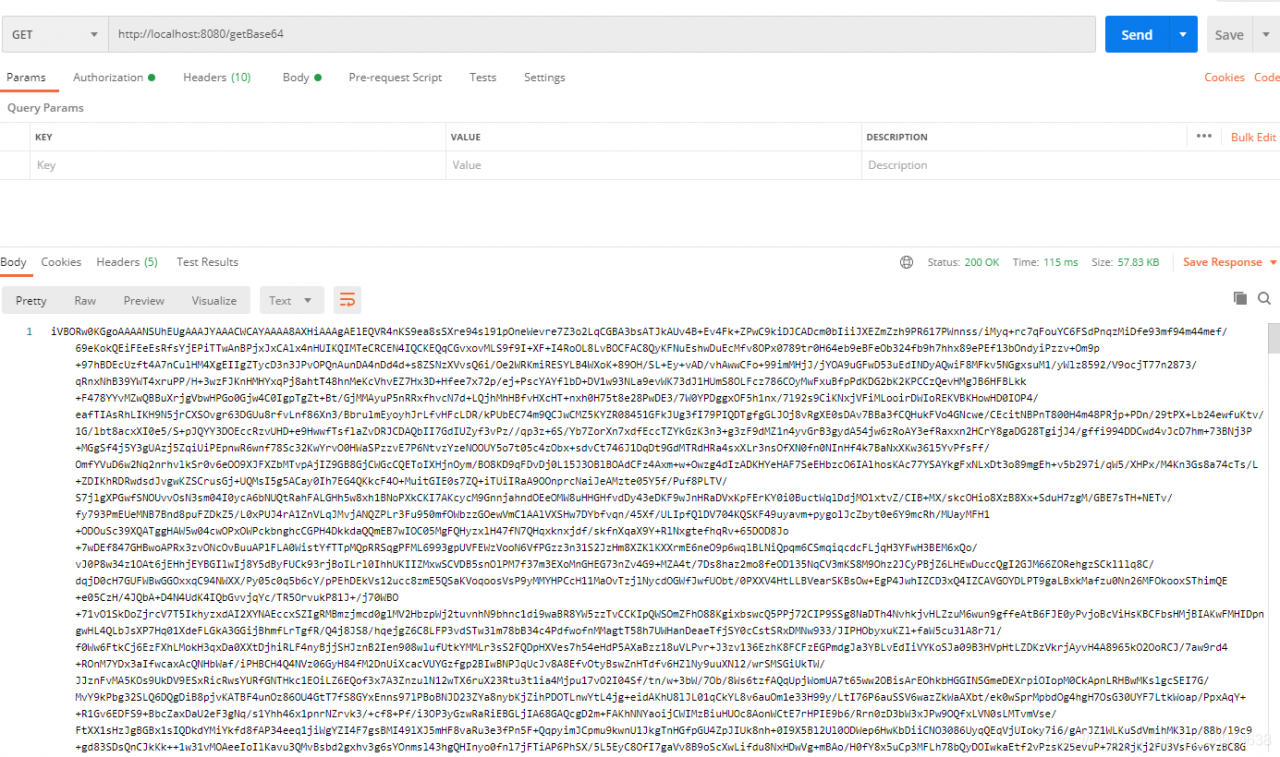
And you go through it
sudo apt-get install g++
It shows that you have installed the latest version of G + +, but you just can’t use G + +++
In fact, I accidentally deleted the G + + script file under/usr/bin, leaving a bunch of G + + 7.4, G + + 4.8, etc. enter the command line:
cd /usr/bin
sudo ln -s g++-7.4 g++
That’s all
Error information:
Discovered coordinator DESKTOP-NRTTBDM:9092 (id: 2147483647 rack: null) for group itstyle.
reason:
The host of Kafka running on windows is the machine name, not the IP address
So it will lead to error reporting
Desktop-nrttbdm is the host name of the server where the Kafka instance is located
and 9092 is the port of Kafka, that is, the connection address of Kafka.
Solution
Modify the hosts file directly
The windows hosts file is located in
C:\Windows\System32\drivers\etc\hosts
Open it with administrator’s permission and append the corresponding relationship between IP and host name
Add the
172.18.0.52 DESKTOP-NRTTBDM
Restart the service again
Problem solved!
Has been blocked by CORS policy: response to preflight request doesn’t pass access control check: no ‘access control allow origin’ header is present on the requested resource.
seeing this error in the webpage, I know that it must be a cross domain problem of Ajax requests.
there are two solutions to this problem, as you should know after reading my article, Before I sent the front-end solution, I don’t know how to flip through my article list
today we talk about the server-side solution
add this code before the JSON data to be returned:
// Specify to allow access to other domains
header('Access-Control-Allow-Origin:*');
// Response type
header('Access-Control-Allow-Methods:POST');
// response header settings
header('Access-Control-Allow-Headers:x-requested-with,content-type');
Here is the PHP code, you can also change it to the corresponding java code.
1. View
launchctl list | grep docker
2. Start up
Method 1
launchctl start com.docker.docker.port
Method 2
open /Applications/Docker.app
3. Stop
launchctl stop com.docker.docker.port

When using DBCP to configure data sources, a test class was written. In the test class, DBCP was called to get the database connection error: javax.naming.NoInitialContextException: Need to specify class name in environment or or in,
Check whether the dependent jar package is imported:
commons-dbcp2-2.8.0. Jar
commons-pool2-2.10.0. Jar
mysql8.0 jar package
mysql5.0 jar package
Test code:
package test;

import org.junit.Test;
import tools.DataSourceUtil;

import java.sql.Connection;

public class test {
    @Test
    public void test(){
        Connection connection = DataSourceUtil.getConnection();
        System.out.println(connection);
    }
}
Database source code:
package tools;

import javax.naming.InitialContext;
import javax.naming.NamingException;
import javax.sql.DataSource;
import java.sql.Connection;
import java.sql.SQLException;

public class DataSourceUtil {

    // Get the connection
    public static Connection getConnection() {
        // ctrl + alt + t --- select 6
        // instantiate the object of the initial context
        Connection connection = null;
        try {
            InitialContext initialContext = new InitialContext();
            // Get the data in the configuration and get the object object
            Object lookup = initialContext.lookup("java:comp/env/jdbc/easybuy");
            // unboxing strong turn to get the connection pool
            DataSource ds = (DataSource) lookup;
            // get the connection pool to give me a connection
            connection = ds.getConnection();
        } catch (NamingException e) {
            e.printStackTrace();
        } catch (SQLException throwables) {
            throwables.printStackTrace();
        }
        // Return to link
        return connection;
    }

    // close connection
    public static void closeConnection(Connection connection) {
        if (connection != null) {
            try {
                connection.close();
            } catch (SQLException throwables) {
                throwables.printStackTrace();
            }
        }
    }
}
Bug map:
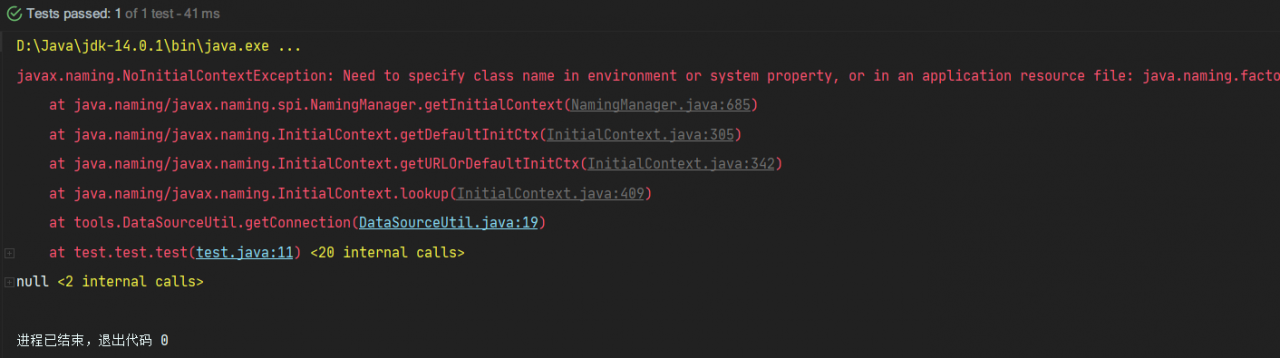
reason:
When DBCP is used to connect to the database, the main function is always used to test. The initialcontext is only available in the context of the web application server. While the configuration file is in the web directory, it is obvious that if initialcontext wants to access the configuration file, it must run on the web server to connect to the database and get the connection object
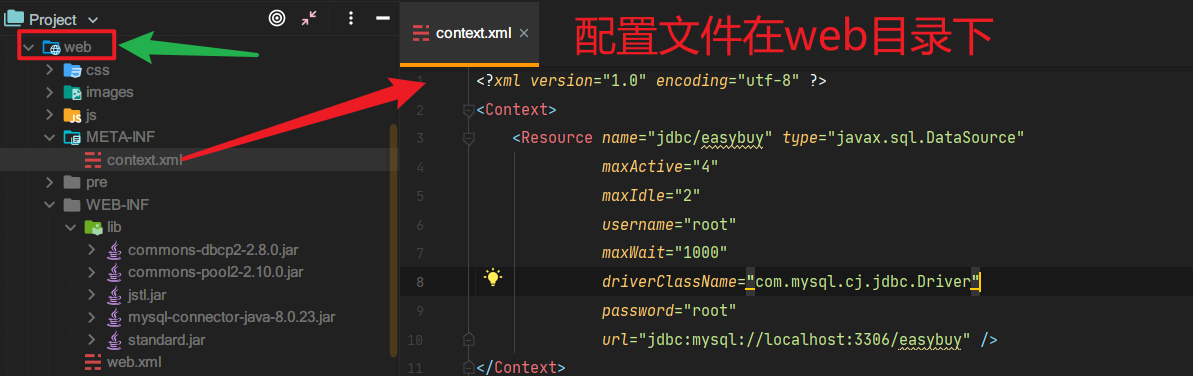
It can’t be tested directly with the main function, it can only be displayed in Tomcat or servlet or JSP
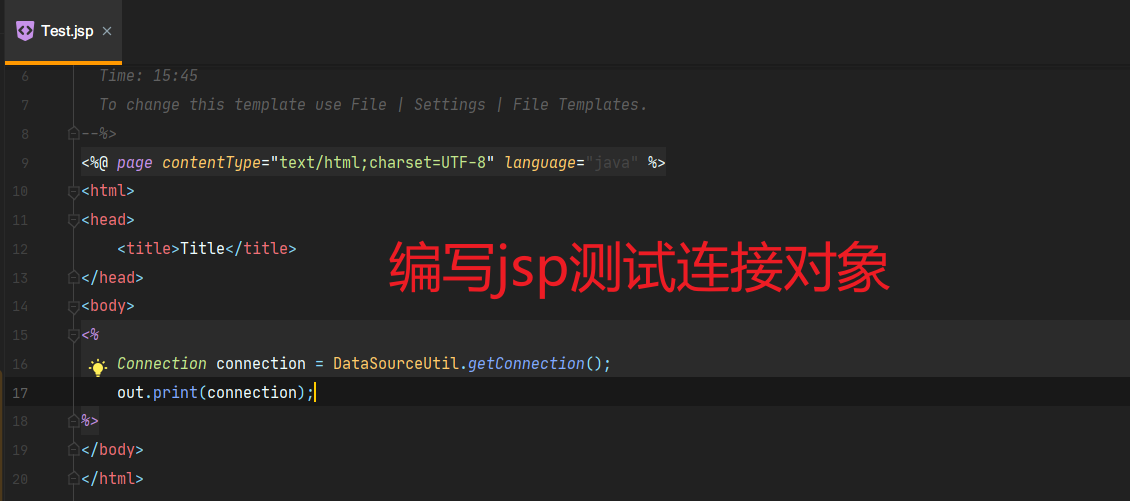
Running results:
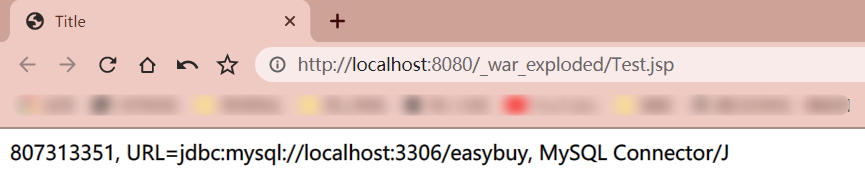
#Successfully get the connection object!