Category Archives: How to Fix

[HMR] Waiting for update signal from WDS…

  The console displays [HMR] waiting for update signal from WDS

Solution:

1. Find the following documents

node_ modules/webpack/hot/log.js

2. Comment out the following codes

module.exports = function(level, msg) {
	// if (shouldLog(level)) {
	// 	if (level === "info") {
	// 		console.log(msg);
	// 	} else if (level === "warning") {
	// 		console.warn(msg);
	// 	} else if (level === "error") {
	// 		console.error(msg);
	// 	}
	// }
};

Dbsql occurs when configuring SAP ATC during SCI check_DUPLICATE_KEY_ERROR

Description:
when configuring SAP ATC and executing related notes, there are SCI related checks and configurations. When SCI clicks check, there is dbsql_ DUPLICATE_ KEY_ Error report

Error content:
category ABAP programming error
runtime errors dbsql_ DUPLICATE_ KEY_ ERROR
Except. CX_ SY_ OPEN_ SQL_ DB
ABAP Program CL_ SATC_ CI_ CF_ TOOL============CP
Application Component BC-DWB-TOO-ATF

Version: SAP s/4 Hana 2020
SAP_ BASIS 755 SP1

Solution:
execute SAP note first:
2763282 – fkkbix_ BIP: Runtime error DBSQL_ DUPLICATE_ KEY_ ERROR (CX_ SY_ OPEN_ SQL_ DB) during insert on DFKKBIX_ BIP_ CH

If the above notes cannot be executed, it means that your version is already relatively high.
you can directly execute the program:
SATC_ AC_ CLEANUP

Try again after that, and SCI will come out to check the results

Cannot open include file: ‘io.h‘: No such file or directory

Scenario:

When doing assignment 2 of cs231n, the job provides fast_ Layers.py file provides the fast implementation of forward propagation and back propagation of CNN convolution layer, in which the python module is used.


Problem Description:

Run “Python setup.py build” on the command line_ Ext — inplace “an error of” cannot open include file: ‘io. H’: no such file or directory “is reported to configure the relevant environment


Solution:

1. According to the article cannot open include file: ‘io. H’: no such file or directory, it is because we lack the windows 10 SDK and MSVC (a C/C + + compiler developed by Microsoft) and need to use visual studio to install.

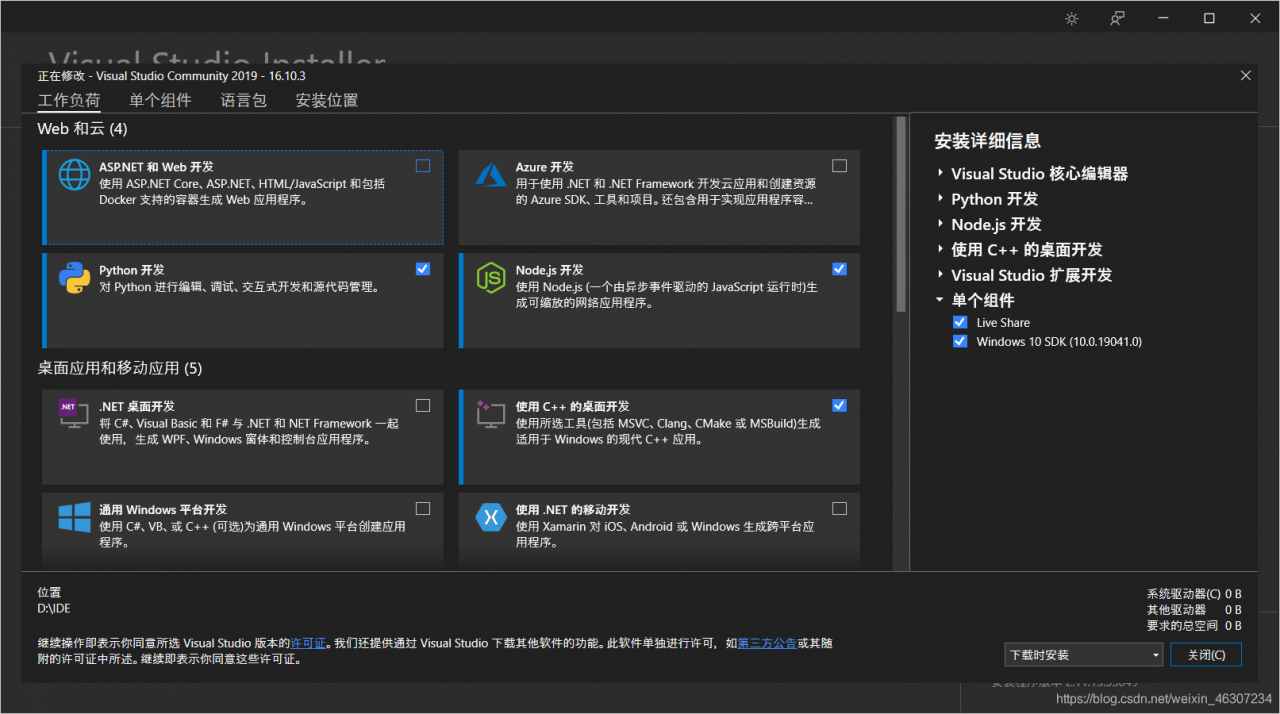
However, I found that I have installed these two extensions:

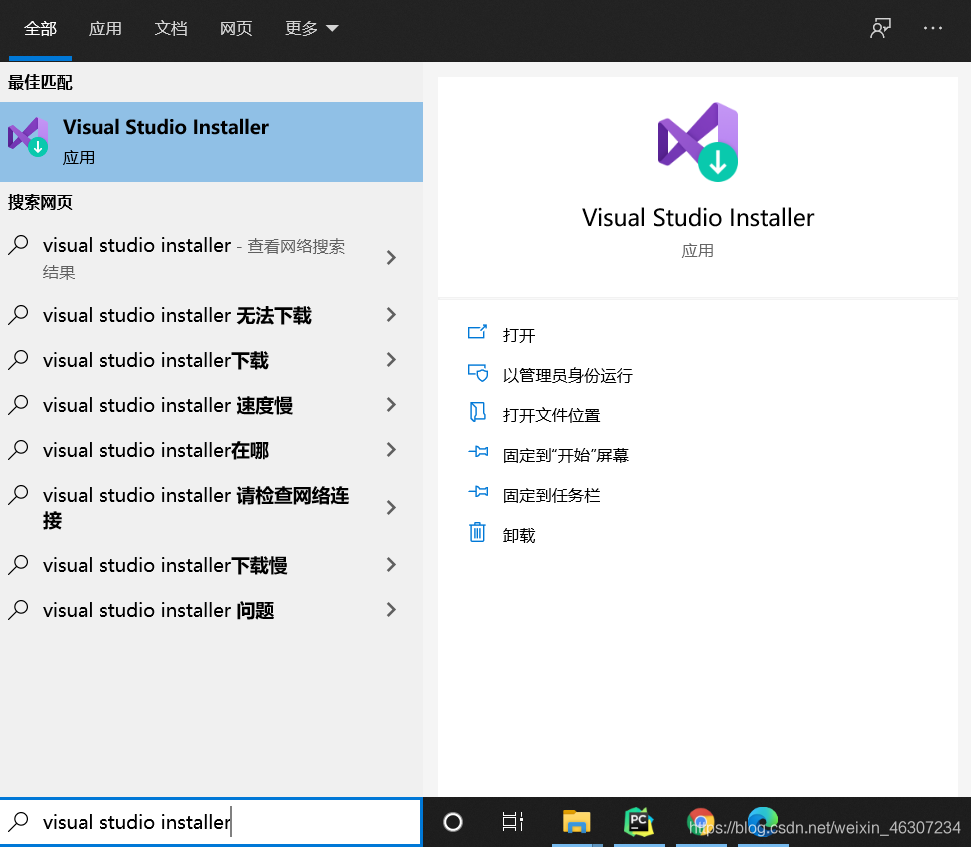
Open “Visual Studio installer”:


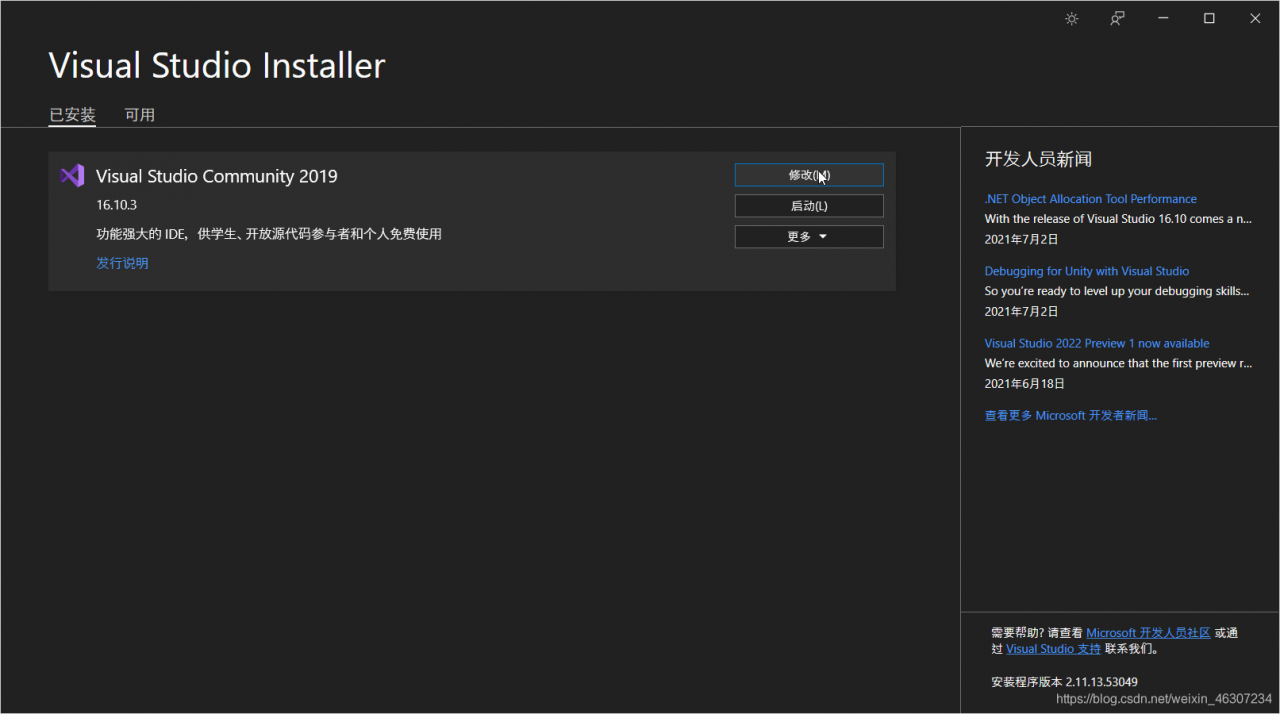
Click “modify”:                                       

  Then you can view what components you have installed in this interface:

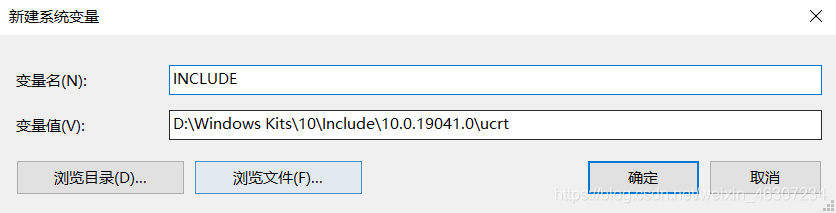
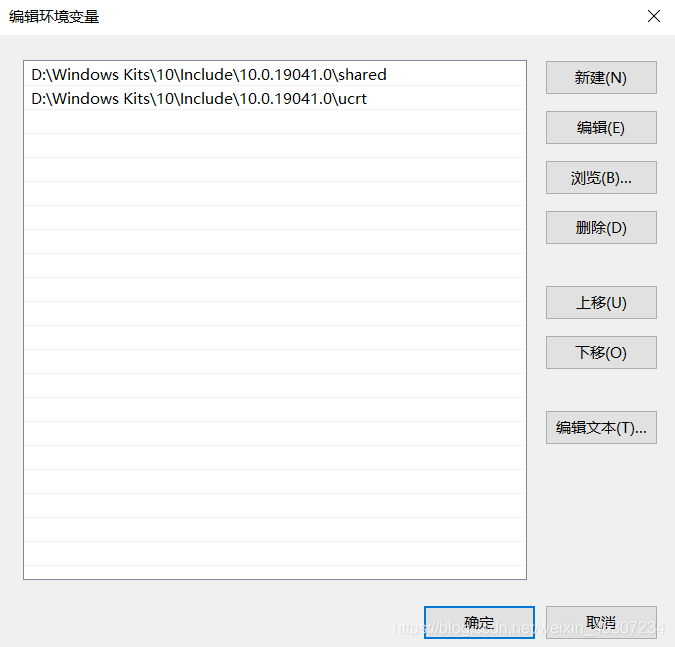
2. In another answer, it is said to add a system variable named “include” and the value is the directory where the IO. H file in the windows 10 SDK is located, as shown in the following figure. You can search “urct \ \ io. H” on your computer to see the path.

  Run “Python setup.py build” after adding_ Ext — inplace “, there is another error:” cannot open include file: ‘basetsd. H’: no such file or directory “. Similarly, find the directory of” basetsd. H “(the file is also in the windows 10 SDK) and add it to the” include “system variable just created to solve the problem.

After solving this problem, an error appears: “link: fatal error LNK1104: cannot open file ‘Kernel32. Lib’.”. Continue to create a new system variable. The variable name is “lib” and the value is the directory of the kernel32.lib file (which is also in the windows 10 SDK). Run again and no error is reported.

The error record when docker starts Nacos, and the solution to the problem of port occupation

  Error starting userland proxy: listen tcp4 0.0.0.0:8848: bind: address already in use

The problem with this error message is that the port is occupied

View occupied port commands

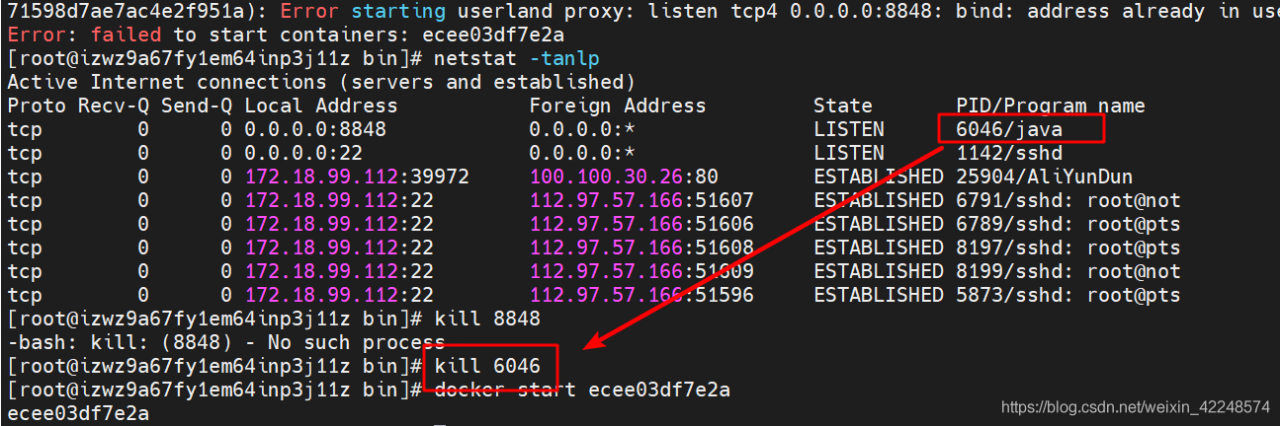
netstat -tanlp

Kill the process (note that instead of killing the port, it is the port of PID)

kill 6046

This is the current solution

To mention something else, it’s actually because uploading jar package failed to start Nacos, because Tomcat failed to start. Later, docker’s Nacos is used to solve the problem. The later results are appropriate and can be used. Docker is still good, ha ha


An error is reported when the electron Vue Vue component introduces the electron

Question:

Remote module of electron introduced into Vue component:

let { remote } = require("electron");

An error is reported when the electron application starts.

solve:

1. Add window before require, that is:

let { remote } = window.require("electron");

2. Add vue.config.js file in the root directory of the project, and the configuration is as follows:

module.exports = {
    pluginOptions: {
        electronBuilder: {
            nodeIntegration: true
        }
    }
}

The above two methods can be solved.

Of course, the webpreferences property of browserwindow should also be configured correctly:

webPreferences: {
      nodeIntegration: true,
      contextIsolation: false,
      enableRemoteModule: true
    }

Oserror: [winerror 126] cannot find the specified module self_ handle = _ dlopen(self._ name, mode)

When using mask-r-cnn, oserror: [winerror 126] cannot find the specified module, in self_ handle = _ dlopen(self._ An error is reported at name, mode)
after checking, a “GEOS” is passed in the previous function_ c. DLL “DDL file, resulting in an error (or search for DDL in the error)

After inquiry, there is a problem with shapely
solution: install shapely (I installed shapely before, and I don’t know why the error is reported)

conda install -c conda-forge shapely

The ADB server port is changed to 10001, and appium cannot connect to the device

After modifying the ADB server port to 10001, enter ADB devices – L in CMD to successfully detect the device:

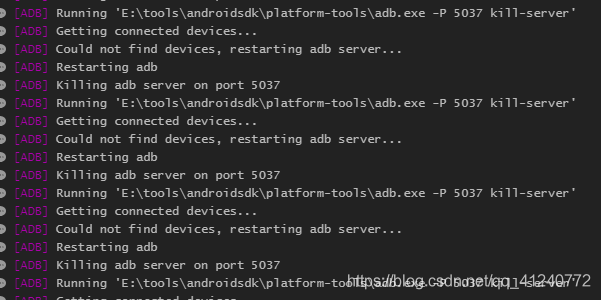
Open appium and run the script. The appium running log shows that the device cannot be connected and has been killing the port number 5037 ADB server. The error information is as follows:

I changed the port number of the ADB server to 10001. Why do I still kill 5037?

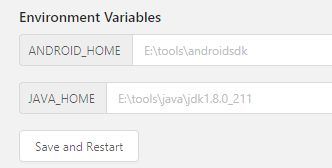
Seeing this error, when I first thought about it, the environment variable of the modified port was not configured to appium. Click the edit configurations button of appium, and I found that there were no new buttons, but only the default environment variable:

I searched a lot of information on the Internet and found no solution. Finally, I found a solution in an appium Chinese user guide,   Put the guide link here: appium Chinese User Guide – Jianshu (Jianshu. Com)

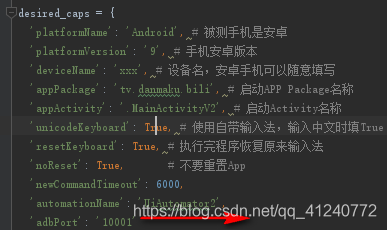
Modify the running script and add ‘adbport’: ‘10001’ to desired_ In caps Dictionary:

Restart appium, run the script again, connect the device successfully, and solve the problem!

PS: when using appium, you can familiarize yourself with the above instructions and have a general understanding of appium; Then, when running, you should pay attention to the running log. Many problems can be located step by step through the error reporting of the log

Doris decommission be node stuck [How to Solve]

Question

In Doris 0.13.15 precompiled version

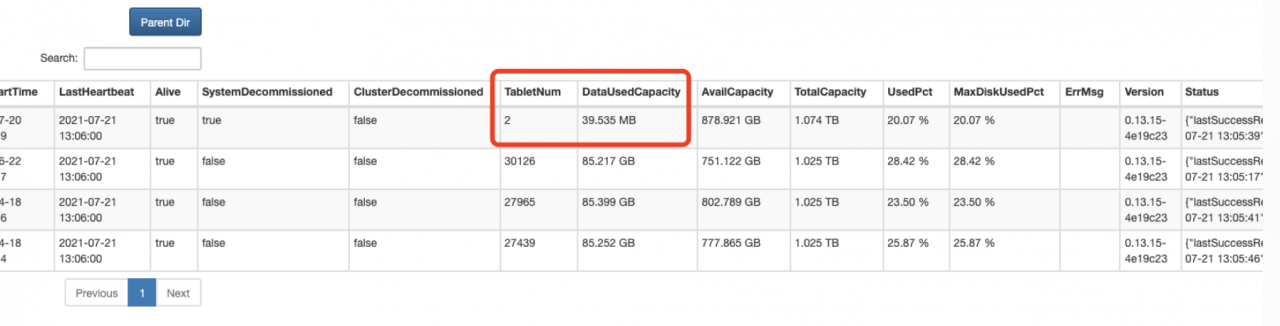
Doris decommission three be nodes stuck

alter system decommission backend "be_host-1:9050"
alter system decommission backend "be_host-2:9050"
alter system decommission backend "be_host-3:9050"

Stuck

analysis

To view the source code, you need to adjust the catalog_ trash_ expire_ Second parameter
for other parameters, you can view the Chinese description of Doris Fe configuration
the significance of this parameter is that it provides a protection mechanism. After deleting the database (Table/partition), you can use this catalog_ trash_ expire_ Use recover stmt to recover it within the second time
this parameter specifies the maximum data retention time. After a period of time, the data will be permanently deleted

this is for protection. I'm afraid someone deleted the data and regretted that it was too late to recover the data

because someone deleted the table, some table partitions were deleted, but the be commitment stuck in the recycle area

Source code analysis


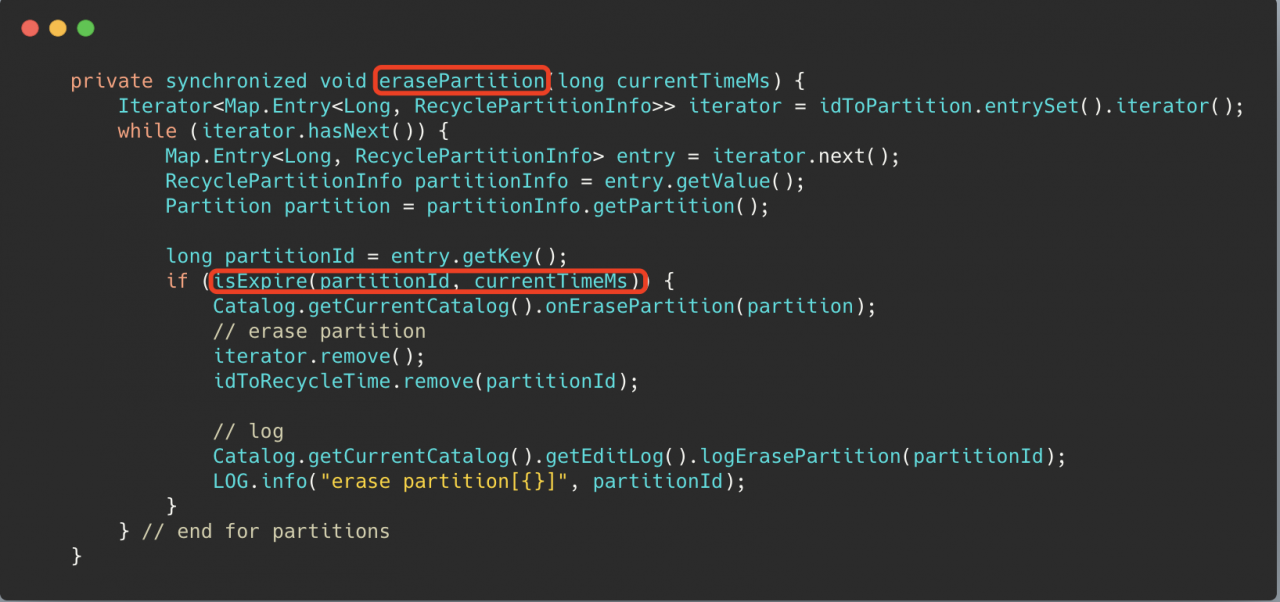
Isexpire () in the erasepartition() method uses this parameter to determine whether a partition can be deleted, of course, it must be greater than a minimum deletion delay time mineraselatency (10min)

solve

Set the parameter
catalog_ trash_ expire_ Second (the default value is 86400, 1 day)
set a small point. After the partition data to be recycled expires, the decommission can be completed

Follow up questions

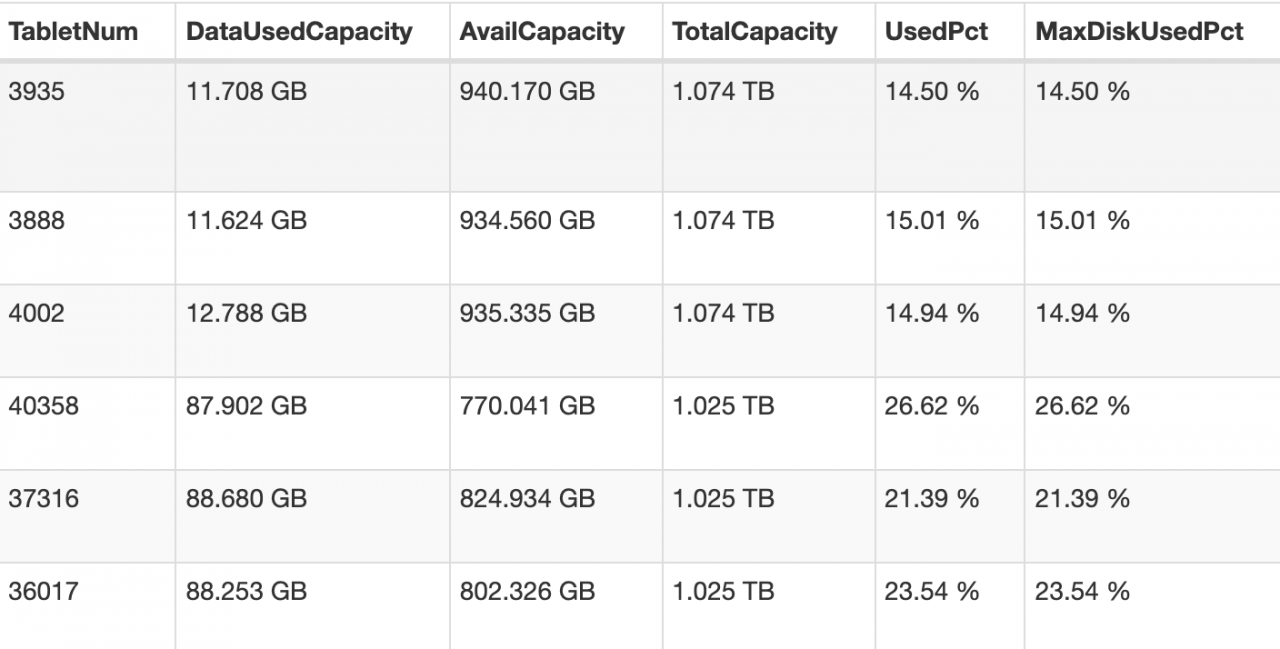
After the parameter is adjusted small, 2 of the three offline nodes have been successfully offline, but another be node is stuck in the state of 2 remaining tablets

terms of settlement

CANCEL DECOMMISSION BACKEND "be_host-1:9050";

Wait for show proc ‘/ statistical’; After the unhealthy tablet in is reduced to 0, you can go offline again. Of course, you can also try to execute the offline command without waiting for the unhealthy tablet to be reduced to 0

alter system decommission backend "be_host-1:9050"

Solve the problem that WSL occupies too much C disk

It can be installed to other disks

Download Ubuntu installation package

Manually download Windows Subsystem for Linux (WSL) Distros | Microsoft Docs

Change the suffix (zip) and unzip it to another disk.

Open Ubuntu *. Exe and install it

Something went wrong

one

Error 0x800701bc WSL 2 ??????????????????

two  

Error 0x80370102

The first problem is that the windows service required by WSL is not enabled

Solution

Start the corresponding service in settings

The following services need to be enabled: 1. Hyper-V     2. Virtual machine platform       3. Windows subsystem for Linux

PS: windows11 setting steps,   Application – & gt; Optional function (pull to the bottom) – & gt; More windows services

The second problem is that the required files are not installed when wsl1 is upgraded to wsl2

Solution

Download the installation package and install it.

https://wslstorestorage.blob.core.windows.net/wslblob/wsl_ update_ x64.msi

When installing in other paths, the boot subsystem is the root user. If you don’t want to start WSL, the default is the root user. You can follow the steps below.

1. Add a new user,

sudo add username

2. Grant permission (nothing can be done without permission)

sudo usermod -a -G adm username

sudo usermod -a -G sudo username

3. Default user configuration for Ubuntu

.\ubuntu2004.exe config --default-user username

If the author enters PowerShell under the installation directory, the absolute path can be used for configuration without entering the installation directory.