python3
MemoryError: Unable to allocate 165. MiB for an array with shape … …
Solution: exit and close other programs opened by the computer to reduce the occupation of memory resources.
python3
MemoryError: Unable to allocate 165. MiB for an array with shape … …
Solution: exit and close other programs opened by the computer to reduce the occupation of memory resources.
After writing dockerfile, you need to create it as an image through the command
Mobaxterm error: unexpected error reading Dockerfile: read /var/lib/docker/tmp/docker-builder314741730/Dockerfile: is a directory
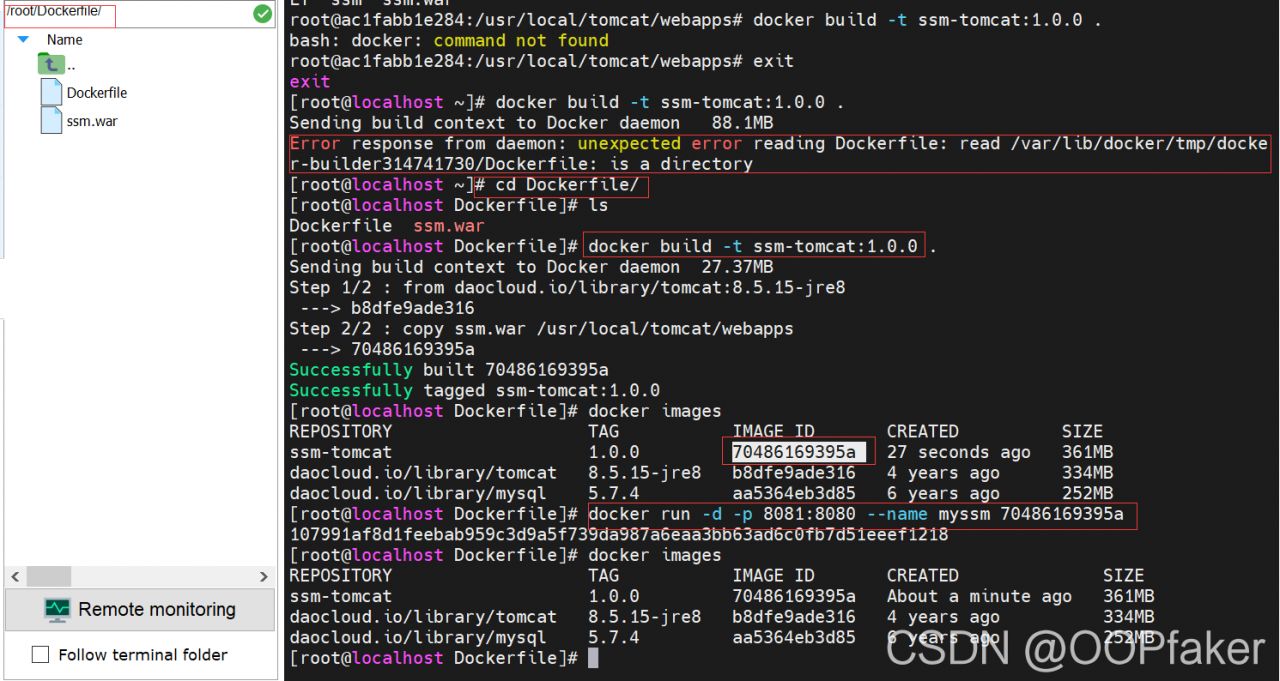
Solution: first enter the dockerfile folder path
cd Dockerfile/
Problem process
Download the official driver version of the adapter PC NVIDIA. After installation, NVIDIA SMI confirms that it is normal, and NVIDIA settings reports an error
Error message
ERROR: nvidia-settings could not find the registry key file or the X server is
       not accessible. This file should have been installed along with this
       driver at /usr/share/nvidia/nvidia-application-profiles-key-documentation. The
       application profiles will continue to work, but values cannot be
       prepopulated or validated, and will not be listed in the help text.
       Please see the README for possible values and descriptions.
terms of settlement
After the official NVIDIA driver is installed, there are files of the corresponding version in the path of/usr/share/NVIDIA. The version I installed is nvidia-linux-x86_ 64-460.80.run, perform the following operations to solve the problem.
sudo cp nvidia-application-profiles-460.80-key-documentation nvidia-application-profiles-key-documentation
Error code:
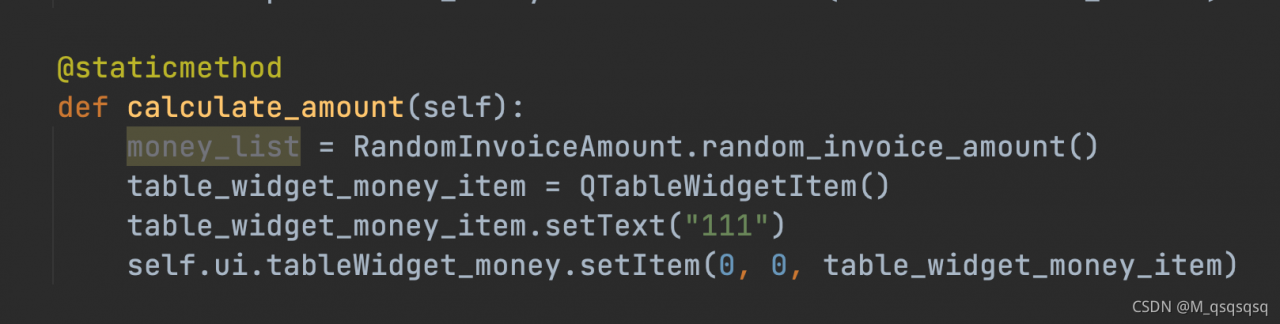

The defined method is a static function. In fact, the function content is not static, so an error occurs when calling. Just delete @ staticmethod.
Correct code:

This error is because the echoed content contains carriage return, which leads to JS error. The solution is as follows:
$vo[‘content’] = strreplace(array(“\r\n”, “\ r”, “\ n”, “””, ““”, “\””), “”, htmlspecialcharsdecode($vo[‘content’]));
This blog is only for the hzero platform. You can row away what you haven’t heard of!!
connect timed out; nested exception is java.net.SocketTimeoutException: connect timed out

This is the root of evil!!
Test in swagger:
{“requestStatus”:”UNKNOWN_ GATEWAY_ Error “,” requestcode “:” error. Unknowngatewayerror “,” requestmessage “:” connection timed out:/10.211.99.1:8275 “,” detailsmessage “:” unknown error occurred in the service, please try again later “}
The reason for the error is that the IP address is not configured in the configuration file. Note that if it is connected to the company’s VPN, it needs to be modified to the address on the VPN
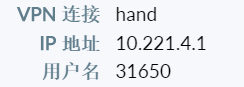
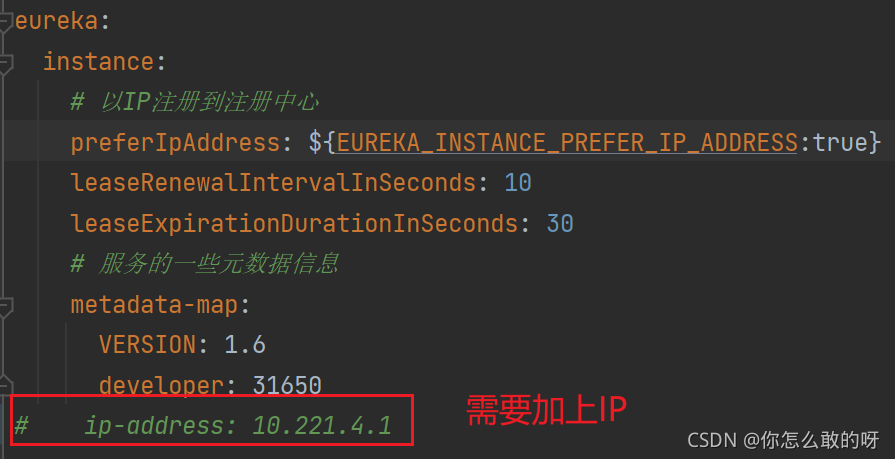
If the error is still reported, there is also the problem of routing configuration
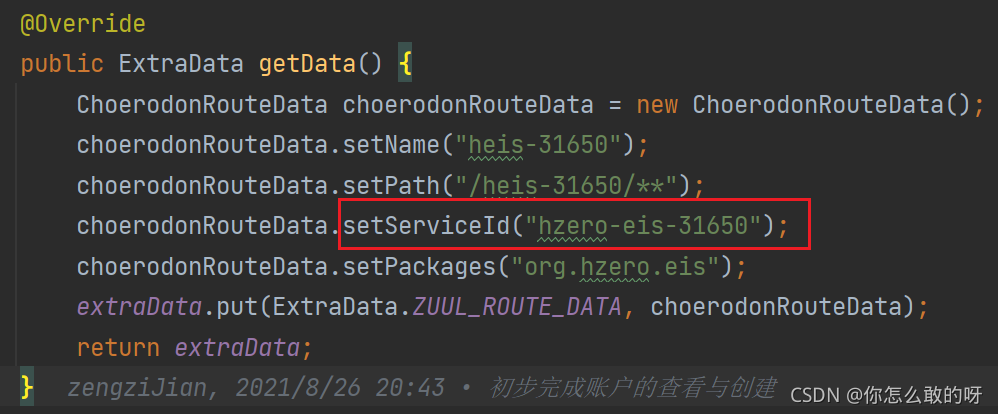
The data in the red box needs and
application.name
The names in the are consistent
According to the above two bugs, you should be able to fix the problem that you can’t register swagger
If this blog is helpful to you, you can talk to me on enterprise wechat :)
report errors
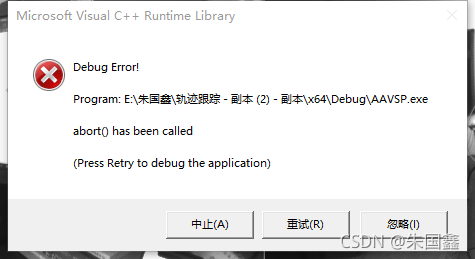
Error reporting reason
terms of settlement
npm ERR! code 1
npm ERR! path /Volumes/D/HTML/vscodework/react/my-app/node_modules/canvas
npm ERR! command failed
npm ERR! command sh -c node-gyp rebuild
npm ERR! Package pangocairo was not found in the pkg-config search path.
npm ERR! Perhaps you should add the directory containing `pangocairo.pc'
npm ERR! to the PKG_CONFIG_PATH environment variable
npm ERR! No package 'pangocairo' found
npm ERR! gyp: Call to 'pkg-config pangocairo --libs' returned exit status 1 while in binding.gyp. while trying to load binding.gyp
npm ERR! gyp ERR! configure error
npm ERR! gyp ERR! stack Error: `gyp` failed with exit code: 1
npm ERR! gyp ERR! stack     at ChildProcess.onCpExit (/Volumes/D/HTML/vscodework/react/my-app/node_modules/node-gyp/lib/configure.js:351:16)
npm ERR! gyp ERR! stack     at ChildProcess.emit (events.js:400:28)
npm ERR! gyp ERR! stack     at Process.ChildProcess._handle.onexit (internal/child_process.js:277:12)
npm ERR! gyp ERR! System Darwin 20.6.0
npm ERR! gyp ERR! command "/usr/local/bin/node" "/Volumes/D/HTML/vscodework/react/my-app/node_modules/.bin/node-gyp" "rebuild"
npm ERR! gyp ERR! cwd /Volumes/D/HTML/vscodework/react/my-app/node_modules/canvas
npm ERR! gyp ERR! node -v v14.17.5
npm ERR! gyp ERR! node-gyp -v v7.1.2
npm ERR! gyp ERR! not ok

npm ERR! A complete log of this run can be found in:
Problem solving: install dependent Libraries
brew install pkg-config cairo pango
Check the functions of these databases:
PKG config: used to return installation library information
Cairo: a free drawing library
Pango: a free function library
I don’t know what to do after checking. It’s good anyway!
Error using xlsread (line 251)
Excel Worksheet could not be activated.
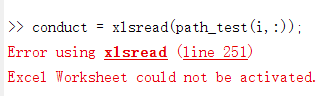
Environment: MATLAB 2015b, excel 2019
after the above problems occur, the file can be read successfully through the following operations
1. Close all Excel files
2. Command: clear all;
Module ‘Seaborn’ has no attribute ‘tsplot’. This is the version problem. In the new version, there is no tsplot method, so we need to reduce the version of Seaborn
pip install seaborn==0.8.1 -i https://pypi.doubanio.com/simple
Of course, I saw other solutions on the Internet:
said that lineplot has replaced tsplot in the new version. You can try it yourself!!!
Development environment: windows10 + VMware + Ubuntu 18.04 + ROS
Run: gazebo
Prerequisites: installing gazebo:
sudo apt-get install ros-indigo-gazebo-ros-pkgs ros-indigo-gazebo-ros-control
Problem: run:
roscore
 rosrun gazebo_ros gazebo
appear
“VMware: vmw_ioctl_command error Invalid argument.
Aborted (core dumped)
/opt/ros/indigo/lib/gazebo_ros/gazebo: 39: kill: invalid signal number or name: SIGINT”
Set the environment variable to 0 under the terminal
$ export SVGA_VGPU10=0
Then you can run gazebo,
roscore
rosrun gazebo_ros gazebo
Permanently available:
$ echo "export SVGA_VGPU10=0" >> ~/.bashrc
preface
The spring boot project uses the mybatis plus framework.
Phenomenon
When I used mappr to execute the method updatebyid again, the following error occurred
nested exception is org.apache.ibatis.type.TypeException: Could not set parameters for mapping: ParameterMapping{property='et.props', mode=IN, javaType=class java.lang.Object, jdbcType=null, numericScale=null, resultMapId='null', jdbcTypeName='null', expression='null'}. Cause: org.apache.ibatis.type.TypeException: Error setting non null for parameter #4 with JdbcType null . Try setting a different JdbcType for this parameter or a different configuration property. Cause: org.apache.ibatis.type.TypeException: Error setting non null for parameter #4 with JdbcType null . Try setting a different JdbcType for this parameter or a different configuration property. Cause: org.postgresql.util.PSQLException: No hstore extension installed.
org.mybatis.spring.MyBatisSystemException: nested exception is org.apache.ibatis.type.TypeException: Could not set parameters for mapping: ParameterMapping{property='et.props', mode=IN, javaType=class java.lang.Object, jdbcType=null, numericScale=null, resultMapId='null', jdbcTypeName='null', expression='null'}. Cause: org.apache.ibatis.type.TypeException: Error setting non null for parameter #4 with JdbcType null . Try setting a different JdbcType for this parameter or a different configuration property. Cause: org.apache.ibatis.type.TypeException: Error setting non null for parameter #4 with JdbcType null . Try setting a different JdbcType for this parameter or a different configuration property. Cause: org.postgresql.util.PSQLException: No hstore extension installed.
Problem location
Through the literal meaning of the exception, we can understand it as a mybatis type error.
Following up with debug, we found that an exception occurred when setting typehandler for one of the fields, indicating that there is no type that can identify the field.
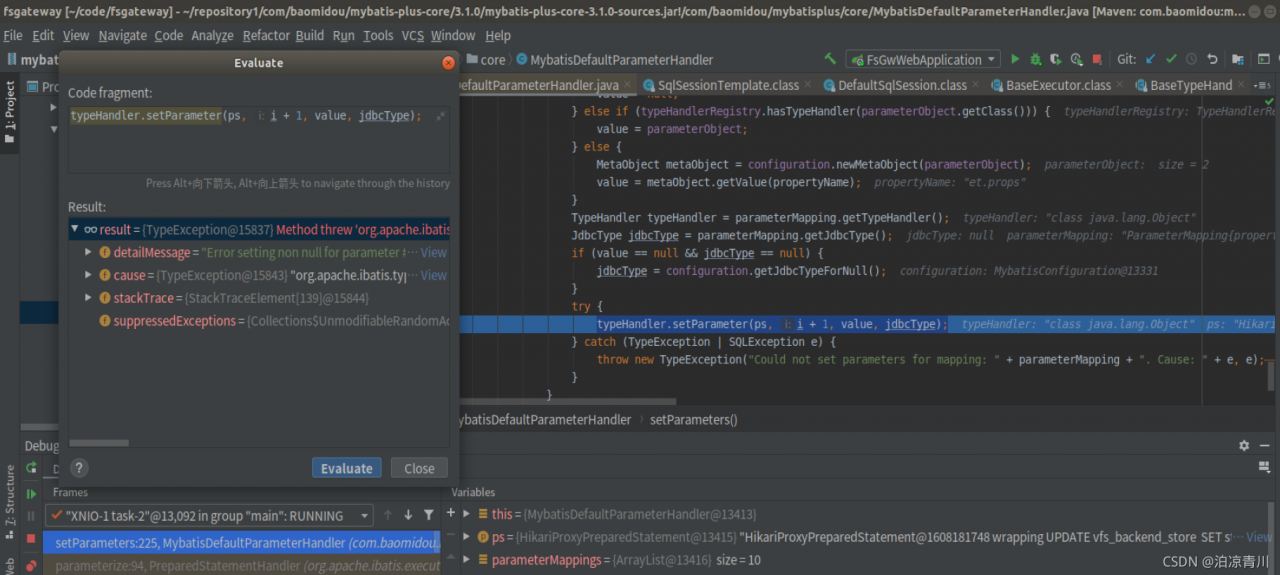
Cause analysis
We now check the type of this field in the entity class and find that it is a map type
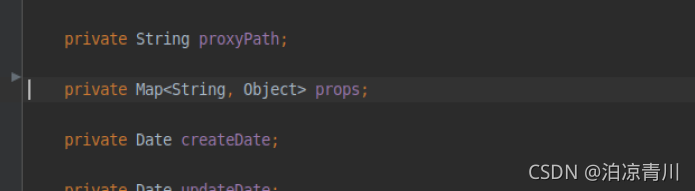
View the type of this field setting in the database , You can see that the JSON type  is stored in the database
Solution
Set typehandler and JDBC type for entity class
@TableField(el = "props,jdbcType=OTHER,typeHandler=com.embracesource.cloud.fsgw.entity.HashMapJsonTypeHandler")
private Map<String, Object> props;
Hashmapjsontypehandler class
import com.alibaba.fastjson.JSON;
import org.apache.ibatis.type.BaseTypeHandler;
import org.apache.ibatis.type.JdbcType;
import org.postgresql.util.PGobject;

import java.sql.CallableStatement;
import java.sql.PreparedStatement;
import java.sql.ResultSet;
import java.sql.SQLException;
import java.util.HashMap;
import java.util.Map;

public class HashMapJsonTypeHandler extends BaseTypeHandler<Map<String,Object>> {
    @Override
    public void setNonNullParameter(PreparedStatement ps, int i, Map<String,Object> parameter,
                                    JdbcType jdbcType) throws SQLException {
        PGobject jsonObject = new PGobject();
        jsonObject.setType("json");
        jsonObject.setValue(JSON.toJSONString(parameter));
        ps.setObject(i, jsonObject);
    }

    @Override
    public Map<String,Object> getNullableResult(ResultSet rs, String columnName)
            throws SQLException {

        return JSON.parseObject(rs.getString(columnName), HashMap.class);
    }

    @Override
    public Map<String,Object> getNullableResult(ResultSet rs, int columnIndex) throws SQLException {

        return JSON.parseObject(rs.getString(columnIndex), HashMap.class);
    }

    @Override
    public Map<String,Object> getNullableResult(CallableStatement cs, int columnIndex)
            throws SQLException {

        return JSON.parseObject(cs.getString(columnIndex), HashMap.class);
    }
}
Start the project again and find the problem to be solved