Category Archives: How to Fix

caffe deep learning [three] compilation error: fatal error: hdf5.h: No such file or directory compilation terminated.

Question:
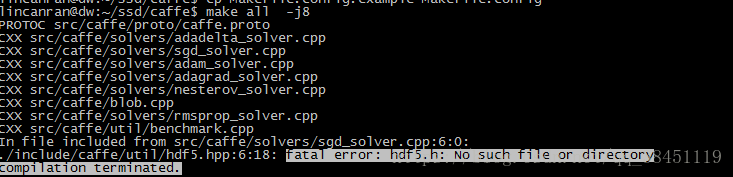
When configuring Caffe-SSD today, I was ready to compile Caffe when I encountered:

fatal error: hdf5.h: No such file or directory compilation terminated.

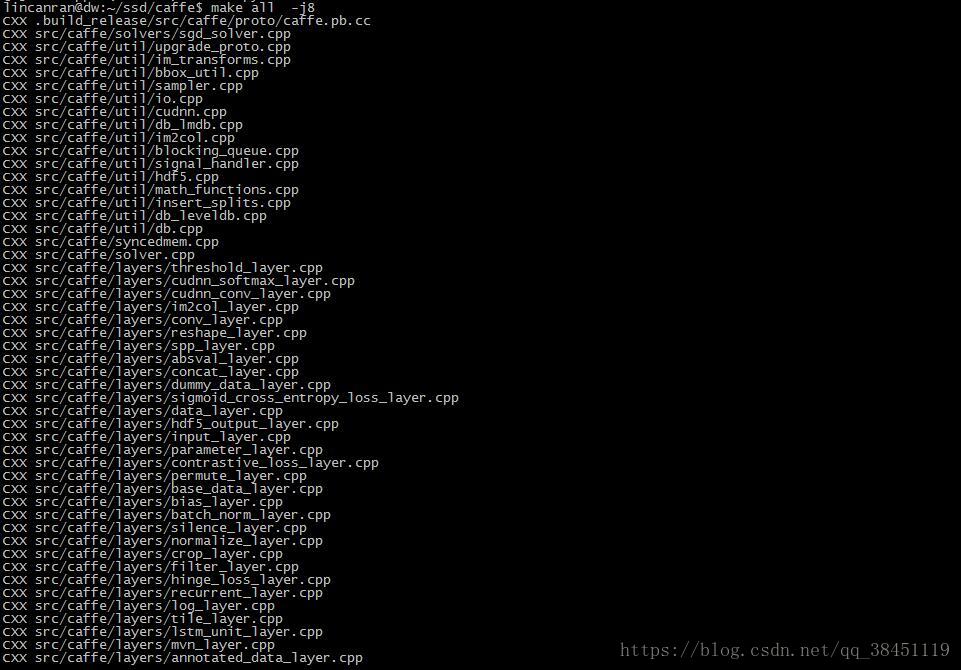
Such problems are shown in the following figure:

The reason is that the header file for HDF5.h was not found.


Solutions:
1. Modify makefile.config file
Go to the download directory for Caffe
In the makefile.config file, hold down CRTL + F to search: INCLUDE_DIRS
Note that it’s not makefile.config. example!!
Add/usr/include/hdf5/serial/to INCLUDE_DIRS
Namely, the original:

INCLUDE_DIRS := $(PYTHON_INCLUDE) /usr/local/include

Now it’s:

INCLUDE_DIRS := $(PYTHON_INCLUDE) /usr/local/include /usr/include/hdf5/serial/


2. Modify the Makefile file
In the Makefile file, press and hold CRTL + F to search: LIBRARIES +=
Note that this is not the makefile.config from step 1 above!!
Change HDF5_HL and HDF5 to HDF5_SERIal_HL and HDF5_serial.
Namely, the original:

LIBRARIES += glog gflags protobuf boost_system boost_filesystem m hdf5_hl hdf5

Now it’s:

LIBRARIES += glog gflags protobuf boost_system boost_filesystem m hdf5_serial_hl hdf5_serial


Results:


urllib2.HTTPError: HTTP Error 403: Forbidden

This occurs in the crawler process:

Traceback (most recent call last):
  File "D:\pythonDemo01\pythonDemo01\Demo19.py", line 11, in <module>
    response=urllib2.urlopen(imag_url)
  File "D:\Python27\lib\urllib2.py", line 154, in urlopen
    return opener.open(url, data, timeout)
  File "D:\Python27\lib\urllib2.py", line 435, in open
    response = meth(req, response)
  File "D:\Python27\lib\urllib2.py", line 548, in http_response
    'http', request, response, code, msg, hdrs)
  File "D:\Python27\lib\urllib2.py", line 473, in error
    return self._call_chain(*args)
  File "D:\Python27\lib\urllib2.py", line 407, in _call_chain
    result = func(*args)
  File "D:\Python27\lib\urllib2.py", line 556, in http_error_default
    raise HTTPError(req.get_full_url(), code, msg, hdrs, fp)
urllib2.HTTPError: HTTP Error 403: Forbidden

Code:

imag_url='http://img4.imgtn.bdimg.com/it/u=495525449,2738183538&fm=214&gp=0.jpg'
response=urllib2.urlopen(imag_url)
with open('nv.jpg','wb') as f:
    f.write(response.read())

Baidu said the site has banned crawlers because we haven’t disguised ourselves as a browser yet:
It seems that we need to add something related to the request header:

headers={
'Accept-Language': 'zh-CN',
'User-Agent': 'Mozilla/5.0 (Windows NT 6.1; Trident/7.0; rv:11.0) like Gecko'
} 
imag_url='http://img4.imgtn.bdimg.com/it/u=495525449,2738183538&fm=214&gp=0.jpg'
res=urllib2.Request(url=imag_url,headers=headers)
response=urllib2.urlopen(res)
with open('nv.jpg','wb') as f:
    f.write(response.read())


yarn install gyp verb `which` failed python2 Error: not found: python2

Error
node-sass: Command failed for yarn startup project.

gyp verb check python checking for Python executable "python2" in the PATH
gyp verb `which` failed Error: not found: python2
gyp verb `which` failed     at getNotFoundError (F:\company_project\xiexin\trunk\app\xxsdapp\node_modules\which\which.js:13:12)
gyp verb `which` failed     at F (F:\company_project\xiexin\trunk\app\xxsdapp\node_modules\which\which.js:68:19)
gyp verb `which` failed     at E (F:\company_project\xiexin\trunk\app\xxsdapp\node_modules\which\which.js:80:29)
gyp verb `which` failed     at F:\company_project\xiexin\trunk\app\xxsdapp\node_modules\which\which.js:89:16
gyp verb `which` failed     at F:\company_project\xiexin\trunk\app\xxsdapp\node_modules\isexe\index.js:42:5
gyp verb `which` failed     at F:\company_project\xiexin\trunk\app\xxsdapp\node_modules\isexe\windows.js:36:5
gyp verb `which` failed     at FSReqWrap.oncomplete (fs.js:154:21)
gyp verb `which` failed  python2 { Error: not found: python2
gyp verb `which` failed     at getNotFoundError (F:\company_project\xiexin\trunk\app\xxsdapp\node_modules\which\which.js:13:12)
gyp verb `which` failed     at F (F:\company_project\xiexin\trunk\app\xxsdapp\node_modules\which\which.js:68:19)
gyp verb `which` failed     at E (F:\company_project\xiexin\trunk\app\xxsdapp\node_modules\which\which.js:80:29)
gyp verb `which` failed     at F:\company_project\xiexin\trunk\app\xxsdapp\node_modules\which\which.js:89:16
gyp verb `which` failed     at F:\company_project\xiexin\trunk\app\xxsdapp\node_modules\isexe\index.js:42:5
gyp verb `which` failed     at F:\company_project\xiexin\trunk\app\xxsdapp\node_modules\isexe\windows.js:36:5
gyp verb `which` failed     at FSReqWrap.oncomplete (fs.js:154:21)
gyp verb `which` failed   stack:
gyp verb `which` failed    'Error: not found: python2\n    at getNotFoundError (F:\\company_project\\xiexin\\trunk\\app\\xxsdapp\\node_modules\\which\\which.js:13:12)\n    at F (F:\\com
pany_project\\xiexin\\trunk\\app\\xxsdapp\\node_modules\\which\\which.js:68:19)\n    at E (F:\\company_project\\xiexin\\trunk\\app\\xxsdapp\\node_modules\\which\\which.js:80:29)\n    at
 F:\\company_project\\xiexin\\trunk\\app\\xxsdapp\\node_modules\\which\\which.js:89:16\n    at F:\\company_project\\xiexin\\trunk\\app\\xxsdapp\\node_modules\\isexe\\index.js:42:5\n
at F:\\company_project\\xiexin\\trunk\\app\\xxsdapp\\node_modules\\isexe\\windows.js:36:5\n    at FSReqWrap.oncomplete (fs.js:154:21)',
gyp verb `which` failed   code: 'ENOENT' }
gyp verb check python checking for Python executable "python" in the PATH
gyp verb `which` succeeded python C:\Python27\python.EXE
gyp verb check python version `C:\Python27\python.EXE -c "import sys; print "2.7.15
gyp verb check python version .%s.%s" % sys.version_info[:3];"` returned: %j
gyp verb get node dir no --target version specified, falling back to host node version: 10.15.0
gyp verb command install [ '10.15.0' ]
gyp verb install input version string "10.15.0"
gyp verb install installing version: 10.15.0
gyp verb install --ensure was passed, so won't reinstall if already installed
gyp verb install version is already installed, need to check "installVersion"
gyp verb got "installVersion" 9
gyp verb needs "installVersion" 9
gyp verb install version is good
gyp verb get node dir target node version installed: 10.15.0
gyp verb build dir attempting to create "build" dir: F:\company_project\xiexin\trunk\app\xxsdapp\node_modules\node-sass\build
gyp verb build dir "build" dir needed to be created?F:\company_project\xiexin\trunk\app\xxsdapp\node_modules\node-sass\build
gyp verb Not using VS2017: Could not use PowerShell to find VS2017
gyp verb build/config.gypi creating config file
gyp verb build/config.gypi writing out config file: F:\company_project\xiexin\trunk\app\xxsdapp\node_modules\node-sass\build\config.gypi
gyp verb config.gypi checking for gypi file: F:\company_project\xiexin\trunk\app\xxsdapp\node_modules\node-sass\config.gypi
gyp verb common.gypi checking for gypi file: F:\company_project\xiexin\trunk\app\xxsdapp\node_modules\node-sass\common.gypi
gyp verb gyp gyp format was not specified; forcing "msvs"
gyp info spawn C:\Python27\python.EXE
gyp info spawn args [ 'F:\\company_project\\xiexin\\trunk\\app\\xxsdapp\\node_modules\\node-Dnode_gyp_dir=F:\\company_project\\xiexin\\trunk\\app\\xxsdapp\\node_modules\\node-gyp',
gyp info spawn args   '-Dnode_lib_file=C:\\Users\\curry\\.node-gyp\\10.15.0\\<(target_arch)\\node.lib',

Generate one project at a time in this solution. To enable parallel generation, add the "/m" switch.
The start time for generation is 2019/2/21 9:56:01.
Project "F:\company_project\xiexin\trunk\appxxsdapp\node_modules\node-sass\build\binding.sln" on node 1 (default target).
ValidateSolutionConfiguration:
  The solution configuration "Release|x64" is being generated.
MSBUILD : error MSB3428: Failed to load Visual C++ component "VCBuild.exe". To resolve this issue, either 1) install the .NET Framework 2.0 SDK; 2) install Microsoft Visual Studio 2005; or 3) if the component is installed in another location
Please add its location to the system path. [F:\company_project\x
iexin\trunk\app\xxsdapp\node_modules\node-sass\build\binding.sln]
The operation to generate the project "F:\company_project\xiexin\trunk\app\xxsdapp\node_modules\node-sass\build\binding.sln" (default target) has been completed. Failure.


Generating failure.

"F:\company_project\xiexin\trunk\app\xxsdapp\node_modules\node-sass\build\binding.sln" (default target) (1) ->
(_src_ d\libsass target) -> 
  MSBUILD : error MSB3428: Failed to load Visual C++ component "VCBuild.exe". To resolve this issue, 1) install the .
Please add its location to the system path. [F:\company_project
\xiexin\trunk\app\xxsdapp\node_modules\node-sass\build\binding.sln]

    0 warnings
    1 error

Time used 00:00:00.27
gyp ERR! build error
gyp ERR! stack Error: `C:\Windows\Microsoft.NET\Framework\v4.0.30319\msbuild.exe` failed with exit code: 1
gyp ERR! stack     at ChildProcess.onExit (F:\company_project\xiexin\trunk\app\xxsdapp\node_modules\node-gyp\lib\build.js:262:23)
gyp ERR! stack     at ChildProcess.emit (events.js:182:13)
gyp ERR! stack     at Process.ChildProcess._handle.onexit (internal/child_process.js:240:12)
gyp ERR! System Windows_NT 6.1.7601
gyp ERR! command "C:\\Program Files\\nodejs\\node.exe" "F:\\company_project\\xiexin\\trunk\\app\\xxsdapp\\node_modules\\node-gyp\\bin\\node-gyp.js" "rebuild" "--verbose" "--libsass_ext=
" "--libsass_cflags=" "--libsass_ldflags=" "--libsass_library="
gyp ERR! cwd F:\company_project\xiexin\trunk\app\xxsdapp\node_modules\node-sass
gyp ERR! node -v v10.15.0
gyp ERR! node-gyp -v v3.8.0
gyp ERR! not ok

The solution

npm install -g mirror-config-china --registry=http://registry.npm.taobao.org
npm install node-sass
yarn install

Solve the problem of shell script “syntax error near unexpected token `fi'”.

Start by listing my shell script.
I edit it in the Windows editor and then upload it to Linux for execution.

#!/bin/bash
Monitor()
{
	pgrep -x mysqld &> /dev/null
	if [ $?-ne 0 ];
	then
		echo "At time: `date` :MySQL is stop .">> /opt/service/logs/mysqlMonitor.log
		/sbin/service mysqld start
	else
		echo "MySQL server is running ."
	fi
	echo "-----------------------------------"
}
Monitor

This error has been reported since Linux was executed.
mysqlmonitor.sh: line 9: syntax error near unexpected token `fi’
mysqlmonitor.sh: line 9: `fi’
At the beginning, I thought the Linux command was wrong. I looked up a lot of information. It was a simple statement, and I was sure it was right. But why report such an error?
I took the cat-v mysqlmonitor.sh command to see my code

Monitor()^M
{^M
        pgrep -x mysqld &> /dev/null^M
        if [ $?-ne 0 ];then^M
                echo "At time: `date` :MySQLM-BM- is stop .">> /opt/service/logs/mysqlMonitor.log^M
                /sbin/service mysqld start^M
        else^M
                echo "MySQL server is running ."^M
        fi^M
        echo "-----------------------------------"^M
}^M
Monitor^M

Found in Linux after the automatic view in the end of the line with ^M identity, through looking up the information that in Windows and Linux is not the same newline. The details can also be confirmed by the command again.
Open the file with Vim and type in command line mode

What we found was DOS

Now set our code mode with the command: set FF = Unix

And then save the code


Look again and discover that the code is programmed for Unix
Cat -v **.sh to see that the code is normal.
There are no errors in executing the code again.
If you think it’s working, check out this article below. You can also consult me through QQ: 772757263

About JMH running ERROR: transport error 202: connect failed: Connection refused ERROR

ERROR: transport error 202: connect failed: Connection refused
ERROR: JDWP Transport dt_socket failed to initialize, TRANSPORT_INIT(510)
JDWP exit error AGENT_ERROR_TRANSPORT_INIT(197): No transports initialized [debugInit.c:750]
<forked VM failed with exit code 2>
<stdout last='20 lines'>
</stdout>
<stderr last='20 lines'>
ERROR: transport error 202: connect failed: Connection refused
ERROR: JDWP Transport dt_socket failed to initialize, TRANSPORT_INIT(510)
JDWP exit error AGENT_ERROR_TRANSPORT_INIT(197): No transports initialized [debugInit.c:750]

Solution: run it by command instead of directly running the
MVN clean package
java-jar target/benchmarks. Jar at idea
If the Maven project generation JAR runtime prompts “No main listing properties”, the entry class (that is, the class where the main function resides) cannot be found
Modify the POm.xml file by adding the following configuration item to specify the entry class:

<build>
  <plugins>
    <plugin>
        <groupId>org.apache.maven.plugins</groupId>
        <artifactId>maven-shade-plugin</artifactId>
        <version>1.2.1</version>
        <executions>
            <execution>
                <phase>package</phase>
                <goals>
                        <goal>shade</goal>
                </goals>
                    <configuration>
                        <transformers>
                            <transformer implementation="org.apache.maven.plugins.shade.resource.ManifestResourceTransformer">
                                <mainClass>com.jesper.jmh.FirstBenchmark</mainClass>
                            </transformer>
                        </transformers>
                    </configuration>
            </execution>
        </executions>
     </plugin>
  </plugins>
</build>

R load(xxx.Rdata) Error bad restore file magic number (file may be corrupted) — no data loaded


Error in load(file) :
bad restore file magic number (file may be able) — no data loaded
in addition: Warning message:
file ‘Deng.Rdata’ has magic number ‘RDX3’
Use of save versions prior to 2 is deprecated

my Rdata was saved with R3.6 and loaded with R3.4
This occurs when the R version used is greater than or equal to 3.5.0 version, and the R version used to read the file is less than 3.5.0

It should be the R version mismatch
Solution: Add version= when saving Rdata and specify the R version at read time

Solution to abnormal errors during startup of Python’s Anaconda

Anaconda
A very good Python distribution.
Question raising
One day, suddenly found that after starting Spyder, has been in Connecting to Kernel, Loading endless, in essence is not connected.
when IPython is started, the following error message is reported:
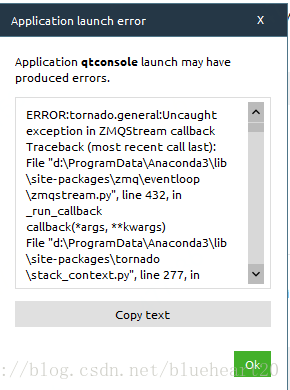
ERROR:tornado.general:Uncaught exception in ZMQStream callback
Traceback (most recent call last):
File "d:\ProgramData\Anaconda3\lib\site-packages\zmq\eventloop\zmqstream.py", line 432, in _run_callback
callback(*args, **kwargs)
File "d:\ProgramData\Anaconda3\lib\site-packages\tornado\stack_context.py", line 277, in null_wrapper
return fn(*args, **kwargs)
File "d:\ProgramData\Anaconda3\lib\site-packages\ipykernel\kernelbase.py", line 283, in dispatcher
return self.dispatch_shell(stream, msg)
File "d:\ProgramData\Anaconda3\lib\site-packages\ipykernel\kernelbase.py", line 233, in dispatch_shell
self.pre_handler_hook()
File "d:\ProgramData\Anaconda3\lib\site-packages\ipykernel\kernelbase.py", line 248, in pre_handler_hook
self.saved_sigint_handler = signal(SIGINT, default_int_handler)
File "d:\ProgramData\Anaconda3\lib\signal.py", line 47, in signal
handler = _signal.signal(_enum_to_int(signalnum), _enum_to_int(handler))
ValueError: signal only works in main thread
ERROR:tornado.general:Uncaught exception in zmqstream callback
Traceback (most recent call last):
File "d:\ProgramData\Anaconda3\lib\site-packages\zmq\eventloop\zmqstream.py", line 450, in _handle_events
self._handle_recv()
File "d:\ProgramData\Anaconda3\lib\site-packages\zmq\eventloop\zmqstream.py", line 480, in _handle_recv
self._run_callback(callback, msg)
File "d:\ProgramData\Anaconda3\lib\site-packages\zmq\eventloop\zmqstream.py", line 432, in _run_callback
callback(*args, **kwargs)
File "d:\ProgramData\Anaconda3\lib\site-packages\tornado\stack_context.py", line 277, in null_wrapper
return fn(*args, **kwargs)
File "d:\ProgramData\Anaconda3\lib\site-packages\ipykernel\kernelbase.py", line 283, in dispatcher
return self.dispatch_shell(stream, msg)
File "d:\ProgramData\Anaconda3\lib\site-packages\ipykernel\kernelbase.py", line 233, in dispatch_shell
self.pre_handler_hook()
File "d:\ProgramData\Anaconda3\lib\site-packages\ipykernel\kernelbase.py", line 248, in pre_handler_hook
self.saved_sigint_handler = signal(SIGINT, default_int_handler)
File "d:\ProgramData\Anaconda3\lib\signal.py", line 47, in signal
handler = _signal.signal(_enum_to_int(signalnum), _enum_to_int(handler))
ValueError: signal only works in main thread
ERROR:tornado.application:Exception in callback functools.partial(.null_wrapper at 0x0000000005B33488>)
Traceback (most recent call last):
File "d:\ProgramData\Anaconda3\lib\site-packages\tornado\ioloop.py", line 605, in _run_callback
ret = callback()
File "d:\ProgramData\Anaconda3\lib\site-packages\tornado\stack_context.py", line 277, in null_wrapper
return fn(*args, **kwargs)
File "d:\ProgramData\Anaconda3\lib\site-packages\zmq\eventloop\zmqstream.py", line 536, in 
self.io_loop.add_callback(lambda : self._handle_events(self.socket, 0))
File "d:\ProgramData\Anaconda3\lib\site-packages\zmq\eventloop\zmqstream.py", line 450, in _handle_events
self._handle_recv()
File "d:\ProgramData\Anaconda3\lib\site-packages\zmq\eventloop\zmqstream.py", line 480, in _handle_recv
self._run_callback(callback, msg)
File "d:\ProgramData\Anaconda3\lib\site-packages\zmq\eventloop\zmqstream.py", line 432, in _run_callback
callback(*args, **kwargs)
File "d:\ProgramData\Anaconda3\lib\site-packages\tornado\stack_context.py", line 277, in null_wrapper
return fn(*args, **kwargs)
File "d:\ProgramData\Anaconda3\lib\site-packages\ipykernel\kernelbase.py", line 283, in dispatcher
return self.dispatch_shell(stream, msg)
File "d:\ProgramData\Anaconda3\lib\site-packages\ipykernel\kernelbase.py", line 233, in dispatch_shell
self.pre_handler_hook()
File "d:\ProgramData\Anaconda3\lib\site-packages\ipykernel\kernelbase.py", line 248, in pre_handler_hook
self.saved_sigint_handler = signal(SIGINT, default_int_handler)
File "d:\ProgramData\Anaconda3\lib\signal.py", line 47, in signal
handler = _signal.signal(_enum_to_int(signalnum), _enum_to_int(handler))
ValueError: signal only works in main thread

Judging from the error message, it must be a version conflict for one of the packages.
Problem solving
After searching the Internet, I decided to try the following:

conda uninstall jupyter tornado

Solving environment: done


==> WARNING: A newer version of conda exists. <==
  current version: 4.4.6
  latest version: 4.5.9

Please update conda by running

    $ conda update -n base conda


## Package Plan ##

  environment location: D:\ProgramData\Anaconda3

  removed specs:
    - jupyter
    - tornado


The following packages will be REMOVED:

    anaconda-project: 0.8.0-py36h8b3bf89_0
    jupyter:          1.0.0-py36h422fd7e_2
    jupyter_console:  5.2.0-py36h6d89b47_1
    seaborn:          0.8.0-py36h62cb67c_0
    tornado:          4.5.3-py36_0

Proceed ([y]/n)?y

Preparing transaction: done
Verifying transaction: done
Executing transaction: done

After uninstalling, reinstall:

conda install jupyter tornado

The information output during installation is as follows:

Solving environment: done


==> WARNING: A newer version of conda exists. <==
  current version: 4.4.6
  latest version: 4.5.9

Please update conda by running

    $ conda update -n base conda


## Package Plan ##

  environment location: D:\ProgramData\Anaconda3

  added/updated specs:
    - jupyter
    - tornado


The following packages will be downloaded:

    package                    |            build
    ---------------------------|-----------------
    ipykernel-4.8.2            |           py36_0         146 KB
    ipywidgets-7.4.0           |           py36_0         150 KB
    jupyter_client-5.2.3       |           py36_0         188 KB
    nbconvert-5.3.1            |           py36_0         422 KB
    widgetsnbextension-3.4.0   |           py36_0         1.7 MB
    tornado-5.1                |   py36hfa6e2cd_0         669 KB
    jupyter-1.0.0              |           py36_5           6 KB
    jupyter_console-5.2.0      |           py36_1          53 KB
    ------------------------------------------------------------
                                           Total:         3.3 MB

The following NEW packages will be INSTALLED:

    jupyter:            1.0.0-py36_5
    jupyter_console:    5.2.0-py36_1
    tornado:            5.1-py36hfa6e2cd_0

The following packages will be UPDATED:

    ipykernel:          4.6.1-py36hbb77b34_0 --> 4.8.2-py36_0
    ipywidgets:         7.0.0-py36h2e74ada_0 --> 7.4.0-py36_0
    jupyter_client:     5.2.2-py36_0         --> 5.2.3-py36_0
    nbconvert:          5.3.1-py36h8dc0fde_0 --> 5.3.1-py36_0
    widgetsnbextension: 3.0.2-py36h364476f_1 --> 3.4.0-py36_0

Proceed ([y]/n)?y


Downloading and Extracting Packages
ipykernel 4.8.2: ################################################################
ipywidgets 7.4.0: ###############################################################
jupyter_client 5.2.3: ###########################################################
nbconvert 5.3.1: ################################################################
widgetsnbextension 3.4.0: #######################################################
tornado 5.1: ####################################################################
jupyter 1.0.0: ##################################################################
jupyter_console 5.2.0: ##########################################################
Preparing transaction: done
Verifying transaction: done
Executing transaction: done

conclusion
Often walk from the river, occasionally wet shoes, these tools will occasionally report errors, if there is a problem, just try to solve it.
Syntax error, annotations are only available if source level is 1.5 or greater

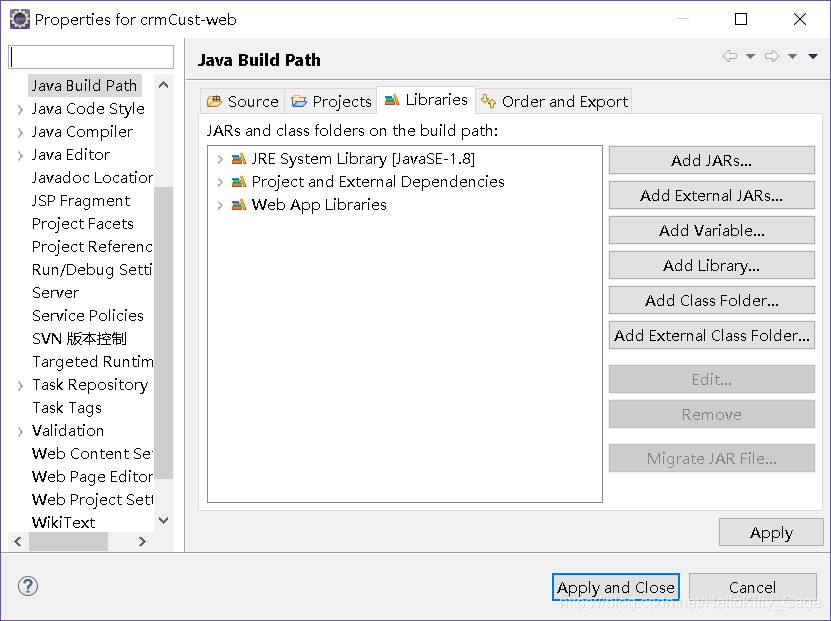
Eclipse environment configuration after importing the project will have the error, the Java source and SRC folder error, I checked my jre version there is no problem, but the error or a newspaper, my solution is to put the Java build path of the jre, remove the apply, add back again, apply, the error disappears, don’t know why have this mistake, should be the problem of the eclipse tools.

How to Fix webpack Module build failed Error: The node API for ‘babel’ has been moved to babel-core

Red when webpack is packaged:

Module build failed: Error: The node API for 'babel' has been moved to babel-core

There is nothing available on the web,
so delete the entire node_modules folder,
download the dependency package again:

npm init;
cnpm install --save babel-loader babel-preset-es2015 babel-preset-react babel-core

And to pack:

webpak

Ok, perfect!

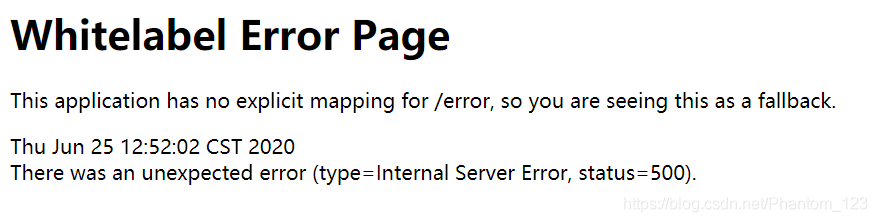
Solve the problem of There was an unexpected error (type=Internal Server Error, status=500) (using Thymeleaf to report an error)

Error details
Today, when I was watching a video and writing a small demo, I used the Thymeleaf framework to build the front end and started the SpringBoot project. I reported the error as shown in the figure below
Find the problem
Checked the database query and other code after a series of tests, found that there are no mistakes, then find a large number of blogs, online to tell you the truth, really didn’t find out how many useful things, perhaps because the problem is not the same, however, also good finally found two useful blog on their own, although the problem is a bit different, but it solved my problem.
the first blog is mainly about the problem of dependence
springboot+thymeleaf view mapping error: There was an unexpected error (type=Not Found, status=404)
the second blog mainly used the thymeleaf pit
to solve the thymeleaf There was an unexpected error (type=Internal Server error, status=500).
To solve
1. First of all, I checked my thymeleaf grammar problems, and after all of them were found, I started the project after deploying the project again or reported an error
2. Then I referred to the first blog and added the related dependence of thymeleaf (as shown below), there was no problem in starting the project again.

<dependency>
       <groupId>org.springframework.boot</groupId>
        <artifactId>spring-boot-starter-thymeleaf</artifactId>
</dependency>

= = = = = = = = = = = = = = = = = = = = = = = = = = = = = = = = = = = = = = = = =
if blogs have write wrong place, welcome to pointed out.
finally, I just want to make a silent joke, why the video did not add this dependency run project is no problem, then I have a problem???If there is any elder brother know, trouble points a ha.