Category Archives: How to Fix

[Qt] error: call to non-static member function without an object argument


error: calls a non-static member function with no object arguments.
this error occurs because the class is not instantiated with .
Take a chestnut, for example:

 class Student
 {
 public:
 int getAge();
 };

The reason for this error may be that when you call the function getAge(), you are doing this:

 Student::getAge();

Or do it this way:

  Student.getAge();

This means that the member function is called without instantiating the class Student.
Fix one: Instantiate an object first

 Student XiaoWang;
 int age = XiaoWang.getAge();

Correction 2: Declare member functions as static functions

 class Student
 {
 public:
static  int getAge(); 
 };
 
 Student::getAge();

Take chestnuts, for example:


  QDir::mkpath(Path);

Error: Calling a non-static member function with no object arguments.
the reasons for this error is that the class does not instantiate and call mkpath function need to first class instantiation,
to:

   QDir tempDir;   
    tempDir.mkpath(Path); 

That’s right.
If you write your own class, you can also add the static keyword before the function’s declaration in the class body to declare the function as a static member and call it without instantiation.
such as:


QMessageBox::warning(this,tr("Warning"),tr("No Exist"));

Static member functions can be called directly with “ class :: function name “.
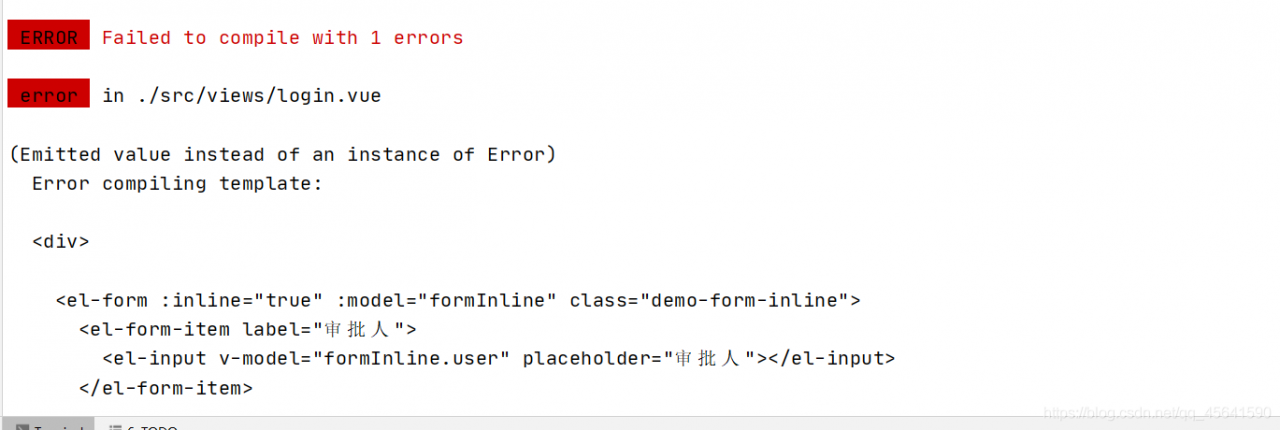
(Emitted value instead of an instance of Error) Error compiling template:

Conclusion: Find out if templent contains a script and remove it
Error: (Emitted value instead of an instance of Error)
Error compiling. template:
also has a paragraph Error:
Templates should only be responsible for mapping the state to the UI. Avoid placing tags with side-effects in your templates, such as

Reason: Error packaging vUE with elementUI for the first time

Algorithm error: LaTex error: \caption outside float

When writing a paper with a template, algorithm error was found:
LaTex error: \caption outside float
should be algorithm in the CLS file of the template itself, resulting in a conflict, so the following package was added:

\usepackage[algo2e,ruled,vlined]{algorithm2e}

And clearly

\begin{algorithm2e}

\end{algorithm2e}

Can be solved!

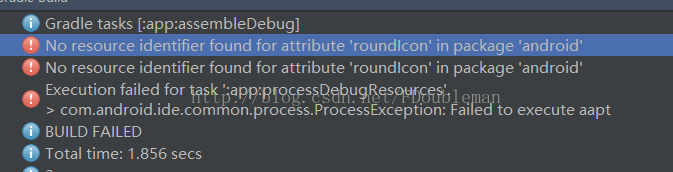
26、Error:No resource identifier found for attribute ’roundIcon’ in package ‘android’

I. Details:
During the development of the project, the following changes were made:

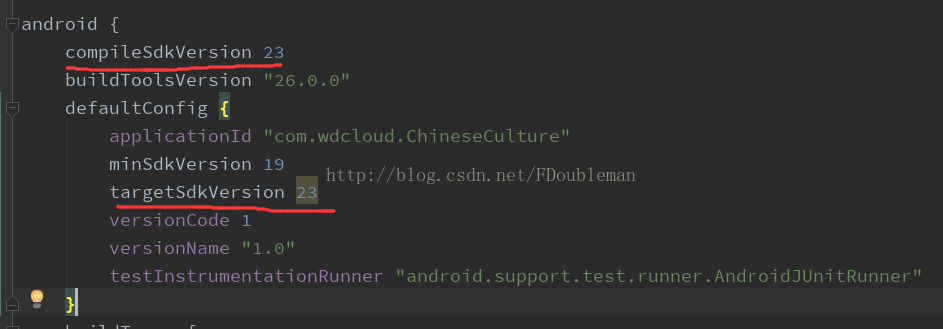
CompileSdkVersion and targetSdkVersion were adjusted from 25 to 23,


The result is tragic, direct report such error;

Ii. Cause of the problem:
After analysis:
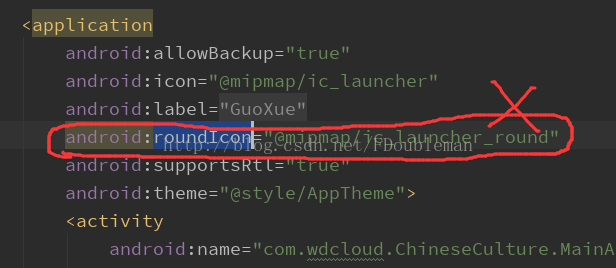
Under the Application node in the AndroidManifest file
Android: roundIcon = “@ mipmap/ic_launcher_round”,

Version 23 does not support roundness. Android :roundIcon is a new feature in version 25.

Iii. Problem Solving:
Directly remove Android :roundIcon, successfully solved

Xcode Error: Embedded binary’s bundle identifier is not prefixed with the parent app’s bundle identifier

This error usually occurs because the Bundle Identifier is not set correctly.
1. If it is a project directly downloaded from the Internet, first check whether the Bundle Identifier on Project TARGETS has been set. If it is a demo project from the SDK, the Bundle Identifier is usually blank and needs to be filled in manually. Then select the developer account in the Signing team below. The same setting is also done in the TARGETS project accordingly in the Test project.
2. Xcode + iwatch debugging error
under the three Targets of the project (the project name is my) : my, my Watchkit app, my Watchkit extention
General -> The Bundle Identifier under Identity is written in a fixed way, so don’t change it.
for example:
com. XXX. My
com. XXX. My. Watchkitapp
com. XXX. My. Watchkitapp. Watchkitextension

R mac X11 library is missing: install XQuartz from xquartz.macosforge.org

Today, when I ran the fix code, the following error occurred:

> fix(Carseats)
Error in check_for_XQuartz() : 
  X11 library is missing: install XQuartz from xquartz.macosforge.org

The MAC solution is simple and can be installed with BREW:

brew cask install xquartz

Finally, reboot and let the program take effect.
reference
[1]. The ggplot2 sourcing error: X11 library is missing. https://stackoverflow.com/questions/28984243/ggplot2-sourcing-error-x11-library-is-missing

Supplement to the problem of “Session’app’: Error Launching activity” when running on Android

As for the problem of “Session ‘app’ : error-Launching Activity”, there are two online solutions, but none of them can launch my own

The basic solutions are

    File-> Settings-> Build, Execution,Deployment find Instant Run and remove the pre-instant Run option from tools-& gt; Android -> Sync Project with Gradle Files

Another is that the APP seems to be uninstalled, and the icon can’t be found on the desktop of the phone, but there is still caching; Open the command line directly

adb shell pm uninstall <YourAppPackageName>

Use the command to unload residual applications.


The 2019-10-28 supplement
The command line mentioned above still has some problems in the case of multiple users in the system, which may lead to unclean uninstall, too low version number or inconsistent signature, resulting in the new APK can’t be installed, and can’t be installed when using Android Studio to directly run. At this point, we can adjust the version number to a large number, and then repackage, with adb install XXX to cover the installation; Install successfully, then manually uninstall, then go to run is OK. More operational references

adb shell 
pm --help