Category Archives: How to Fix

[Python] error reported when reading DICOM file pydicom.errors.invaliddicomerror

[Python] error reported when reading DICOM file pydicom.errors.invaliddicomerror

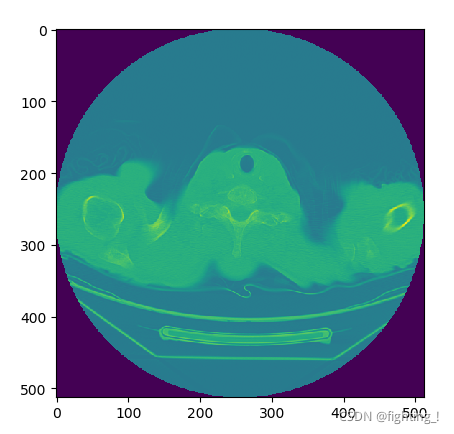
When using Python to read and display DICOM files, the code is as follows:

import pydicom
import matplotlib.pyplot as plt
a = pydicom.read_file(r'C:\Users\shdn\Desktop\004.dcm')
print(a)
plt.imshow(img)
plt.show()

However, I sometimes encounter the following errors (I made the following error when reading the data given by the hospital):

The reason for this error is that the data given by the hospital may not be processed, and the file meta information header is missing, so it cannot be read directly. Solution: force reading.

The code is as follows:

import pydicom
import matplotlib.pyplot as plt
a = pydicom.read_file(r'C:\Users\shdn\Desktop\004.dcm' , force=True)
a.file_meta.TransferSyntaxUID = pydicom.uid.ImplicitVRLittleEndian
print(a)
plt.imshow(img)
plt.show()

Successfully resolved:

Pyinstaller packages the EXE file and executes the error unknown encoding: IDNA

I wrote a script and wanted to package it into an EXE file. It runs normally in the python compiler, but when packaged into an. EXE file, an error is reported. Lookuperror: unknown encoding: IDNA

Solution:
just import this module at the beginning of the script. This may be a coding problem. There is no in-depth study. Just solve it
Import encodings.idna

In Vue, use echorts to report an error: “typeerror: cannot read property ‘init’ of undefined” error reporting reason and solution

The latest version of ecarts dependency, version 5. X, is installed through NPM. However, most of the online tutorials are introduced in the way of 4. X, while the introduction method of version 5. X has changed, resulting in an error;

Solution

The method of introducing main.js into ecarts is introduced from 4. X:

import echarts from 'echarts' 

Change to 5. X import mode:

import * as echarts from 'echarts'

Failed to get the resources path in the jar package, reporting an error null pointer

Background

The springboot project calls the method of a local jar package and needs the file path under the project resources. The file is stored under resources.

Trial and error process

1. Original code:

First use classloader.getsystemresource ("file name") , and the local operation is normal. However, an error null pointer is reported after the jar package is typed.

2. First modification:

Most people on the Internet say that they use this. Getclass(). Getclassloader(). Getresource() , but they still can’t. the two principles are the same.

3. Second modification:

Another method is to use the file stream to obtain the file, this. Getclass(). Getclassloader(). Getresourceasstream() , but this is to obtain the file directly. It needs to be the file path, but it can’t.

4. Finally:

Use string filepath = system. Getproperty ("user. Dir") + "\ \ file name" , get the path of the jar package, add the file name to get the file address, but you need to put the file in the same file directory as the jar package.

dot
system. Getproperty (“user. Dir”) + “\ double slash in file name” is in Windows environment. If it needs to be changed to “/” in Linux environment.

(at present, we haven’t found a way not to put the documents outside. There is a solution. I hope the bosses will give us their advice!)

The mapboxsdk imports the higher version unity2020 and 2021 and reports an error arbackgroundrenderer

The mapboxsdk imports the higher version unity2020 and 2021 and reports an error arbackgroundrenderer

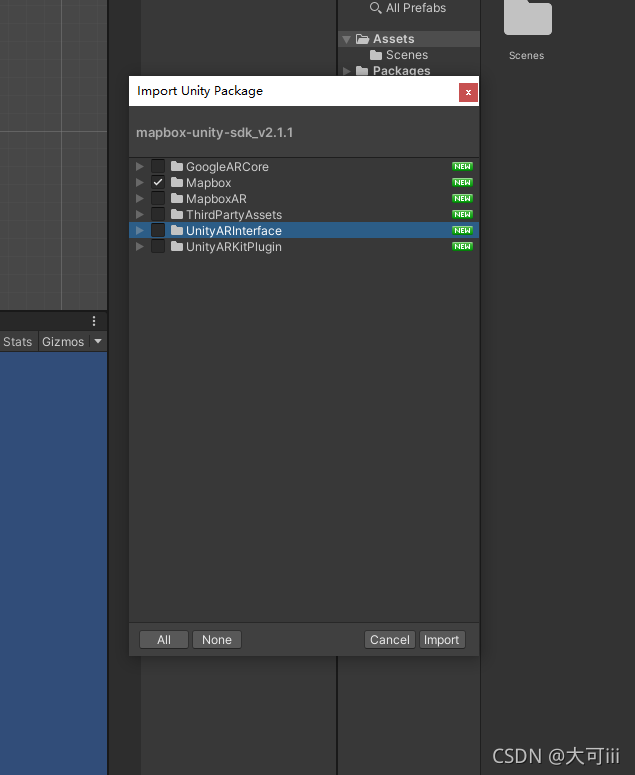
Using unity above 2020 will result in an error: solution:

Using unity above 2020 will result in an error:

Solution:

Only check mapbox when importing the installation package. The main reason is that unity changed the name and function of the arbackgroundrenderer class in version 2020, and mapbox did not update its SDK, resulting in the inability to use the AR function

An error is reported when using react app rewired to start the react project

An error is reported when using react app rewired to start the react project

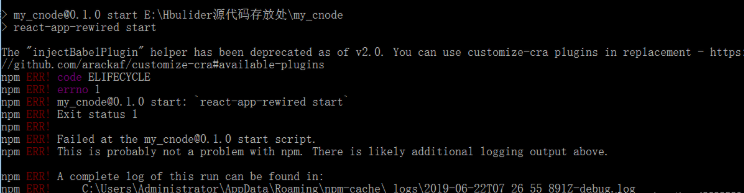
The error contents are as follows:


The “injectbabelplugin” helper has been deprecated as of v2.0

The new version of react app rewired removes the injectbabelplugin, and these methods are moved to a new package called ‘Customize CRA’

Solution:
reduce react app rewired to version 2.0

npm uninstall react-app-rewired

Delete the original react app rewired with the above statement

npm i [email protected]

Then reinstall the lower version of react app rewired

Process finished with exit code 0 error reporting solution

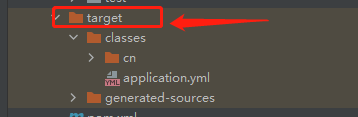
Step 1: when this problem occurs, first check the compiled target file generated by the project in the left navigation bar to see whether the file is compiled successfully

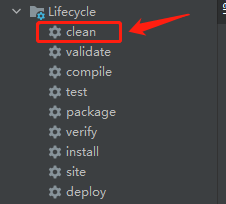
Step 2: click Maven on the right and double-click clean to clear the compiled files under the target file

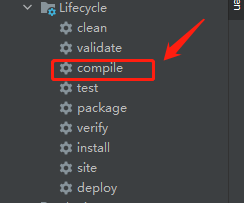
Step 3: double click compile to recompile. After compilation, start again, and the project will run successfully

Flume receives an error when a single message is too large

org.apache.kafka.common.errors.RecordTooLargeException: The request included a message larger than the max message size the server will accept.

Java client tuning: Max_ REQUEST_ SIZE_ CONFIG

Kafka server side adjustment: message. Max. bytes = 2147483640 is close to the max of int, because the maximum range of this value is int

Special note: after the parameter is adjusted, it has no effect on the created topic
adjust the parameter of the created topic: set to the maximum integer value of 2147483647

bin/kafka-configs.sh --zookeeper localhost:2181  --alter --topic topic_name   --add-config  max.message.bytes=2147483647

Problem solving