Category Archives: How to Fix

Dpkg: error processing package XXX solution

1. Error content:

root@xxx:/home/my_project/application-necessities# sudo apt-get -y install build-essential nghttp2 libnghttp2-dev libssl-dev
Reading package lists... Done
Building dependency tree       
Reading state information... Done
build-essential is already the newest version (12.4ubuntu1).
libnghttp2-dev is already the newest version (1.30.0-1ubuntu1).
nghttp2 is already the newest version (1.30.0-1ubuntu1).
libssl-dev is already the newest version (1.1.1-1ubuntu2.1~18.04.6).
0 upgraded, 0 newly installed, 0 to remove and 0 not upgraded.
2 not fully installed or removed.
After this operation, 0 B of additional disk space will be used.
Setting up nghttp2-proxy (1.30.0-1ubuntu1) ...
Job for nghttpx.service failed because the control process exited with error code.
See "systemctl status nghttpx.service" and "journalctl -xe" for details.
invoke-rc.d: initscript nghttpx, action "start" failed.
● nghttpx.service - HTTP/2 proxy
   Loaded: loaded (/lib/systemd/system/nghttpx.service; disabled; vendor preset: enabled)
   Active: activating (auto-restart) (Result: exit-code) since Mon 2021-08-30 23:23:55 CST; 30ms ago
     Docs: man:nghttpx
  Process: 124287 ExecStart=/usr/sbin/nghttpx --conf=/etc/nghttpx/nghttpx.conf (code=exited, status=255)
 Main PID: 124287 (code=exited, status=255)
dpkg: error processing package nghttp2-proxy (--configure):
 installed nghttp2-proxy package post-installation script subprocess returned error exit status 1
dpkg: dependency problems prevent configuration of nghttp2:
 nghttp2 depends on nghttp2-proxy (>= 1.30.0-1ubuntu1); however:
  Package nghttp2-proxy is not configured yet.

dpkg: error processing package nghttp2 (--configure):
 dependency problems - leaving unconfigured
No apport report written because the error message indicates its a followup error from a previous failure.
                                                                                                          Errors were encountered while processing:
 nghttp2-proxy
 nghttp2
E: Sub-process /usr/bin/dpkg returned an error code (1)

2. Violence problem solving:

sudo mv /var/lib/dpkg/info/ /var/lib/dpkg/info_old/
sudo mkdir /var/lib/dpkg/info/
sudo apt-get update

3 install it again

apt-get install xxxx

4 Preferences

https://blog.csdn.net/dou3516/article/details/105120221
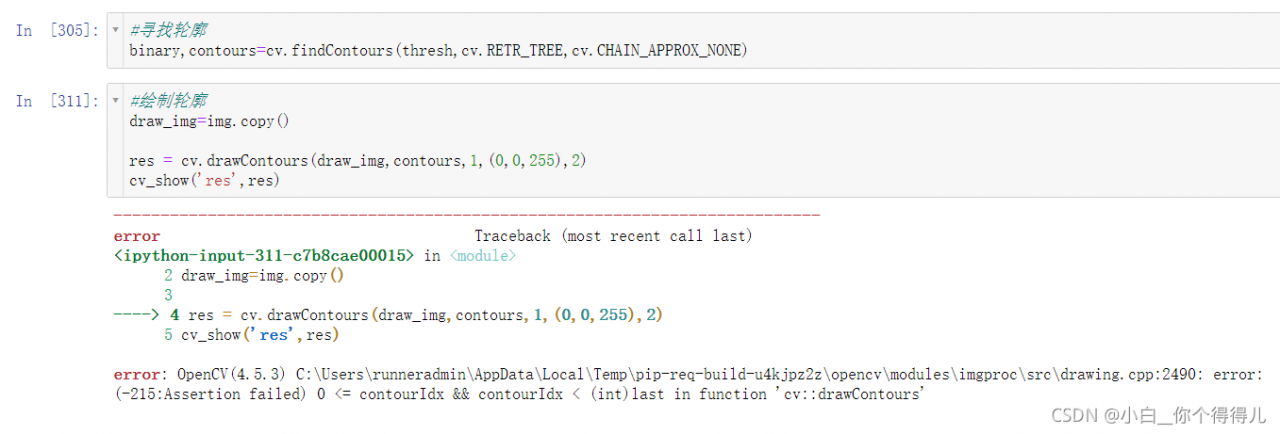
RuntimeError: cuda runtime error (100) : no CUDA-capable device is detected at /opt/conda/conda-bld/

problem

RuntimeError: cuda runtime error (100) : no CUDA-capable device is detected at /opt/conda/conda-bld/

solve

This problem is likely to be your CUDA number is wrong
for example, the variables you set use GPUs 2 and 3, but in fact you only have two GPUs 0 and 1, which will lead to this error.

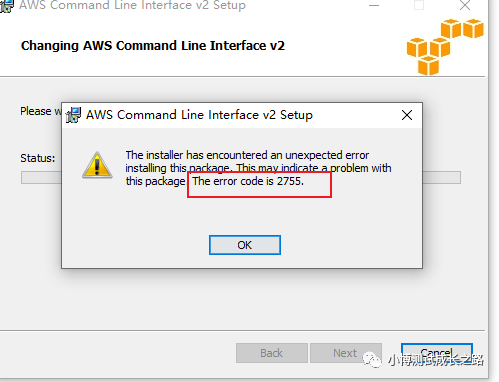
How to handle error 2755 when installing software under windows

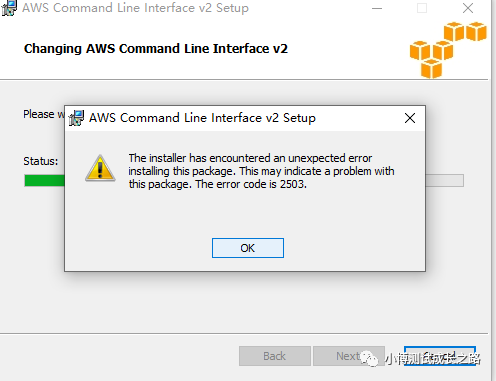
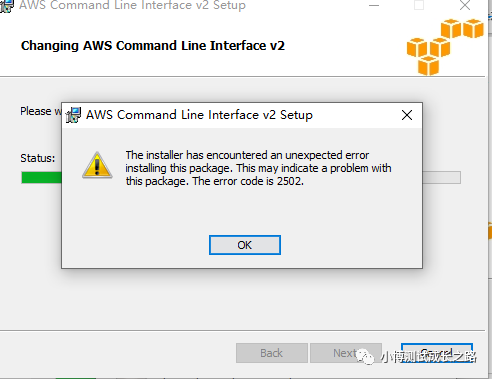
Because there was an error when installing some MSI installer on windows on your computer before:

If you search for this error from Baidu, the general solution is to right-click the attribute, then modify the file permissions in the security group and check all the permissions that should be given. I have tried this method, but I still report the same error.

Later, find a method from the Internet:

Check whether the computer C: \ windows \ installer folder exists. If it does not exist, create a folder and grant administrator permission.

Then copy the installer to the installer folder and execute.

During re execution, the following new errors are found:

At this time, I tried to change the file permissions and found that it didn’t work. Maybe I changed it in the wrong way. At this time, I changed the way. Open the CMD window as an administrator, enter the C: \ windows \ installer directory, and then enter the file name of the installer to complete the installation.

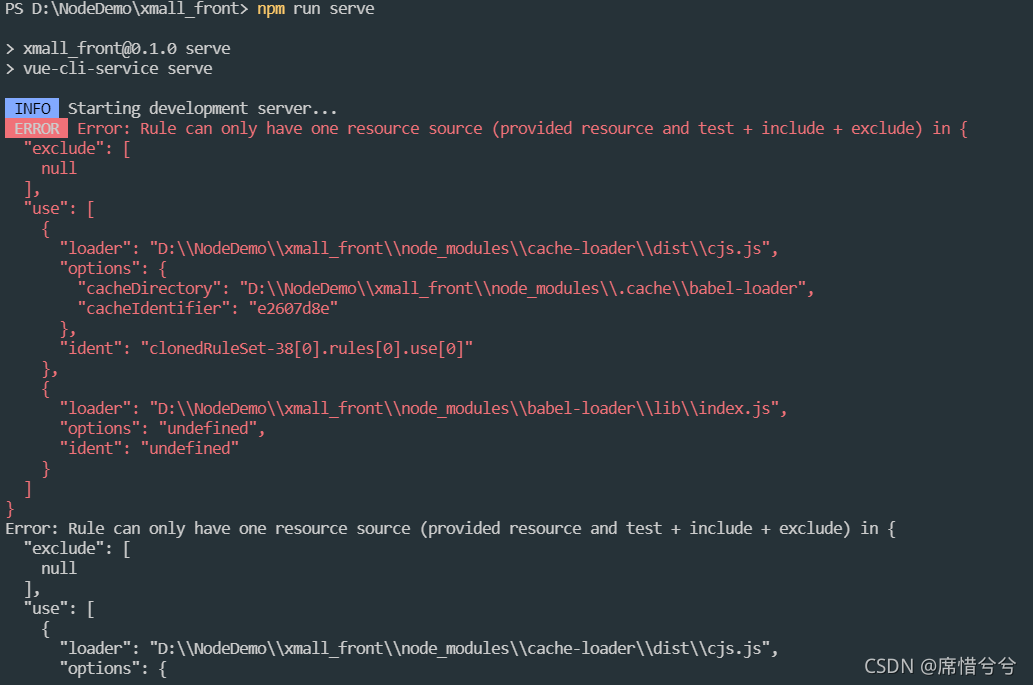
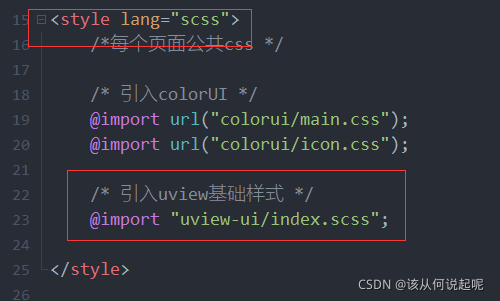
INFO Starting development server…. ERROR Error: Rule can only have one resource source (provided

Problem
when writing a Vue cli project, the following problems occurred when running NPM run serve

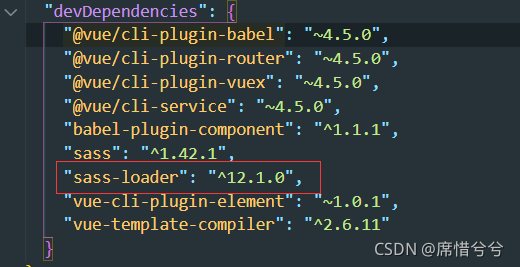
after consulting the data, you know that you have installed the latest version of SASS loader, which may be because the version is too new, Incompatible with project plug-ins or dependencies

solution
Enter
in the terminal, delete the newer version NPM uninstall sass loader
install the lower version NPM install sass- [email protected] –save-dev

Condahttpererror: http 000 connection failed for URL problem in CONDA installation package

Problems occurred when using CONDA install package locally for win10
fetching package metadata... Condahttterror: http 000 connection failed for URL & lt; https://mirrors.tuna.tsinghua.edu.cn/anaconda/pkgs/free/win-64/repodata.json> ; Elapsed: - 'ssl3_ get_ server_ certificate', 'certificate verify failed')],)",),),)

First, let’s see if it’s the source problem: change the. Condarc file according to the following article
change the. Condarc file according to the link

If it still fails, it may be the problem of HTTPS protocol. Change HTTPS in. Condarc to http.

A download error occurred while downloading data from pytorch. Urllib.error.urlerror: < urlopen error [SSL: certificate_verify_failed]

The reason is that the SSL certificate needs to be verified, but the certificate verification failed. I tried some methods on the Internet, mainly including canceling certificate verification and installing the latest certificate. I didn’t find a suitable method to install the latest certificate, so I used the method of canceling certificate verification. The specific operation is to add the following code at the location where the file needs to be downloaded:

import ssl
ssl._create_default_https_context = ssl._create_unverified_context

Failed to convert value of type ‘java.lang.String‘ to required type ‘java.util.Date‘;

Report 400: data type mismatch:

    The type of time passed in the path URL is string

    You can add this annotation in the controller layer to convert string to java.util.date

    @DateTimeFormat(pattern = "yyyy-MM-dd") Date begin
    
       @GetMapping
          public List<Demand> listAll(@RequestParam("begin") @DateTimeFormat(pattern = "yyyy-MM-dd") Date beginTime, @RequestParam("end") @DateTimeFormat(pattern = "yyyy-MM-dd")Date endTime){
              System.out.println("beginTime"+beginTime);
              System.out.println("endTime:"+endTime);
              return demandClient.queryAllDemands(beginTime, endTime);
          }
      

      date begintime in the figure; If the front-end parameter is not begintime but begin, it needs to be defined as begin. in @ requestparam

      ginx-1.10.0\index/**“ failed (123: The filename, directory name, orvolume label syntax is incorrect)

      Nginx is used in Windows environment. Error log: ginx-1.10.0 \ index/static/JS/jquery-3.1.3. Min.js “failed (123: the filename, directory name, or volume label syntax is incorrect)”

      The default path in windows is backslash \. My directory path just starts with n. It is estimated that it is interpreted as line feed, so you only need to add double slash \ or slash /,
      H: \ nginx-1.10.0 \ nginx-1.10.0
      positive solution:

      H:\\nginx-1.10.0\\nginx-1.10.0

      Or

      H:/nginx-1.10.0/nginx-1.10.0/