Category Archives: How to Fix

Inexplicable exception 007: git error: authentication failed for

It may be that your password to connect to git has been changed, but not the local configuration. However, Git doesn’t have pop-up boxes that prompt you to change your username and password.
Then you can do the following:
1. Open git bash here
Git config –system –unset credential. Helper
3. Then do anything like push, pull, or clone
4, You are prompted to enter the user name and password, change it
Git config –global credential. Helper store
6. Execute 3 again and enter the username and password
7, OK.

Reason for error in idea @ springbootapplication [solved]

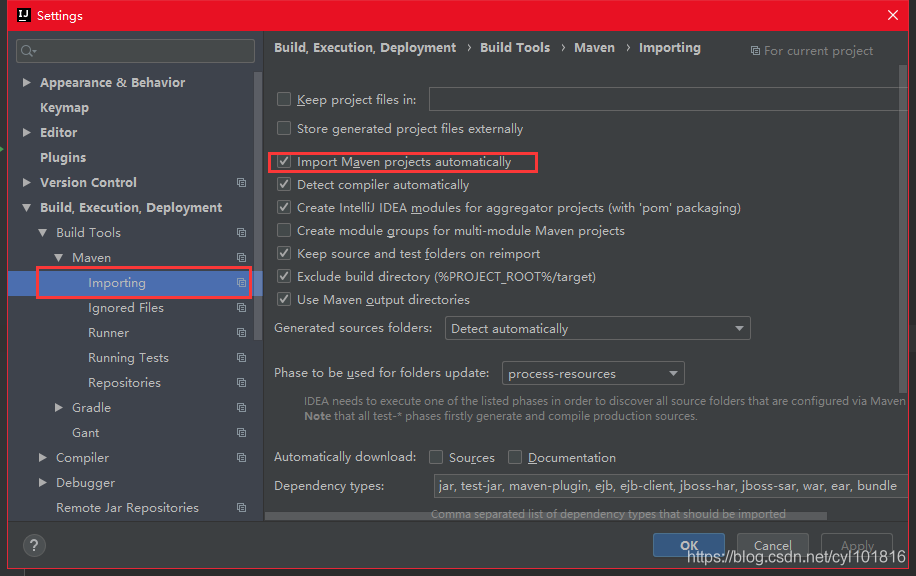
IDEA has a built-in Maven environment, which is used by default to address project dependencies. After creating a new project, the pom.xml file and the project name.iml file are generated in the project path. After creating a new project, IDEA does not automatically refresh the Maven dependencies. Maven configuration should be refreshed when @springbootapplication file is automatically generated in MyspringbootApplication:
Open File –> in turn; settings–> Build–> Maven,

Select the “Import Maven projects Automatically” option to refresh Maven


Solution of duplicate entry ‘value’ for key ‘field name’ in MySQL

I. Problems:

II. Question interpretation:
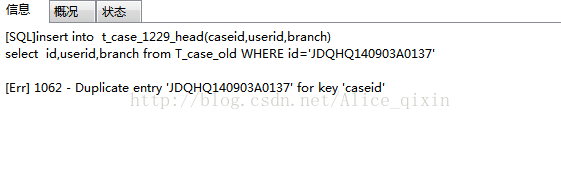
Duplicate entry… for key… This error is caused by the repetition of the unique value of the primary key. This error will be reported when the unique value of the primary key is repeated during database modification or insert operation. Sometimes, this error will be reported for table operations when there are multiple identical primary keys.
(p) If you want to import data from one table into another table, you will get an error in using the primary key field.
Three, solutions:

First, if the primary key is not a required field, the primary key is not used

The second way is to remove the duplicate from the table and start the operation

Thanks for watching!

Solution of plugins error reporting in idea maven

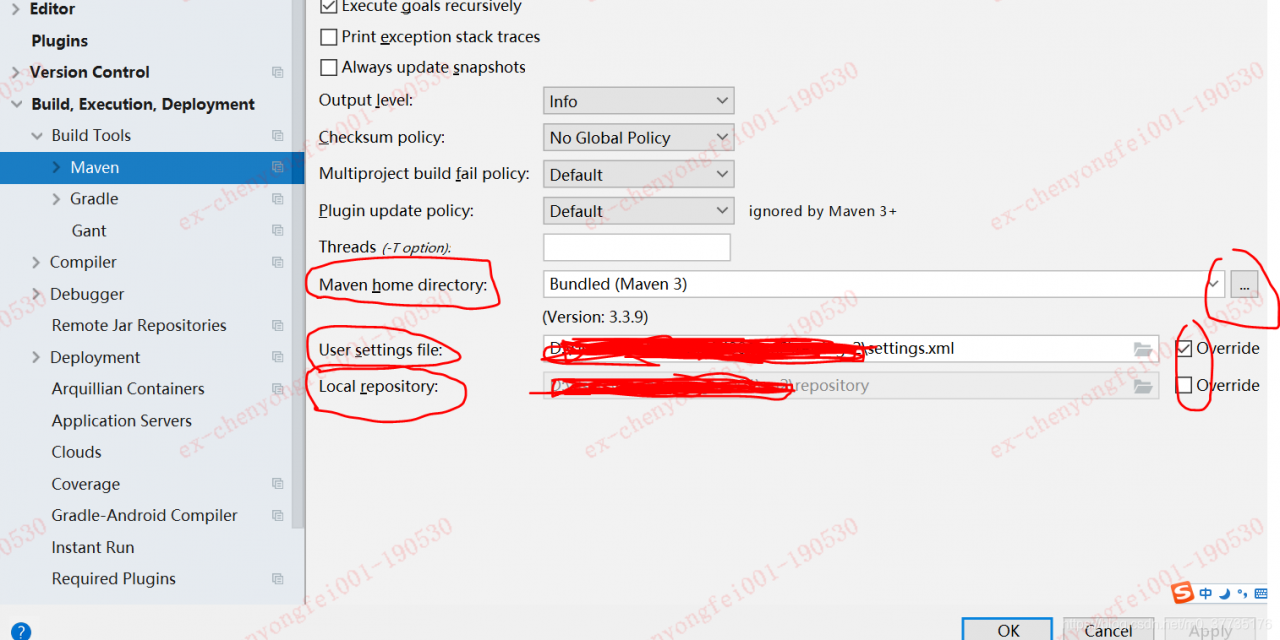
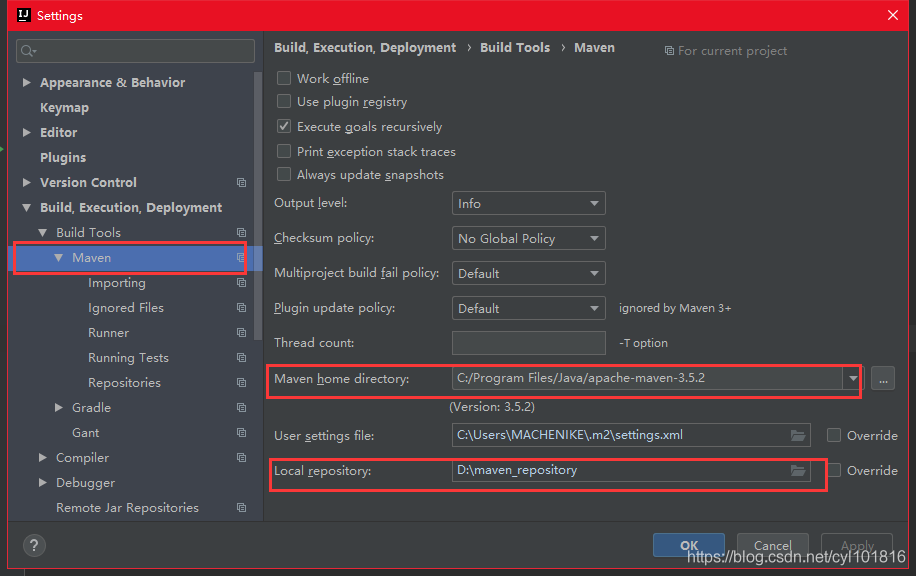
1. First of all, confirm whether the Maven and Maven Repository used by IDEA are the repositories you need. If not specified, IDEA will use its own Maven and repository. The FIile – & gt; Setting – & gt; Build, the Excution, Deployment – & gt; Maven View:

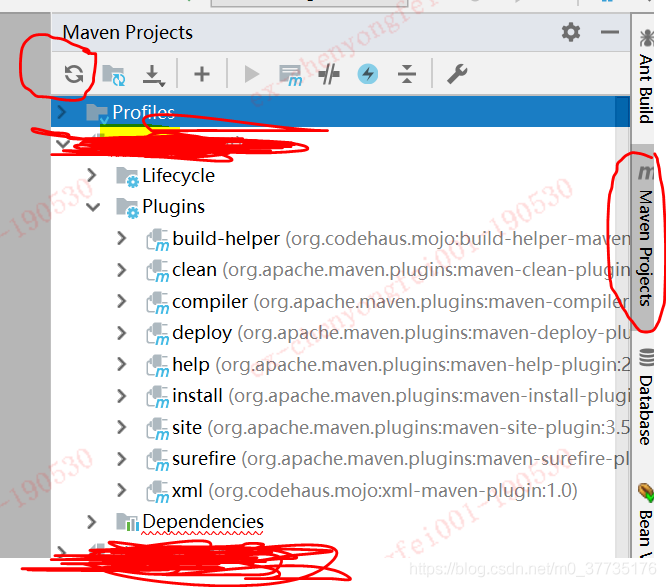
2, After switching to the correct Maven and warehouse, if the error is still reported, you can delete the error JAR, and then Reimport (the circular arrow icon in the following figure), let the project to reload the JAR package.

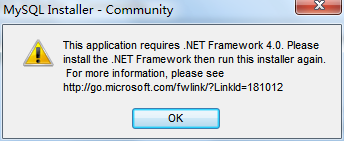
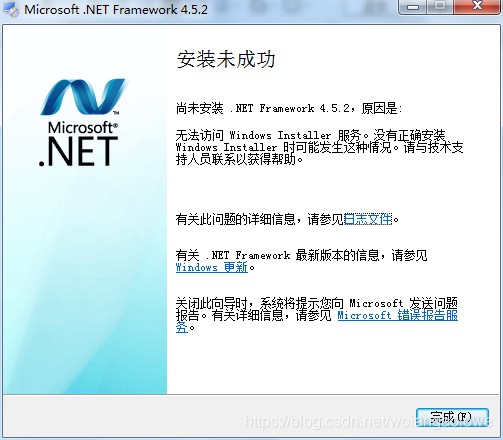
MySQL installation error. Netframeword installation failed

NET Framework is required to install the MySQL database, but after trying several versions of the NET Framework, it cannot be successfully installed

All of them are saying “installation failed”.

 
The resolution scheme is as follows:
Method one:
Select the.NET Framework installation file, right-click and select Administrator Permission to Execute. If this is not successful, continue to try the following method
 
Method 2:
1. Start – run – type “regedit” and open registry editor when you confirm.
2, find the HKEY_LOCAL_MACHINE \ SOFTWARE \ Microsoft \ SQMClient \ Windows \ DisabledSessions, you can delete the item, and then restart.
If it still doesn’t work, please look at method 3
Method 3:
1. Click “Start” and enter: CMD in the search box. In the search results, right-click on “CMD” and select “run as administrator”.
2, enter the following and press enter: reg in registry key HKLM \ SOFTWARE \ Microsoft \ delete SQMClient \ Windows \ DisabledSessions/va/f, also can make this statement a. Bat batch file, then right-click can be run as an administrator.
can
3, restart Windows 7 system after the operation, can activate Windows 7 TrustedInstalle permissions, again under the Windows 7 installation software “unable to access the Windows Installer service” will not happen again
If that doesn’t work, look at method four
Method 4:
Right-click on My Computer — Administration — Services and Applications — Services — go to Windows Installer and enable it as Auto
 

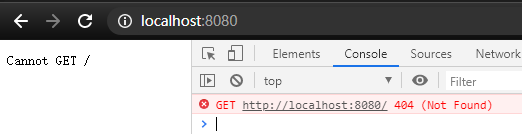
Vue running error: error failed to compile with 1 errors, browser error: cannot get/

Error Failed to compile with 1 errors: Cannot GET /
Share the solution to the problem I encountered for your reference!
Today, while running the Vue project, the following error occurred on the command line:

 
Browser access returned the following error: no root route was found

 
Js, and the actual name of the project has changed. In the configuration file, the name is main.html, and in the root directory of the project, it is index.html

Therefore, change main.html to index.html in the configuration file and the project will start successfully.
 

solve java.net.ConnectException : Connection refused:connect report errors

1. The “java.net.ConnectException: Connection refused: connect” error
2. Causes and solutions:
1) The port number is occupied: kill the process with the port number (generally 8080) and release the port; Shut down the Tomcat server completely, or restart the project.
2) Use the following command to check the maximum number of processes allowed in the server: ulimit -u. If this value is set to a low value, such as 1024, increase it to 131072 or unrestricted with the following value: ulimit-u 131072 or ulimit-u unrestricted.
3) Client and server, either or both of which are not in the network.
they could not connect to the LAN or the Internet or any other network, in this case, Java will be thrown
client “java.net.ConnectException:Connection refused” exception.

means the server is down but not running. In this case, you will also get java.net.ConnectException: connection refused error. You can ping to check if the server is running and listen for ports.
5) The server is running but not listening. The client is trying to connect.
The server is running but is listening on a different port. Verify the configuration. If you are working on a large project and have a tiered configuration file, it may be the default configuration or some other setting that overrides your correct Settings.
6) The host port combination is not allowed to use firewalls
Almost every corporate network is protected by a firewall. If you are connecting to other corporate networks, for example in any electronic trading system, need to raise the firewall
both parties require to ensure they allow each other’s IP addresses and port numbers. If the firewall is not allowed to connect, will also receive the same java.net.ConnectException:Java connection refused to abnormal in application.
7) The host port combination is incorrect.
provides an incorrect host port combination, or an earlier host port combination has changed on the server side. Check the current configuration on both the client and server sides.
8) Incorrect protocol in connection string
TCP is the basis of many high-level protocols, including HTTP, RMI, and so on. By connecting to strings, you need to make sure you pass the correct protocol that the server expects. For example, if the server is exposed, a service that passes through RMI rather than a connection string should start with RMI: //.
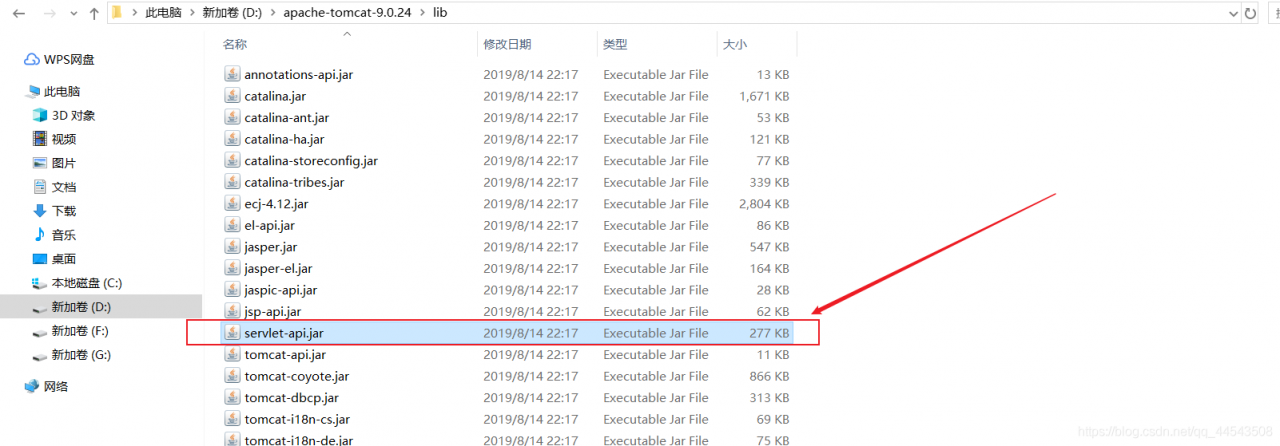
above is baidu to find the reason and solution, and I met wrong very low-level: didn’t start Tomcat.
The diagram below:
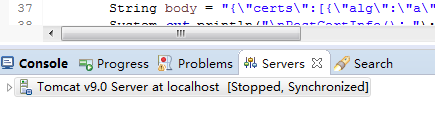
If Tomcat runs main without starting, it will report the following error:
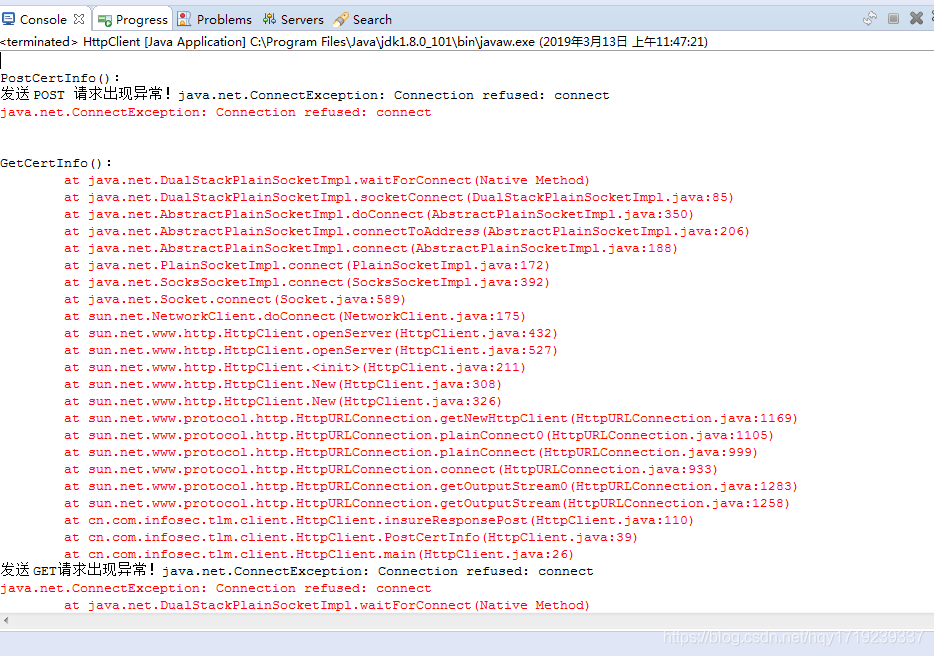
Then you need to start Tomcat as shown below:
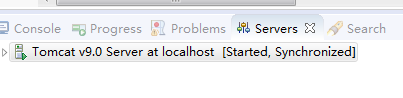
Then you can execute the code:
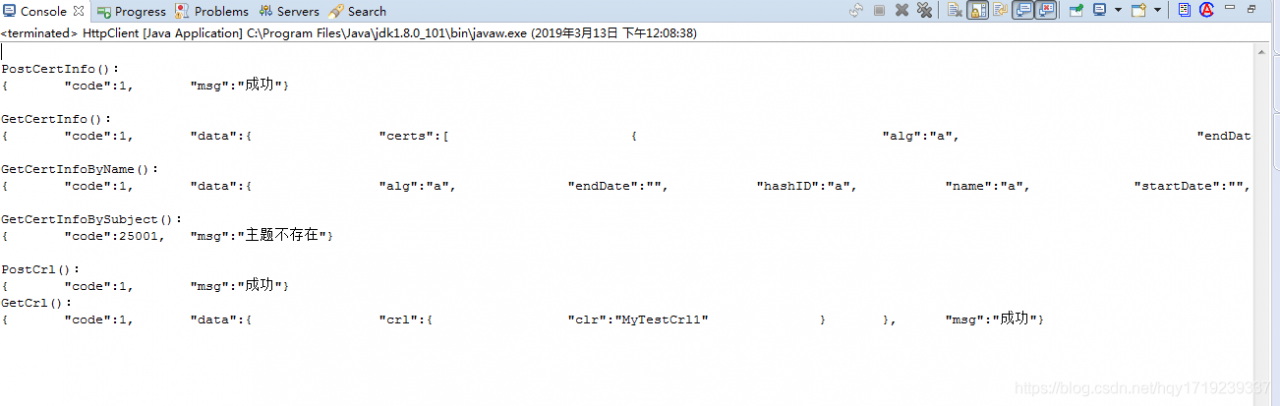


Android studio introduces code error, but it can run normally

I just encountered this problem because the computer monitor was black, so I directly shut down and restarted the project. After booting up, the AndroidStudio project could run normally, but many clearly existing classes were reported to introduce errors, causing various methods and classes to draw red lines, although they could run normally, but this has affected the normal development.
After searching on the Internet, I found several solutions and tried to find the most effective one:
1. Close AndroidStudio
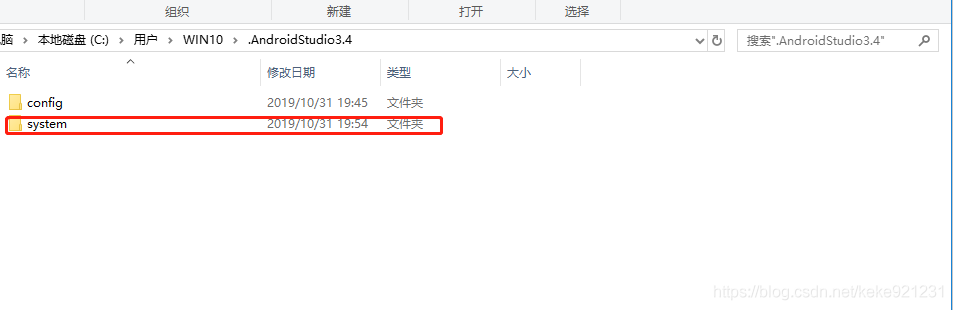
2.
: : Users\WIN10\.AndroidStudio3.4

Python error: typeerror: ‘Int’ object is not subscriptable

Check the line where the error is reported, which is usually an integer with a subscript:
Such as:

a = 4
c=a[2]

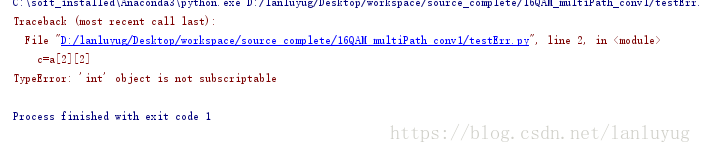
Error: line 2, in <; module>
c = a [2]
TypeError: ‘int’ object is not subscriptable
Or a more complicated one: two dimensions
 

a = [1,2,3,4]
c=a[2][2]

It’s a one-dimensional array, but you take an array and then you subscript it, same problem.

Es error mapper of different type, current_ Type “text” solution

Error:

Caused by: java.lang.IllegalArgumentException: mapper [personName] of different type, current_type [text], merged_type [keyword]
Error creating bean with name ‘ownerOpenRecordRepository’:
If you don’t have experience with Elasticsearch, you may not know how to do it, so this article will start from scratch to solve the problem!

The first step, with our programmer’s instinct, is that the field type changes, that type changes how to do?
If in the development environment: you can access ES through the Web management terminal Kibana, you can directly delete the index that reported the error. The Internet said that it needs to be rebuilt, but in fact, it does not need to be deleted, because it is not in the production environment. It is created automatically when the project starts the instantiation. The specific operation steps are as follows;
1. First find the specific index that reported the error (the index in ES can be understood as the database), then how to find it?
The answer, of course, is to look at the log. ES will normally report an error when SpringBoot is started to connect. In the day
When we instantiate a Bean, we get an error in a Repository or something like a ×××Repository. That’s it.
2, through the address

http://118.31.60.110/###-kibana/app/kibana#/dev_tools/console?_g=()

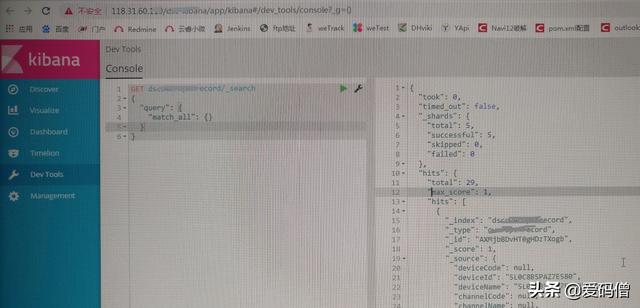
Access the web side of ES to delete, 118.31.60.110 is the public network IP of the server where ES is located, if there is ngIx, then this IP is the IP address of ngIx, ###-kibana is also the configured item in Nginx. After successful connection, it is shown in the figure below:


Delete index
Send a RESTful style HTTP request to the Console for the delete operation, as shown below

DELETE  ds##record/_search

DS# # Record is the index name. If the method is not found, write DS# # Record directly. Then click on the right side of the path similar to the playback button can be deleted successfully
4. No error was reported when starting
If you are in production, you need to export the index, then delete and rebuild it, and finally import it again. The basic pattern is the same.