Python 2 is GBK and Python 3 is UTF-8. Some older packages can cause coding problems when installed.
Because PyCharm recently pops up RELP Communications all the time, it affects the efficiency of the code.
REPL (Read-Eval-Print Loop), which translates as “read-evaluation-output” Loop, is a simple, interactive programming environment.
Sounds useful, so I want to PIP the REPL directly in PyCharm.
Error result:
ERROR: Command errored out with exit status 1:
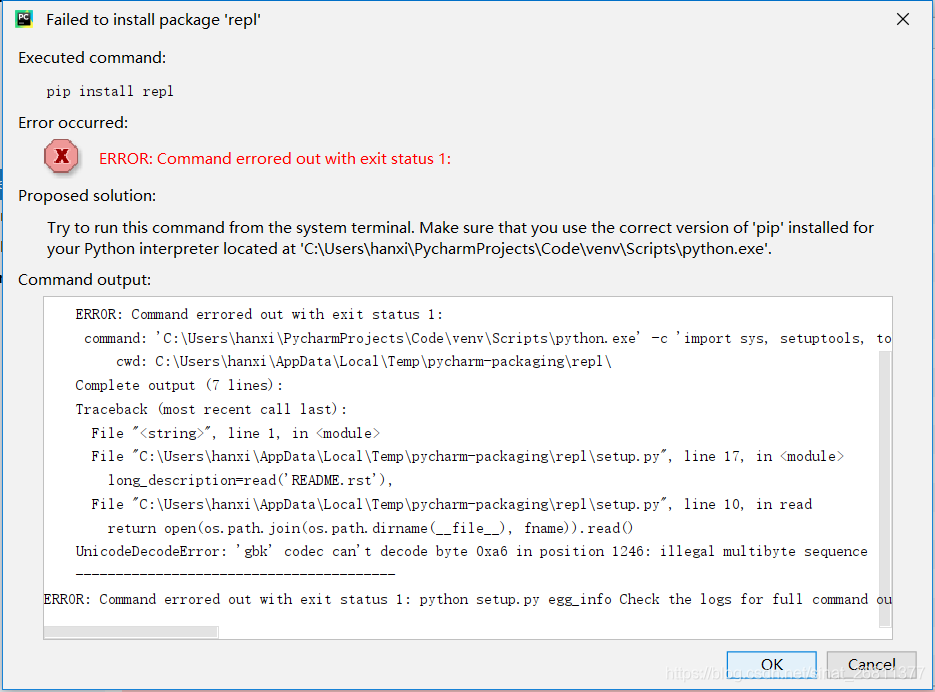
The main error is shown in the last few lines:
UnicodedecodeError: ‘GBK’ codec can’t decode byte 0xa6 in position 1246: illegal multibyte sequence
—————————————-
ror: Command errored out with exit status 1: python setup.py egg_info Check the logs for full command output.
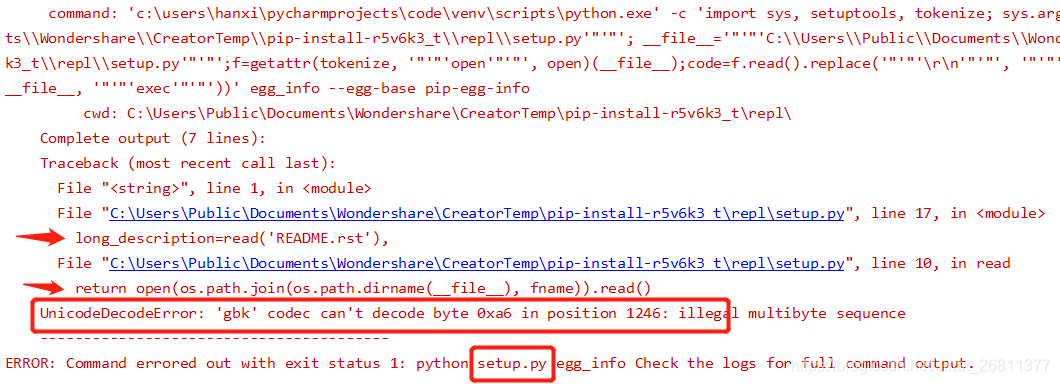
Positioning problems:
UnicodeDecodeError, indicating an encoding problem.
Specifically, on lines 10 and 17 of the setup.py file, the read file is encoded as GBK, not UTF-8, so the error prevents installation.
Update the successful solution:
Because you cannot use Project Interpreter in PyCharm.
Solution: download the source code package, make code changes and then install.
1. Locate the file of the original Package and find the line that reported the error.
REPL official address is: https://github.com/mbr/repl. View the source code of the setup file that reported the error.
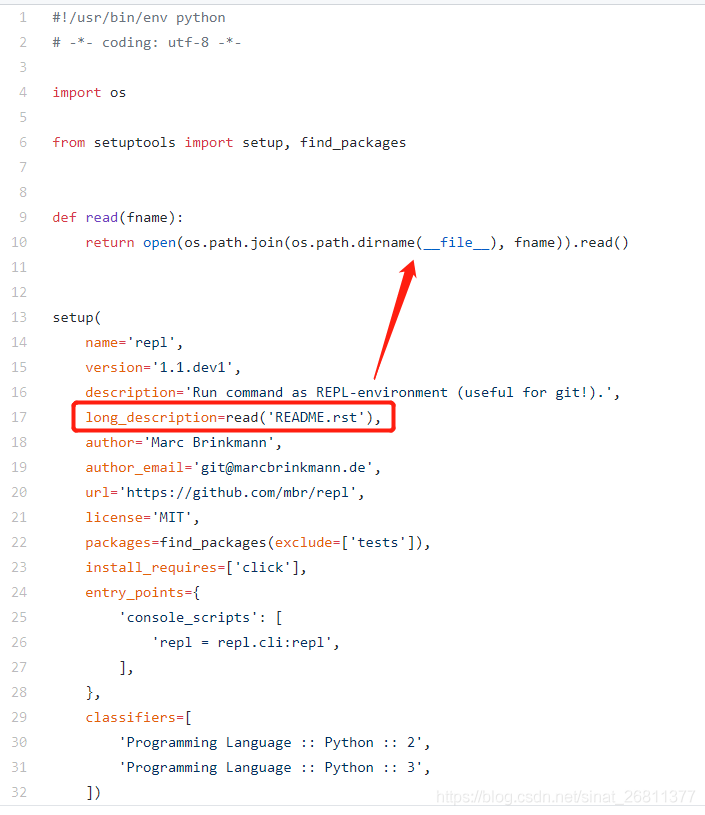
Location problem: the source code does not specify the open encoding, so the default is GBK encoding.
Error source code:
def read(fname):
    return open(os.path.join(os.path.dirname(__file__), fname)).read()
2. After downloading the original package file, unpack it and find the setup.py file. Change this line in the file, add encoding=’utf-8′, save it and package it as a new installation package.
Modified code:
def read(fname):
    return open(os.path.join(os.path.dirname(__file__), fname),encoding='utf-8').read()
3. Enter PIP install repl-1.0.tar.gz and install with the new package. Success!

This problem bothered me for a week, but it turned out that the solution was very simple!
The most important thing to solve the problem is to locate the cause of the error, and then find a solution step by step according to the reason.
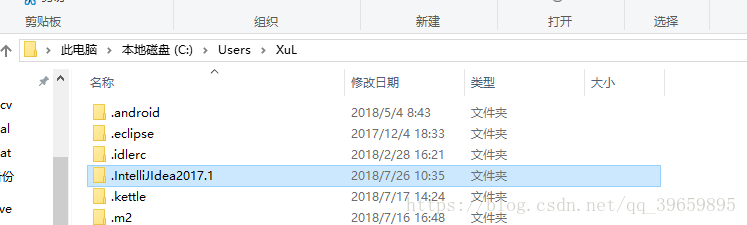
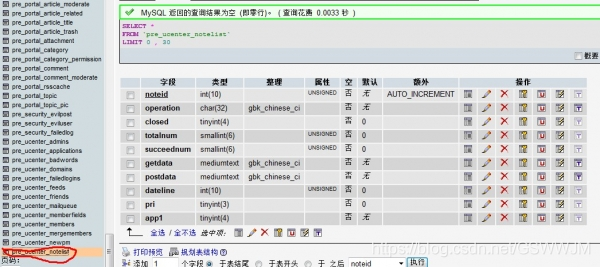 find position shown in the following screenshot:
  click on the “browse” said if the data is empty, don’t tube it, if not delete all empty, pay attention to is to remove the data on the surface of the table data, not delete next step in the data table
 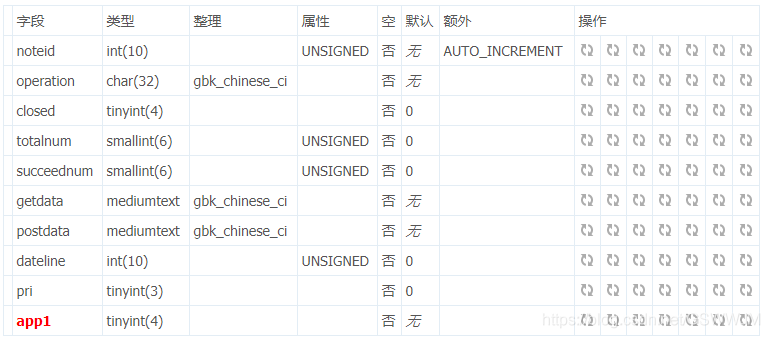 only need to keep APP1, if not APP1, but app6.app8.app10… (or other APP number), then delete directly, just keep the app1 line, as shown in the picture above! (Note that there is only one DZ forum without integrating other applications.)
 after saving, exit the database!