Category Archives: How to Fix

Some common problems in the use of vs2017

1. Compile in VS2017 environment. When using scanf, write scanf as scanf_s and you can input from the keyboard.
When using VS2017, the debug window will flash and you need to write a header file #include <; stdlid.h> , and then in return 0; Before writing system ("pause"); This phenomenon can be avoided. Three, the following is a few classic examples 1. Can receive keyboard characters, if it is lowercase, then output uppercase; If it is uppercase, output lowercase; If it is a number, it is not printed
#include <stdio.h>
#include <stdlib.h>

int main()
{
	int ch = 0;
	while ((ch = getchar()) != EOF)
	{
		if (ch >= 65 && ch <= 90)
		{
			ch = ch + 32;
			putchar(ch);
		}
		else if (ch >= 97 && ch <= 122)
		{
			ch = ch - 32;
			putchar(ch);
		}
		else if (ch >= '0' && ch <= '9')
		{
			;
		}
		else
		{
			putchar(ch);
		}
	}
	system("pause");
	return 0;
}

2. For example
Output a diamond

#include<stdio.h>
#include<stdlib.h>
int main()
{
     int line = 0;
     int i = 0;
     scanf_s("%d", &line);
     for (i = 0; i < line; i++)
     {
          int j = 0;
          for (j = 0; j < line-1-i ; j++)
          {
               printf(" ");
          }
          for (j = 0; j < 2 * i + 1; j++)
          {
               printf("*");
          }
          printf("\n");
     }
     for (i = 0; i < line-1; i++)
     {
          int j = 0;
          for (j = 0; j <=i; j++)
          {
               printf(" ");
          }
          for (j = 0; j < (line-1-i)*2 - 1; j++)
          {
               printf("*");
          }
          printf("\n");
     }
     system("pause");
     return 0;
}


Solution: vs2017 cannot open header files such as stdio. H main. H

Problem description:
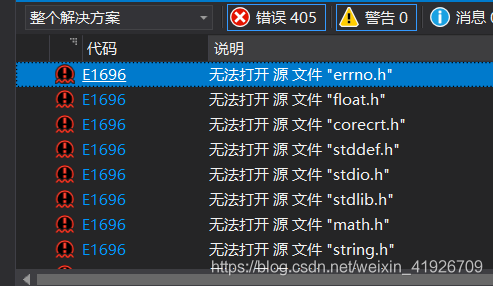
Error running solution in VS2017: “E1696 cannot open source file” stdio.h “
“…

The reason:
This usually occurs when the code for the project is downloaded from the Internet, or when the computer is reinstalled on a new system, etc., resulting in a computer system that is different from the Windows SDK that the project was built with, and many of the source files are not found in the default location (which has changed).
Solution:
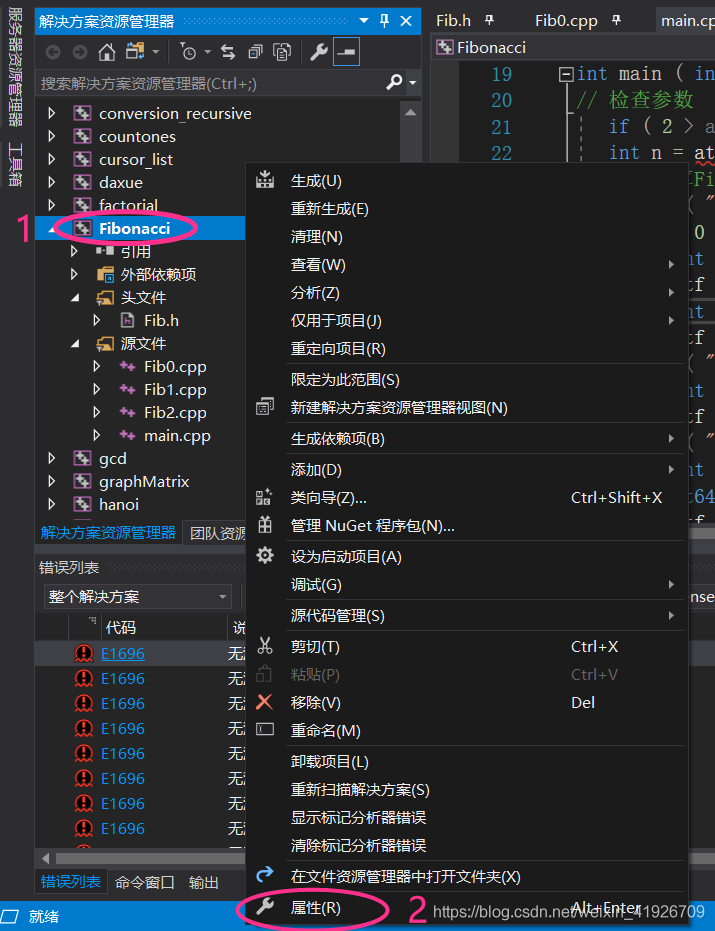
1. At the C++ project (example is “Fibonacci”), right-click the mouse to select “Properties” from the pop-up menu.


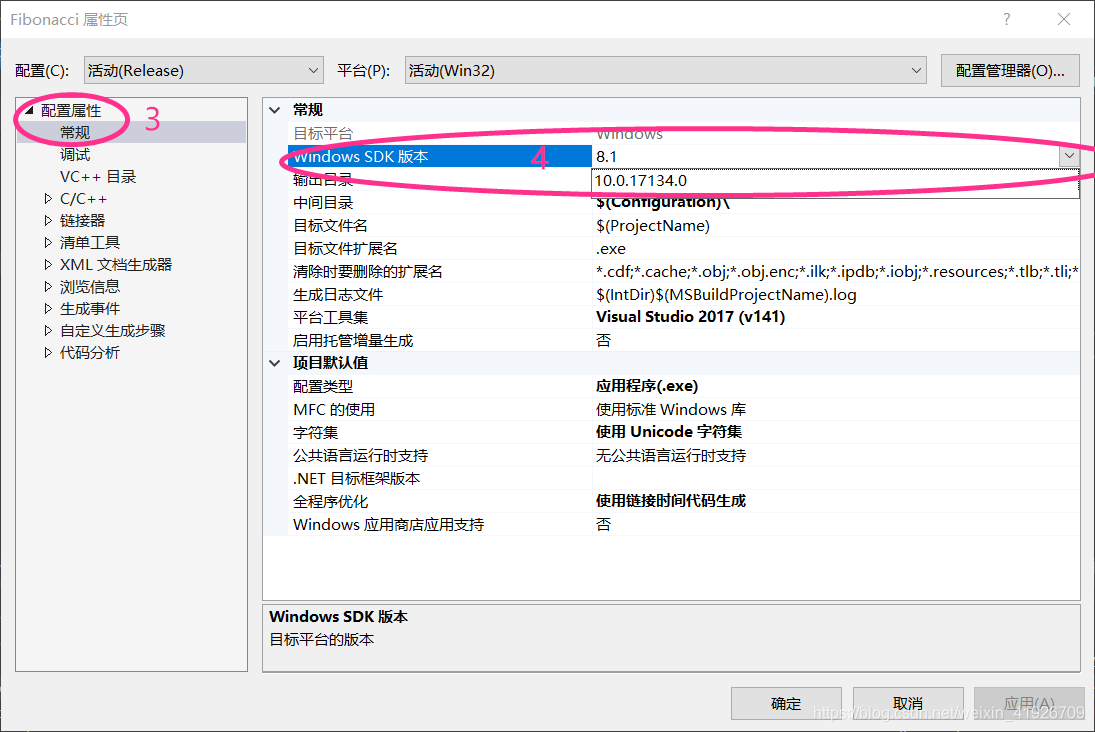
2>fter clicking “Properties”, the following dialog box will pop up, locate and click “General”, and select the Windows SDK version of this computer from the drop-down option of “Windows SDK version” (the default in the example project is 8.1, but 10.0.17134.0 (my computer is Win10)).

Python error: typeerror: not supported between instances of ‘STR’ and ‘Int’

Python: TypeError: ‘<<; 'not supported between instances of' STR 'and' int '
For example:
error:
me = input(‘ I’m Hi, what’s your name, please?\n ‘)
age = input(‘ I’m 8 years old, what about you?\ n ‘)
if (the age & lt; 30):
print(f” {age}”
print “How young you are, as young as a flower!”
age = input(‘ I’m 8 years old, what about you?\n ‘)
age = int(age)
(age < 30):
print(f” {age}”
print “How young you are, as young as a flower!” )

How to solve the problem that lightningchart is completely black

LightningChart.net is fully GPU-accelerated and optimized for displaying massive amounts of data in real time — over 1 billion data points. LightningChart includes a wide range of 2D, Advanced 3D, Polar, Smith, 3D Pake/Doughnut, Geographic Maps and GIS charts as well as volume mapping capabilities for science, engineering, medicine, aviation, trade, energy and other fields.
LightningChart.net is now available for online order, SignalTools, 12 Months, WPF version for RMB3499 from RMB4105. Buy it now! Buy now> >
Click to download the latest trial version of LightningChart.NET
Question: With the WinForms program of LightningChart, for some reason I overwrite CreateParams in the Form class and put the LightingChart in the custom panel. Then the LightningChart will turn all black. Am I doing something wrong?The attached file demo project only overrides CreateParams and will show a black screen at startup and then go to the correct content, but in my program, it will always be black.
Start the
After normal startup for
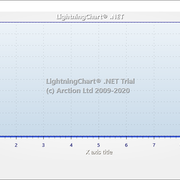
Black
Lightning map all black
overwrites createParams code

protected override CreateParams CreateParams
{
    get
    {
        CreateParams cp = base.CreateParams;
        cp.ExStyle |= 0x02000000;
        return cp;
    }
}

We tried to reproduce this problem with the test items you shared, but were unable to produce a situation where the chart was completely black.
project has two forms, ReadData and Form1. Both can be added using CreateParams.
ReadData is black first and then displays the chart.
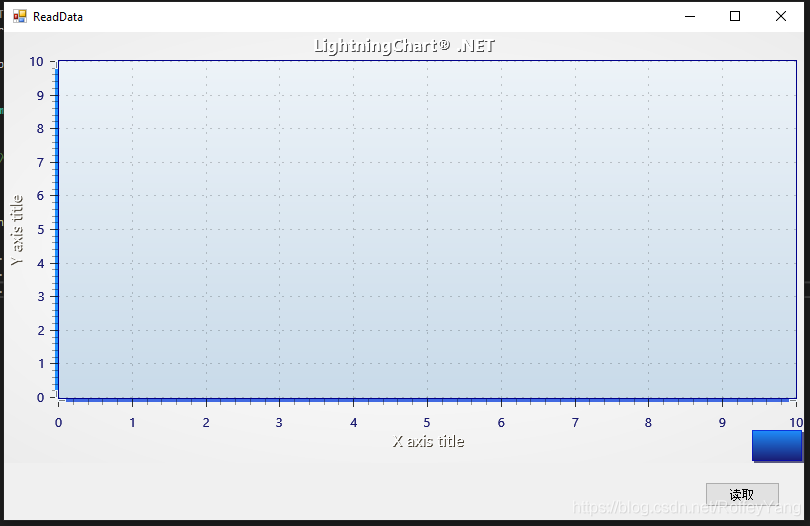
Form1 is first transparent and then displays the chart.
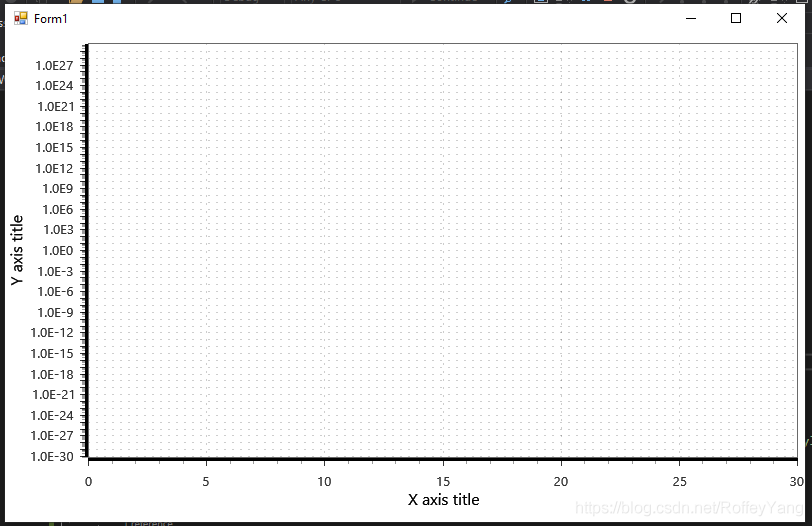
Did the problem occur in the test project on your computer?If so, will the chart display properly if you ignore createParams?This will indicate whether the reason is actually CreateParams.
The only known thing about a completely black chart is that it lacks some reference. In the test project, they seem to be correct, but just in case you can test adding arction.directXFiles.dll, directXInit.dll and arction.mathcore.dll.
As mentioned earlier, an all-black chart may appear if some references are missing. A complete reference list is provided in Chapter 29.1 of our user manual. All of these files are not necessarily needed at development time, for example, if DirectX-Files are already found somewhere on the computer. Referencing all listed parts solves the black chart problem.
However, if rendering DeviceType SoftwareD11 works, but Hardwared11 or Hardware D9 does not, then there may be a problem with the drivers themselves because they may be faulty or outdated. Therefore, it helps to update the driver to the latest version.
In general, you can listen to a ChartMessage-event immediately after building a LightningChart and call the checkEngineResult () – method in it to catch RenderingEngine errors. Such as:

private void _chart_ChartMessage(ChartMessageInfo info)
        {
            info.ToString(); //= log message
 
            if (info.MessageType == MessageType.RenderDeviceCreateFailed || info.MessageType == MessageType.MemoryAllocationError)
            {
                CheckEngineResult();
            }
       }
 
 
private void CheckEngineResult()
        {
            var results = _chart.GetLastEngineInitResults();
 
            foreach (var engineInitResult in results)
            {
                string sLog = string.Format("Engine {0}. Success:{1}", engineInitResult.DeviceType, engineInitResult.Success);
 
                foreach (var exception in engineInitResult.Exceptions)
                {
                    sLog = string.Format("{0}\n Exception: {1}", sLog, exception.Message);
                }
                System.Diagnostics.Debug.WriteLine(sLog);
            }
       }

We did some more research on this issue and may have recreated it. When using CreateParams, does the following happen in the application?
After launching the application, WinForms controls such as buttons will be drawn, but the diagram will remain black (left image below). After a short time, the diagram is drawn (the image below is on the right).
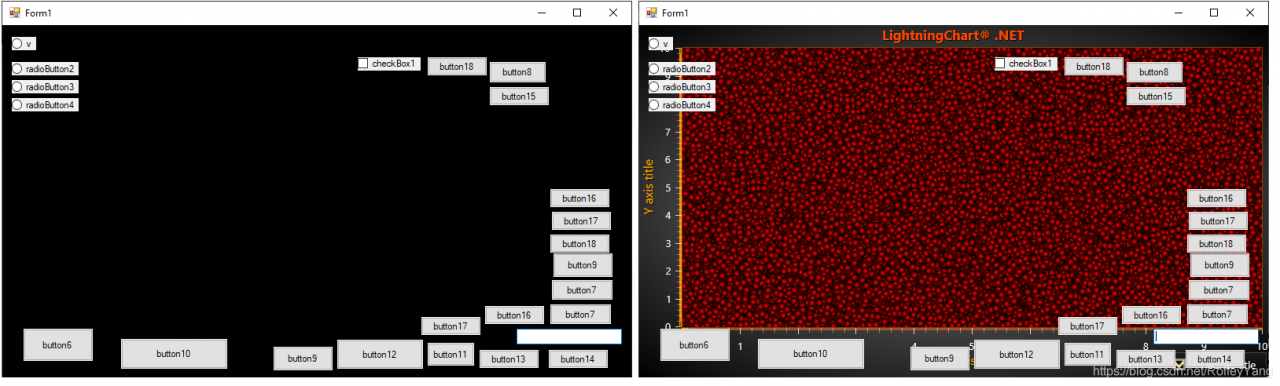
What is the diagram behavior you are trying to accomplish?Should you draw both controls and charts?In this case, you will most likely have to defer the drawing of the control in some way. This can be done by rewriting the OnPaint method or by using SuspendLayout and Resumelayout. One solution, however, is to hide the control until the diagram is drawn. In other words, set the Visible property of all controls to false by default, and then set it to true in the Paint event of the diagram. The sample code below shows all the buttons only after the diagram is drawn.
_chart.Paint += _chart_Paint;

private void _chart_Paint(object sender, PaintEventArgs e)
{
    _chart.Paint -= _chart_Paint; // Do this only once.
    foreach (var b in this.Controls.OfType<Button>())
    {
        b.Visible = true;
    }
}

If you have any questions, please contact customer service for more information.
Solve the problem of Chinese garbled code of actibpm plug-in in idea

Transfer: https://blog.csdn.net/weixin_46544994/article/details/106392705
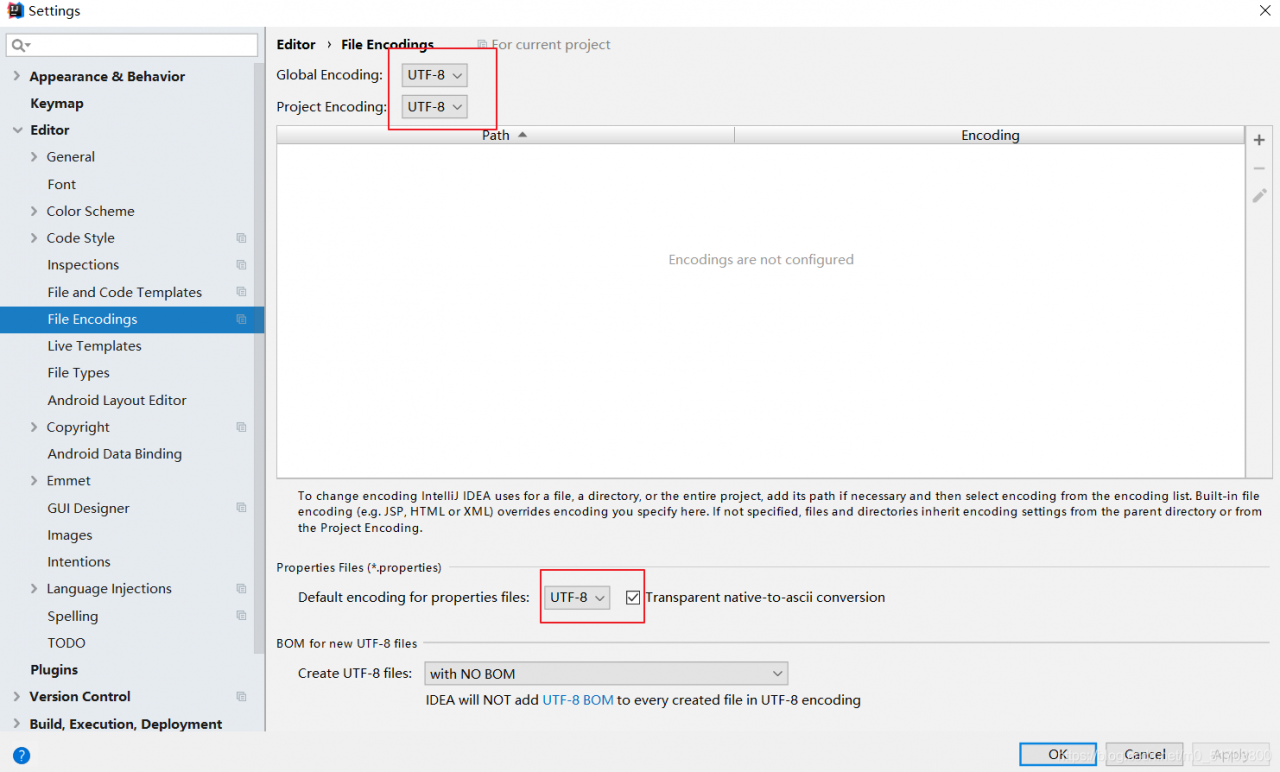
Change the IDEA editor code to utf8File->; Settings-> Editor-> File Encodings, all changed to UTF-8

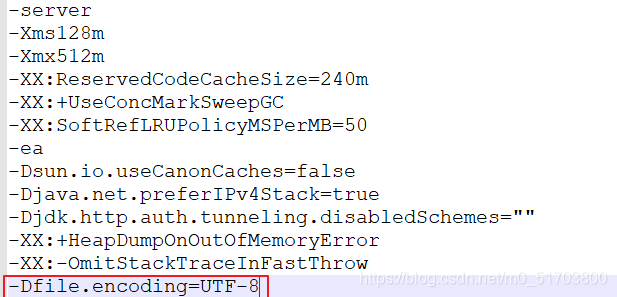
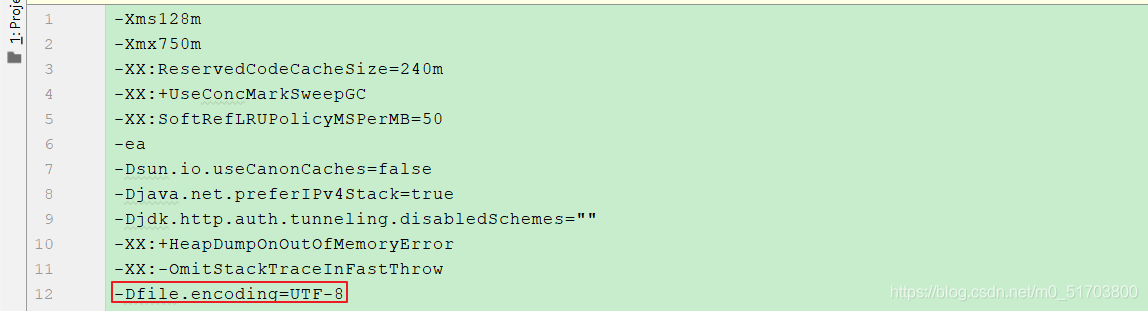
Idea64.exe. vmoptions and idea64.exe.vmoptions. Open and edit the two files and add the following code at the end of the text respectively

-Dfile.encoding=UTF-8


IDEA path Help->;
ea path Help->; Edit Custom VM Options

Question: Vue or HTML prompts “cannot red property getcontext of null” when creating canvas?

Problems encountered:
When using the SVGA icon in a Vue project, I encountered Canvas Canvas <; cannot read property "getContext" of null.> Such an error, it is finally known that the page load order caused the problem. Solution: In a normal HTML page, a js method can be placed either in the head or before the end of the body tag, but there are some differences. When in the head tag, it is usually just loaded and not automatically executed immediately. It will only be executed after being triggered. Therefore, when the script tag is in this location, variables in JavaScript are not initialized, so the above error may occur; Before the end of the body tag, the JavaScript is loaded and executed immediately. This time, however, the problem was that the method was called before the page had finished loading. Solution: Based on the above analysis, there are two ways to solve this problem in normal HTML: Put the script tag directly after the end of the body tag. When the script tag is in the head tag, you can automatically fire this event by introducing something like window.onload. This time, the answer is to let the page load completely before calling the method.