Category Archives: How to Fix

Android studio AAPT: error: attribute android:requestLegacyExternalStorage not found.

AAPT: error: attribute android:requestLegacyExternalStorage not found.
The SDK used in the project is 28. After updating the third-party SDK, the compiler will report an error.
 
Solutions:
Set compileSdkVersion to 29.

https://blog.csdn.net/zqurapig/article/details/109474011
https://blog.csdn.net/itTalmud/article/details/107517449

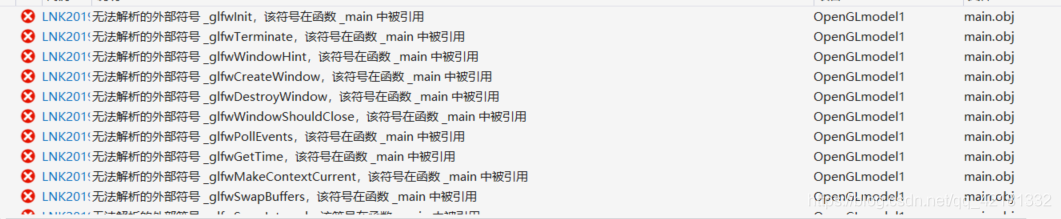
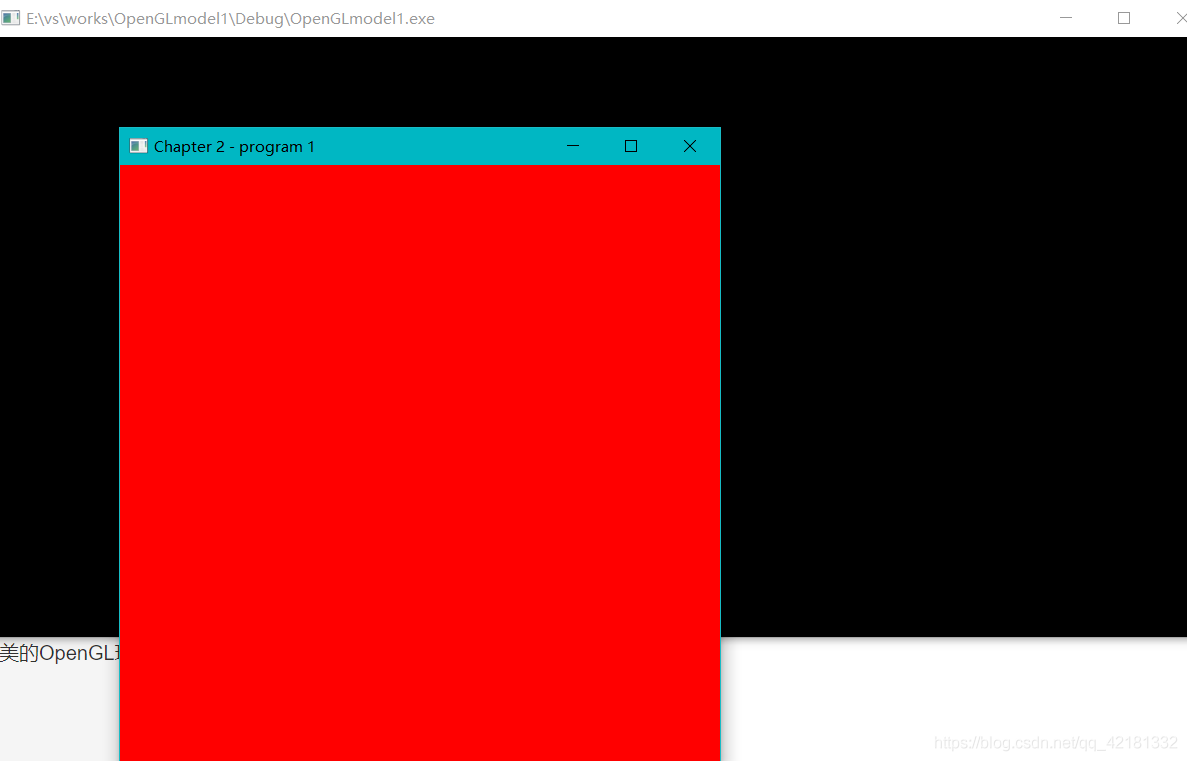
OpenGL configuration file, as well as unable to parse the file solution

Suggest to look at the question first
Do not guarantee that all people can use, to tell the truth, the computer is to need patience and perseverance, I have no talent, with three days.
I refer to “Computer Graphics Learning to Program (Using OpenGL and C ++)” here to talk about my files and problems.
Part of the file: https://github.com/Vnicy/Opengl-pathsetting
There is no GLM here, just go to Baidu GLM and put in the include file. (Too many files to upload)
After downloading and unzipping, open a newly created project.
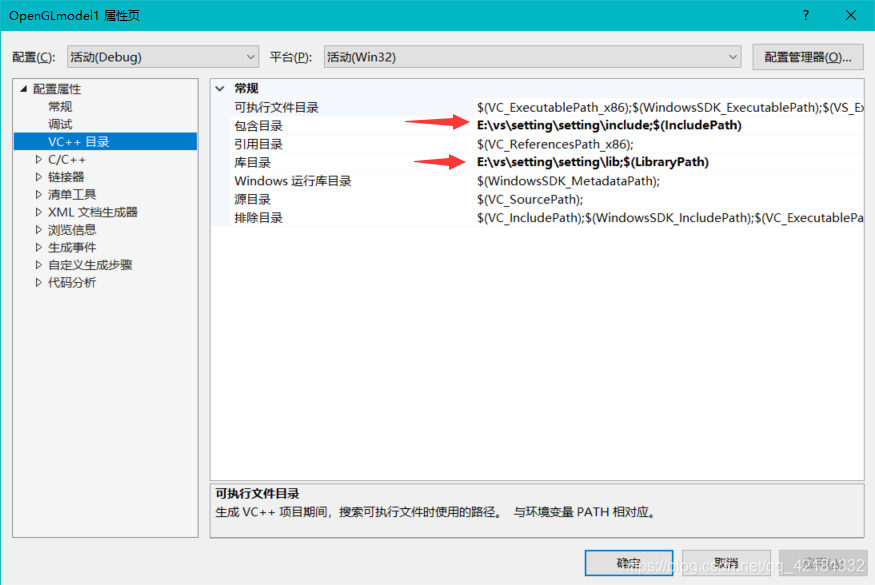
Project – & gt; Property – & gt;
include directory include
brary directory select lib
a>
then se> linker ->; Add the following content to the input modification attached dependency (L is typed in lib with carriage return or semicolon, not identified by comma)
glew32.lib
glew32s.lib
glfw3.lib
soil2-debug.lib
glfw3dll.lib
OpenGL32.lib


Here are some of the problems I encountered :(I tested the first example in the book, which can also be downloaded, the resource address is listed in # 1)
1. Baidu SOIL2 didn’t make file
the solution: supporting resources in the book there is a complete soil file
resource address: https://www.epubit.com/bookDetails?id=UBb600b5af4598
Unable to resolve _imp_glClear@4 and _imp_glClearColor@16 are linkers -> I forgot to add an additional dependency to the input OpenGL32.lib


ah
4>ble to resolve glew initialization

4
4
:
:
:

AttributeError: module ‘os’ has no attribute ‘mknod’

AttributeError: module ‘OS’ has no attribute ‘mknod’
Today, I’m going to make a Python program for students to traverse the directory and count the homework submitted by students. I ran into this problem when I wanted to generate some test files from code, using os.mknod() Python on Windows does not support the mknodnction, because there is no node concept on Windows. with open("file_name.txt", a+) as fpwith open("file_name.txt", a+) as fp.

Attributeerror: ‘module’ object has no attribute ‘handlers’ — Python sub module import problem

You want to log using Python’s logging module and use RotatingFileHandler to process the log so that new log files are regenerated if they exceed the specified size.

>

import logging

logger = logging.getLogger('mylogger')
logger.setLevel(logging.INFO)

fh=logging.handlers.RotatingFileHandler('/tmp/test.log', mode = 'a', maxBytes=10240, backupCount=3, encoding='utf-8')

formatter = logging.Formatter('%(asctime)s - %(filename)s[line:%(lineno)d] - %(levelname)s - %(message)s')
fh.setFormatter(formatter)

logger.addHandler(fh)

logger.info('hello logging')
logger.warning('hello logging')
logger.error('hello logging')
logger.critical('hello logging')

run times error:

AttributeError: ‘module’ object has no attribute ‘handlers’


import logging
import logging.handlers
……

Rerun, the program output normally.

import Logging
import Logging
import Logging
import Logging
import Logging
import Logging
import Logging
import Logging
import Logging
import Logging
import Logging
Therefore, it is necessary to explicitly import the logging.handlers submodule in the access TAB.

but sometimes, when importing some package does not require additional action will automatically import its module, this is because the set of packages for these operations in py files. In other cases, something else you import might also import logging.handlers. Anyway, just make sure that before visiting

The corresponding submodule has already been imported. Sometimes a module that looks like a package is not, such as OS and OS.Path. OS is not a package, it just provides another module called path, which you can access through os.path.

Attribute


An error occurred when Python called the pydot.py file

AttributeError: module ‘OS’ has no attribute ‘errno’

why
No longer available in Python 3.7os. errno
Change the method
Change python3.7/ site-packages /pydot.py to import errno. Line 1863:

if e.errno == errno.ENOENT:
Note: If NameError: Name ‘errno’ is not defined, add import errno to pydot.py

module ‘os’ has no attribute ‘mknod’

The reason is that the code is running under Linux, but I am running under Windows. The ‘OS’ module in WIN is different, which does not have this property. Please modify it as follows:

os.mknod(os.path.join(args.save_path, "{}.lst".format(args.set)))

Instead, the final “w” is added according to your own needs.

open(os.path.join(args.save_path, "{}.lst".format(args.set)),"w")

How to use Python split() function (split array)

describe
Python split() slits a string by specifying a delimiter, and only splits the num substring if the parameter num has a specified value
grammar
Split () method syntax:

str.split(str="", num=string.count(str)).

parameter
STR – The delimiter, which defaults to all null characters, including Spaces, newlines (\n), tabs (\t), and so on. Num – number of splits.
The return value
Returns a list of partitioned strings.
The instance
The following example shows how to use the split() function:

#!/usr/bin/python

str = "Line1-abcdef \nLine2-abc \nLine4-abcd";
print str.split( );
print str.split(' ', 1 );

The output of the above example is as follows:

['Line1-abcdef', 'Line2-abc', 'Line4-abcd']
['Line1-abcdef', '\nLine2-abc \nLine4-abcd']

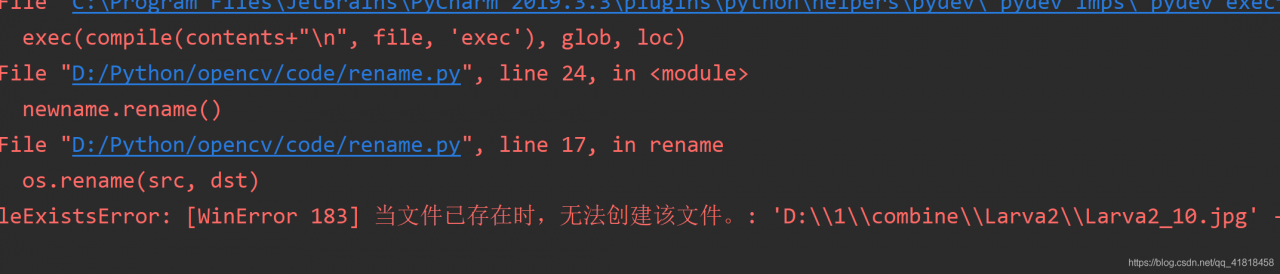
Fileexistserror: [winerror 183] cannot create a file when it already exists. File rename code attached

FileExistsError: [WinError 183] Unable to create a file while it already exists. Attached file rename code

problem:

FileExistsError: [WinError 183] Unable to create the file while it already exists.

file rename we may encounter this problem

> So what should we do about it?

> Here is my file


>
>
>
>
>
>

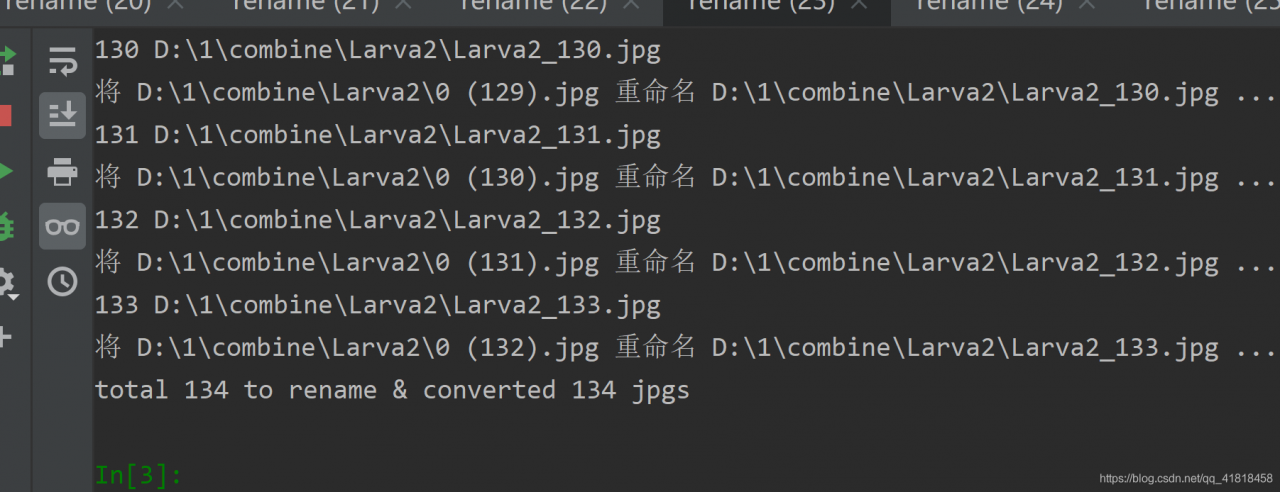
Then the code runs successfully:


ah