Category Archives: How to Fix

How to Fix NVIDIA-SMI has failed because it couldn‘t communicate with the NVIDIA driver.

Error:

NVIDIA-SMI has failed because it couldn't communicate with the NVIDIA driver. 
Make sure that the latest NVIDIA driver is installed and running.

Situation:
Cuda: did install NVCC-V: messages appear

Solution:
1) query the current NVIDIA driver version number

ls /usr/src | grep nvidia

#if output: nvidia-450.57

2) Install relevant tools

sudo apt install dkms

3) Reinstall the driver

sudo dkms install -m nvidia -v 450.57

Qaudiooutput play sound

Voice QAudioOutput: : setVolume set size, there will be noise
solution is setSampleType by UnSignedInt SignedInt instead

QAudioFormat fmt;
fmt.setSampleType(QAudioFormat::SignedInt);

Reference since:
https://stackoverflow.com/questions/32821706/noise-after-changing-volume-in-qaudiooutput

Application of IntelliJ idea in Maven project pom.xml Add dependency


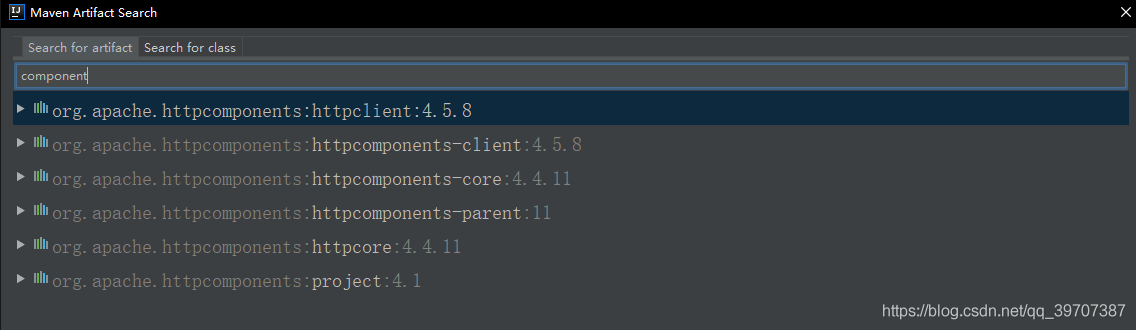
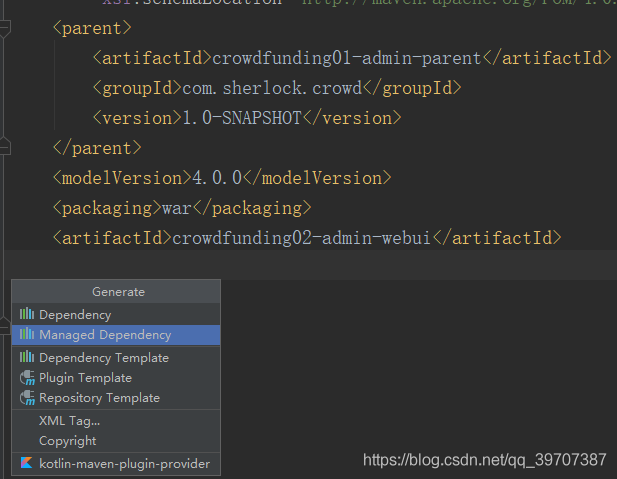
You can quickly add dependencies by using the shortcut Alt + Insert key at the location where you want to add them
The first feature allows you to search directly for the module name and then add it


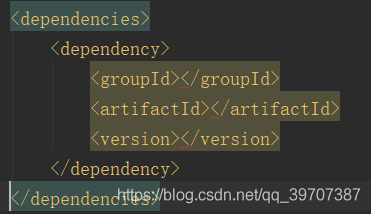
The Dependency Template helps us generate the corresponding tags directly in the XML

We need to complete the information ourselves

Docker starts the image and reports an error. Iptables failed: iptables — wait – t NAT – a docker – P TCP

Iptables failed: iptables –wait -t nat-a docker-p TCP –wait -t nat-a docker-p TCP
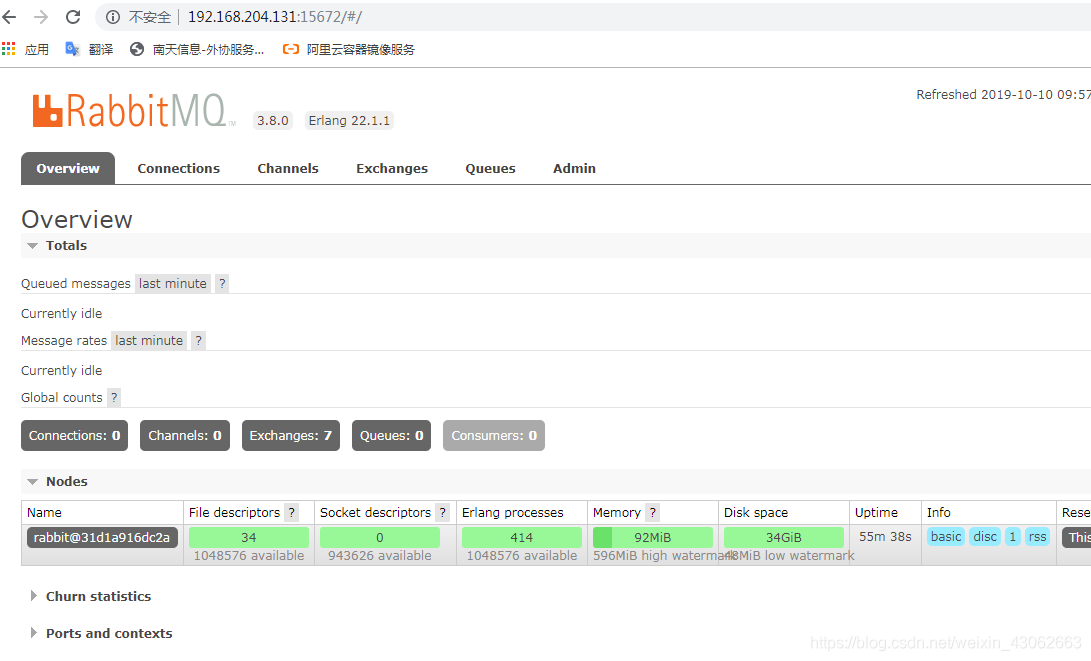
Yesterday afternoon Docker started RabbitMQ and reported an error. I checked a lot of information and could not get it right. Finally, Docker was restarted and solved.
in addition to pull the rabbitmq is take the web management interface with management, command to write

docker pull rabbitmq:management

At the beginning of the pull is wrong for a long time

[root@localhost etc]# docker images
REPOSITORY                                                TAG                 IMAGE ID            CREATED             SIZE
docker.io/rabbitmq                                        management          4af5c5534d00        6 days ago          180 MB
docker.io/rabbitmq                                        latest              86a895bb41d6        6 days ago          150 MB
docker.io/redis                                           latest              01a52b3b5cd1        13 days ago         98.2 MB

Only the first one is
with a Web administration interface

Error — failed to start docker container, error iptables — wait – t nat

Error process
When starting the docker container nginx, it cannot be started and always reports an error, as shown in the figure below

After reset gateway, iptables are activated, docker chain Settings are not updated!
The solution
Restart the Docker service to cause the latest Settings to be added to iptables.

systemctl restart docker

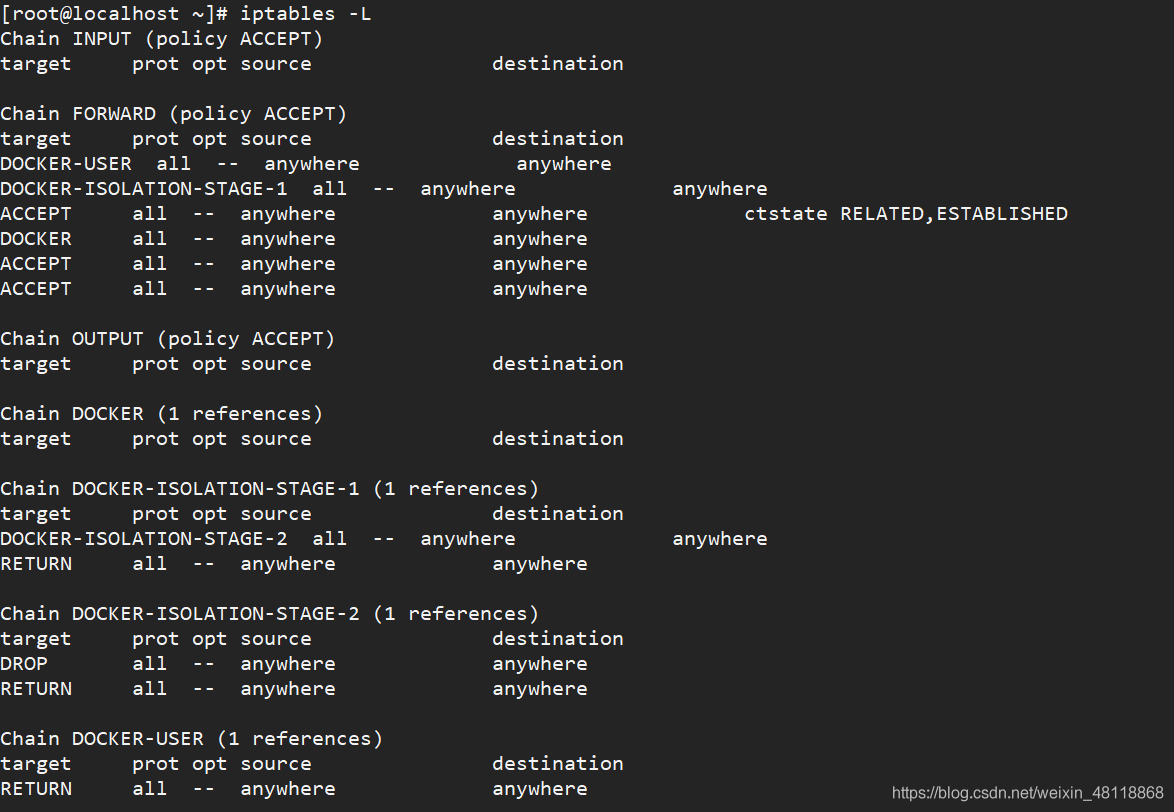
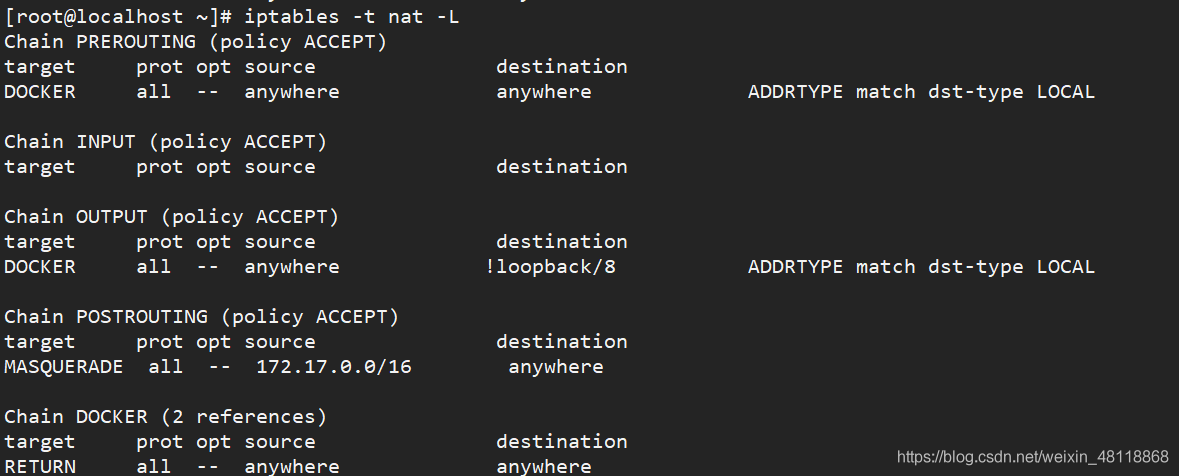
When you look at the iptables rule, the docker chain has been reset

iptables -L
iptables -t nat -L


||Error: LD returned 1 exit status | C + + compile time problems

Today in using code: : blocks to write c + +, met | | error: ld returned 1 exit status |, problems
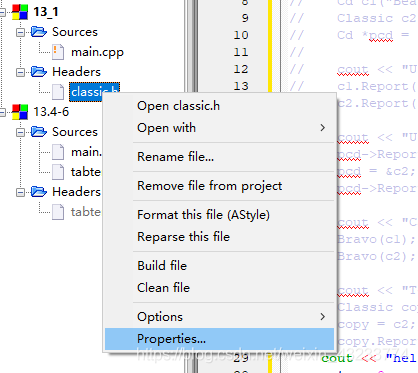
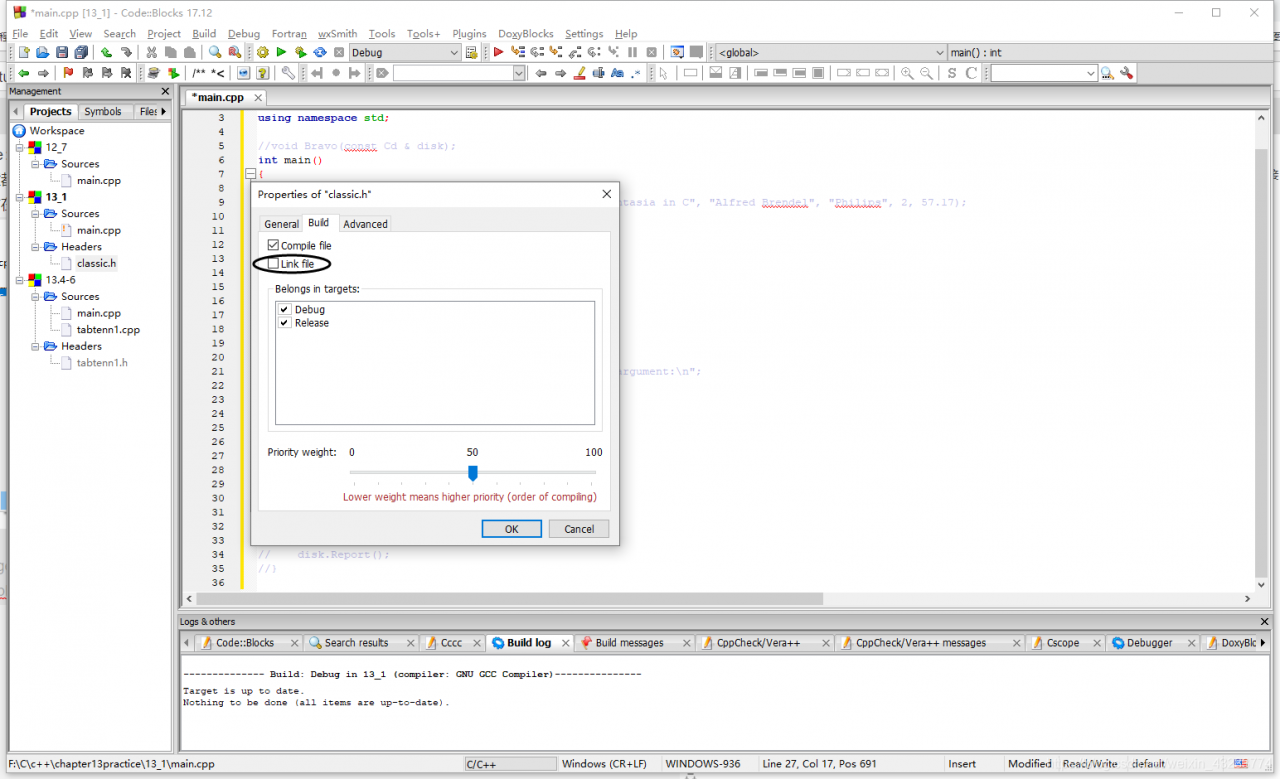
searched many articles do not understand, in this problem, finally see someone said Devc++ is due to the link with make and compiler (MinGw) links (link) the result of conflict. It occurred to me that there was a Link option that was accidentally selected when creating a file in the project.
>
>
>
>
>
>
>
>
>

br bb3

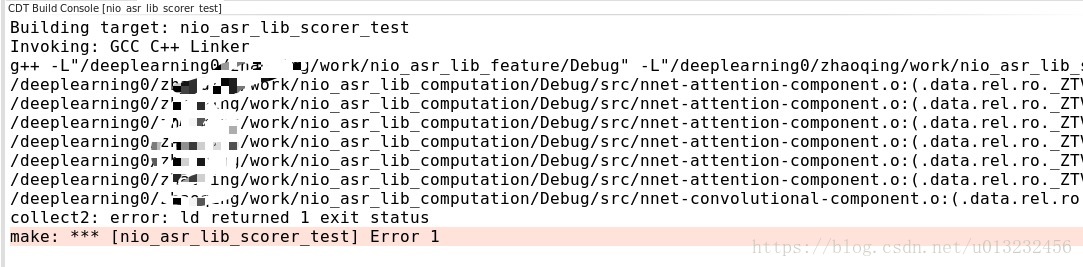
Solutions to the problem of collect2: error: LD returned 1 exit status

I recently learned Cocos2D-X. I encountered a problem compiling C++.
Let’s start with my development environment:
Computer system: Ubuntu 15.04
Development tools: NDK_R10E + Eclipse + CDT + SDK

=
=
=
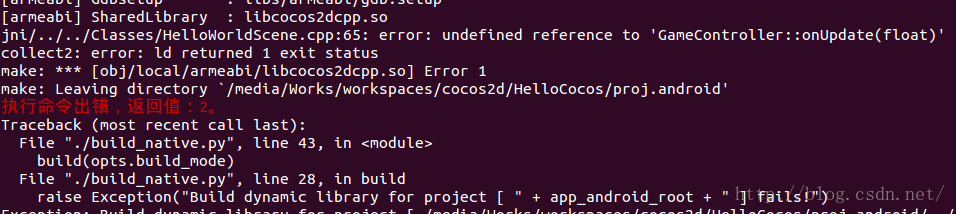
PS: I’m running build_native.py which builds C++ code

“Collect2: error: LD returned 1 exit status” made me wonder. After a few days of hard thinking and exploration, I made a small mistake: I didn’t add Gamecontroler.cpp to Android.mk.
So, the solution to the above error is to add Gamecontroller. CPP to the jni/ android.mk file.
PS: Add format can refer to Android.mk file.

Collect2.exe: error: LD returned 5 exit status solution

The problem
When using XP, the following errors often occur during Arduino compilation:
collect2.exe: error: ld Return5 exit status
ror failing for board Arduino Duemilanove or Diecimila
:>piling for board Arduino Duemilanove or Diecimila
: Compiling for board Arduino Duemilanove or Diecimila Do a batch of your own, rerun the faulty link section on the command line, will pop up a window, is the “memory cannot be read” error. Then he quit.
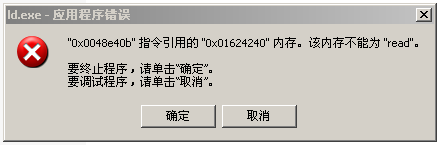
Here I’m using Arduino Ide1.6.5
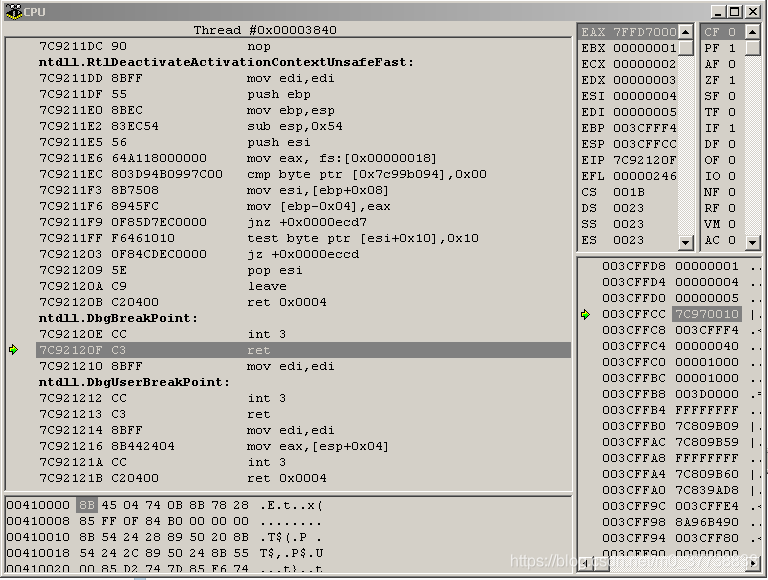
After the error code tracking, the problem is not Arduino, but Windows XP NTDLL.DLL module, Arduino link program LD. Exe calls the function of NTDLL.DLL module error, when it returns (RET), into the area of no permission, only repair NTDLL.DLL can solve the above problem. This error can occur on Windows XP and Windows 7, but the forum says it won’t occur on Windows 10. There are a lot of solutions in foreign forums that use a lower version of Arduino’s LD. Exe instead. Maybe the lower version of LD. Exe doesn’t call NTDLL.DLL, but some are not very useful either.
The solution
Rename ld.exe (e.g. old-ld. exe) under C:\Programs\Arduino\hardware\tools\avr\avr\bin in IDE1.6.1, 1.6.2 or 1.6.3.
Copy LD. Exe from the lower version IDE 1.0.6 to the current version. (I’m looking for version 1.0.0, also can) to replace
reference: http://forum.arduino.cc/index.php?Topic = 316146.0.
ld exe download link:
https://download.csdn.net/download/m0_37738838/11149647
Compromise:
through observation, although links appear a mistake, but, in the target directory, has created the elf file, but have not hex file, is the link, appeared in the generated after the elf file called NTDLL. DLL errors, suspended below for the elf generated hex file work.
After analyzing the correct link process, using AVR-objcopy, using batch processing to complete the generation of ELF file to HEX file.
create an elf2hex.bat file and write the following to the elf2hext.bat file.
“D:\ Arduino-1.6.11 \hardware\tools\avr/bin/avr-objcopy” -o ihex-j. EEPROM –set-section-flags=.EEPROM =alloc,load –no-change-warnings — change-section-lma.EEPROM =0 “D:\ Arduino_Hex/ Pelican.ino.eep” “D:\ Arduino_Hex/ Pelican.ino.eep”
Replace the Pelican filename according to your application, where d:\Arduino_Hex is the target directory for the compilation of Arduino and is created by yourself [1].

(1). Collect2.exe: error: LD returned 5 exit status.
(1). Out of the race. But the ELF file has been generated.
(2). Run the elf2hex.bat file and the hex file will appear in the target.

Collect2: error: LD returned 1 exit status

After verification, one of the reasons caused the factors is:
that you declare a function name, and in. H file defines some methods, but not in. CPP implementation inside, this will appear such mistakes.
and the solution can refer to the following:

the above for the nsight eclipse compiler error, as is shown in the display under the compilation instructions. O file is false, do not implement the method can search and in the documents. H file compared to completion.

Php7 compiles collect2: error: LD returned 1 exit status

Problem description
PHP7: PHP7: PHP7: PHP7: PHP7: PHP7: PHP7

/usr/bin/ld: ext/ldap/.libs/ldap.o: undefined reference to symbol ‘ber_strdup’
/usr/bin/ld:note: ‘ber_strdup’ is defined in DSO /lib64/liblber-2.4.so.2 so try adding it to the linker command line
/lib64/liblber-2.4.so.2:could not read symbols: Invalid operation
collect2:error: ld returned 1 exit status
make: *** [sapi/cli/php] Error 1

The solution
In the PHP source code directory vi Makefile open the file, find the EXTRA_LIBS line, line at the end of the add - llber save out of the again make

A solution to [error] LD returned 1 exit status

[Error] LD Returned 1 Exit Status
[Error] LD returned 1 exit status
Two. Practical operation three. How do you prevent such mistakes?4. Leave a message

[Error] LD returned 1 exit status

3
3
3
3
3
3
3
The function is used elsewhere without a parameter
Two. Practical operation

3
3
3
3
3
3
3
3
3
4. The most important thing is to have patient
Three. How to prevent this kind of mistake?
1. When customizing the function name, you can do this:

Example: I want to define a function, which is the main menu. I can change the function name into pinyin zhu_cai_dan or the phonetic order of each word ZCD

4. Leave a message
1. No exit to
2. If you think that can help support oh
3. [Error] LD returned 1 exit status <>>