- I didn’t use Chinese space, but I kept reporting errors, so I checked the usage of PIP

pip is a python package management tool
it’s not used in Python command line, but in CMD, that is,
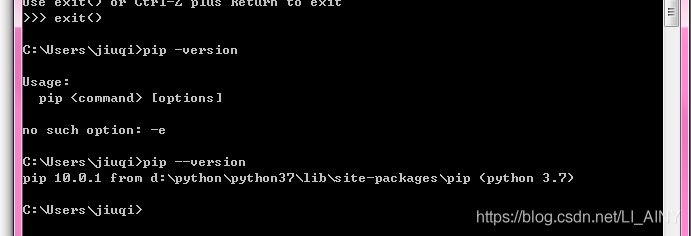 , so I directly use PIP installation package in CMD
, so I directly use PIP installation package in CMD
, so I directly use PIP installation package in CMD
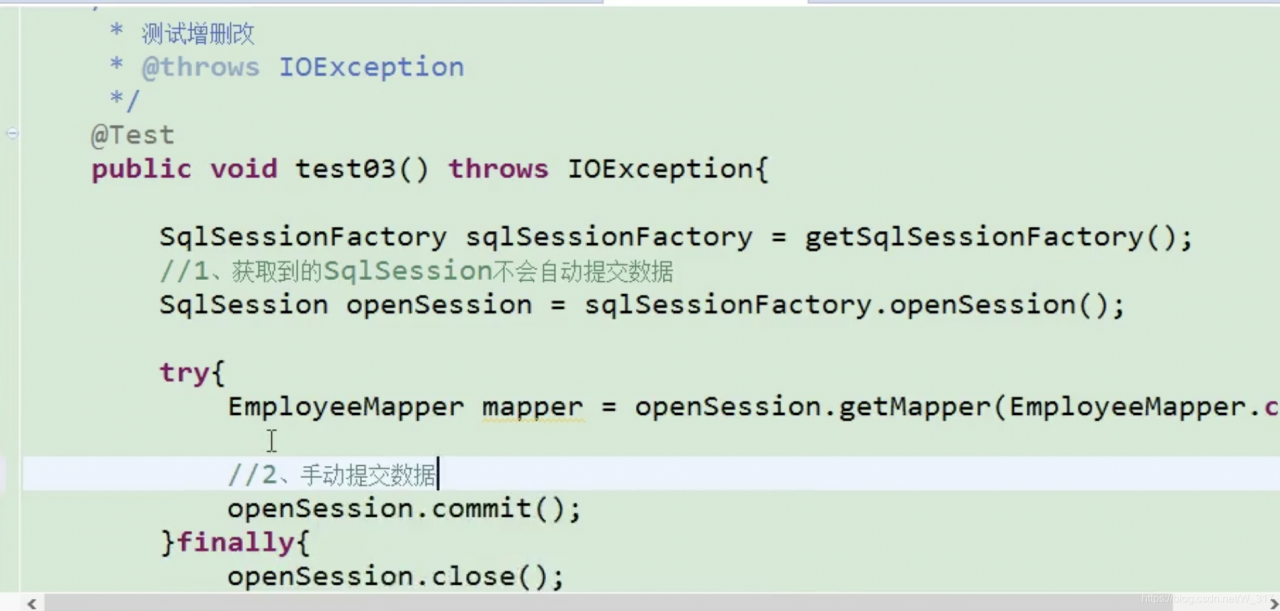
openSession.commit (true) automatically submit data
First of all, I had no problem running the project before. Then I updated the code and restart uwsgi as usual today. As a result, the access interface reported an error internal server error and checked it uwsgi.xml and uwsgi.log 、 error.log They didn’t find any problems, and then they went to stop uwsgi and started uwsgi again, and the problems appeared in the uwsgi.log Inside. It is due to compilation errors at the code level. If I don’t stop uwsgi and restart uwsgi, I will never get the error log. Therefore, I think there is a bug in the logging mechanism of uwsgi
Find the corresponding code error to solve, return to normal!
Python error: syntax error: encoding problem: utf8
Such as the title.
The first line reported an error, but I have checked the file code, it is indeed utf8.
At this point, use Notepad + + to open the file, and you can see the newline style of the file at the bottom right. (CR LF is windows style, LF is UNIX style)

so I found that the original. Py file is UNIX newline style, because I pulled it from GitHub, and the original author’s environment is probably UNIX.
So the. Py file can be converted to a Windows style line feed.
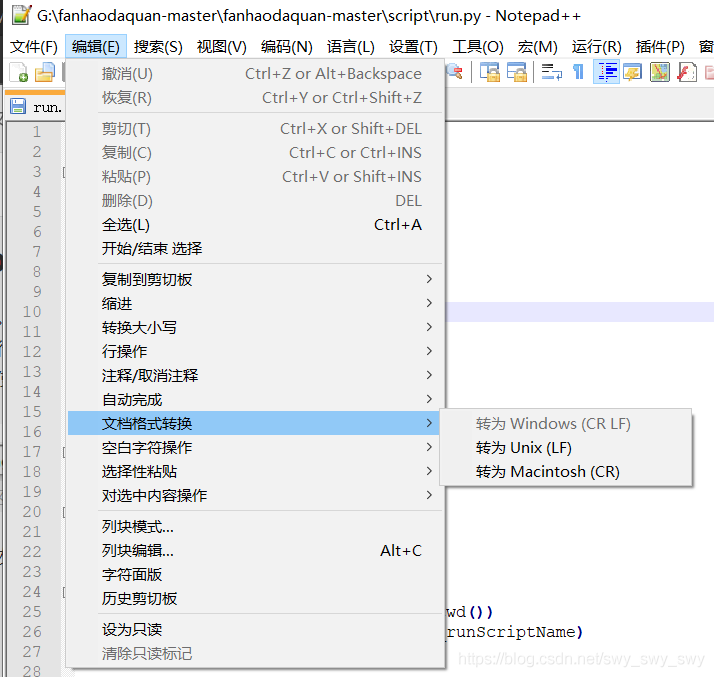
finish
At present, it is not found that the error report has any impact on the function of the project, but the error report is always unpleasant, so it is necessary to solve the problem and record it.
The main reason is the nonstandard use of tabs components in the project, such as & lt; tabpane & gt; & lt; & tabpane & gt; without & lt; tabs & gt; & lt; & tabs & gt; package in the outer layer of the label.
When I just started idea, the following error was reported:
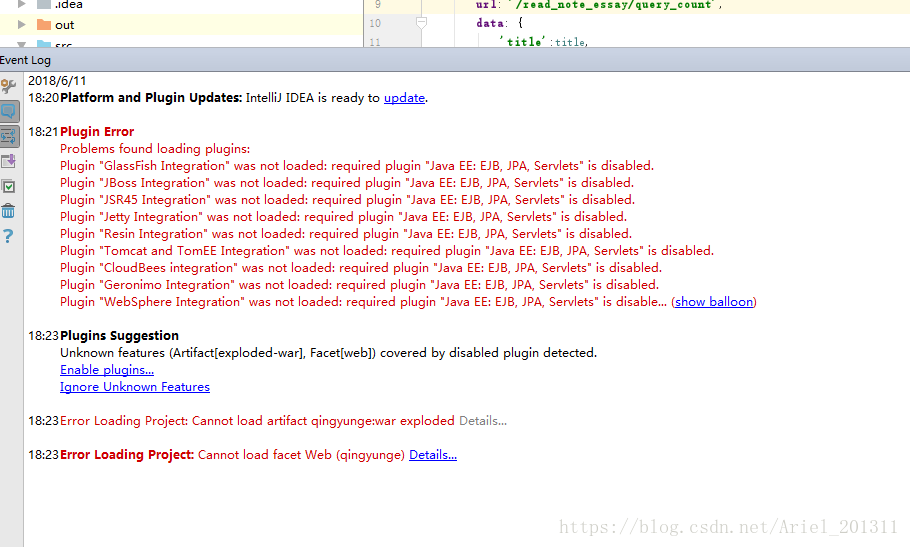
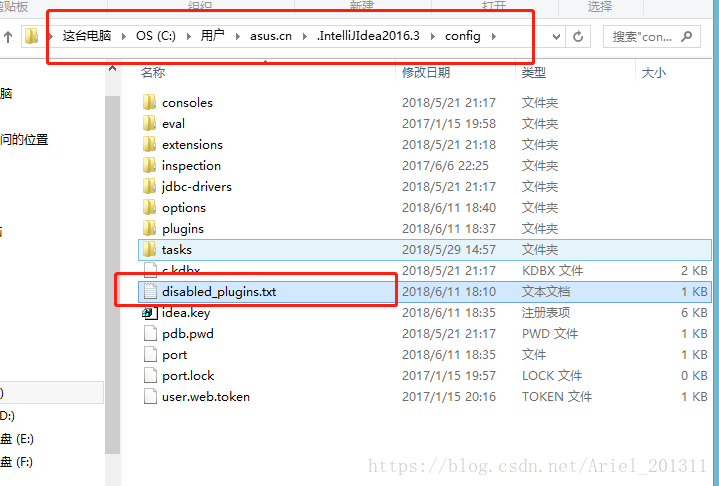
solution: in Disk C, find the configuration file of idea and disable it_ Plugins.txt Delete it and restart idea.
Solution to syntaxerror: invalid syntax in PIP install XXX
Statement: 1. PIP install requests are taken as an example; 2. Windows system;
first of all, check whether you have run PIP in the python environment. If so, please open the start menu, enter CMD, find the command prompt and open it.
Enter PIP install requests in CMD, If “not an internal or external command, nor a runnable program or batch file” appears, the specific solutions are as follows:
1. Find the folder where Python is located, find the scripts file, and use Ctrl + C to copy the file path. Take an individual as an example: C:
3. In the pop-up page, select “advanced system settings – variable environment – path – Edit – add the file path copied in step 1 and click OK
4. Restart the computer
After restarting the computer, open CMD again, and then enter the command PIP install requests. If
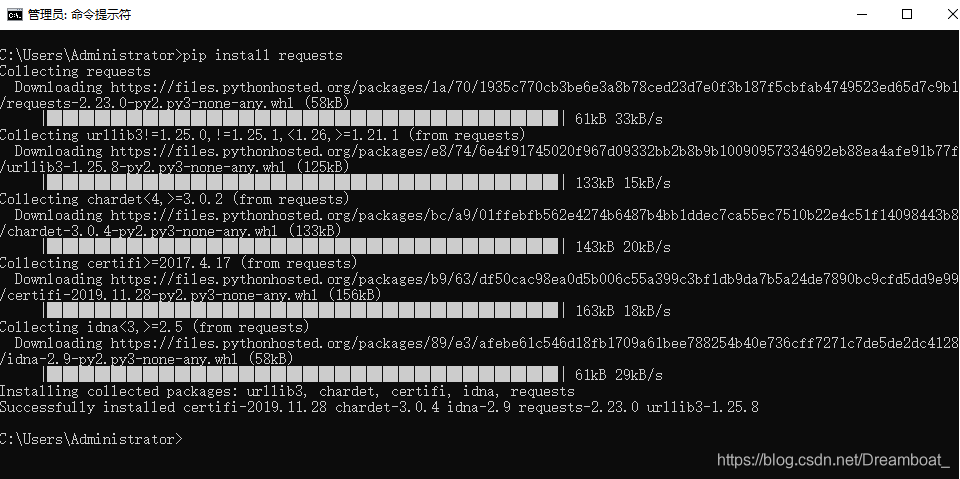 appears, the installation is successful and the problem is solved.
The specific error is shown in the figure below:
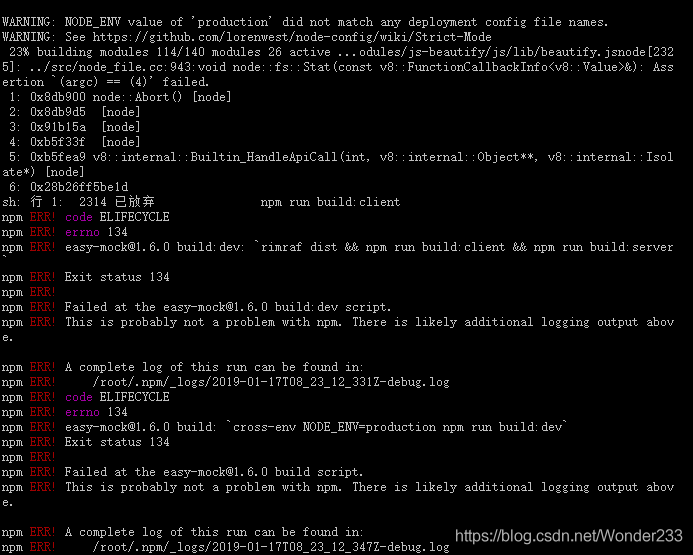
node_ Module installation problem, we need to re install
rm -rf node_modules
rm package-lock.json
npm cache clear --force
npm install
Finally, NPM run build is completed.
After the sentinel mode is configured in the local redis, use spring to integrate redis and report an error
Caused by: redis.clients.jedis . exceptions.JedisConnectionException : java.net.SocketException : Connection reset by peer: socketwrite error
Solution: in redis slave sentinel.conf Add to profile

Error report screenshot
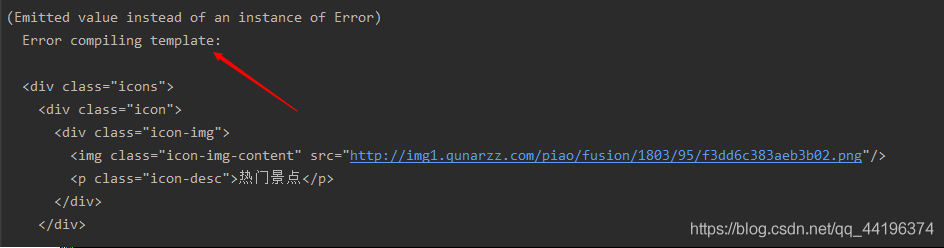
reason: the label is not written correctly, the label is missing or there are too many labels, such as the corresponding label is not closed.
Solution: find unclosed or redundant tags, and then complete or delete them.
The reason for my error report is that I wrote a missing closed label div to fill in it
The reason is that after using the virtual machine, the host only network created automatically by VirtualBox makes the detection of inode multi network cards fail, and inode can access the Internet normally after it is disabled in the network
After that, after the host only network is enabled, the virtual device will automatically create a new host only network when the genymotion is opened. After the virtual device is started, an error will be reported. When the virtual box is used to start, the error cannot be & lt; device name & gt; Create a new task, set IP to 196.168.56.1 according to the online instructions, the problem still can not be solved, and report an error VirtualBox error in super3hardenedwinrespawn, uninstall the current version of VBox, and reload the latest version
1. Error description
Today, when I compiled the app with Android studio and installed APK, I reported an error as follows:
The APK file build\outputs\apk\OYP_2.3.4_I2Base_6476_official_debug.apk does not exist on disk.
Error while Installing APK
1 2
As shown in the figure below,

2. Solutions
1. Try build – & gt; clean project recompilation or invalid
2. Try to restart Android studio is invalid
Then I went to the build/outputs/APK directory and found that the APK file was compiled, but the file name was:
oyp_ 2.3.4_ I2Base_ 6478_ official_ debug.apk
as shown in the figure below:
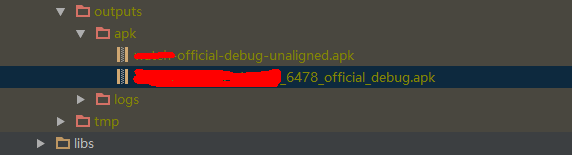
So the reason is that the compiled APK file of Android studio is
OYP_ 2.3.4_ I2Base_ 6478_ official_ debug.apk
And it’s going to install the APK file name
OYP_ 2.3.4_ I2Base_ 6476_ official_ debug.apk
as a result, an error will be reported. Google looked up the error and found it in http://stackoverflow.com There is a solution to this error on the website, and the link is as follows:
the http://stackoverflow.com/questions/34039834/the-apk-file-does-not-exist-on-disk
Solution:
as shown in the figure below:
Step 1: click the gradle button in the Android studio sidebar, as shown below
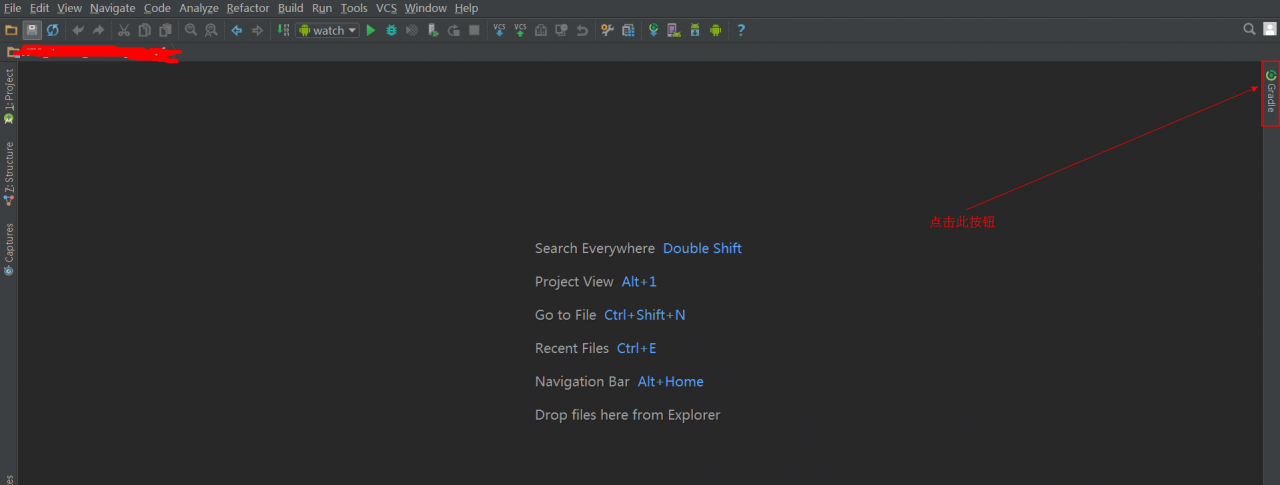
Step 2: refresh the gradle configuration
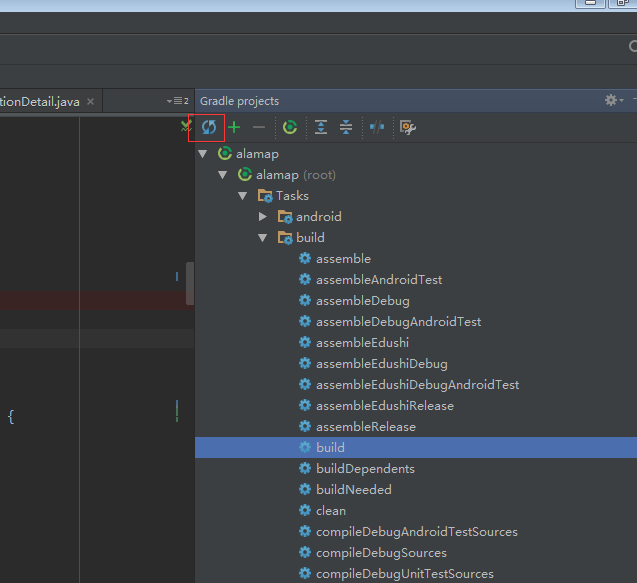
The third step: recompile, no more error.