The problem encountered in the project is very strange. MySQL database is installed on CentOS, and the project is spring boot.
When the project is started locally, it is normal to connect to the server database, the local database client is normal to connect to the server database, and the server is normal to connect to the client database. When the project is deployed to the server, an exception is thrown.
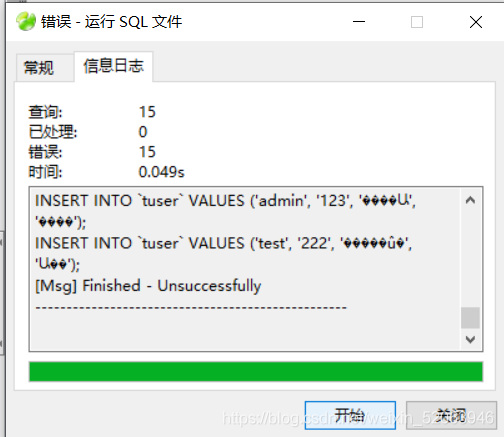
A lot of misinformation..
The most important thing is:
java.sql.SQLException: Access denied for user ''@'localhost' (using password: YES)
reason:
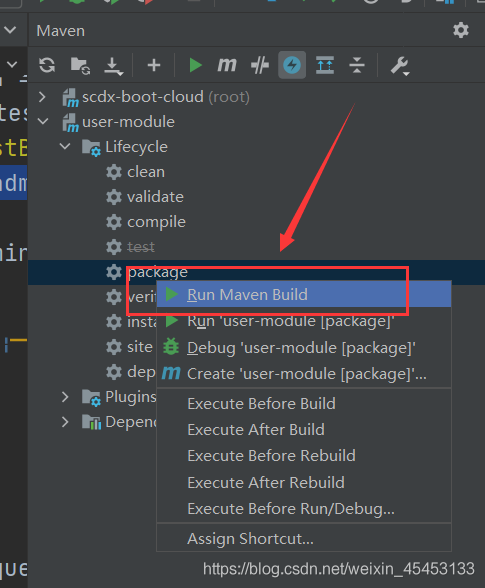
I forgot to repack every time you run a project, idea will not help you repackage it. You need to do it yourself
Vue import path ××× from ‘ ×××’ Error the file name and address introduced are correct, but the error is still reported already included file name‘ ×××’ differs from file name ‘ ×××’ only in casing.
At this time, we just need to remove the suffix Vue of the file name solution
Solution 1: remove the suffix Vue of the file name
Solution 2: change the point in front of the path to@
Path
function
./
current file sibling directory
./
current file superior directory
@
when importing a module, you can use @ instead of/SRC directory to refer to the relative path
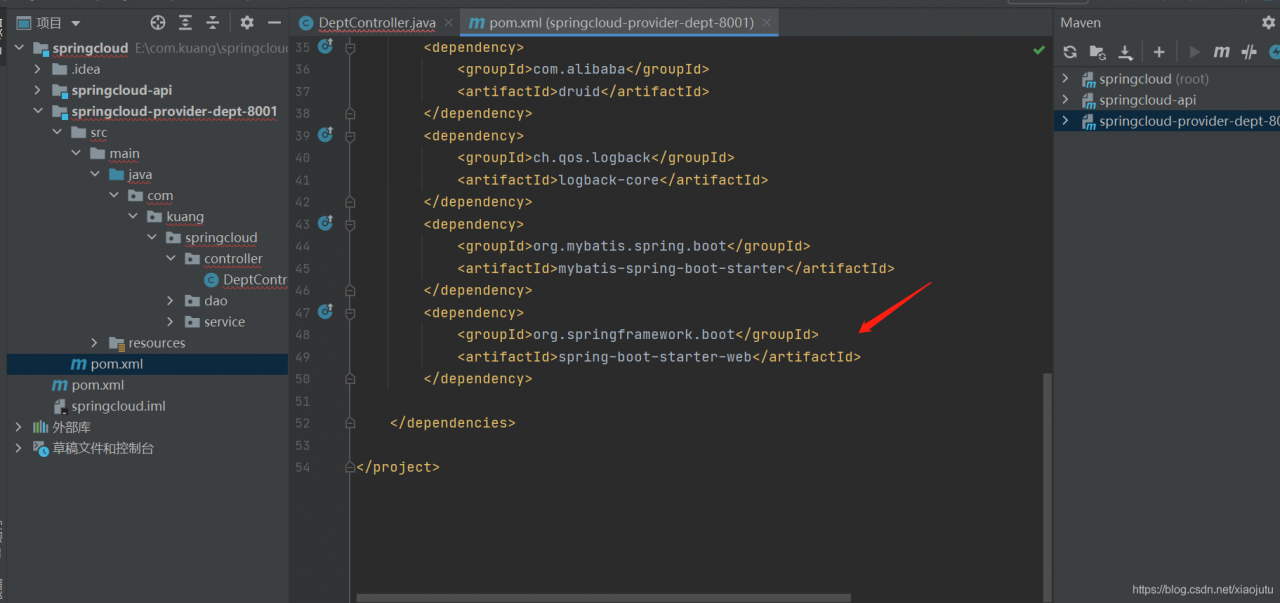
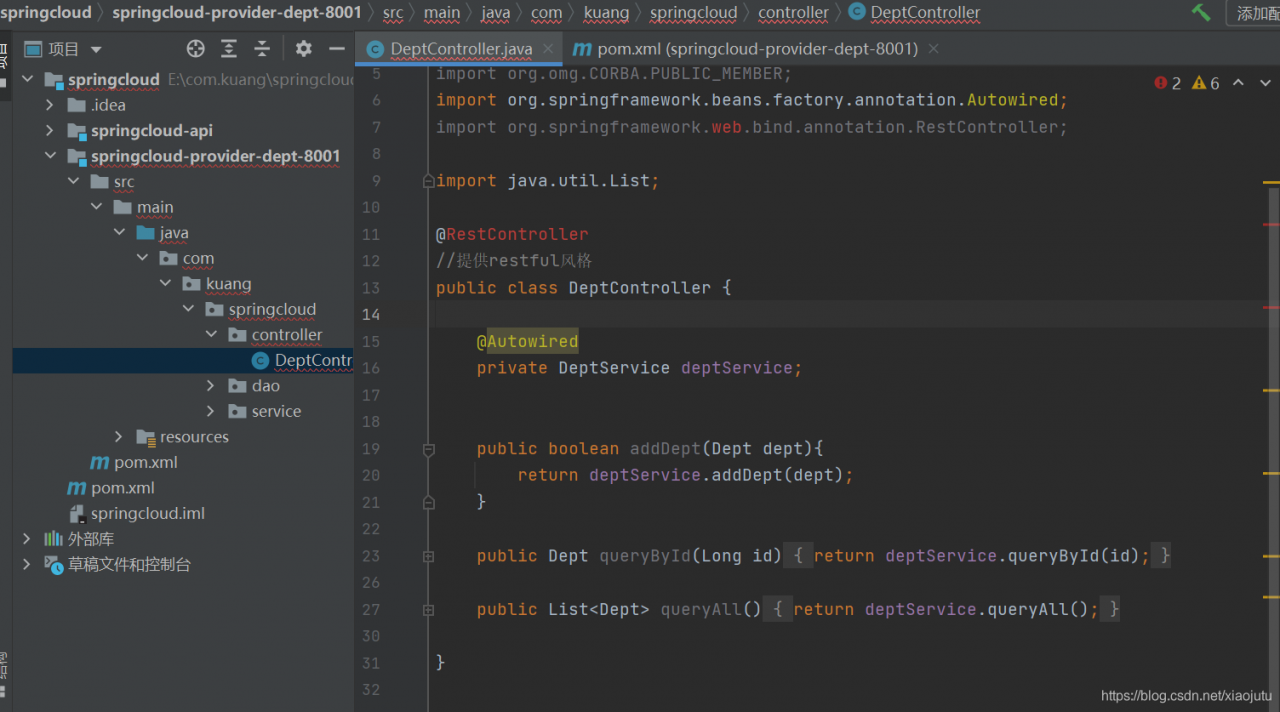
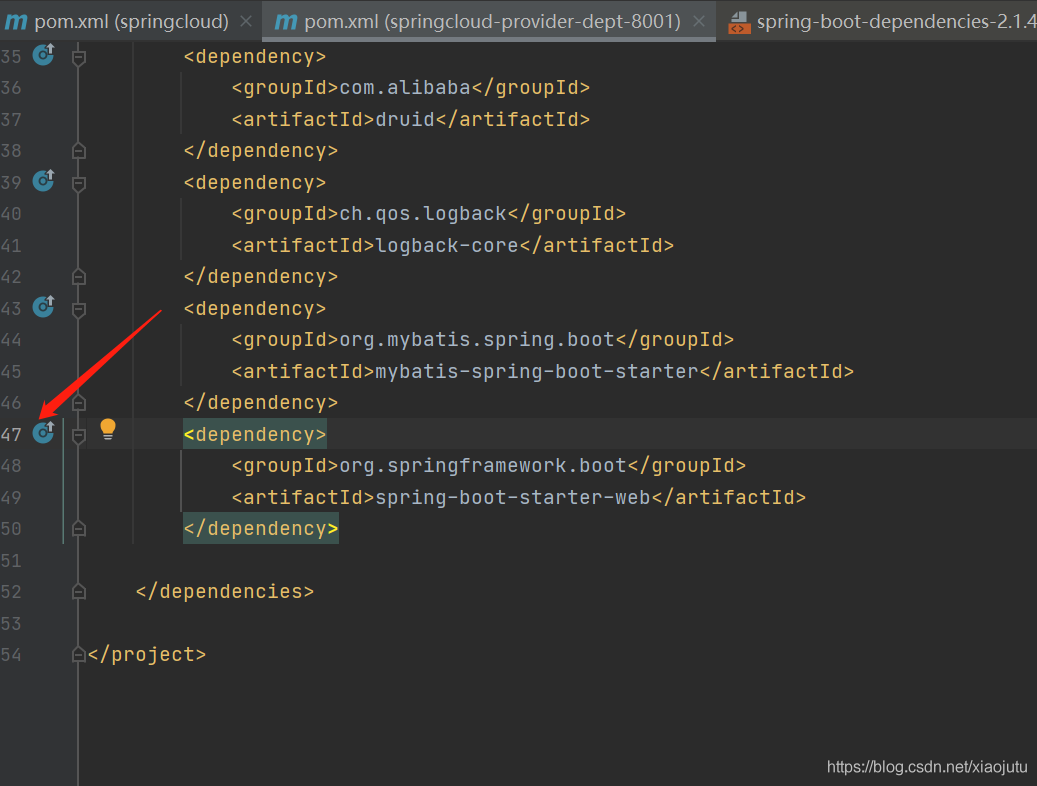
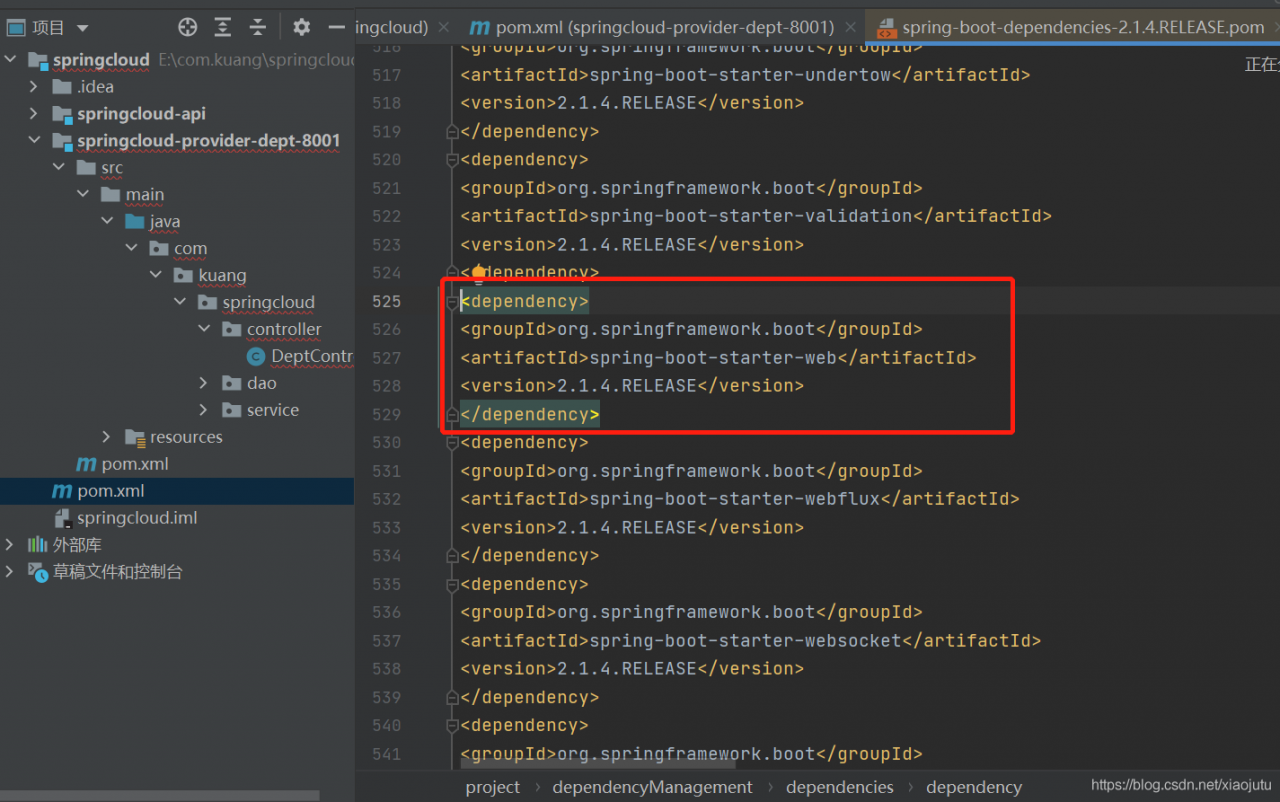
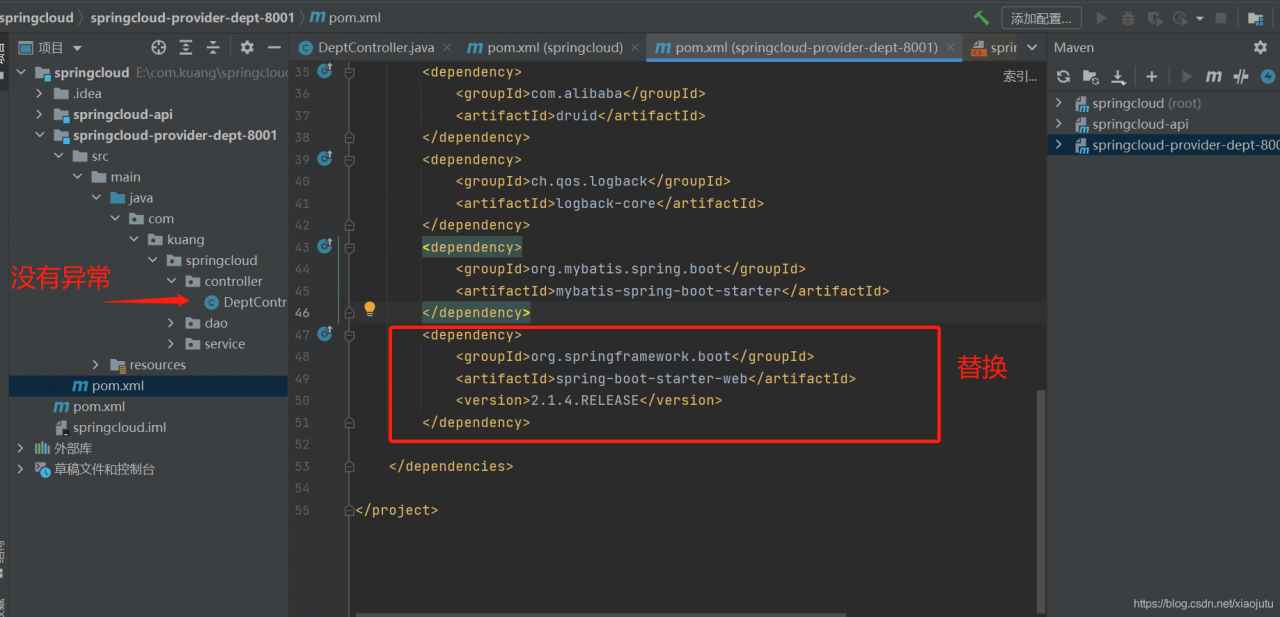
If a web dependency is added or an error is reported, it may be that there is no specified version number, so Maven can’t recognize the solution is to enter the pom.xml file, click this location, find the dependency with the corresponding version number, replace the original dependency and import it again
Download 18.04 of Ubuntu in the Microsoft Store of windows, but there are some problems in SSH localhost. Refer to some information on the Internet and make the following summary
first, you need to install sshd sudo apt get install openssh server and then modify/etc/SSH/sshd_ Two items under config file
permitrootlogin yes permitrootlogin changed to yes passwordauthentication yes passwordauthentication changed to yes Restart SSH service /etc/init.d/ssh restart execute SSH localhost again input password should be able to SSH successfully
1. Modify the ~ /. Bashrc file and add the following
alias ls='ls --color=auto'
2. Source to make the configuration changes take effect
source ~/.bashrc
method 2 :
1. Directly under the command line, give LS -- color = auto an alias LS
alias ls='ls --color=auto'
be careful:
In this way, every time you open a new terminal, you have to execute it again. It’s better to configure it in the ~ /. Bashrc file!
2 introduction of file color in Linux
1. Ls has more than three output colors, including the following,
White : denotes common file Blue : denotes directory Green : denotes executable file Red : denotes compressed file light blue : linked file red flashing : denotes a problem with the linked file yellow : denotes e> Device files gray : indicates other files
2. This is the default color agreed by Linux system. You can also modify it according to your own preference. In the environment variable $ls_ Just modify it on colors , and change it in ~ /. Bashrc if you want to save it permanently
liblibliblibliblibliblibliblibliblibliblibliblibliblibliblibliblibliblibliblibliblibliblibliblibliblibliblibliblibliblibliblibliblibliblibliblibliblibliblibliblibliblibliblibliblibliblibliblibliblibliblibliblibliblibliblibliblibliblibliblibliblibliblibliblibliblibliblibliblibliblibliblibliblibliblibliblibliblibliblibliblibliblibliblibliblibliblibliblibliblibliblibliblibliblibliblibliblibliblibliblibliblibliblibliblibliblibliblibliblibliblibliblibliblibliblibliblibliblibliblibliblibliblibliblibliblibliblibliblibliblibliblibliblibliblibliblibliblibliblibliblibliblibliblibliblibliblibliblibliblibzlibd.lib opencv aruco440d.lib opencv bgsegm440d.lib opencv bioinspired440d.lib opencv calib3d440d.lib The opening of the opening of the opening of the opening of the opening of the opening of the opening of the opening of the opening of the opening of the opening of the opening of the opening of the opening of the opening of the opening of the opening of the opening of the opening of the opening of the opening of the opening of the opening of the opening of the opening of the opening of the opening of the opening of the opening of the opening of the opening of the opening of the opening of the opening of the opening of the opening lib opencv fuzzy440d.lib opencv hfs440d.lib opencv highgui440d.lib opencv imgcodecs440d.lib opencv imgproc440d.lib open the line to descridescridescridescridescridescridescridescridescridescridescridescridescridescridescridescridescridescridescridescridescridescridescridescridescridescridescridescridescridescridescridescridescridescridescridescridescridescriopen open open open open open open open open open open open open open open open open open open open open open open open open open open open open open open open open open open open open open open open open open open open open open open open open open open open open open open open open open open open open open open open open open open open open open open open up photo4440d.libopen open open open open open open open open open open open open open open open open open open open open open open open open open open open open open open open open open open open open open open open open open open open open open open open open open open open open open open open open open open open open open open open open open open open open open open open open open open open open open 40d.lib opencv quality 440d.lib opencv reg440d.lib opencv rgbd440d.lib opencv saliency440d.lib The opening of the opening of the structural opening of the superstsuperstsuperstsuperstsuperstsuperstsuperstsuperstsuperstsuperstsuperstsuperstsuperstsuperstsuperstsuperstsuperstsuperstsuperstsuperstsuperstsuperstsuperstsuperstsuperstsuperstsuperstsuperstsuperstsuperstsuperstsuperstsuperstsuperstsuperstsuperstsuperstsuperstsuperstsuperstsuperstsuperstsuperstsuperstsuperstsuperstsuperstsuperstsuperstsuperstsuperstsuperstsuperstsuperstsuperstsuperstsuperstsuperstsuperstsuperstsuperstsuperstsuperstsuperstsuperstsuperstsuperstsuperstsuperstsuperstsuperstsuperstsuperstsuperstsuperstsuperstsuperstsuperstsuperstsuperstsuperstsuperstsuperstsuperstsuperstsuperstsuperstsuperstsuperstsuperstsuperstsuperstsuperstsuperstsuperstsuperstsuperstsuperstsuperstsuperstsuperstsuperstsuperstsuperstsuperstsuperstsuperstsuperstsuperstsuperstsuperstsuperstremaremaremaremaremaremaremaremaremaremaremaremaremaremaremaremaremaremaremaremaremaremaremaremaremaremaremaremaremaremaremaremaremaremaremaremaremaremaremaremaremaremaremaremaremaremaremaremaremaremaremaremaremaremaremaremaremaremaremaremaremaremaremaremaremaremaremaremaremaremaremaremaremaremaremaremarema opencv ts440d.lib opencv video440d.lib opencv videoio440d.lib opencv videostab440d.lib opencv xfeatures2d440d.lib opencv ximgproc440d.lib opencv xobjdetect440d.lib opencv xphoto440d.lib
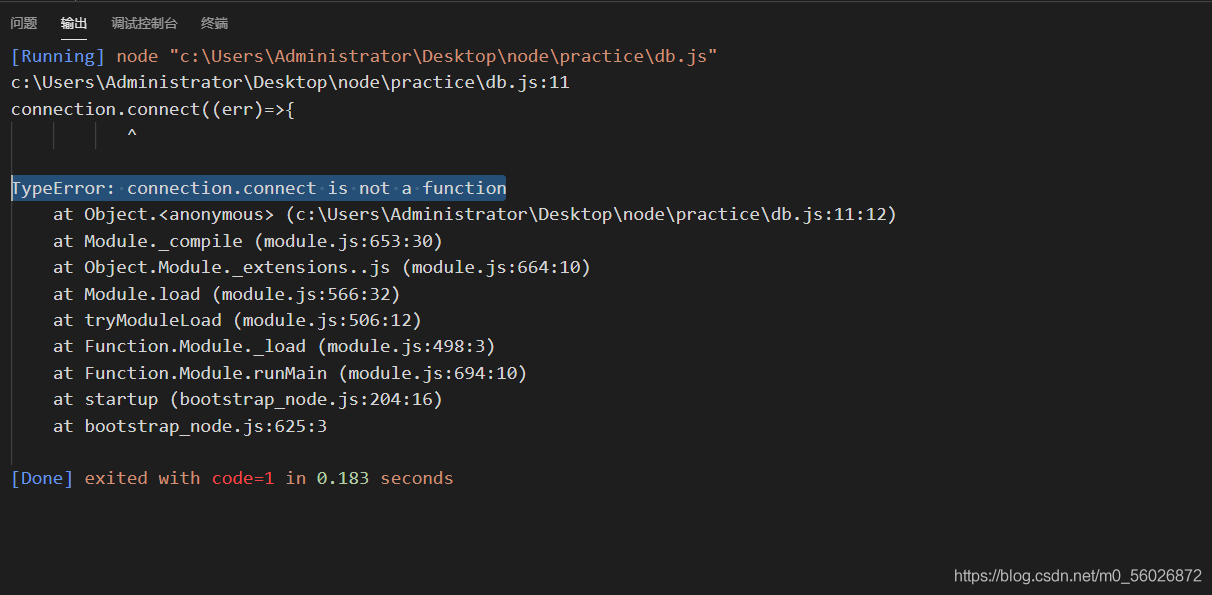
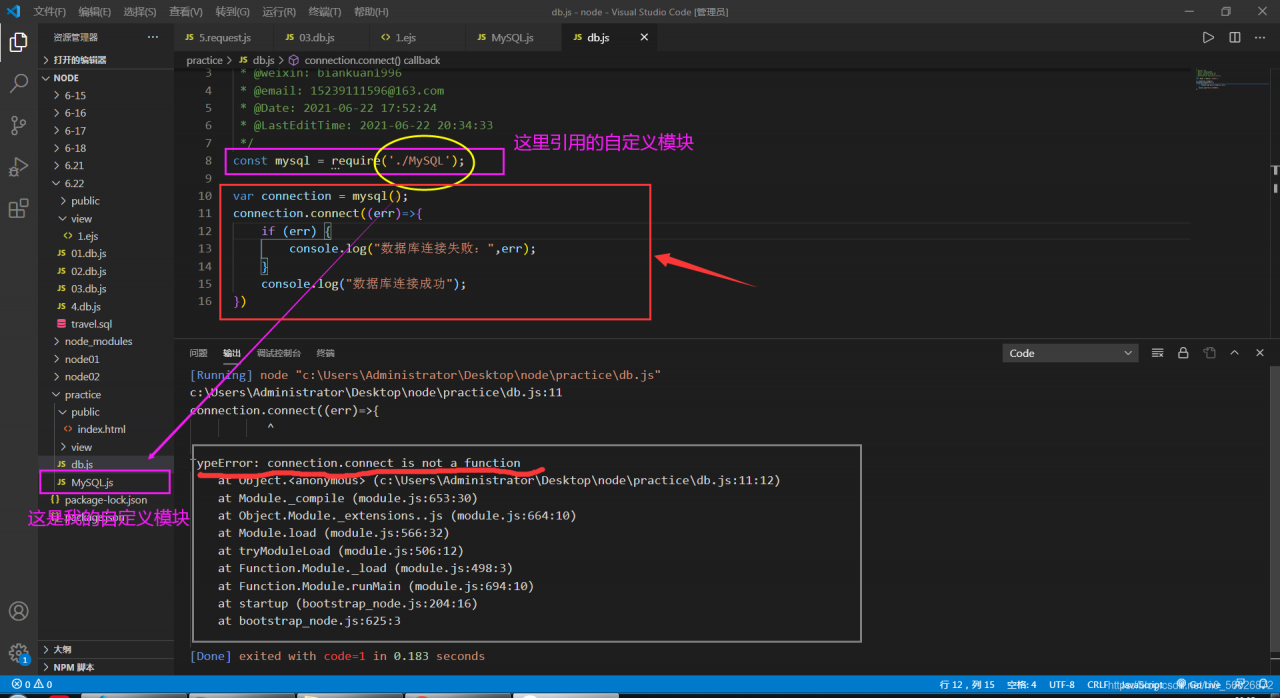
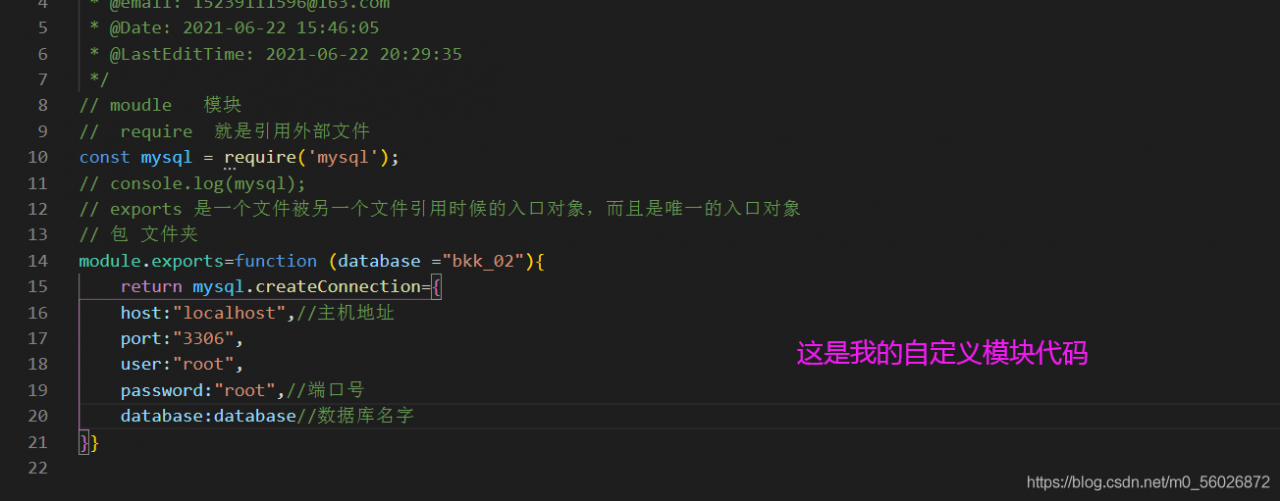
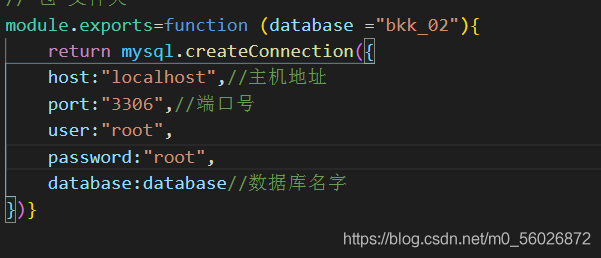
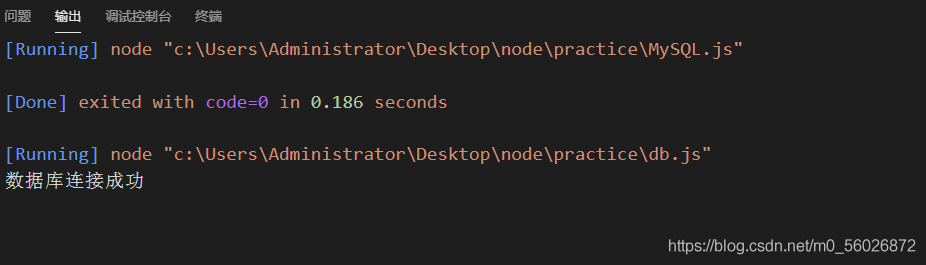
Today, when I wrote node.js to operate the database, I encountered a typeerror: connection.connect is not a function when setting up the database connection. The following is the bug prompt, as shown in the figure when I found this error, I immediately went to connection.connect, but I didn’t find anything wrong, For this reason, I made a special effort to find the previous code and compare it. The following is the thinking at that time later, I asked my friend to check the custom module PS: after staring at it for more than ten minutes, I didn’t find the error. At this moment, I felt like a mentally retarded person later, I had to check one by one, I found that my mistake was to write the return value of the function as an object….. Verification complete….. Retarded stone hammer…..
take out the key of map and put it into a slice s to sort and traverse, V: = range s, take the value: map [v] from the map and put it in the array in turn 0
var err error
msgs = make([]*configModel.SysMailMsg, len(cacheMap))
keys := make([]int, len(cacheMap))

i := 0
for k, _ := range cacheMap {
   if keys[i], err = strconv.Atoi(k); err != nil {
      return nil, err
   }
   i++
}
sort.Ints(keys)
mi := 0
for _, v := range keys {
   var tmp configModel.SysMailMsg
   json.UnmarshalFromString(cacheMap[strconv.Itoa(v)], &tmp)
   msgs[mi] = &tmp
   mi++
}
When I install torch vision on Jetson nano, I report an error (torch vision depends on the pilot Library): the headers or library files could not be found for JPEG, , and the error reason is that pilot needs JPEG dependency in the process of installing from source code
writing src/Pillow.egg-info/PKG-INFO
writing dependency_links to src/Pillow.egg-info/dependency_links.txt
writing top-level names to src/Pillow.egg-info/top_level.txt
reading manifest file 'src/Pillow.egg-info/SOURCES.txt'
reading manifest template 'MANIFEST.in'
warning: no files found matching '*.c'
warning: no files found matching '*.h'
warning: no files found matching '*.sh'
warning: no previously-included files found matching '.appveyor.yml'
warning: no previously-included files found matching '.coveragerc'
warning: no previously-included files found matching '.editorconfig'
warning: no previously-included files found matching '.readthedocs.yml'
warning: no previously-included files found matching 'codecov.yml'
warning: no previously-included files matching '.git*' found anywhere in distribution
warning: no previously-included files matching '*.pyc' found anywhere in distribution
warning: no previously-included files matching '*.so' found anywhere in distribution
no previously-included directories found matching '.ci'
writing manifest file 'src/Pillow.egg-info/SOURCES.txt'
running build_ext


The headers or library files could not be found for jpeg,
a required dependency when compiling Pillow from source.
2 error resolution
To install pilot, you need to rely on the source code: JPEG JPEG