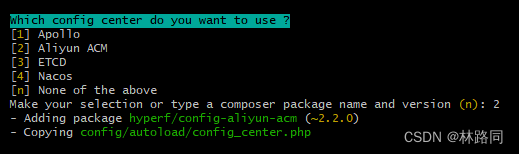
Today, try installing the hyperf microservice framework
Alibaba cloud ACM is selected when installing the service
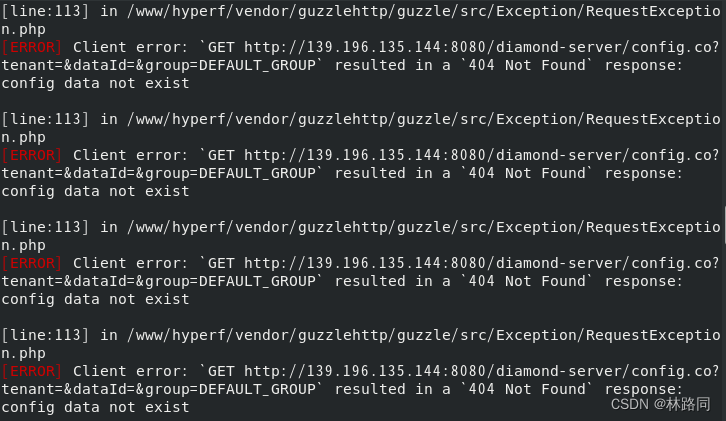
The console keeps making such mistakes
[ERROR] Client error: `GET http://139.196.135.144:8080/diamond-server/config.co?tenant=&dataId=&group=DEFAULT_GROUP` resulted in a `404 Not Found` response:
config data not exist

[line:113] in /www/hyperf/vendor/guzzlehttp/guzzle/src/Exception/RequestException.php
Solution:
Modify the configuration in hyperf/config/autoload/config_center.php in the project root directory
return [
    'enable' => (bool) env('CONFIG_CENTER_ENABLE', false), // set to false
    'driver' => env('CONFIG_CENTER_DRIVER', 'aliyun_acm'),
    'mode' => env('CONFIG_CENTER_MODE', Mode::PROCESS),
    'drivers' => [
        'aliyun_acm' => [
            'driver' => Hyperf\ConfigAliyunAcm\AliyunAcmDriver::class,
            'interval' => 5,
            'endpoint' => env('ALIYUN_ACM_ENDPOINT', 'acm.aliyun.com'),
            'namespace' => env('ALIYUN_ACM_NAMESPACE', ''),
            'data_id' => env('ALIYUN_ACM_DATA_ID', ''),
            'group' => env('ALIYUN_ACM_GROUP', 'DEFAULT_GROUP'),
            'access_key' => env('ALIYUN_ACM_AK', ''),
            'secret_key' => env('ALIYUN_ACM_SK', ''),
            'ecs_ram_role' => env('ALIYUN_ACM_RAM_ROLE', ''),
        ],
    ],
];
Or the zone applies for Alibaba cloud ACM, and it is OK to fill in the relevant configuration successfully. It is recommended to close it in the development stage


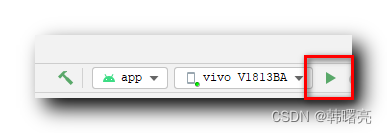 to run the debugging program, it will be automatically generated in the application tab of the manifest file