Author Archives: Robins

Error Running Context: The server unexpectedly closed the connection

Svn error:

Error running context : The server unexpectedly closed the connection

Error analysis:
means that the remote service has closed the connection. The inspection idea is as follows

1. view firewall firewalld&&iptables
firewall-cmd --stat  
If the return is not running, firewalld is not on
iptables -nL
Check if the rule has a 3690 drop
If you have not used iptables in the environment, you can use iptables -F to clear the rules! Use with caution!
2. Check if the svn service is up
ps uax | grep svn && netstat -lnpt | grep 2690
This method is used to determine the process and port
3. If you are using nginx reverse proxy, pay attention to the configuration of tcp forwarding
Note that especially if you use IF.Svnadmin and forget to configure it
server {
	listen xxx so_keepalived=on;
	server_name xxx;
	proxy_pass svn_server:3690;
	}

There are more methods than problems. Come on!!!!

Vue Report Error #NULL! :no such file or directory,chmod….. [email protected] **\css- Beautify.js

Vue – error when using Vue cli/webpack to build project cnpm install dependency: 0 Error:ENOENT :no such file or directory,chmod..... [email protected] \**\css- beautify.js

cannot find module 'opn'/async-each/anymatch

As shown in the figure:
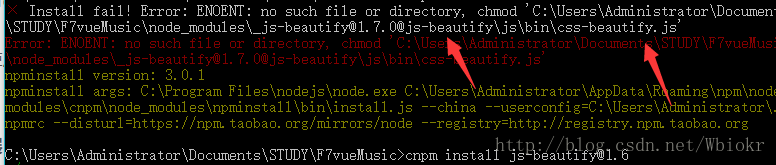
There are not many related solutions on the Internet. By searching stackoverflow, it is determined that it is a bug after JS beauty upgrade 1.7.0. At the beginning of the idea is to install the old version of 1.6, also tried to 1.7node_ To replace the relevant files in the modules folder can only solve the practical problem, NPM run dev </ code> continues to report errors as follows:
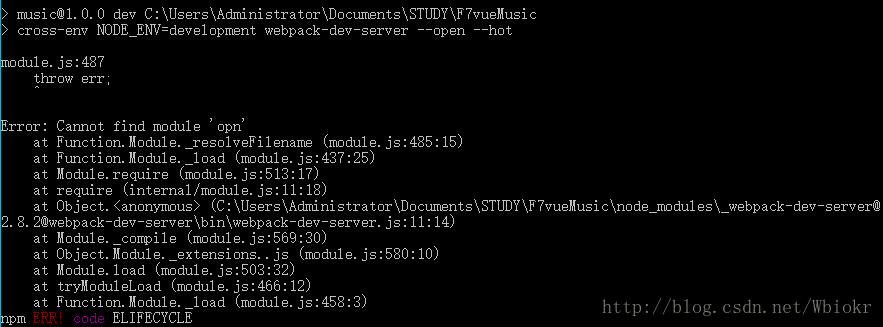
Unfortunately, one by one module was installed. Because the secondary dependency of plug-ins was suspended, the installation failed. There are too many modules


The final solution is as follows:

1. Modification package.json

//Clear all the dependencies from 替换为[email protected]版本, then cnpm install for dependency installation
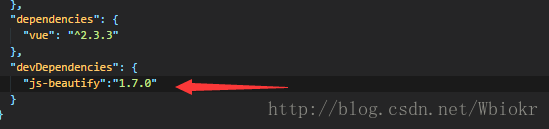
2. Install version 1.6.14

//Local installation of version 1.6.14
//cnpm install [email protected]
//At this point, there are two versions of node_modules js-beautify.js

3. Replace dependent files

//The error is that the css-beautify.js file is not found, and if you open the directory you can see that even the lib directory is missing

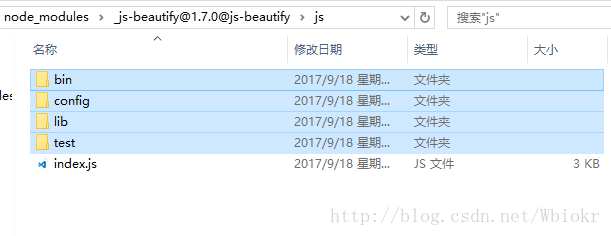
/// At this point, open node_modules/[email protected]@js-beautify/js and copy all the files in that directory (except index.js),

/// then open node_modules/[email protected]@js-beautify/js and paste all the copied files into it

At this time, the required files for version 1.7.0 already exist:
4. Installation dependency

//js-beautifyThe problem is solved at this point and will no longer affect the installation of the secondary dependencies of the later plugins

// Undo the changes to package.json, thecnpm install
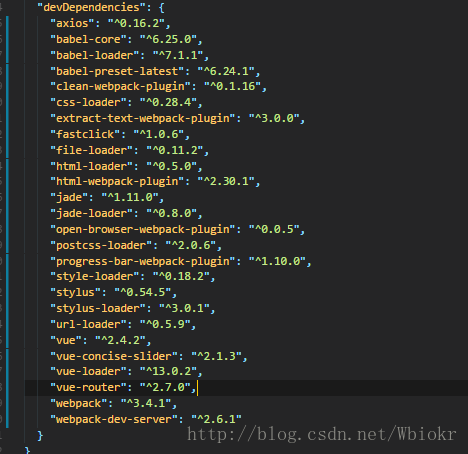
5. Enter the development stage

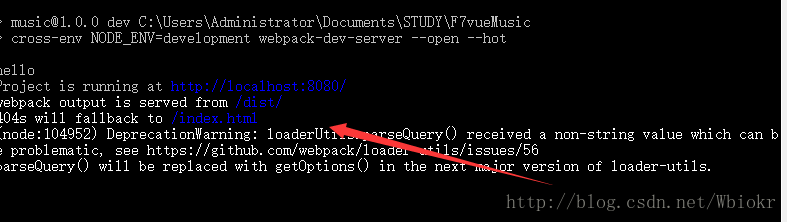
//npm run dev,done
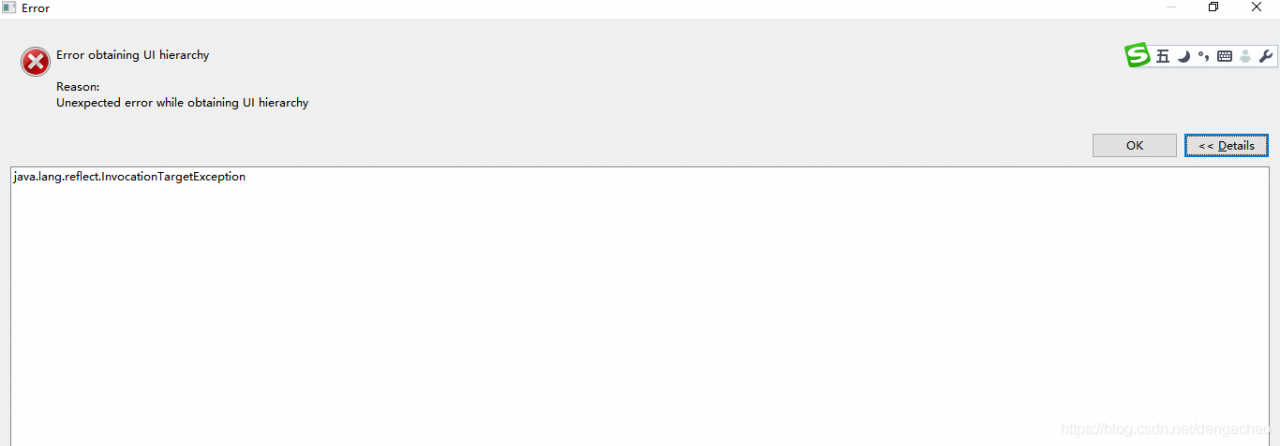
Uiautomatorviewer Error: Unexpected error while obtaining UI hierarchy java.lang.reflect.InvocationT…

1.Error report screenshot

After Android 8, the UI Automator of the SDK is opened directly, and the machine interface information cannot be intercepted.

It is recommended that you can use the following methods to intercept manually

2.Solutions

1. Intercept the uix file

adb shell uiautomator dump /sdcard/ sc.uix

adb pull /sdcard/ sc.uix

Note: the new mobile address is changed to/data/local/TMP/*. Uix

2. Screenshot

adb shell screencap -p /sdcard/ sc.png

adb pull /sdcard/ sc.png

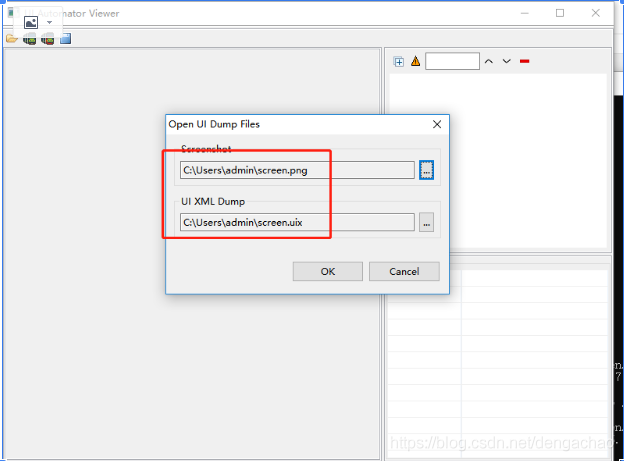
3. Open the uiautomatorviewer.bat , import the screenshot and resource file obtained from the machine

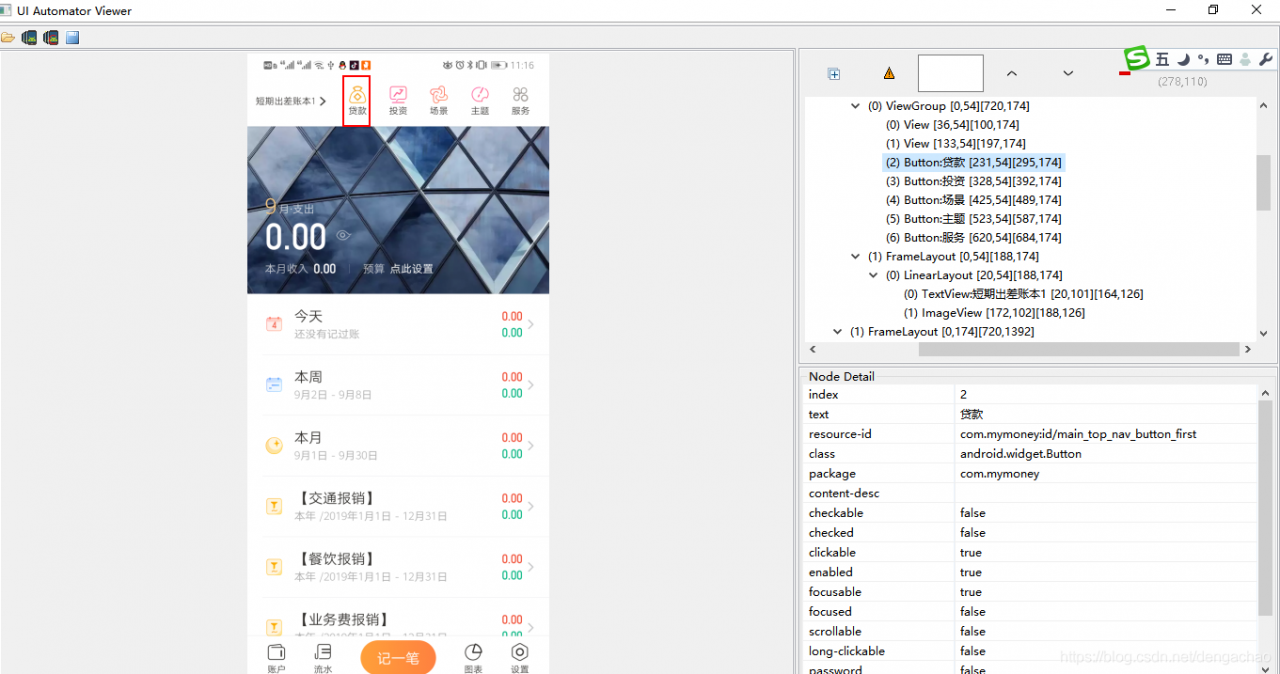
3、 Screenshot after solution

[error] attributeerror: module ‘SIP’ has no attribute ‘setapi‘

Problem Description:

Import bar_ chart_ Race report error

Recently, I was importing bar_ chart_ Error: attributeerror: module 'SIP' has no attribute 'setapi'
imported package:

import bar_chart_race as bcr

Just run the imported statement and an error will be reported: attributeerror: module 'SIP' has no attribute 'setapi'

terms of settlement:

Finally, I found that the reason for this error is that the version of Matplotlib library is too high. The version I reported is 3.3.2. If I downgrade it to 3.3.0, there will be no problem;

Uninstall first: PIP install Matplotlib

Re install: PIP install Matplotlib = = 3.3.0

Problem solving!!

Start cell keyerror and report an error

Local “Python” manage.py The error is as follows:

{'timelimit': (None, None), 'utc': False, 'chord': None, 'args': [], 'retries': 0, 'expires': None, 'task': u'home_application.celery_tasks.get_data_cycle_info', 'callbacks': None, 'errbacks': None, 't
askset': None, 'kwargs': {}, 'eta': None, 'id': '881d3c41-0d40-4a0e-9a86-60eca081b49c'} (248b)
Traceback (most recent call last):
  File "C:\python_env\dc_iip\lib\site-packages\celery\worker\consumer.py", line 455, in on_task_received
    strategies[name](message, body,
KeyError: u'home_application.celery_tasks.get_data_cycle_info'

In the early stage, the celery task was run, and then the app name initialized by the framework was changed to the specified project name due to the normalization of the project.
Rabbitmq service under windows is running all the time, in which the previous app name is also recorded, so an error is reported.

Solution: restart rabbitmq service

Error in idea compilation: java.lang.OutOfMemoryError Java heap space and java.lang.StackOverflowError

noun explanation java.lang.OutOfMemoryError Out of memory error
0 java.lang.StackOverflowError Stack overflow error

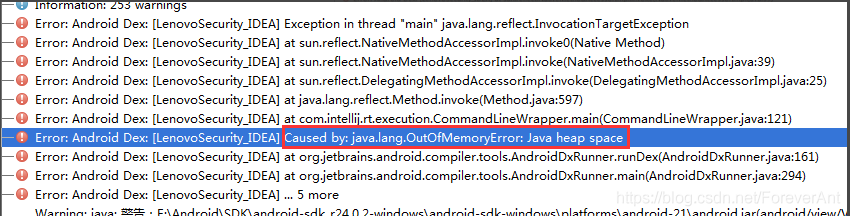
When developing applications with IntelliJ idea, If you compile a large amount of code, you will encounter
problems java.lang.OutOfMemoryError : Java heap space
error:

the usual solution is as follows
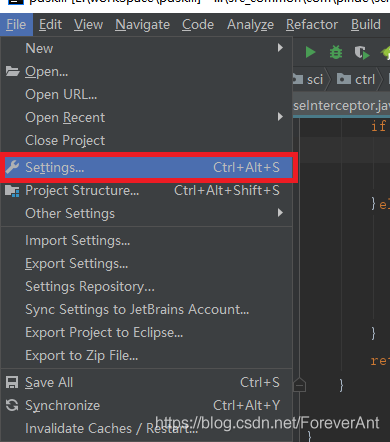
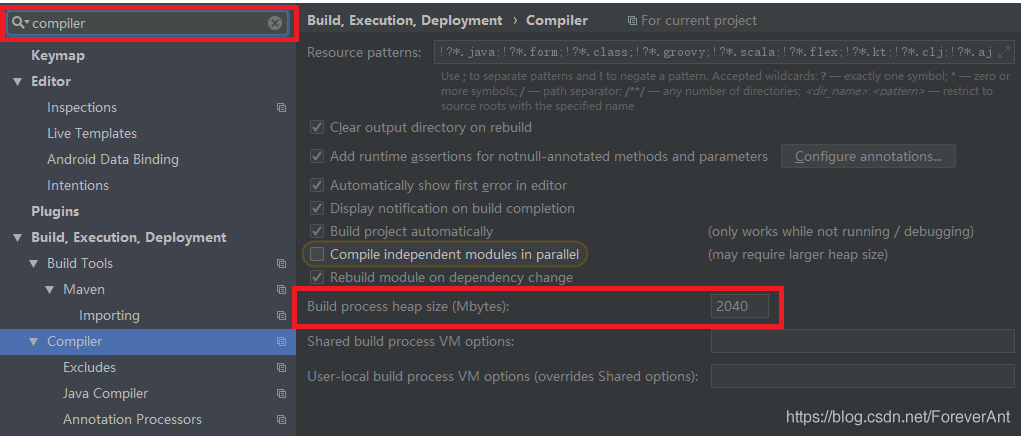
1. Click file setting search compiler

2. Change the value of “bulk process heap size (Mbytes)” to 2048

2 and java.lang.StackOverflowError Usually due to the program loop, infinite recursion. But I have also encountered a situation, not set the JVM parameters

The solution is as follows:
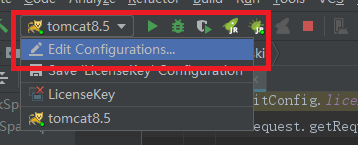
1. Click Tomcat – select Edit configurations

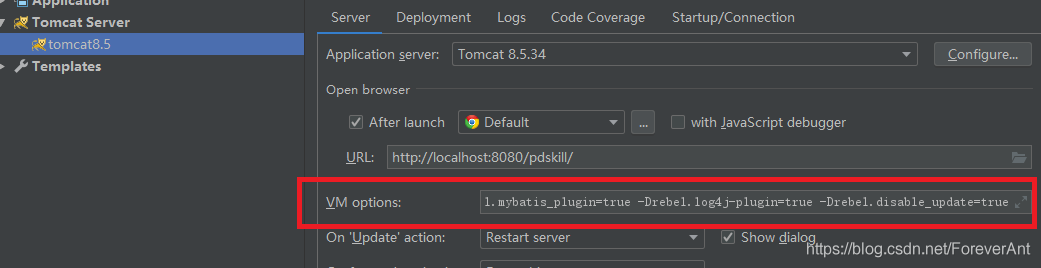
2. Select VM options as shown in the figure

the settings are as follows:
1- Ddruid.log.stmt .executableSql=true
-server
-Xms1024m
-Xmx1024m
-XX:MaxNewSize=512m
-XX:PermSize=128m
-XX:MaxPermSize=256m
-noverify
– Drebel.spring_ plugin=true
– Drebel.mybatis_ plugin=true
– Drebel.log4j -plugin=true
– Drebel.disable_ update=true`

click “apply” – “OK”

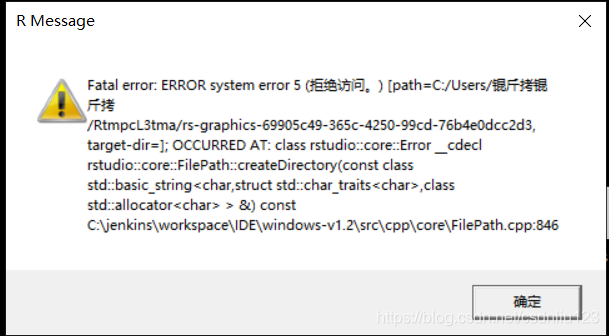
Solve rstudio software error: fatal error error system error 5 (access denied) problem, pro test effective

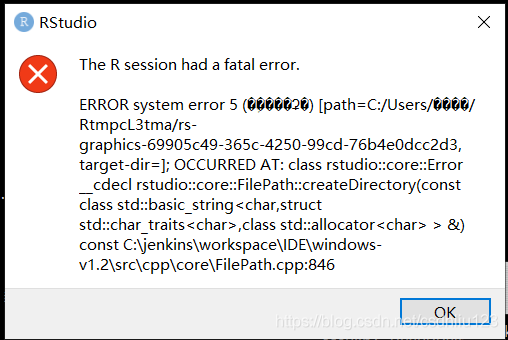
1. Error reporting:

2. Error report: because the current system user name is in Chinese, there is a garbled code when reading the path, which cannot be recognized.

3. Solution: modify the values of the current user’s environment variables temp and TMP. Change the variable value to a path without Chinese name.

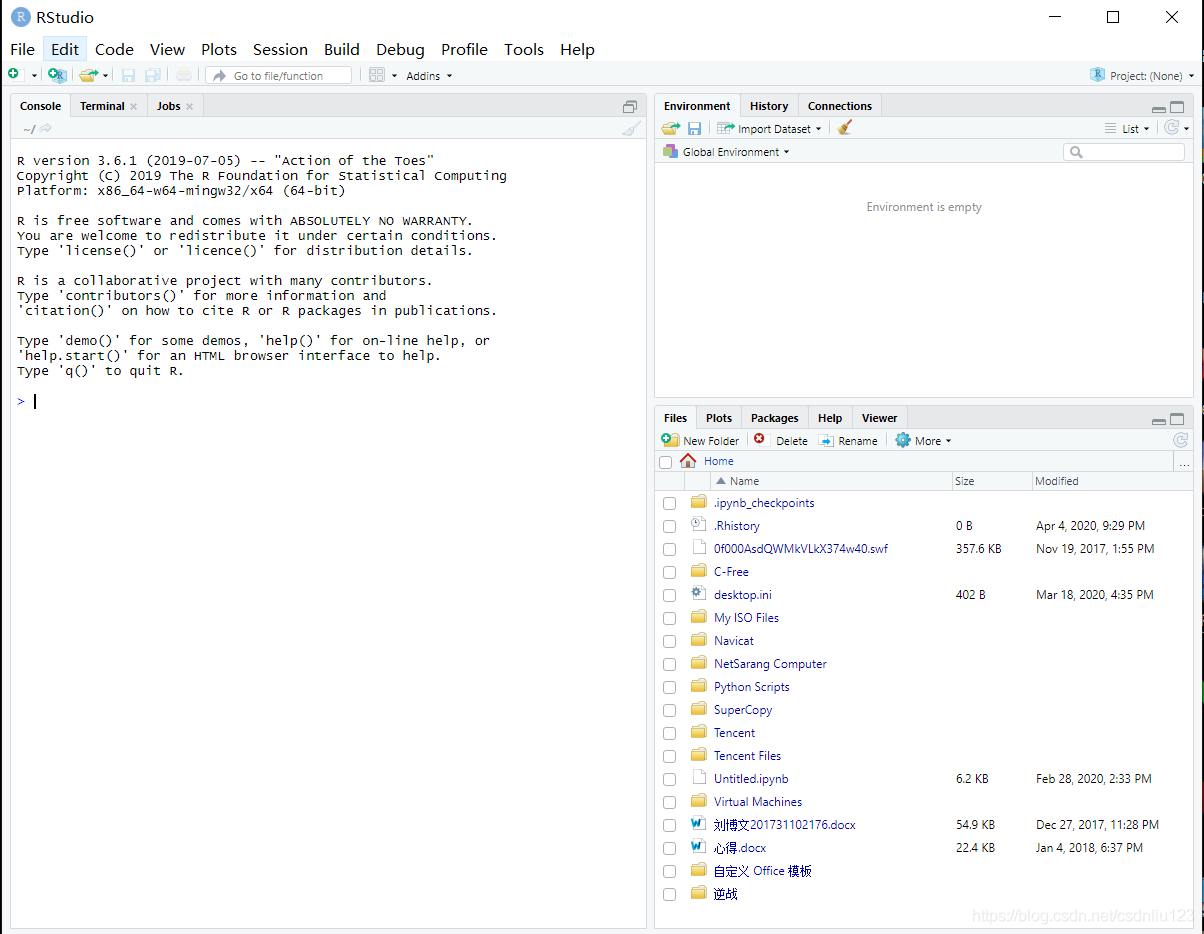
4. Restart rsudio software: the software can be used normally.

IOS error: linker command failed with exit code 1 solution

The error is as follows:

ld: library not found for -lXXX

clang: error: linker command failed with exit code 1 (use -v to see invocati

When we refer to static libraries, we do not configure library search paths, which results in an error

resolvent:

Build settings – library search paths view the path of the XXX file. If the path is wrong or there is no path, add the correct path again, and then compile Xcode.

Vs2013 error msb8031 solution today ran a MFC program, found that the error: error msb8031: building an MFC project for a non-U

Vs2013 error msb8031 solution

Today, in the process of porting and compiling, we found an error: error msb8031: building an MFC project for a non Unicode character set is decoded

You must change the project property to Unicode or download an additional library.  


Solution:
go to the Microsoft website to download this component https://www.microsoft.com/zh-cn/download/details.aspx?id=40770

Select the corresponding language. Microsoft removed the multi byte character set support in vs2013,

Crypto JS decrypts malformed UTF-8 data

When using crypto JS to decrypt, an error may be reported:

Malformed UTF-8 data
Error: Malformed UTF-8 data
    at Object.stringify (d:\StudeyCode\myStudy\encryptDemo\routes\encrypt\crypto-js.js:478:27)
    at WordArray.init.toString (d:\StudeyCode\myStudy\encryptDemo\routes\encrypt\crypto-js.js:215:41)
    at decryptByDESModeCBC (d:\StudeyCode\myStudy\encryptDemo\routes\encrypt\crypto.js:90:22)
    at testSign (d:\StudeyCode\myStudy\encryptDemo\routes\test.js:34:18)
    at Layer.handle [as handle_request] (d:\StudeyCode\myStudy\encryptDemo\node_modules\express\lib\router\layer.js:95:5)
    at next (d:\StudeyCode\myStudy\encryptDemo\node_modules\express\lib\router\route.js:137:13)
    at Route.dispatch (d:\StudeyCode\myStudy\encryptDemo\node_modules\express\lib\router\route.js:112:3)
    at Layer.handle [as handle_request] (d:\StudeyCode\myStudy\encryptDemo\node_modules\express\lib\router\layer.js:95:5)
    at d:\StudeyCode\myStudy\encryptDemo\node_modules\express\lib\router\index.js:281:22
    at Function.process_params (d:\StudeyCode\myStudy\encryptDemo\node_modules\express\lib\router\index.js:335:12)

The reason for the error is: when des decrypts, if the encrypted data is not an integral multiple of 8, the above error will be reported,
solution: encrypt the data, and then encrypt it with Base64. When decrypting, first decrypt it with Base64, and then decrypt it with DES. The above problems can be solved.