Author Archives: Robins

[Solved] IDEA Startup Error: java: Internal error in the mapping processor

1. Error information

java: Internal error in the mapping processor: java.lang.NullPointerException  at org.mapstruct.ap.internal.processor.DefaultVersionInformation.createManifestUrl(DefaultVersionInformation.java:180)      at org.mapstruct.ap.internal.processor.DefaultVersionInformation.openManifest(DefaultVersionInformation.java:151)  at org.mapstruct.ap.internal.processor.DefaultVersionInformation.getLibraryName(DefaultVersionInformation.java:127)    at org.mapstruct.ap.internal.processor.DefaultVersionInformation.getCompiler(DefaultVersionInformation.java:120)    at org.mapstruct.ap.internal.processor.DefaultVersionInformation.fromProcessingEnvironment(DefaultVersionInformation.java:98)  at org.mapstruct.ap.internal.processor.DefaultModelElementProcessorContext.<init>(DefaultModelElementProcessorContext.java:59)      at org.mapstruct.ap.MappingProcessor.processMapperElements(MappingProcessor.java:222)  at org.mapstruct.ap.MappingProcessor.process(MappingProcessor.java:162)    at sun.reflect.NativeMethodAccessorImpl.invoke0(Native Method)      at sun.reflect.NativeMethodAccessorImpl.invoke(NativeMethodAccessorImpl.java:62)    at sun.reflect.DelegatingMethodAccessorImpl.invoke(DelegatingMethodAccessorImpl.java:43)    at java.lang.reflect.Method.invoke(Method.java:498)    at org.jetbrains.jps.javac.APIWrappers$1.invoke(APIWrappers.java:255)  at org.mapstruct.ap.MappingProcessor.process(Unknown Source)    at com.sun.tools.javac.processing.JavacProcessingEnvironment.callProcessor(JavacProcessingEnvironment.java:794)    at com.sun.tools.javac.processing.JavacProcessingEnvironment.discoverAndRunProcs(JavacProcessingEnvironment.java:705)  at com.sun.tools.javac.processing.JavacProcessingEnvironment.access$1800(JavacProcessingEnvironment.java:91)    at com.sun.tools.javac.processing.JavacProcessingEnvironment$Round.run(JavacProcessingEnvironment.java:1035)    at com.sun.tools.javac.processing.JavacProcessingEnvironment.doProcessing(JavacProcessingEnvironment.java:1176)    at com.sun.tools.javac.main.JavaCompiler.processAnnotations(JavaCompiler.java:1170)    at com.sun.tools.javac.main.JavaCompiler.compile(JavaCompiler.java:856)    at com.sun.tools.javac.main.Main.compile(Main.java:523)    at com.sun.tools.javac.api.JavacTaskImpl.doCall(JavacTaskImpl.java:129)    at com.sun.tools.javac.api.JavacTaskImpl.call(JavacTaskImpl.java:138)  at org.jetbrains.jps.javac.JavacMain.compile(JavacMain.java:231)    at org.jetbrains.jps.incremental.java.JavaBuilder.lambda$compileJava$2(JavaBuilder.java:514)    at org.jetbrains.jps.incremental.java.JavaBuilder.invokeJavac(JavaBuilder.java:560)    at org.jetbrains.jps.incremental.java.JavaBuilder.compileJava(JavaBuilder.java:512)    at org.jetbrains.jps.incremental.java.JavaBuilder.compile(JavaBuilder.java:355)    at org.jetbrains.jps.incremental.java.JavaBuilder.doBuild(JavaBuilder.java:280)    at org.jetbrains.jps.incremental.java.JavaBuilder.build(JavaBuilder.java:234)  at org.jetbrains.jps.incremental.IncProjectBuilder.runModuleLevelBuilders(IncProjectBuilder.java:1464)      at org.jetbrains.jps.incremental.IncProjectBuilder.runBuildersForChunk(IncProjectBuilder.java:1101)    at org.jetbrains.jps.incremental.IncProjectBuilder.buildTargetsChunk(IncProjectBuilder.java:1247)  at org.jetbrains.jps.incremental.IncProjectBuilder.buildChunkIfAffected(IncProjectBuilder.java:1066)    at org.jetbrains.jps.incremental.IncProjectBuilder.buildChunks(IncProjectBuilder.java:832)      at org.jetbrains.jps.incremental.IncProjectBuilder.runBuild(IncProjectBuilder.java:419)    at org.jetbrains.jps.incremental.IncProjectBuilder.build(IncProjectBuilder.java:183)    at org.jetbrains.jps.cmdline.BuildRunner.runBuild(BuildRunner.java:132)    at org.jetbrains.jps.cmdline.BuildSession.runBuild(BuildSession.java:301)  at org.jetbrains.jps.cmdline.BuildSession.run(BuildSession.java:132)    at org.jetbrains.jps.cmdline.BuildMain$MyMessageHandler.lambda$channelRead0$0(BuildMain.java:219)  at java.util.concurrent.ThreadPoolExecutor.runWorker(ThreadPoolExecutor.java:1149)      at java.util.concurrent.ThreadPoolExecutor$Worker.run(ThreadPoolExecutor.java:624)      at java.lang.Thread.run(Thread.java:748)

2. Solutions

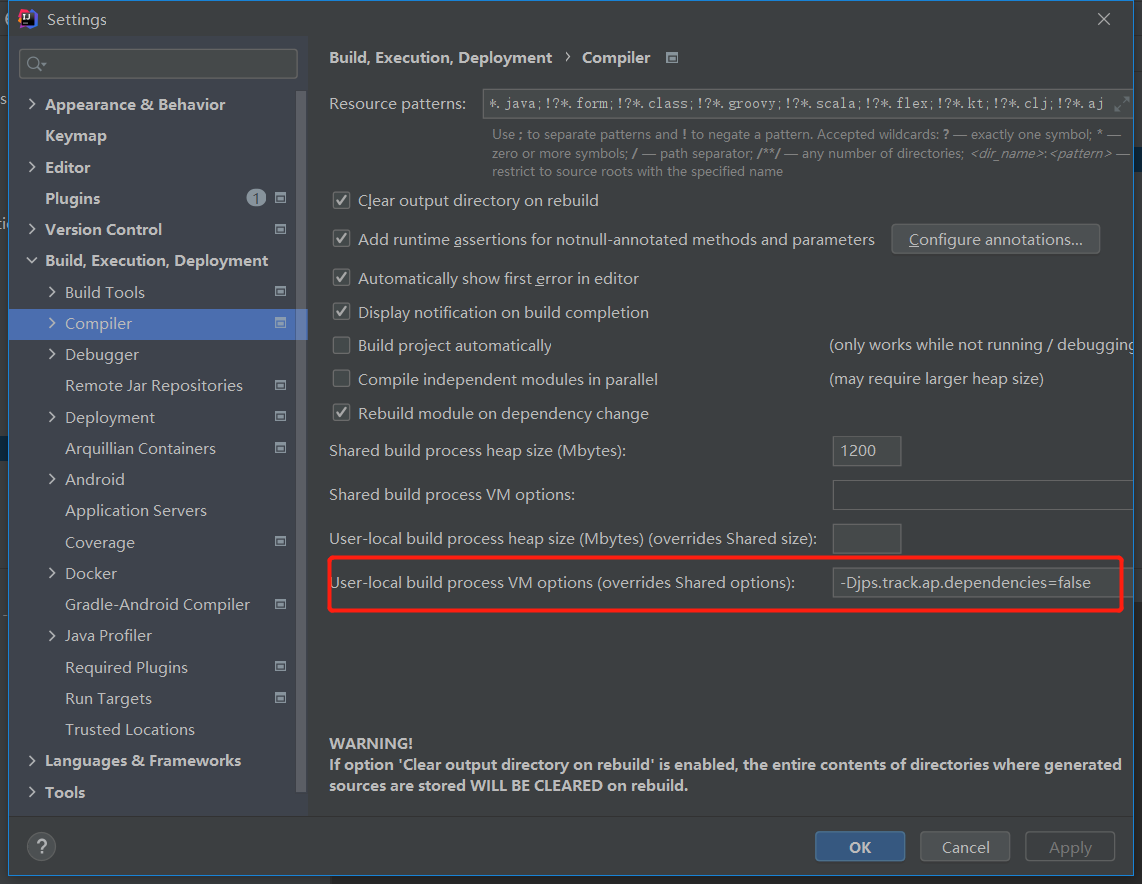
1. Set File→settings→Compiler’s User-local build process VM options (overrides Shared options) option to set -Djps.track.ap.dependencies=false, select apply
2. modify the version of mapstruct-processor in pom.xml and upgrade it to 1.4.1.Final or higher

Both methods can be tried, I was successful in the first method

[Solved] Eclipse Error: A JNI error has occurred, please check your installation and try again

Solution:

① Check whether the package name contains “Java” and modify it. Java should be avoided when creating the package.

② Run the Java version and javac version commands in CMD to check their own JDK and JRE versions. If they are different, reconfigure the environment variables to make them consistent

The above two steps can solve most of the problems. If they are still not solved, it is recommended to reinstall the JDK and reconfigure the environment variables.

SVN ERROR (E200033): database is locked [How to Solve]

E200033:

cd .svn
mv wc.db wc.db.old
splite3 wc.db.old
sqlite> .backup main wc.db
sqlite> .exit
cd ..
svn cleanup

1. Enter the SVN root hidden folder Svn
2. Backup database
3. SQLite opens/displays database
4. Back up the new database main to complete database replication
5. Exit SQLite
6. Return to SVN root
7. SVN cleanup

How to Solve Android wechat payment Error: error_code = -1

Usually this error is a signature error

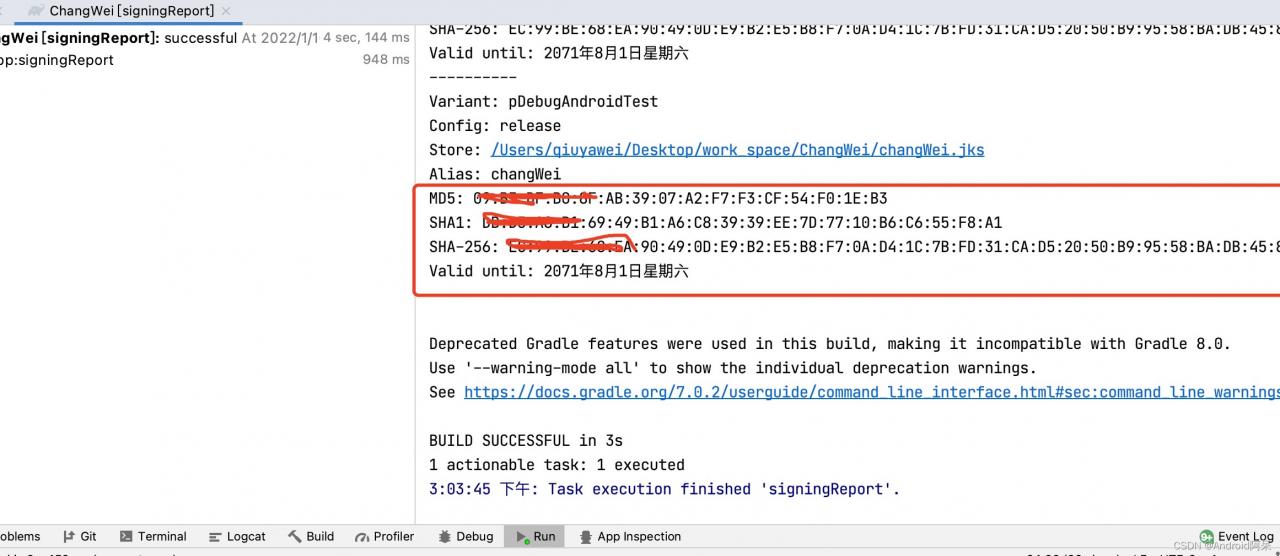
This figure is the case given by wechat. The signature is MD5. Note that there is no colon here. Check whether there is more colon

For example:

MD5: 01:B3:DF:B0:8F:AB:39:07:A2:F7:F3:CF:54:F0:1E:C9

Then I fill in:

01B3DFB08FAB3907A2F7F3CF54F01EC9

It’s easy to make mistakes here. I write it down here. I hope it can help you!

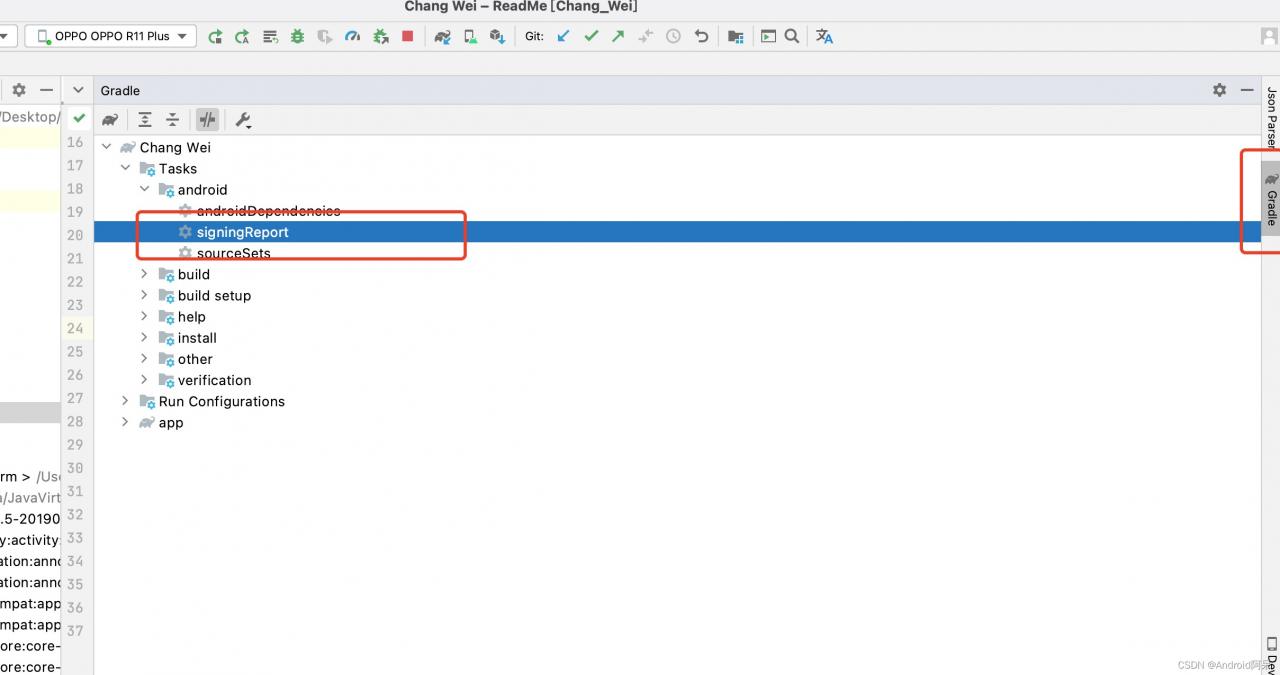
As for signature acquisition: Click gradle on the far right of Android studio, select singreport, double-click, and you can see it in build,

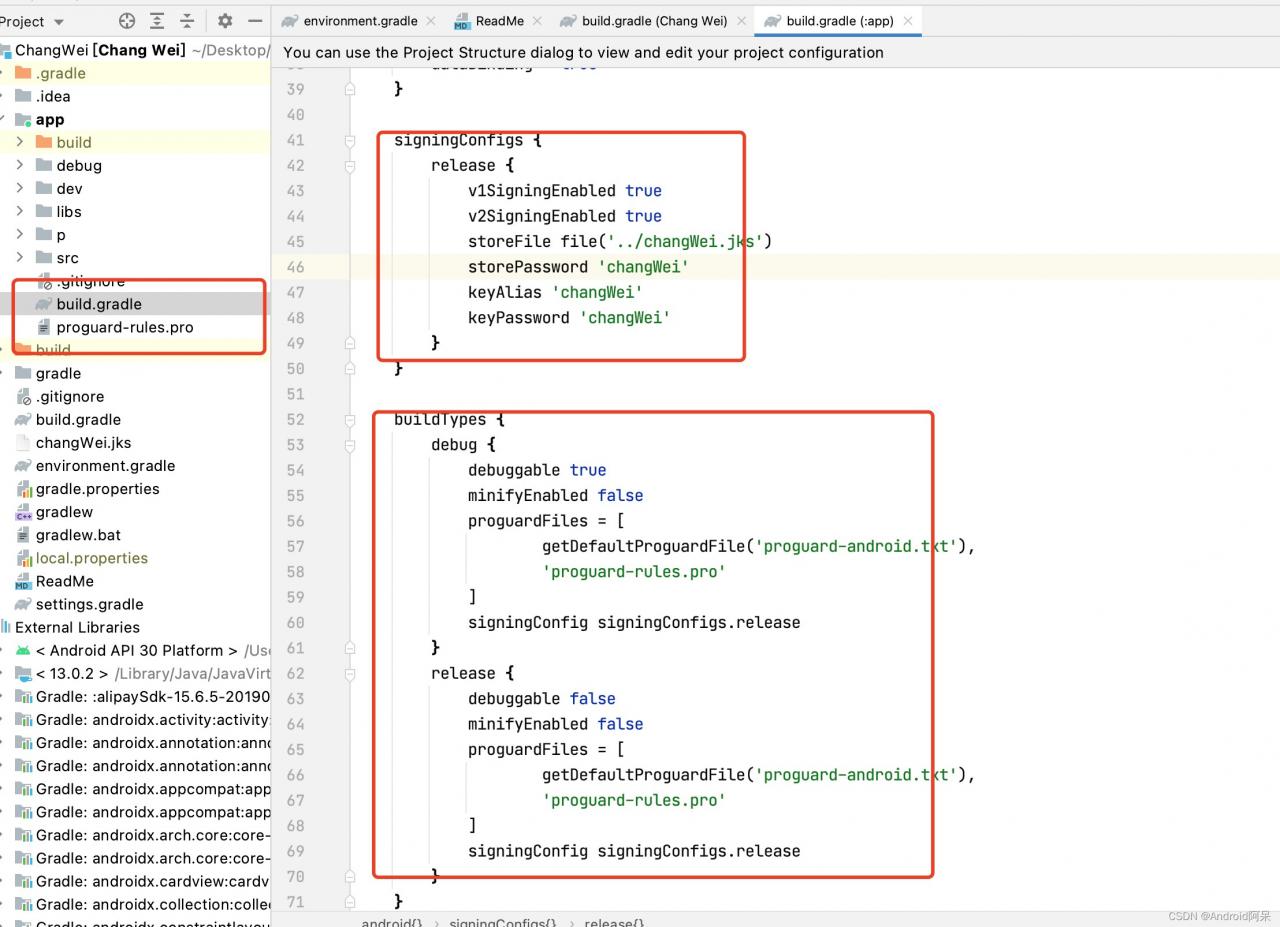
By the way, if you want to build Signature files are configured under gradle (APP)

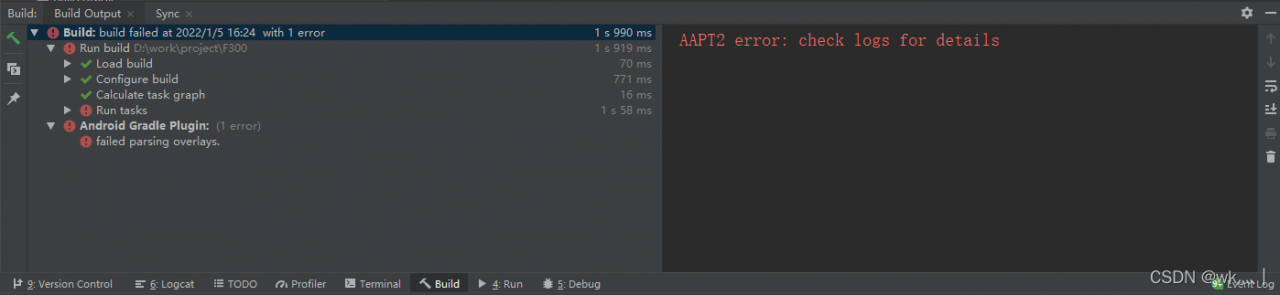
AAPT2 error: check logs for details [How to Solve]

First, state that there are several reasons for this error

Here are my personal solutions to this error:

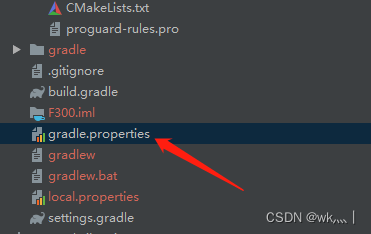
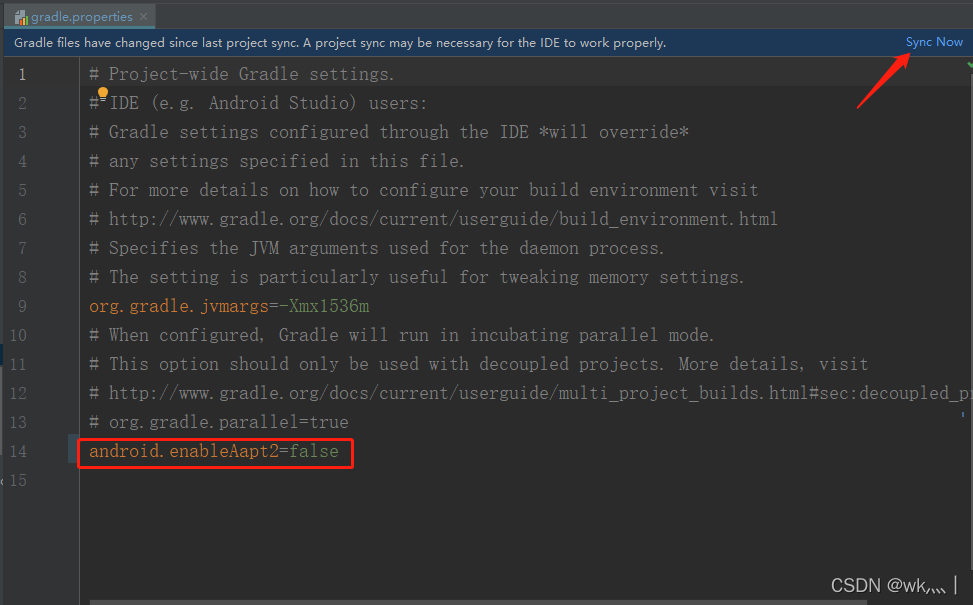
1. First, find gradle Properties file, open

2. Write “Android” in the space After enableaapt2 = false, click sync now

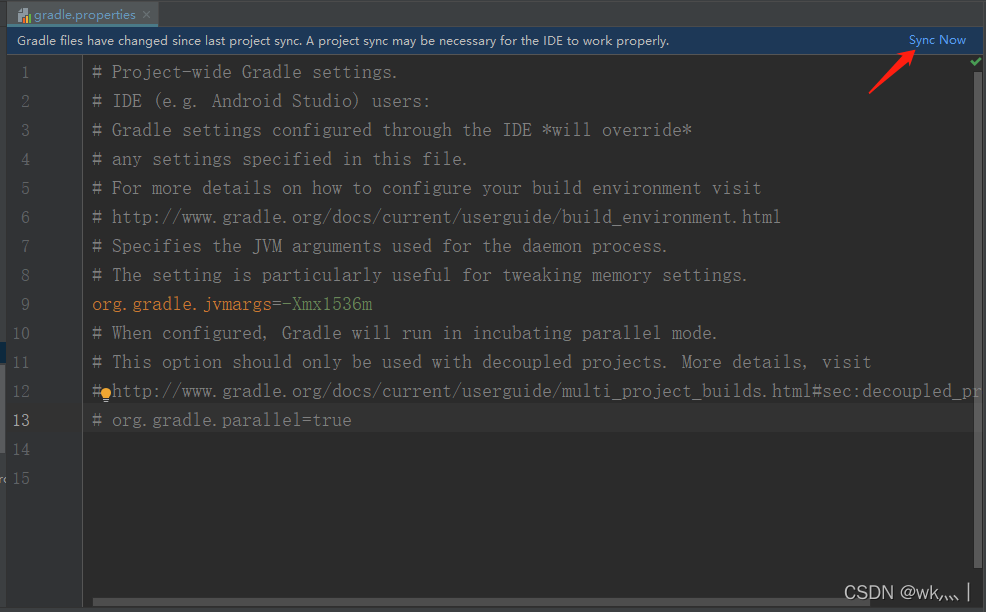
3. Errors will occur after synchronization. Don’t worry. Delete what you wrote and synchronize again

There is no problem running after resynchronization (personal situation)

[Solved] IDEA: Internal error (java.lang.UnsupportedClassVersionError)

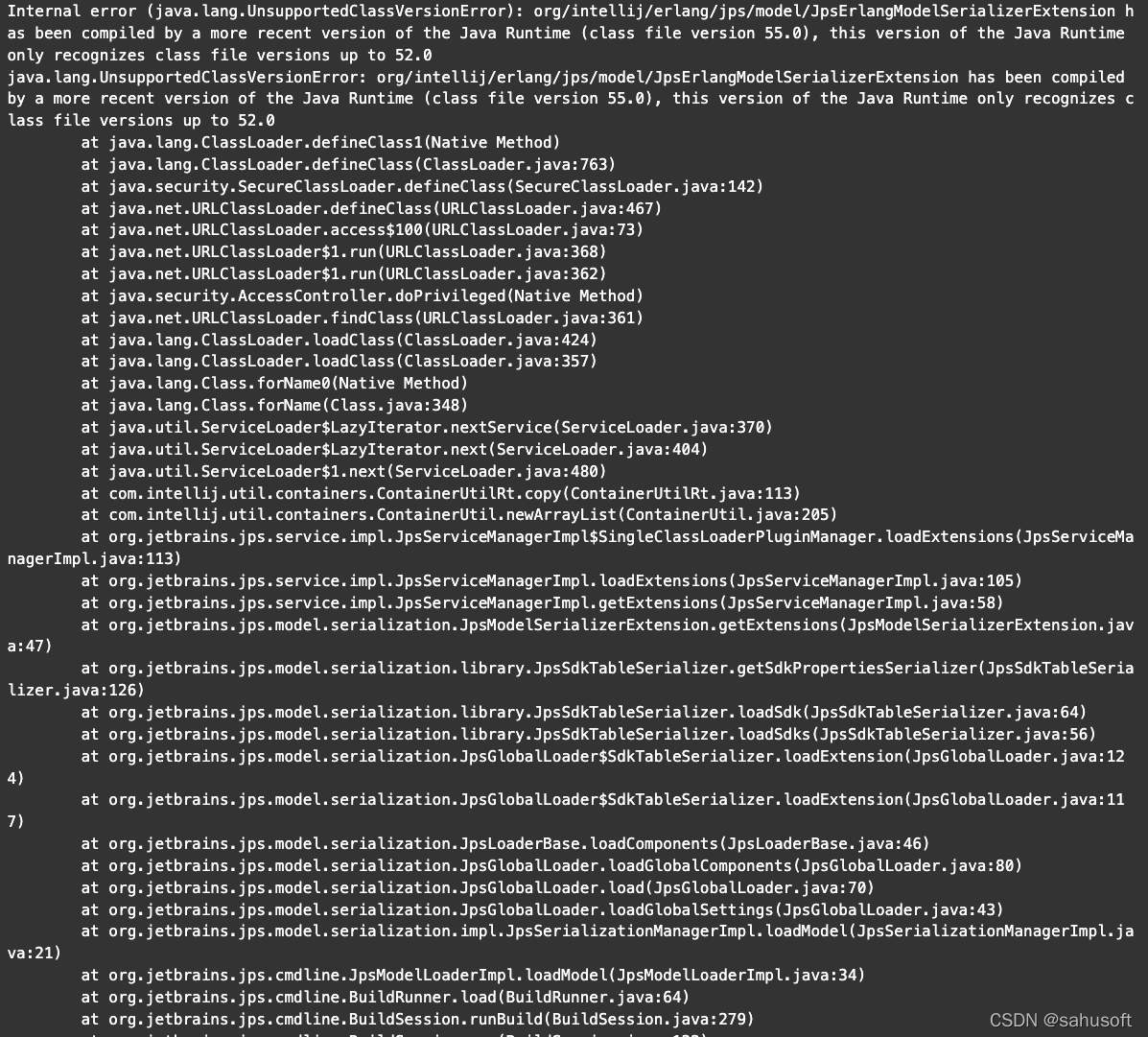
After creating a spark project and testing a “hello word”, I encountered the following error:

Internal error (java.lang.UnsupportedClassVersionError): org/intellij/erlang/jps/model/JpsErlangModelSerializerExtension has been compiled by a more recent version of the Java Runtime (class file version 55.0), this version of the Java Runtime only recognizes class file versions up to 52.0
java.lang.UnsupportedClassVersionError: org/intellij/erlang/jps/model/JpsErlangModelSerializerExtension has been compiled by a more recent version of the Java Runtime (class file version 55.0), this version of the Java Runtime only recognizes class file versions up to 52.0


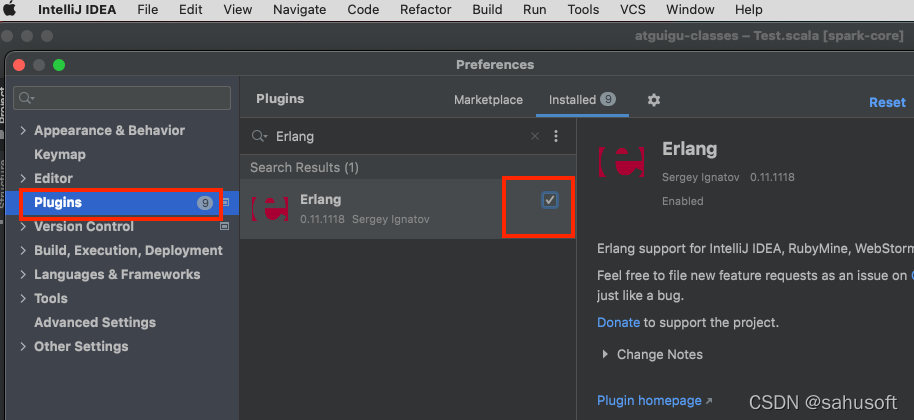
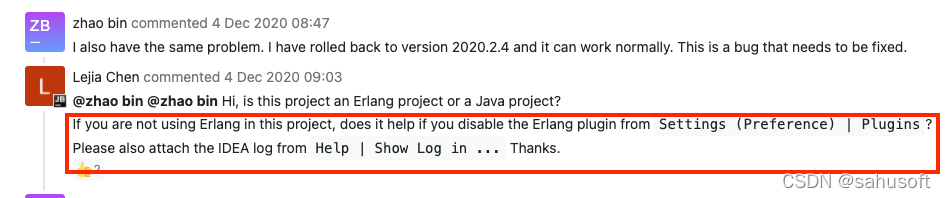
Solution: Close the Erlang plugin and restart IDEA
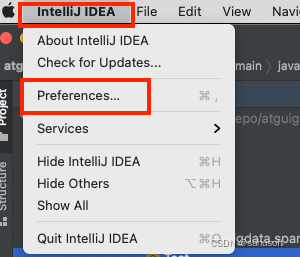
Steps: Intel iJ IDEA -> Preferences -> Pluglinis -> (search Erlang) Remove the checkbox

Referencehttps://youtrack.jetbrains.com/issue/IDEA-256900

[Solved] fatal error C1083: Could Not Open Unable to open include file:“stdint.h”: No such file or directory

The stdint.h file is a standard header file for C99, which is not supported by vs2008 by default, so you will definitely encounter the problem of “No such file or directory” in the process of using it.

Solution: Download stdint.h or make a copy from vs2010 and put it under Program Files (x86)\Microsoft Visual Studio 9.0\VC\include path

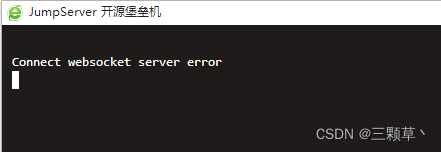
[Solved] jumpserver nginx Error: Connect websocket server error

After installation, the jumpserver selects a custom port, and the HTTP port 80 is changed to 88. After forwarding through nginx, remember to set the upgrade of nginx, otherwise it will prompt: connect websocket server error

Nginx is configured as follows:

##Jump
server {
listen 80;
server_name jump.xxxxxx.cn;

location/{
proxy_pass   http://127.0.0.1:88;
        proxy_http_version      1.1;
        proxy_set_header Upgrade $http_upgrade;
        proxy_set_header Connection "upgrade";
}
}

This will not prompt an error

[Solved] The installer has encountered an unexpected error installing this package.

Win10 installation software Report

The installer has encounteredan unexpected error
installing this package.This may indicate a problem with this package.The error code is 2503.

Solution:

Open cmd with administrator privileges and enter the command

msiexec /package C:\Users\asus\Downloads\TortoiseSVN-1.14.1.29085-x64-svn-1.14.1.msi
Where msiexec /package is followed by the path of your installer, and the download is successful after pressing Enter.

[Solved] Error getting generated key or setting result to parameter object. UnsupportedOperationException

Mybatis batch inserts and returns the primary key to the original list

report errors

Error getting generated key or setting result to parameter object. UnsupportedOperationException

reason

The version before mybatis 3.3.1 does not support the function of batch adding and returning the primary key ID; Some versions after mybatis # 3.3.1 support batch insert return ID, but do not support multiple parameters of Dao layer batch insert function, @ param annotation; (that is, table splitting is not supported) mybatis versions after 3.5.1 support batch insertion, return ID, multiple parameters, and @ param annotation

Solution:

Upgrade mybatis 3.5.1 (and ensure that all mybatis versions that Maven depends on are greater than 3.5.1) Dao

void batchInsert(@Param("idx") Integer idx, @Param("list") List<DO> list);

mapper

    <insert id="batchInsert" useGeneratedKeys="true" keyProperty="list.id">
        insert into do_${idx} (name, address)
        values
        <foreach collection="list" item="item" separator=",">
            (#{item.name},#{item.address})
        </foreach>
    </insert>

Note: because the function has multiple parameters, it is impossible to determine which parameter ID is taken, so it needs to indicate that it is list in keyproperty = “list.ID”.

[Solved] git Error: error: dst refspec v0.10.2 matches more than one

Problem description

If the tag and heads have the same name, an error will be reported

error: dst refspec v0. 10.2 matches more than one

Problem analysis

refs/heads/* is the branch name refs/tags/* is the tag name refs/remotes/* is the remote track name

When naming heads, it generally uses main, master, that is refs/heads/Master, refs/heads/main
when naming tags, it usually uses v0.1, v0. 2, i.e. refs/tags/v1.0

When you execute git push origin master, because Master is generally only in heads, not in tags, GIT can directly find the branch you want to push.

But here:

git LS remote the results are as follows:

61d10100326130d2eceee85167d5ec2d9970ebbe        refs/heads/seq_task
4ee9724f3a6a47134483e4955c688f4f34432ee0        refs/heads/simulastsharedtask
83e615d66905b8ca7483122a37da1a85f13f4b8e        refs/heads/v0.10.2
bdf09e1321a77252835550e84d73ad1bb3f3173c        refs/heads/xlmr_benchmark
3e5a2739bce92b2516d060959a1aa3dd51d221dc        refs/tags/v0.10.0
8a0b56efeecba6941c1c0e81a3b86f0a219e6653        refs/tags/v0.10.1
83e615d66905b8ca7483122a37da1a85f13f4b8e        refs/tags/v0.10.2

Twice v0.10.2 , corresponding to tags and heads respectively, so an error is reported.

Solution:

    1. change the name of the branch’s heads or tags (the change method is Google). Push

git push origin refs/heads/Main: refs/tags/V1 with the full name of the branch 2 

Reference resources:

https://stackoverflow.com/questions/70584317/git-push-error-dst-refspec-refs-heads-main-matches-more-than-one