preface
We recently used the Pillow library to train the captcha model, but it won’t install either live or dead
The environment
Docker is installed in python3
Trying to install
pip install pillow
easy_install Pillow
pipenv install pillow
As a result, they just can’t fit
The error is as follows:
Collecting pillow
  Using cached https://files.pythonhosted.org/packages/5b/bb/cdc8086db1f15d0664dd22a62c69613cdc00f1dd430b5b19df1bea83f2a3/Pillow-6.2.1.tar.gz
Building wheels for collected packages: pillow
  Building wheel for pillow (setup.py) ... error
  ERROR: Complete output from command /usr/local/bin/python -u -c 'import setuptools, tokenize;__file__='"'"'/tmp/pip-install-1vq2qpq_/pillow/setup.py'"'"';f=getattr(tokenize, '"'"'open'"'"', open)(__file__);code=f.read().replace('"'"'\r\n'"'"', '"'"'\n'"'"');f.close();exec(compile(code, __file__, '"'"'exec'"'"'))' bdist_wheel -d /tmp/pip-wheel-heq42z9x --python-tag cp37:
  ERROR: running bdist_wheel
  running build
  running build_py
  creating build
  creating build/lib.linux-x86_64-3.7
  creating build/lib.linux-x86_64-3.7/PIL
  copying src/PIL/PngImagePlugin.py -> build/lib.linux-x86_64-3.7/PIL
  copying src/PIL/PaletteFile.py -> build/lib.linux-x86_64-3.7/PIL
  copying src/PIL/WalImageFile.py -> build/lib.linux-x86_64-3.7/PIL
  copying src/PIL/ImagePath.py -> build/lib.linux-x86_64-3.7/PIL
  copying src/PIL/MspImagePlugin.py -> build/lib.linux-x86_64-3.7/PIL
  copying src/PIL/GifImagePlugin.py -> build/lib.linux-x86_64-3.7/PIL
  copying src/PIL/SpiderImagePlugin.py -> build/lib.linux-x86_64-3.7/PIL
  copying src/PIL/FliImagePlugin.py -> build/lib.linux-x86_64-3.7/PIL
  copying src/PIL/CurImagePlugin.py -> build/lib.linux-x86_64-3.7/PIL
  copying src/PIL/MpoImagePlugin.py -> build/lib.linux-x86_64-3.7/PIL
  copying src/PIL/McIdasImagePlugin.py -> build/lib.linux-x86_64-3.7/PIL
  copying src/PIL/PsdImagePlugin.py -> build/lib.linux-x86_64-3.7/PIL
  copying src/PIL/EpsImagePlugin.py -> build/lib.linux-x86_64-3.7/PIL
  copying src/PIL/IptcImagePlugin.py -> build/lib.linux-x86_64-3.7/PIL
  copying src/PIL/XbmImagePlugin.py -> build/lib.linux-x86_64-3.7/PIL
  copying src/PIL/DcxImagePlugin.py -> build/lib.linux-x86_64-3.7/PIL
  copying src/PIL/ExifTags.py -> build/lib.linux-x86_64-3.7/PIL
  copying src/PIL/FontFile.py -> build/lib.linux-x86_64-3.7/PIL
  copying src/PIL/TiffTags.py -> build/lib.linux-x86_64-3.7/PIL
  copying src/PIL/MpegImagePlugin.py -> build/lib.linux-x86_64-3.7/PIL
  copying src/PIL/GimpPaletteFile.py -> build/lib.linux-x86_64-3.7/PIL
  copying src/PIL/PyAccess.py -> build/lib.linux-x86_64-3.7/PIL
  copying src/PIL/ImageFile.py -> build/lib.linux-x86_64-3.7/PIL
  copying src/PIL/ContainerIO.py -> build/lib.linux-x86_64-3.7/PIL
  copying src/PIL/ImageColor.py -> build/lib.linux-x86_64-3.7/PIL
  copying src/PIL/BmpImagePlugin.py -> build/lib.linux-x86_64-3.7/PIL
  copying src/PIL/IcoImagePlugin.py -> build/lib.linux-x86_64-3.7/PIL
  copying src/PIL/Image.py -> build/lib.linux-x86_64-3.7/PIL
  copying src/PIL/JpegPresets.py -> build/lib.linux-x86_64-3.7/PIL
  copying src/PIL/ImageOps.py -> build/lib.linux-x86_64-3.7/PIL
  copying src/PIL/Hdf5StubImagePlugin.py -> build/lib.linux-x86_64-3.7/PIL
  copying src/PIL/PcdImagePlugin.py -> build/lib.linux-x86_64-3.7/PIL
  copying src/PIL/ImageStat.py -> build/lib.linux-x86_64-3.7/PIL
  copying src/PIL/ImageShow.py -> build/lib.linux-x86_64-3.7/PIL
  copying src/PIL/PdfImagePlugin.py -> build/lib.linux-x86_64-3.7/PIL
  copying src/PIL/XpmImagePlugin.py -> build/lib.linux-x86_64-3.7/PIL
  copying src/PIL/ImagePalette.py -> build/lib.linux-x86_64-3.7/PIL
  copying src/PIL/MicImagePlugin.py -> build/lib.linux-x86_64-3.7/PIL
  copying src/PIL/_util.py -> build/lib.linux-x86_64-3.7/PIL
  copying src/PIL/ImageMorph.py -> build/lib.linux-x86_64-3.7/PIL
  copying src/PIL/FtexImagePlugin.py -> build/lib.linux-x86_64-3.7/PIL
  copying src/PIL/GbrImagePlugin.py -> build/lib.linux-x86_64-3.7/PIL
  copying src/PIL/ImageDraw.py -> build/lib.linux-x86_64-3.7/PIL
  copying src/PIL/BufrStubImagePlugin.py -> build/lib.linux-x86_64-3.7/PIL
  copying src/PIL/PSDraw.py -> build/lib.linux-x86_64-3.7/PIL
  copying src/PIL/ImageDraw2.py -> build/lib.linux-x86_64-3.7/PIL
  copying src/PIL/TarIO.py -> build/lib.linux-x86_64-3.7/PIL
  copying src/PIL/ImtImagePlugin.py -> build/lib.linux-x86_64-3.7/PIL
  copying src/PIL/FitsStubImagePlugin.py -> build/lib.linux-x86_64-3.7/PIL
  copying src/PIL/_binary.py -> build/lib.linux-x86_64-3.7/PIL
  copying src/PIL/TgaImagePlugin.py -> build/lib.linux-x86_64-3.7/PIL
  copying src/PIL/ImageQt.py -> build/lib.linux-x86_64-3.7/PIL
  copying src/PIL/PpmImagePlugin.py -> build/lib.linux-x86_64-3.7/PIL
  copying src/PIL/PcfFontFile.py -> build/lib.linux-x86_64-3.7/PIL
  copying src/PIL/ImageTk.py -> build/lib.linux-x86_64-3.7/PIL
  copying src/PIL/ImImagePlugin.py -> build/lib.linux-x86_64-3.7/PIL
  copying src/PIL/features.py -> build/lib.linux-x86_64-3.7/PIL
  copying src/PIL/JpegImagePlugin.py -> build/lib.linux-x86_64-3.7/PIL
  copying src/PIL/ImageCms.py -> build/lib.linux-x86_64-3.7/PIL
  copying src/PIL/ImageGrab.py -> build/lib.linux-x86_64-3.7/PIL
  copying src/PIL/SunImagePlugin.py -> build/lib.linux-x86_64-3.7/PIL
  copying src/PIL/WebPImagePlugin.py -> build/lib.linux-x86_64-3.7/PIL
  copying src/PIL/ImageFilter.py -> build/lib.linux-x86_64-3.7/PIL
  copying src/PIL/FpxImagePlugin.py -> build/lib.linux-x86_64-3.7/PIL
  copying src/PIL/ImageTransform.py -> build/lib.linux-x86_64-3.7/PIL
  copying src/PIL/GdImageFile.py -> build/lib.linux-x86_64-3.7/PIL
  copying src/PIL/__init__.py -> build/lib.linux-x86_64-3.7/PIL
  copying src/PIL/ImageMath.py -> build/lib.linux-x86_64-3.7/PIL
  copying src/PIL/_version.py -> build/lib.linux-x86_64-3.7/PIL
  copying src/PIL/ImageSequence.py -> build/lib.linux-x86_64-3.7/PIL
  copying src/PIL/__main__.py -> build/lib.linux-x86_64-3.7/PIL
  copying src/PIL/PalmImagePlugin.py -> build/lib.linux-x86_64-3.7/PIL
  copying src/PIL/PcxImagePlugin.py -> build/lib.linux-x86_64-3.7/PIL
  copying src/PIL/WmfImagePlugin.py -> build/lib.linux-x86_64-3.7/PIL
  copying src/PIL/DdsImagePlugin.py -> build/lib.linux-x86_64-3.7/PIL
  copying src/PIL/IcnsImagePlugin.py -> build/lib.linux-x86_64-3.7/PIL
  copying src/PIL/SgiImagePlugin.py -> build/lib.linux-x86_64-3.7/PIL
  copying src/PIL/BlpImagePlugin.py -> build/lib.linux-x86_64-3.7/PIL
  copying src/PIL/Jpeg2KImagePlugin.py -> build/lib.linux-x86_64-3.7/PIL
  copying src/PIL/ImageEnhance.py -> build/lib.linux-x86_64-3.7/PIL
  copying src/PIL/ImageFont.py -> build/lib.linux-x86_64-3.7/PIL
  copying src/PIL/PixarImagePlugin.py -> build/lib.linux-x86_64-3.7/PIL
  copying src/PIL/TiffImagePlugin.py -> build/lib.linux-x86_64-3.7/PIL
  copying src/PIL/ImageWin.py -> build/lib.linux-x86_64-3.7/PIL
  copying src/PIL/ImageMode.py -> build/lib.linux-x86_64-3.7/PIL
  copying src/PIL/ImageChops.py -> build/lib.linux-x86_64-3.7/PIL
  copying src/PIL/PdfParser.py -> build/lib.linux-x86_64-3.7/PIL
  copying src/PIL/GribStubImagePlugin.py -> build/lib.linux-x86_64-3.7/PIL
  copying src/PIL/GimpGradientFile.py -> build/lib.linux-x86_64-3.7/PIL
  copying src/PIL/_tkinter_finder.py -> build/lib.linux-x86_64-3.7/PIL
  copying src/PIL/XVThumbImagePlugin.py -> build/lib.linux-x86_64-3.7/PIL
  copying src/PIL/BdfFontFile.py -> build/lib.linux-x86_64-3.7/PIL
  running egg_info
  writing src/Pillow.egg-info/PKG-INFO
  writing dependency_links to src/Pillow.egg-info/dependency_links.txt
  writing top-level names to src/Pillow.egg-info/top_level.txt
  reading manifest file 'src/Pillow.egg-info/SOURCES.txt'
  reading manifest template 'MANIFEST.in'
  warning: no files found matching '*.c'
  warning: no files found matching '*.h'
  warning: no files found matching '*.sh'
  warning: no previously-included files found matching '.appveyor.yml'
  warning: no previously-included files found matching '.coveragerc'
  warning: no previously-included files found matching '.codecov.yml'
  warning: no previously-included files found matching '.editorconfig'
  warning: no previously-included files found matching '.readthedocs.yml'
  warning: no previously-included files found matching 'azure-pipelines.yml'
  warning: no previously-included files matching '.git*' found anywhere in distribution
  warning: no previously-included files matching '*.pyc' found anywhere in distribution
  warning: no previously-included files matching '*.so' found anywhere in distribution
  no previously-included directories found matching '.azure-pipelines'
  no previously-included directories found matching '.travis'
  writing manifest file 'src/Pillow.egg-info/SOURCES.txt'
  running build_ext


  The headers or library files could not be found for jpeg,
  a required dependency when compiling Pillow from source.

  Please see the install instructions at:
     https://pillow.readthedocs.io/en/latest/installation.html

  Traceback (most recent call last):
    File "/tmp/pip-install-1vq2qpq_/pillow/setup.py", line 888, in <module>
      zip_safe=not (debug_build() or PLATFORM_MINGW),
    File "/usr/local/lib/python3.7/site-packages/setuptools/__init__.py", line 145, in setup
      return distutils.core.setup(**attrs)
    File "/usr/local/lib/python3.7/distutils/core.py", line 148, in setup
      dist.run_commands()
    File "/usr/local/lib/python3.7/distutils/dist.py", line 966, in run_commands
      self.run_command(cmd)
    File "/usr/local/lib/python3.7/distutils/dist.py", line 985, in run_command
      cmd_obj.run()
    File "/usr/local/lib/python3.7/site-packages/wheel/bdist_wheel.py", line 192, in run
      self.run_command('build')
    File "/usr/local/lib/python3.7/distutils/cmd.py", line 313, in run_command
      self.distribution.run_command(command)
    File "/usr/local/lib/python3.7/distutils/dist.py", line 985, in run_command
      cmd_obj.run()
    File "/usr/local/lib/python3.7/distutils/command/build.py", line 135, in run
      self.run_command(cmd_name)
    File "/usr/local/lib/python3.7/distutils/cmd.py", line 313, in run_command
      self.distribution.run_command(command)
    File "/usr/local/lib/python3.7/distutils/dist.py", line 985, in run_command
      cmd_obj.run()
    File "/usr/local/lib/python3.7/distutils/command/build_ext.py", line 340, in run
      self.build_extensions()
    File "/tmp/pip-install-1vq2qpq_/pillow/setup.py", line 687, in build_extensions
      raise RequiredDependencyException(f)
  __main__.RequiredDependencyException: jpeg

  During handling of the above exception, another exception occurred:

  Traceback (most recent call last):
    File "<string>", line 1, in <module>
    File "/tmp/pip-install-1vq2qpq_/pillow/setup.py", line 903, in <module>
      raise RequiredDependencyException(msg)
  __main__.RequiredDependencyException:

  The headers or library files could not be found for jpeg,
  a required dependency when compiling Pillow from source.

  Please see the install instructions at:
     https://pillow.readthedocs.io/en/latest/installation.html


  ----------------------------------------
  ERROR: Failed building wheel for pillow
  Running setup.py clean for pillow
Failed to build pillow
Installing collected packages: pillow
  Running setup.py install for pillow ... error
    ERROR: Complete output from command /usr/local/bin/python -u -c 'import setuptools, tokenize;__file__='"'"'/tmp/pip-install-1vq2qpq_/pillow/setup.py'"'"';f=getattr(tokenize, '"'"'open'"'"', open)(__file__);code=f.read().replace('"'"'\r\n'"'"', '"'"'\n'"'"');f.close();exec(compile(code, __file__, '"'"'exec'"'"'))' install --record /tmp/pip-record-3r__g4ou/install-record.txt --single-version-externally-managed --compile:
    ERROR: running install
    running build
    running build_py
    creating build
    creating build/lib.linux-x86_64-3.7
    creating build/lib.linux-x86_64-3.7/PIL
    copying src/PIL/PngImagePlugin.py -> build/lib.linux-x86_64-3.7/PIL
    copying src/PIL/PaletteFile.py -> build/lib.linux-x86_64-3.7/PIL
    copying src/PIL/WalImageFile.py -> build/lib.linux-x86_64-3.7/PIL
    copying src/PIL/ImagePath.py -> build/lib.linux-x86_64-3.7/PIL
    copying src/PIL/MspImagePlugin.py -> build/lib.linux-x86_64-3.7/PIL
    copying src/PIL/GifImagePlugin.py -> build/lib.linux-x86_64-3.7/PIL
    copying src/PIL/SpiderImagePlugin.py -> build/lib.linux-x86_64-3.7/PIL
    copying src/PIL/FliImagePlugin.py -> build/lib.linux-x86_64-3.7/PIL
    copying src/PIL/CurImagePlugin.py -> build/lib.linux-x86_64-3.7/PIL
    copying src/PIL/MpoImagePlugin.py -> build/lib.linux-x86_64-3.7/PIL
    copying src/PIL/McIdasImagePlugin.py -> build/lib.linux-x86_64-3.7/PIL
    copying src/PIL/PsdImagePlugin.py -> build/lib.linux-x86_64-3.7/PIL
    copying src/PIL/EpsImagePlugin.py -> build/lib.linux-x86_64-3.7/PIL
    copying src/PIL/IptcImagePlugin.py -> build/lib.linux-x86_64-3.7/PIL
    copying src/PIL/XbmImagePlugin.py -> build/lib.linux-x86_64-3.7/PIL
    copying src/PIL/DcxImagePlugin.py -> build/lib.linux-x86_64-3.7/PIL
    copying src/PIL/ExifTags.py -> build/lib.linux-x86_64-3.7/PIL
    copying src/PIL/FontFile.py -> build/lib.linux-x86_64-3.7/PIL
    copying src/PIL/TiffTags.py -> build/lib.linux-x86_64-3.7/PIL
    copying src/PIL/MpegImagePlugin.py -> build/lib.linux-x86_64-3.7/PIL
    copying src/PIL/GimpPaletteFile.py -> build/lib.linux-x86_64-3.7/PIL
    copying src/PIL/PyAccess.py -> build/lib.linux-x86_64-3.7/PIL
    copying src/PIL/ImageFile.py -> build/lib.linux-x86_64-3.7/PIL
    copying src/PIL/ContainerIO.py -> build/lib.linux-x86_64-3.7/PIL
    copying src/PIL/ImageColor.py -> build/lib.linux-x86_64-3.7/PIL
    copying src/PIL/BmpImagePlugin.py -> build/lib.linux-x86_64-3.7/PIL
    copying src/PIL/IcoImagePlugin.py -> build/lib.linux-x86_64-3.7/PIL
    copying src/PIL/Image.py -> build/lib.linux-x86_64-3.7/PIL
    copying src/PIL/JpegPresets.py -> build/lib.linux-x86_64-3.7/PIL
    copying src/PIL/ImageOps.py -> build/lib.linux-x86_64-3.7/PIL
    copying src/PIL/Hdf5StubImagePlugin.py -> build/lib.linux-x86_64-3.7/PIL
    copying src/PIL/PcdImagePlugin.py -> build/lib.linux-x86_64-3.7/PIL
    copying src/PIL/ImageStat.py -> build/lib.linux-x86_64-3.7/PIL
    copying src/PIL/ImageShow.py -> build/lib.linux-x86_64-3.7/PIL
    copying src/PIL/PdfImagePlugin.py -> build/lib.linux-x86_64-3.7/PIL
    copying src/PIL/XpmImagePlugin.py -> build/lib.linux-x86_64-3.7/PIL
    copying src/PIL/ImagePalette.py -> build/lib.linux-x86_64-3.7/PIL
    copying src/PIL/MicImagePlugin.py -> build/lib.linux-x86_64-3.7/PIL
    copying src/PIL/_util.py -> build/lib.linux-x86_64-3.7/PIL
    copying src/PIL/ImageMorph.py -> build/lib.linux-x86_64-3.7/PIL
    copying src/PIL/FtexImagePlugin.py -> build/lib.linux-x86_64-3.7/PIL
    copying src/PIL/GbrImagePlugin.py -> build/lib.linux-x86_64-3.7/PIL
    copying src/PIL/ImageDraw.py -> build/lib.linux-x86_64-3.7/PIL
    copying src/PIL/BufrStubImagePlugin.py -> build/lib.linux-x86_64-3.7/PIL
    copying src/PIL/PSDraw.py -> build/lib.linux-x86_64-3.7/PIL
    copying src/PIL/ImageDraw2.py -> build/lib.linux-x86_64-3.7/PIL
    copying src/PIL/TarIO.py -> build/lib.linux-x86_64-3.7/PIL
    copying src/PIL/ImtImagePlugin.py -> build/lib.linux-x86_64-3.7/PIL
    copying src/PIL/FitsStubImagePlugin.py -> build/lib.linux-x86_64-3.7/PIL
    copying src/PIL/_binary.py -> build/lib.linux-x86_64-3.7/PIL
    copying src/PIL/TgaImagePlugin.py -> build/lib.linux-x86_64-3.7/PIL
    copying src/PIL/ImageQt.py -> build/lib.linux-x86_64-3.7/PIL
    copying src/PIL/PpmImagePlugin.py -> build/lib.linux-x86_64-3.7/PIL
    copying src/PIL/PcfFontFile.py -> build/lib.linux-x86_64-3.7/PIL
    copying src/PIL/ImageTk.py -> build/lib.linux-x86_64-3.7/PIL
    copying src/PIL/ImImagePlugin.py -> build/lib.linux-x86_64-3.7/PIL
    copying src/PIL/features.py -> build/lib.linux-x86_64-3.7/PIL
    copying src/PIL/JpegImagePlugin.py -> build/lib.linux-x86_64-3.7/PIL
    copying src/PIL/ImageCms.py -> build/lib.linux-x86_64-3.7/PIL
    copying src/PIL/ImageGrab.py -> build/lib.linux-x86_64-3.7/PIL
    copying src/PIL/SunImagePlugin.py -> build/lib.linux-x86_64-3.7/PIL
    copying src/PIL/WebPImagePlugin.py -> build/lib.linux-x86_64-3.7/PIL
    copying src/PIL/ImageFilter.py -> build/lib.linux-x86_64-3.7/PIL
    copying src/PIL/FpxImagePlugin.py -> build/lib.linux-x86_64-3.7/PIL
    copying src/PIL/ImageTransform.py -> build/lib.linux-x86_64-3.7/PIL
    copying src/PIL/GdImageFile.py -> build/lib.linux-x86_64-3.7/PIL
    copying src/PIL/__init__.py -> build/lib.linux-x86_64-3.7/PIL
    copying src/PIL/ImageMath.py -> build/lib.linux-x86_64-3.7/PIL
    copying src/PIL/_version.py -> build/lib.linux-x86_64-3.7/PIL
    copying src/PIL/ImageSequence.py -> build/lib.linux-x86_64-3.7/PIL
    copying src/PIL/__main__.py -> build/lib.linux-x86_64-3.7/PIL
    copying src/PIL/PalmImagePlugin.py -> build/lib.linux-x86_64-3.7/PIL
    copying src/PIL/PcxImagePlugin.py -> build/lib.linux-x86_64-3.7/PIL
    copying src/PIL/WmfImagePlugin.py -> build/lib.linux-x86_64-3.7/PIL
    copying src/PIL/DdsImagePlugin.py -> build/lib.linux-x86_64-3.7/PIL
    copying src/PIL/IcnsImagePlugin.py -> build/lib.linux-x86_64-3.7/PIL
    copying src/PIL/SgiImagePlugin.py -> build/lib.linux-x86_64-3.7/PIL
    copying src/PIL/BlpImagePlugin.py -> build/lib.linux-x86_64-3.7/PIL
    copying src/PIL/Jpeg2KImagePlugin.py -> build/lib.linux-x86_64-3.7/PIL
    copying src/PIL/ImageEnhance.py -> build/lib.linux-x86_64-3.7/PIL
    copying src/PIL/ImageFont.py -> build/lib.linux-x86_64-3.7/PIL
    copying src/PIL/PixarImagePlugin.py -> build/lib.linux-x86_64-3.7/PIL
    copying src/PIL/TiffImagePlugin.py -> build/lib.linux-x86_64-3.7/PIL
    copying src/PIL/ImageWin.py -> build/lib.linux-x86_64-3.7/PIL
    copying src/PIL/ImageMode.py -> build/lib.linux-x86_64-3.7/PIL
    copying src/PIL/ImageChops.py -> build/lib.linux-x86_64-3.7/PIL
    copying src/PIL/PdfParser.py -> build/lib.linux-x86_64-3.7/PIL
    copying src/PIL/GribStubImagePlugin.py -> build/lib.linux-x86_64-3.7/PIL
    copying src/PIL/GimpGradientFile.py -> build/lib.linux-x86_64-3.7/PIL
    copying src/PIL/_tkinter_finder.py -> build/lib.linux-x86_64-3.7/PIL
    copying src/PIL/XVThumbImagePlugin.py -> build/lib.linux-x86_64-3.7/PIL
    copying src/PIL/BdfFontFile.py -> build/lib.linux-x86_64-3.7/PIL
    running egg_info
    writing src/Pillow.egg-info/PKG-INFO
    writing dependency_links to src/Pillow.egg-info/dependency_links.txt
    writing top-level names to src/Pillow.egg-info/top_level.txt
    reading manifest file 'src/Pillow.egg-info/SOURCES.txt'
    reading manifest template 'MANIFEST.in'
    warning: no files found matching '*.c'
    warning: no files found matching '*.h'
    warning: no files found matching '*.sh'
    warning: no previously-included files found matching '.appveyor.yml'
    warning: no previously-included files found matching '.coveragerc'
    warning: no previously-included files found matching '.codecov.yml'
    warning: no previously-included files found matching '.editorconfig'
    warning: no previously-included files found matching '.readthedocs.yml'
    warning: no previously-included files found matching 'azure-pipelines.yml'
    warning: no previously-included files matching '.git*' found anywhere in distribution
    warning: no previously-included files matching '*.pyc' found anywhere in distribution
    warning: no previously-included files matching '*.so' found anywhere in distribution
    no previously-included directories found matching '.azure-pipelines'
    no previously-included directories found matching '.travis'
    writing manifest file 'src/Pillow.egg-info/SOURCES.txt'
    running build_ext


    The headers or library files could not be found for jpeg,
    a required dependency when compiling Pillow from source.

    Please see the install instructions at:
       https://pillow.readthedocs.io/en/latest/installation.html

    Traceback (most recent call last):
      File "/tmp/pip-install-1vq2qpq_/pillow/setup.py", line 888, in <module>
        zip_safe=not (debug_build() or PLATFORM_MINGW),
      File "/usr/local/lib/python3.7/site-packages/setuptools/__init__.py", line 145, in setup
        return distutils.core.setup(**attrs)
      File "/usr/local/lib/python3.7/distutils/core.py", line 148, in setup
        dist.run_commands()
      File "/usr/local/lib/python3.7/distutils/dist.py", line 966, in run_commands
        self.run_command(cmd)
      File "/usr/local/lib/python3.7/distutils/dist.py", line 985, in run_command
        cmd_obj.run()
      File "/usr/local/lib/python3.7/site-packages/setuptools/command/install.py", line 61, in run
        return orig.install.run(self)
      File "/usr/local/lib/python3.7/distutils/command/install.py", line 545, in run
        self.run_command('build')
      File "/usr/local/lib/python3.7/distutils/cmd.py", line 313, in run_command
        self.distribution.run_command(command)
      File "/usr/local/lib/python3.7/distutils/dist.py", line 985, in run_command
        cmd_obj.run()
      File "/usr/local/lib/python3.7/distutils/command/build.py", line 135, in run
        self.run_command(cmd_name)
      File "/usr/local/lib/python3.7/distutils/cmd.py", line 313, in run_command
        self.distribution.run_command(command)
      File "/usr/local/lib/python3.7/distutils/dist.py", line 985, in run_command
        cmd_obj.run()
      File "/usr/local/lib/python3.7/distutils/command/build_ext.py", line 340, in run
        self.build_extensions()
      File "/tmp/pip-install-1vq2qpq_/pillow/setup.py", line 687, in build_extensions
        raise RequiredDependencyException(f)
    __main__.RequiredDependencyException: jpeg

    During handling of the above exception, another exception occurred:

    Traceback (most recent call last):
      File "<string>", line 1, in <module>
      File "/tmp/pip-install-1vq2qpq_/pillow/setup.py", line 903, in <module>
        raise RequiredDependencyException(msg)
    __main__.RequiredDependencyException:

    The headers or library files could not be found for jpeg,
    a required dependency when compiling Pillow from source.

    Please see the install instructions at:
       https://pillow.readthedocs.io/en/latest/installation.html


    ----------------------------------------
ERROR: Command "/usr/local/bin/python -u -c 'import setuptools, tokenize;__file__='"'"'/tmp/pip-install-1vq2qpq_/pillow/setup.py'"'"';f=getattr(tokenize, '"'"'open'"'"', open)(__file__);code=f.read().replace('"'"'\r\n'"'"', '"'"'\n'"'"');f.close();exec(compile(code, __file__, '"'"'exec'"'"'))' install --record /tmp/pip-record-3r__g4ou/install-record.txt --single-version-externally-managed --compile" failed with error code 1 in /tmp/pip-install-1vq2qpq_/pillow/
To solve the…
After searching on the Internet, I finally found the answer on StackOverflow. It turned out to be the lack of dependency packets
https://stackoverflow.com/questions/44043906/the-headers-or-library-files-could-not-be-found-for-jpeg-installing-pillow-on/44044479#44044479
The solution
Add the following to the build Dockerfile:
FROM python:alpine
RUN apk --update add libxml2-dev libxslt-dev libffi-dev gcc musl-dev libgcc openssl-dev curl
RUN apk add jpeg-dev zlib-dev freetype-dev lcms2-dev openjpeg-dev tiff-dev tk-dev tcl-dev
RUN pip install Pillow
This will allow you to build successfully
You can go into the container
Install these dependencies directly, and you can install them directly in the container without having to rebuild the image
apk add jpeg-dev zlib-dev freetype-dev lcms2-dev openjpeg-dev tiff-dev tk-dev tcl-dev
supplement
Good, you can happily use, other may be the permission error, or switch under the installation source

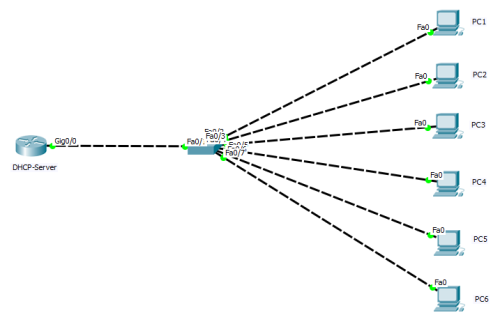 diagram, routers were dhCP-server and switches were two-layer devices (switch ports connected to PC1-6 hosts were all in the default VLAN 1).