Author Archives: Robins

[Solved] error LNK2005: _bn_sub_part_words Already defined in bn_mul.obj

Compiling openssl and using the nasm method of mutation ends up with the following error:

link /nologo /subsystem:console /opt:ref /debug /dll /out:out32dll\libea
y32.dll /def:ms/LIBEAY32.def @C:\Users\Unst\AppData\Local\Temp\nm75AD.tmp
bn-586.obj : error LNK2005: _bn_sub_part_words

Already defined in bn_mul.obj
Library out32dll\libeay32.lib and object out32dll\libeay32.exp are being created
mem.obj : error LNK2001: Unresolved external symbol _cleanse_ctr
mem.obj : error LNK2001: Unresolvable external symbol _cleanse_ctr
out32dll\libeay32.dll : fatal error LNK1120: 1 unresolvable external command
NMAKE : fatal error U1077: ""D:\Program Files\Microsoft Visual Studio 10.0\VC\B
IN\link.EXE"": return code "0x460"
Stop.


Solution: Delete the OpenSSL directory and try again.
[Solved] AttributeError: ‘DataFrame‘ object has no attribute ‘map‘

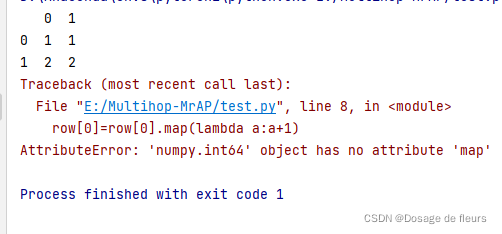
AttributeError: ‘XXX’ object has no attribute ‘map’

Objects that meet the map format need to be in the form of key value pairs, so check whether the elements using the map function meet this condition.

For example:

#Create an object of DataFrame
list=[[1,1],[2,2]]
list=pd.DataFrame(list)
print(list)

#Use map to map them
for _, row in list.iterrows():
    row[0]=row[0].map(lambda a:a+1)

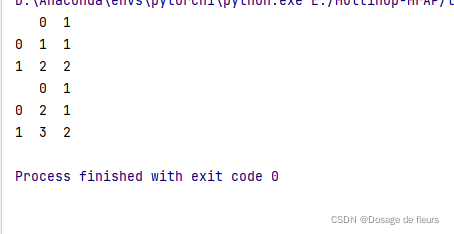
Output:

correct method:

list=[[1,1],[2,2]]
list=pd.DataFrame(list)
print(list)

list[0]=list[0].map(lambda a:a+1)
print(list)

Output:

How to Solve screenfull plug-in Error (Version Issues)

We can use handwriting directly to realize the full screen function, but it is very convenient to use the screenfull plug-in to deal with the problem of full screen, but there is a bug in normal use today

Install NPM package NPM i screenfull ,the default is to import the latest version

Import Import screenfull from 'screenfull' to use

You can use the full screen function nomarlly screenfull.toggle()

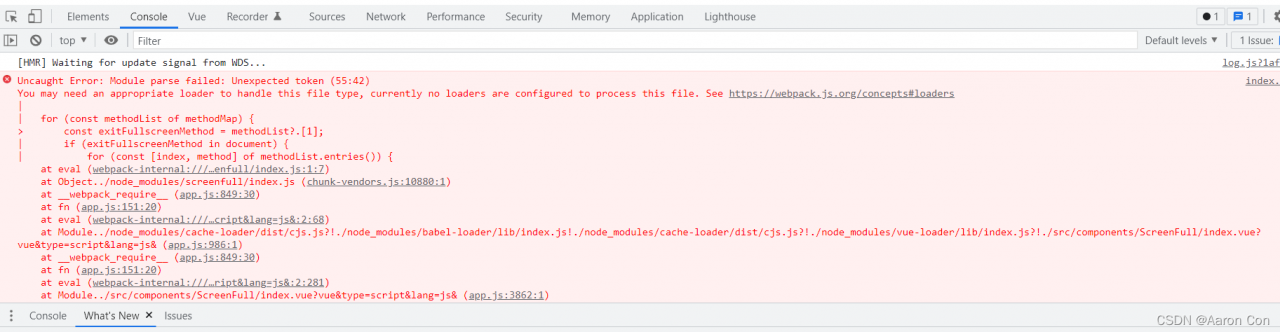
At this time, I reported an error to me

when the page was blank and could not be loaded, I went to the Internet to find several articles that said the version was too high and needed to reduce the version of the package plug-in. I tried many times and still reported an error

Solution:

It’s really necessary to reduce the version. I’ve reduced it to [email protected] Version, then why do you report an error?I found that the imported path is screenfull under the module directory, but there is no corresponding index.js file

so we have to change the import path import ScreenFull from 'screenfull/dist/screenfull', the page will be displayed normally and the full screen function will be normal

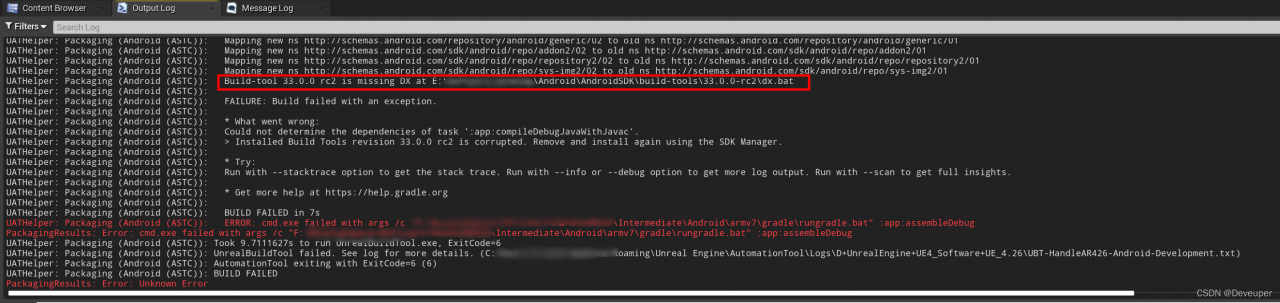
[Solved] UE4UE5 Package Android Error: UnrealBuildTool failed

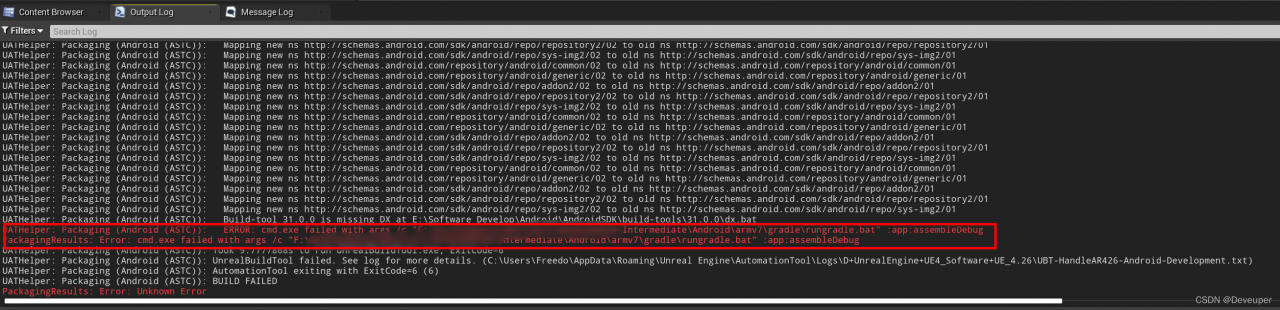
Error:

Android\armv7\gradle\rungradle.bat……UnrealBuildTool failed

Solution:

1. Replace gradle package

Download address: http://services.gradle.org/distributions/

Replace with: C:\Users\your_user_name\.gradle\wrapper\dists\gradle-x.x-all\xxxxxxxxxxxxxxxxxxxxxxx

2. Update SDK
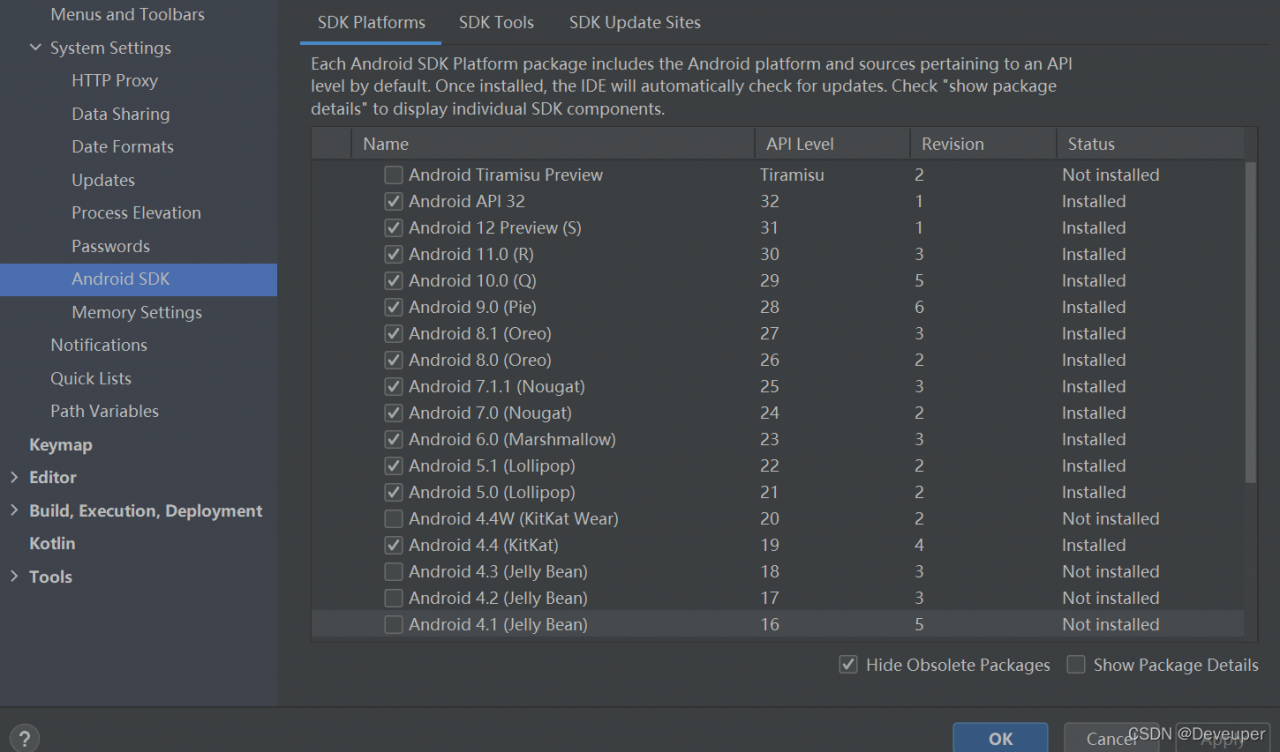
check the latest SDK in SDK manager in Android studio (you can download the update directly)

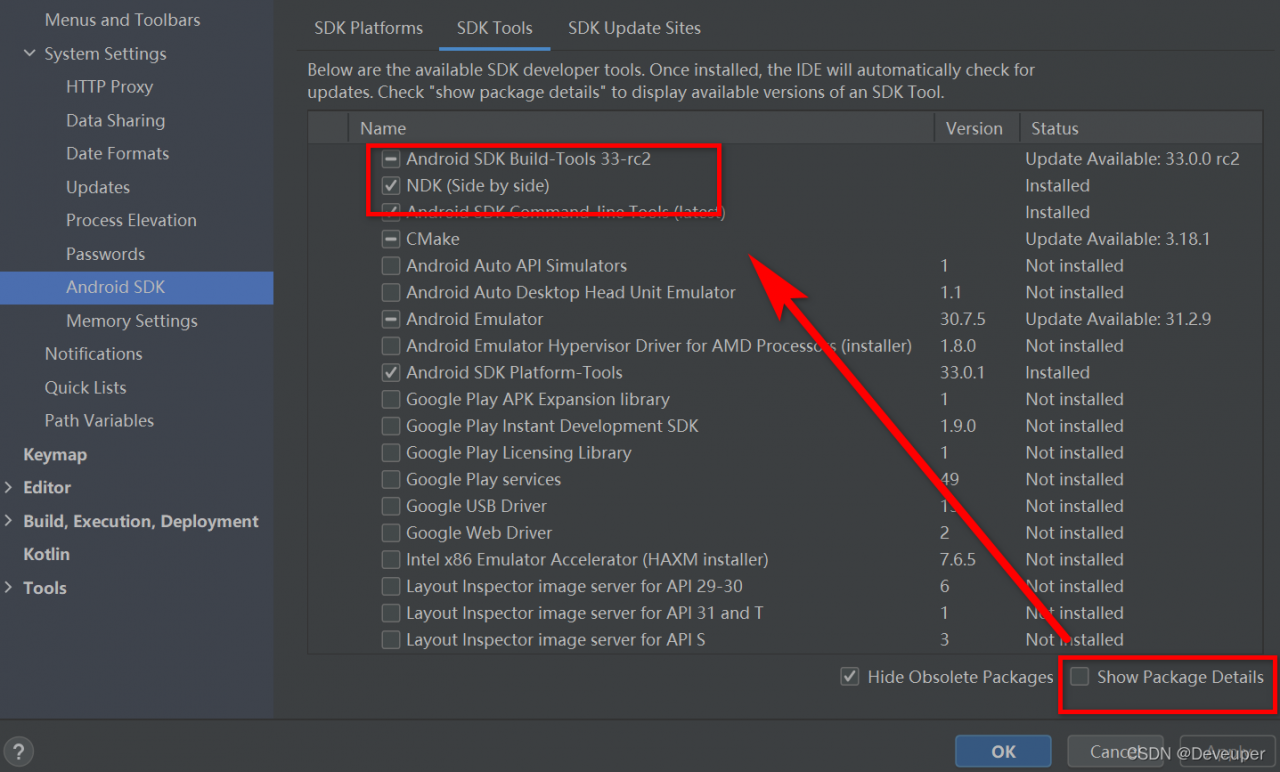
3. Update NDK and build tool

Error reported: XXXXXX\gradle\rungradle.bat” :app :assembleDebug

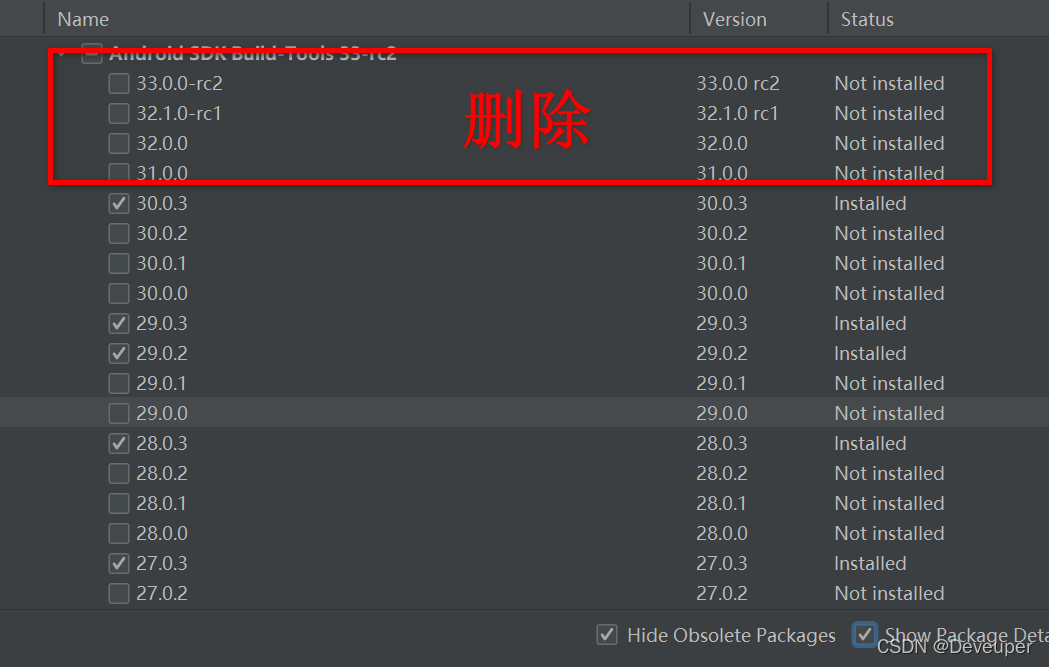
Solution: in the SDK manager, find SDK Tools – Show package details and delete the build tool version with relevant errors according to the error information.

Just pack it.

[Solved] Package Install Error: npm ERR code ERR_SOCKET_TIMEOUT npm ERR

Error reporting solution


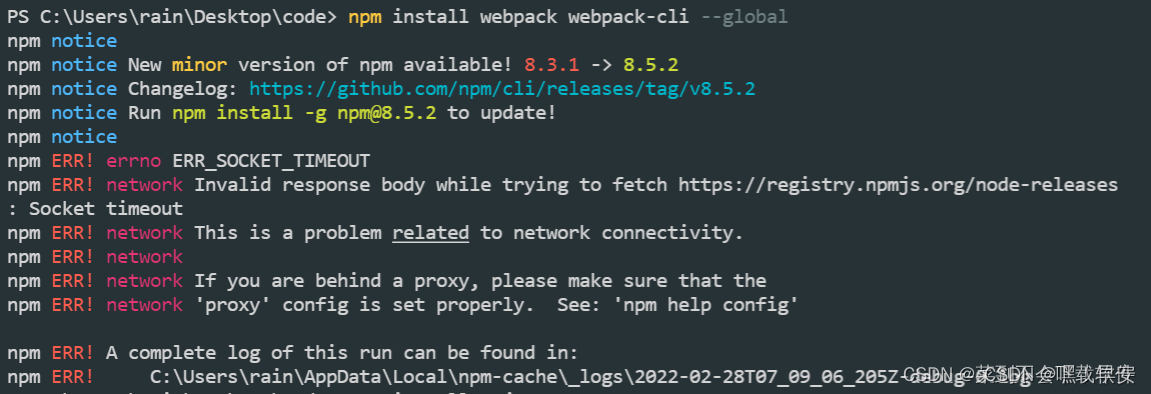
npm ERR! code ERR_SOCKET_TIMEOUT 
npm ERR! errno ERR_SOCKET_TIMEOUT
npm ERR! network Invalid response body while trying to fetch https://registry.npmjs.org/node-releases: Socket timeout
npm ERR! network This is a problem related to network connectivity.
npm ERR! network In most cases you are behind a proxy or have bad network settings.
npm ERR! network
npm ERR! network If you are behind a proxy, please make sure that the
npm ERR! network 'proxy' config is set properly.  See: 'npm help config'

npm ERR! A complete log of this run can be found in:
npm ERR!     C:\Users\rain\AppData\Local\npm-cache\_logs\2022-02-28T07_09_06_205Z-debug-0.log 

Today, when installing the webpack package, I found the following problems:

First step operation

npm install webpack webpack-cli --global

Perform step 2 after reporting an error

npm install rxjs

Perform the third step

npm install webpack webpack-cli --global

npm run dev successfully: %s

[Solved] Font End Image Display Error: net::ERR_CONNECTION_RESET 431 (Request Header Fields Too Large)

(1) The pictures are stored in the database

Use the el-upload component to convert the picture into a string in Base64 format and store it in the MySQL database. The field type is longtext.

(2) Error in front-end display picture

Get the picture data from the back end through the post request and assign it to Src. As a result, the picture cannot be displayed and an error: net::ERR_CONNECTION_RESET 431 (Request Header Fields Too Large)

(3) Problem-solving

Add “data:image/jpeg;base64,” before the base64 format string.

this. form. userPhoto=”data:image/jpeg;base64,”+this. form. userPhoto;

Here, image/JPEG is the name of the data type, Base64 is the encoding method, and the data after the comma is the data taken from the database. You can also check the data URL on the Internet.

So the problem is solved.

[Solved] vuecli2+axios Error: NotSameOriginAfterDefaultedToSameOriginByCoep

Problem reporting error

Notsameoriginafterdefaultedtosameoriginbycoep
cross domain isolation

Personal environment: vuecli2 + Axios

Solution:
add the following codes in the headers of Axios

        "Cross-Origin-Opener-Policy": "same-origin",
        "Cross-Origin-Embedder-Policy": "require-corp"

And in the devServer of vue.config.js

headers: {"Cross-Origin-Opener-Policy": "cross-origin","Cross-Origin-Embedder-Policy": "require-corp",},

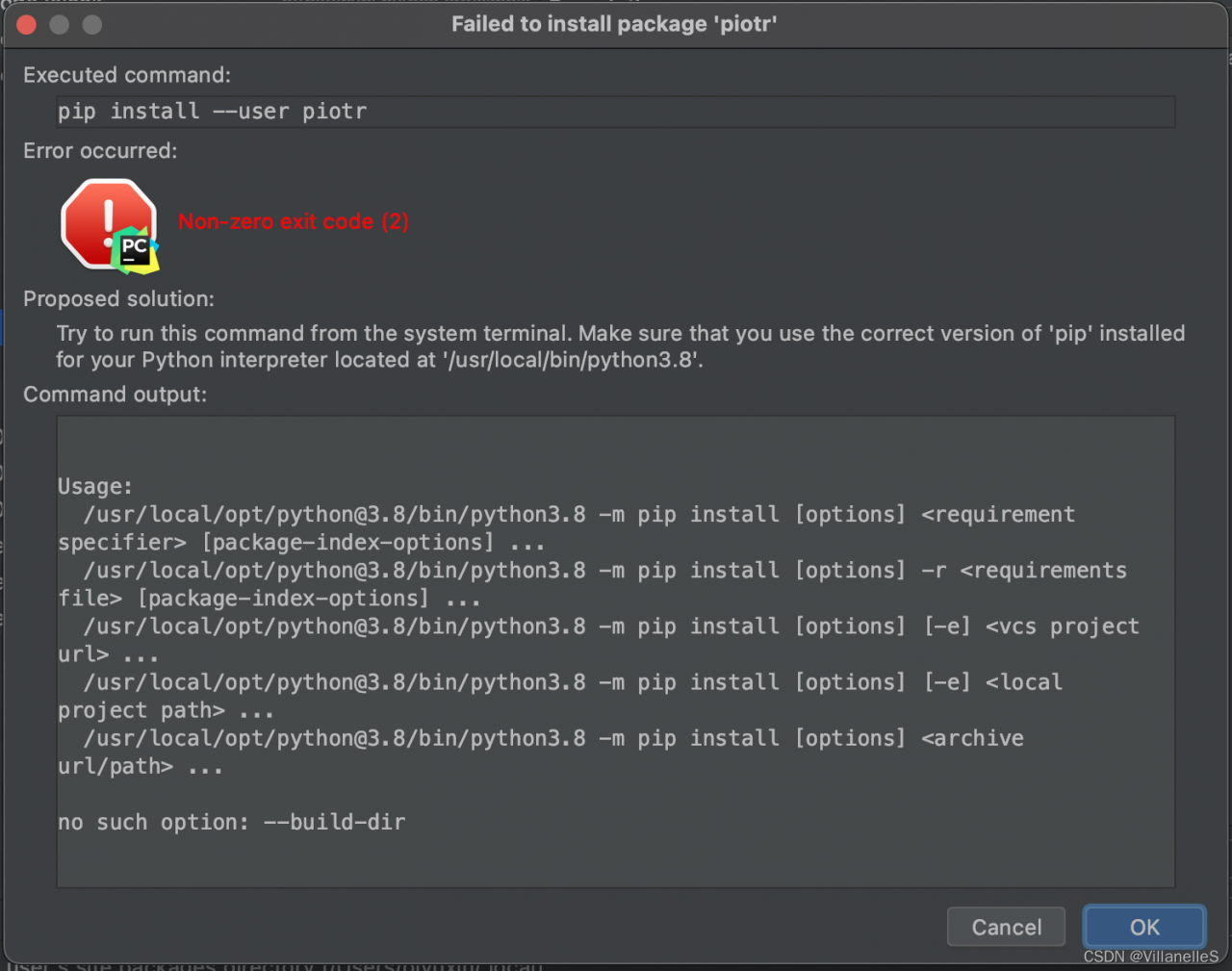
[Solved] Pycharm Use pip to install package error: no such option –build-dir

Pychar reports an error when using PIP to install the package. No such option — build dir

    1. reason: the PIP version is too high.
    1. Solution: downgrade the pip version and wait for the update of pycharm

open the command line, find the location of Python and enter: 

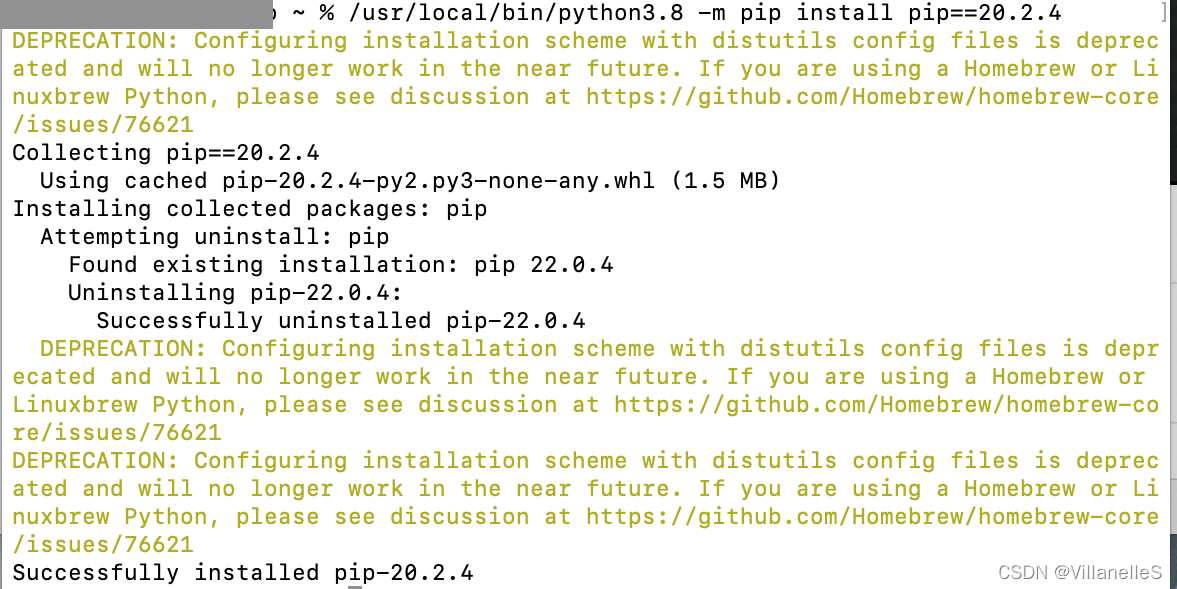
PIP install PIP = = 20.2.4
set the PIP version to 20.2.4

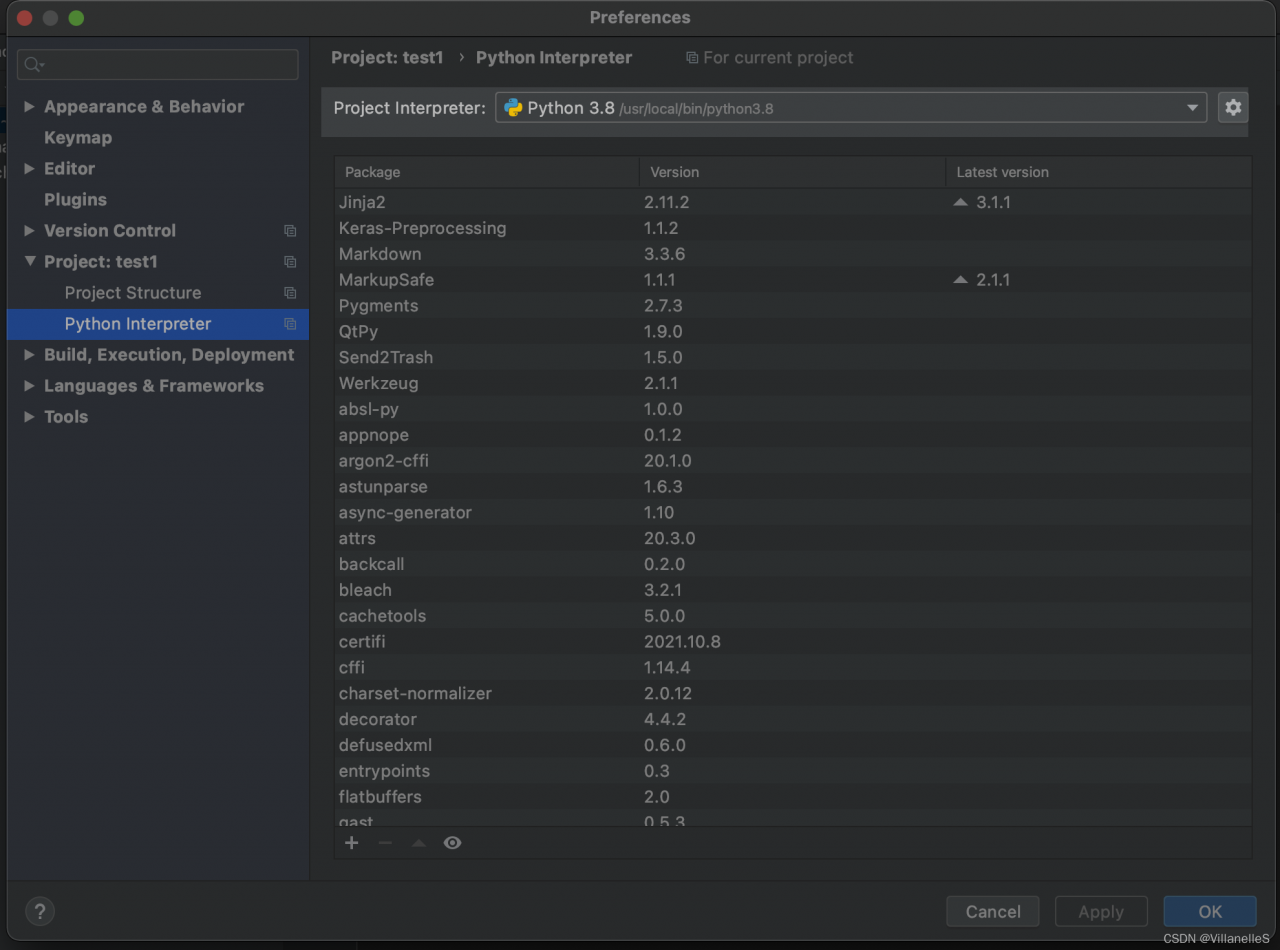
if no variable is set for PIP, Check the location of Python in settings->python Interpreter

and then execute the following command on the command line </ OL>

/usr/local/bin/python3. 8 -m pip install pip==20.2.4

[Solved] Python pytesseract(tesseract OCR) Error: TesseractNotFoundError

Error when running code

Use PIP install pytesseract

pip install tesseract

It still doesn’t work after installation. The same error is reported

Subsequent error finding:

Testseract-ocr is not installed

OCR (Optical Character Recognition): Optical Character Recognition, which refers to the process of analyzing, recognizing, and acquiring text in image files.
Tesseract: An open source OCR recognition engine. The initial Tesseract engine was developed by HP Labs, and later contributed to the open source software industry, and was later improved by Google to eliminate bugs, optimize, and re-release.

http://digi.bib.uni-mannheim.de/tesseract/tesseract-ocr-setup-4.00.00dev.exe Can be downloaded

After installation, add before the error code

pytesseract.pytesseract.tesseract_cmd = 'E:\\software\\Tesseract-OCR\\tesseract.exe'

This is followed by the path to install Tesseract-ocr

Successfully solved.

[Solved] torchsummary Error: RuntimeError: Input type (torch.cuda.FloatTensor) and weight type (torch.F

Source code:

device = torch.device("cuda:0" if torch.cuda.is_available() else "cpu")
model = torchvision.models.resnet18(pretrained=None)
model.fc = nn.Linear(512, 10)
    
summary(model, input_size=[(3, 224, 224)], batch_size=256, device="cuda")

Error Messages: RuntimeError: Input type (torch.cuda.FloatTensor) and weight type (torch.FloatTensor) should be the same
Solution:

device = torch.device("cuda:0" if torch.cuda.is_available() else "cpu")
model = torchvision.models.resnet18(pretrained=None)
model.fc = nn.Linear(512, 10)

model = model.to(device)  # add this line will be OK

summary(model, input_size=[(3, 224, 224)], batch_size=256, device="cuda")