Author Archives: Robins

[Solved] react Chrome Browser Error: Uncaught TypeError: Cannot read properties of undefined (reading ‘forEach‘)

Error: Uncaught TypeError: Cannot read properties of undefined (reading ‘forEach’)
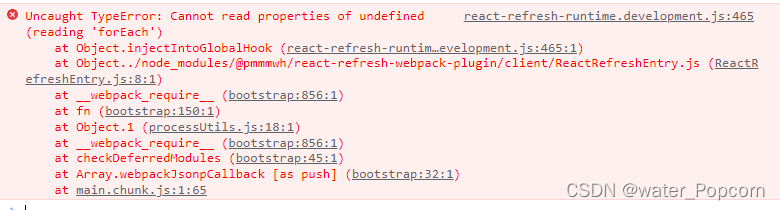
Cause: caused by the extension of Google browser

Solution 1: close the extension program of Google browser

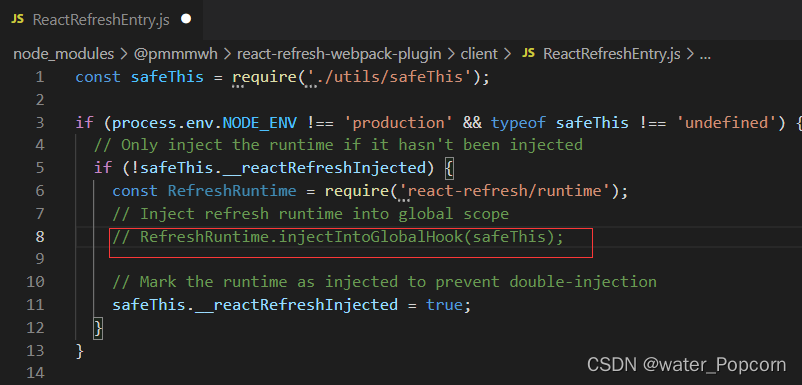
Solution 2: find the wrong line and comment it out

Comment out the eighth line
Just restart
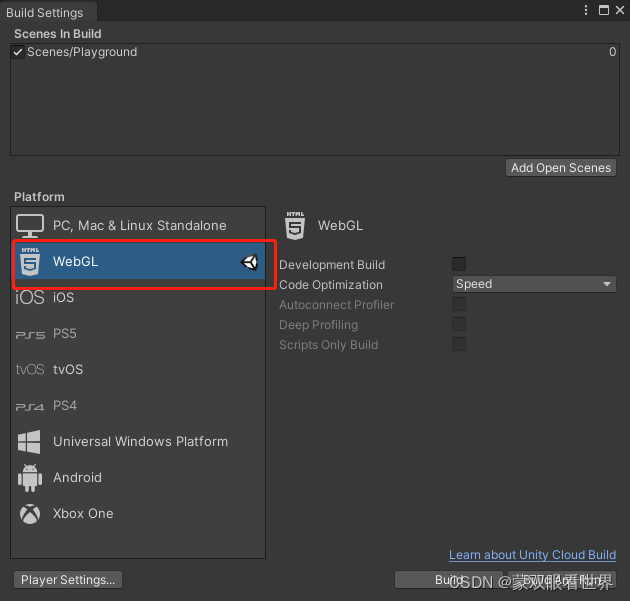
[Solved] Unity Publish WebGL Error: Unable to parse Build/webTest2.framework.js.gz

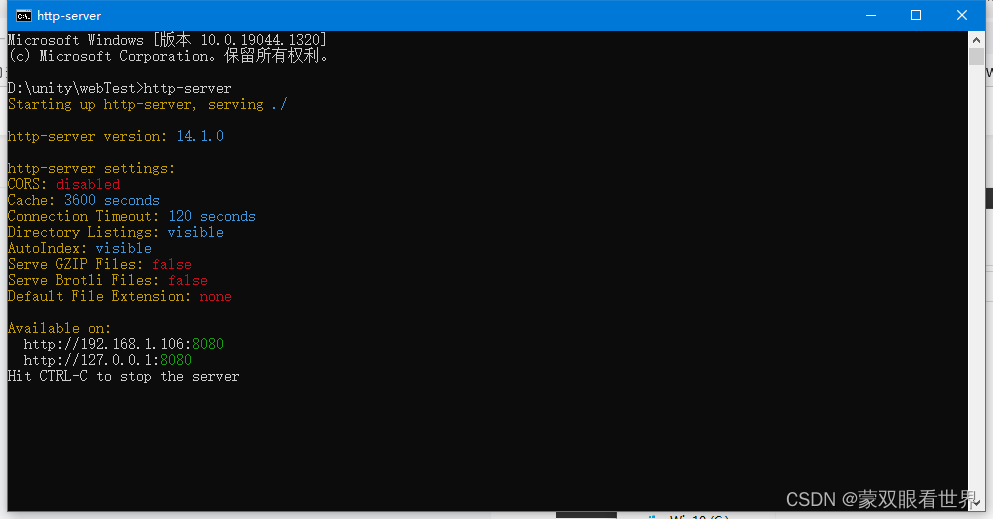
For H5 projects published directly, http-server or anywhere -p

When you open it at this time, you will find that the page is as follows:

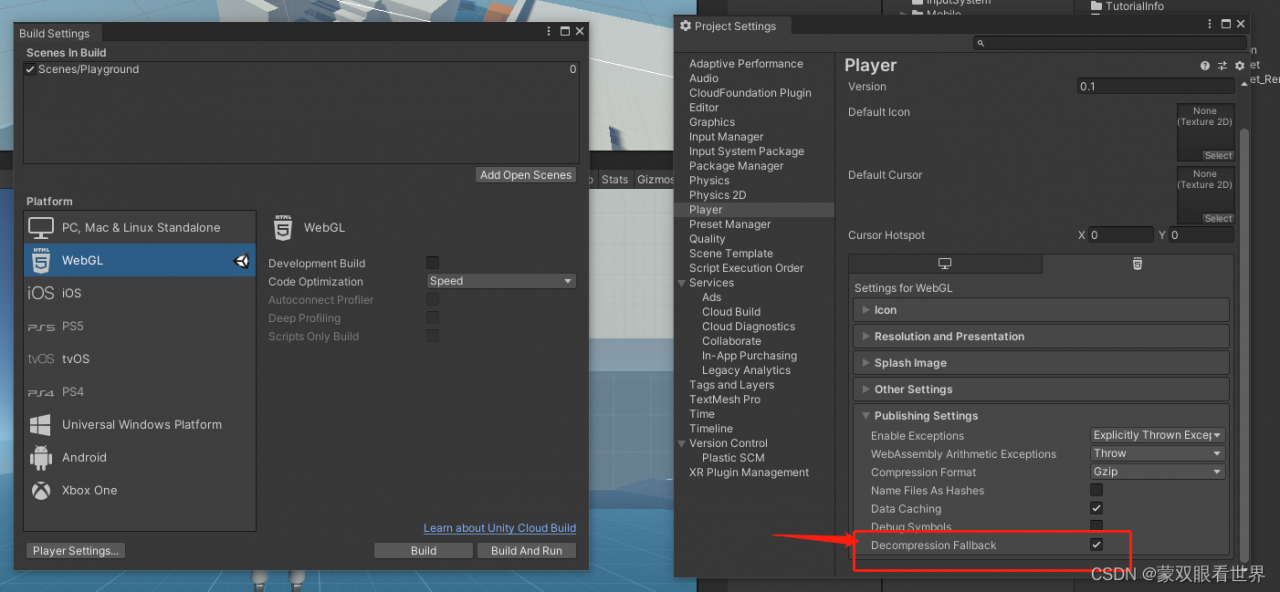
Solution: PlayerSetting->Player->Publishing Setting

Check DecomPression Fallback

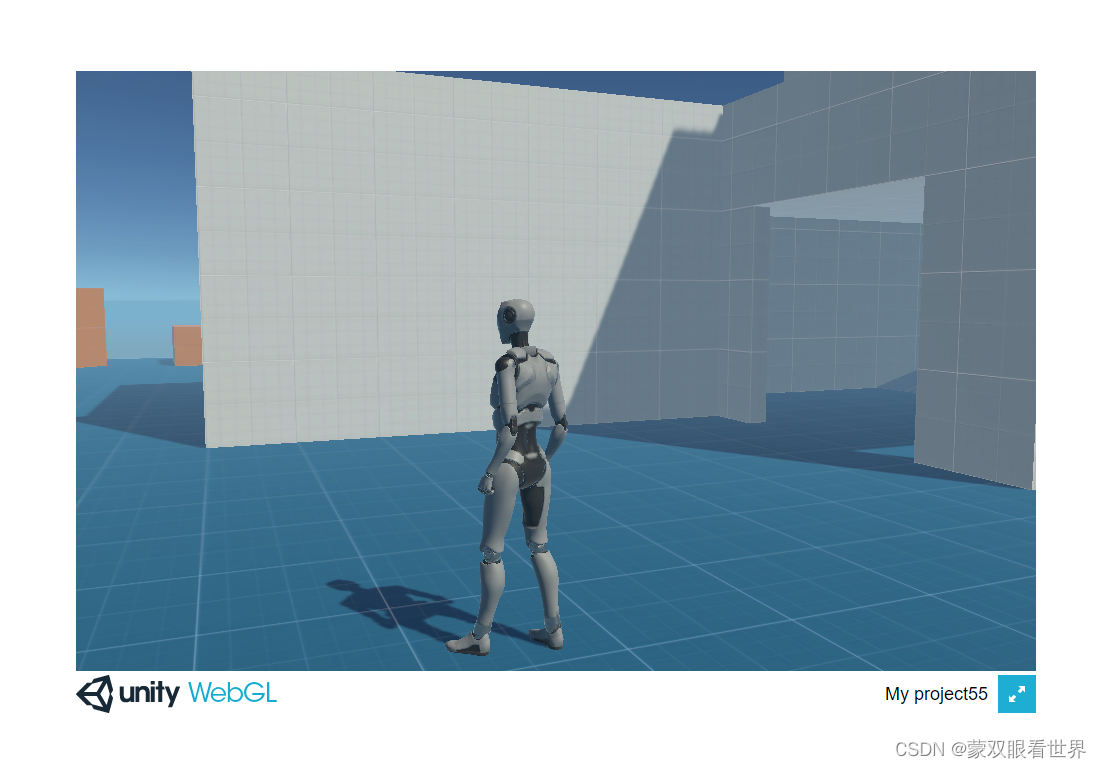
It can work normally after being released at this time, but it is not full screen:

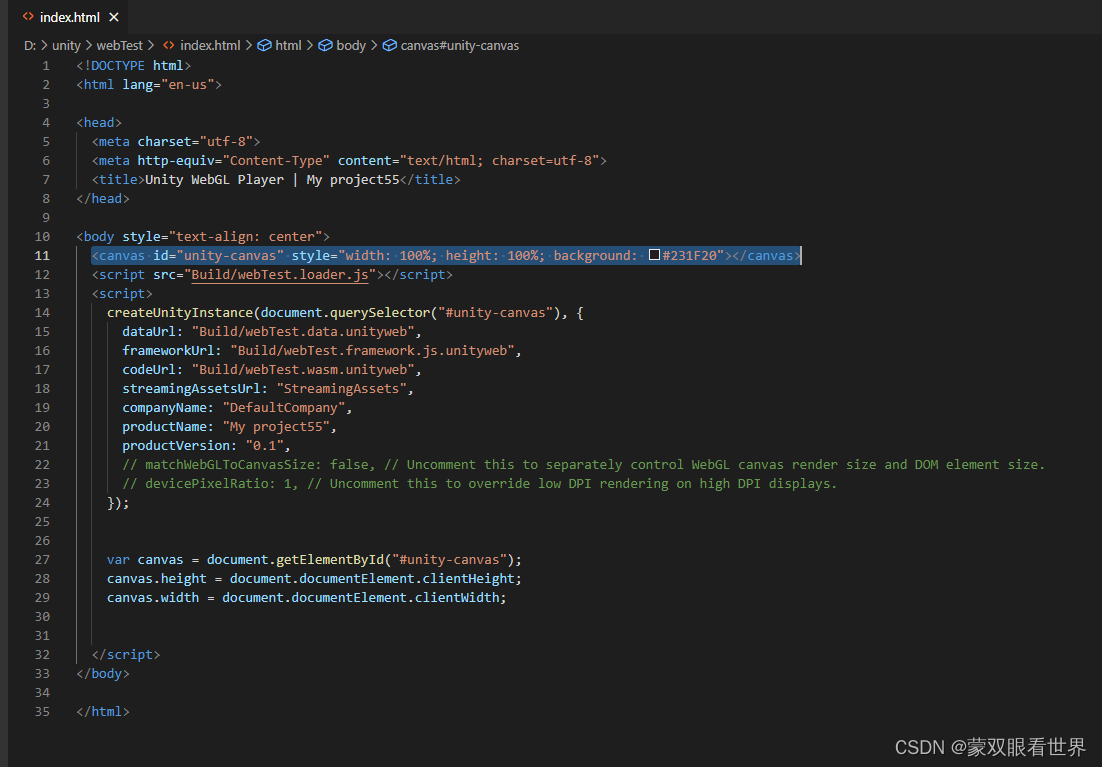
In the released H5 project, edit index.html file

Directly modify the style of canvas:

<canvas id="unity-canvas" style="width: 100%; height: 100%; background: #231F20"></canvas>

Or insert code in <Script> :

  var canvas = document.getElementById("#unity-canvas");
    canvas.height = document.documentElement.clientHeight;
    canvas.width = document.documentElement.clientWidth;

This can solve the problem, but it is troublesome to modify it manually after each release. Later, we will study the automatic processing during release.

Or there are other full-screen settings.

[Solved] mmdetection Error: ImportError: /home/user/repos/mmdetection/mmdet/ops/dcn/deform_conv_cuda.cpython-37m-x

Environment configuration: torch 1.11.0 + CUDA 11.3 (latest)

Use mmdetection to infer:

from mmdet.apis import init_detector, inference_detector

Errors are reported as follows:

ImportError: /home/user/repos/mmdetection/mmdet/ops/dcn/deform_conv_cuda.cpython-37m-x86_64-linux-gnu.so: undefined symbol: _ZN6caffe26detail37_typeMetaDataInstance_preallocated_32E


The problem has been solved. The reason for the error is that the pytorch version is too new. Although openmmlab supports the latest version, it will still cause the error.

Solution:

Degrade the pytorch version to torch 1.6.0 + cu102, query the official GitHub of openmmlab, uninstall and reinstall mmcv 1.3.9, and re run the mmdetection code to solve the error.

[Solved] Yapi Secondary deploy error: xxx validation failed: mock: Path `xxx` is required

Previously on

Although the mongodb server declares that this field can be stored
and the front-end page also carries the parameter
when sending a request like the node service, it cannot be stored in the database and an error is reported

Error prompt

When the server reports an error

adv_source_mock validation failed: mock: Path `mock` is required.
数据表名称                                                 字段

Cause of error

I personally understand that the “mock” field is not declared in the node service
so the node service will not store the path without this field in the database and report an error
or he doesn’t know where it exists

Solution:

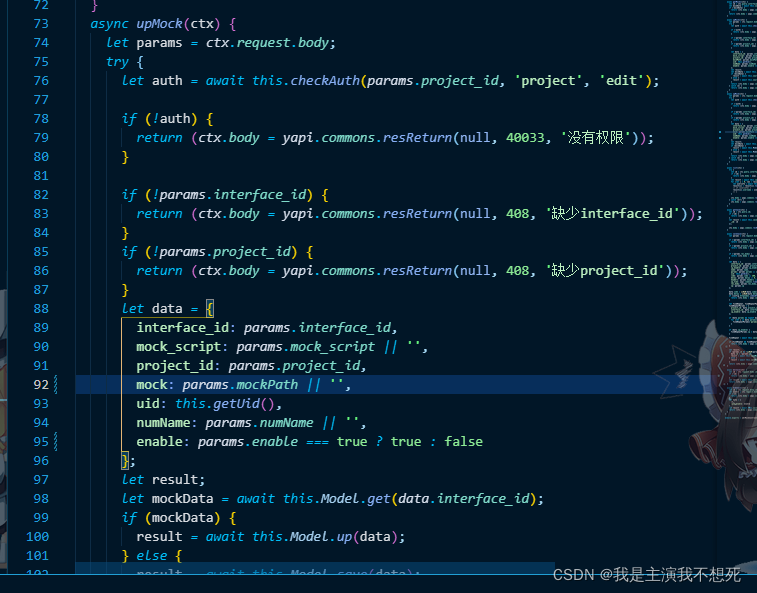
You can solve this problem by declaring line 92 of this field in data

[Solved] Windows PyCharm Start Error: failed to load JVM DLL pycharmjbrbinserverjvm.dll

Windows opens pycharm and reports an error: failed to load JVM DLL pycharmjbrinserverjvm.dll

JDK is downloaded and installed successfully, and environment variables are configured successfully
solution: Pycharm can be run as an administrator

Other methods are useless
1. Install Microsoft Visual C+ + 2010 redistributable package -> “there is a 2015 version in the computer
2. JDK version problem ->” verify that it is correct, and still report an error after downloading other configurations
3. Reinstall pycharm after installing JDK – “useless
4. Restart the computer -” useless

[Solved] supervisor Error: /usr/local/lib/python2.7/dist-packages/pkg_resources/py2_warn.py:22: UserWarning: Setuptools will stop working on Python 2

An error is reported when installing supervisor. The information is as follows

web:~# supervisorctl status
/usr/local/lib/python2.7/dist-packages/pkg_resources/py2_warn.py:22: UserWarning: Setuptools will stop working on Python 2
************************************************************
You are running Setuptools on Python 2, which is no longer
supported and
>>> SETUPTOOLS WILL STOP WORKING <<<
in a subsequent release (no sooner than 2020-04-20).
Please ensure you are installing
Setuptools using pip 9.x or later or pin to `setuptools<45`
in your environment.
If you have done those things and are still encountering
this message, please comment in
https://github.com/pypa/setuptools/issues/1458
about the steps that led to this unsupported combination.
************************************************************
  sys.version_info < (3,) and warnings.warn(pre + "*" * 60 + msg + "*" * 60)

Solution:
uninstall and reinstall pip, setuptools and wheel to return them to the version corresponding to the system Python
python3 reference:

python3 -m pip uninstall pip setuptools wheel
sudo apt-get --reinstall install  python3-setuptools python3-wheel python3-pip

Python2 reference:

python -m pip uninstall pip setuptools wheel
sudo apt-get --reinstall install python-setuptools python-wheel python-pip 

[Solved] pytorc Error: RuntimeError: one of the variables needed for gradient computation has been modified by an

Error reported by
pytroch when modifying the network:

RuntimeError: one of the variables needed for gradient computation has been modified by an inplace operation: [torch.cuda.FloatTensor [1600, 16, 256]], which is output 0 of CudnnConvolutionBackward, is at version 1; expected version 0 instead


Solution 1:

Check all operations of the tensor that is reported as an error. If there is an addition or subtraction operation of x + = m, x = x + m, all operations shall be changed to the following format:

x = x.clone() + m

How to Solve Spyder Version incompatible error

1.Problem with input() in Spyder 5.1.5 (Anaconda)

Reasons for incompatible Spyder versions and solutions:
1 Upgrade to (5.3.0)
2 If anaconda is not compatible with the latest version, you can only upgrade to 5.1.5, create a new environment conda-forge packages, and enter the following codes in Anaconda Prompt:

 conda create -n spyder-cf -c conda-forge spyder
 conda activate spyder-cf
 pip install spyder==5.3.0


How to Solve Vite package error

Solution:

Add skipLibCheck: true in tsconfig.json

Please refer to the configuration:

{
  "compilerOptions": {
    "target": "esnext",
    "useDefineForClassFields": true,
    "module": "esnext",
    "moduleResolution": "node",
    "strict": true,
    "jsx": "preserve",
    "sourceMap": true,
    "resolveJsonModule": true,
    "esModuleInterop": true,
    "lib": ["esnext", "dom"],
    "baseUrl": ".",
    "paths": {
      "@/*": ["src/*"]
    },
    "skipLibCheck": true
  },
  "include": ["src/**/*.ts", "src/**/*.d.ts", "src/**/*.tsx", "src/**/*.vue"]
}