Tag Archives: python

The COMMIT TRANSACTION request has no corresponding BEGIN

Background

Error thrown when inserting data into SQL Server database using Python:

Cannot commit transaction: (3902,b'The COMMIT TRANSACTION request has no corresponding BEGIN TRANSACTION.
DB-Lib error message 20018, severity 16:\nGeneral SQL Server error:Check messages from the SQL Server\n')

analysis

Well, there’s no reason. But a solution was found by accident.

solve

The error caused by the field type in sqlserver. The error I encountered is: one of the fields is set to date type. When inserting data, I report an error. Change the date type to varchar type, the problem is solved, and the data is inserted normally.

Summary

The varchar type may affect the data usage. Solve the problem first, and then solve the problem later. I think that inserting varchar data into the database is the most stable (personal experience).


Personal ability is limited, if there is a mistake welcome to correct!
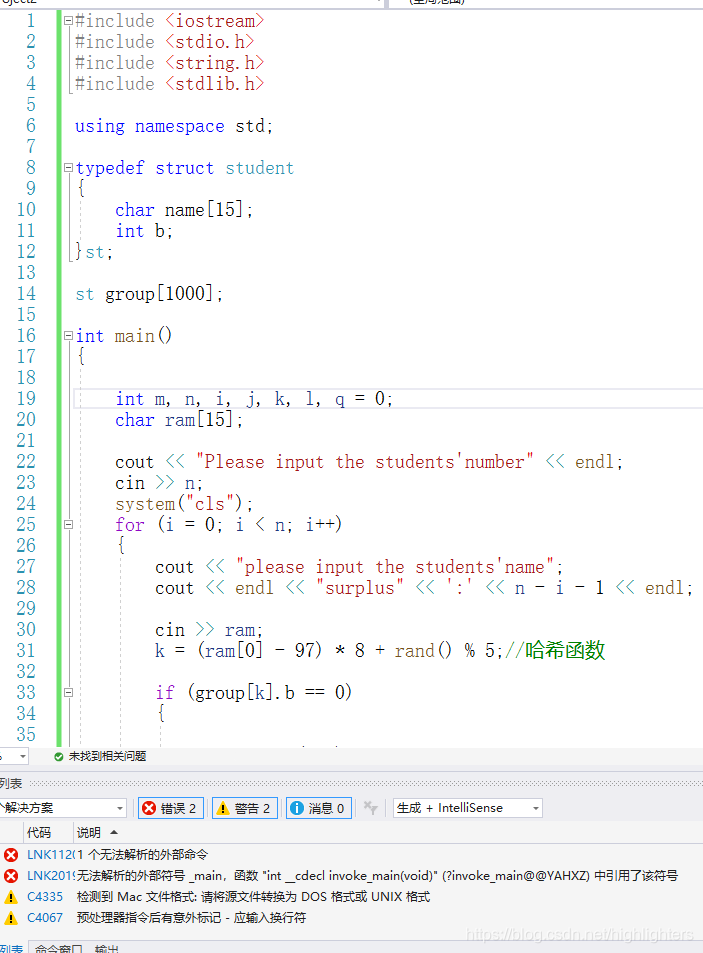
Vs error unresolved external symbol_ Main, the symbol in the function “int”__ cdecl invoke_ main

Cause analysis

There are many reasons for this problem. The first and most common one is that there are multiple CPP files in your project, which contain multiple main functions
the second is that your code is copied from QQ or other ways (such as Notepad). In this case, the newline character may change. According to the explanation of the online boss, the newline character has many codes. If the format is wrong, there will be problems. At this time, you will be prompted to convert the source file to DOS or UNIX format, If there is a warning, it means that you are in this situation. You need to find the advanced save option in the file menu of vs (the advanced version needs to be called out in the settings, but not Baidu search), and then select window (CR LF), which means that the new line character supported by the window system indicates that the problem is solved ~
the third is that your project is created incorrectly, If your compiler’s preprocessor is not right, you can copy the code directly to the new correct project, or open the project settings and modify your preprocessor. You can search for it.

Opencv (4.5.1) error: assertion failed (((npoints > = 4) | (npoints = = 3 & & flags = = s)

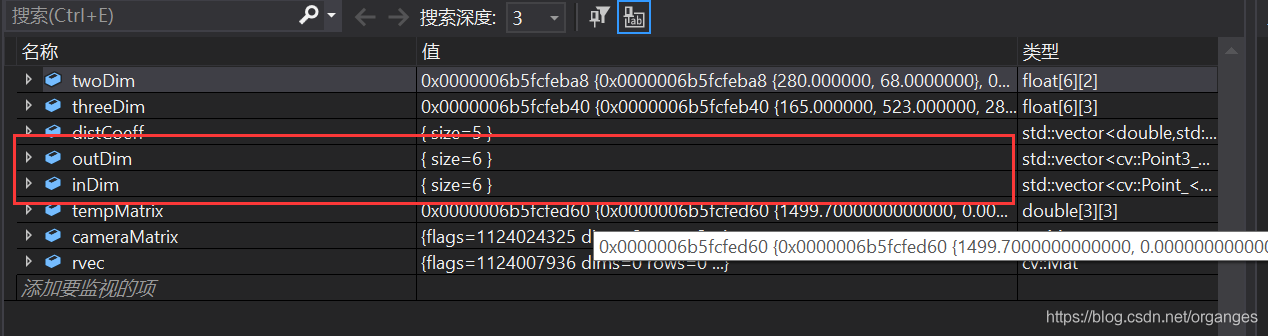
Solve the problem of solvepnp (outdim, indim, cameramatrix, distcoeff, RVEC, tvec); There is an unhandled exception at 0x00007ffbc3844b89 (in biaoding.exe): Microsoft C + + exception: CV:: exception, in the memory location of 0x000000571351b2d0
 
Mapping 3D point cloud to 2D image, using OpenCV solvepnp, running error

OpenCV(4.5.1) Error: Assertion failed (( (npoints >= 4) || (npoints == 3 && amp; flags == SOLVEPNP_ ITERATIVE && amp; useExtrinsicGuess) || (npoints >= 3 && amp; flags == SOLVEPNP_ SQPNP) ) && amp; npoints == std::max(ipoints.checkVector(2, CV_ 32F), ipoints.checkVector(2, CV_ 64F))) in cv::solvePnPGeneric, file C:\build\master_ winpack-build-win64-vc15\opencv\modules\calib3d\src\solvepnp.cpp, line 802

The error is as follows:

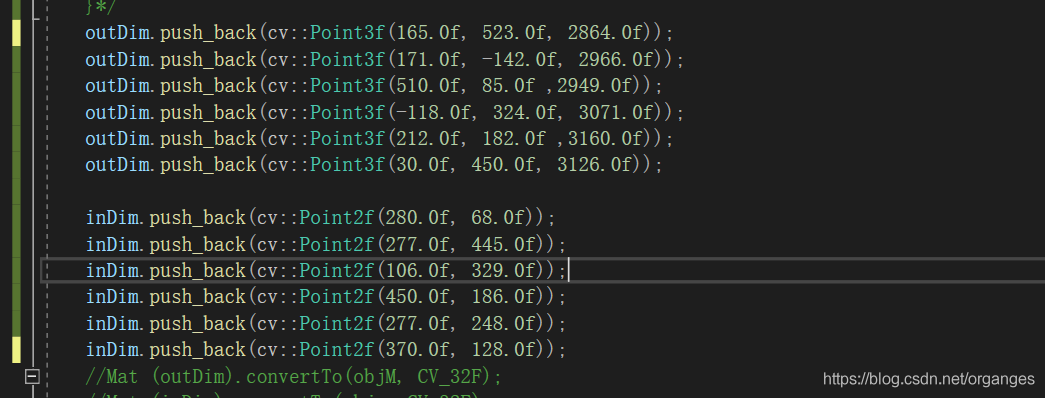
The input coordinates of 3D point cloud and 2D pixel are:

Conversion type:

After the conversion, the output of outdim and indim is changed, and it is no longer a 6 * 3 matrix, so an error will be reported

So the error is because the matrix dimensions in solvepnp are inconsistent. The solution is to use push again in the most stupid way_ Back redefines outdim and indim, instead of using for loop to define outdim and indim, just in case cameramatrix is also redefined

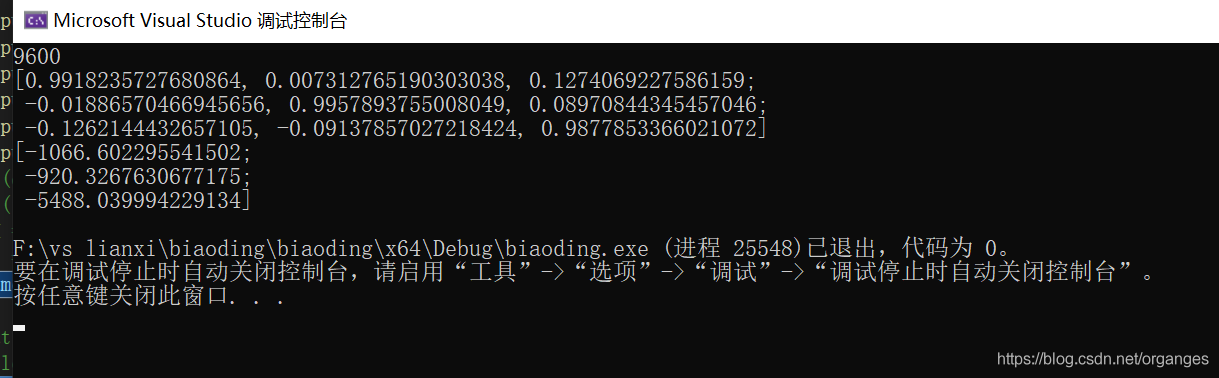
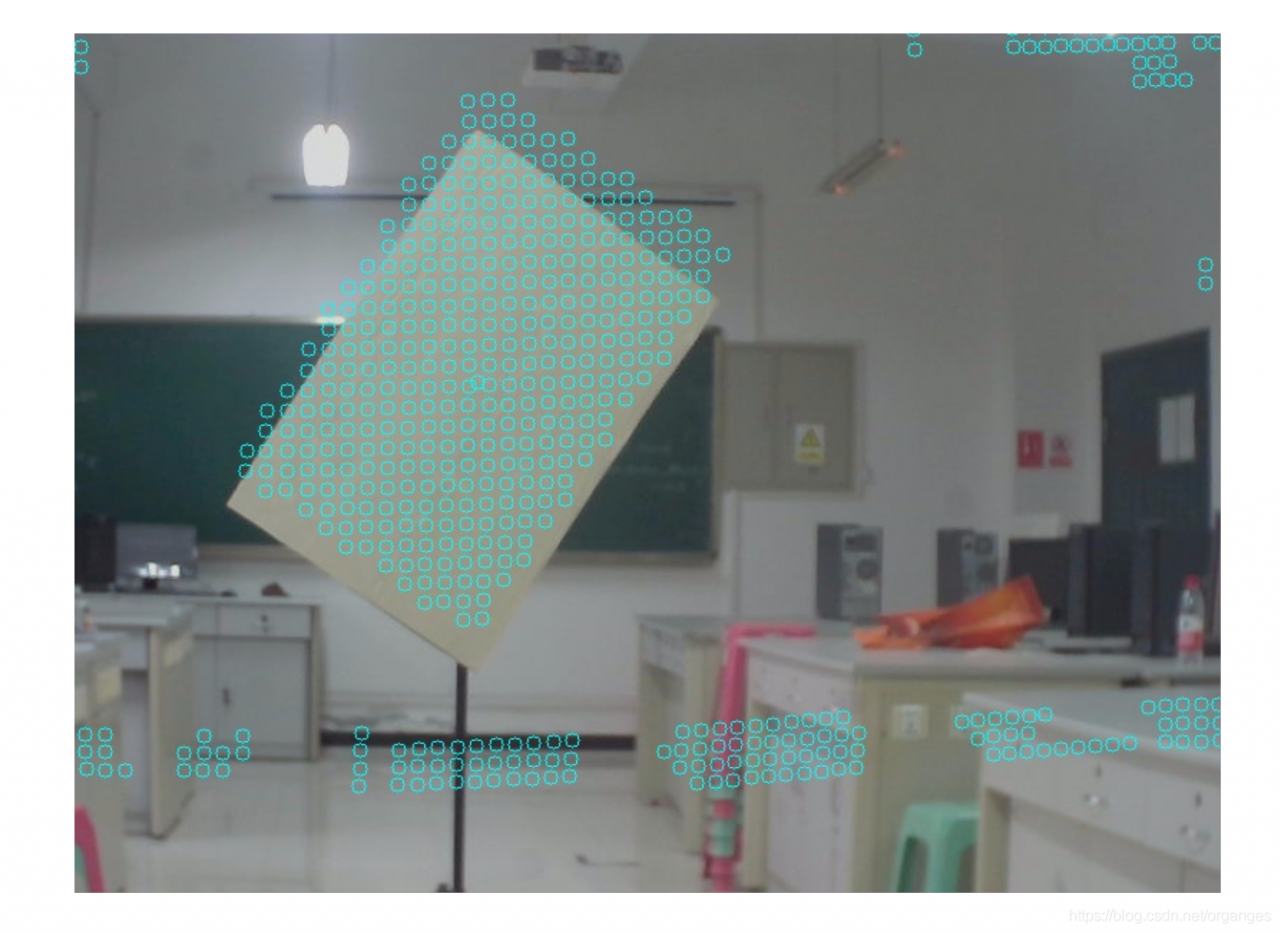
Finally, the rotation translation matrix from radar to camera and the result map of point cloud mapping to image are obtained


Solution: from. Import ft2font importerror: DLL load failed: the specified module cannot be found

    1. This is an error in matplotlib. Win +R opens a command prompt;

PIP install matplotlib Open Anaconda Prompt and activate the environment you want to apply. a>ate tensorflow-gpu
nd install :>
PIP install matplotlib not yet, just to the IDE to terminal, there

pip install matplotlib
# If it doesn't work, it's in the terminal
conda install matplotlib

Python Importerror: DLL load failed: the page file is too small to complete the operation.

Python code training neural network: “Imerror: DLL load failed: page file is too small to complete operation.”
This problem can arise in two ways.
(1) not only in running a project to another project a python program is running, turn off it.
② The Windows operating system does not support Python’s multi-process operation. The place where the neural network uses multiple processes is on the data set load, so set the num_workers parameter in the DataLoader to 0.

    train_loader = torch.utils.data.DataLoader(
        train_dataset,
        batch_size=16,
        shuffle=True,
        num_workers=0,  # SET 0
    )

Python reads excel and stores it in the list according to the header hash copy.deepcopy


def getInfoOfInputFile(input_file_path):

    global info
    info = []
    temp = {}
    getInfo = pd.read_excel(os.path.join(os.getcwd()+'\\input', input_file_path), sheet_name="frequency_plan", dtype=str, keep_default_na=False)

    columns = getInfo.columns.size  
    rows = getInfo.iloc[:, 0].size  

    for i in range(0, rows):
        temp['MAINFLOW'] = getInfo['MAINFLOW'][i]
        temp['SUBFLOW'] = getInfo['SUBFLOW'][i]
        temp['TESTSTUITE'] = getInfo['TESTSTUITE'][i]
        temp['SPEC'] = getInfo['SPEC'][i]
        temp['TESTMOTHED'] = getInfo['TESTMOTHED'][i]
        temp['PARA'] = ''
        for j in range(5, columns):  # parameters start from column 6
            if(getInfo.iat[i, j] == ''):
                pass
            else:
                temp['PARA'] += ((getInfo.iat[i, j])+'\n\t\t\000')
        print(temp['PARA'])
        print("*******************************")
        info.append(copy.deepcopy(temp))
    # return info

[Solved] removeerror: ‘requests’ is a dependency of CONDA and cannot be removed from

[Solved]RemoveError: ‘requests’ is a dependency of conda and cannot be removed from conda’s operating environment.

Collecting package metadata: done
Solving environment: done

Downloading and Extracting Packages
certifi-2018.1.18    | 144 KB    | ############################################################################ | 100%
mkl-2018.0.1         | 155.2 MB  | ############################################################################ | 100%
freetype-2.9.1       | 475 KB    | ############################################################################ | 100%
scipy-1.0.0          | 13.0 MB   | ############################################################################ | 100%
......
......
pyparsing-2.3.1      | 54 KB     | ############################################################################ | 100%
kiwisolver-1.0.1     | 60 KB     | ############################################################################ | 100%
qt-5.6.2             | 55.6 MB   | ############################################################################ | 100%
setuptools-38.4.0    | 540 KB    | ############################################################################ | 100%
matplotlib-2.2.2     | 6.5 MB    | ############################################################################ | 100%
six-1.12.0           | 21 KB     | ############################################################################ | 100%
openssl-1.0.2n       | 5.4 MB    | ############################################################################ | 100%
pyqt-5.6.0           | 4.5 MB    | ############################################################################ | 100%
zlib-1.2.11          | 236 KB    | ############################################################################ | 100%
tornado-5.1.1        | 665 KB    | ############################################################################ | 100%
sqlite-3.22.0        | 907 KB    | ############################################################################ | 100%
cycler-0.10.0        | 8 KB      | ############################################################################ | 100%
Preparing transaction: done
Verifying transaction: failed

RemoveError: 'requests' is a dependency of conda and cannot be removed from
conda's operating environment.

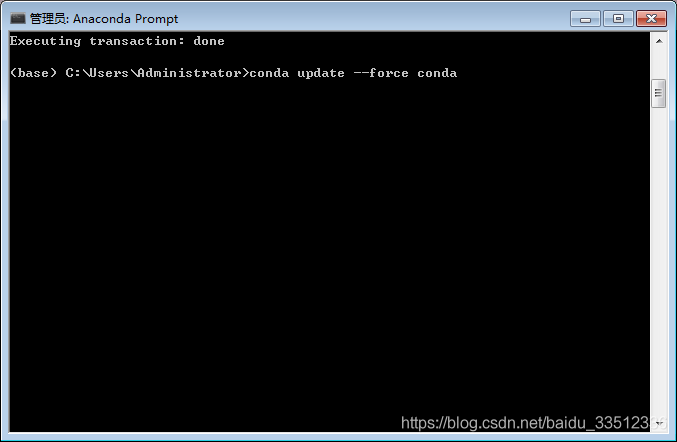
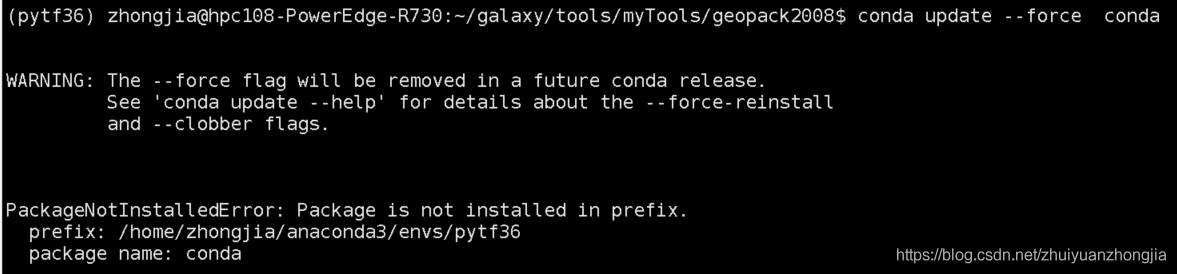
conda update --force condaconda update –force conda

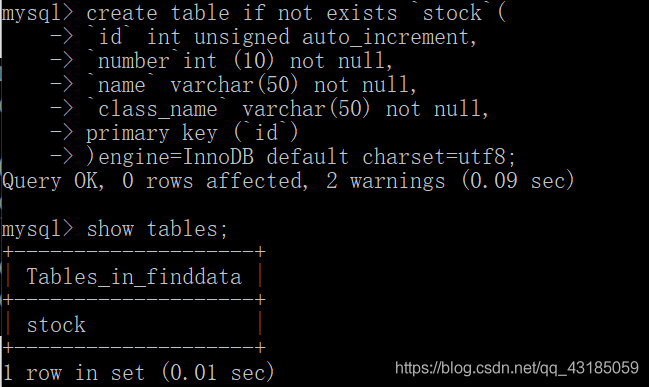
ERROR 1064 (42000): You have an error in your SQL syntax; check the manual that corresponds to your

Error: ERROR 1064 (42000): You have an error in your SQL syntax; check the manual that corresponds to your MySQL server version for the right syntax to use near ‘‘stock’(
‘id’ int unsigned auto_increment,
‘number’ int (10) not null,
‘name’ va’ at line 1

The reason for this is that the quotation marks should be used for the reason that the English quotation marks, i.e., the – symbol in the key below the esc key on the keyboard has a ~ and – key, are used as quotation marks.

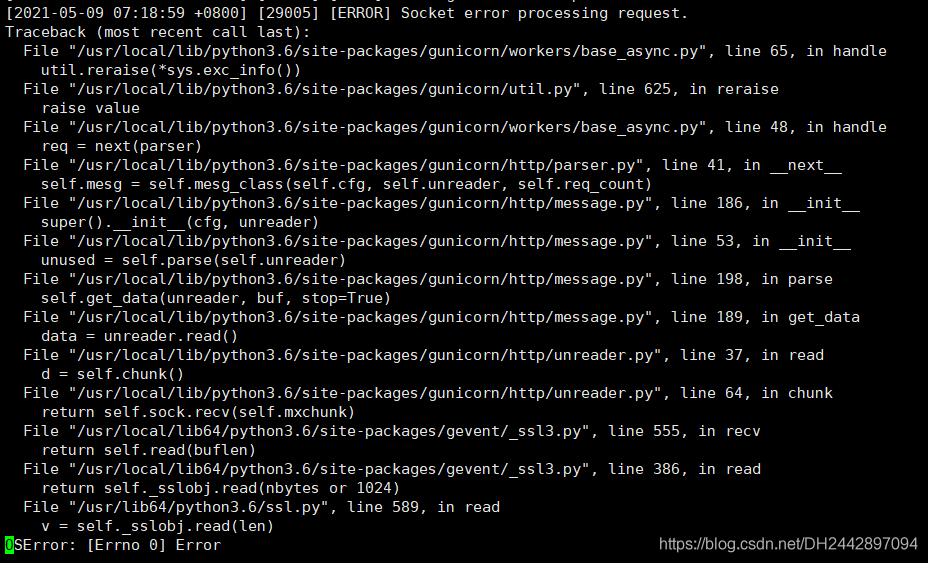
Gunicorn Flask Error: [ERROR] Socket error processing request

gunicorn、flask error: [ERROR] Socket error processing request, The detailed error message is as follows.
Traceback (most recent call last):
File “/usr/local/lib/python3.6/site-packages/gunicorn/workers/base_async.py”, line 65, in handle
util.reraise(*sys.exc_info())
File “/usr/local/lib/python3.6/site-packages/gunicorn/util.py”, line 625, in reraise
raise value
File “/usr/local/lib/python3.6/site-packages/gunicorn/workers/base_async.py”, line 48, in handle
req = next(parser)
File “/usr/local/lib/python3.6/site-packages/gunicorn/http/parser.py”, line 41, in __next__
self.mesg = self.mesg_class(self.cfg, self.unreader, self.req_count)
File “/usr/local/lib/python3.6/site-packages/gunicorn/http/message.py”, line 186, in __init__
super().__init__(cfg, unreader)
File “/usr/local/lib/python3.6/site-packages/gunicorn/http/message.py”, line 53, in __init__
unused = self.parse(self.unreader)
File “/usr/local/lib/python3.6/site-packages/gunicorn/http/message.py”, line 198, in parse
self.get_data(unreader, buf, stop=True)
File “/usr/local/lib/python3.6/site-packages/gunicorn/http/message.py”, line 189, in get_data
data = unreader.read()
File “/usr/local/lib/python3.6/site-packages/gunicorn/http/unreader.py”, line 37, in read
d = self.chunk()
File “/usr/local/lib/python3.6/site-packages/gunicorn/http/unreader.py”, line 64, in chunk
return self.sock.recv(self.mxchunk)
File “/usr/local/lib64/python3.6/site-packages/gevent/_ssl3.py”, line 555, in recv
return self.read(buflen)
File “/usr/local/lib64/python3.6/site-packages/gevent/_ssl3.py”, line 386, in read
return self._sslobj.read(nbytes or 1024)
File “/usr/lib64/python3.6/ssl.py”, line 589, in read
v = self._sslobj.read(len)
OSError: [Errno 0] Error
Solution.
gunicorn cannot support both http and https requests

I have changed from gunicorn to uwsgi and no more headaches!!!
Link:
https://stackoverflow.com/questions/51619559/socket-error-processing-request-with-flask-gunicorn-docker-and-azure

Fatal error in CentOS: Python. H: no that file or directory

Today, when I installed the software on my virtual machine, this error occurred. After searching the Internet, I found that I wanted to install Python devel, but I found that I couldn’t solve the problem after installing according to the online command, and then I found that there was another Python 3 devel, that is, I need to install the corresponding devel according to your current version of Python in Linux, I use python3, so the corresponding installation command is:
sudo Yum install python3 devel
if it is python2, the corresponding installation command is
sudo Yum install python3 devel