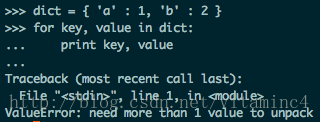
ValueError: too many values to unpackUsually caused by an unequal number of elements.
For example:
when a tuple is assigned to a tuple variable, the result is that there are not enough elements in a tuple. As shown above.

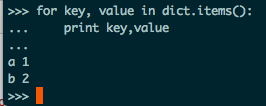
Another example: the
dictionary items() function returns a traversable array of (keys, values) tuples in a list.
Workaround: windowserror: [error 193]% 1 is not a valid Win32 Application
WindowsError: [Error 193] %1 is not an valid Win32 application
- Python 3.5.4 rc1-2017-07-25
- Download Windows x86 executable installer
- Python 2.7.14 rc1-2017-08-27
- Download Windows x86 MSI installer
Specific solutions:
This is because your computer is 64-bit
But your file is 32-bit, so you have this conflict
By this point, you should know that you have deleted the 32-bit Python download
There’s a similar answer on StackOverflow, you can click on it and see
Python Download interface portal, click to access
Python3 is best downloaded
Python2 is best downloaded
Afterword.
Finally, the old formula, publicity a wave of their own public number! (Attention!)
I in the big house, welcome everyone to pay attention, please sweep the following two-dimensional code (‘ ▽ ‘ ‘”)

If you feel helpful, you can scan the code, praise and encourage! Thank you very much!

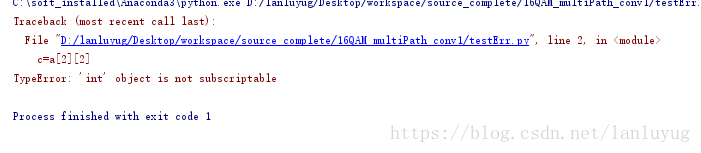
Python error: typeerror: ‘Int’ object is not subscribable
Such as:
a = 4
c=a[2]
Error: line 2, in < module>
c = a [2]
TypeError: ‘int’ object is not subscriptable
Take the more complicated one: two dimensions
a = [1,2,3,4]
c=a[2][2]
It’s a one-dimensional array, but it takes an array index, and then it adds a index, same problem.
ERROR: Could not find a version that satisfies the requirement pytest-runner (from versions: none)
Commands executed:
pip install gpustat
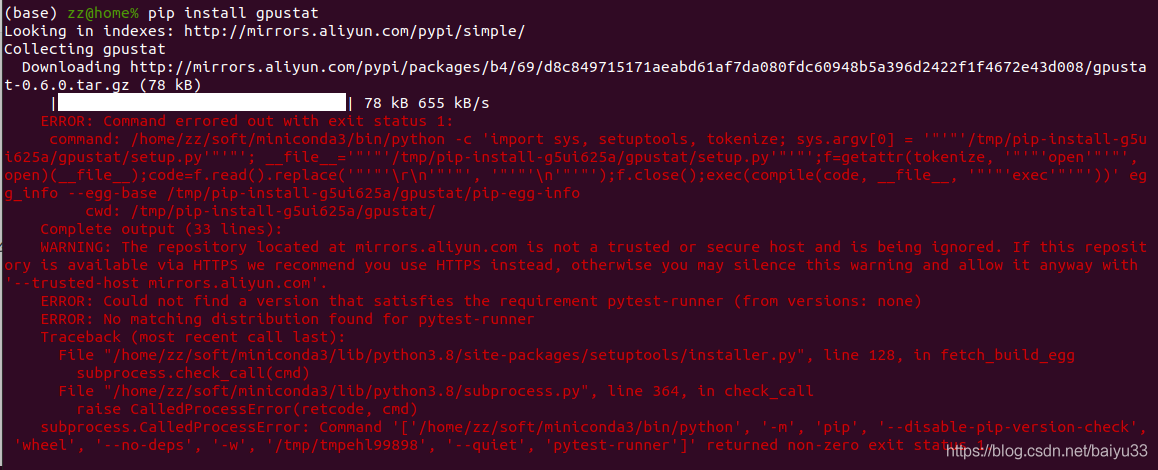
Key error of prompt:
ERROR: Could not find a version that satisfies the requirement pytest-runner (from versions: none)
Environmental Description:
PIP source: With the aliyunMiniconda environment configured in ~/.pip/pip.conf, Python 3.8.2 PIP is 20.0.2 (the latest PIP is 20.2.4, so it feels like it shouldn’t be a PIP version issue)
Tried:
rm-rf ~/. Cache/PIP , [invalid] to install other packages: PIP uninstall easybox; PIP install easybox, [no problem] other blogs on the network, referring to the switch source [not suitable]
The solution:
imagine that the PIP output means that pytest-runner is not installed (so why doesn’t PIP install pytest-runner instead of complaining here?Not clear). Then execute:
pip install pytest-runner
pip install gpustat
Command successfully executed, you can use gpustat to check the status of the video card:

Django reads the txt file in view
Problem description:
In view, you want to load a TXT of block-words to block out dirty words.
but cannot find the file
Solutions:
Use the full path, put TXT under the same path as view.py, and add the first two lines
module_dir = os.path.dirname(__file__)
file_path = os.path.join(module_dir, 'block-words.txt')  # full path to text.
block_words = pd.read_csv(file_path,header=None)
Subsequent operation:
Use find to match, replacing all matched words with asterisks
for word inblock_words[0]:
    if info.find(word) != -1:
        info = info.replace(word, '*' * len(word))
Anaconda’s method of installing pyaudio
Anaconda installs the PyAudio method
Open Anaconda Prompt(run as administrator)

enter PIP install pipwin next enter the pipwin installation
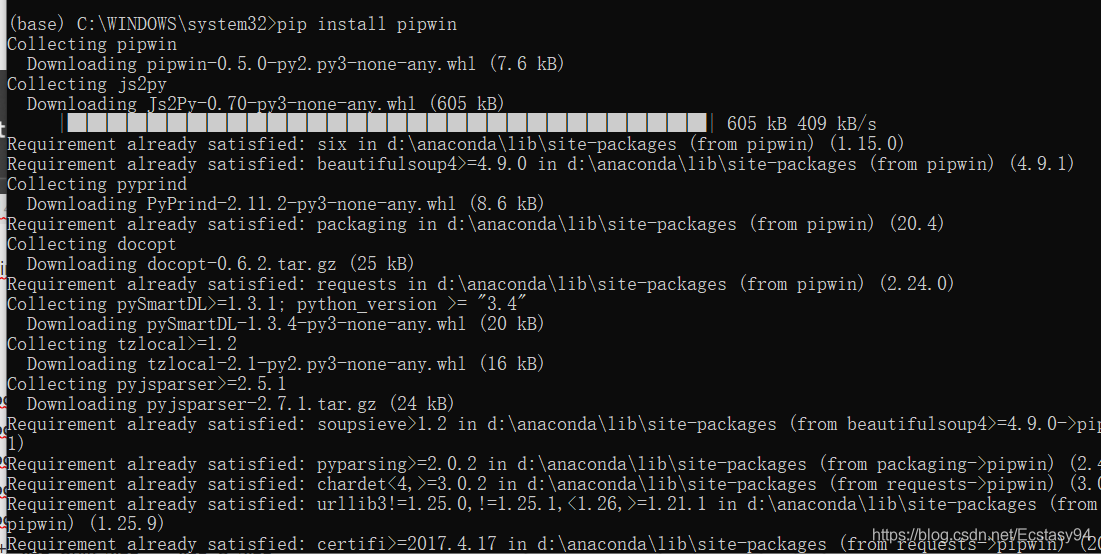
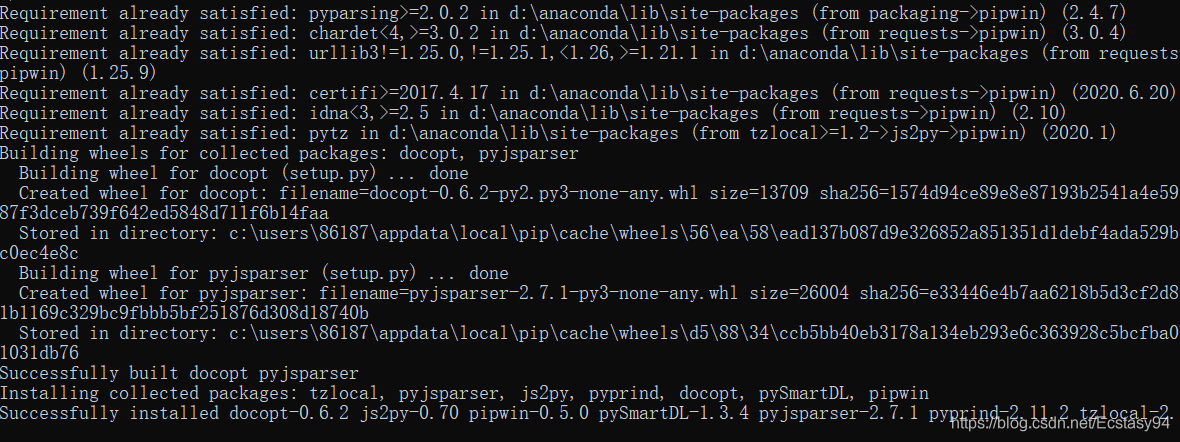
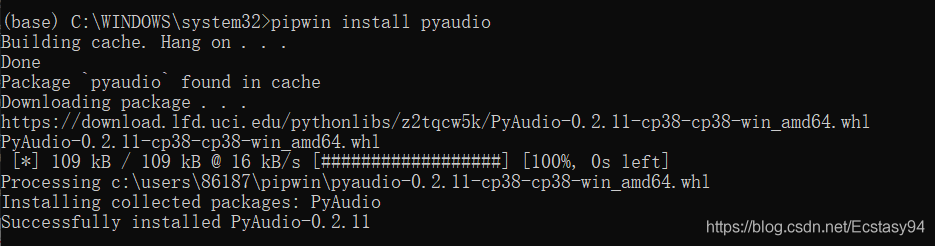
after installation enter pipwin install pyaudio
in Hang on… Click enter to confirm and finally complete the installation.
Python error: typeerror: ‘module’ object is not callable
To be clear, attention_keras.py and attention_tf.py are in the same package (i.e. under the same folder)
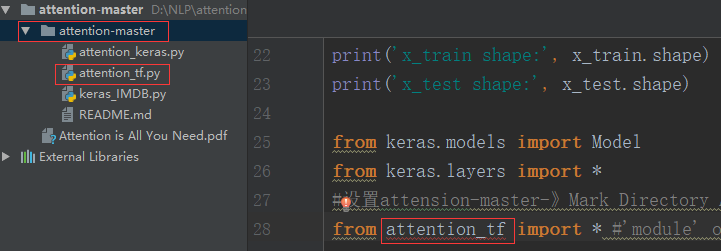
While calling a function in the attention_Tf.py file, it is found that attention_TF cannot be called
# Set attensons-Master – Mark Directory As -& GT; Resources ROOT
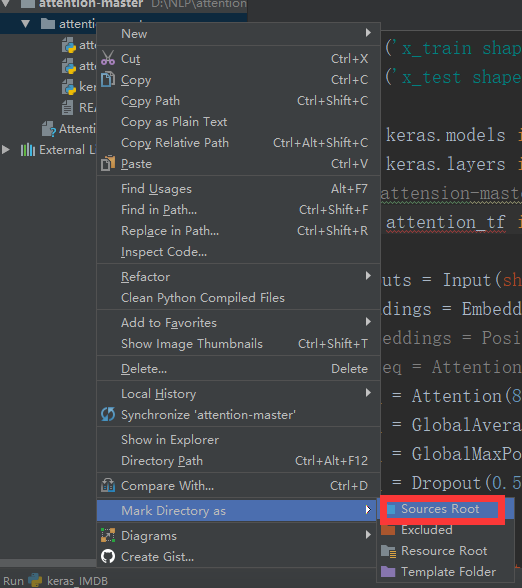
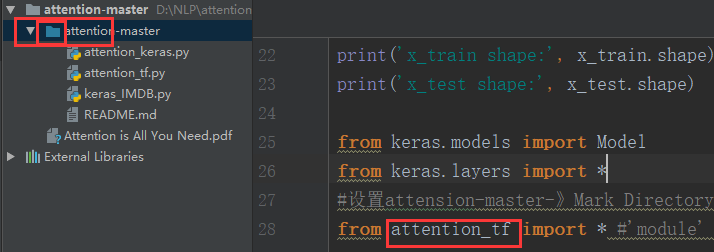
rule: 1, if the method in b.> file is called, that is, B.py has Class B: the principle of calling is: module name-class name-method name
2, if calling a function in the b.py file: module name – function name
Solution windowserror: [error 193]% 1 is not a valid Win32 Application
WindowsError: [Error 193] %1 is not an valid Win32 application
- Python 3.5.4 rc1-2017-07-25
- Download Windows x86 executable installer
- Python 2.7.14 rc1-2017-08-27
- Download Windows x86 MSI installer
Specific solutions:
This is because your computer is 64-bit
But your file is 32-bit, so you have this conflict
By this point, you should know that you have deleted the 32-bit Python download
There’s a similar answer on StackOverflow, you can click on it and see
Python Download interface portal, click to access
Python3 is best downloaded
Python2 is best downloaded
Afterword.
Finally, the old formula, publicity a wave of their own public number! (Attention!)
I in the big house, welcome everyone to pay attention, please sweep the following two-dimensional code (‘ ▽ ‘ ‘”)

If you feel helpful, you can scan the code, praise and encourage! Thank you very much!

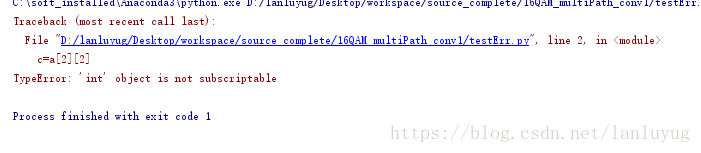
Python reported error: typeerror:’int’object is not subscriptable
Such as:
a = 4
c=a[2]
Error: line 2, in < module>
c = a [2]
TypeError: ‘int’ object is not subscriptable
Take the more complicated one: two dimensions
a = [1,2,3,4]
c=a[2][2]
It’s a one-dimensional array, but it takes an array index, and then it adds a index, same problem.
Typeerror in Python: ‘nonetype’ object is not Iterable
def contain():
        score = 4
        if score in num:
            return True,score;

num = [1,2,3,0]
iscontain,score = contain()
print iscontain,score
Results:
>>>

Traceback (most recent call last):
  File "D:\Program Files\python\chengxu\temp.py", line 8, in <module>
    iscontain,score = contain()
TypeError: 'NoneType' object is not iterable</span>
>>>
Note: When there is only an if condition and multiple variables are returned, an exception will occur if the if condition is not satisfied
Solution: Add an else statement
def contain():
        score = 4
        if score in num:
            return True,score;
        else:
            return False,score;
num = [1,2,3,0]
iscontain,score = contain()
print iscontain,score
Results:
>>>
False 4
Reference article:
http://blog.csdn.net/dataspark/article/details/9953225
Pychar configures Anaconda environment
Reprinted from: https://blog.csdn.net/baoxiao7872/article/details/80328224
the author: low m
PyCharm is a very useful and popular Python editor. Anaconda is a Python distribution focused on data analysis and contains more than 190 science packages and dependencies, including Conda, Python, and others. Anaconda makes your work flow a lot easier with the management toolkit, development environment, and Python versions. Not only can you easily install, update, and uninstall toolkits, but you can automatically install the corresponding dependent packages when you install them, and you can use different virtual environments to isolate projects with different requirements. Anaconda comes with its own integrated development environment Spyder. Some people don’t like the Spyder style. Personally, I feel that its prompt function is also inferior to PyCharm. Wouldn’t it be nice to configure the Anaconda environment with PyCharm?Here’s a personal lesson:
I won’t go through the process of installing Anaconda and Pycharm, which is relatively simple. There are also great tutorials online. The version of PyCharm That I installed was 2017.3.2 (community version).
After completing the installation of both:
The first step is to configure the Anaconda environment variable and add the installation Path of the Anacond and its subfolders script and library/bin to the system environment variable Path. I am installed on the G disk and my configuration is “G:\Anaconda3; G:\Anaconda3\Scripts; G: \ Anaconda3/Library/bin “.
The second step is to configure the Anaconda environment for PyCharm. Enter PyCharm and click File-> in turn. Default Setting-> Project Interpreter

Click gear to select Add Local
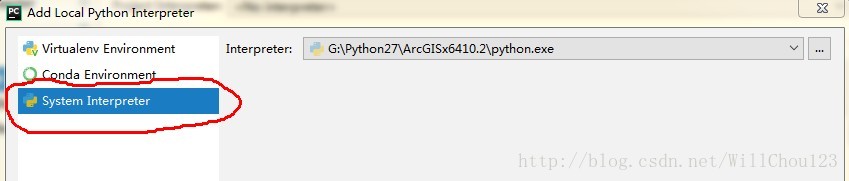
I chose the third one. I took it for granted that it was the second one, but I didn’t know what to do for a long time. Click on the third TAB, select python. Exe under the Anaconda installation path, and then successfully configure the Anaconda environment.
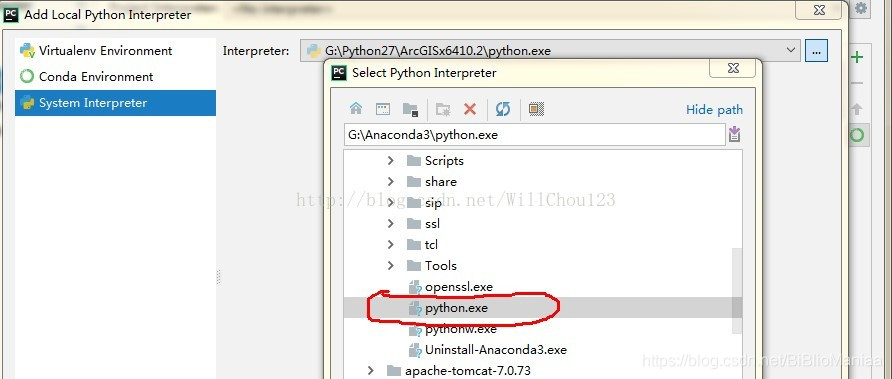
The project created in this environment can then use the existing library in Anaconda.
Python – SSL certificate error
One, SSL certificates
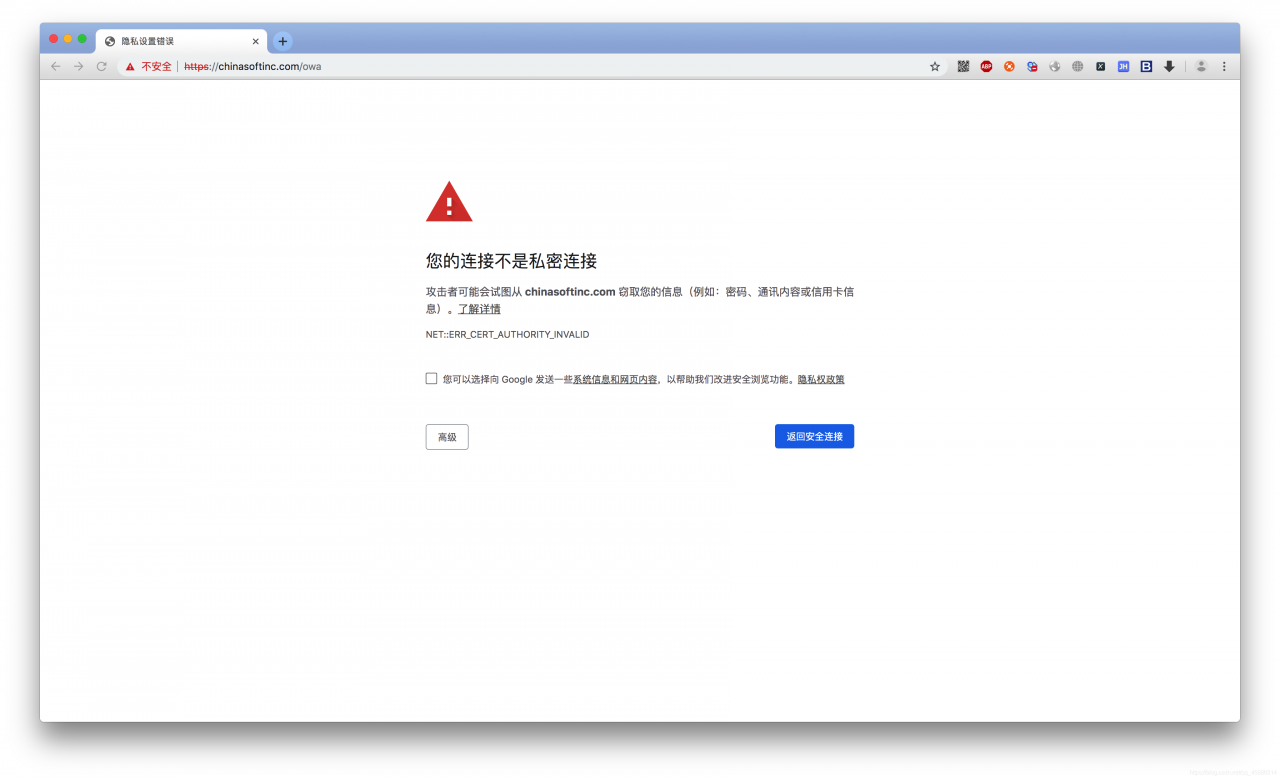
the reason for this problem is that SSL certificates are not secure
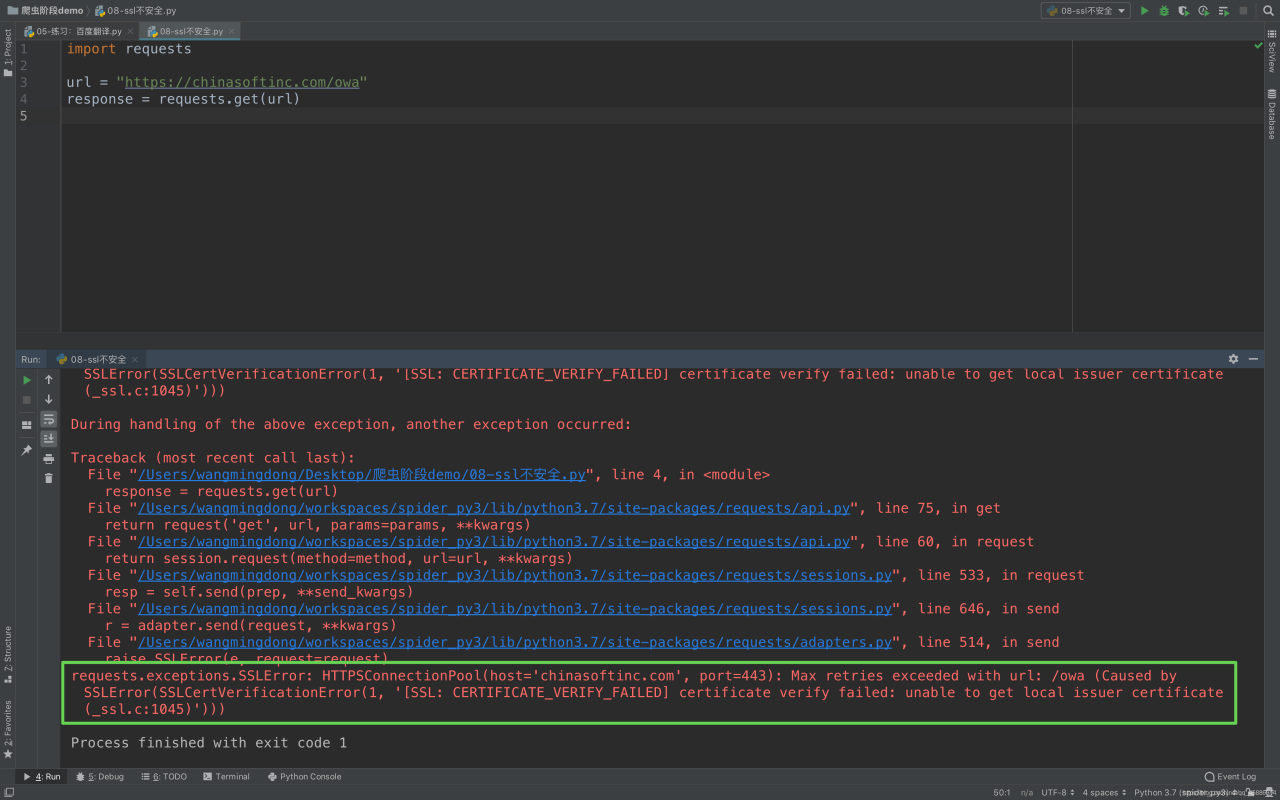
1. What about making a request in your code
Ex. :
import requests

url = "https://chinasoftinc.com/owa"
response = requests.get(url)
Return certificate error as below
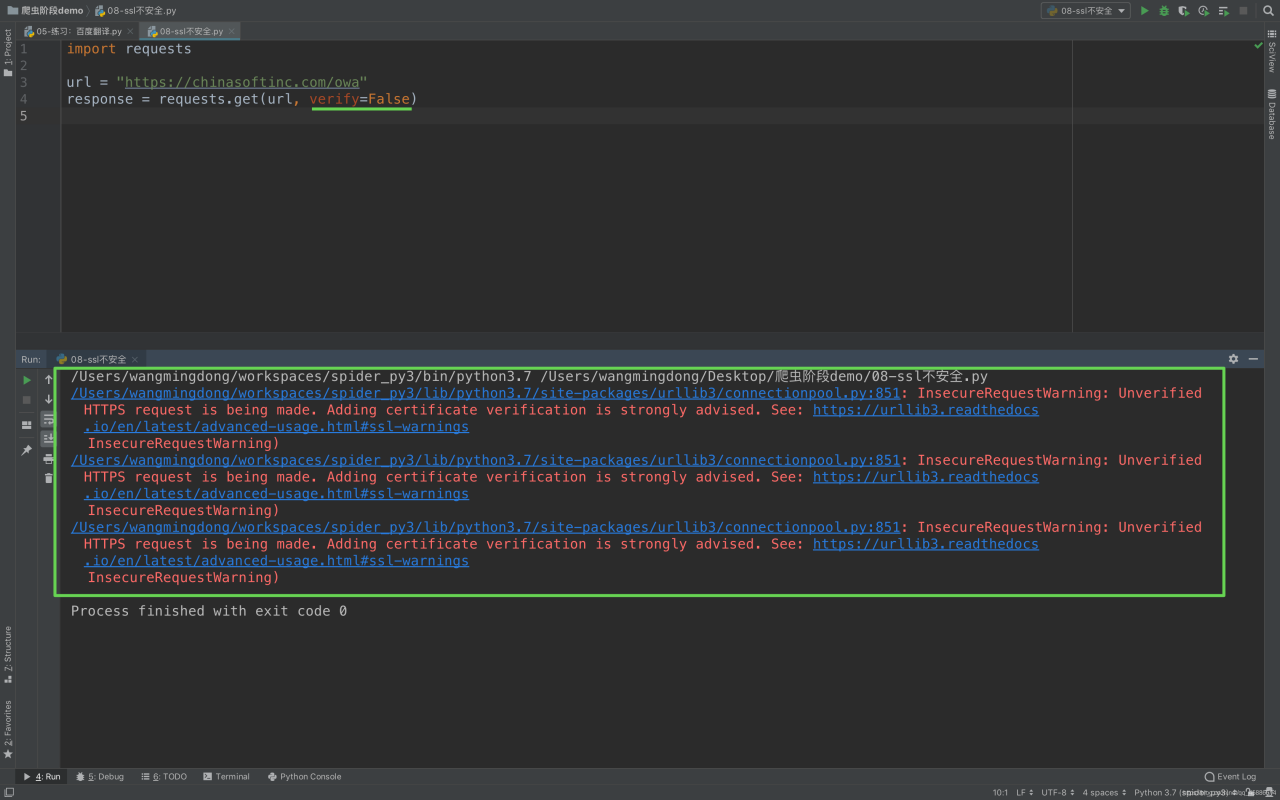
Second, solutions
In order to make a normal request in the code, we modify to add a parameter
import requests

url = "https://12306.cn/mormhweb/"
response = requests.get(url, verify=False)