Tag Archives: java

How to Solve JAR pack error: Error resolving template [/userInfo], template might not exist or might not be accessib

This error did not appear when I was running in idea, but it appeared after I typed the project into a jar package and executed the jar package. This error means that the template page cannot be found, but the template page actually exists in my project. The solution to this error is to skip the template page in the controller without starting with “/”.

Example

@Controller
public class userController {

    @Autowired
    private userServiceImpl userService;

    @RequestMapping("/userInfo/{nickname}")
    public Object showBlog(@PathVariable("nickname") String nickname,
                           Model model, HttpServletRequest request){

        User userInfo = userService.getUserInfo(nickname);
        model.addAttribute("userInfo",userInfo);
        return "userInfo";
    }
}

errorCode:9015,errorMsg:cn.bmob.v3.util.BmobContentProvider.updateProvider(BmobContentProvider.java:

About the 9015 null pointer in the bmob backend cloud service platform, I checked it online. The reason is very simple, that is, it does not operate according to the official documents. Although the data can still be transmitted normally, it is still annoying to open the app with a prompt pop-up window.

Solution:

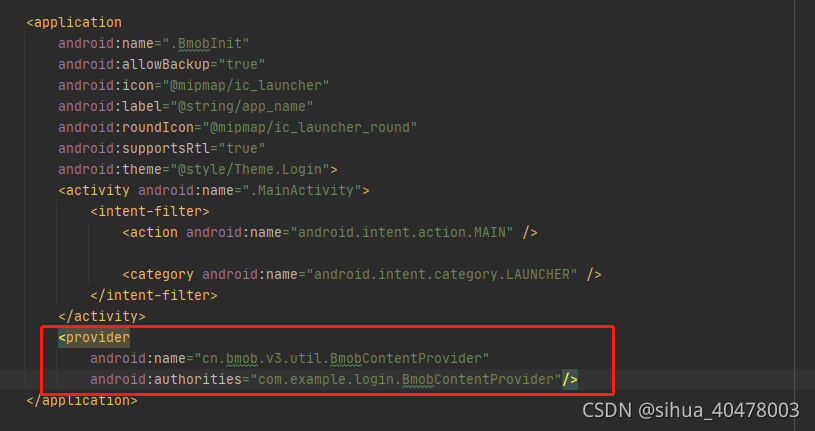
Directly open androidmanifest.xml and add two lines of code

        <provider
            android:name="cn.bmob.v3.util.BmobContentProvider"
            android:authorities="com.example.login.BmobContentProvider"/>

If I can help you, just give me a favor!!!   Thank you from the majority of hard pressed programmers!

Caused by: org.apache.ibatis.builder.BuilderException: Error resolving class. Cause: org.apache.ibat

	Caused by: org.apache.ibatis.builder.BuilderException: Error resolving class. Cause: org.apache.ibatis.type.TypeException: Could not resolve type alias 'userResultMap'.  Cause: java.lang.ClassNotFoundException: Cannot find class: userResultMap
		at org.apache.ibatis.builder.BaseBuilder.resolveClass(BaseBuilder.java:118)
		at org.apache.ibatis.builder.xml.XMLMapperBuilder.resultMapElement(XMLMapperBuilder.java:265)
		at org.apache.ibatis.builder.xml.XMLMapperBuilder.resultMapElement(XMLMapperBuilder.java:252)
		at org.apache.ibatis.builder.xml.XMLMapperBuilder.resultMapElements(XMLMapperBuilder.java:244)
		at org.apache.ibatis.builder.xml.XMLMapperBuilder.configurationElement(XMLMapperBuilder.java:116)
		... 104 more
	Caused by: org.apache.ibatis.type.TypeException: Could not resolve type alias 'userResultMap'.  Cause: java.lang.ClassNotFoundException: Cannot find class: userResultMap
		at org.apache.ibatis.type.TypeAliasRegistry.resolveAlias(TypeAliasRegistry.java:120)
		at org.apache.ibatis.builder.BaseBuilder.resolveAlias(BaseBuilder.java:149)
		at org.apache.ibatis.builder.BaseBuilder.resolveClass(BaseBuilder.java:116)
		... 108 more

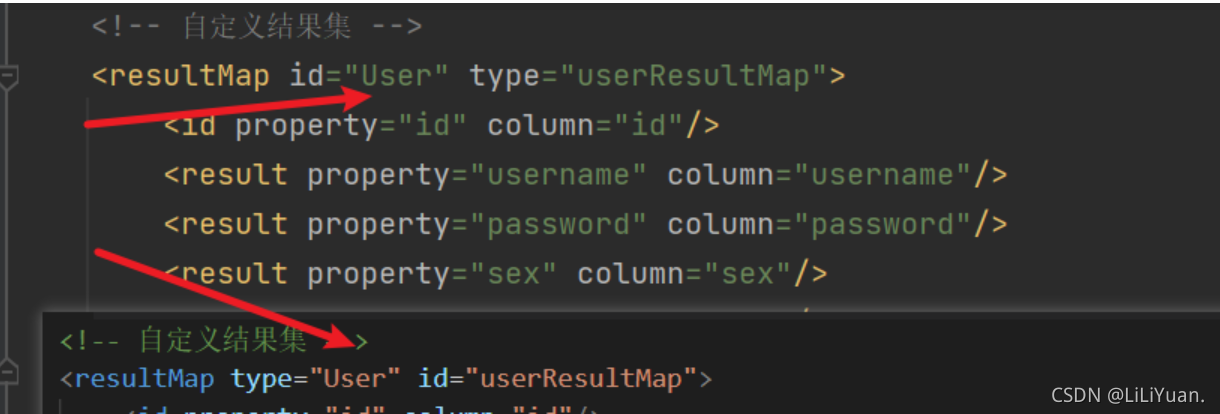
Recently, during SSM integration, I encountered a bug of classnotfoundexception, which means that the result type corresponding to the return value cannot be found. Finally, I found that I wrote the type and ID inversely.

In addition, if the returned value is a basic data type, use resulttype. If it matches resultmap
, such as collection, map, etc., use resultmap. When facing Baidu debug, you will report similar errors when you see this situation

org.springframework.beans.factory.UnsatisfiedDependencyException: Error creating bean with name ‘use

org.springframework.beans.factory.UnsatisfiedDependencyException: Error creating bean with name 'userController': Unsatisfied dependency expressed through field 'userMapper'; nested exception is org.springframework.beans.factory.UnsatisfiedDependencyException: Error creating bean with name 'userMapper' defined in file [E:\ProjectTest\IdeaProject\DVillages\target\classes\com\xh\mapper\UserMapper.class]: Unsatisfied dependency expressed through bean property 'sqlSessionFactory'; nested exception is org.springframework.beans.factory.BeanCreationException: Error creating bean with name 'sqlSessionFactory' defined in class path resource [org/mybatis/spring/boot/autoconfigure/MybatisAutoConfiguration.class]: Bean instantiation via factory method failed; nested exception is org.springframework.beans.BeanInstantiationException: Failed to instantiate [org.apache.ibatis.session.SqlSessionFactory]: Factory method 'sqlSessionFactory' threw exception; nested exception is org.springframework.core.NestedIOException: Failed to parse mapping resource: 'file [E:\ProjectTest\IdeaProject\DVillages\target\classes\mybatis\mapper\supervise\ComplaintMailbox.xml]'; nested exception is org.apache.ibatis.builder.BuilderException: Error parsing Mapper XML. The XML location is 'file [

Before XML modification of SQL statement:

after modification

the reason is the wrong parametertype

Java: compilation failed: internal java compiler error and invalid source distribution resolution

Reason: it is mainly because the JDK version is inconsistent        

1. The compiled version does not match. 2. The current project JDK version does not support        

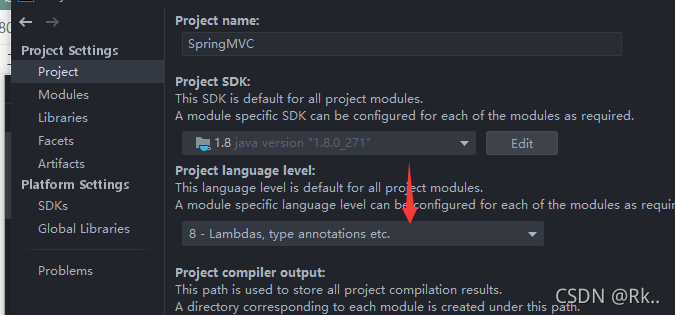
1. First, view the JDK of the project

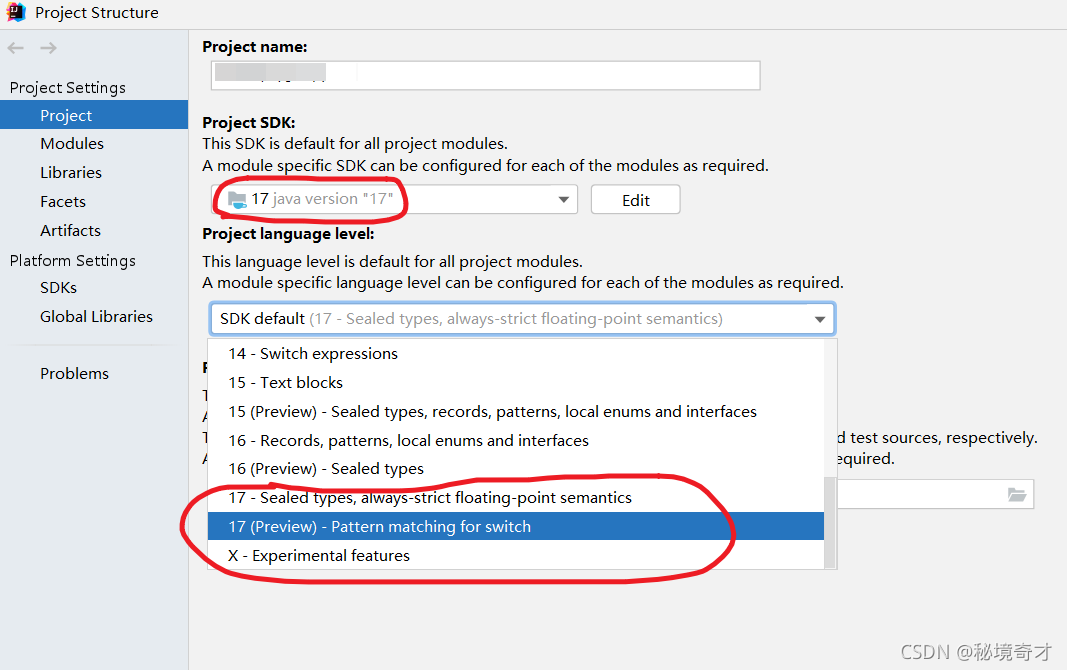
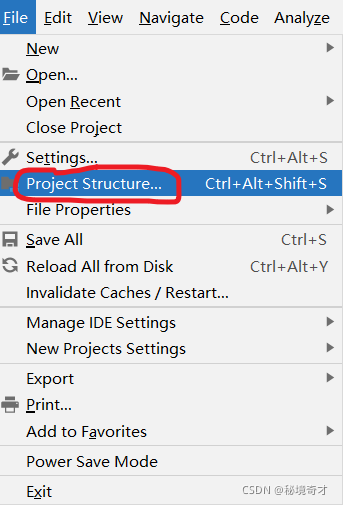
File -> Project Structure-> Project Settings -> Project

                  1.8 must correspond to 8

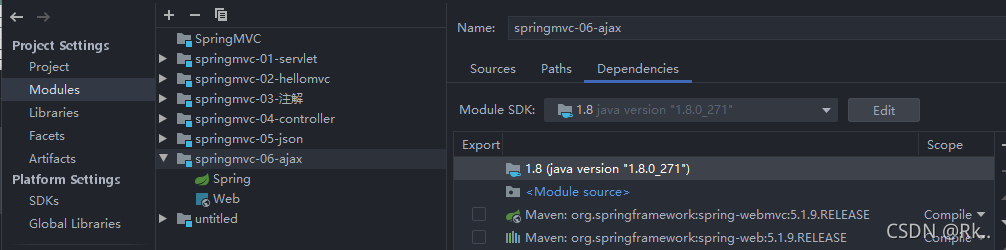
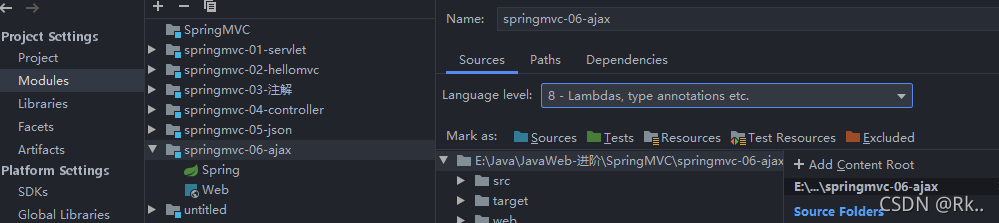
Check whether the JDK of the current project (module) is the same as that of the project

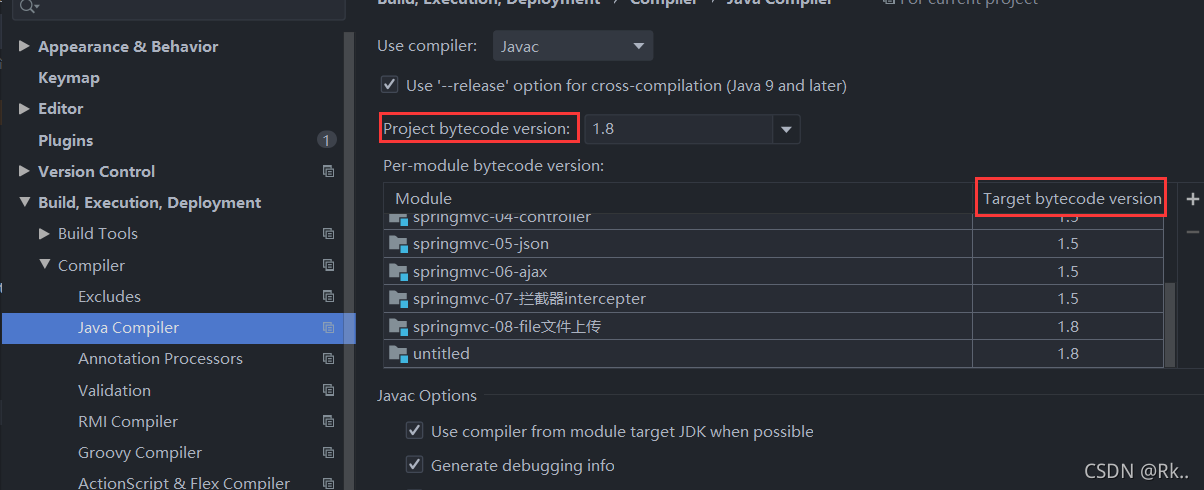
2. Maven is used in the idea to build the project. The target bytecode version is automatically changed to 1.5     Because no JDK is specified in maven, it will be scanned as the default JDK version   View and set the java compiler version (target bytecode version)

File–> Setting–> Build,Execution,Deployment–>Compiler–> Java compiler sets the corresponding module

         The appropriate version of target bytecode version, such as JDK1.8     Change 1.5 above to 1.8

Solution:

Add Maven compiler plugin to pom.xml so that it will not automatically become 1.5

     <plugin>
                <artifactId>maven-compiler-plugin</artifactId>
                <version>3.5.1</version>
                <configuration>
                    <source>${java.version}</source>
                    <target>${java.version}</target>
                    <encoding>UTF-8</encoding>
                </configuration>
      </plugin>

ERROR StatusLogger No Log4j 2 configuration file found

terms of settlement:

In IntelliJ idea:

    in SRC – & gt; Create a new folder resources under main create a new log4j2.xml file

    <?xml version="1.0" encoding="UTF-8"?>
    <Configuration>
        <Appenders>
            <Console name="STDOUT" target="SYSTEM_OUT">
                <PatternLayout pattern="%d %-5p [%t] %C{2} (%F:%L) - %m%n"/>
            </Console>
        </Appenders>
        <Loggers>
            <Logger name="com.opensymphony.xwork2" level="info"/>
            <Logger name="org.apache.struts2" level="info"/>
            <Logger name="org.demo.rest" level="debug"/>
            <Root level="warn">
                <AppenderRef ref="STDOUT"/>
            </Root>
        </Loggers>
    </Configuration>

Does flutter report an error after upgrading 2.5?

Q:

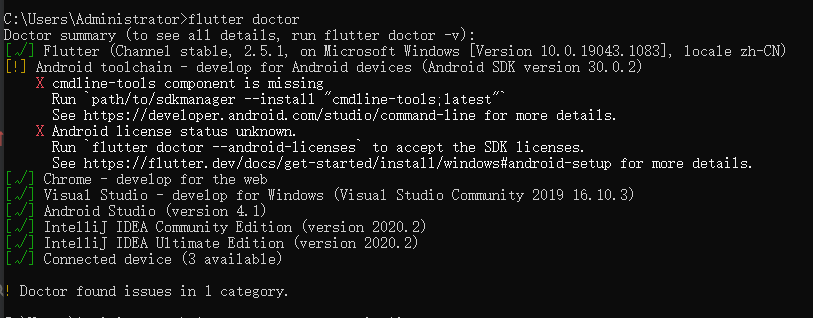
After the flutter executes the command to upgrade the new version, there are the following problems when checking with the flutter doctor command:

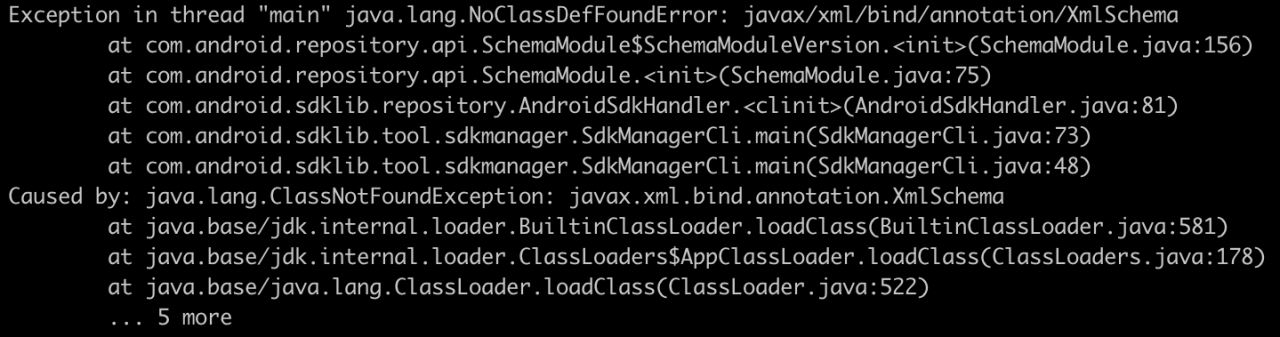
After typing the command according to the prompt, an error message appears again:

A:
after we upgrade the SDK, execute fluent doctor , which prompts us to install the command line tools developed by Android. When we install the command line tool according to the prompt, the Java error is generally because we have installed a set of java version locally, but the Java version number is higher than 1.8, resulting in compatibility problems.

There are two ways to solve the problem. The first is to uninstall our own installed Java and reinstall a lower version of Java (1.8), but it is not recommended!

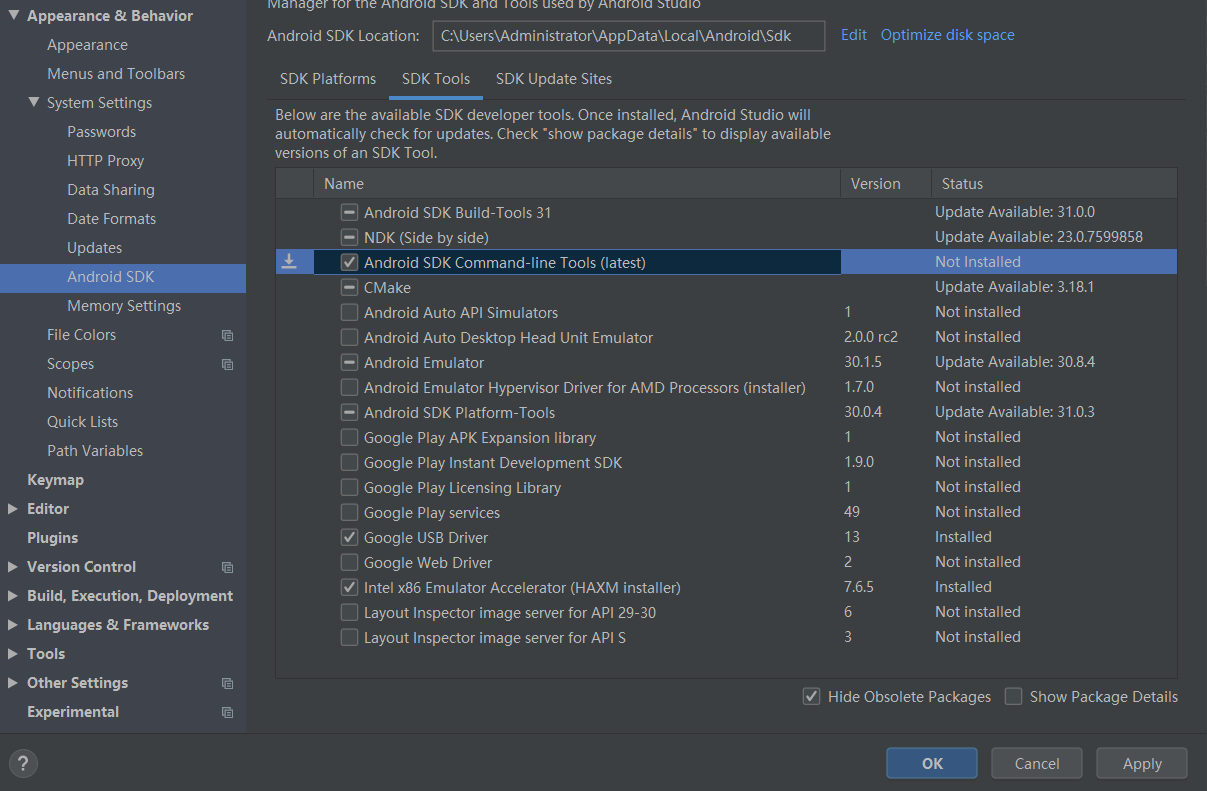
Since Android development can only use java version 1.8, the Android Studio development environment will bring its own Java virtual machine, so we don’t need to install an independent Java environment ourselves. Therefore, we actually don’t need to pay attention to our locally installed java version. We can directly open the Android studio tool and automatically install CmdLine tools :

As shown in the figure above, check the tool and click OK to install it automatically. After installation, re execute the fluent doctor command to solve the problem!


Official account: programming path from 0 to 1

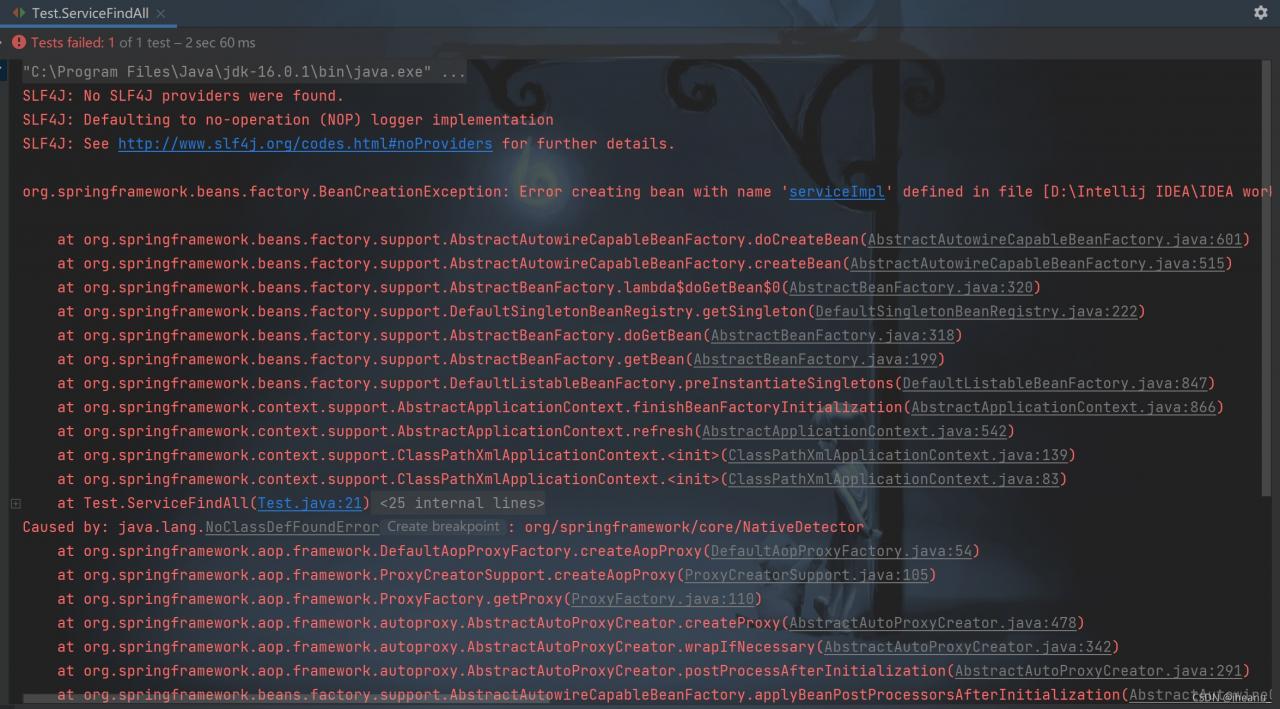
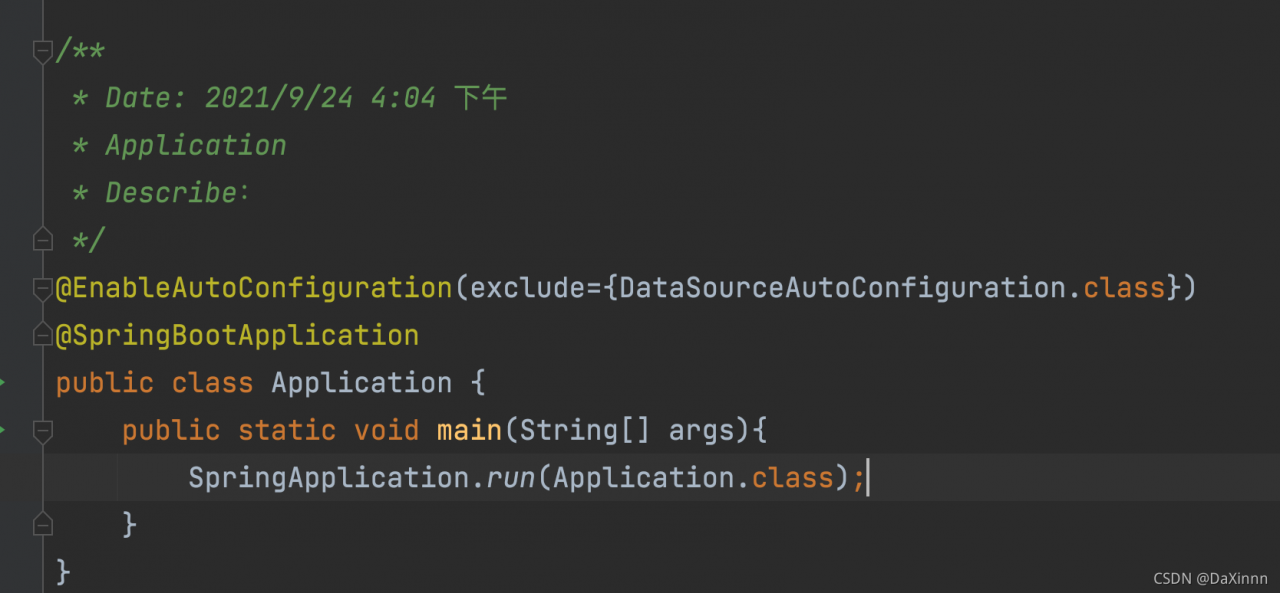
How to Solve error creating bean with name when springboot starts

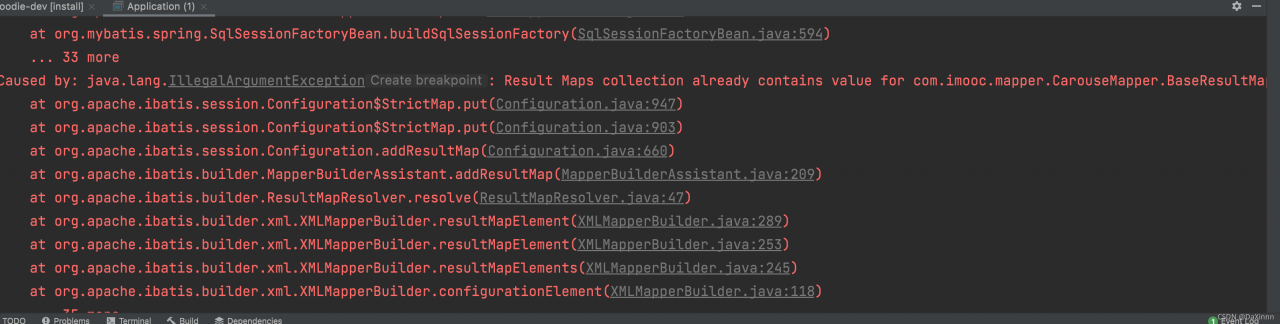
1, there will be the following start error, at first do not know how to deal with, after a variety of Baidu, found that adding a note on the line
2. This error will also occur

3. You need to add the following comments to run successfully

@EnableAutoConfiguration(exclude={DataSourceAutoConfiguration.class})

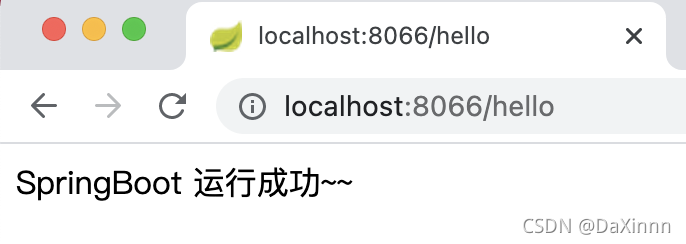
Then run again to run successfully

The most important one is autoconfigurationimportselector.class. With autoconfigurationimportselector, @ enableautoconfiguration can help springboot applications load all qualified @ configuration configurations into the IOC container created and used by the current springboot

The operation results are as follows

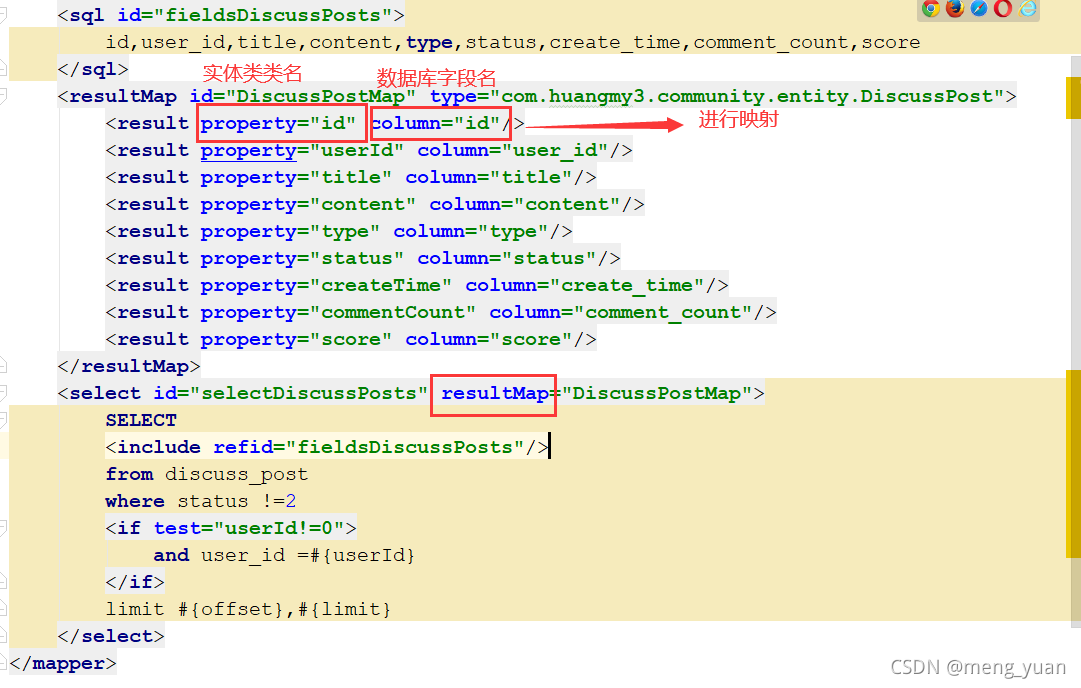
[Solved] ibatis.builder.BuilderException: Error parsing Mapper XML: Could not resolve type alias ‘XXX‘

Error: org.apache.ibatis.builder.BuilderException: Error parsing Mapper XML. : Could not resolve type alias ‘XXX’.

Error Message:
org.apache.ibatis.builder.BuilderException: Error parsing Mapper XML. The XML location is ‘com/huangmy3/community/dao/DiscussPostDao.xml’. Cause: org.apache.ibatis.builder.BuilderException: Error resolving class. Cause: org.apache.ibatis.type.TypeException: Could not resolve type alias ‘DiscussPost’. Cause: java.lang.ClassNotFoundException: Cannot find class: DiscussPost

Error reported means.
Binding exception, the type (DiscussPostMap entity class) could not be found
The reason is: The return type of the entity class should be resultMap

修改后:

How to Solve IntelliJ IDEA Error: Cannot determine path to ‘tools.jar‘ library for 17 (C:\Program Files\Java\jd…

this month, Java 17 was finally released. This is another lts version after Java 11. I decided to try Java 17. Sure enough, something unexpected happened: when I used java 17 to run a project that used to run normally, IntelliJ idea reported the following error:

Operating environment when the author reports an error:

IntelliJ IDEA 2020.1.2 (Ultimate Edition)

JDK 17

Error:Cannot determine path to 'tools.jar' library for 17 (C:\Program Files\Java\jdk-17)

then, as before. The author tried to run a very simple demo project, and sure enough, the same error occurred again. The environment in which the project used to operate normally is:

The environment in which the project previously operated normally:

IntelliJ IDEA 2020.1.2 (Ultimate Edition)

JDK 11

the author has repeatedly installed multiple versions of Java on different operating systems, and is very familiar with this error report. This error indicates that the current IntelliJ idea cannot parse this version of JDK, so it tries to parse tools. Jar from its built-in environment variable classpath , but it still fails, so it throws the above error message.

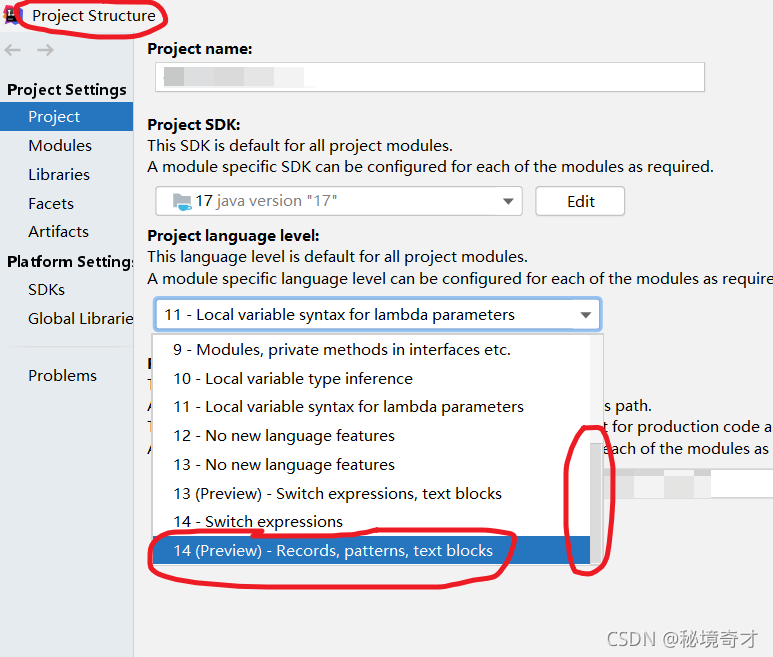
this can be confirmed. It can be clearly seen in the project structure in the figure below that the author’s IntelliJ idea 2020.1.2 (Ultimate Edition) supports parsing JDK 14 at most, so there is nothing to do with Java 17.
Method 1

it’s easy to do when you know the reason. One way is to reduce the JDK version so that the current IntelliJ idea can recognize it.

The environment in which the project previously operated normally:

IntelliJ IDEA 2020.1.2 (Ultimate Edition)

JDK 11

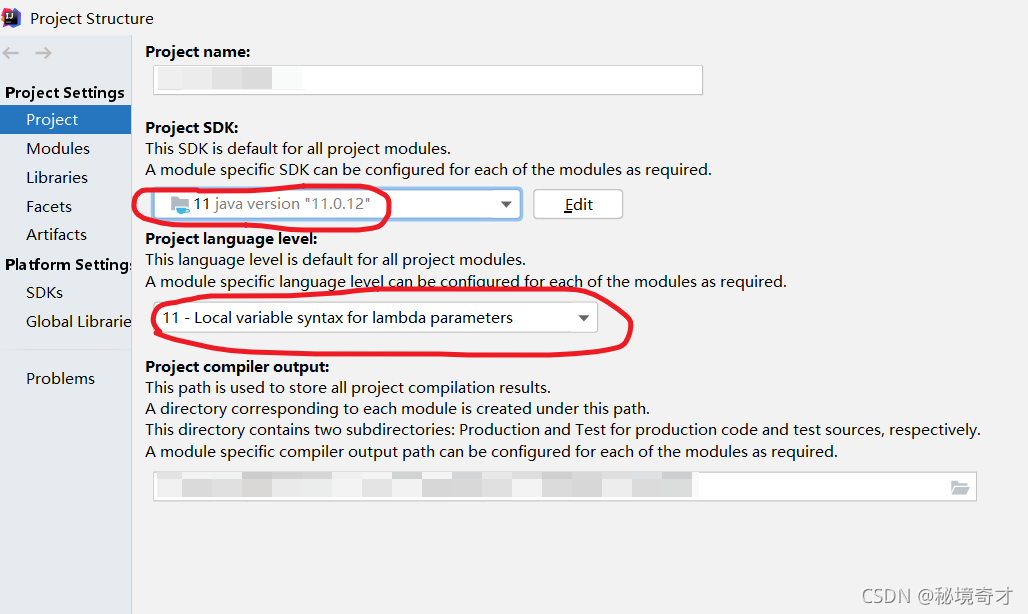
install the lower version of JDK first, and then set it in project structure in IntelliJ idea. See the figure below. But I usually don’t like it.
Method 2

another way is to improve the version of IntelliJ idea. Therefore, the author specially downloaded and installed the latest IntelliJ idea 2021.2.2 (Ultimate Edition) . Unexpectedly and reasonably, the author encountered many holes when installing the latest IntelliJ idea. I have always wanted to stand on the shoulders of giants, but in fact, they are always used as stepping stones by giants. For the problem that IntelliJ idea cannot be opened after installation, see another blog of the author:

solve the problem that the interface disappears after IntelliJ idea is installed, and the interface does not move after it is opened again.

when I first downloaded it, I was worried that it could not parse Java 17, but now it seems that this worry is superfluous.

The environment in which the project operates normally:

IntelliJ IDEA 2021.2.2 (Ultimate Edition)

JDK 17

after upgrading IntelliJ idea, configure project structure as follows.