[Solved] KEIL Error: source file ‘.XXX.o‘ – object file renamed from ‘XXX.o‘ to …

Problem description

1. In the Keil project, move the C file in the app component to the dev component,
2. When using keil, sometimes you accidentally add two identical. C files in different group folders
at this time, the compilation will appear:
note: source file ‘… (core/Src/GPIO. C) – object file renamed from’ 7.710.200c/GPIO. O ‘to’ 7.710.200c/GPIO_ 1. O ‘.
error report

Solution

1. Delete duplicate files to ensure that. C files are not duplicated in the project
2. Close the Keil project and run keilkill.bat to delete all the compiled link files
3. Open the project to compile

Keilkill.bat code attached

del *.bak /s
del *.ddk /s
del *.edk /s
del *.lst /s
del *.lnp /s
del *.mpf /s
del *.mpj /s
del *.obj /s
del *.omf /s
::del *.opt /s  ::Settings that do not allow JLINK to be deleted
del *.plg /s
del *.rpt /s
del *.tmp /s
del *.__i /s
del *.crf /s
del *.o /s
del *.d /s
del *.axf /s
del *.tra /s
del *.dep /s           
del JLinkLog.txt /s

del *.iex /s
del *.htm /s
del *.sct /s
del *.map /s
exit

Copy the content to a TXT file, save and exit. Then change the suffix of. Txt to. Bat. Put the modified bat file into the project and run it

How to Solve Pandas Error: nested renamer is not supported python

Problem Description
After running df.groupby([‘id’])[‘click’].agg({‘click_std’: ‘std’}).reset_index(), I get nested renamer is not supported python error

Solution
In the new Pandas version, the dictionary approach of {‘click_std’:’std’} has been abandoned in favor of df.groupby([‘id ‘])[‘click’].agg(click_std=’std’).reset_index() and then run successfully.

Reference:

    https://stackoverflow.com/questions/60229375/solution-for-specificationerror-nested-renamer-is-not-supported-while-agg-alo
    https://pandas.pydata.org/pandas-docs/stable/whatsnew/v0.20.0.html#whatsnew-0200-api-breaking-deprecate-group-agg-dict
    https://pandas.pydata.org/pandas-docs/stable/whatsnew/v0.25.0.html

Vue displays 404 and 500 interfaces according to HTTP response status

Requirement: when responding to an error, the rendering will display the interface with error information
preparation: create error information interfaces 400. Vue and 500. Vue in content
note: pay attention to the level of routing where the error interface needs to be placed (I’m under children)

1、 Create route (routes/index. JS)

	export default {
    mode: 'history',
    routes: [
        // Dynamic path parameters Start with a colon
        {
            name:'index',
            path: '/',
            component: () => import('@/components/QBLayout/index.vue'),
            children: [
            	{
	                name:'index',
	                path: '/',
	                component: () => import('@/components/Index/index.vue'),
           	 	},
            	{
                    name: 'error_403',
                    path: '403',
                    component:()=>import('@/components/errorStatus/403.vue')
                },
                {
                    name: 'error_500',
                    path: '500',
                    component:()=>import('@/components/errorStatus/500.vue')
                },
                {
                    name: 'error_404',//Note that this 404 route should be placed at the end
                    path: '*',
                    component:()=>import('@/components/errorStatus/404.vue')
                }
            ]
        }
    ]
}


2、 Response interception (util/HTTP. JS)

import Axios from 'axios'

//1.Wrapping method: for exception response codes are handled separately
const codeErrorHandle = (resData)=>{
    switch (resData.code) {
        case 404:
            router.push({
                name:'error_404'
              })
            break;
        case 500:
            router.push({
                name:'error_500'
              })
            break;
        default:
}
//2, axios interception
const instance = Axios.create({ timeout: 25000 });

//3, response interception: mainly for response processing as follows
instance.interceptors.response.use(
    res => {
        if (res.status && +res.status < 300 && res.data && +res.data.code === 1) 
            return Promise.resolve(res.data.data);
        } else {//Call codeErrorHandle to handle exception response codes
            codeErrorHandle(res.data);
            return Promise.reject(res);
        }
    },
    error => {//This is other response state judgement, not this topic, so omit it here for now}
);

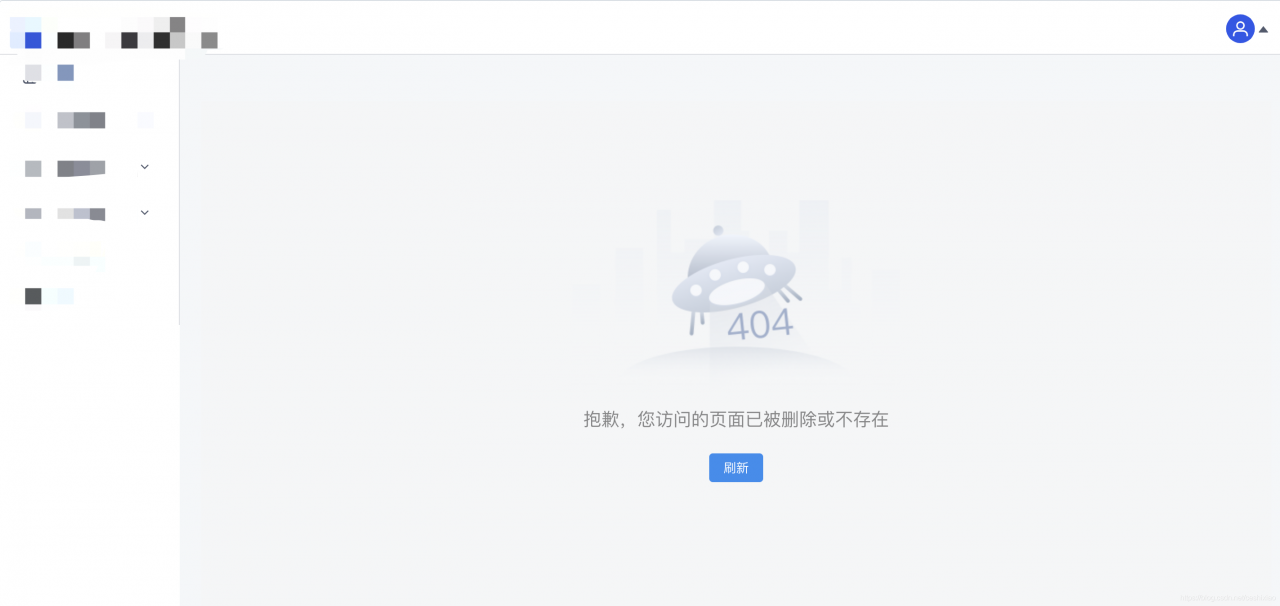
Effect interface

http://localhost : 8080/test. (enter the interface not in the route, for example: test, and then press enter to display the 404 interface)
[Solved] Access to XMLHttpRequest at ‘http://127.0.0.1:5000/markdownlang/‘ from origin ‘null‘ has been bl

When AJAX is used, the above cross domain request error is reported (using Python flash to build the background)

Error code:

from flask import Flask,render_template
@app.route("/markdownlang/",methods=["post"])
def getMarkdownLang():
    return render_template('result.html')

Solution: add a response header on the server side to simply allow cross source.

from flask import Flask,render_template,make_response
@app.route("/markdownlang/",methods=["post"])
def getMarkdownLang():
    resp = make_response(render_template('result.html'))
    resp.headers['Access-Control-Allow-Origin'] = '*'   
    return resp

There are two other things that can go wrong:

    1. the requested path is not complete. Full path http://127.0.0.1:port number/file path. Cross source must have full path. The request mode has no corresponding response code on the server side. For example, the server should have a post response for a post request

The solution to reload and rollback of VMware after unloading

VMware reload is a rollback because win10 is not an enterprise version, some of the registry of VM can not be recognized, and some plug-ins are associated with other versions of win, which makes VM unable to be completely deleted. At this time, go to install win10 as enterprise version, and then re install VMware, this situation will not appear in the future. Remember, do not run immediately after installation, shut down and restart, do not install in C disk.

Springboot failed to parse MVC view

Problem Description:
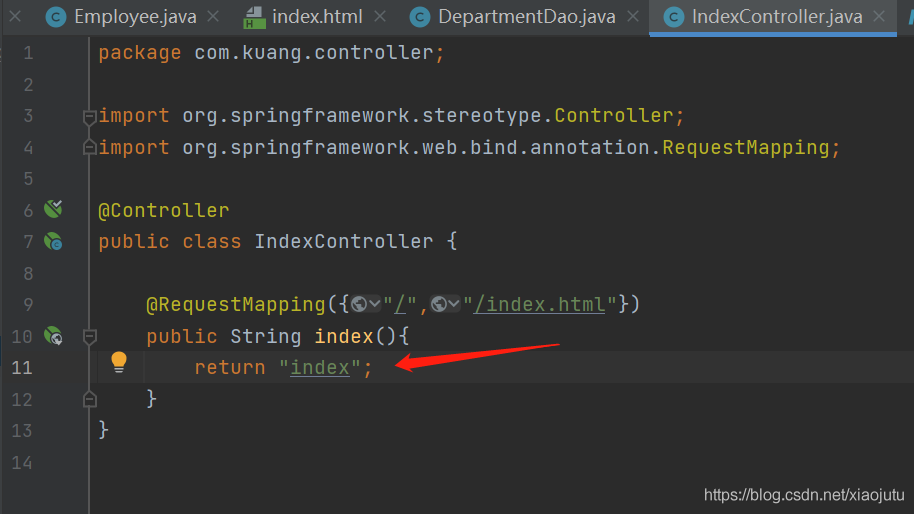
@ requestmapping always reports an error when returning to the view: unable to parse MVC view “index”

reason:
unable to parse because the pre suffix of splicing cannot be found, so it cannot jump. Forget to import template engine dependencies

Solution:
Add dependency in POM

    <dependency>
        <groupId>org.thymeleaf</groupId>
        <artifactId>thymeleaf-spring5</artifactId>
    </dependency>
    <dependency>
        <groupId>org.thymeleaf.extras</groupId>
        <artifactId>thymeleaf-extras-java8time</artifactId>
    </dependency>

The Vue project cannot use a component name that contains the word switch

Application scenario: you need to create a new version switching page in the Vue project, which is translated as versionswitch according to the Chinese name, so you build a versionswitch.vue. You find that errors have been reported all the time, and if you change the name to vesionchange.vue, no errors have been reported. After a search, it is found that components cannot be named with switch, nor can they be named with switchye .