IIS8 5 PHP7.4
https://curl.haxx.se/docs/caextract.html Download cacert.pem,
PHP.ini modify settings:
Curl.cainfo=“d:/wamp/bin/php/php7.0.10/extras/ssl/cacert.pem”
OpenSSL.cafile=“d:/wamp/bin/php/php7.0.10/extras/ssl/cacert.pem”
IIS8 5 PHP7.4
https://curl.haxx.se/docs/caextract.html Download cacert.pem,
PHP.ini modify settings:
Curl.cainfo=“d:/wamp/bin/php/php7.0.10/extras/ssl/cacert.pem”
OpenSSL.cafile=“d:/wamp/bin/php/php7.0.10/extras/ssl/cacert.pem”
The librosa version used is 0.6.1.
According to the librosa documentation, inverse is only 0.8.1 version. Just upgrade librosa to a lower level.
pip install --upgrade librosa
org.apache.ibatis.exceptions.PersistenceException:
### Error building SqlSession.
### The error may exist in mappers/user.xml
### Cause: org.apache.ibatis.builder.BuilderException: Error parsing SQL Mapper Configuration. Cause: org.apache.ibatis.builder.BuilderException: Error parsing Mapper XML. The XML location is 'mappers/user.xml'. Cause: org.apache.ibatis.builder.BuilderException: Error resolving class. Cause: org.apache.ibatis.type.TypeException: Could not resolve type alias ''.  Cause: java.lang.ClassNotFoundException: Cannot find class:
This error occurs in the mybatis test for many reasons,
1: it may be the header information error of the mapping file. Correct: 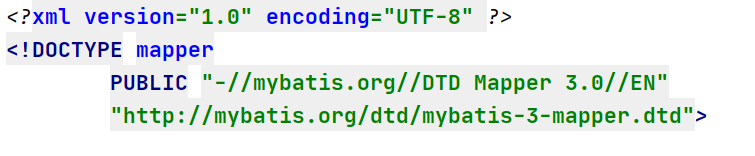
2: there may also be an error in the label of the mapping file. Most of the errors reported in the mapping file are code errors. Just check the code
3: I made an error today because I wrote an extra tag, but the content in the tag was not written

4: The same type of error I encountered yesterday is because I wrote a comment in the where tag
<select>
	<where>
		Write comment here. This error has been encountered twice, as soon as a comment is written inside a tag, an error is reported
	</where>
</select>
These are the mistakes and solutions I met in learning mybatis.
This error occurs during initialization of VM could not reserve enough space for 1572864kb object heap
when configuring android with idea
Solution:
Modify the memory a little smaller:
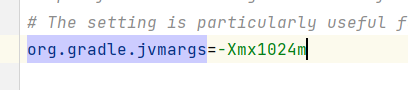
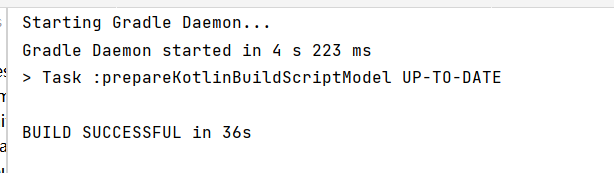
it’s successful
Artifact AServletTestCode:war exploded: Error during artifact deployment. See server log for details.
In addition to the problem
solution:
1. Reconfigure a deployed
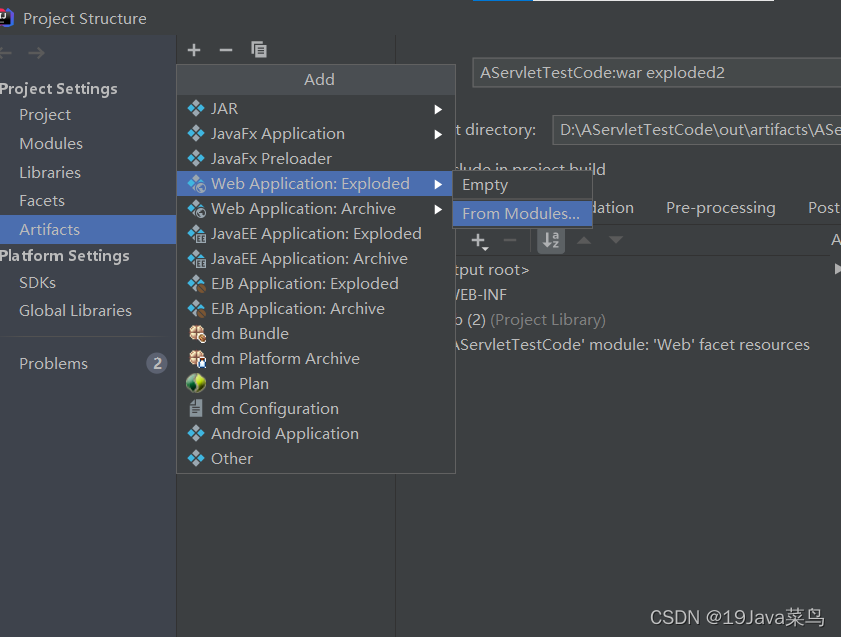
2. under the file structure, then configure Tomcat and add the deployed 2 just added under deployment
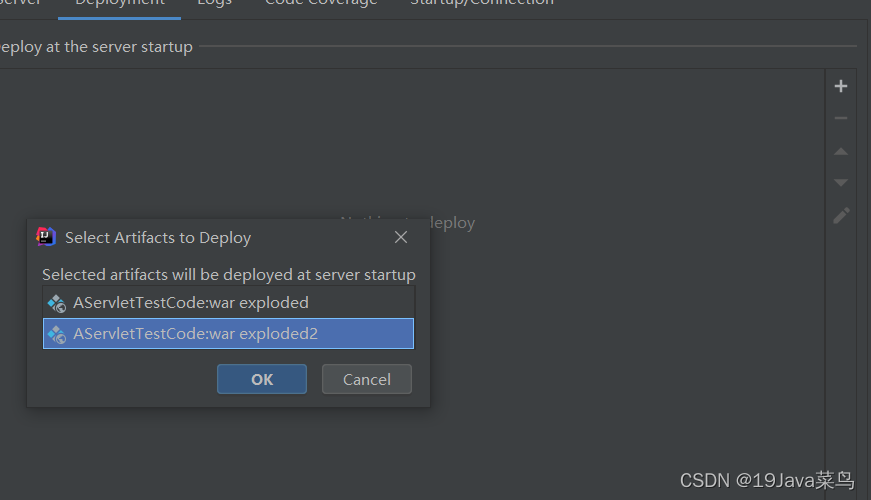
problem
Error response from daemon: OCI runtime create failed: container with id exists:xxzxxxxxxxx
Solution:
rm -rf /var/run/docker/runtime-runc/moby/xxzxxxxxxxx
Load “…\Obj\Laliji.axf”
Set JLink Project File to “F:\01MCU\STM32F429\TestProgram\Project\JLinkSettings.ini”
JLink Info: Device “STM32F429IG” selected.

JLink info:
DLL: V4.98e, compiled May 5 2015 11:00:52
Firmware: J-Link V10 compiled Oct 15 2018 16:40:35
Hardware: V10.10
S/N : 260106173
Feature(s) : FlashBP, GDB, FlashDL, JFlash, RDI
JLink Info: Found SWD-DP with ID 0x2BA01477JLink Info: Found SWD-DP with ID 0x2BA01477JLink Info: Found Cortex-M4 r0p1, Little endian.JLink Info: FPUnit: 6 code (BP) slots and 2 literal slotsJLink Info: CoreSight components:JLink Info: ROMTbl 0 @ E00FF000JLink Info: ROMTbl 0 [0]: FFF0F000, CID: B105E00D, PID: 000BB00C SCSJLink Info: ROMTbl 0 [1]: FFF02000, CID: B105E00D, PID: 003BB002 DWTJLink Info: ROMTbl 0 [2]: FFF03000, CID: B105E00D, PID: 002BB003 FPBJLink Info: ROMTbl 0 [3]: FFF01000, CID: B105E00D, PID: 003BB001 ITMJLink Info: ROMTbl 0 [4]: FFF41000, CID: B105900D, PID: 000BB9A1 TPIUJLink Info: ROMTbl 0 [5]: FFF42000, CID: B105900D, PID: 000BB925 ETM
ROMTableAddr = 0xE00FF003

Target info:
Device: STM32F429IG
VTarget = 3.270V
State of Pins:
TCK: 0, TDI: 1, TDO: 1, TMS: 1, TRES: 1, TRST: 1
Hardware-Breakpoints: 6
Software-Breakpoints: 8192
Watchpoints: 4
JTAG speed: 5000 kHz
No Algorithm found for: 08000000H - 08001073H
Erase skipped!
Error: Flash Download failed - “Cortex-M4”
Flash Load finished at 14:46:07
Solution:
1, click the magic wand of keil interface (Alt + F7)
2, Settings
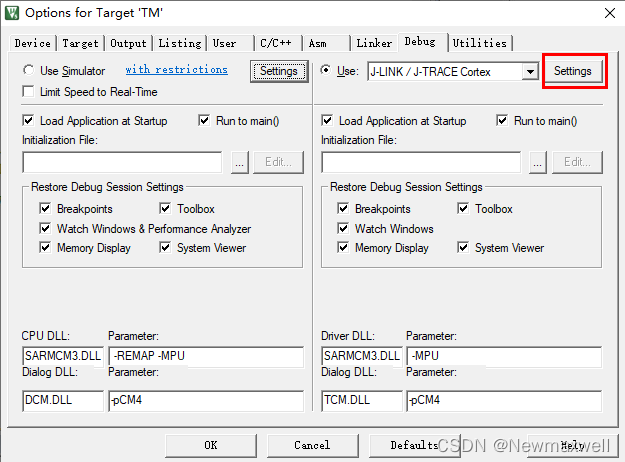
3, Flash Download -> add
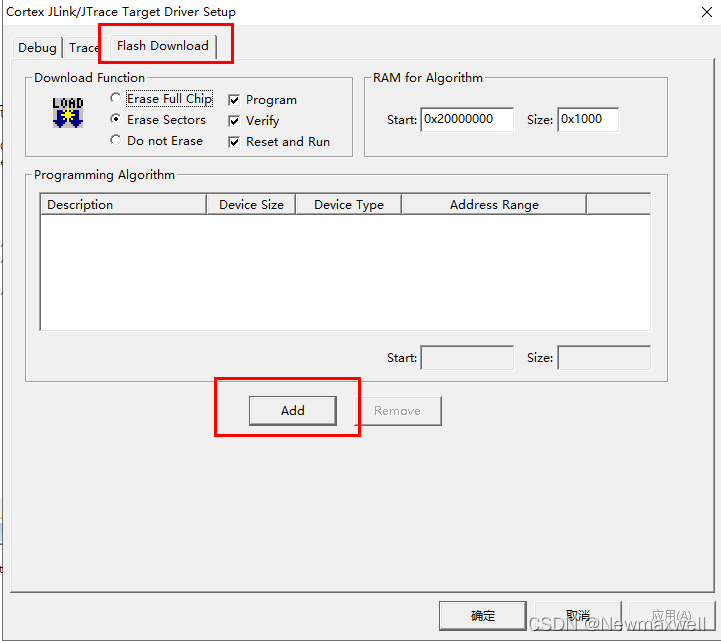
4, choose the type of chip-> add
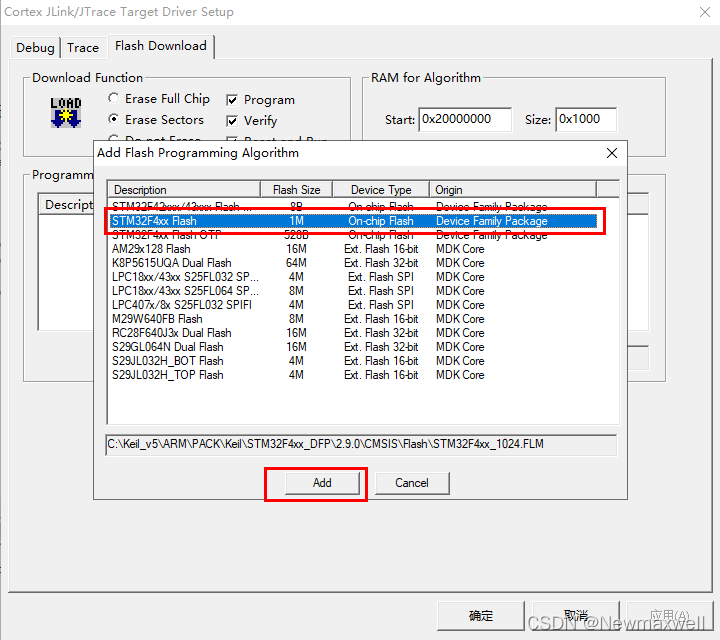
Error: EBUSY: resource busy or locked, lstat ‘D:\DumpStack.log
If there is a SaaS like field in your vscade error report, one reason is that the version number does not match.
cnpm i -D [email protected] --save
cnpm i -D [email protected] --save
I won’t let go of the screenshot that reported an error. At that time, the error mentality collapsed. I may have forgotten the screenshot. I don’t want to make a similar error in the whole. I’m tired. (later found)
In a word, it is much faster to correct the version number first and then change it. The errors caused by other problems will be much faster.
I found the wrong screenshot of the * *

After the two commands are run, the following error reports are much kinder. It’s just that there is no dependency. The problem is not big. Just install it.
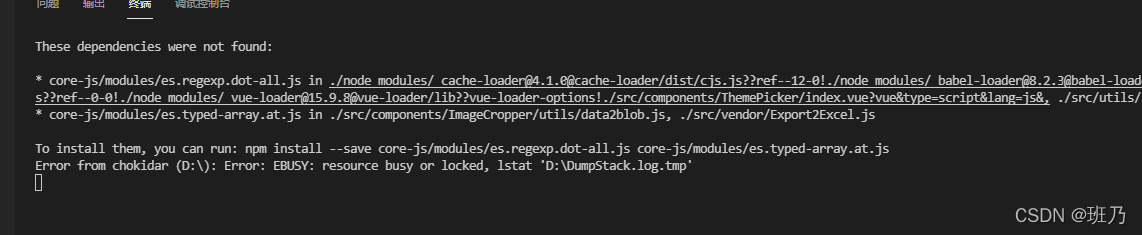
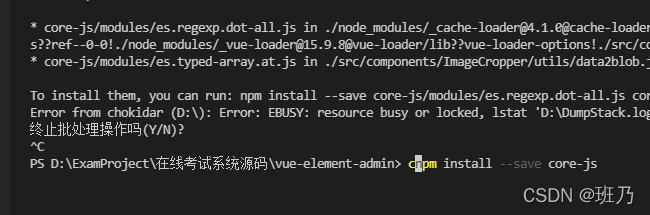
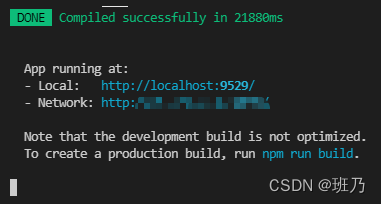
Done!
When IDEA starts a maven project, it fails to start and displays an error reporting:
Error starting ApplicationContext. To display the conditions report re-run your application with ‘debug’ enabled.
2021-12-22 09:21:42.183 ERROR 14964 — [ main] o.s.b.d.LoggingFailureAnalysisReporter :
***************************
APPLICATION FAILED TO START
***************************
Description:
Failed to configure a DataSource: ‘url’ attribute is not specified and no embedded datasource could be configured.
Reason: Failed to determine a suitable driver classAction:
Consider the following:
If you want an embedded database (H2, HSQL or Derby), please put it on the classpath.
If you have database settings to be loaded from a particular profile you may need to activate it (the profiles local are currently active).
Cause:
The datasource related package environment is referenced, but no related configuration is performed
Solution:
1, start the class to add automatic configuration parameters: (exclude = {DataSourceAutoConfiguration.class})
@SpringBootApplication(exclude = {DataSourceAutoConfiguration.class})
public class ApiserviceApplication {

    public static void main(final String[] args) {
        SpringApplication.run(ApiserviceApplication.class, args);
    }
}
2. If the code does not use the relevant package environment, the relevant Maven package can be deleted
<!--        <dependency>-->
<!--            <groupId>org.springframework.boot</groupId>-->
<!--            <artifactId>spring-boot-starter-data-cassandra-jpa</artifactId>-->
<!--        </dependency>-->
3. If used, add relevant configurations
Raspberry Pi Error: VNC error “No configured security type is supported by 3.3 VNC Viewer”
# Command Line Configuration Startup
sudo raspi-config
Enter interface options
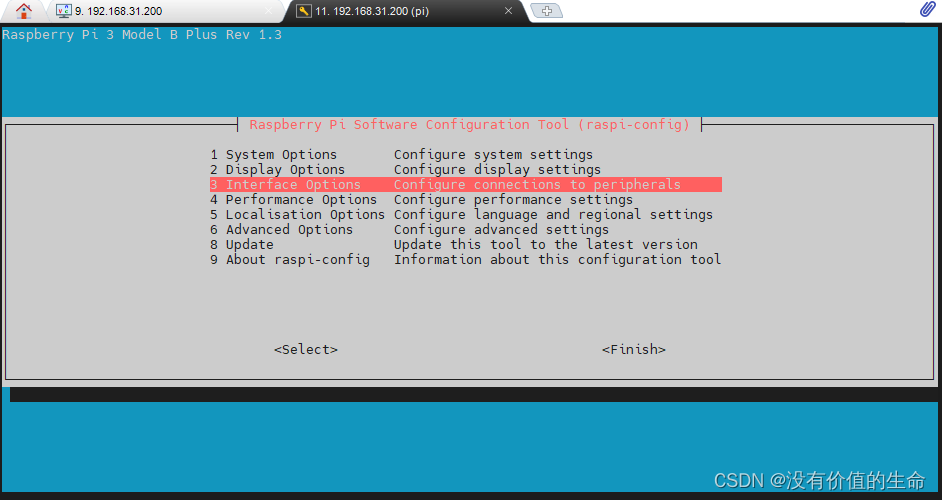
there are VNC options inside. Enter enable
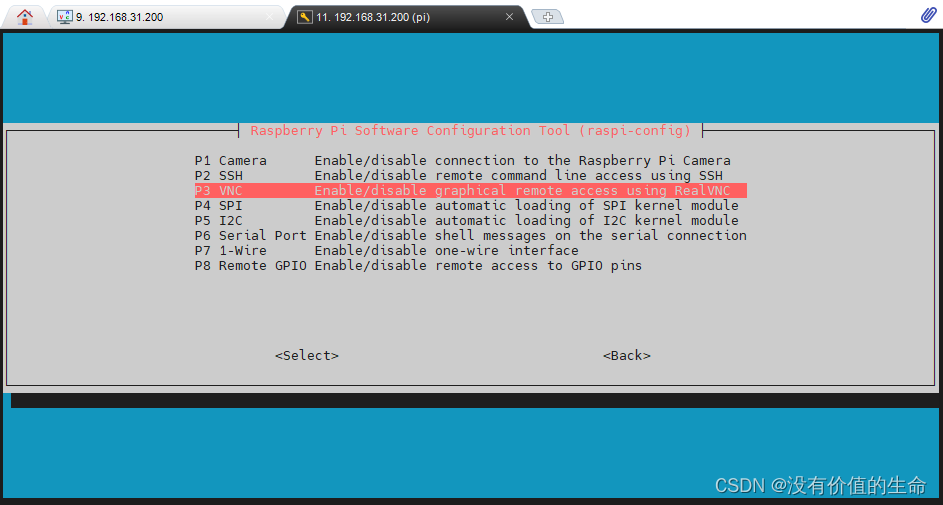
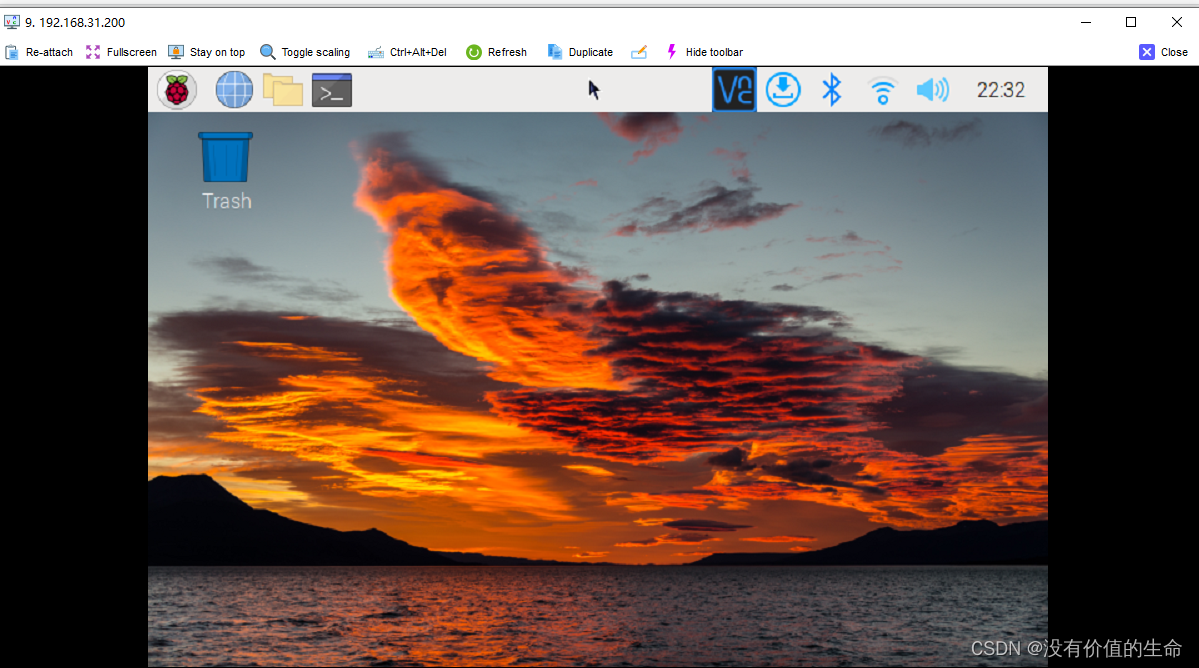
Step 2: modify VNC configuration (Note: the following command lines are executed)
# Note: Here the first step of the change password command line is also executed, change the password to the same password as your original start on the line
# Do not ask why, just change it
$ sudo passwd
passwd: password updated successfully
$ su root
$ sudo echo 'Authentication=VncAuth' >> /root/.vnc/config.d/vncserver-x11
$ sudo vncpasswd -service
# Execute here to enter the password (occasionally you have to wait a few seconds), here is to set the password to log in to VNC
Successfully set "Password" VNC parameter in /root/.vnc/config.d/vncserver-x11
$ sudo cat /root/.vnc/config.d/vncserver-x11
_AnlLastConnTime=int64:0000000000000000
_LastUpdateCheckSuccessTime=int64:01d7d31e1f95ea36
_LastUpdateCheckTime=int64:01d7d31e1f95ea36
Authentication=VncAuth
Password=c3abbea3b003a0b231737c0541892d72
Start VNC/mobaxterm again to connect normally
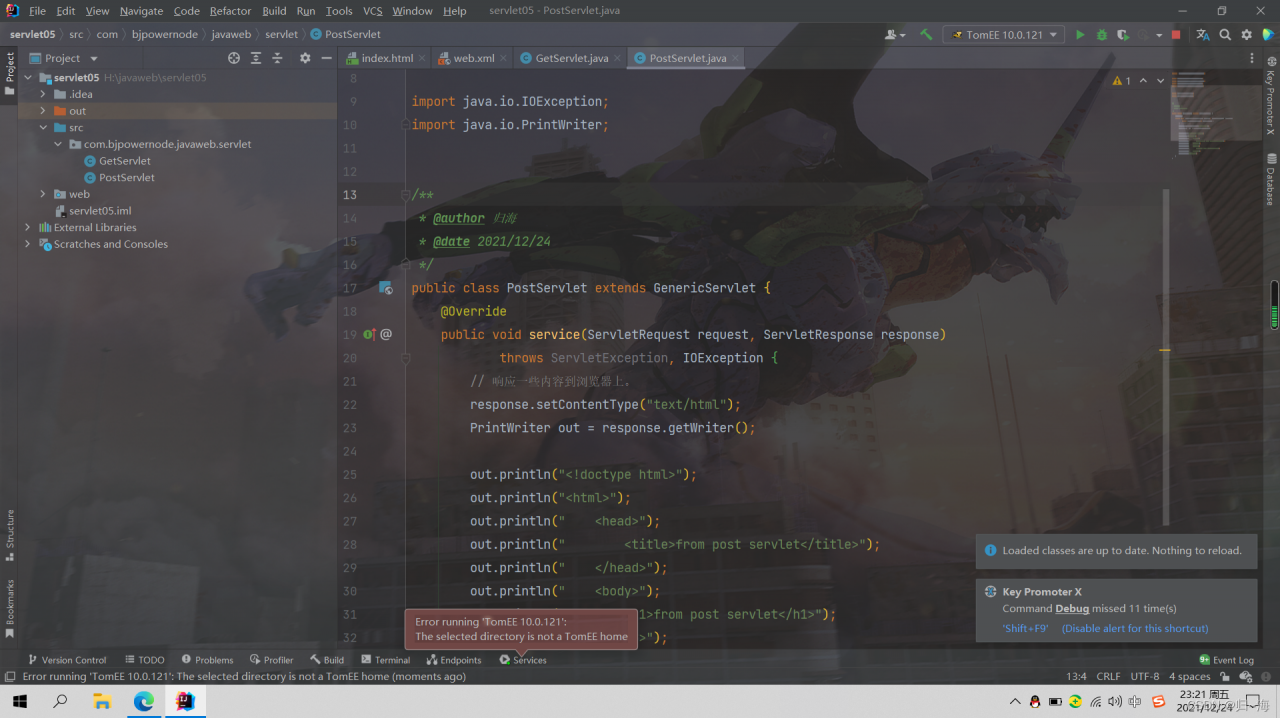
Today, I watched the video of Lao Du’s servlet and tried to start the Tomcat server after typing the code. I found this: error running ‘tomee 10.0.121 ‘: the selected directory is not a tomee Hom error.
Then I didn’t look at the error carefully. Subconsciously, I thought my Tomcat path was wrong. I looked it up and found that there was no problem
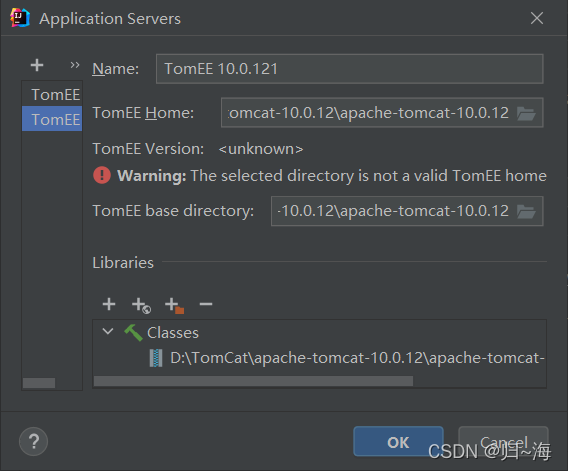
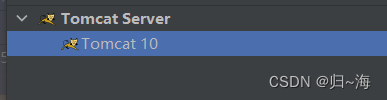
Finally, take a closer look at the good guy Tomcat created to tomcatee. No wonder it can’t be started.
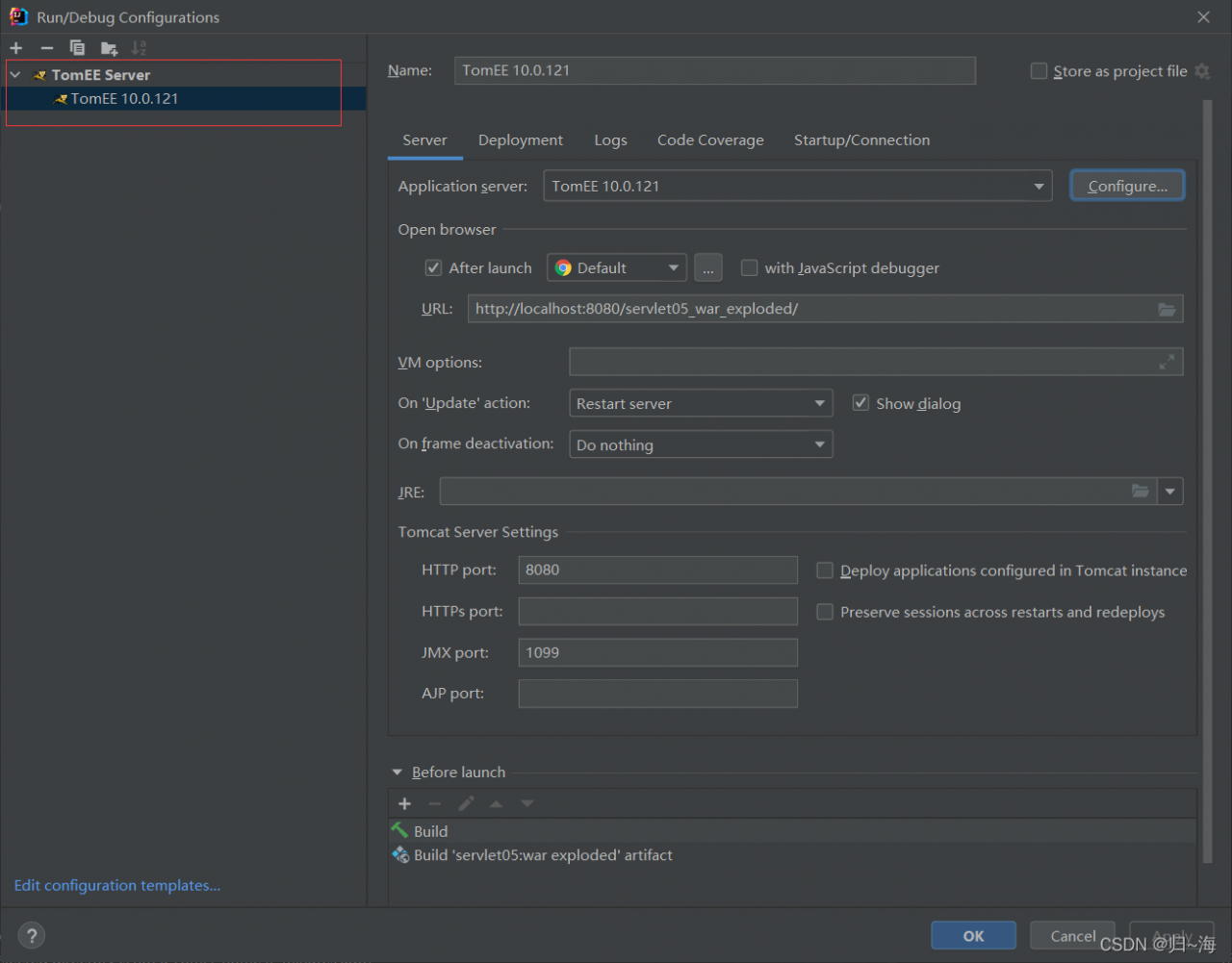
Solution:
Just change back to normal Tomcat
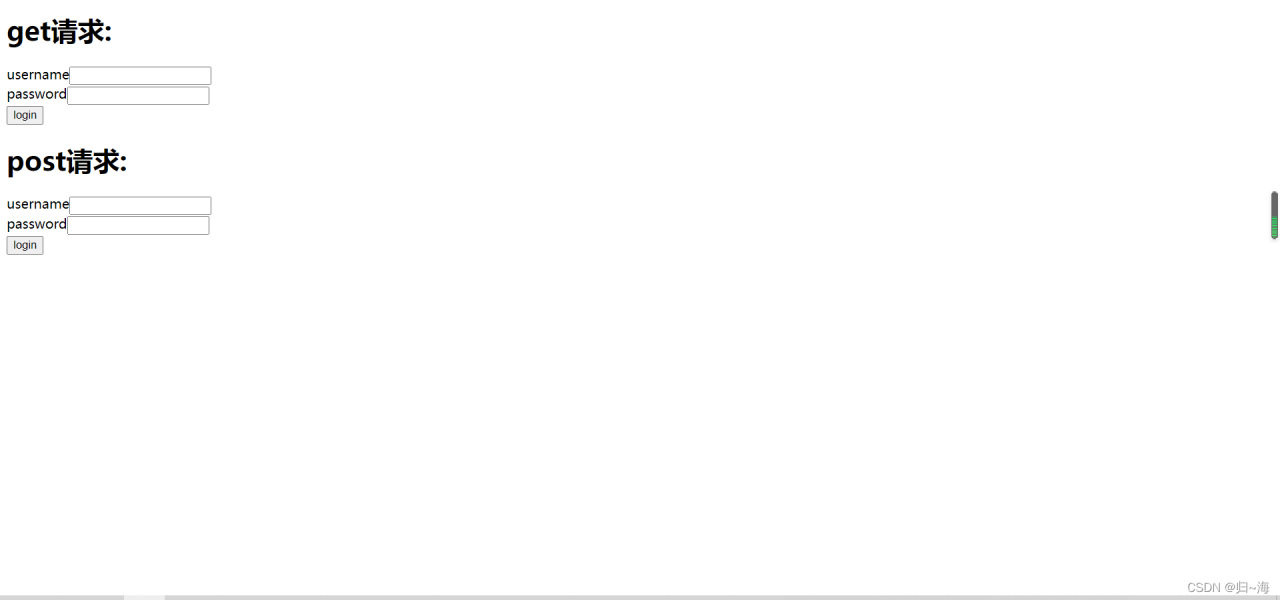
Finally, click the servlet according to the old Du code
When Android studio develops Android projects, the error “CreateProcess error = 206” is easy to appear every time it runs. The console error message says that the file name or extension is too long. I used openjdk to solve this problem. I found many ways to solve it. For a long time, I can only restart Android studio or forcibly end the JDK process in the application manager. Later, I just changed the open JDK to Oracle JDK.