Category Archives: JavaScript

How to Solve React devtools plug-in Error

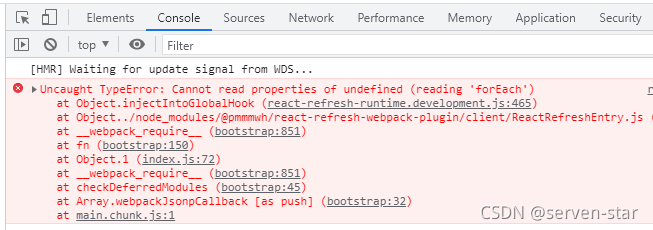
The developer debugging tool plug-in of react will prompt an error in chrome after installation:

react-refresh-runtime.development.js:465

Solution:

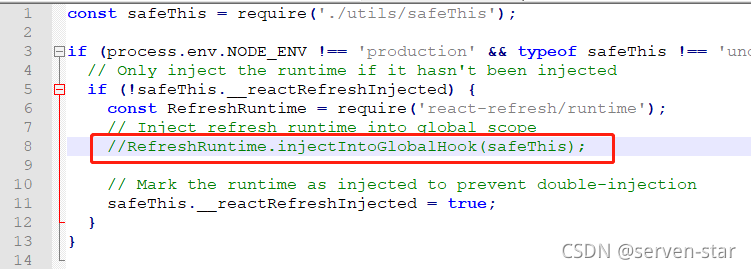
Under the react project (not the plug-in file directory), find \node_Modules\@pmmmwh\react refresh webpack plugin\client

Reactrrefreshentry.js file, comment out this line:

//RefreshRuntime.injectIntoGlobalHook(safeThis);

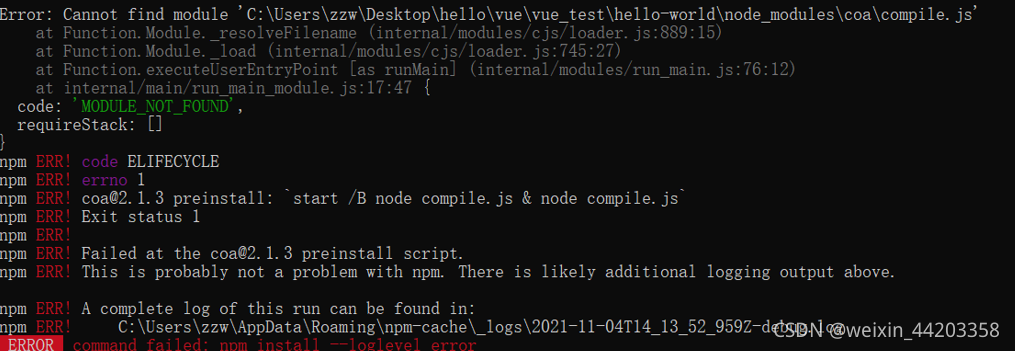
[Solved] Vue create error: ERROR: command failed: npm install –loglevel error

Vue create reports an error

Solution: https://stackoverflow.com/questions/53934852/vue-cli-3-command-failed-npm-install-loglevel-error

It should be noted that the article provides two main solutions:
1. NPM cache clean -- force or manually delete the NPM cache in the appdata folder
2.npm config set registry=" http://registry.npmjs.org/" after running this command, you can create your own project.

After I tried the first scheme unsuccessfully, I tried to combine the two schemes successfully, but I don’t know the specific principle. I hope someone with good intentions can help me solve what’s wrong

[Solved] IE Browser Error: unhandled promise rejection error: access is denied. File stream Download

There are many export files and download files in the project. The front end adopts the file stream download method, requests the back-end interface and returns the file stream
at first, it was not clear that the ordinary dynamic creation a tag method was not compatible with ie. later, the bug “unhandled promise rejection error: access denied” appeared in the test on ie. after seeing this problem, it was directly copied to Baidu, and then the result was that the promise method might be wrong. After changing all the promise methods, an error was reported, Later, I thought about whether the way to create a tag was not compatible with ie, and Baidu adopted the method of downloading file stream compatible with ie. sure enough, I got the following solution and recorded it.

IE browser has Microsoft’s own mssaveblob method. The download of a tag is not compatible with ie.

//Since the method is used in several places in the page, it is wrapped as a component
// Don't forget to set the responseType='blob' in the request header, the react project is already encapsulated in the request
export const exportSaveData = (data, filename) => {
    let blob = new Blob([data], { type: 'application/x-www-form-urlencoded' });
    let blobUrl = window.URL.createObjectURL(blob);
    if (window.navigator.msSaveBlob) { // determine if the method is available for Internet Explorer
        try {
            window.navigator.msSaveBlob(blob, filename)
        } catch (e) {
            console.log(e);
        }
    } else {
        // Google Chrome Create a tag Add download attribute to download
        const aElement = document.createElement('a'); // create a tag dynamically
        document.body.appendChild(aElement); // append the created a tag to the body
        aElement.style.display = 'none'; //you can set the a tag not to be visible
        aElement.href = blobUrl; a tag's href is the processed blob
        aElement.download = filename;
        aElement.click();
        document.body.removeChild(aElement);
        window.URL.revokeObjectURL(blobUrl); //release the blob object
    }
}

Perfectly solve the problem that IE cannot export

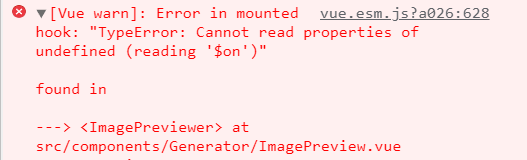
[Solved] VUE Error: Error in mounted hook: “TypeError: Cannot read properties of undefined (reading ‘$on‘)“

vue error:
vue.esm.js?a026:628 [Vue warn]: Error in mounted hook: “TypeError: Cannot read properties of undefined (reading ‘$on’)”

Solution: Add the following codes in main.js

// The event Bus is used for communication between unrelated components.
Vue.prototype.$bus = new Vue()

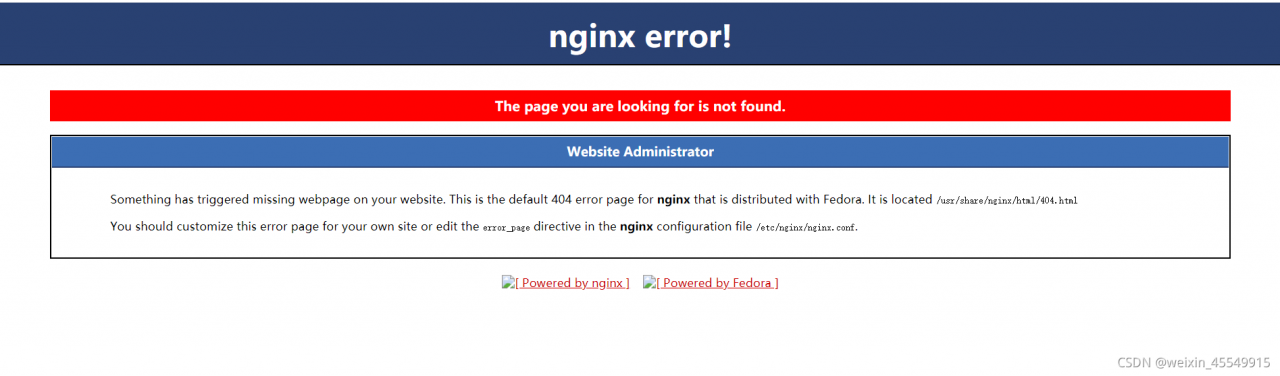
[Solved] Vue item packaging error: Failed to load resource: the server responded with a status of 404 (Not Found)

After NPM run build is executed, a dist folder will be generated, index.html will be opened, and an error will be reported on the console

As shown in the figure below:
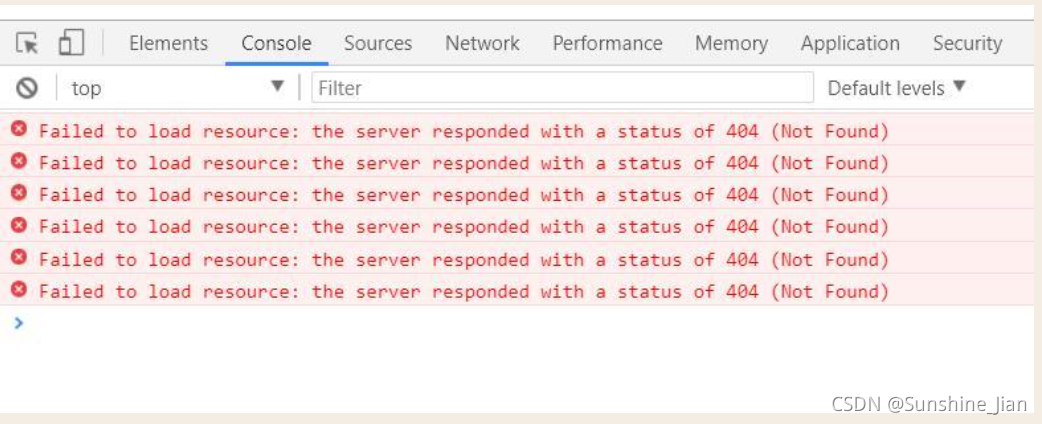
This is because the correct path cannot be found, resulting in an error.

Solution:

1. In the root directory, create a new vue.config.js file. Of course, if any, ignore this item;
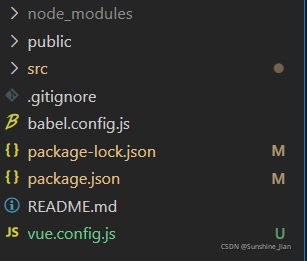
2. In vue.config.js, change publicpath: “/” to   Publicpath: “. /”, then repackage and NPM run build.

publicPath: “/”          =====>>>>>>>>       publicPath: “./”

For the location of writing, you can refer to the following code:

module.exports = {
  devServer: {
    port: 8080,
    open: true
  },
  lintOnSave: false,
  publicPath: "./",
  outputDir: "dist",
  assetsDir: "static",//Set the directory where the static resources (js, css, img, fonts) generated by the package will be placed.
  indexPath: 'index.html'//Used to set the storage location of the index.html file generated by the package
}
Vue-echarts error: was not found in vue-demi [How to Solve]

Was not found in Vue Demi

version problem. Vue-echarts6.0.0 is vue3. When it is introduced into vue2, an alarm will appear
you can go back to version 4.0.2

npm install [email protected] -S

Vue-echarts4.0.2 corresponds to echarts4, so echats also returns the version

npm install [email protected] -S

Prompt personal version record

"dependencies": {
    "core-js": "^3.6.5",
    "echarts": "^4.9.0",
    "vue": "^2.6.11",
    "vue-echarts": "^4.0.2"
  },

Introduce in main.js

import ECharts from 'vue-echarts'
// import * as echarts from 'echarts' //Global introduction
// Vue.prototype.$echats = echarts;
import 'echarts/lib/chart/line' // On-demand introduction
Vue.component('chart', ECharts)

[Solved] Vuepress Package Error: document is not defined

Write a description document for the component library, but an error is reported when packaging and deployment: the document is not defined. You can only find out the reason after checking the data, because vuepress is rendered through the node.js server when packaging, and an error is reported because there is no document object in node.js. The final solution is as follows:. Vuepress/enhanceapp.js folder

import ElementUI from 'element-ui'
import 'element-ui/lib/theme-chalk/index.css'
//The way it was introduced before - will cause an error to be reported
// import CommonUI from 'vue-common-ui'
import 'vue-common-ui/lib/vue-common-ui.css'
export default async ({ Vue }) => {
  if (typeof process === 'undefined') {
    Vue.use(ElementUI) 
    // Solve the problem of introducing your own components with the error document not found
    Vue.mixin({
      mounted() {
        import('vue-common-ui').then(function(m) {
          Vue.use(m.default)
        })
      }
    })
  }
}

After modifying the introduction method of Vue common UI components, the online address of the component library is normally packaged

JS: How to Solve split, join, toString Use error

1. Upload the array bound by multiple pictures: shopimg: [] and send it to the background. The background needs string. Comma segmentation will report an error
when using join (“-“), it will report an error. Change it to tostring() method

code:

this.personalForm.shopImg = this.personalForm.shopImg.toString();//Store photo-array to string, join will report an error, toString default comma split

2. Time array, businesstime: [“17:03”, “18:03”]
the string format of “17:03-18:03” is required in the background, and an error is reported in the join segmentation; (if you find that the store has the same business hours, you will be prompted that there are the same business hours. Then you will change the business hours and click the submit button again, and you will go through the segmentation twice. At this time, the businesstime is no longer an array, and the join method is not found – an error is reported)

if(this.personalForm.businessTime.length == 2){//After printing the error, go through the split twice and judge the length == 2 before splitting
  // console.log(this.personalForm.businessTime,'this.personalForm.businessTime time ===========');
  this.personalForm.businessTime = this.personalForm.businessTime.join("-");// business time, background to "17:03-18:03" this form
}

[Solved] Vue project deploys nginx to refresh the interface 404 Error

1. Phenomenon

2. Solution

http {
    log_format  main  '$remote_addr - $remote_user [$time_local] "$request" '
                      '$status $body_bytes_sent "$http_referer" '
                      '"$http_user_agent" "$http_x_forwarded_for"';

    access_log  /var/log/nginx/access.log  main;

    sendfile            on;
    tcp_nopush          on;
    tcp_nodelay         on;
    keepalive_timeout   65;
    types_hash_max_size 4096;

    include             /etc/nginx/mime.types;
    default_type        application/octet-stream;

    # Load modular configuration files from the /etc/nginx/conf.d directory.
    # See http://nginx.org/en/docs/ngx_core_module.html#include
    # for more information.
    include /etc/nginx/conf.d/*.conf;

    server {
        listen       8071;
        server_name  101.42.104.247;
        location/{
            root /home/intelligent_evaluation_of_rock_burst/development_project/dist;
            index index.html index.htm;
            try_files $uri $uri/ /index.html; //Add this line
        }
        #Dynamic requests
        location /api{
          include uwsgi_params;
          uwsgi_pass 127.0.0.1:5000;
        }

        # Load configuration files for the default server block.
        include /etc/nginx/default.d/*.conf;

Nginx – s reload nginx

Nginx – t test whether nginx is normal

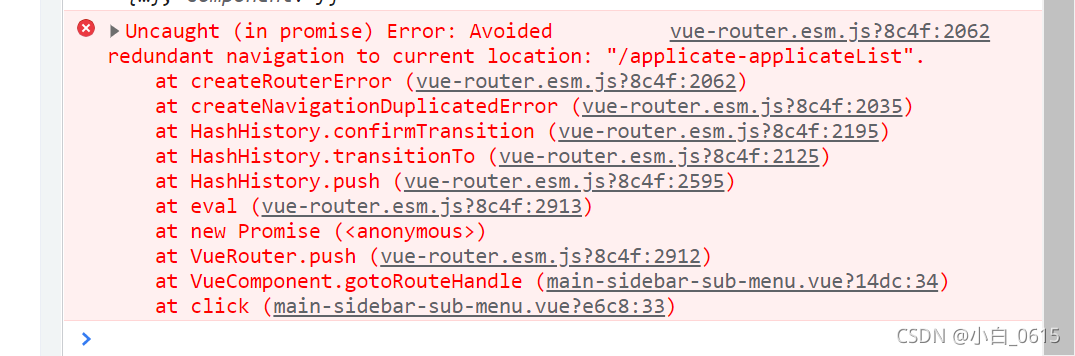
[Solved] Uncaught (in promise) Error: Avoided redundant navigation to current location:

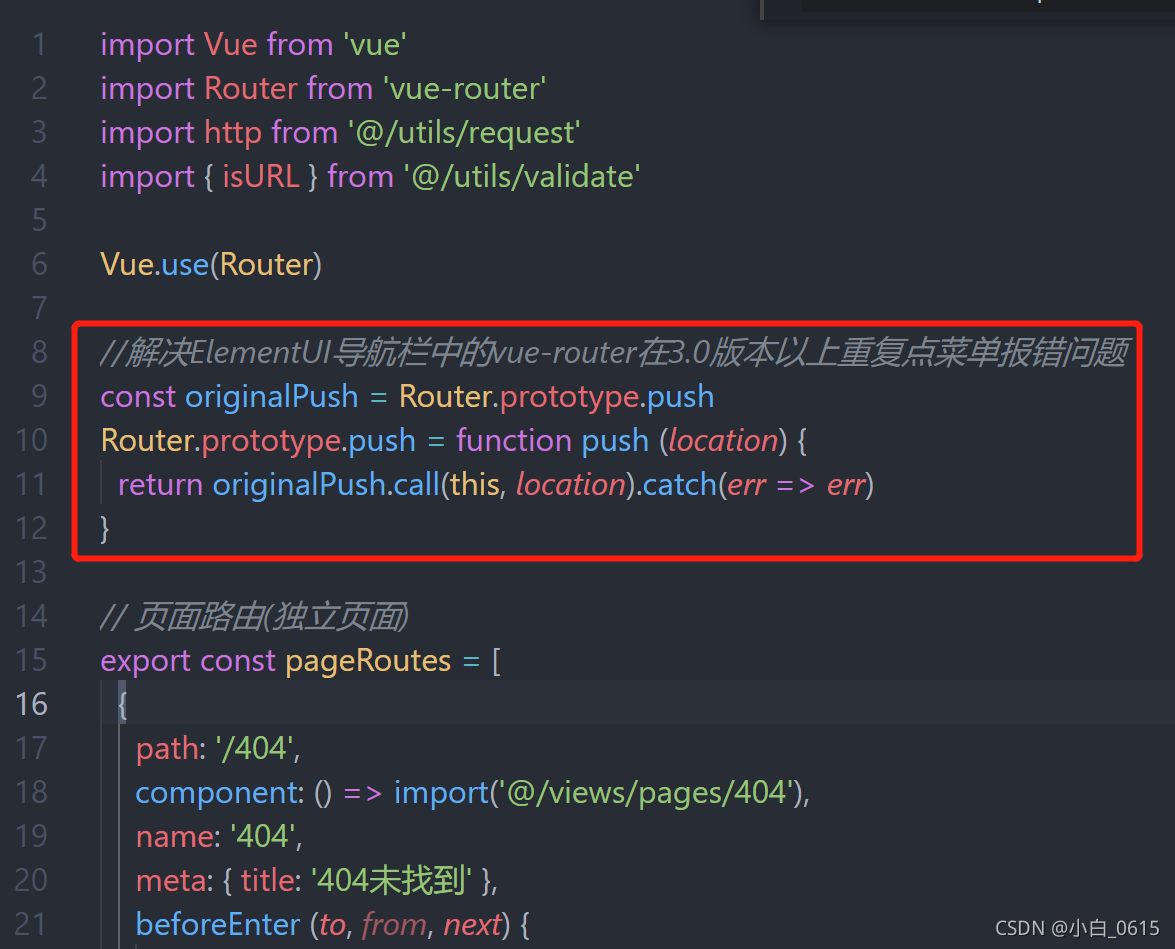
Add the following code to the routing file   router/index.js

//Solve the problem that vue-router in the navigation bar of ElementUI reports an error when repeatedly clicking the menu in version 3.0 or above
const originalPush = Router.prototype.push
Router.prototype.push = function push (location) {
  return originalPush.call(this, location).catch(err => err)
}

Good position!!!!!

Type