Category Archives: JavaScript

[Solved] AES encryption in ie11 results in an error (missing ‘)‘

Ie11 error reporting details

Analysis

Through finding the problem, it is found that the problem occurs in the crypto JS package. Because this error is reported only in ie, the page cannot be loaded. It is thought that the syntax in this package is ie incompatible

Solution:

Let this package be Babel translated

chainWebpack(config) {
    // For IE compatibility, the js under crypto-js and some node_modules have to be babel-translated
    config.module
      .rule('js')
      .exclude.clear().end()
      .include
      .add(resolve('src'))
      .add(resolve('node_modules/@quanzhiFE/qz-frontend-biz/src'))
      .add(resolve('node_modules/element-ui/lib'))
      .add(resolve('node_modules/crypto-js'))
      .end()

  }

[Solved] Vue Error: Uncaught TypeError: Vue.createApp is not a function

Project scenario:

Today, in the process of reviewing the basis of Vue, I tried to introduce and use Vue with traditional HTML and native memory, and then found that I really pulled it. The memory is not only vague, but also confused. Vue2 mixed with vue3 is there! Next, let’s see how to report the error.

Problem Description:

The HTML structure is as follows:

<!DOCTYPE html>
<html lang="en">
  <head>
    <meta charset="UTF-8" />
    <meta http-equiv="X-UA-Compatible" content="IE=edge" />
    <meta name="viewport" content="width=device-width, initial-scale=1.0" />
    <title>Document</title>
    <script src="https://cdn.jsdelivr.net/npm/[email protected]"></script>
  </head>
  <body>
    <div id="app"></div>
  </body>
  <script>
    const app = Vue.createApp({
        data() {
            return {
                message: '666'
            }
        },
        template: "<h2>{{message}}</h2>"
    })
    app.mount("#app")
  </script>
</html>

Good guy, 666 didn’t render. Just click and report me the error
Uncaught TypeError: Vue.createApp is not a function。
I’m still wondering. I think it’s ok if createapp creates a Vue application and mount it to the node?Why, vue.createapp is not available yet

Cause analysis:

Later, I read the document and found that I had mixed up vue.createapp and mount, which are the writing methods of vue3, but I introduced vue2
it is clearly written on the official website. Vue2 uses new and is an EL mount node
vue2 is written as follows:

 var app = new Vue({
   el: '#app',
   data: {
     message: '666',
   },
   template: '<h2>{{message}}</h2>',
});

The following is the way vue3 is written

 const app = Vue.createApp({
     data() {
         return {
             message: '666'
         }
     },
     template: "<h2>{{message}}</h2>"
 })
 app.mount("#app")

[Solved] Cannot read properties of undefined (reading ‘propsData‘)“

When using Vue, I always reported errors when introducing components related to menus in antd, and other components unrelated to menus can be displayed normally. This bug bothered me for a long time, and finally found a solution to the problem on GitHub.

The error information is as follows:
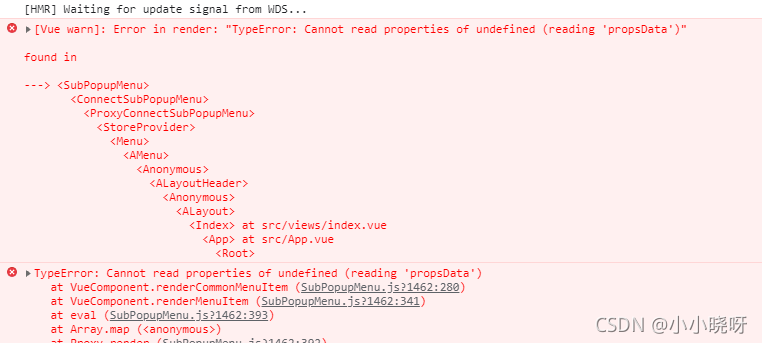
Problem Description:

I first introduced it this way:

import Vue from 'vue'
import { Menu, Layout, Icon, Breadcrumb } from 'ant-design-vue'
Vue.use(Layout)
export default {

  components: {
    'a-menu': Menu,
    'a-icon': Icon,
    'a-breadcrumb': Breadcrumb,
    'a-breadcrumb-item': Breadcrumb.Item
  },

Then the browser kept reporting errors. By checking the error information on the browser console, I probably knew that it was due to the lack of asubmenu and amenuitem. Therefore, I introduced it, but I didn’t respond, so I thought it wasn’t this problem. After asking Du Niang, I couldn’t find a solution. Finally, I found that the way I introduced it was wrong on GitHub.

The correct approach should be to introduce the following in the component:

     components: {
    'a-menu': Menu,
    'a-icon': Icon,
    'a-breadcrumb': Breadcrumb,
    'a-breadcrumb-item': Breadcrumb.Item,
    ASubMenu: Menu.SubMenu,
    AMenuItem: Menu.Item
  },

Finally, the source code of the page is attached for reference:

<template>
  <a-layout id="components-layout-demo-top-side-2">
    <a-layout-header class="header">
      <div class="logo" />
      <a-menu
        theme="dark"
        mode="horizontal"
        :default-selected-keys="['2']"
        :style="{ lineHeight: '64px' }"
      >
        <a-menu-item key="1">
          nav 1
        </a-menu-item>
        <a-menu-item key="2">
          nav 2
        </a-menu-item>
        <a-menu-item key="3">
          nav 3
        </a-menu-item>
      </a-menu>
    </a-layout-header>
    <a-layout>
      <a-layout-sider width="200" style="background: #fff">
        <a-menu
          mode="inline"
          :default-selected-keys="['1']"
          :default-open-keys="['sub1']"
          :style="{ height: '100%', borderRight: 0 }"
        >
          <a-sub-menu key="sub1">
            <span slot="title"><a-icon type="user" />subnav 1</span>
            <a-menu-item key="1">
              option1
            </a-menu-item>
            <a-menu-item key="2">
              option2
            </a-menu-item>
            <a-menu-item key="3">
              option3
            </a-menu-item>
            <a-menu-item key="4">
              option4
            </a-menu-item>
          </a-sub-menu>
          <a-sub-menu key="sub2">
            <span slot="title"><a-icon type="laptop" />subnav 2</span>
            <a-menu-item key="5">
              option5
            </a-menu-item>
            <a-menu-item key="6">
              option6
            </a-menu-item>
            <a-menu-item key="7">
              option7
            </a-menu-item>
            <a-menu-item key="8">
              option8
            </a-menu-item>
          </a-sub-menu>
          <a-sub-menu key="sub3">
            <span slot="title"><a-icon type="notification" />subnav 3</span>
            <a-menu-item key="9">
              option9
            </a-menu-item>
            <a-menu-item key="10">
              option10
            </a-menu-item>
            <a-menu-item key="11">
              option11
            </a-menu-item>
            <a-menu-item key="12">
              option12
            </a-menu-item>
          </a-sub-menu>
        </a-menu>
      </a-layout-sider>
      <a-layout style="padding: 0 24px 24px">
        <a-breadcrumb style="margin: 16px 0">
          <a-breadcrumb-item>Home</a-breadcrumb-item>
          <a-breadcrumb-item>List</a-breadcrumb-item>
          <a-breadcrumb-item>App</a-breadcrumb-item>
        </a-breadcrumb>
        <a-layout-content
          :style="{ background: '#fff', padding: '24px', margin: 0, minHeight: '280px' }"
        >
          Content
        </a-layout-content>
      </a-layout>
    </a-layout>
  </a-layout>
</template>
<script>
import Vue from 'vue'
import { Menu, Layout, Icon, Breadcrumb } from 'ant-design-vue'
Vue.use(Layout)
export default {

  components: {
    'a-menu': Menu,
    'a-icon': Icon,
    'a-breadcrumb': Breadcrumb,
    'a-breadcrumb-item': Breadcrumb.Item,
    ASubMenu: Menu.SubMenu,
    AMenuItem: Menu.Item

  },
  data () {
    return {
      collapsed: false
    }
  },
  methods: {
  }
}
</script>
<style>
#components-layout-demo-top-side-2 .logo {
  width: 120px;
  height: 31px;
  background: rgba(255, 255, 255, 0.2);
  margin: 16px 28px 16px 0;
  float: left;
}
</style>


Vue installs sass loader directly, and node sass reports an error

Vue installs sass loader directly, and node-sass reports an error

An error will be reported when using NPM I sass loader node sass - d to install directly. This is because the version of SASS loader is too high. Please install sass loader version 7.3.1

If you also need to customize the theme color, you happen to add a file named element variables.SCSS directly under SRC instead of using the command. Then you will encounter the incompatibility of node-sass versions later. On October 28, 2021, I installed version 6.0.1 here. At this time, I can change it to version 4.14.1

[Solved] Cnpm installation -g@ view/cli Error: error: eperm: operation not allowed…

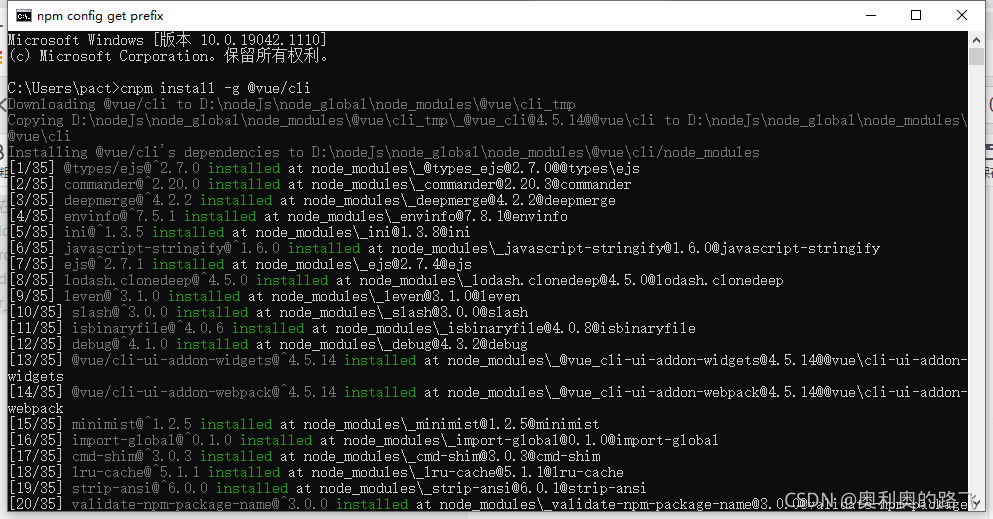
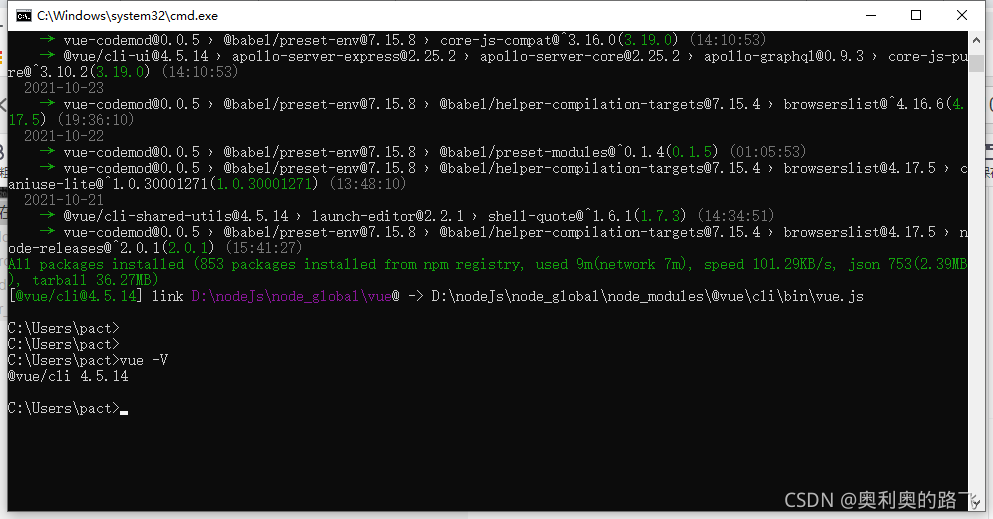
After installing node in Windows 10, node – V, NPM – V and cnpm – V are tested to be normal. Cnpm install – G @Vue/cli reports an error
error: eperm: operation not allowed, MKDIR'd:\nodejs\node_global\node_Modules\@Vue'

I found a lot of methods, but I found that the permission was insufficient, so I had a solution
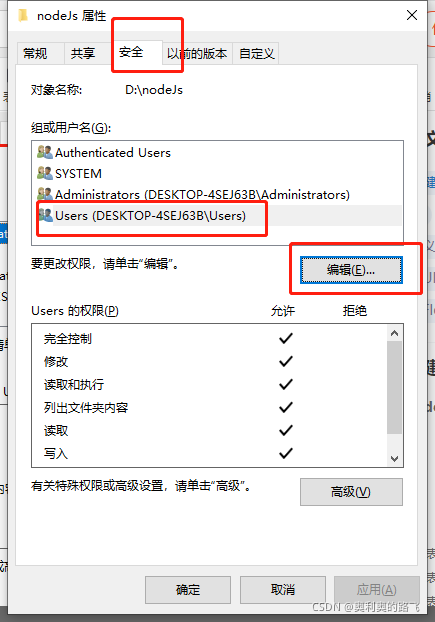
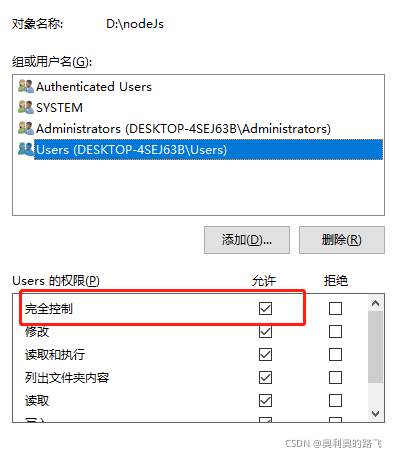
click the attribute in the directory where node is installed to find the security

it’s ok to allow the setting completely

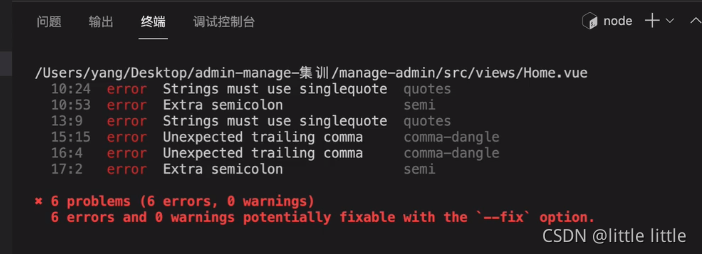
Vue: How to Solve Eslint error

After the project is built with Vue/cli, the above error will be reported after startup. The following methods can be used to avoid error reporting:

In the SRC directory, create a vue.config.js file, write the following code in the file, and then restart NPM run serve

module.exports = {
    lintOnSave:false
}

How to Solve Vscode save Vue file eslint error

Problem background

When using vscode to automatically save, it is found that there is a problem with each save format.

Solution:

There are only a few storage formats

The saving format of vscode itself uses the saving format configured by eslint
so after analysis, the problem is clear at a glance.

After investigation,
it was originally set in vscode settings.json

"editor.formatOnSave": true,

Also set

"editor.codeActionsOnSave": {
   "source.fixAll.eslint": true
},

In this way, the first save takes effect, but the second save uses other configurations, resulting in inconsistency between the two
handle

"editor.formatOnSave": true,

Just delete this configuration. When saving, you can only format it according to the eslint configuration.

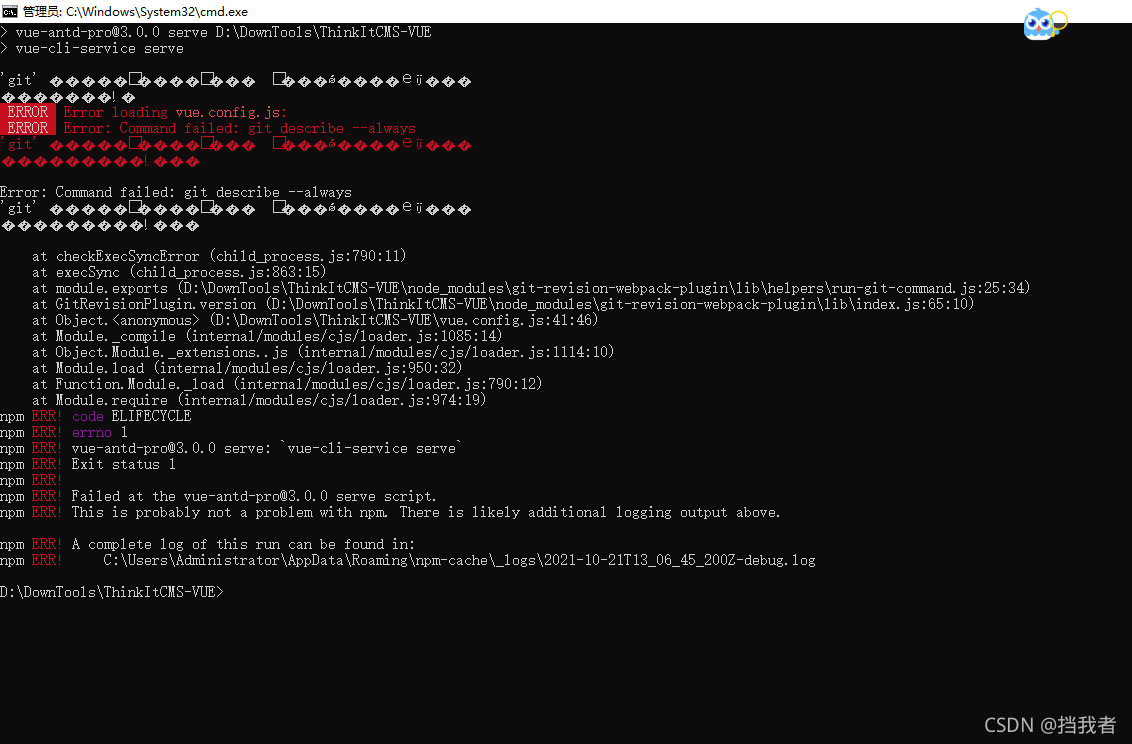
[Solved] ERROR Error loading vue.config.js: ERROR Error: Command failed: git describe

Recently, a front-end and back-end separation project was implemented using git clone. A problem was encountered during the front-end startup. Node.js was used    The NPM run serve command and the yarn run serve command will report an error when starting the front-end project. You have tried to download the dependent node that has been installed_ The modules folder and the whole front-end project still reported this problem. Baidu found the error: command failed: git describe — always, and did not find the corresponding article

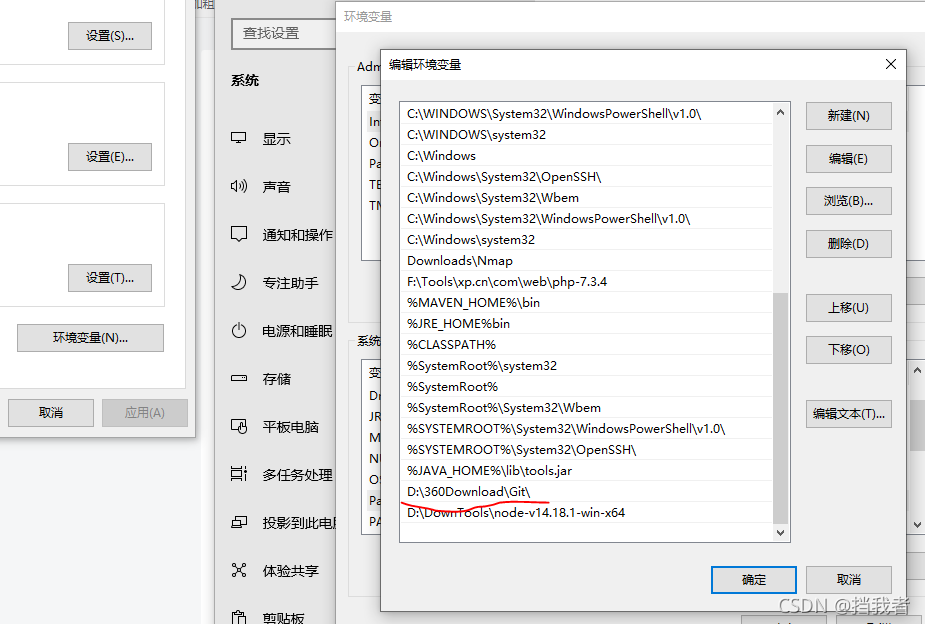
Later, I finally found the problem and reported the error because of the environment variable problem of GIT

First, this is the wrong git configuration, which leads to the error: command failed: git describe — always problem

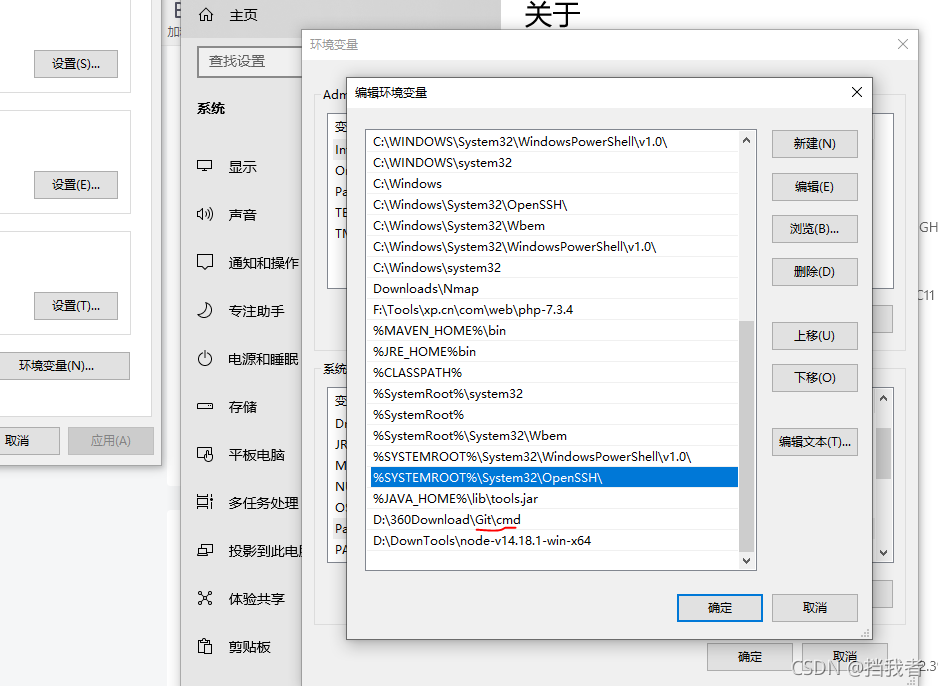
The following is how to correctly configure environment variables. Add CMD after the original path

Then, create a new CMD and enter yarn run serve to run normally. The problem I encountered is solved in this way

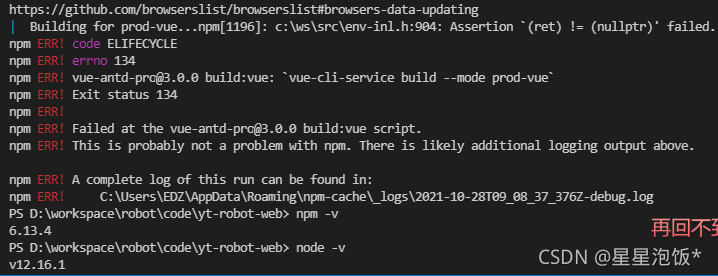
[Solved] NPM node ERROR in main..js from Terser ChildProcessWorker.initialize Excaption

Error message

ERROR in main.c3605.js from Terser
Error: Call retries were exceeded
    at ChildProcessWorker.initialize (/home/node_modules/terser-webpack-plugin/node_modules/jest-worker/build/workers/ChildProcessWorker.js:193:21)
    at ChildProcessWorker._onExit (/home/node_modules/terser-webpack-plugin/node_modules/jest-worker/build/workers/ChildProcessWorker.js:274:12)
    at ChildProcess.emit (events.js:315:20)
    at Process.ChildProcess._handle.onexit (internal/child_process.js:275:12)
npm ERR! code ELIFECYCLE
npm ERR! errno 1

How to Find the Solution:
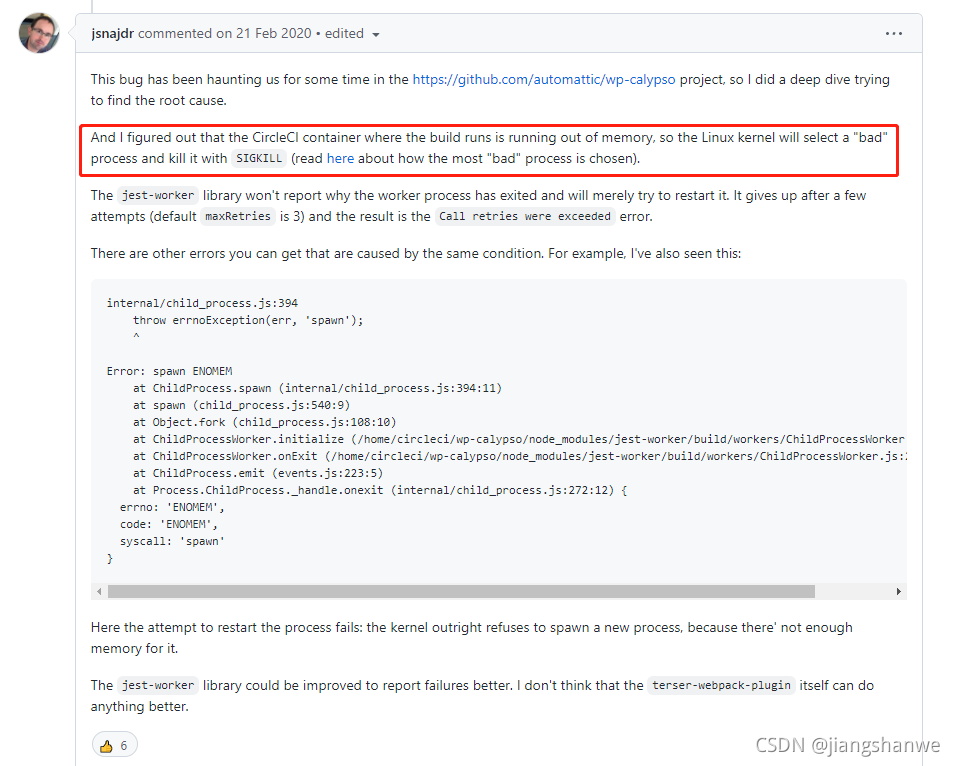
Since 2.3.0, webpack builds on CircleCI fail with “Error: Call retries were exceeded”

View operating system logs

less /var/log/messages

Solution

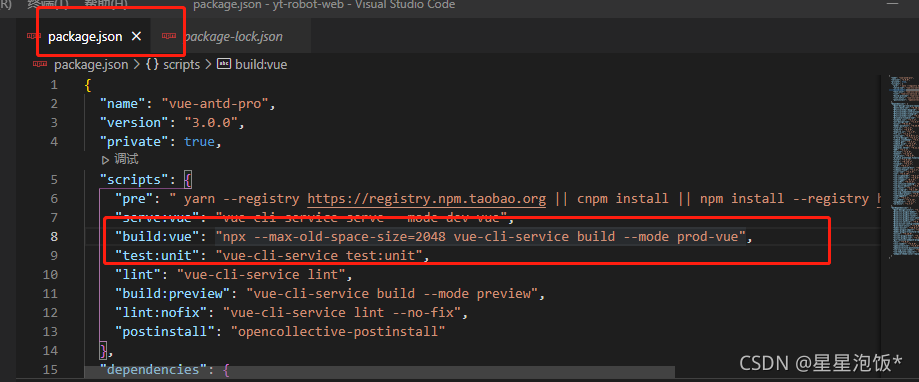
Increase server memory and reduce Max specified in the build command_old_space_Size value

[Solved] Vue2.0 Error: Syntax Error: TypeError: eslint.CLIEngine is not a constructor

Solution:
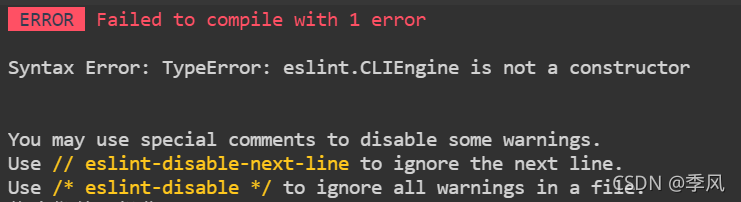
ERROR Failed to compile with 1 error
Syntax Error: TypeError: eslint.CLIEngine is not a constructor
You may use special comments to disable some warnings.
Use // eslint-disable-next-line to ignore the next line.
Use /* eslint-disable */ to ignore all warnings in a file.
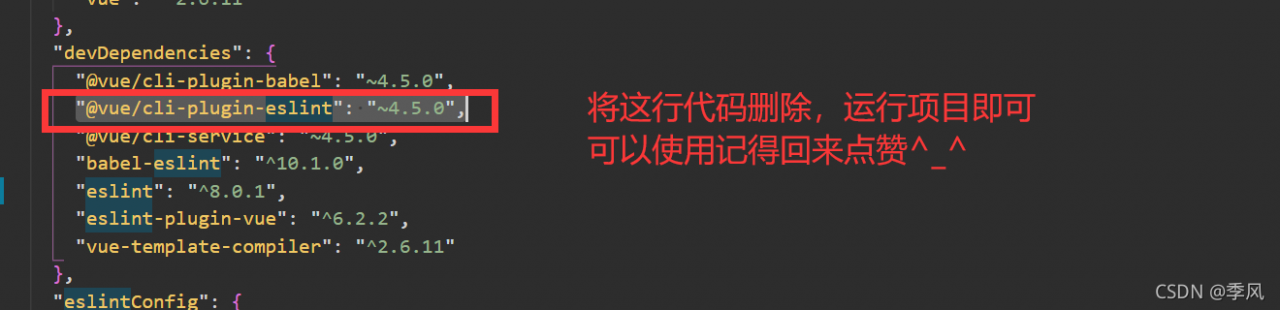
Open package.json and delete the following code and re-run

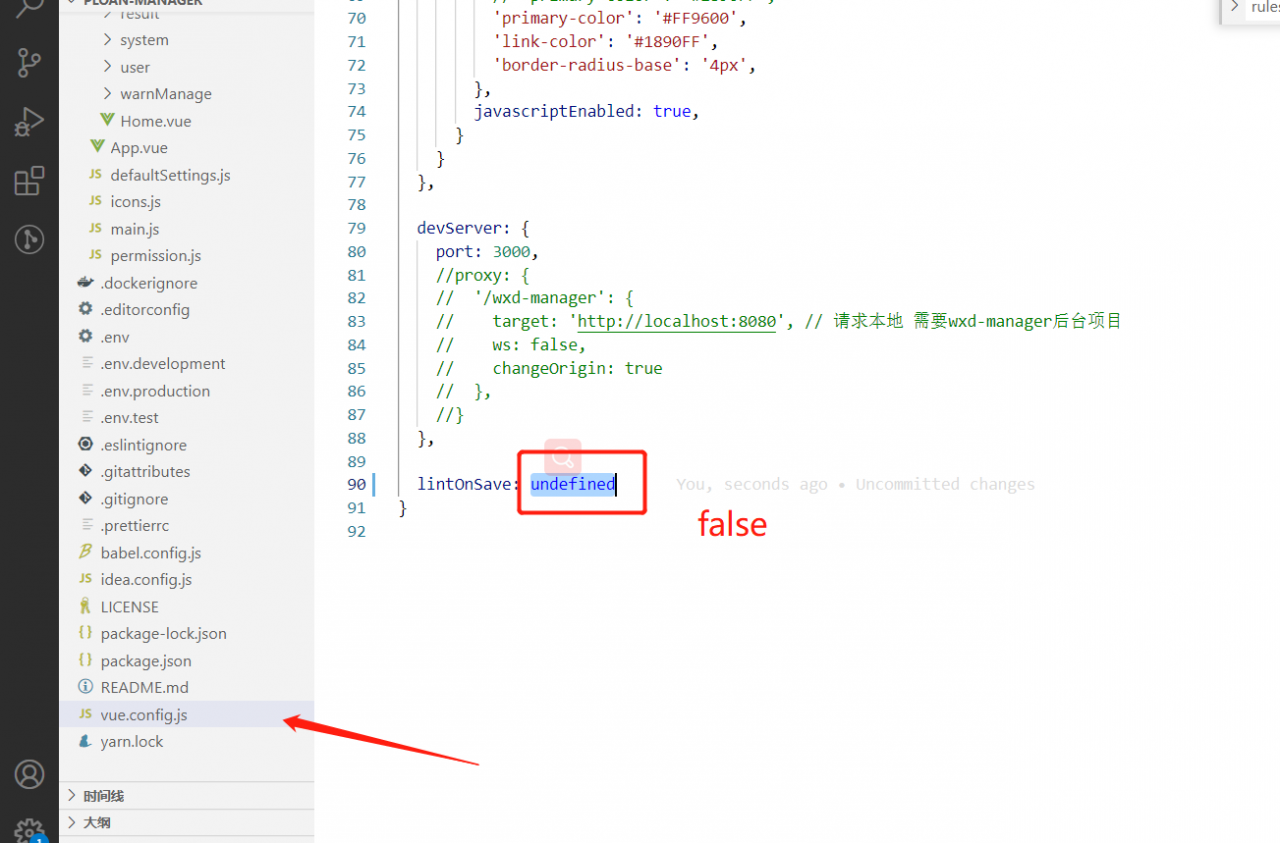
Or change lintOnSave to false in the vue.config.js file