Category Archives: How to Fix

Solve the problem that better scroll lateral scrolling has no effect

The official suggestion is to add a fixed width to the parent element to scroll,

The first scheme

Get the width of each element, ele. Offsetwidth , and add it up. Finally, add ele. Style. Width = 'cumulative width' to the parent element

The second scheme

It is recommended to use this scheme directly, so it is not necessary to calculate the width of each sub element

Parent element: Display: inline block; white-space: nowrap; sub element: Display: inline block

You can scroll directly ~.

(self: pyds.NvDsComp_BboxInfo) -> _NvBbox_Coords

Article catalog

Project scenario and Problem Description: Cause Analysis: solution:

Project scenario and Problem Description:

Call Python deepstream API and rewrite deepstream_ test_ 3. Py , the following error is reported:

TypeError: Unable to convert function return value to a Python type! The signature was
(self: pyds.NvDsComp_BboxInfo) -> _NvBbox_Coords

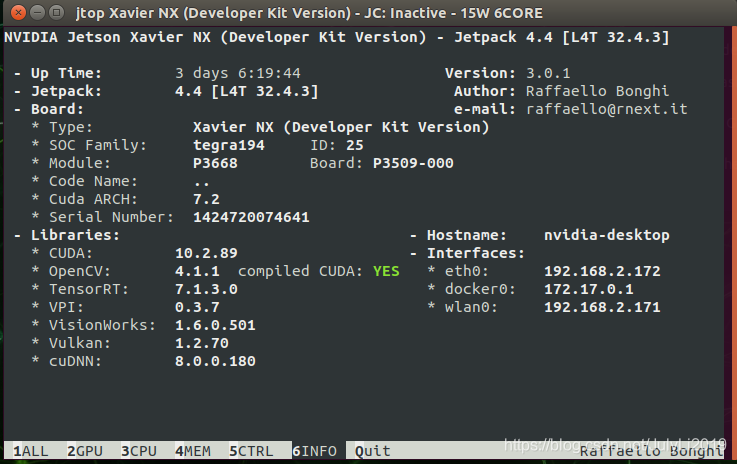
The box system configuration used this time is as follows:

Cause analysis:

Nvdscomp is missing from the current bindings_ Bboxinfo’s bindings, but you can follow this GitHub page https://github.com/mrtj/pyds_ tracker_ Similar steps published in meta create your own bindings.

Solution:

1. Download the file in the above link and unzip
2. Add pyds_ tracker_ Meta.cpp replace with pyds_ bbox_ Meta.cpp , the specific code is as follows:

#include <pybind11/pybind11.h>
#include <pybind11/stl.h>
#include "nvdsmeta.h"
#include <iostream>
#include "nvll_osd_struct.h"
#include <pybind11/numpy.h>
using namespace std;
namespace py = pybind11;

PYBIND11_MODULE(pyds_bbox_meta, m) {
    m.doc() = "pybind11 wrapper to access Nvidia DeepStream detector bbox";

#define STRING_CHAR_ARRAY(TYPE, FIELD)                             \
        [](const TYPE &self)->string {                             \
            return string(self.FIELD);                             \
        },                                                         \
        [](TYPE &self, std::string str) {                          \
            int strSize = str.size();                              \
            str.copy(self.FIELD, strSize);                         \
        },                                                         \
        py::return_value_policy::reference

	py::class_<NvDsObjectMeta>(m,"NvDsObjectMeta",py::module_local())
                .def(py::init<>())
                .def_readwrite("base_meta", &NvDsObjectMeta::base_meta)
       
                .def_readwrite("parent", &NvDsObjectMeta::parent)
        
                .def_readwrite("unique_component_id", &NvDsObjectMeta::unique_component_id)
       
                .def_readwrite("class_id", &NvDsObjectMeta::class_id)        
        
                .def_readwrite("object_id", &NvDsObjectMeta::object_id)
        
                .def_readwrite("detector_bbox_info",&NvDsObjectMeta::detector_bbox_info)

                .def_readwrite("tracker_bbox_info",&NvDsObjectMeta::tracker_bbox_info) 
            
                .def_readwrite("confidence", &NvDsObjectMeta::confidence)

                .def_readwrite("tracker_confidence",&NvDsObjectMeta::tracker_confidence)
        
                .def_readwrite("rect_params", &NvDsObjectMeta::rect_params)

                .def_readwrite("mask_params",&NvDsObjectMeta::mask_params)
	
         
                .def_readwrite("text_params", &NvDsObjectMeta::text_params)
                
                .def("cast",[](void *data) {
                        return (NvDsObjectMeta*)data;},
                        py::return_value_policy::reference)
        
                .def_property("obj_label", STRING_CHAR_ARRAY(NvDsObjectMeta, obj_label))
                .def_readwrite("classifier_meta_list", &NvDsObjectMeta::classifier_meta_list)        
     
                .def_readwrite("obj_user_meta_list", &NvDsObjectMeta::obj_user_meta_list)
                .def_property("misc_obj_info",
				[](NvDsObjectMeta &self)->py::array {
					auto dtype=py::dtype(py::format_descriptor<int>::format());
                    auto base=py::array(dtype, {MAX_USER_FIELDS}, {sizeof(int)});
                    return py::array(dtype,{MAX_USER_FIELDS}, {sizeof(int)}, self.misc_obj_info,base);
				}, [](NvDsObjectMeta& self){})
                .def_property("reserved",
				[](NvDsObjectMeta &self)->py::array {
					auto dtype=py::dtype(py::format_descriptor<int>::format());
                    auto base=py::array(dtype, {MAX_RESERVED_FIELDS}, {sizeof(int)});
                    return py::array(dtype,{MAX_RESERVED_FIELDS}, {sizeof(int)}, self.reserved,base);
				}, [](NvDsObjectMeta& self){});

	py::class_<NvOSD_RectParams>(m,"NvOSD_RectParams",py::module_local())
                .def(py::init<>())
                .def_readwrite("left",&NvOSD_RectParams::left)
                .def_readwrite("top",&NvOSD_RectParams::top)
                .def_readwrite("width",&NvOSD_RectParams::width)
                .def_readwrite("height",&NvOSD_RectParams::height)
                .def_readwrite("border_width",&NvOSD_RectParams::border_width)
                .def_readwrite("border_color",&NvOSD_RectParams::border_color)
                .def_readwrite("has_bg_color",&NvOSD_RectParams::has_bg_color)
                .def_readwrite("reserved",&NvOSD_RectParams::reserved)
                .def_readwrite("bg_color",&NvOSD_RectParams::bg_color)
                .def_readwrite("has_color_info",&NvOSD_RectParams::has_color_info)
                .def_readwrite("color_id",&NvOSD_RectParams::color_id);
	py::class_<NvDsComp_BboxInfo>(m,"NvDsComp_BboxInfo",py::module_local())
                .def(py::init<>())

                .def_readwrite("org_bbox_coords",&NvDsComp_BboxInfo::org_bbox_coords);

	 py::class_<NvBbox_Coords>(m,"NvBbox_Coords",py::module_local())
            .def(py::init<>())
            .def_readwrite("left",&NvBbox_Coords::left)
            .def_readwrite("top",&NvBbox_Coords::top)
            .def_readwrite("width",&NvBbox_Coords::width)
            .def_readwrite("height",&NvBbox_Coords::height);
}

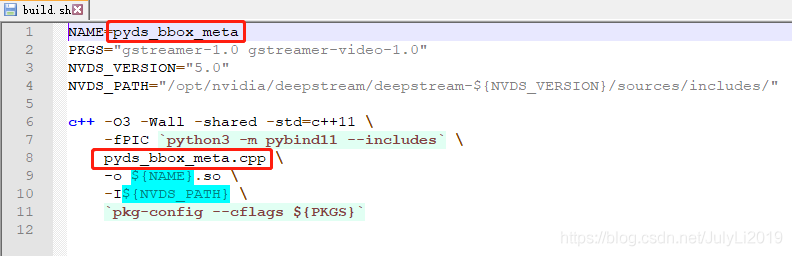
3. Change the relevant contents of build. Sh :
4. Change the relevant contents of setup. Py :

5. Run bash./build. Sh
6. Run Python setup. Py install (if necessary, use sudo or python3)
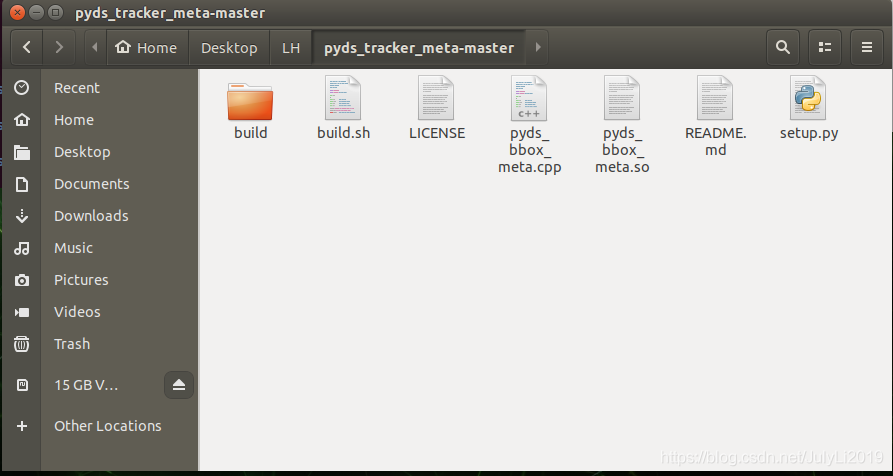
after completion, pyds will be generated_ bbox_ Meta.so file and build folder
7. In the original Python code, Import pyds_ bbox_ Meta , and the original obj_ meta = pyds.NvDsObjectMeta.cast(l_ Obj. Data) changed to obj_ meta = pyds_ bbox_ meta.NvDsObjectMeta.cast(l_ obj.data)

Examples are given below:

import pyds_bbox_meta
...  # add rest of callback code here
obj_meta=pyds_bbox_meta.NvDsObjectMeta.cast(l_obj.data)
det_info_left = obj_meta.detector_bbox_info.org_bbox_coords.left
det_info_top = obj_meta.detector_bbox_info.org_bbox_coords.top

If reading this article is useful to you, please pay attention to it and like the collection
July 23, 2021 17:39:31

Coppelia sim (vrep) turns on the solution of flash back

Coppelia sim (vrep) turns on the solution of flash back

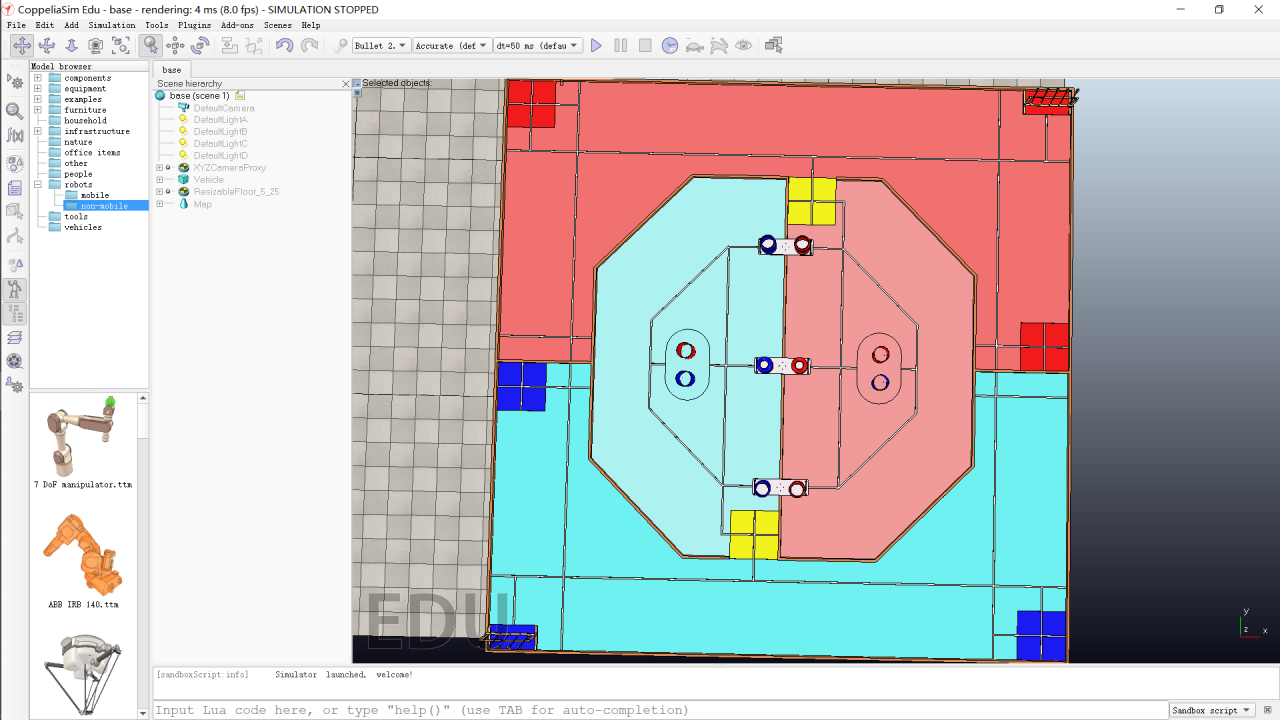
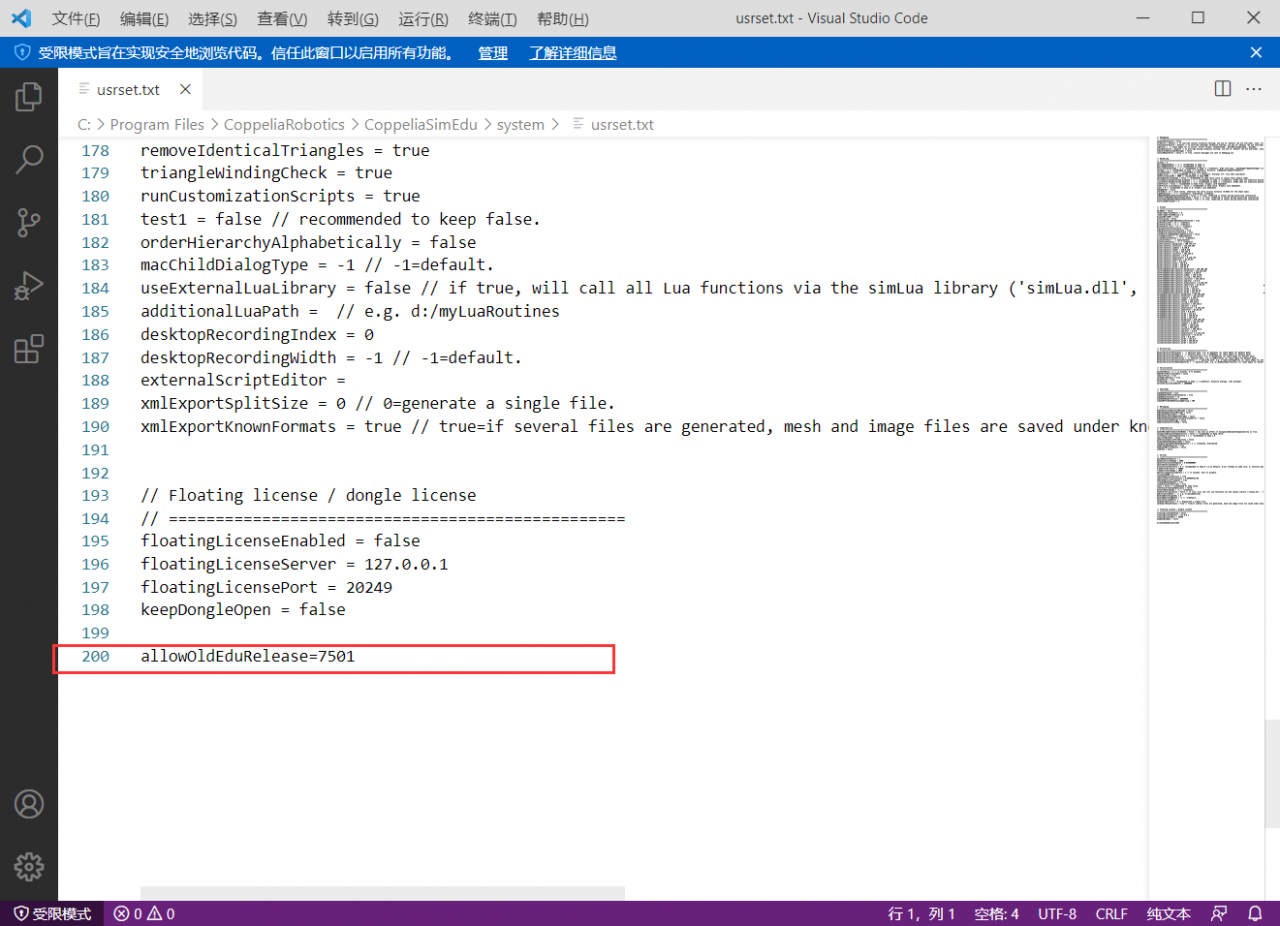
I personally use coppeliasim 4.1.0. I want to use the software to do a simulation in Zoucheng preparation today. After double clicking to open the software, it will flash back automatically. I tried several models that worked normally before, all of which are like this. Went to the official forum. The general questions section of the official forum gives solutions. Find usrset.txt in the system folder under the vrep installation directory, and add a line “allowoldedurelease = 7501” at the last line (double quotation marks are not required). As shown in the figure below

Double click the model to run normally

The problem of MAC switching JDK version and RN Android JDK version leads to compilation failure. Solve it

Make notes and notes.
refer to this
https://www.cnblogs.com/luodengxiong/p/5736806.html
How to install multi version JDK and switch under mac

Recently, I ran the old Android project and installed multiple JDK versions… Automatically installed by the as,
as a result, the Android version of the RN project reported an error. The main reason is that JDK 1.8
is required due to the problem of JDK Version (originally 1.8, openjdk 1.6 is automatically installed due to the old project…)

* What went wrong:
Could not initialize class org.codehaus.groovy.runtime.InvokerHelper

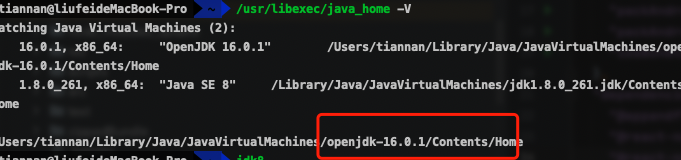
View the current version of JDK

/usr/libexec/java_home -V

If you need to switch the JDK version, just use 1.8.
refer to this for details

Install multi version JDK and switch several methods under MAC
personal use is. Bash_ The configuration mode of profile file is also convenient for switching in the future

It should be noted that after I switch, it still doesn’t take effect, and NR still can’t run,
finally enter the path of openjdk 1.6 and delete it

Failed to read artifact descriptor for com.google.errorprone:javac:jar:9+181-r4173-1

Build failure occurs when Java Maven project is executed.

Full text of error report:

[ERROR] Failed to execute goal com.microsoft.azure:azure-webapp-maven-plugin:1.12.0:config (default-cli) on project spring-petclinic: 
Execution default-cli of goal com.microsoft.azure:azure-webapp-maven-plugin:1.12.0:config failed: Plugin com.microsoft.azure:azure-webapp-maven-plugin:1.12.0 or one of its dependencies could not be resolved: 
Failed to collect dependencies at com.microsoft.azure:azure-webapp-maven-plugin:jar:1.12.0 -> com.microsoft.azure:azure-maven-plugin-lib:jar:1.4.0 -> com.microsoft.azure:azure-tools-common:jar:0.9.0 -> com.google.errorprone:error_prone_core:jar:2.4.0 -> com.google.errorprone:error_prone_check_api:jar:2.4.0 -> com.google.errorprone:javac:jar:9+181-r4173-1: 
Failed to read artifact descriptor for com.google.errorprone:javac:jar:9+181-r4173-1: Could not transfer artifact com.google.errorprone:javac:pom:9+181-r4173-1 from/to aliyunmaven (https://maven.aliyun.com/repository/public): 
Access denied to: https://maven.aliyun.com/repository/public/com/google/errorprone/javac/9+181-r4173-1/javac-9+181-r4173-1.pom -> [Help 1]

resolvent:

reach   https://mvnrepository.com/   Find javac-9 + 181-r4173-1 in and download it   Error Prone Javac

Download in files   Javac-9 + 181-r4173-1.jar to local// Attempted to add dependency in pom.xml, invalid.

Then, execute the following command in CMD:

mvn install:install-file -DgroupId=com.google.errorprone -DartifactId=javac -Dversion=9+181-r4173-1 -Dpackaging=jar -Dfile=C:\Users\Administrator\Downloads\javac-9+181-r4173-1.jar

It can be installed normally.

reference:

https://www.freesion.com/article/74941283048/

Solve NPM err! code 128

An error is reported after NPM install

npm ERR! code 128
npm ERR! An unknown git error occurred
npm ERR! command git --no-replace-objects ls-remote ssh://[email protected]/adobe-webplatform/eve.git
npm ERR! [email protected]: Permission denied (publickey).
npm ERR! fatal: Could not read from remote repository.
npm ERR!
npm ERR! Please make sure you have the correct access rights
npm ERR! and the repository exists.

npm ERR! A complete log of this run can be found in:
npm ERR!     C:\Users\AppData\Local\npm-cache\_logs\2021-07-22T03_30_02_444Z-debug.log

  solve:

git config --globalurl."https://".insteadOfgit://

npm cache clean --force

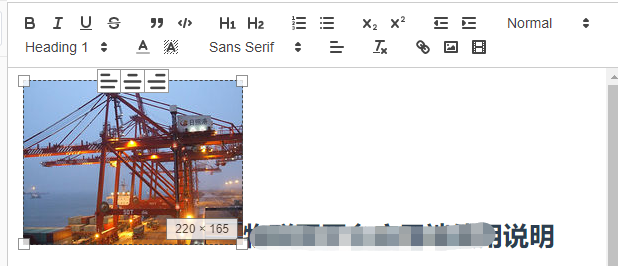
quill Cannot import ImageResize. Are you sure it was registered?

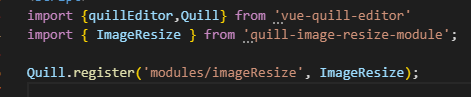
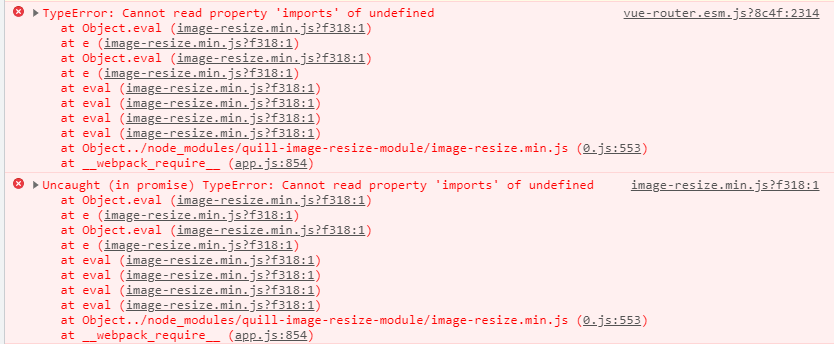
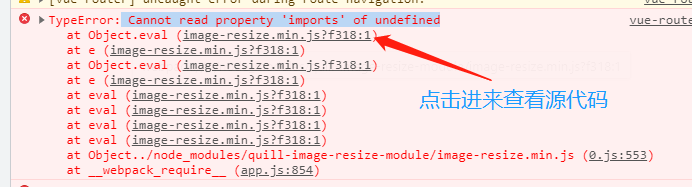
When using Vue quill editor rich text editor, an error is reported when registering the plug-in provided by Vue quill editor. Typeerror: cannot read property ‘imports’ of undefined; quill Cannot import ImageResize. Are you sure it was registered?

First look at the error code

quill cannot import imageresize. Are you sure it was registered
Cannot read property ‘imports’ of undefined

There are many solutions on the Internet for webpack, but the invalid pro test may be the version problem. Relatively speaking, this solution is not very friendly, because most apes don’t know enough about webpack

To get to the point, first read the newspaper wrong

    error content: the undefined attribute ‘imports’ or cannot be read. You can download this JS file to see the error at a glance. When calling the window.quill.imports method, the window.quill is undefined, that is, the plug-in is loaded earlier than quild, and there is no window.quill. This object .
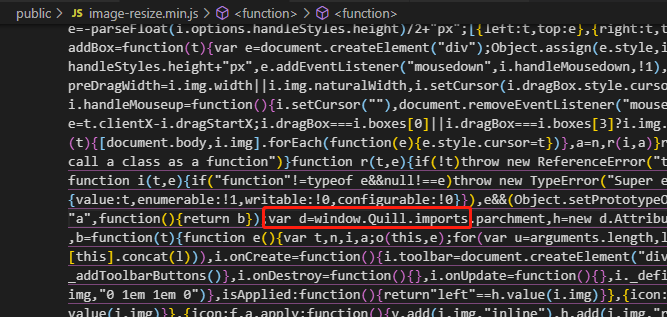
    4. The solution is directly to the code. First, you can Download the JS file of the module to be imported. My JS file is image-resize.min.js. This JS file can be downloaded from the official document. If it has been installed, you can download your own node_ Find
    main.js in the modules folder. When importing, write the following code to ensure that window.quil exists when registering the plug-in, and all problems will be solved

    	 import {Quill} from 'vue-quill-editor' 
    	window.Quill = Quill
    	
    	const scriptEl = document.createElement('script'); 
    	scriptEl.charset = 'utf-8' 
    	scriptEl.src =  './image-resize.min.js' 
    	const head = document.head || document.getElementsByTagName('head')[0]; 
    	head.appendChild(scriptEl);
    

    Summary

    No matter how you register components

    Quill.register(‘modules/imageResize’, ImageResize); var Module = Quill.import(‘core/module’); class CustomModule extends Module {} Quill.register(‘modules/custom-module’, CustomModule);

    Can be introduced by the above methods, simple and practical

[actual record of Android stepping on the pit] Android studio reports an error invalid gradle JDK configuration found after importing the project

Encountered this problem, as a result, no blog is the right way to deal with it

Error reporting reason

Mismatched configuration files are generated after directly opening the project or importing the project with an incorrect JDK path

Solution

Delete the file with the suffix “. IML” under the. Idea path, and then set the correct JDK path. A JDK is available in the Android studio directory. Then file – & gt; Sync project with gradle files, the IDE will regenerate a matching configuration file and solve the problem.

Importerror: no module named typing error reporting solution (python2 PIP needs to be backed back from 21)

The default installation of PIP for python2 is version 21. This version is no longer supported, so an error is reported when executing pip. You need to back up the PIP version and execute the following command

curl -O https://bootstrap.pypa.io/pip/2.7/get-pip.py
python get-pip.py
python -m pip install --upgrade "pip < 21.0"