Category Archives: How to Fix

The scan of annotations for web application [] could not be completed due to a stackoverflower error. Possible root causes include the low setting of – XSS and illegal circular inheritance dependencies. The class hierarchy being processed is

Solution:
exclude the scanning of the above jar packages in the conf/Catalina. Properties file of tomcat, that is, add the following at the end of tomcat.util.scan.standardjarscanfilter.jarstoskip in the conf/Catalina. Properties file:

bcpkix-*.jar,bcprov-*.jar,fr-*.jar

If you feel that Tomcat starts slowly, it is because you want to scan servlet3.0 annotations in jars. You can increase the speed by adding jars that do not need to be scanned at the end of tomcat.util.scan.standardjarscanfilter.jarstoskip in the conf/Catalina. Properties file, such as:

spring-amqp-*.jar,\

spring-aop-*.jar,\

spring-aspects-*.jar,\

spring-beans-*.jar,\

Record the problem and complete the solution.

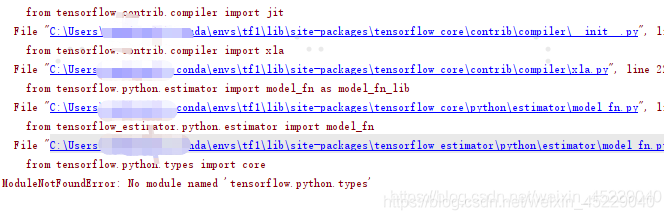
Tensorflow operation report error modulenotfounderror: no module named ‘tensorflow. Python. Types’ solution

Running with tensorflow 1.15, the following error occurs:,

terms of settlement:

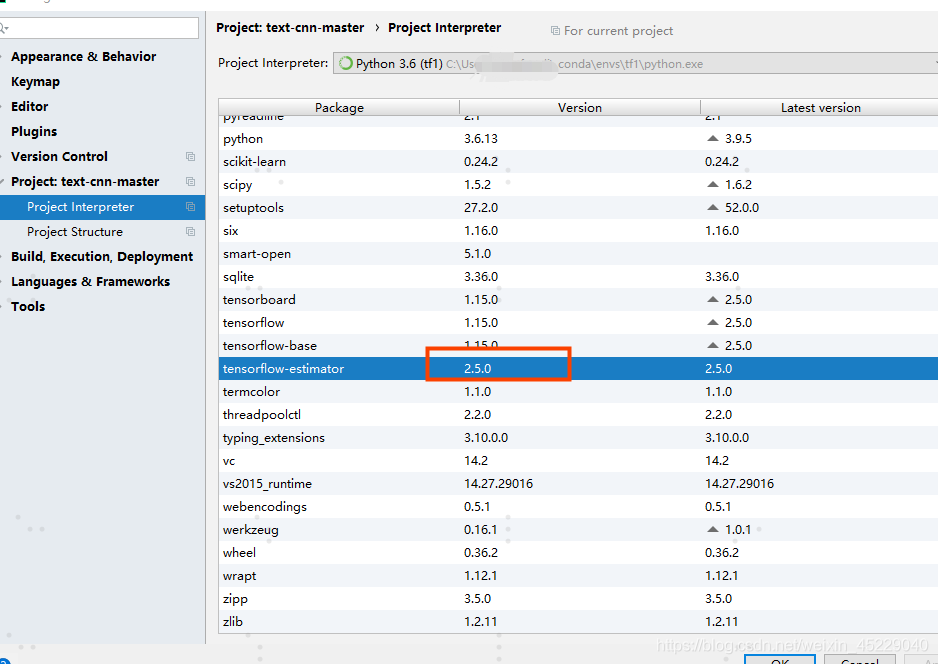
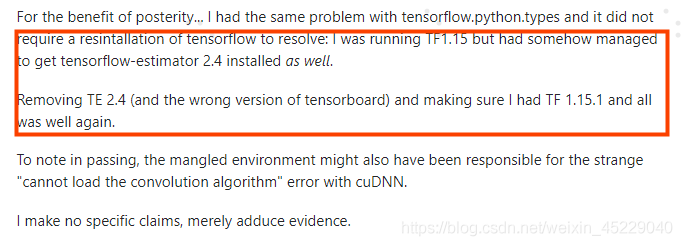
It is found that the tensorflow estimator installed automatically when installing 1.15.0 is version 2.5.0 (Figure 2)

Uninstall version 2.5: PIP uninstall   tensorflow-estimator

Reinstall version 1.15: CONDA install    tensorflow-estimator==1.15.1   Or pip   install    Tensorflow estimator = = 1.15.1 (I installed it with Canda, but failed to use pip, prompting an error, valueerror: check_ hostname requires server_ Hostname, after searching this error, I need to close the agent, but I rely on the agent to connect to the network but not close…)

Problem solving.

Note: the reason for installing 1.15.1 is that version 1.15.0 is not found. If you want to download the manual installation from the official website, you can only find tensorflow CPU estimator 1.15.1, search results · pypi

  Reference: modulenotfounderror: no module named ‘tensorflow. Python. Types’ – stack overflow

Could NOT find CUDNN: Found unsuitable version “..“, but required is at least “6“

Phenomenon: when compiling CUDA version of opencv4.1, cudnn was not found when using cmake configuration, but it was actually installed

Reason: since the cudnn version installed is 8.2, the macro definition (cudnn) of cudnn version was originally recorded_ Major and cudnn_ Minor) moved from cudnn. H to   cudnn_ version.h。

Resolution: not processed

It’s not known if it will affect the compilation, but camke found cudnn. So ((found/usr/local/cuda-11.1/lib64/libcudnn. So)).

Vscode cannot write user settings. Open user settings, clear errors or warnings, and then type again

Vscode cannot write user settings. Open user settings, clear errors or warnings, and then type again

Question: in the evening, when my younger brother asked me about his vscode installation plug-in, it always showed that the user settings could not be written. Please open the user settings, clear the errors or warnings, and then repeat the warning. So I looked at it remotely for him, missing a bracket

Solution

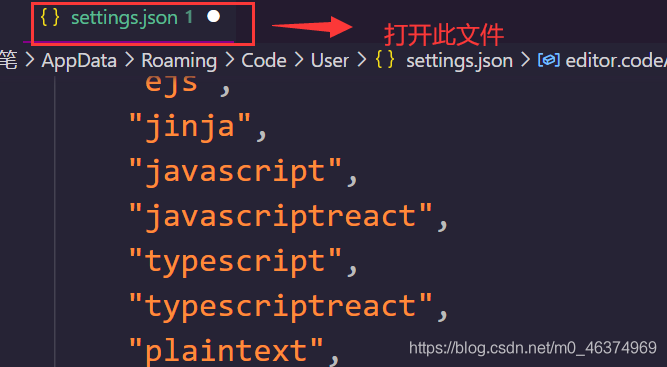
In case of such an error, open the problem first, and you will be prompted that there is a problem with the settings.json file. Click to open the settings configuration settings.json file.

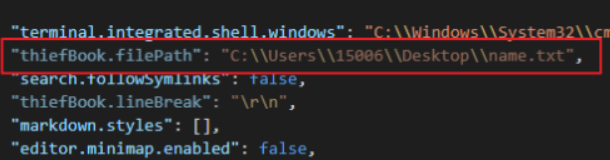
If you uninstall some plug-ins, the settings.json will show that the configuration of the uninstalled plug-ins is gray. Delete the gray line to ensure that your file JSON format is correct. At this time, if you select the default configuration of some functions, you will not be prompted that the user configuration cannot be written.

Check whether the settings.json file has red wavy lines, commas, parentheses, etc


circuit_breaking_exception,“reason“:“[parent] Data too large, data for [<http_request>]

Es circuit breaker, the JVM heap memory is not enough to load data for the current query, so it will report data too large, and the request is blown.

1、 Cause of occurrence

There are too many batch import data or too many query data, which is more frequent  

When the cluster status is yellow or red, analyze the reason:

GET _ cluster/allocation/explain

2、 Periodically clean up the cache

The regular memory cleaning can not ensure the availability of the server. However, if the memory is not enough, the ES can increase the availability of the service.

Although the query may be slow, it is much better than directly reporting an error, unable to query and unsuccessful data saving

1. Clean cache method

delete   data acquisition   Indexes   Cache:   POST  / collect_ data*/_ cache/clear

monitor   Field cache: get  /_ stats/fielddata?fields=*

2. Restart cluster node

If the cleanup cache is invalid_ Cache/clear, then restart.

If it occurs frequently    The data too large is abnormal. I think it can be reduced again    indices.fielddata.cache.size   This setting. Let it clean up the cache as soon as possible.

Increase at the same time   The available memory of ES, and the limit size corresponding to the available memory: i.e   indices.breaker..limit

Through monitoring, find the cause of the problem: get  /_ cluster/stats?pretty

3、 Optimize query

1. Increase server memory and ES cluster

When there is too much index data and the server memory is too small, even if the cache is cleaned regularly, the  _ In cache/clear, there is still an exception that triggers the fuse. At this time, we can only consider upgrading the memory and expanding the ES cluster.

2. Avoid using   Index name*

This method is similar to select * from table

For example, I generate an index every year or every month   user_ 2020, and user_ two thousand and nineteen

When querying, I use the index as follows:   user*   This will definitely affect the query performance,

If a complex aggregation statement, es will aggregate all indexes beginning with user, which must occupy a lot of memory.

At this time, you can consider whether it is the query statement usage of ES?Check and optimize

More tuning References:    https://blog.csdn.net/andy_ only/article/details/98172044

3. JVM configuration uses G1 garbage collector
ParserError: Error tokenizing data. C error: EOF inside string starting at row 917

Solution:

Add when reading files   quoting=csv.QUOTE_ NONE

  data = pd.read_ csv(path + ‘/’ + fn,quoting=csv.QUOTE_ NONE)

Quote mode is no reference. When reading, it is considered that the content is not surrounded by the default reference character (“).

Relevant knowledge points:

pandas.read_ CSV parameters

quoting  : int or csv.QUOTE_* instance, default 0

Controls quotation mark constants in CSV.

Optional quote_ MINIMAL (0), QUOTE_ ALL (1), QUOTE_ NONNUMERIC (2) ,QUOTE_ NONE (3)

Other similar errors

1、pandas.errors.ParserError: Error tokenizing data. C error: Expected * fields in line *, saw *

solve:

Method A. add parameters when reading files     error_ bad_ Lines = false # add parameters

data= pd.read_ csv(data_ file,   error_ bad_ lines=False)

When reading CSV files, the separator defaults to comma. Analysis shows that a cell in the read data contains two fields, that is, the value may contain two commas

Method B. open the file to another format required by the dataset. Do not be lazy and modify the suffix directly. For example, some formats can be modified by converting Excel to CSV and saving manually to ensure uniform format

The fundamental reason is that the data format is incorrect, which makes it impossible to read correctly. We should solve it from the aspect of file content format

[actual record of Android stepping on the pit] Android studio runs with errors. Installed build tools revision 31 is broken

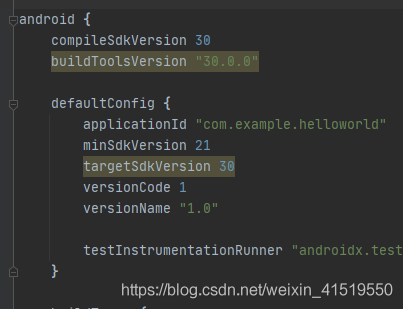
The IDE advised me to reinstall the build tools. After many times of reinstallation, I still reported an error. Then I saw that there was an error in the version 30 of my brother online, and then it was reduced to 29. If I had passed the build, I reduced 31 to 30, and then it passed
obviously, the compatibility and stability of the new version are poor
in the Android of the global build.gradle,
change 31 to 30, as shown in the figure below.
resync and then build.

Error in installing MySQL devel for CentOS MySQL

Question

Execute Yum install MySQL devel to install the development environment. An error occurs

[root@VM-0-17-centos software]# yum install mysql-devel
Loaded plugins: fastestmirror, langpacks
Loading mirror speeds from cached hostfile
 * centos-sclo-rh: mirrors.163.com
 * centos-sclo-sclo: mirrors.163.com
Resolving Dependencies
--> Running transaction check
---> Package mariadb-devel.i686 1:5.5.68-1.el7 will be installed
--> Processing Dependency: mariadb-libs(x86-32) = 1:5.5.68-1.el7 for package: 1:mariadb-devel-5.5.68-1.el7.i686
--> Processing Dependency: libmysqlclient.so.18 for package: 1:mariadb-devel-5.5.68-1.el7.i686
---> Package mariadb-devel.x86_64 1:5.5.68-1.el7 will be installed
--> Processing Dependency: mariadb-libs(x86-64) = 1:5.5.68-1.el7 for package: 1:mariadb-devel-5.5.68-1.el7.x86_64
--> Running transaction check
---> Package mariadb-libs.i686 1:5.5.68-1.el7 will be installed
---> Package mariadb-libs.x86_64 1:5.5.68-1.el7 will be installed
Removing mariadb-libs.i686 1:5.5.68-1.el7 - u due to obsoletes from installed mysql-community-libs-5.7.34-1.el7.x86_64
Removing mariadb-libs.x86_64 1:5.5.68-1.el7 - u due to obsoletes from installed mysql-community-libs-5.7.34-1.el7.x86_64
--> Restarting Dependency Resolution with new changes.
--> Running transaction check
---> Package mariadb-libs.i686 1:5.5.68-1.el7 will be installed
--> Processing Dependency: mariadb-libs(x86-32) = 1:5.5.68-1.el7 for package: 1:mariadb-devel-5.5.68-1.el7.i686
--> Processing Dependency: libmysqlclient.so.18 for package: 1:mariadb-devel-5.5.68-1.el7.i686
---> Package mariadb-libs.x86_64 1:5.5.68-1.el7 will be installed
--> Processing Dependency: mariadb-libs(x86-64) = 1:5.5.68-1.el7 for package: 1:mariadb-devel-5.5.68-1.el7.x86_64
--> Finished Dependency Resolution
Error: Package: 1:mariadb-devel-5.5.68-1.el7.i686 (os)
           Requires: libmysqlclient.so.18
Error: Package: 1:mariadb-devel-5.5.68-1.el7.x86_64 (os)
           Requires: mariadb-libs(x86-64) = 1:5.5.68-1.el7
Error: Package: 1:mariadb-devel-5.5.68-1.el7.i686 (os)
           Requires: mariadb-libs(x86-32) = 1:5.5.68-1.el7
 You could try using --skip-broken to work around the problem
** Found 1 pre-existing rpmdb problem(s), 'yum check' output follows:
rdma-core-devel-51mlnx1-1.51066.x86_64 has missing requires of ibacm(x86-64) = ('0', '51mlnx1', '1.51066')

reason

Because there is no MySQL source, you will be prompted to install mariadb-devel-5.5.50-1.el7 when installing MySQL devel_ 2.x86_ 64, and the system does not have mysql_ config

Solution

wget http://repo.mysql.com/mysql57-community-release-el7-10.noarch.rpm
rpm -ivh mysql57-community-release-el7-10.noarch.rpm
ls /etc/yum.repos.d/

The installation source appears

[root@VM-0-17-centos software]# ls /etc/yum.repos.d/
CentOS-Base.repo  CentOS-Epel.repo  CentOS-SCLo-scl.repo  CentOS-SCLo-scl-rh.repo  mysql-community.repo  mysql-community-source.repo

Continue to complete the installation

yum install mysql-devel

Android studio installation virtual machine error ® HAXM installation failed.

Android studio virtual machine installation error

Intel ® HAXM installation failed. To install Intel ® HAXM follow the instructions found at: https://github.com/intel/haxm/wiki/Installation-Instructions-on-Windows

After consulting the online materials, it is said that the problems and solutions such as AMD processor and BIOS settings can be checked in this article

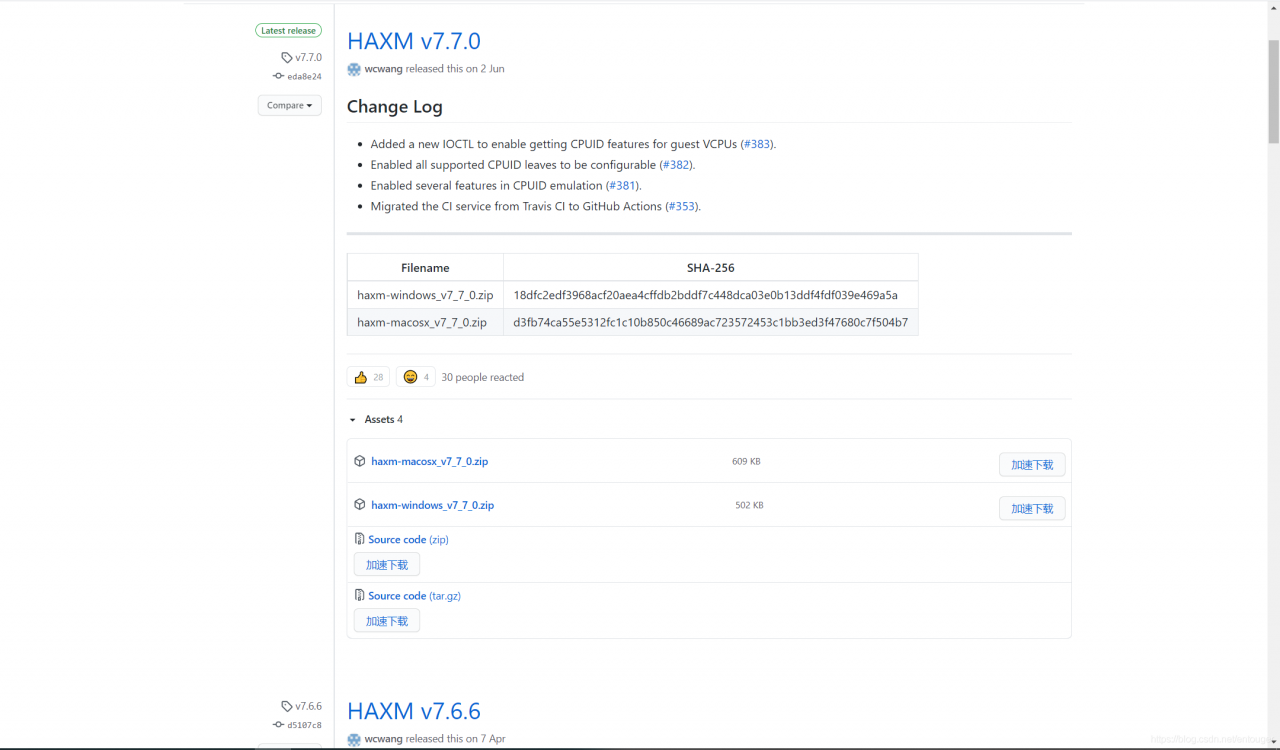
My computer is Huawei matebook13, which is definitely not a processor problem. Then I opened the official git address and found out the solution:

Open haxm official Git


Click download    haxm-windows_ v7_ 7_ 0.zip, unzip and install the EXE file inside.

After installation, look at Android studio and the problem is solved.

Mybatis property loading order [How to Solve]

Mybatis property loading order

⚠️ Note: if a property is configured in more than one place, mybatis will be loaded in the following order:

First read the properties specified in the properties element body. Then read the config.properties file under the classpath according to the resource attribute in the properties element, or read the property file according to the path specified by the URL attribute, and overwrite the previously read property with the same name. Finally, read the property passed as a method parameter and overwrite the previously read property with the same name.

Sort by priority: method parameters > Profile > Properties element properties