Category Archives: How to Fix

The fastest way to solve the problem of error reporting from crypto.cipher import AES

In my personal development process, I need to use the encryption method, but in the process of quoting from crypto.cipher import AES, it has been reported that the crypto module does not exist. Baidu finally found a solution after a few days
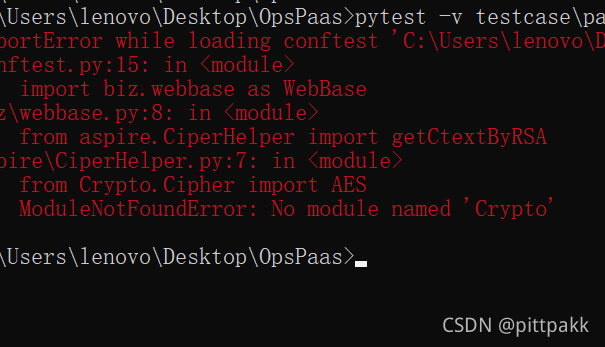
 

I use Python 3.9

1、 First perform the following 2 steps

1.pip   install crypto

2.pip   install pycryptohome

2、 After the installation is completed, you can use it directly or prompt that it cannot be found:

1. Change crypto to uppercase
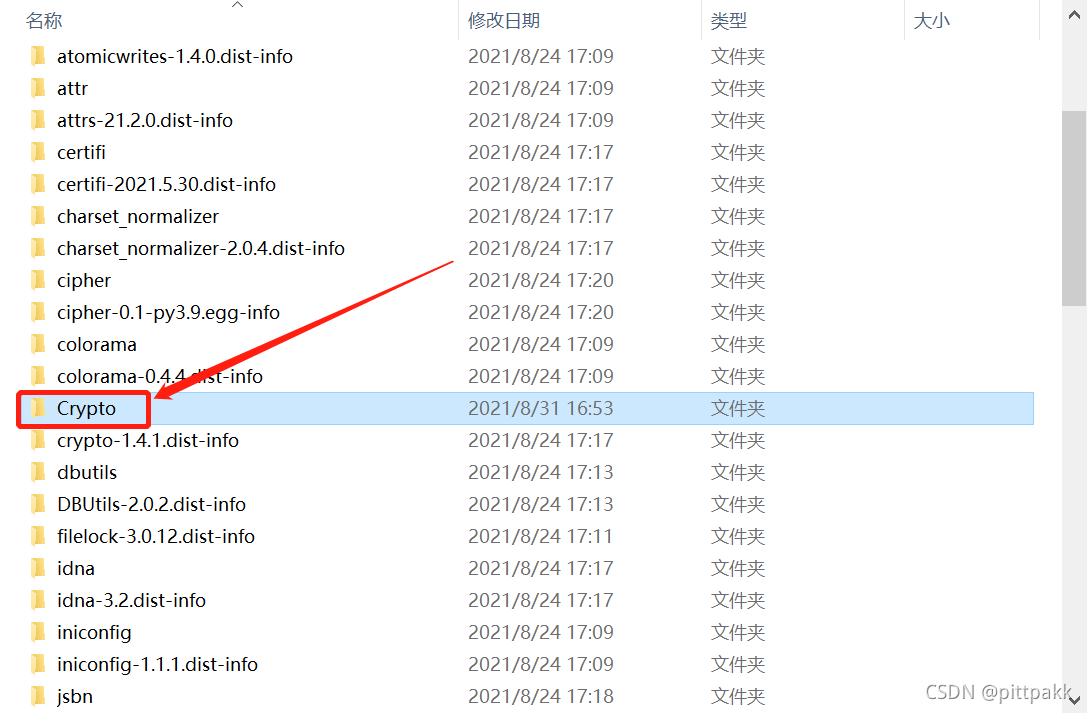
 

So far, the problem has been solved
 

Failed to get HbA FCP target mapping in lanfree backup

Premise: dataark software lanfree backup
establishes a connection with the client through the FC card

First execute the following three commands

echo 1>/ sys/class/fc_ host/host15/issue_ lip
echo ‘- – -’ >/ sys/class/scsi_ host/host15/scan
/opt/scutech/dbackup3/bin/lsscsi

Then initiate the backup job in the client umount/MNT directory

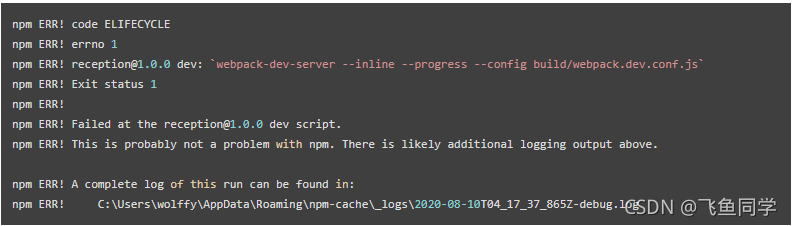
Error “NPM err” when starting Vue project! code ELIFECYCLE”

Since NPM and cnpm have been used together before, there is no problem. Today, when starting the Vue project, I encountered an error “NPM”   ERR!   code   “Elifecycle” was initially used with NPM   Run started and later changed to cnpm   Neither can run.

  After checking the information, it is mostly said on the Internet that it is because of node_ There is a problem with the installation of modules. The basic solution is to clear the cache and reinstall.

The following steps are summarized:

1、npm   cache   clean  — force

2、rm  – rf   node_ modules

3、rm  – rf   Package-lock.json (optional)

4、npm   install


Error in web.xml file: error while downloading

Complete error message: error while downloading‘ http://www.w3.org/2001/xml.xsd ’To C:
\ users \ jarvis5. Lemminx \ cache \ http \ www.w3. ORG \ 2001 \ xml.xsd. It is speculated that there should be an error in the file download path. According to the error information, find the folder under the relevant path. It is found that there are two folders: http and HTTPS, As shown in the figure:
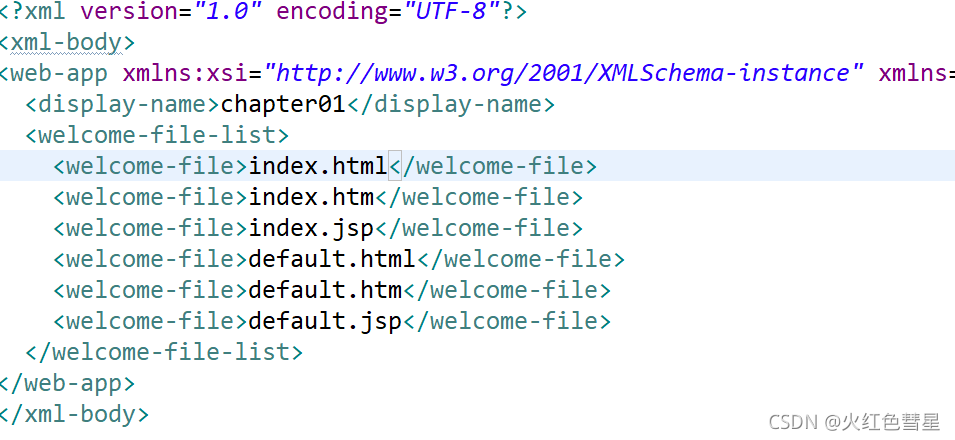
click the two folders and find the file content prompted in the error message (www.w3. Org/2001/XML. XSD) in the HTTPS file, so change the HTTP in the XML file to HTTPS and the error message disappears
before modification:

After modification:

or add & lt; xml-body> tag, the error message disappears:

(the content is for reference only, please point out if there is an error!)

The C language qsort() function reports an error for overflow of – 2147483648 and 2147483648

Today, I encountered the need to use qsort function in the force deduction problem. As a result, there was no test case. The error reports are as follows

signed integer overflow: 0 – -2147483648 cannot be represented in type ‘int

Signed integer overflow: 0 — 2147483648 cannot be represented in type ‘Int’

The error was reported in the CMP function. At that time, I wondered if it was still within the range. I thought about it and found the problem

This is my original CMP function  

int cmp(const void *a,const void *b){
    return (*(const int*)a > *(const int*)b);
}

At this time, a is – 2147483648. Subtract B. as long as B is greater than 0, it overflows

terms of settlement:

Change the minus sign to the greater than sign

int cmp(const void *a,const void *b){
    return (*(const int*)a > *(const int*)b);
}

So it passed smoothly.

There are few questions about this on the Internet. Maybe it’s too stupid. Send a post to help Xiaobai like me

Docker Nacos deployment uses container name to access 400 bad request

Springboot error

Ignore the empty nacos configuration and get it based on dataId

Curl test error

< HTTP/1.1 400 
< Content-Type: text/html;charset=utf-8
< Content-Language: en
< Content-Length: 435
< Date: Fri, 03 Sep 2021 03:06:16 GMT
< Connection: close
< 
* Closing connection 0
<!doctype html><html lang="en"><head><title>HTTP Status 400 – Bad Request</title><style type="text/css">body {font-family:Tahoma,Arial,sans-serif;} h1, h2, h3, b {color:white;background-color:#525D76;} h1 {font-size:22px;} h2 {font-size:16px;} h3 {font-size:14px;} p {font-size:12px;} a {color:black;} .line {height:1px;background-color:#525D76;border:none;}</style></head><body><h1>HTTP Status 400 – Bad Request</h1></body></html>

Original request address

http://private_ appstore_ cloud_ nacos:8848

Modify container name and new request address

http://private-appstore-cloud-nacos:8848

Through curl test, it is found that the original request address server responds to 400 and the new address responds to 200. The reason is that the Nacos server determines that the HTTP protocol header host contains non-standard domain name characters.

An error commandnotfounderror (to initialize your shell) is reported when activating the virtual environment

Error in activating virtual environment

PS E:\projects\Text2Scene_v3> conda activate base

CommandNotFoundError: Your shell has not been properly configured to use 'conda activate'.
If using 'conda activate' from a batch script, change your
invocation to 'CALL conda.bat activate'.

To initialize your shell, run

    $ conda init <SHELL_NAME>

Currently supported shells are:
  - bash
  - cmd.exe
  - fish
  - tcsh
  - xonsh
  - powershell

See 'conda init --help' for more information and options.

IMPORTANT: You may need to close and restart your shell after running 'conda init'.

Windows10 + vscode
after all the information found on the Internet is used, it is found that it is useless
later, I found out why the previous one was PS (base) or not. As a result, I changed the terminal from power shell to CMD emmmmm~~

Mistakes vary from person to person. It may take a lot of unnecessary time to solve them, but patience will always solve them, rush
If I can’t solve this problem, go and see someone else’s~~

Error: the version of ZABBIX database does not match the current requirements

Error: the ZABBIX database version does not match current requirements. Your database version: 5000000. Required version: 4000000. Please contact your system administrator

Cause of problem:
the current database version is inconsistent with the required database version
solution:
log in to the database and modify the mandatory value of the database version to 4000000

MariaDB [(none)]> use zabbix;
Reading table information for completion of table and column names
You can turn off this feature to get a quicker startup with -A

Database changed
MariaDB [zabbix]> select version();
+----------------+
| version()      |
+----------------+
| 5.5.68-MariaDB |
+----------------+
1 row in set (0.00 sec)

MariaDB [zabbix]> update dbversion set mandatory=4000000;
Query OK, 1 row affected (0.00 sec)
Rows matched: 1  Changed: 1  Warnings: 0

MariaDB [zabbix]> flush privileges;
Query OK, 0 rows affected (0.00 sec)

MariaDB [zabbix]> select version();

Restart ZABBIX server

Solve the problem of reporting errors when tsfresh downloads UCI har dataset

Problem description

Run this code`

from tsfresh.examples.har_dataset import download_har_dataset, load_har_dataset, load_har_classes

# fetch dataset from uci
download_har_dataset()

Then an error is reported
connectionerror: httpsconnectionpool (host = ‘GitHub. Com’, port = 443): Max retries exceeded with URL:/maxbenchrist/human activity dataset/blob/Master/UCI% 20har% 20dataset. Zip?Raw = true (caused by newconnectionerror (‘lt; urllib3.connection.HTTPSConnection object at 0x0000023C7EDBDEE0>: Failed to establish a new connection: [winerror 10060] the connection attempt failed because the connecting party did not reply correctly after a period of time or the connected host did not respond. ‘)

resolvent

    open link
    [ https://github.com/MaxBenChrist/human-activity-dataset.git ]
    manually download the dataset, manually copy the human activity dataset master to ~/anaconda3/lib/site packages/tsfresh/examples/data/UCI har dataset, and rename it to UCI har dataset

    be careful:

    The location of the folder must be correct, otherwise an error will be reported
    location: ~/anaconda3/lib/site packages/tsfresh/examples/data/UCI har dataset/UCI har dataset

    Then you can load the data correctly!!!!!!

Solution to error reporting in opencv4.0 compilation of logo-logo

Problem Description:

Recently, when learning integrated navigation, Ubuntu 20 + opencv4.0 was used. When compiling logo-beam, the following error messages were encountered:

10: fatal error: opencv/CV. H: no such file or directory
13 |#include & lt; opencv/cv.h>

Solution:

This is caused by the version change of OpenCV library. Put #include & lt; opencv/cv.h> Replace with #include & lt; opencv2/opencv.hpp> Just.