Category Archives: How to Fix

Error:Connection activation Failed: no suitable device found for this connection solution

Although there are many solutions to this problem on the Internet, I have decided to repeat the solution myself, repeating the new function of VMware workstation 15 in repetition of the knowledge.

when a virtual machine for centos7.x series system is cloned using VMware workstation, whether the link clone or the complete clone, it is very likely that the following network card will not boot:

note: this is not a problem in VMware workstation 15 for current workstation testing, and I will explain why not and why I am writing for this article later in this post.

1 ifup ens33
2 
3 Error:Connection activation failed: No suitable device found for this connection

the problem occurs because MAC addresses are the same, resulting in conflicts

clone virtual machine, default its network card MAC address is still the previous template machine MAC, so the MAC address will conflict, when the system USES NetworkManager to manage the network card

NetworkManager does not allow MAC addresses to be the same, which leads to the network card directly unable to get up, but centos6.x does not because it USES the network for management. 1. If you do not plan to use NetworkManager, simply close the NetworkManager

1 systemctl stop NetworkManager      # 停止NetworkManager   
2 systemctl mask NetworkManager    # 禁用NetworkManager,类似Windows的禁用
3 systemctl disable NetworkManager   # 开机不启动

2. Change MAC address

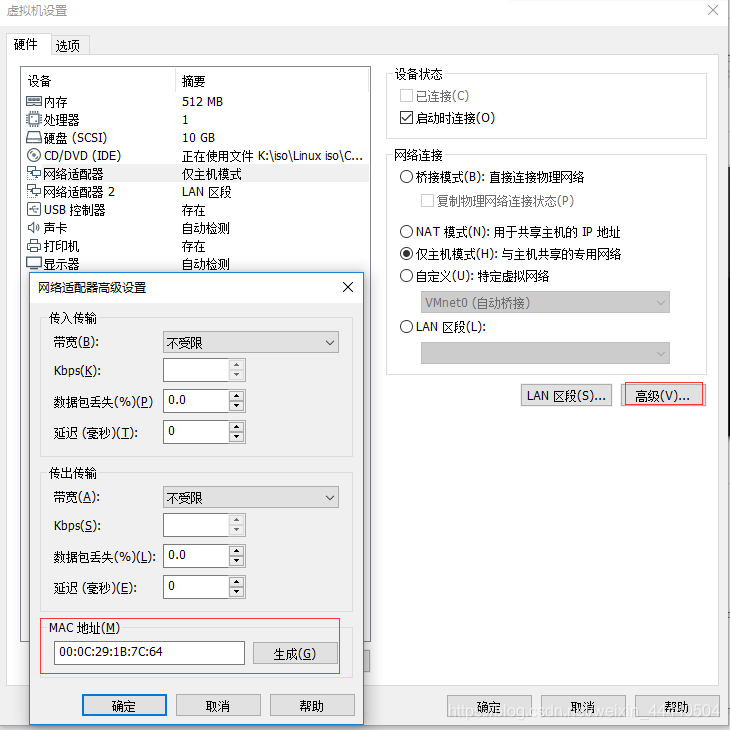
1) delete the previous network card directly through the virtual machine management interface of VMware workstation, add again, or click advanced, modify the MAC address and template machine are different, as shown in the figure below:
2) then start the system, modify the network card configuration file /etc/sysconfig/network-scripts/ ifcfg-xxx

The parameter HWADDR in

= new nic MAC

3) if there is a 70-persistent net-rules file under /etc/udev/rules.d/ directory, then change the MAC address of the network card inside to the new network card MAC

why is it that if /etc/udev/rules.d/ exists under the 70-persistent net.rules file?

because if the CentOS7 system is installed in the kernel with net.ifnames=0 biosdevname=0, that means not CentOS7 network card naming rules, but the traditional

eth0… Ethn does not have this file on the system by default, but it still exists on any other installed system, even though it has been changed to the traditional network card naming rules again after installation.
Samba getpeername failed. Error was transport endpoint is not connected error

SMBD [15295]: getpeername failover. Error was Transport endpoint is not connected

Add the following code to the /etc/samb/smb.conf configuration file:
the SMB ports = 139

restart SMB service # service SMB restart

(PS:

getpeername failed. Error was Transport endpoint is not connected with a real Error. SMB ports=139 Specifies the port number that the SMB service listens on. By default, it listens on both ports 139 and 445. When Windows XP tried to connect, both ports were tested, and finally only one port was selected to use and the other port was disconnected. All SMBS thought it was an error and were recorded.

>
Those entries in log.smbd do not really indicate a problem. They are due to a windows XP machine on local area network which inquires on both ports 445 and 139. Ultimatley, windows XP only uses one of those ports and it disconnects from the other one, which leads to the samba log entry. The log entries can be eliminated by having samba only listen on one of the two ports, as long as your server is not a PDC (Primary Domain Controller)(which mine is). I read somewhere that having samba only listen on one of the ports can cause a reduction in performance.

cnpm error Module build failed: Error: No PostCSS Config found in:

phenomenon:

执行cnpm run server
报错:
cnpm 报错 Module build failed: Error: No PostCSS Config found in:

reason:

Postcss.config. js

is missing from the configuration file

solution:

in the project root directory to create a new configuration file postcss.config.js, paste the following

module.exports = { 
  plugins: { 
    'autoprefixer': {browsers: 'last 5 version'} 
  } 
}

The problem encountered in pyinstaller packaging “failed to execute script × *”

do a small tool, in the local execution OK, use pyinstaller packaging process, there are problems, in a variety of search on the Internet, can not find the specific problem point, it seems mainly because, in the process of the problem, the difference will be relatively big, so also need to analyze the specific problem.

local execution: python ******. Py

all normal, ready to use pyinstaller package to generate exe execution file;

package command: pyinstaller. Exe-dall *****. Py

execution will jump out of the command line black window and will execute normally.

package command: pyinstaller. Exe-w-dall *****. Py

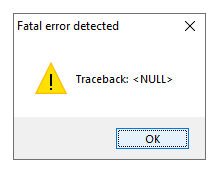
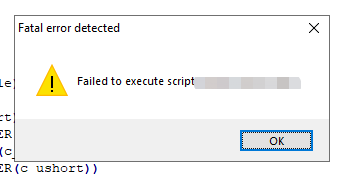
execution occurs as follows:

packaging command: pyinstaller. Exe-w *****. Py

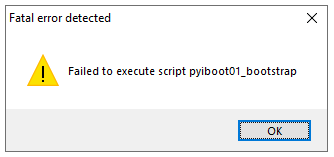
Failed to execute script ******

is later found because the log output is used in the following way:

import os
import io

class Logger(object):
    def __init__(self, filename="Default.log", path="./"):
        sys.stdout = io.TextIOWrapper(sys.stdout.buffer)
        self.terminal = sys.stdout
        # self.log = open(os.path.join(path, filename), "a", encoding='utf8')
        self.log = open(filename, "a")

    def write(self, message):
        self.terminal.write(message)
        self.log.write(message)

    def flush(self):
        pass


sys.stdout = Logger(create_detail_day() + '_grit.log', path='')#方式1

is changed as follows:

savedStdout = sys.stdout  #保存标准输出流 #方式2    
file = open(create_detail_day()+ '_zh_finlock_license_gen_log.txt', 'wt')
sys.stdout = file  #标准输出重定向至文件

then package and use the command: pyinstaller. Exe-w *****. Py

will run normally.

The -f command is added below

to package the dependent libraries and files as a whole

package command to: pyinstaller. Exe – w – F – dall * * * * * * *. Py

generates exe executable, after which the following phenomenon occurs:

packaging command: pyinstaller. Exe-w-f *****. Py

generates exe executables, which can be executed normally.

come to an end!

Win10 system virtual machine installation of Ubuntu system failed, prompt: UBI language failed with exit code 1

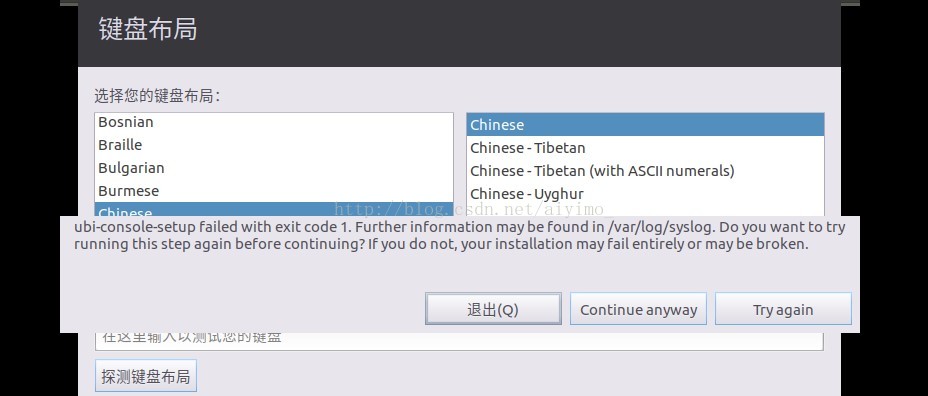
yesterday I tried to install ubuntu under the virtual machine of win10 system on my new computer. As a result, I tried to install several versions of ubuntu one after another, but failed. “Ubi-language failed with exit code 1. Further information may be found in /var/log/syslog. Do you want to try running this step again before continuing?If you do not, your installation may fail entirely or be broken.

the bug report interface links: https://bugs.launchpad.net/ubuntu/+source/ubiquity/+bug/906015

solution: clear the current installation record, download ubuntu16.04 version, reinstall, install successfully.

Ubuntu download link: https://www.ubuntu.com/download/ubuntu-kylin
Reference the install link:

http://blog.csdn.net/jimmylincole/article/details/13168989

Repadmin has dsreplicagetinfo() failed with status 8453 (0x2105) error

USES the command “repadmin /showrepl” to check for replication between domains with DsReplicaGetInfo() Failed with status 8453 (0x2105) error;

error cause: the current user does not have domain administrator rights when using this command;

solution: Run as Administrator starts CMD before executing the command.

This article from bannerpei 51 cto blog, the original link: http://blog.51cto.com/281816327/1441374, if you want to reprint, please contact our author

Mongodb failed to start: child process failed, exited with error number 100

the original link not directing a start: the child process failed, exited with the error number 100

http://f.dataguru.cn/thread-107361-1-1.html (reference: refined into gold)

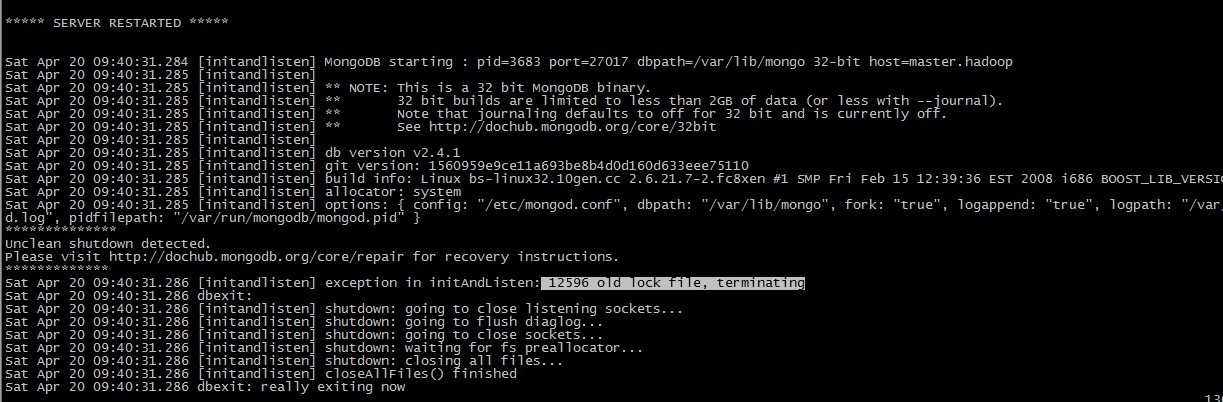
today when I was at the start the mongo, find don’t come, since an error: child process failed, exited with the error number 100 and then go to/var/log/mongo/mongod log view startup log, found:

**************

Unclean shutdown detected.

Please visit
http://dochub.mongodb.org/core/repair for recovery instructions.

*************

Sat Apr 20 09:40:31.286 [initandlisten] exception in initandlisten: 12596 old lock file, terminating

seems to be caused by not closing mongodb properly. Take a look at the link and launch it as a fix.


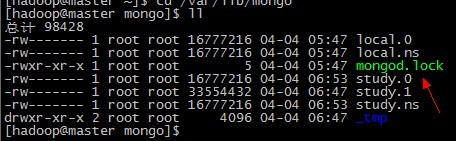
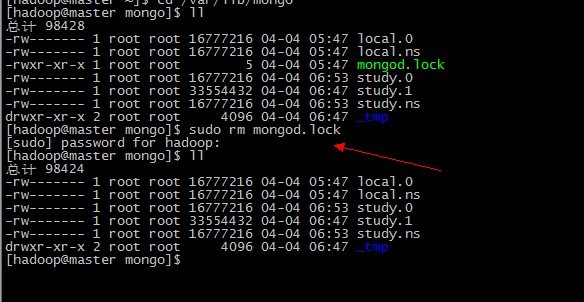
first delete the mongod. Lock under /var/lib/mongo


and then start in repair mode:


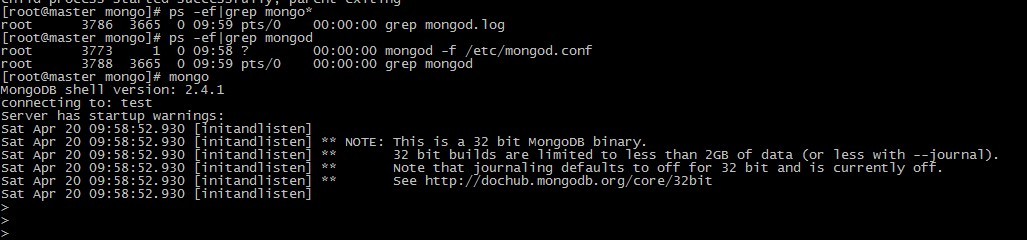
and then again at startup


you can now see that the mongod process exists and is working properly

then how to close mongodb normally?

can go to the official documents:

http://docs.mongodb.org/manual/tutorial/manage-mongodb-processes/

connect to the server through shell first:

mongo

use admin

db.shutdownServer()

or kill -15 < pid> , note that kill -9 can cause data file corruption

docker: Error response from daemon: driver failed programming external connectivity on endpoint

docker: Error response from daemon: Driver failed programming external connectivity on the endpoint acentos7_v5_debug_v1 (ea16aae834bfd065c3219176d73973ed60c634b1930113c4ce794aa198a284d3) : (iptables failed: Iptables — WAit-T nat-a Docker-P TCP-D 0/0 — Dport 28999-j DNAT — to-Destination 172.17.0.2:18999! -i docker0: iptables: No chain/target/match by that name.


>

>

>

>


reference: https://www.cnblogs.com/hailun1987/p/7518306.html

Fatal error: Newspace:: rebalance allocation failed – process out of memory (memory overflow)

problem: when adding some project files, run the project with NPM run dev, the project run error as shown below:

reason: project running out of memory

solution: find node_modules> .bin> Webpack-dev-server. CMD file, add –max-old-space-size=8192
original file:

@IF EXIST "%~dp0\node.exe" (
  "%~dp0\node.exe"  "%~dp0\..\webpack-dev-server\bin\webpack-dev-server.js" %*
) ELSE (
  @SETLOCAL
  @SET PATHEXT=%PATHEXT:;.JS;=;%
  node  "%~dp0\..\webpack-dev-server\bin\webpack-dev-server.js" %*
)

is modified to:

@IF EXIST "%~dp0\node.exe" (
  "%~dp0\node.exe"  "%~dp0\..\webpack-dev-server\bin\webpack-dev-server.js" %*
) ELSE (
  @SETLOCAL
  @SET PATHEXT=%PATHEXT:;.JS;=;%
  node  --max-old-space-size=8192  "%~dp0\..\webpack-dev-server\bin\webpack-dev-server.js" %*
)

command ‘gcc‘ failed with exit status 4

pip install lxml

to install mmcv-full requires the following command:

pip uninstall mmcv mmcv-full
git clone https://github.com/open-mmlab/mmcv.git
cd mmcv
MMCV_WITH_OPS=1 pip install -e .

the following error occurred while performing the last step:

command 'gcc' failed with exit status 4

so the solution:

1, check to see if disk space is sufficient

2.

pip install lxml


VS2015 TRK0005 CL.exe

Failed to locate: “CL.exe”. The system cannot find the file specified.

error MSB6006: “cl.exe” has been quit, the code is 5.

uninstall and reinstall several times is still useless, all kinds of ways to find are not good..

find the method

TRACKER: error TRK0005: Failed to locate: “CL. Exe”. The system cannot find The file specified.

TRACKER: error TRK0005: Failed to locate: “CL. Exe”

properties-> vc++ directories-> The executable directories
C:\Program Files (x86)\Microsoft Visual Studio 12.0\ bin

results to the 2015 installation directory

X:\Program Files (x86)\Microsoft Visual Studio 14.0\VC\bin

found no even CL.EXE… VC from another computer the whole directory copy over it; VS2015 installation program still has a problem

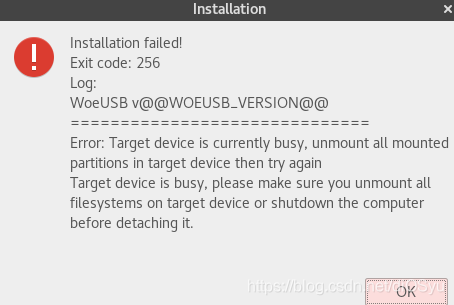
woeusb Installation failed Exit code 256

possible solutions :

the first type:

in Windows system (can open virtual machine), use Rufus to make the startup disk

second:

on the command line, get administrator privileges, on the command line to start running this application (GUI)

the third:

on the command line, using the woeusb command, complete the creation of the boot disk (without using the graphical interface).

if you are working on a Linux system, you can use gnome’s own application, disk image writer.

if you are making a Windows system, or use Windows computer tools to do it (more convenient)!