Category Archives: How to Fix

When vs2017 compiles CUDA project, “error msb6006:“ cmd.exe ”Exited with code 1 Solutions for

Recently, the system was reinstalled because the computer was too jammed. In order to avoid repeating the same mistake, there is almost no software installed in C disk, including VS. However, when using CMAKE to compile CUDA program, there are problems:
Error MSB6006: “cmd.exe” has exited with code 1.
Google found that it should be because the default VS installation path of CUDA is on C disk, so it could not be found. The solution is to find the CUDA_HOST_COMPILER item in cmake-gui and change it to your own compiled path, such as mine:

This should compile properly.

Compiling QT project under vs encountered “error 89error msb6006:“ cmd.exe ”Exited with code 3

Pro files have been compiled in Qt Creater, cross-platform Qt is compiled under VS2010, this part see how to cross-platform Qt compilation related knowledge, here do not repeat.
Error 89error MSB6006: “cmd.exe” has been exited, code is 3. According to the method of http://blog.csdn.net/mlj318/article/details/6778605 online to try, not solve the problem.
Right-click on the project properties and select Convert Projext to Qt Add in Project.

Vue error resolution: typeerror: cannot read property ‘_ t’ of undefined”

[Vue warn]: Error in render: “TypeError: Cannot read property ‘_t’ of undefined”
The compatibility issue between Vue and i18n is the multi-language configuration used in the project. The solution is as follows:

    Vue.use(iView) 

replace

Vue.use(iView, {
  i18n: function(path, options) {
    let value = i18n.t(path, options)
    if (value !== null && value !== undefined) {
      return value
    }
    return ''
  }
})

Internationalization other items are configured unchanged and are recorded only.
Reference articles:
https://github.com/iview/iview/issues/1090

How does lightningchart, a high performance chart control, draw maps in 3D?

LightningChart is primarily a charting component (charts are graphical representations of data) rather than a virtual environment creation tool. However, LightningChart provides multiple ways to use geographic maps, not only in 2D, but also in 3D.
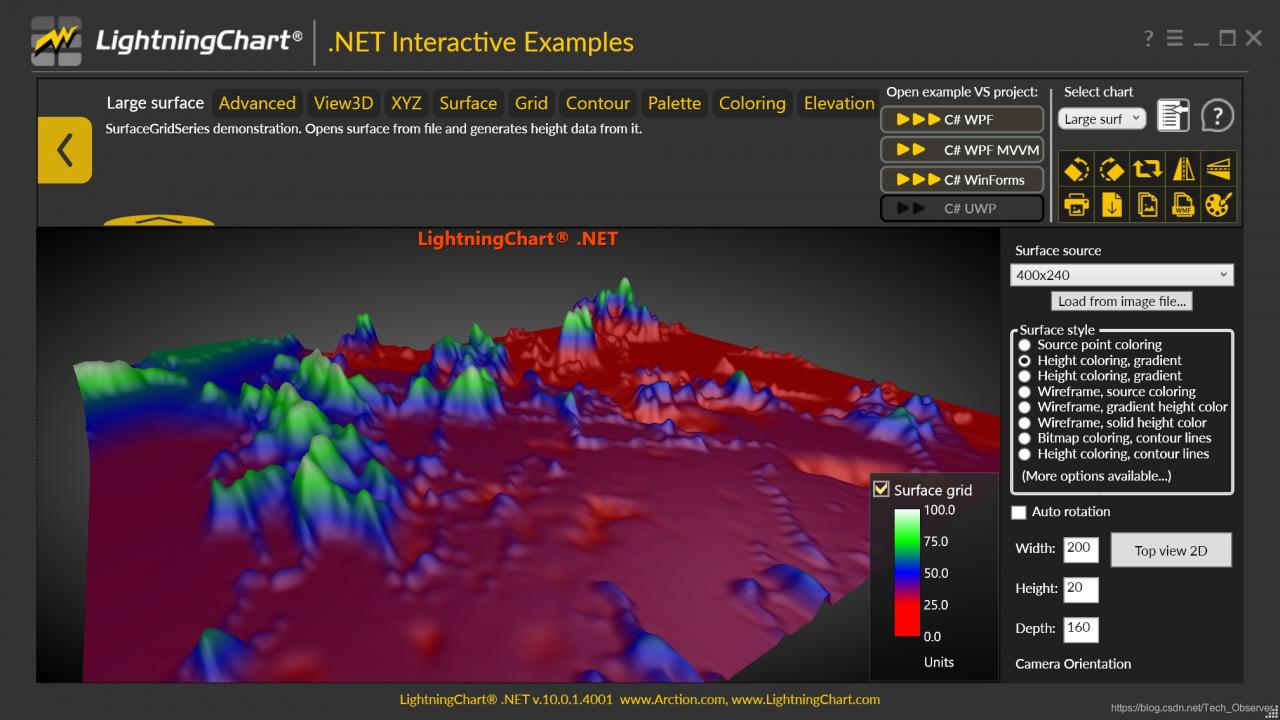
If you are primarily interested in 3D maps, Artion can provide three examples of possible ideas. First, you can import a map/image into a “chart” and create a surface whose geometry and color are based on map elements (such as shading). Example of this type in ExampleArgesurface:

Example large surface
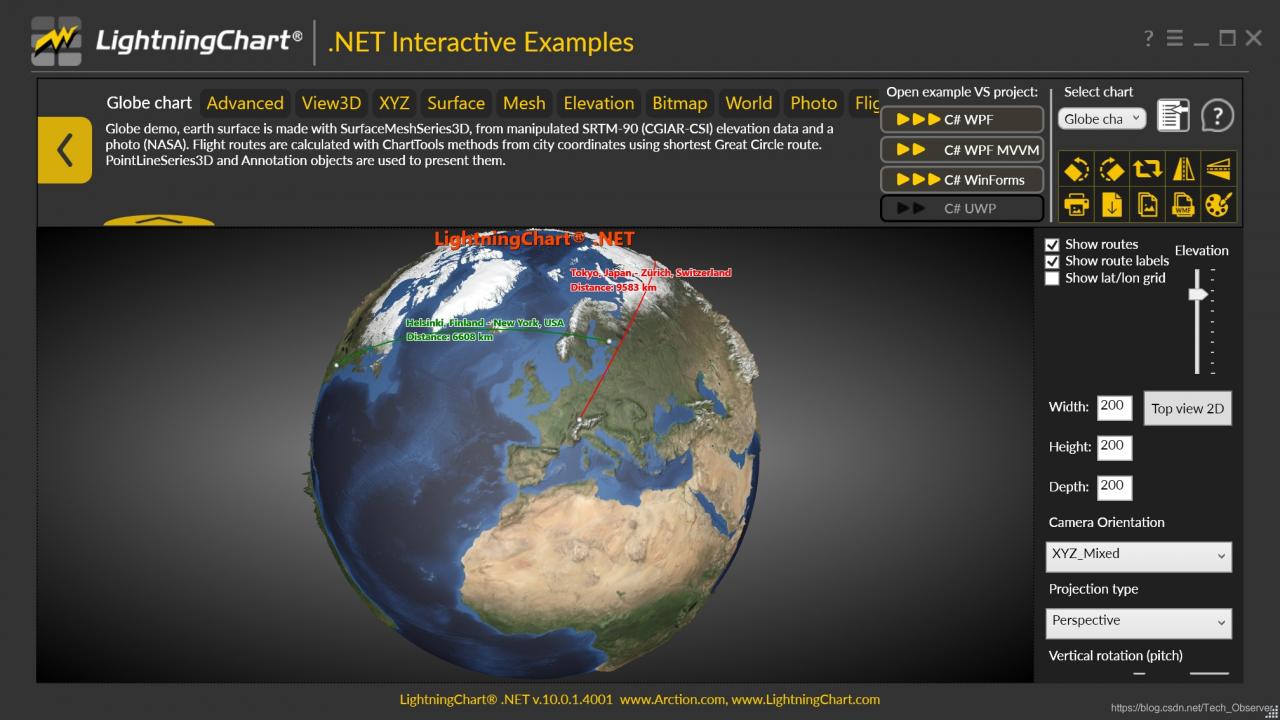
As shown in ExampleGlobal Surface3D, such a surface can be wrapped in any shape

Example Globesurface3D
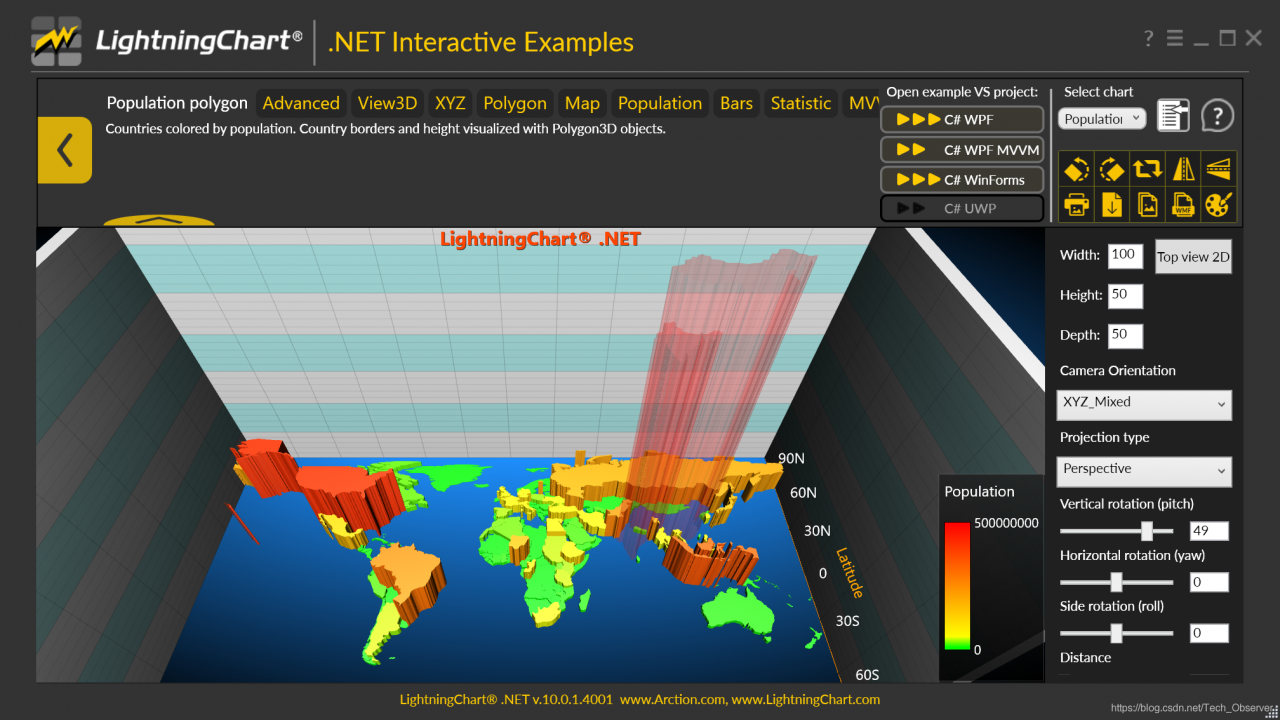
You can also use the information/data from the map (for example, boundary residents, population size, etc.) to create Chart 3D objects (which can be pointlineseries3D, meshModel, polygon3D, etc.). In ExamplePopulationPolygons3D demonstrates a kind of such a method.

Example population polygon 3D
LightningChart.net is fully GPU-accelerated and optimized for displaying massive amounts of data in real time — over 1 billion data points. LightningChart includes a wide range of 2D, Advanced 3D, Polar, Smith, 3D Pake/Doughnut, Geographic Maps and GIS charts as well as volume mapping capabilities for science, engineering, medicine, aviation, trade, energy and other fields.

Solution to the problem of selecting node sass when creating vue-cli3

Because :
vue-cli3.0 defaults to using the yarn package management tool instead of the original NPM

In yarn, node-sass, the default download will most likely fail if you don’t over the wall

The solution

	yarn config set sass_binary_site http://cdn.npm.taobao.org/dist/node-sass -g

So when use the yarn to download the node – sass don’t stuck an error failed to install
this method not only solve the vue cli3 installation node – sass error
is used to solve the yarn package management tools installation node – sass error problem
Problem solving

Leetcode 832. Flip image

Answer key
They’re very clear, so do what they say, flip it horizontally first, and then flip it backwards.
Horizontal reverse can use its own reverse, reverse directly and 1 XOR can be.
code

class Solution {
public:
    vector<vector<int>> flipAndInvertImage(vector<vector<int>>& A) {
        int n = A.size();
        for(int i = 0; i < n; i++){
            reverse(A[i].begin(),A[i].end());
        }
        for(int i = 0; i < n; i++){
            for(int j = 0; j < A[0].size(); j++){
                A[i][j] = A[i][j]^1;
            }
        }
        return A;
    }
};

Fatal: reusing to merge unrelated histories

Git: fatal: refusing to merge unrelated nothing is solved
Today to create a local warehouse (README), the local warehouse and making the association, found that the git pull, git feach remind fatal: refusing to merge unrelated nothing

access to the Internet to check the reason was that the two branches are two different versions, and have different submission history

add

$git pull origin master --allow-unrelated-histories

Can allow irrelevant history to mention, forced merger, really solved this problem, thank you

Resolving fatal: reusing to merge unrelated histories in Git

An error of Git
Sometimes there are some problems in the process of using Git, so when you solve each problem, you need to summarize and record it, so that you won’t do it again.
A, fatal: refusing to merge unrelated nothing
Today, while creating a project with Git, the following error occurred when two branches were merged.

~/SpringSpace/newframe on  master ⌚ 11:35:56
$ git merge origin/druid
fatal: refusing to merge unrelated histories

The key to the problem here is: fatal: refusing to merge unrelated nothing
you might be in the git pull or git push are likely to encounter, this is because the two branches without relationship. So what's the solution?
Second, solutions
Behind the commands you add - allow - unrelated - nothing
for example:
git merge master - allow - unrelated - nothing

~/SpringSpace/newframe on  druid ⌚ 11:36:49
$ git merge master --allow-unrelated-histories
Auto-merging .gitignore
CONFLICT (add/add): Merge conflict in .gitignore
Automatic merge failed; fix conflicts and then commit the result.

If you are a git pull or git push to fatal: refusing to merge unrelated nothing
in the same way:
git pull origin master - allow - unrelated - nothing
and so on, this is the perfect solution to cough up!