Category Archives: How to Fix

No code, a solution to the error in the path of reading CSV file by Python: filenotfounderror: [errno 2] no such file or directory: ‘XX. CSV‘

As a python Xiaobai, what I want to see most is a simple tutorial, just like a fool operation. In recent days, I have found a simple way to solve the problem of Python path error reporting.

First of all, the owner does put the code. Py file and the original data. CSV in a folder, then open Spyder and click open file – & gt; Open code.py, but the error is as follows:

After trying to use several methods mentioned on the Internet, they all have no effect

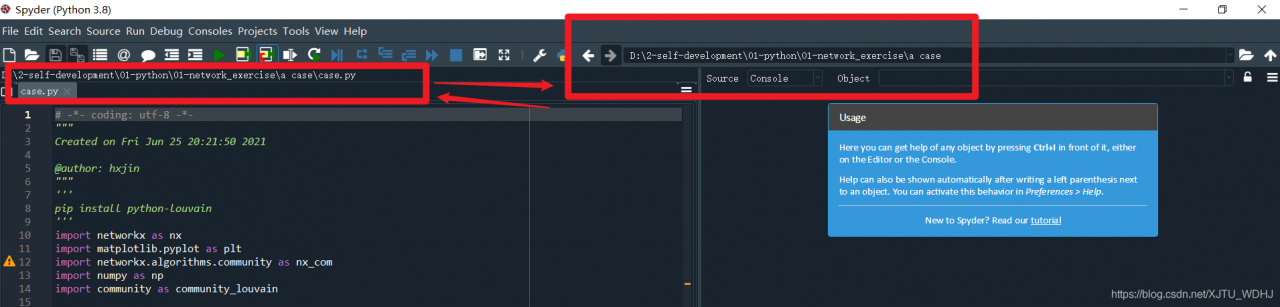
In Spyder’s navigation bar, as shown in the figure below,

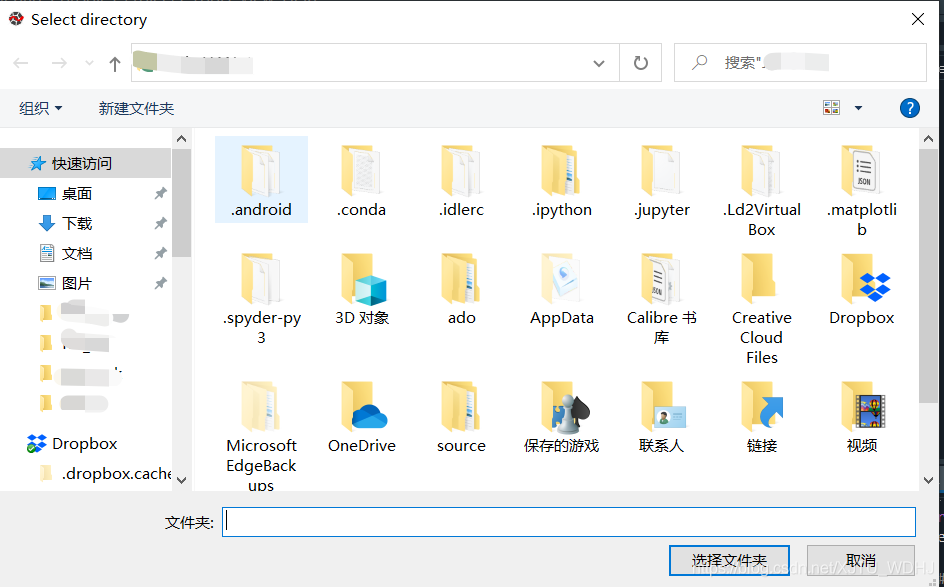
Click the folder symbol on the right side of the figure above (the part circled by the red box), the following selection box will pop up, and then select the folder where your code.py is located. At this point, the path has been changed.

Finally, make sure that the path of the following two red boxes is consistent, and the code can run smoothly

Original is not easy, feel useful, please like collection forward! Grow up together on the way of self-learning Python!

The end, the flowers~

error Unable to authenticate, need: BASIC realm=“Sonatype Nexus Repository Manager“

Today, when I was working on the Vue project to switch private service nexus and NPM login, I encountered the following problem: error unable to authenticate, need: basic realm = “sonatype nexus repository manager”
I searched the Internet, it seems that I may encounter this problem when I log in, register and publish. The reason for the problem is also very clear, Is the authority verification failed. The following is my online solution integration

First, the information input is incorrect. Carefully compare whether the user, password and email you input are correct (do not use the password remembered on the webpage to log in, because it may have been changed.)
the second method: if it’s registration, the user name may have been used
the third method: clear cache: NPM cache clear — force
I’ve tried all the above methods, but it doesn’t solve my problem, The following is my way to solve the problem
the fourth method: add permissions to the private service
(1) the browser logs in to the private service
(2) settings – security – realms – add NPM bearer token realm to the active
the fifth method: the Limited Download address in. Package-lock.json conflicts with the address you use

Check the address used: NRM is to see if it is consistent with the address in package-lock.json. This is my latest problem. When I visit Taobao image and https://registry.npmjs.org/
solution: delete package-lock.json

Importerror: DLL load failed while importing win32gui: 1 is not a valid Win32 Application.

Recently learned Python and then called.   There is no problem in installing PIP install pywin32

Error occurred when calling imort win32gui and win32API

Importerror: DLL load failed while importing win32gui: 1 is not a valid Win32 Application.

Then all kinds of Baidu   At the beginning, Google thought that Python 32/64 bit was a problem, because the openopc I used was only 32-bit, and it was also python2.7. It was hard to find the support of python3, but that library could only be used

Python 32, ah, am I too ignorant?It’s more than 202 years   There are only 32 bits.

Painstakingly modified the online tutorial for Python 32/64   Andconda said on the Internet that he integrated a lot of environments

Then the online tutorial said that the new environment of CONDA had been modified. I thought it was OK   But I still report the same mistake

Then I thought it was pychar. As a result, python CMD didn’t work. In the end, it was omnipotent Baidu, mainly behind

Is not a valid Win32 Application   , Don’t talk about not finding a module    No module named ‘win32gui’   Confusion

They don’t get the same problem

Baidu Dashen said that it might be a problem with the version. Execute PIP install pywin32 = = XXX, and then execute the code, because

My code basically depends on copy   If you only execute the import win32gui test in andconda propmt, you can judge the

Is there a problem.

Tested Python 64 bit   pywin32   There is a problem with version 301

Python 32-bit   pywin32   There is a problem with 226 and above


PyTorch CUDA error: an illegal memory access was encountered

Debugging the Python code encountered this error
there is a similar error CUDA error: cublas_ STATUS_ INTERNAL_ ERROR when calling cublasSgemm(...)

Network search, all kinds of answers, driver version, fixed CUDA device number and so on. Although all of them have been successful, they feel unreliable.

This error message looks like a memory access error
solutions:

Check the code carefully and unify the data on CPU or GPU.

Inspection process is very troublesome, in order to facilitate inspection, I wrote a small function.

def printTensor(t, tag:str):
    sz = t.size()
    p = t
    for i in range(len(sz)-1):
        p = p[0]
    if len(p)>3:
        p = p[:3]

    print('\t%s.size'%tag, t.size(), ' dev :', t.device, ": ",p.data)
    return 

When using, printtensor (context, 'context') , the output is similar

context.size torch.Size([4, 10, 10]) dev : cuda:0 : tensor([0, 0, 0], device=‘ cuda:0 ’)

This function has two main points

    output device output data

    The second point is particularly important. Only output devices do not necessarily trigger errors. Only when you output data and pytorch runs down according to the process, can you make a real error.

    Finally, the author found that the network of NN. * did not call to (device) explicitly. However, the customized models do inherit NN. Module , which needs to be checked in the future.

[Error][IntelliJ IDEA] Element XXX is not allowed here

Questions

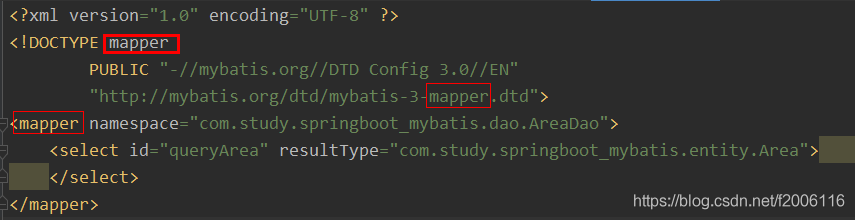
When using IntelliJ idea to build a project, errors such as element XXX is not allowed here are encountered in the XML file

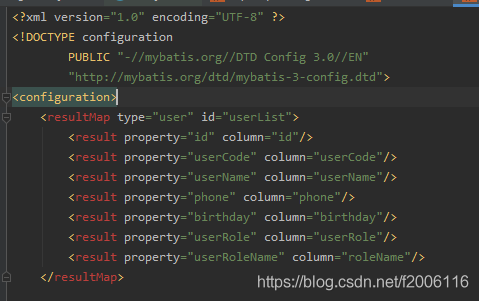
For example, the following element resultmap is not allowed here error is encountered in the XML configuration file

resolvent

The configuration of the header of the XML file is wrong, and the names of the three places in the red box should be consistent

Win32ctypes. Pywin32. Pywintypes. Error: (2 ‘loadlibraryex’,’the system can’t find the specified file. ‘)

Win32ctypes. Pywin32. Pywintypes. Error: (2 ‘loadlibraryex’,’the system can’t find the specified file. ‘)

catalogue

Win32ctypes. Pywin32. Pywintypes. Error: (2 ‘loadlibraryex’,’the system can’t find the specified file. ‘)

Questions

Solution


Questions

Using pyinstaller to package py file as windows exe program, the following problems are encountered:

Win32ctypes. Pywin32. Pywintypes. Error: (2, ‘loadlibraryex’,’the system can’t find the specified file. ‘)
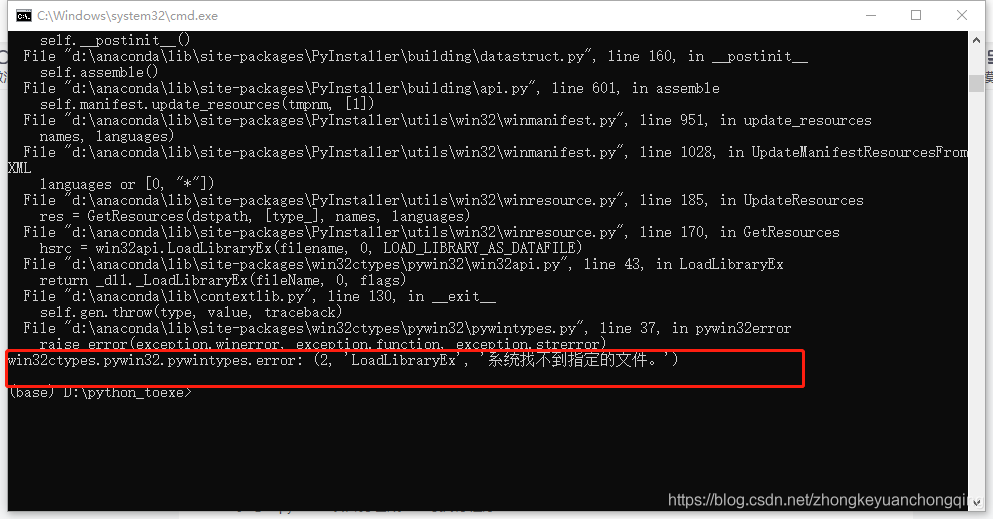
Stack overflow and CSDN, you can see all kinds of things

Some say that virtual environment must be used, but I don’t believe it;

Some people say that you must use native Python environment (not Anaconda or other integrated environment), but I don’t believe it;

Some people say that it may be caused by the too low and too high version of Python;

Some people say that maybe your version of pyinstaler is too high. Let’s have a try. I believe it;

#The following error occurred

Win32ctypes. Pywin32. Pywintypes. Error: (2, ‘loadlibraryex’,’the system can’t find the specified file. ‘)

#It is suspected that the temporary file in the original build interferes with the new build. After deleting the temporary file, it continues to build, and the same error still exists;

Solution

#Check on stack overflow and CSDN. There are all kinds of things to say. Finally, we adopted the method of reducing the version and succeeded

#   pip install pyinstaller==3.5
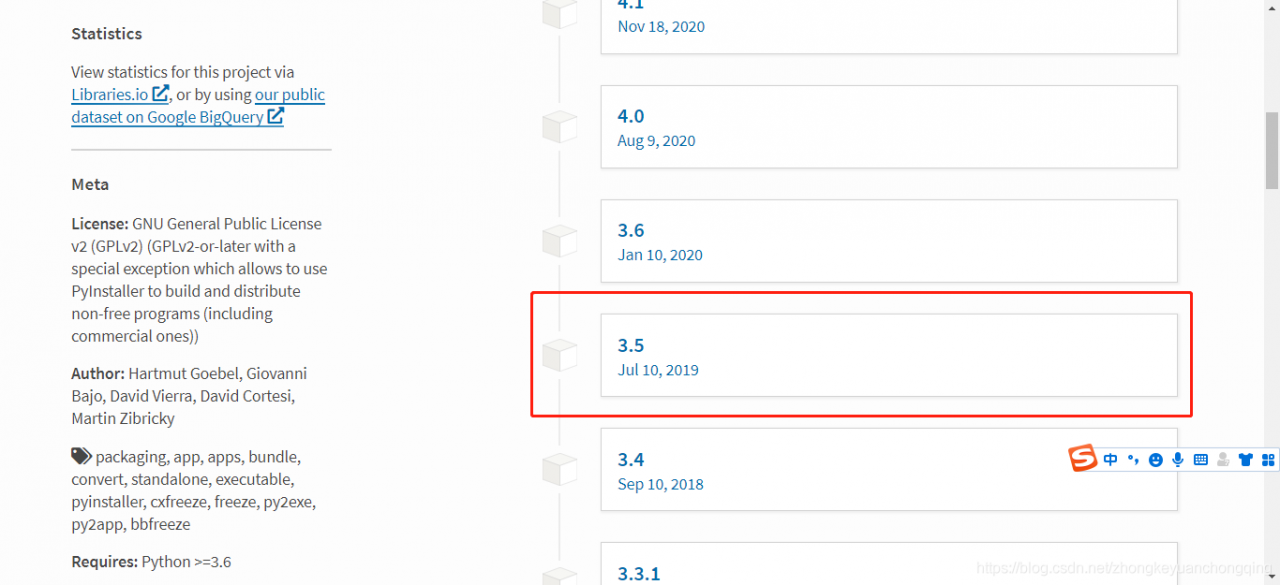
#   pyinstaller -F prediction.py
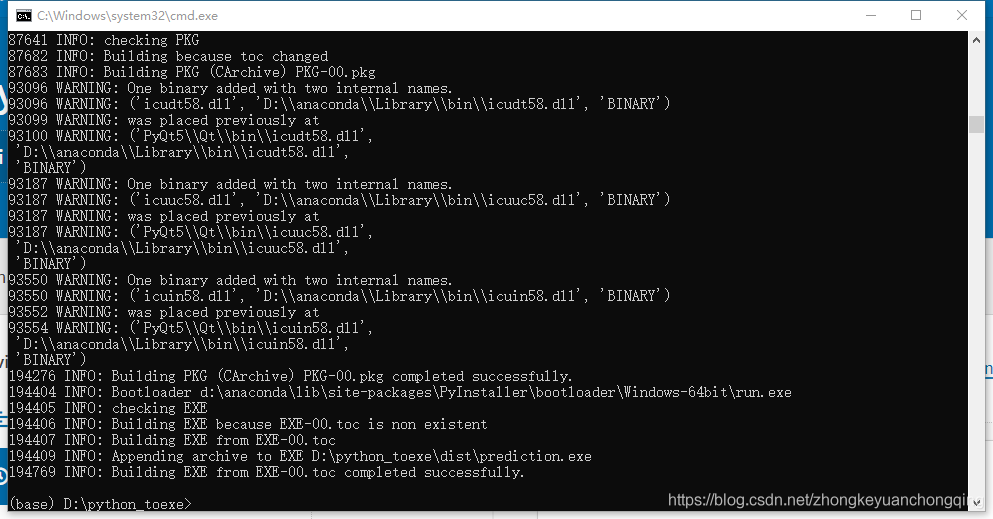
#The file structure after packaging is as follows:

#The prediction.exe file generated by the package is stored in the dist directory

Reference: pythoninstaller

Reference: packaging with pyinstaler failed. Error: win32ctypes. Pywin32. Pywintypes. Error: (1920, ‘loadlibraryexw’,’the system cannot access this file. ‘)

Reference: pitfalls encountered by Python pyinstall packaging tool

Reference: pyinstaller win32ctypes. Pywin32. Pywintypes. Error: (2, ‘loadlibraryexw’,’the system cannot find the file specified. ‘)

Reference: pyinnstaller win32ctypes. Pywin32. Pywintypes. Error: (1920, ‘loadlibraryexw’,’system cannot access the file ‘)


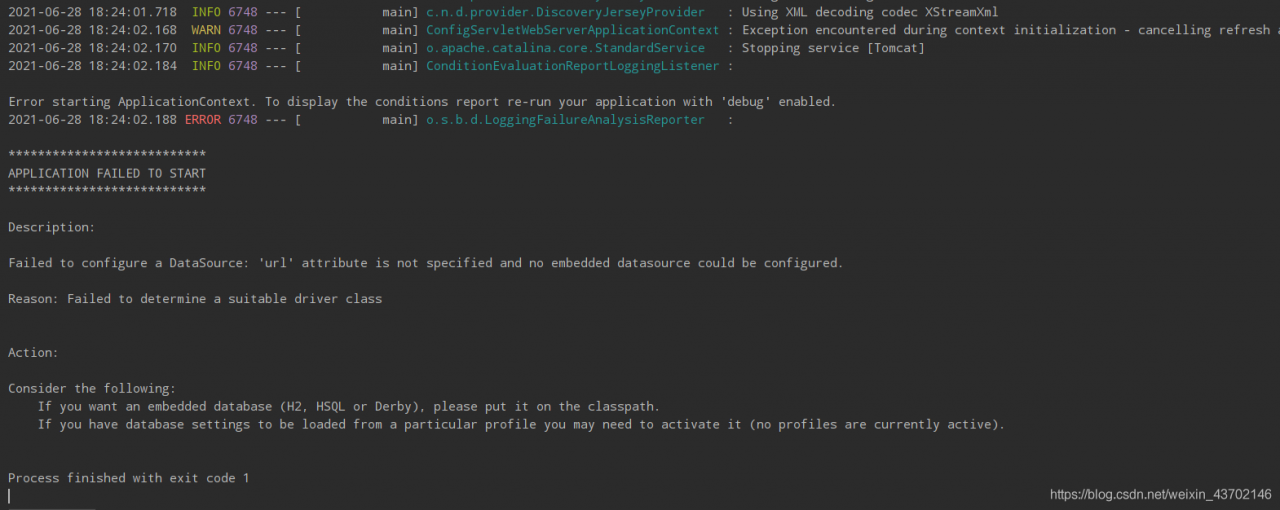
Application failed to start

Error recurrence

Cause: the database related auto configuration library was imported, but the database was not configured in the configuration file.
solution: just exclude the database and add the following on the startup class annotation:

@SpringBootApplication(exclude = DataSourceAutoConfiguration.class)

2021 / 06 / 28 error – because the script PowerShell is not allowed to run on this system

Running tool: vscode
error steps: error occurred when installing dependencies with CPM and yarn

solution:

Enter
in the terminal of vscode, which means the user who sets the current scope according to the prompt

Set-ExecutionPolicy -Scope CurrentUser

Please provide values for the following parameters when you enter

remotesigned

If the above methods don’t work, you can try to open the PowerShell as an administrator. There are tutorials on the Internet. But this method doesn’t work for my problem.

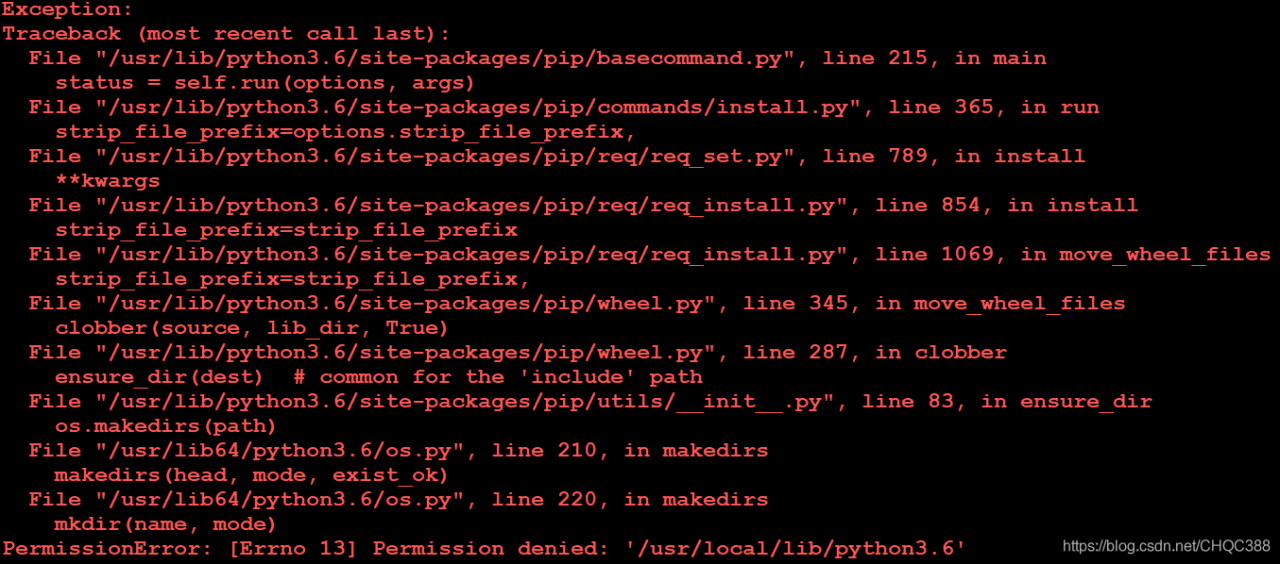
Error in installing Matplotlib Library: permissionerror: [errno 13] permission denied: ‘/ usr / local / lib / python3.6’

Error occurred when downloading and installing Matplotlib Library in python3: permissionerror: [errno 13] permission denied: ‘/ usr/local/lib/python3.6’.

Operating environment:

Operating system: CentOS 7.9

Software environment: Python 3.6

Error Description: using the command PIP3 install Matplotlib to download the Matplotlib library is an error.

resolvent:

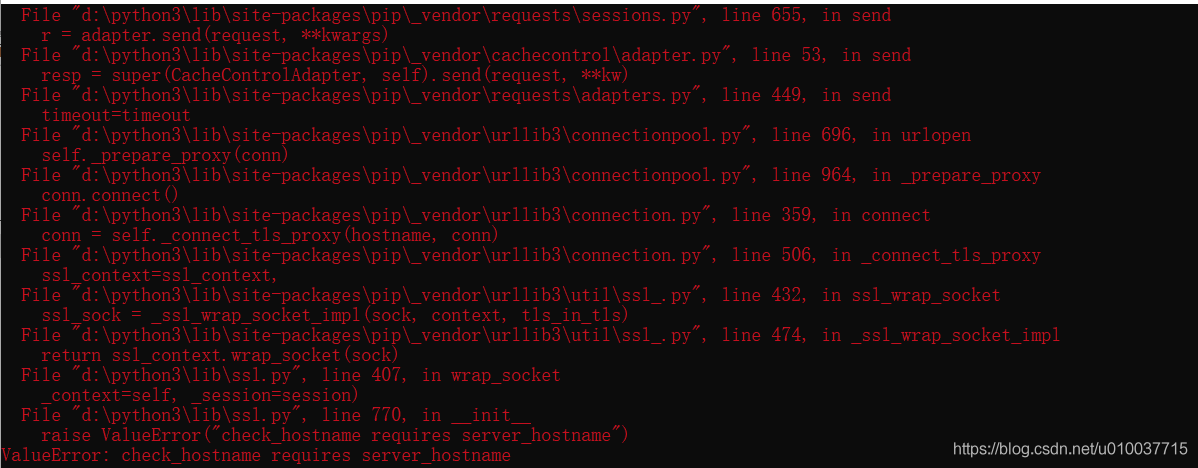
ValueError: check_ hostname requires server_ The solution record of the host name

Error: valueerror: check when installing scikit image library with PIP_ hostname requires server_ hostname

Valueerror: check_ hostname requires server_ Hostname is usually due to version conflict and other reasons. After looking up the experience of many big men on the Internet, we finally find that the problem is caused by the network agent, which is commonly known as the VPN problem.

After the VPN is turned off, the problem is solved, and the scikit image library is successfully installed!