Category Archives: Error

result = e.symbols[symb] KeyError: b‘system‘ [How to Solve]

problem

Traceback (most recent call last):
  File "ot.py", line 16, in <module>
    sys_addr=d.lookup('system','libc')
  File "/usr/local/lib/python3.8/dist-packages/pwnlib/dynelf.py", line 582, in lookup
    result = e.symbols[symb]
KeyError: b'system'
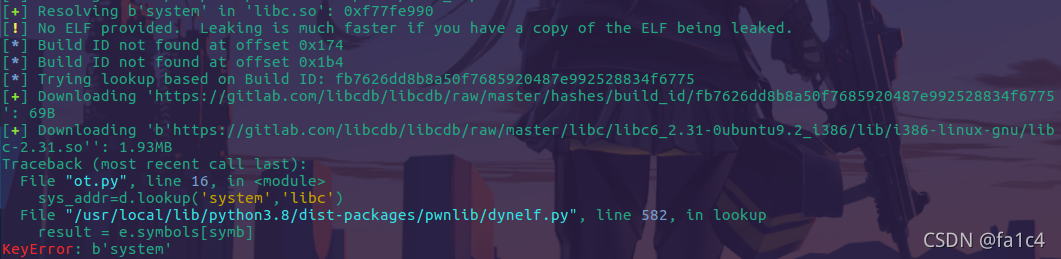
This is a problem that python3 is incompatible with dynelf modules. The biggest difference between python3 and python2 (PWN) is that the bytes and STR types are not common. Therefore, for scripts that can run in python2, the problem of type conversion must be considered in python3. This is also the reason for the error reporting in dynelf

Solution:

vim /usr/local/lib/python3.8/dist-packages/pwnlib/dynelf.py

Find the dynelf.py file, find the error line, and modify the source code

result = e.symbols[symb]

by

result = e.symbols[symb.decode()]
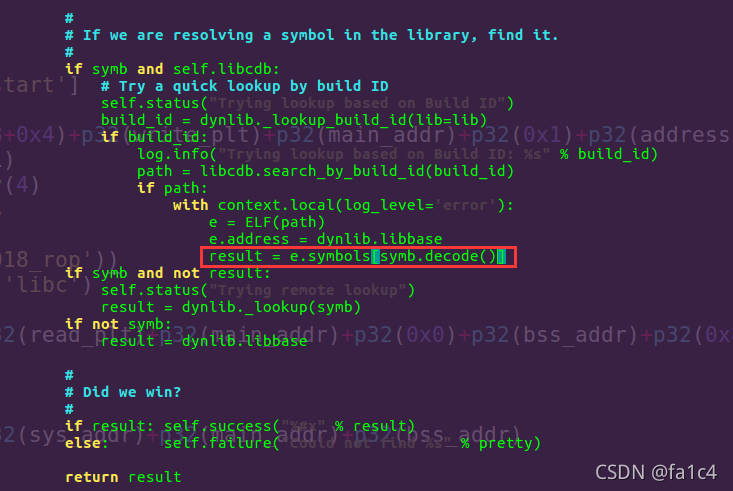
Fixed

Error during job, obtaining debugging information [How to Solve]

Error:

ERROR : Ended Job = job_1631679144970_1574917 with errors
ERROR : Error during job, obtaining debugging information...
ERROR :
Task with the most failures(4):
-----
Task ID:
task_1631679144970_1574917_m_000158

URL:
http://0.0.0.0:8088/taskdetails.jsp?jobid=job_1631679144970_1574917&tipid=task_1631679144970_1574917_m_000158
-----
Diagnostic Messages for this Task:
Container [pid=18442,containerID=container_1631679144970_1574917_01_003316] is running beyond physical memory limits. Current usage: 4.1 GB of 4 GB physical memory used; 5.8 GB of 80 GB virtual memory used. Killing container.

I checked the written information on the Internet and said it was
java.lang.outofmemoryerror: Java heap space. The reason is that the memory space of the namenode is not enough and the JVM is not enough. It is caused by the start of a new job
the solution is to set the local mode

set hive.exec.mode.local.auto=true;

The specific error reported by me is running beyond physical memory limits. Current usage: 4.1 GB of 4 GB physical memory used
the physical memory size is insufficient

Solution:

set mapreduce.map.memory.mb=8192;
set mapreduce.reduce.memory.mb=8192;

line 1: syntax error: unexpected “(“ [How to Solve]

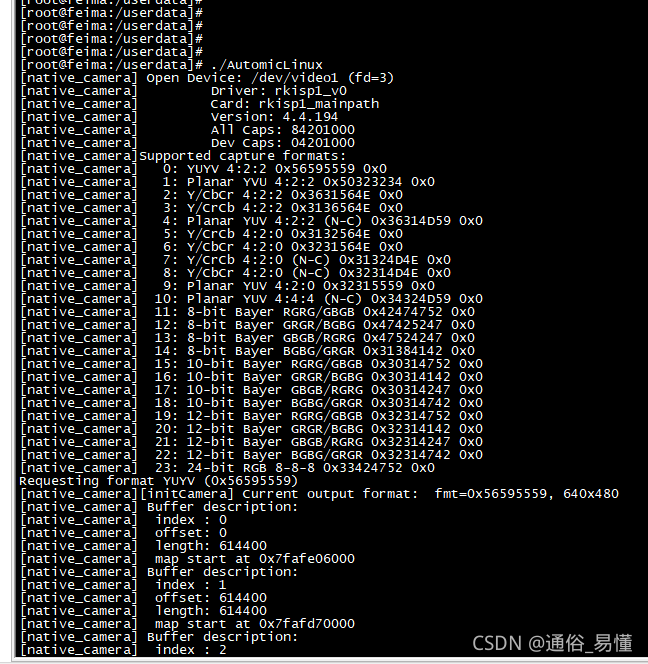
An error occurred while executing the executable on the development board: Line 1: syntax error: unexpected “(”

View the architecture of the executable file with the command objdump – a automiclinux. It is found that it is not the arm architecture

Re cross-compile and transplant it to the development board for execution. It is found that it can run

How to Solve Error while executing: am start -n

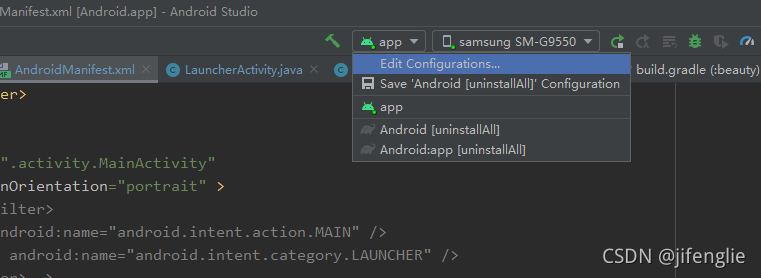
When Android studio installs and debugs APK, the compilation passes, but when debugging and installing online, it will report an error while executing: am start – N error

The ADB uninstall package name is not used

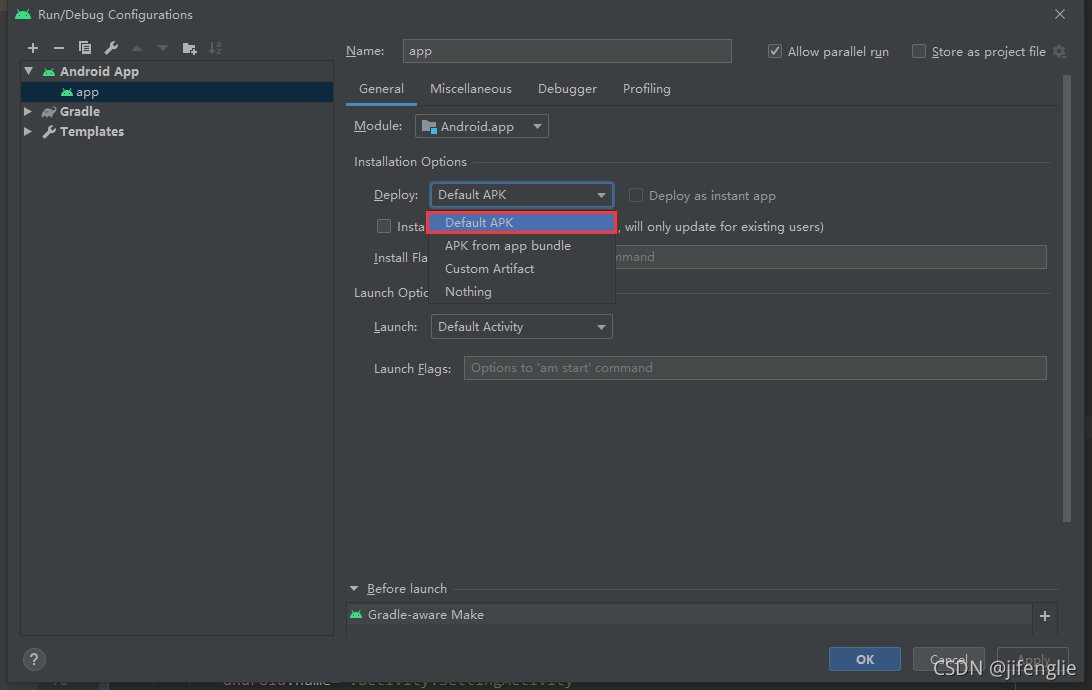
After searching for a long time, I found that the installation options in edit configuration were set to nothing before. When running, it will not automatically PM install

Change to default APK as follows

How to Solve jupyter notebook service error

Jupyter notebook service error

Problem background

I created a CONDA virtual environment of Python 3.8 and prepared to install Jupiter notebook in this virtual environment. Start Jupiter notebook in CMD to pop up the browser and working interface smoothly. However, when creating a new IPython file, the kernel always shows that it is busy and cannot run the script in the cell.

reason

Through searching for information, I found that most of the reasons on the Internet were attributed to the mismatch between ipykernal and pyzmq versions. For this purpose, I refer to another virtual environment I created earlier. The jupyter notebook in this environment can run normally, and its corresponding versions are ipykernal 6.2.0 and pyzmq 19.0.2 respectively

Solution:

pip install ipykernal=6.2.0
pip install pyzmq=19.0.2

[Solved] Opencv error: assertion__acrt_first_block == header

Problem description

In a project using OpenCV, after changing MDD to MTD, the debug mode encountered an error.

debug_heap.cpp   Line 996

        if (header->_block_header_prev)
        {
            header->_block_header_prev->_block_header_next = header->_block_header_next;
        }
        else
        {
            _ASSERTE(__acrt_first_block == header);            //# 996 LINE
            __acrt_first_block = header->_block_header_next;
        }

        memset(header, dead_land_fill, sizeof(_CrtMemBlockHeader) + header->_data_size + no_mans_land_size);
        _free_base(header);

Solution

Add the following functions to region.cpp

void findContours(const cv::Mat &src, std::vector<std::vector<cv::Point>> &contours, std::vector<cv::Vec4i> &hierarchy, int retr = cv::RETR_LIST, int method = cv::CHAIN_APPROX_SIMPLE, cv::Point offset = cv::Point(0, 0))
{
    using namespace cv;
    CvMat c_image = src;
    MemStorage storage(cvCreateMemStorage());
    CvSeq *_ccontours = 0;
    cvFindContours(&c_image, storage, &_ccontours, sizeof(CvContour), retr, method, CvPoint(offset));

    if (!_ccontours)
    {
        contours.clear();
        return;
    }
    Seq<CvSeq *> all_contours(cvTreeToNodeSeq(_ccontours, sizeof(CvSeq), storage));
    int total = (int)all_contours.size();
    contours.resize(total);

    SeqIterator<CvSeq *> it = all_contours.begin();
    for (int i = 0; i < total; i++, ++it)
    {
        CvSeq *c = *it;
        ((CvContour *)c)->color = (int)i;
        int count = (int)c->total;
        int *data = new int[count * 2];
        cvCvtSeqToArray(c, data);
        for (int j = 0; j < count; j++)
        {
            contours[i].push_back(Point(data[j * 2], data[j * 2 + 1]));
        }
        delete[] data;
    }

    hierarchy.resize(total);
    it = all_contours.begin();
    for (int i = 0; i < total; i++, ++it)
    {
        CvSeq *c = *it;
        int h_next = c->h_next ?((CvContour *)c->h_next)->color : -1;
        int h_prev = c->h_prev ?((CvContour *)c->h_prev)->color : -1;
        int v_next = c->v_next ?((CvContour *)c->v_next)->color : -1;
        int v_prev = c->v_prev ?((CvContour *)c->v_prev)->color : -1;
        hierarchy[i] = Vec4i(h_next, h_prev, v_next, v_prev);
    }
    storage.release();
}

There are still errors after adding,   Find our business code   Change this one to that one:

std::vector<cv::Mat> chs;                //BEFORE
std::vector<cv::Mat> chs(m.channels());  //NEW

It can run successfully

Error in installing RPM: requires Ruby Version > = 2. ** [How to Solve]


3 error conditions

Upgrade Ruby

Download GPG public key

gpg2 --keyserver hkp://pool.sks-keyservers.net --recv-keys 409B6B1796C275462A1703113804BB82D39DC0E3 7D2BAF1CF37B13E2069D6956105BD0E739499BDB
or
curl -sSL https://rvm.io/mpapis.asc | gpg2 --import
or
curl -sSL https://rvm.io/pkuczynski.asc | gpg2 --import (My Choice)

Download RVM and set up environment

curl -L http://get.rvm.io | bash -s stable
source /usr/local/rvm/scripts/rvm

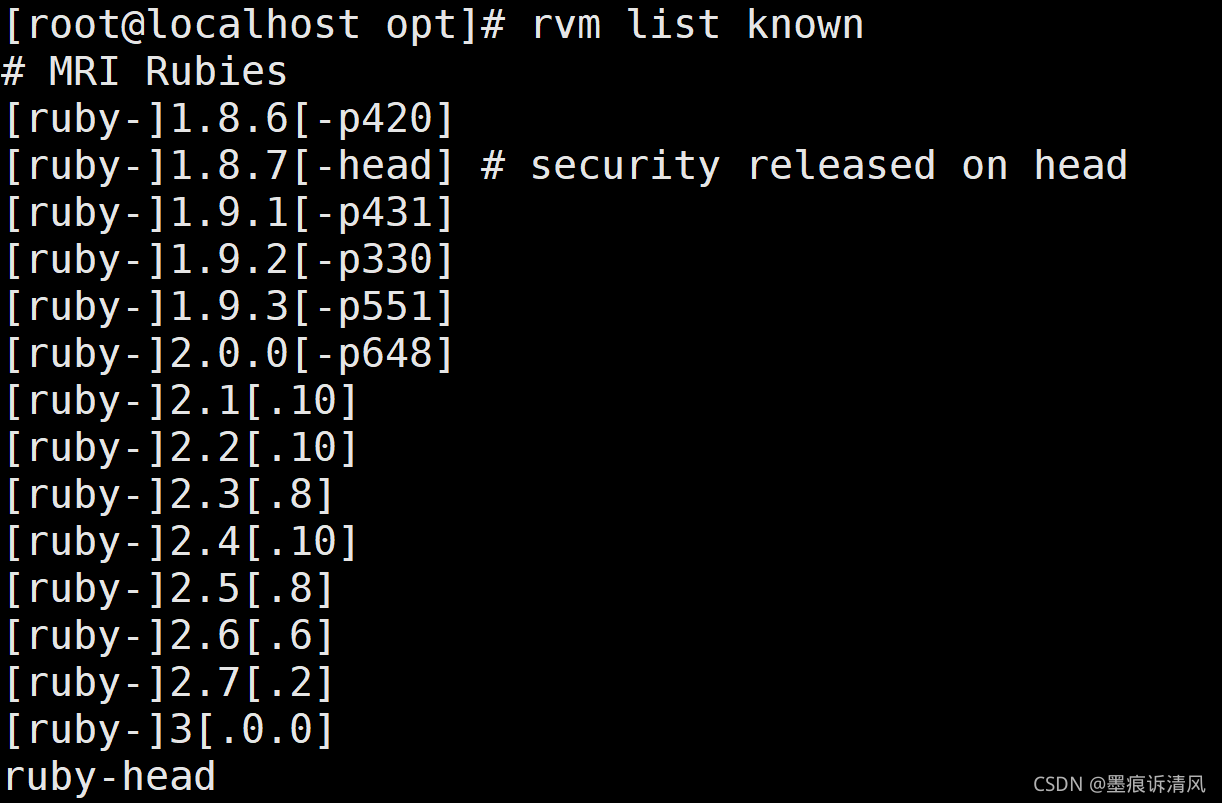
View existing Ruby versions

rvm list known

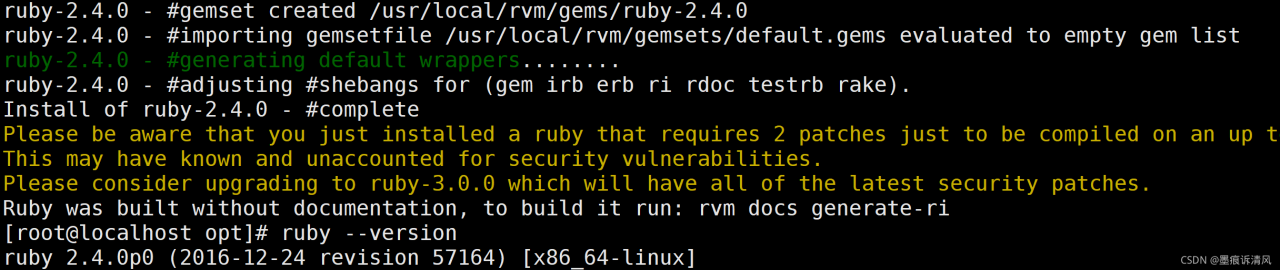
Upgrade to 2.4.0

rvm install 2.4.0

Install RPM again

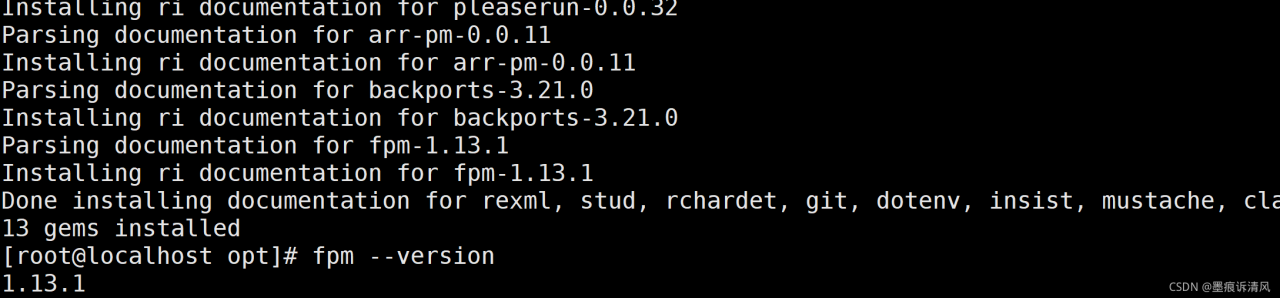
gem install fpm

[Solved] NoClassDefFoundError: jline/console/completer/ArgumentCompleter$ArgumentDelimiter

An error occurs when importing data using sqoop:

Exception in thread “main” java.lang.NoClassDefFoundError: jline/console/completer/ArgumentCompleter$ArgumentDelimiter

Caused by: java.lang.ClassNotFoundException: jline.console.completer.ArgumentCompleter$ArgumentDelimiter

Solution:
Hadoop cannot find the jline package. Go to the Lib directory of hive to find jline.jar, put it in/share/Hadoop/yarn/Lib in Hadoop, and then execute it.

[Solved] Mac Cmake Complie openmp Error: fatal error: ‘omp.h‘ file not found

Mac OS 11.5.2, cmake default compiler appleclang 12.0.5

Make keeps reporting errors after compiling

fatal error: 'omp.h' file not found
#include<omp.h>

The reason is that a.cpp file introduces OpenMP, OMP.H

It can be compiled successfully through G + +, but the make default clang compilation in MAcc is not successful. In other words, it cannot be compiled through cmake on Mac

Try to resolve:

Adding before the project line of cmake has no effect

SET(CMAKE_C_COMPILER "/usr/bin/gcc")
SET(CMAKE_CXX_COMPILER "/usr/bin/g++")

On the command line, the export cxx = “usr/bin/G + +” variable also has no effect

Solution

Brew install libomp

brew install libomp

Change the path corresponding to OMP. H where. CPP introduces OMP. H

#include</usr/local/opt/libomp/include/omp.h>