Category Archives: Error

How to Fix PVE Issues: ERROR: migration aborted

2021-09-24 22:11:47 # /usr/bin/ssh -e none -o 'BatchMode=yes' -o 'HostKeyAlias=st-10' [email protected] /bin/true
2021-09-24 22:11:47 [email protected]: Permission denied (publickey,password).
2021-09-24 22:11:47 ERROR: migration aborted (duration 00:00:00): Can't connect to destination address using public key
TASK ERROR: migration aborted

Enter the failed server
root@st -22:~#

ssh-keygen -t rsa

Retract y to generate public key

View public key

cat /root/.ssh/id_rsa.pub

Copy the public key and edit the public key into authorized_Keys file. Delete the wrong part.

Distribute authorized copies to various servers.

scp /root/.ssh/authorized_keys [email protected]:/root/.ssh/







[Solved] RuntimeError: CUDA error: out of memory

1. Check whether the appropriate version of torch is used

print(torch.__version__)  # 1.9.1+cu111
print(torch.version.cuda)  # 11.1
print(torch.backends.cudnn.version())  # 8005
print(torch.cuda.current_device())  # 0
print(torch.cuda.is_available())  # TRUE

2. Check whether the video memory is insufficient, try to modify the batch size of the training, and it still cannot be solved when it is modified to the minimum, and then use the following command to monitor the video memory occupation in real time

watch -n 0.5 nvidia-smi

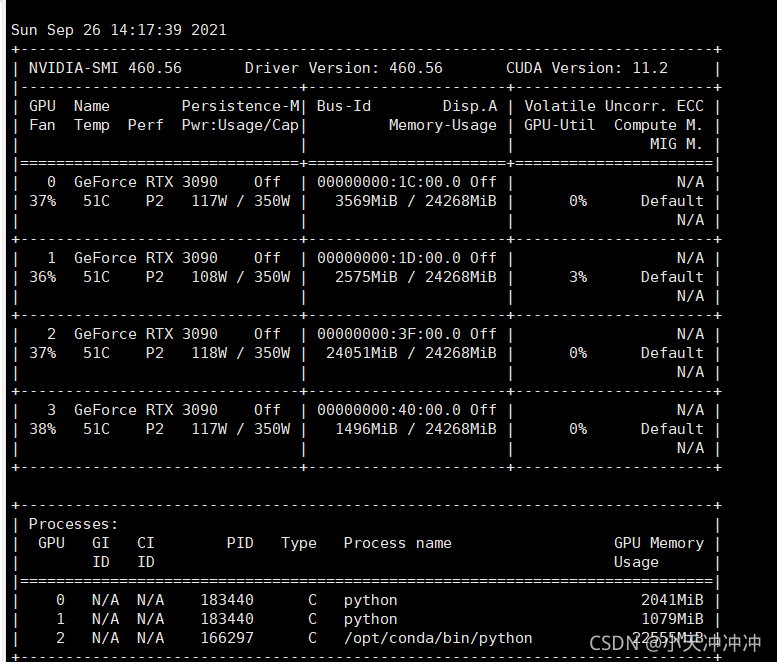
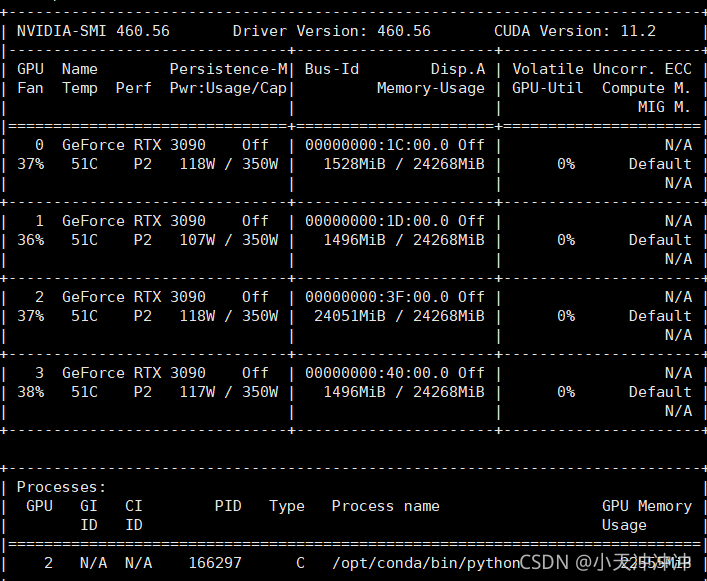
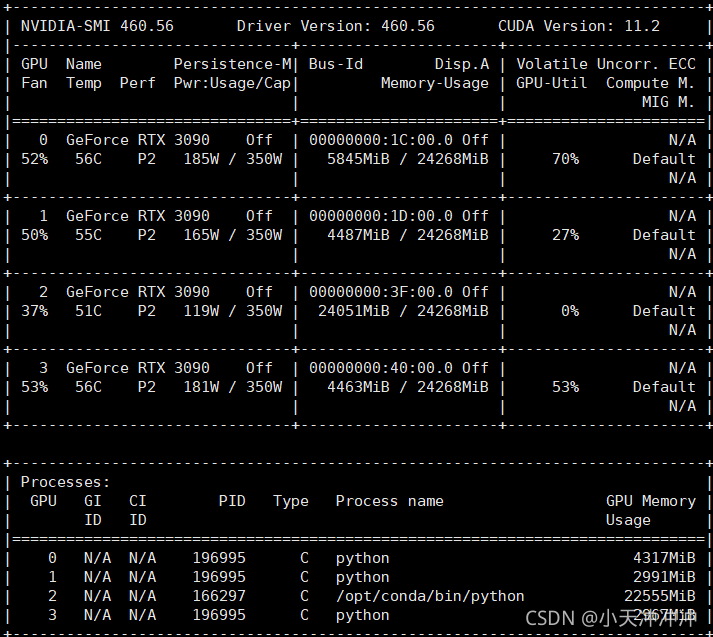
When the program is not called, the display memory is occupied

Therefore, the problem is that the program specifies to use four GPUs. There is no problem when calling the first two resources, but the third block is occupied by the programs of other small partners, so an error is reported.

3. Specify the GPU to use

device = torch.device("cuda" if torch.cuda.is_available() and not args.no_cuda else "cpu")  # cuda Specifies the GPU device to be used
model = torch.nn.DataParallel(model, device_ids=[0, 1, 3])  # Specify the device number to be used for multi-GPU parallel processing

So you can run happily

Impala Find Error: TFetchResultsResp(status=TStatus(errorCode=None, errorMessage=‘UDF ERROR: Decimal express

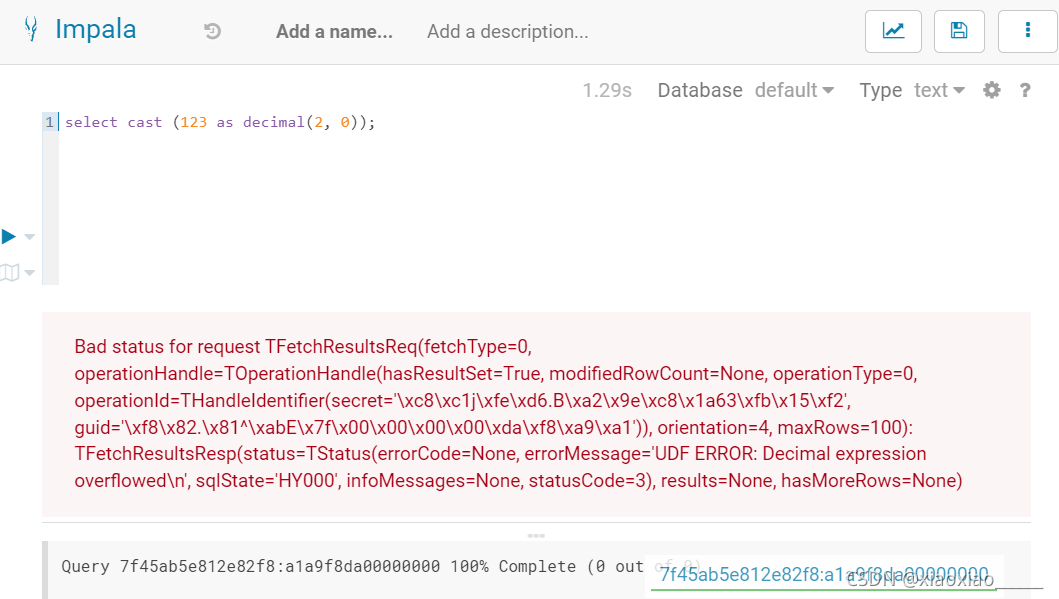
When using impala query, an error will be reported when using cast function to convert data to decimal type:

Bad status for request TFetchResultsReq(fetchType=0, operationHandle=TOperationHandle(hasResultSet=True,
 modifiedRowCount=None, operationType=0, operationId=THandleIdentifier(secret='\xc8\xc1j\xfe\xd6.B\xa2\x9e\xc8\x1a63\xfb\x15\xf2'
 , guid='\xf8\x82.\x81^\xabE\x7f\x00\x00\x00\x00\xda\xf8\xa9\xa1')), orientation=4, maxRows=100)
 : TFetchResultsResp(status=TStatus(errorCode=None, errorMessage='UDF ERROR: Decimal expression 
 overflowed\n', sqlState='HY000', infoMessages=None, statusCode=3), results=None, hasMoreRows=None)

After checking a wave, I found that it was a bug in impala
bug link: https://issues.apache.org/jira/browse/IMPALA-6405

It seems that the bug still exists. Here is a screenshot of my test:

Solution: do not convert to decimal, or convert in other ways.

[Solved] Error: Cannot fit requested classes in a single dex file (# methods: 149346 > 65536)

Any jar file that references a third-party library may trigger this error. The solution is as follows:

1. Add dependencies in build.gradle of app, and add the following code in defaultconfig [Note: it must be the module of app, not other modules]

apply plugin: 'com.android.application'

android {
    compileSdkVersion 28
    defaultConfig {
        applicationId "com.why.project.poidemo"
        minSdkVersion 16
        targetSdkVersion 28
        versionCode 1
        versionName "1.0"
        testInstrumentationRunner "android.support.test.runner.AndroidJUnitRunner"

        //
        multiDexEnabled true
    }
    buildTypes {
        release {
            minifyEnabled false
            proguardFiles getDefaultProguardFile('proguard-android.txt'), 'proguard-rules.pro'
        }
    }

    //poi
    compileOptions {
        sourceCompatibility JavaVersion.VERSION_1_8
        targetCompatibility JavaVersion.VERSION_1_8
    }
}

dependencies {
    implementation fileTree(include: ['*.jar'], dir: 'libs')
    implementation 'com.android.support:appcompat-v7:28.0.0'
    implementation 'com.android.support.constraint:constraint-layout:1.1.3'
    testImplementation 'junit:junit:4.12'
    androidTestImplementation 'com.android.support.test:runner:1.0.2'
    androidTestImplementation 'com.android.support.test.espresso:espresso-core:3.0.2'

    implementation 'com.android.support:multidex:1.0.3'
}

2. If you customize the application subclass, you need to override a method in this subclass

@Override
public void onCreate() {
    super.onCreate();
    // add the line as below
    MultiDex.install(this);
}

Hive Statement Error During Execution: Error while processing statement: FAILED: Execution Error, return code 2 from o

Use the command to view the detailed error log

# Increase the logging level of the system and output on the console
hive --hiveconf hive.root.logger=DEBUG,console

Cause: JVM heap memory overflowed

Solution:

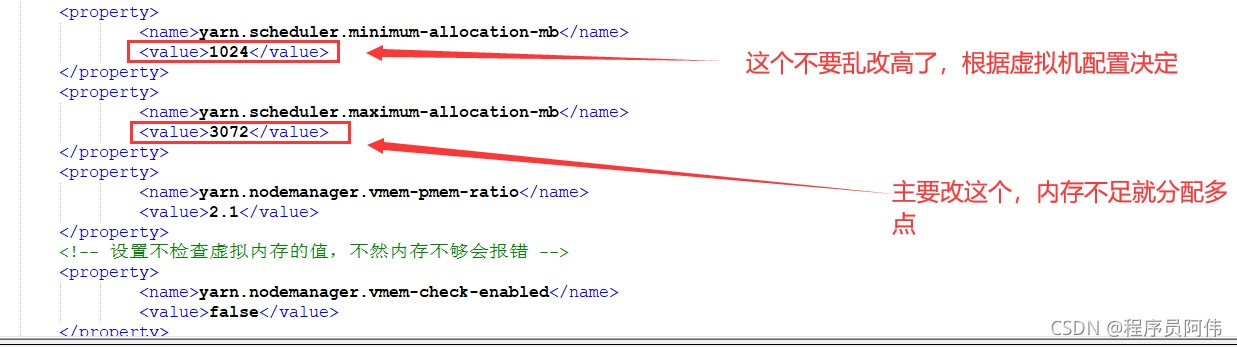
Add the following content in yarn-site.xml:

	<property>
	    <name>yarn.scheduler.maximum-allocation-mb</name>
	    <value>3072</value>
	</property>
	<property>
		<name>yarn.scheduler.minimum-allocation-mb</name>
		<value>1024</value>
	</property>
	<property>
		<name>yarn.nodemanager.vmem-pmem-ratio</name>
		<value>2.1</value>
	</property>
	<property>
		<name>mapred.child.java.opts</name>
		<value>-Xmx1024m</value>
	</property>

Synchronize the configuration to other nodes and restart Hadoop

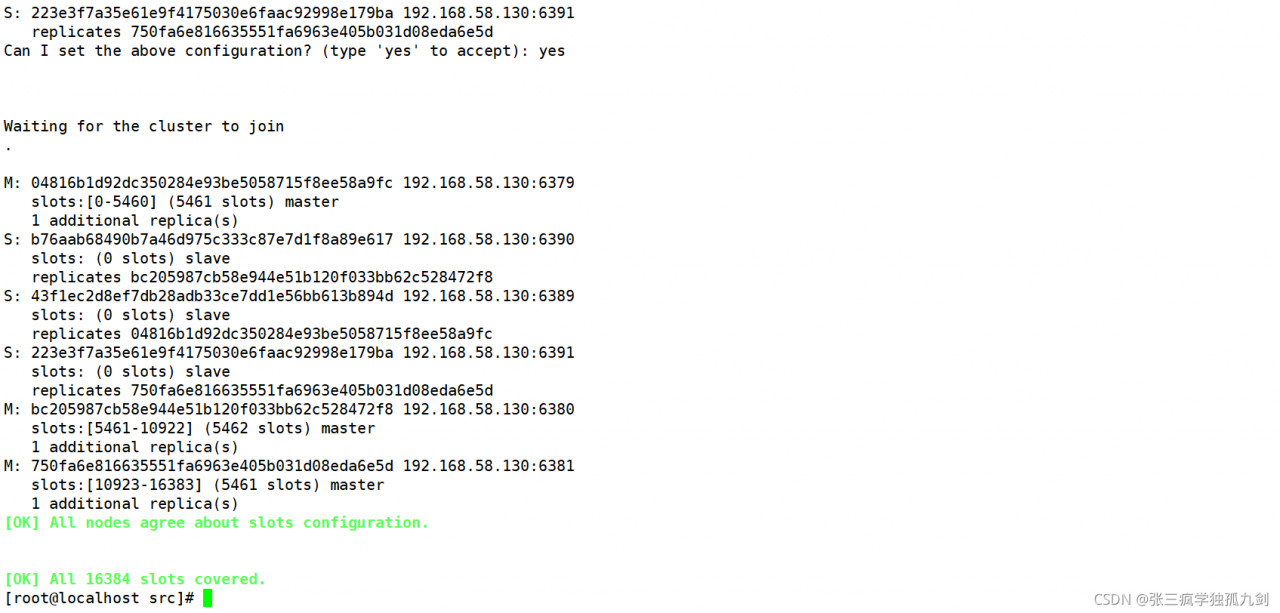
Redis Cluster Error: (error) CLUSTERDOWN Hash slot not served

Redis cluster error clusterdown hash slot not served

Just yesterday, I configured the redis cluster, but when I went to restart today, the redis cluster reported an error clusterdown hash slot not served. I checked the Internet and didn’t solve it
finally, just delete the nodesxxxx.conf and xxxx.aof files. I think it is caused by the AOF cache of redis
after deletion.

tar: Error opening archive: Failed to open ‘/Users/xxx/Library/Caches/Homebrew/downloads/348a16e

When installing brew install graphviz, there was a problem with:
tar: Error opening archive: Failed to open ‘/Users/xxx/Library/Caches/Homebrew/downloads/348a16e5fedb24cb14fe4fd5c72caa96074c7b4e21ce4d2f7a89eb4b638c830f–gd-2.3.2.arm64_big_sur.bottle.tar.gz’
Error: Failure while executing; tar --extract --no-same-owner --file /Users/xxx/Library/Caches/Homebrew/downloads/348a16e5fedb24cb14fe4fd5c72caa96074c7b4e21ce4d2f7a89eb4b638c830f--gd-2.3.2.arm64_big_sur.bottle.tar.gz --directory /private/tmp/d20210927-26485-nzi2qo exited with 1. Here’s the output:
tar: Error opening archive: Failed to open ‘/Users/xxx/Library/Caches/Homebrew/downloads/348a16e5fedb24cb14fe4fd5c72caa96074c7b4e21ce4d2f7a89eb4b638c830f–gd-2.3.2.arm64_big_sur.bottle.tar.gz

A closer look reveals that there was a problem installing the dependency at this step: the

So, the solution: install the dependency brew install gd separately

Once done, just install graphviz again, and if the same type of error occurs again during this process, continue installing the dependency where the error occurred.

[Solved] os.py“, line 725, in __getitem__ raise KeyError(key) from None KeyError: ‘PATH‘

os.py”, line 725, in getitem raise KeyError(key) from None KeyError: ‘PATH’

scenario: when I was working on the project, I encountered a problem. Everything was running normally on the Linux server, but there was a problem when I was running in the remote finalshell (the code behind the process actually ran), but it seemed that there was a problem with the environment.


Solution process:

when I instantiated a class, I was a little puzzled by this problem. When I began to find out about os.environ [“path”], I knew that Python did not load the environment (here I used the virtual environment instead of the system default Python). So I went into the virtual environment to execute this: 

import os
print(os.environ["PATH"])

It is found that there is a value here, but the bug reported is none. Therefore, at the beginning of the code, I add the value printed out just now to the code, and then I can continue to execute Python code in the virtual environment of the server on the remote shell

import os
os.environ["PATH"] = "This string copies the value printed from the above code"

So far, everything can run normally

org.springframework.beans.factory.BeanCreationException: Error creating bean with name ‘globalTransa

Errors are reported as follows:

org.springframework.beans.factory.BeanCreationException: Error creating bean with name ‘globalTransactionScanner’ defined in class path resource

Error creating bean named “globaltransactionscanner”, which is in classpath resource [COM/Alibaba/cloud/Seata/globaltransactionautoconfiguration. Class]: bean instance via factory method failed; nested exception is org.springframework.beans.BeanInstantiationException: Failed to instantiate [io.seata.spring.annotation.GlobalTransactionScanner]: Factory method ‘globalTransactionScanner’ threw exception; nested exception is io.seata.common.exception.NotSupportYetException: config type can not be null

Failed to instantiate bean through factory method; The nested exception is o.seata.common.exception.notsupportyetexception: the configuration type cannot be null

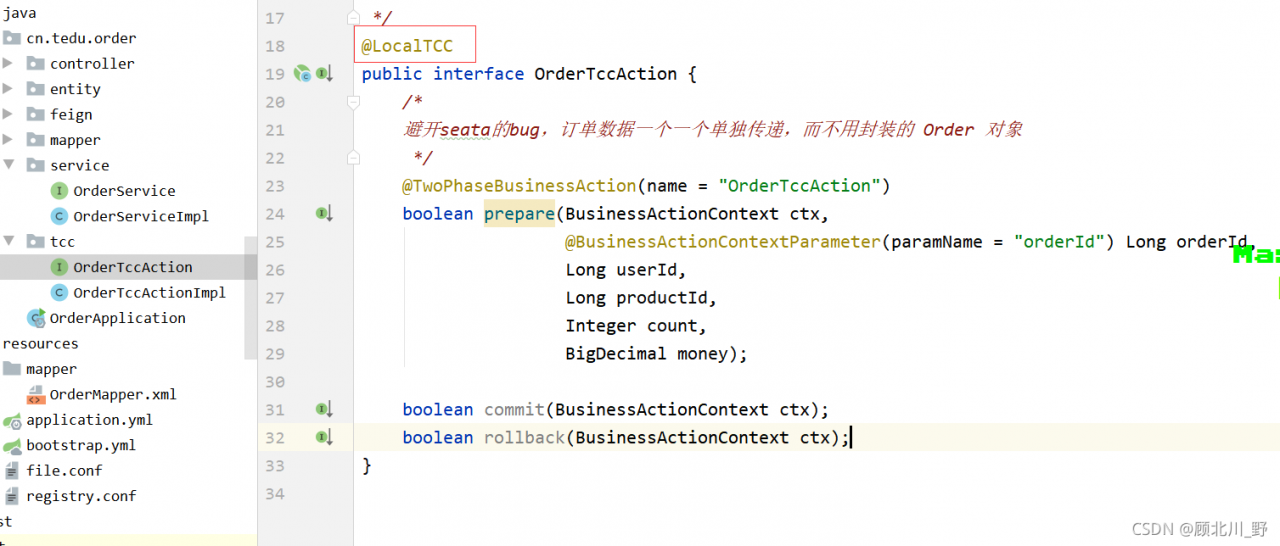
Three modules: order module + account module + inventory storage module realize the TCC mode of Seata TCC distributed transaction.

Start order to test

Start services in order:

    EurekaSeata ServerEasy Id GeneratorOrder

Failed to start the order project.

Presentation:

Solution:

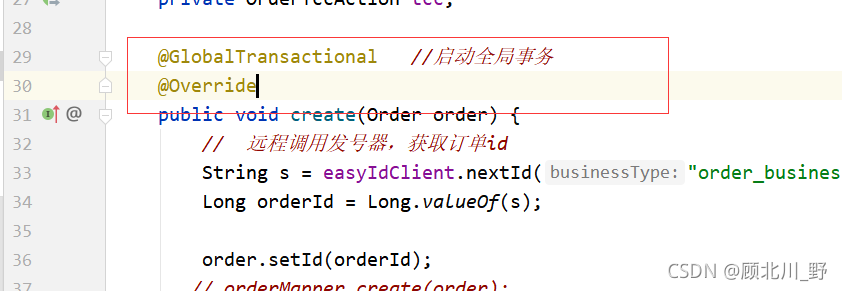
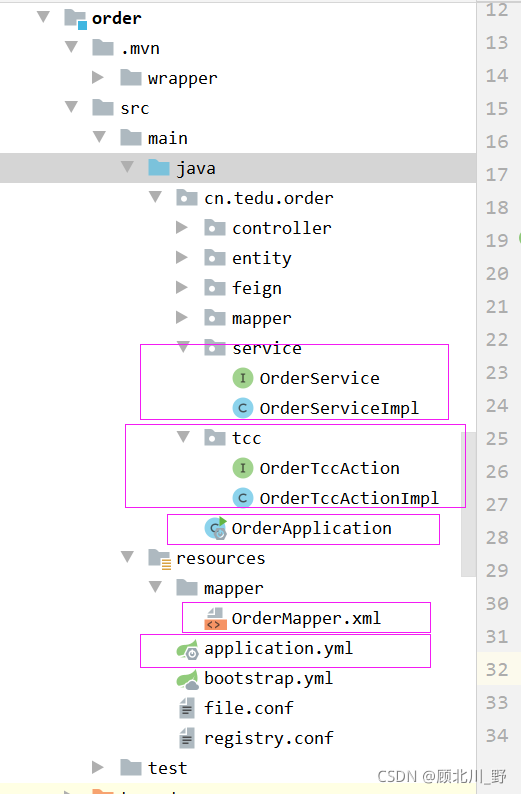
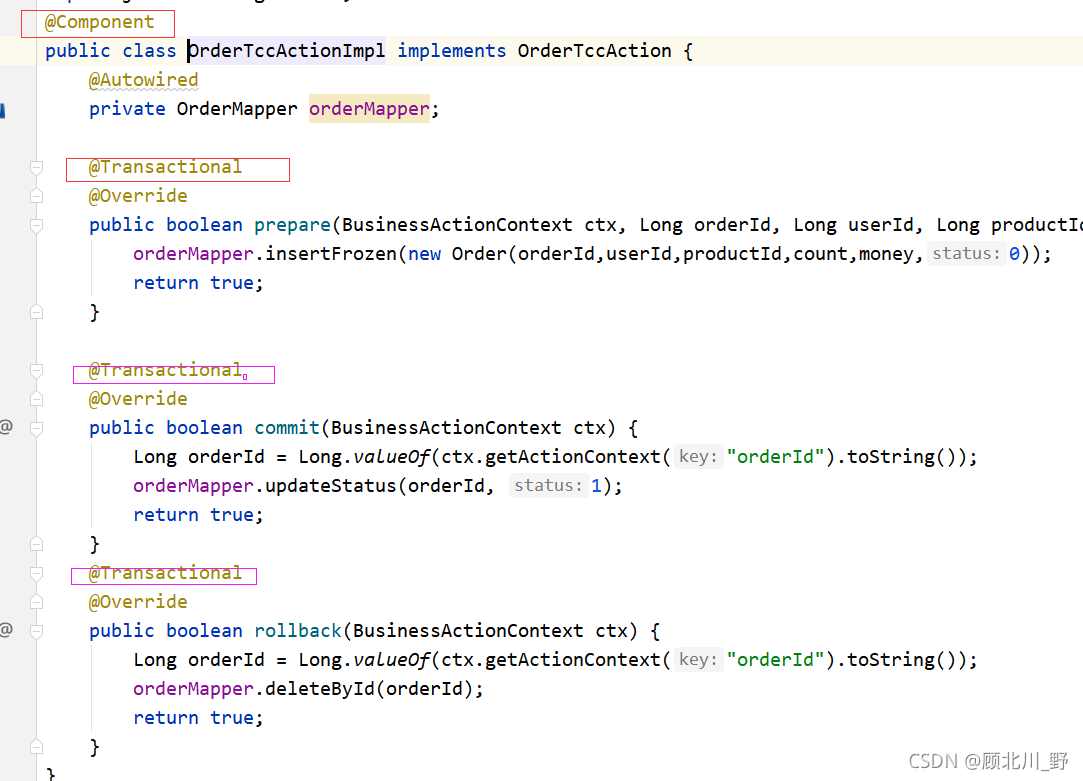
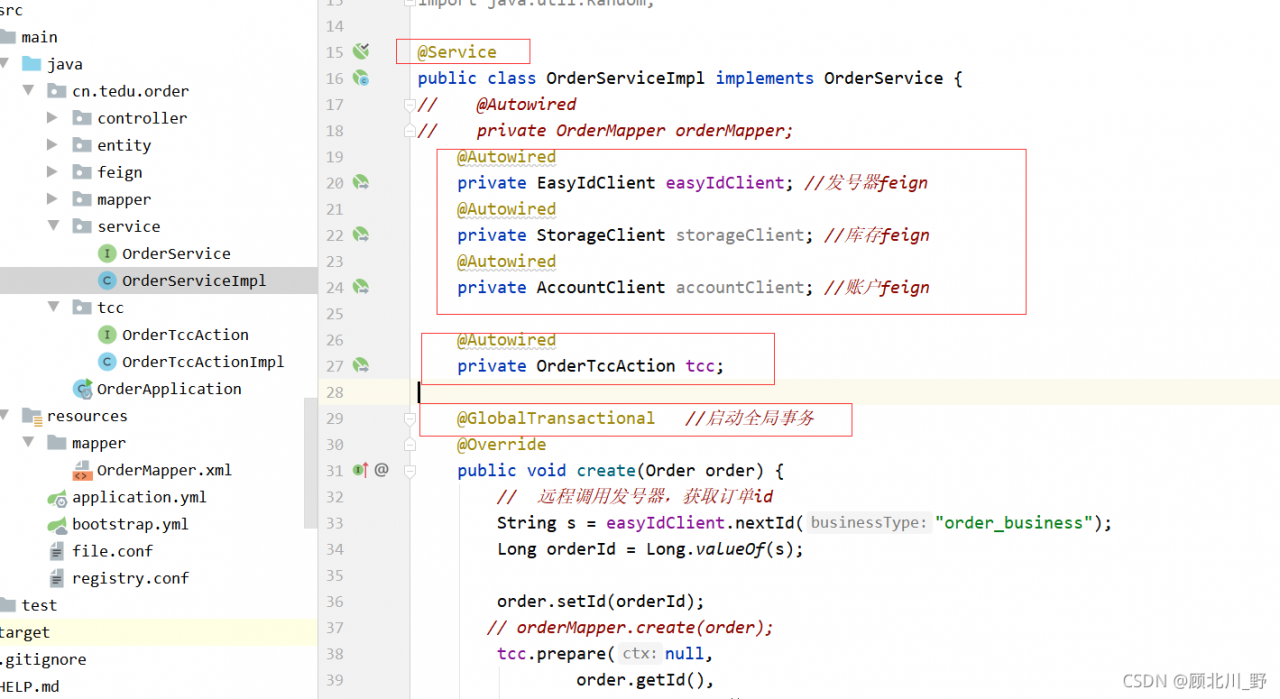
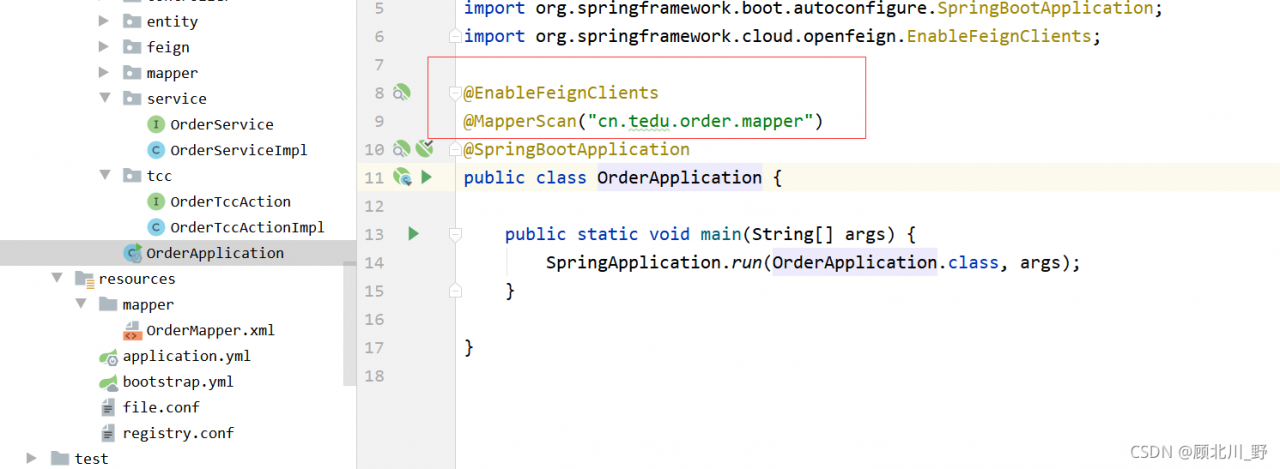
1. Add global transaction annotation

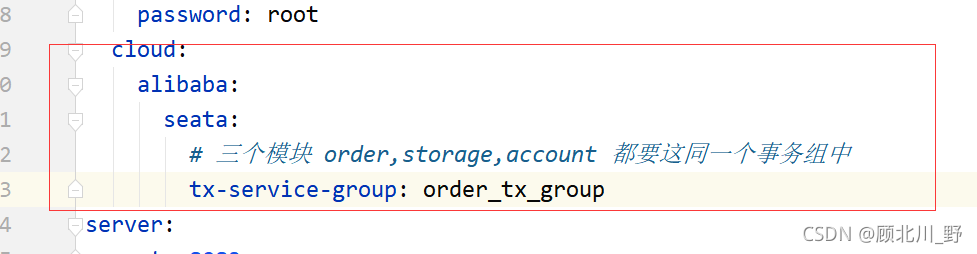
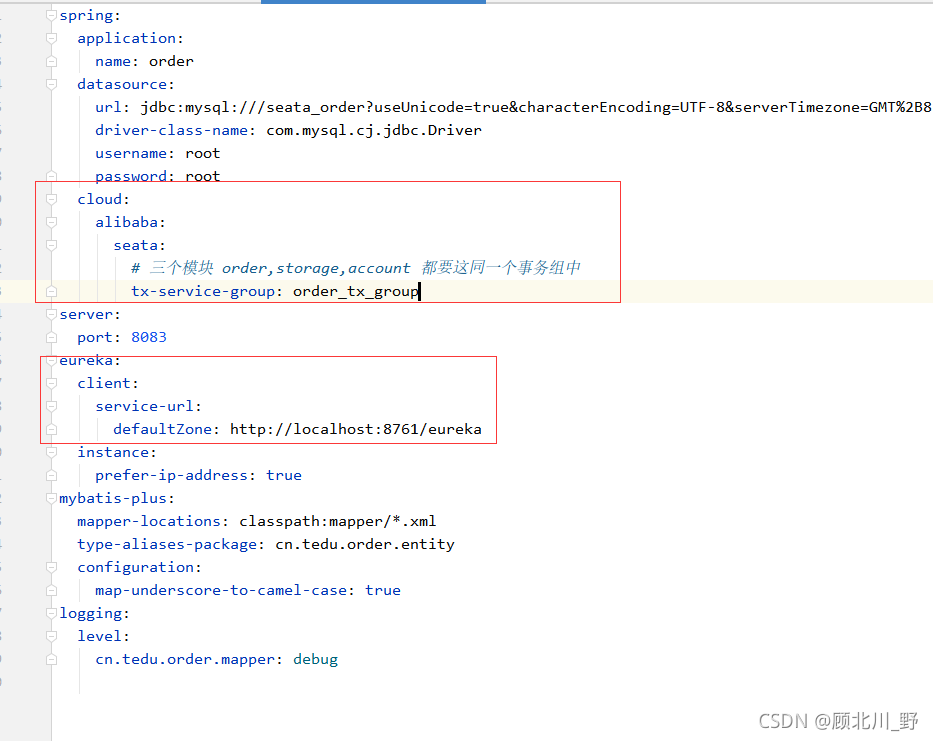
2. Add transaction group

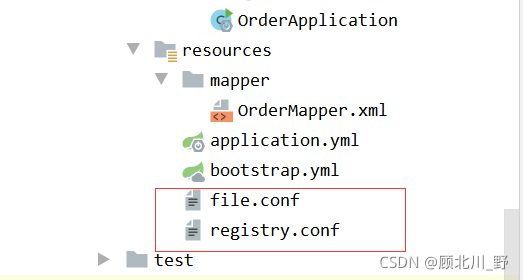
3. Add two important conf files [key step]

The file.conf file is as follows:

transport {
  # tcp udt unix-domain-socket
  type = "TCP"
  #NIO NATIVE
  server = "NIO"
  #enable heartbeat
  heartbeat = true
  # the client batch send request enable
  enableClientBatchSendRequest = true
  #thread factory for netty
  threadFactory {
    bossThreadPrefix = "NettyBoss"
    workerThreadPrefix = "NettyServerNIOWorker"
    serverExecutorThread-prefix = "NettyServerBizHandler"
    shareBossWorker = false
    clientSelectorThreadPrefix = "NettyClientSelector"
    clientSelectorThreadSize = 1
    clientWorkerThreadPrefix = "NettyClientWorkerThread"
    # netty boss thread size,will not be used for UDT
    bossThreadSize = 1
    #auto default pin or 8
    workerThreadSize = "default"
  }
  shutdown {
    # when destroy server, wait seconds
    wait = 3
  }
  serialization = "seata"
  compressor = "none"
}
service {
  #transaction service group mapping
  # order_tx_group & yml  “tx-service-group: order_tx_group” shoud be the same
  # “seata-server” and  the register name of TC Service should be the same
  # get the url of seata-server in eureka, and register seata-server, set group
  vgroupMapping.order_tx_group = "seata-server"
  #only support when registry.type=file, please don't set multiple addresses
  order_tx_group.grouplist = "127.0.0.1:8091"
  #degrade, current not support
  enableDegrade = false
  #disable seata
  disableGlobalTransaction = false
}

client {
  rm {
    asyncCommitBufferLimit = 10000
    lock {
      retryInterval = 10
      retryTimes = 30
      retryPolicyBranchRollbackOnConflict = true
    }
    reportRetryCount = 5
    tableMetaCheckEnable = false
    reportSuccessEnable = false
  }
  tm {
    commitRetryCount = 5
    rollbackRetryCount = 5
  }
  undo {
    dataValidation = true
    logSerialization = "jackson"
    logTable = "undo_log"
  }
  log {
    exceptionRate = 100
  }
}

Registry.conf file:

registry {
  # file 、nacos 、eureka、redis、zk、consul、etcd3、sofa
  type = "eureka"

  nacos {
    serverAddr = "localhost"
    namespace = ""
    cluster = "default"
  }
  eureka {
    serviceUrl = "http://localhost:8761/eureka"
    # application = "default"
    # weight = "1"
  }
  redis {
    serverAddr = "localhost:6379"
    db = "0"
    password = ""
    cluster = "default"
    timeout = "0"
  }
  zk {
    cluster = "default"
    serverAddr = "127.0.0.1:2181"
    session.timeout = 6000
    connect.timeout = 2000
    username = ""
    password = ""
  }
  consul {
    cluster = "default"
    serverAddr = "127.0.0.1:8500"
  }
  etcd3 {
    cluster = "default"
    serverAddr = "http://localhost:2379"
  }
  sofa {
    serverAddr = "127.0.0.1:9603"
    application = "default"
    region = "DEFAULT_ZONE"
    datacenter = "DefaultDataCenter"
    cluster = "default"
    group = "SEATA_GROUP"
    addressWaitTime = "3000"
  }
  file {
    name = "file.conf"
  }
}

config {
  # file、nacos 、apollo、zk、consul、etcd3、springCloudConfig
  type = "file"

  nacos {
    serverAddr = "localhost"
    namespace = ""
    group = "SEATA_GROUP"
  }
  consul {
    serverAddr = "127.0.0.1:8500"
  }
  apollo {
    app.id = "seata-server"
    apollo.meta = "http://192.168.1.204:8801"
    namespace = "application"
  }
  zk {
    serverAddr = "127.0.0.1:2181"
    session.timeout = 6000
    connect.timeout = 2000
    username = ""
    password = ""
  }
  etcd3 {
    serverAddr = "http://localhost:2379"
  }
  file {
    name = "file.conf"
  }
}

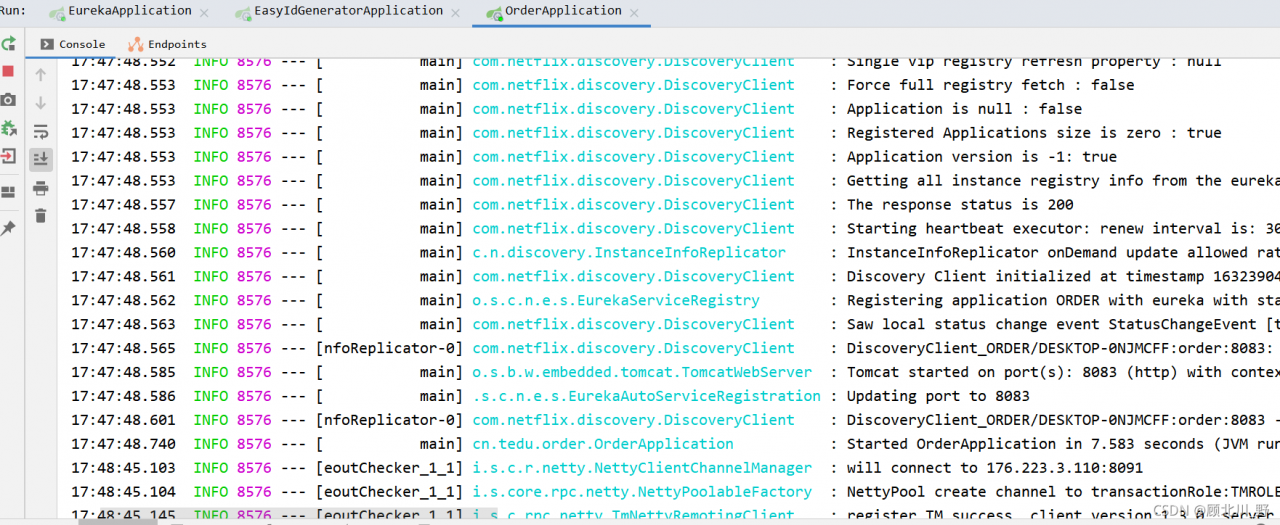
Finally, start successfully!!