Author Archives: Robins

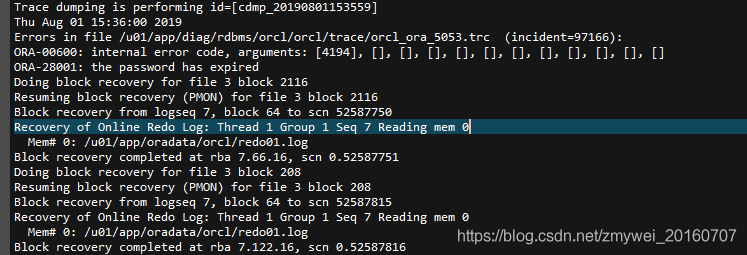
(How to Fix) Ora-00600: internal error code, arguments: [4194]


4194:indicates that undo and redo are inconsistent(Arg [a] Maximum Undo record number in Undo block,Arg [b] Undo record number from Redo block)
How to Fix:

1. Log in and start mount status.
[oracle@oracle ~]$ sqlplus/as sysdba
SQL*Plus: Release 11.2.0.1.0 Production on Thu Aug 1 16:08:26 2019
Copyright (c) 1982, 2009, Oracle.  All rights reserved.
Connected to an idle instance.
SQL>  startup mount;
ORACLE instance started.
Total System Global Area 1.3429E+10 bytes
Fixed Size                  2217992 bytes
Variable Size            1.0335E+10 bytes
Database Buffers         3087007744 bytes
Redo Buffers                4661248 bytes
Database mounted.

2、View undo parameters
SQL> show parameter undo;
NAME                                 TYPE        VALUE
———————————— ———– ——————————
undo_management                      string      AUTO
undo_retention                       integer     900
undo_tablespace                      string      UNDOTBS1
SQL>  select name from v$datafile;
NAME
——————————————————————————–
/u01/app/oradata/orcl/system01. dbf
/u01/app/oradata/orcl/sysaux01.dbf
/u01/app/oradata/orcl/undotbs01. dbf
/u01/app/oradata/orcl/users01. dbf
/u01/app/oradata/orcl/example01. dbf
/u01/app/oradata/orcl/IBIS_DATA_TS. dbf1
/u01/app/oradata/orcl/IBIS_DATA_TS. log1
/u01/app/oradata/orcl/DATAM_TS11. dbf
/u01/app/oradata/orcl/CQDX.dbf
9 rows selected.

3. Set to manual and restart
SQL> alter system set undo_management=manual scope=spfile;
System altered.
SQL> shutdown immediate;
ORA-01109: database not open

Database dismounted.
ORACLE instance shut down.
SQL> startup;
ORACLE instance started.
Total System Global Area 1.3429E+10 bytes
Fixed Size                  2217992 bytes
Variable Size            1.0335E+10 bytes
Database Buffers         3087007744 bytes
Redo Buffers                4661248 bytes
Database mounted.
Database opened.

4. create a new tablespace, modify the parameters to use the new undo tablespace, and reboot.
SQL> CREATE UNDO TABLESPACE UNDOTBS02 DATAFILE ‘/u01/app/oradata/orcl/undotbs02. dbf’ SIZE 3G AUTOEXTEND ON NEXT   10M;
Tablespace created.
SQL> alter system set undo_tablespace=”UNDOTBS02″ scope=spfile;
System altered.
SQL> alter system set undo_management=auto scope=spfile;
System altered.
SQL> shutdown immediate;
Database closed.
Database dismounted.
ORACLE instance shut down.
SQL> startup;
ORACLE instance started.
Total System Global Area 1.3429E+10 bytes
Fixed Size                  2217992 bytes
Variable Size            1.0335E+10 bytes
Database Buffers         3087007744 bytes
Redo Buffers                4661248 bytes
Database mounted.
Database opened.
SQL> show parameter undo;
NAME                                 TYPE        VALUE
———————————— ———– ——————————
undo_management                      string      AUTO
undo_retention                       integer     900
undo_tablespace                      string      UNDOTBS02

Done!
error: Unable to find vcvarsall.bat

The reason:
This error is almost inevitable for any Python extension installed that is closely related to the underlying operating system.
.bat files are batch files. Python requires third-party packages to be installed. These packages contain extension, sometimes called native modules, ending in. Pyd and containing platform-specific code. These packages may be written in other languages, so you need vcvarsall.bat to compile these modules. Vcvarsall.bat is a compiler for Visual Studio.
When installing a Python package, it is best to install it as a wheel, where the modules are already compiled. And PIP first downloads the WHEEL file. You can avoid these problems
Solutions:
“_MSvccompiler.py” is found in the python program folder in the virtual environment such as Anaconda

\Anaconda\envs\ENVNAME\Lib\distutils or \Anaconda\Lib\distutils

Find the “_find_vcvarsall” function declaration similar to “if version > = 14 and version > Best_version: “, pay attention to the “14” here. If it is 14, it means that the VS version should be above 14. So according to this sentence, we are going to install the latest Visual Studio2015. This error is due to my python3.6 and VS 2013. So you just need to install the corresponding version, or just Visual C++ Build Tools 2015. address
Reference:
https://github.com/mkleehammer/pyodbc/issues/77
https://stackoverflow.com/questions/28251314/error-microsoft-visual-c-10-0-is-required-unable-to-find-vcvarsall-bat

Error: (list) object cannot be coerced to type ‘double’

How to Fix Error: (list) object cannot be coerced to type ‘double’

> data5b2<-as.numeric(data5b1)
Error: (list) object cannot be coerced to type 'double'

When you want all the data in a data box to be numeric, the following error occurs

Error: (list) object cannot be coerced to type 'double'

Perfect solution with **unlist()** function

> data5b2<-as.numeric(unlist(data5b1))

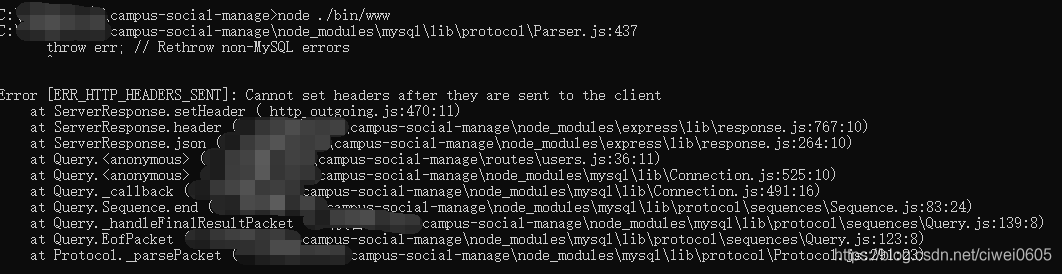
Error [err] is reported when redirecting_HTTP_HEADERS_SENT]: Cannot set headers after they are sent to the client

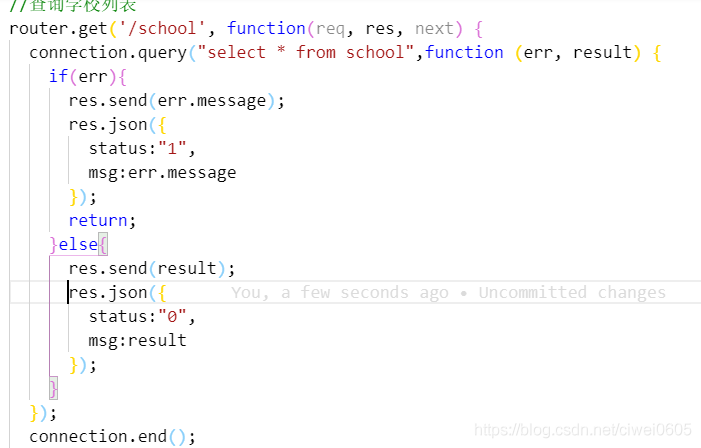
When nodejs connected to mysql database, there was a problem that the data was received normally at the first connection, but when the page redirection was updated, it was wrong, and the node service would be disconnected. As shown in figure

error code is as follows:

after searching online, it was found that res.send() contains res.end() method. After calling res.end() once, the data returned normally, but res.end() was executed at the same time
The solution
Will res. The send (); Just comment it out.
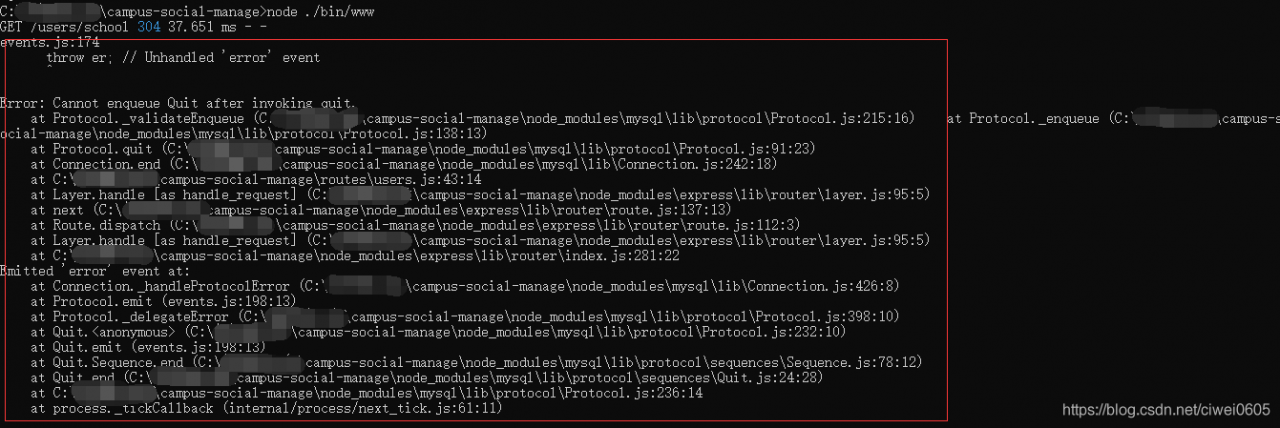
, but then it reports an Error, as shown in figure

Error: Cannot enqueue Quit after invoking Quit.
I use the mysql module, because I call connection.end() frequently; This error occurred, so the final code is as follows

//Search School List
router.get('/school', function(req, res, next) {
  connection.query("select * from school",function (err, result) {
    if(err){
      // res.send(err.message);
      res.json({
        status:"1",
        msg:err.message
      });
      return;
    }else{
      // res.send(result);
      res.json({
        status:"0",
        msg:result
      });
    }
  });
  // connection.end();
  // res.send('respond with a resource');
});

urllib.error.HTTPError http error 403 forbidden

Urllib.request-urlopen opens a URL, and the server will only receive a simple request for page access, but the server does not know the browser, operating system, hardware platform and other information used to send the request, and the request without this information is often non-normal access, such as crawler.
In order to prevent this abnormal access, some websites will verify the UserAgent in the request information (its information includes hardware platform, system software, application software, and user preferences). If the UserAgent is abnormal or does not exist, then the request will be rejected (as shown in the error message above).
Add the browser camouflage [see link for method].

headers = {'User-Agent':'Mozilla/5.0 3578.98 Safari/537.36'}
url = Request(url,headers=headers)
content = urlopen(url,timeout=15).read()

LIBGL error: no matching fbconfigs or visual s found

Installing or updating the Nvidia driver may cause the libGL dynamic link library link to break or point to the wrong link. During make compilation, the following Bug prompts generally occur:

Solution steps:
1. Swrast is mainly used for graphics rendering, and the problem description does not find the hardware driver of the graphics card. The installed libGL libraries and the links to these libGL libraries can be passed
Sudo find/usr-iname “* libgl.so *” -exec ls-{} \;
In general, updating or installing video drivers breaks these links, especially /usr/lib/ x86_64-Linux-gnu /mesa/ libgl.so.1.2.0 sometimes breaks the links
Or pointing to the wrong link
2. For the problem of 1, libgl.so.1.2.0 points to the correct opengL library: sudo ln-s /usr/lib/ libgl.so.1 /usr/lib/x86_64-linux-gnu/mesa/ libgl.so.1.2.0
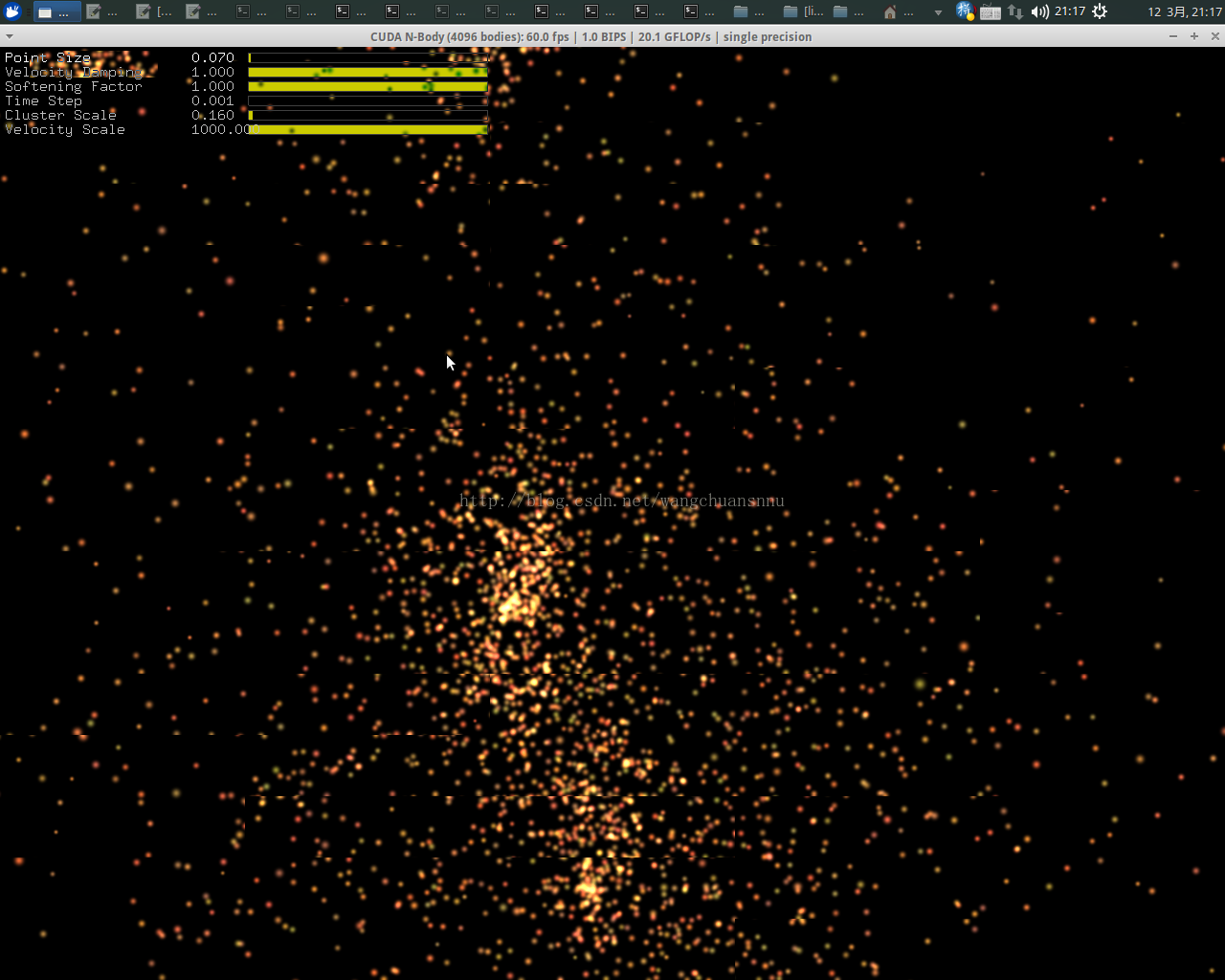
When recompiling make, the Bug is solved and the classic fireworks dynamic diagram appears

Building virtual machine environment based on kvm-qemu under ubuntu12.10 (12)

In addition to the initial mounting of the optical drive in the definition file of the virtual machine, Libvirt also has a dynamic platter mount method, which USES the Attach -device command in the virsh command. The format of this command is as follows:

dev@devhost:/opt/vm/xpvm1$sudo virsh attach-device < domain-name> filename

Where filename is a file defined in XML format (we’ll call it Disk.xml) :

< Disk type = “file” device = “cdrom” & gt; < The source file = “/ opt/vm/drivers. Iso/& gt;” < Target HDC dev = “”/& gt; < readonly/> < /disk>

The virtual machine was originally mounted ona CD-ROM called Windows_xp_professional_sp3_x89.ISO:

< domain type=’kvm’> & lt; name> XP_VM< /name> & lt; uuid> 91f15b08-e115-4016-a522-b550ff593af9< /uuid> & lt; memory> 1024000< /memory> & lt; currentMemory> 1024000< /currentMemory> & lt; vcpu> 1< /vcpu> & lt; os> & lt; Type the arch = ‘x86_64 machine =’ PC ‘& gt; hvm< /type> & lt; boot dev=’hd’/> & lt; boot dev=’cdrom’/> & lt; Bootmenu enable = ‘yes’/& gt; & lt; /os> & lt; features> & lt; acpi/> & lt; apic/> & lt; pae/> & lt; /features> & lt; cpu> & lt; The topology sockets = ‘1’ cores = ‘1’ threads = ‘1’/& gt; & lt; /cpu> & lt; = ‘localtime’ clock offset/& gt; & lt; on_poweroff> destroy< /on_poweroff> & lt; on_reboot> restart< /on_reboot> & lt; on_crash> restart< /on_crash> & lt; devices> & lt; emulator> /usr/bin/qemu-system-x86_64< /emulator> & lt; = ‘disk disk type =’ file ‘device’ & gt; & lt; Qemu driver name = ‘ ‘type =’ qcow2 ‘/ & gt; & lt; The source file = ‘/ opt/vm/xpvm1 xp_c. Img’ lock = ‘exclusive’/& gt; & lt; Target dev = ‘hda bus =’ ide ‘/ & gt; & lt; /disk> & lt; = ‘disk disk type =’ file ‘device’ & gt; & lt; Qemu driver name = ‘ ‘type =’ qcow2 ‘/ & gt; & lt; The source file = ‘/ opt/vm/xpvm1 xp_d. Img’ lock = ‘exclusive’/& gt; & lt; target dev=’hdb’ bus=’ide’/> & lt; /disk> & lt; = ‘cdrom disk type =’ file ‘device’ & gt; & lt; source file=’/opt/vm/windows_xp_professional_sp3_x86.iso’/> & lt; target dev=’hdc’/> & lt; readonly/> & lt; /disk> & lt; The channel type = ‘spicevmc & gt; & lt; Target type = ‘virtio’ name = ‘com. Redhat. Spice. 0’/& gt; & lt; Alias name = ‘virserial – channel1’/& gt; & lt; /channel> & lt; Interface type = ‘bridge’ & gt; & lt; MAC address = ’52:54:00:7 b: a8: d8’/& gt; & lt; The source bridge = ‘virbr0/& gt; & lt; = ‘vnet1’ target dev/& gt; & lt; The model type = ‘virtio/& gt; & lt; /interface> & lt; Input type = ‘tablet’ bus = ‘usb’/& gt; & lt; Graphics type=’spice’ port=’4000′ autoport=’no’ listen=’0.0.0.0′> & lt; Listen type = ‘address’ address = ‘0.0.0.0’/& gt; & lt; Agent_mouse mode = ‘off’/& gt; & lt; /graphics> & lt; Memballoon model = ‘virtio & gt; & lt; alias name=’balloon0’/> & lt; /memballoon> & lt; Sound model = ‘ac97 & gt; & lt; Address type=’ PCI ‘domain=’0x0000′ bus=’0x00′ slot=’0x04’ function=’0x0’/> & lt; /sound> & lt; video> & lt; The model type = ‘QXL vram =’ 65536 ‘heads =’ 1 ‘/ & gt; & lt; /video> & lt; /devices> & lt; qemu:commandline> & lt; Qemu: arg value = “-” CPU/& gt; & lt; Qemu: arg value = “kvm64″/& gt; & lt; /qemu:commandline> < /domain>

 
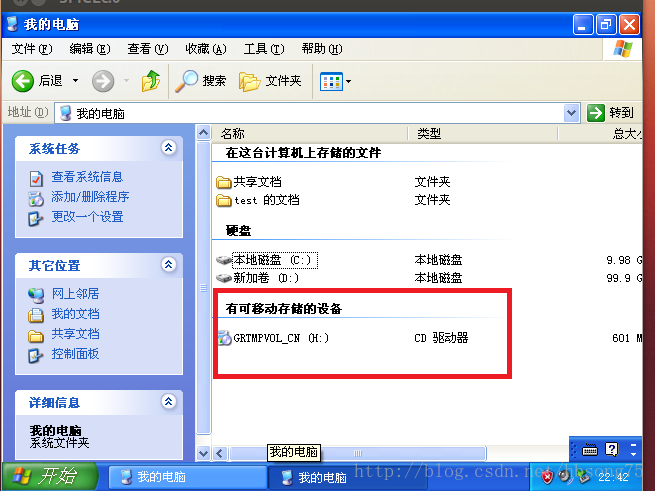
After installing the system, what you see in the virtual machine is:

 
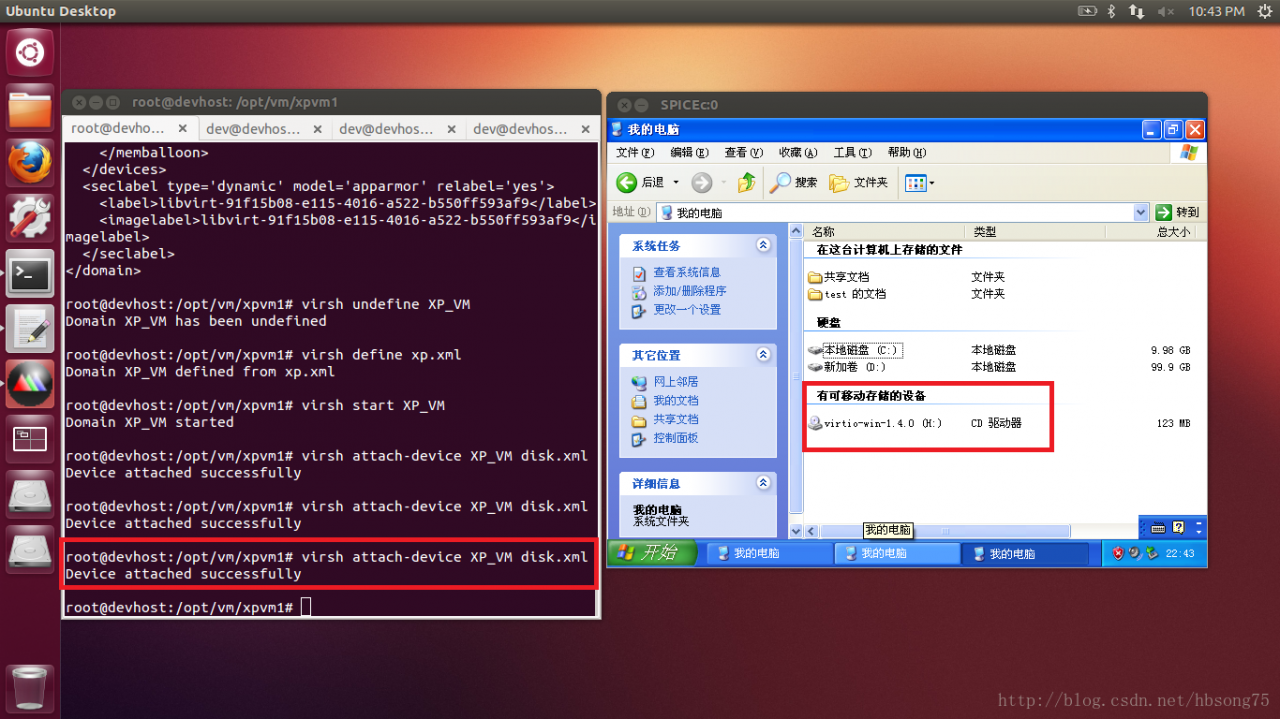
Instead of re-closing and defining a new disc file, we can change the disc using the Virsh Attach – Device command:
 

dev@devhost:/opt/vm/xpvm1$sudo virsh attaching -device XP_VM disk.xml


The advantage of doing this is that in some cases we can achieve the effect of a hot plug disc without having to restart the virtual machine.
Note: It should be noted that, after testing, there must first be an initial optical device in the defined XML, otherwise the execution of another optical device will fail: internal Error No device with bus ‘ide’ and target ‘HDC’ reported error.
That is, this is actually a swap, not a dynamic mount, and the cd-ROM device itself must be defined in XML before the virtual machine can be started.
 

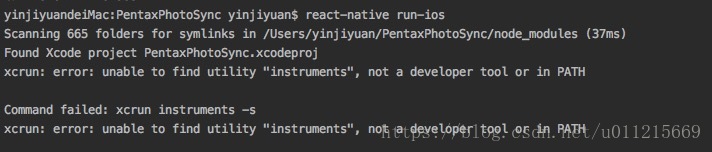
Unable to find utility “instruments”, not a developer tool or in PATH

An error occurred while debugging a project on ios

unable to find utility “instruments”, not a developer tool or in PATH

error cause:

The default version
is not set when xcode has been upgraded or when multiple versions of xcode coexist

solution:

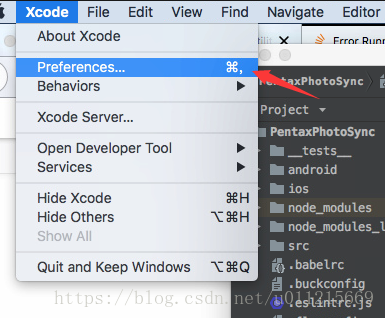
Open up Xcode and select

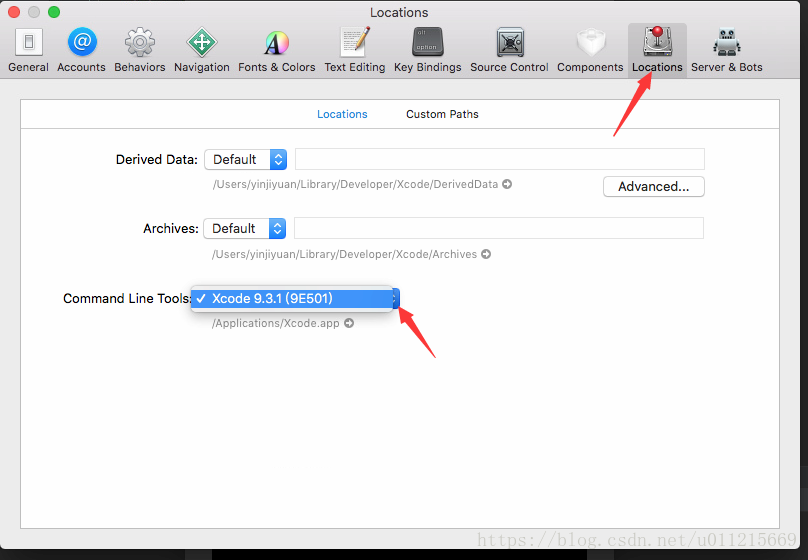
Go to Locations, and select the version you want to use in Command Line Tools

At this point, exit Xcode completely and try run-ios again. Everything is ok!

You have not concluded your merge (MERGE_HEAD exists)

Problems with Using SourceTree Merge branches:

You have not concluded your merge (MERGE_HEAD exists).
Please, commit your changes before you can merge.

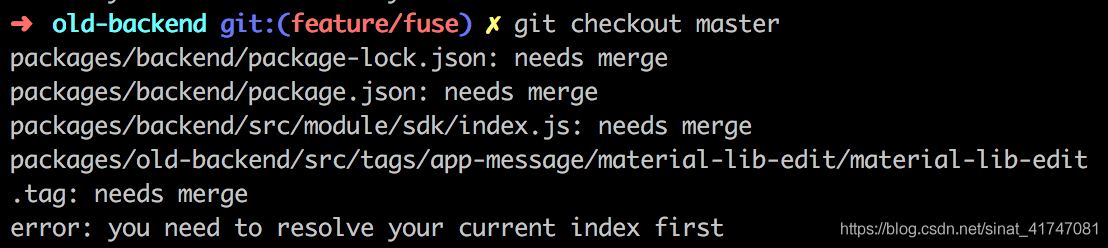
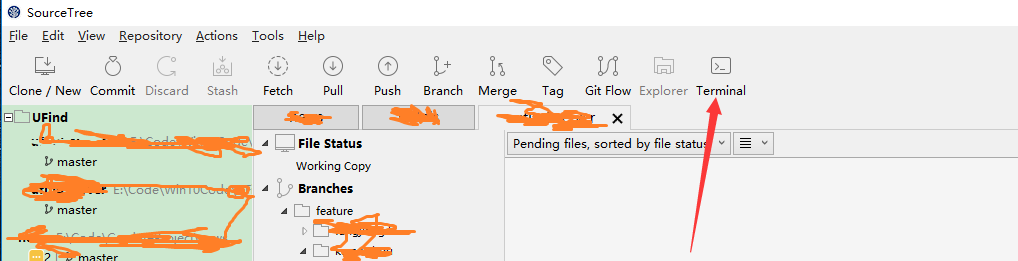
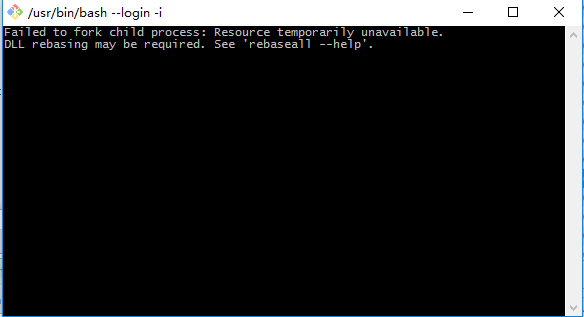
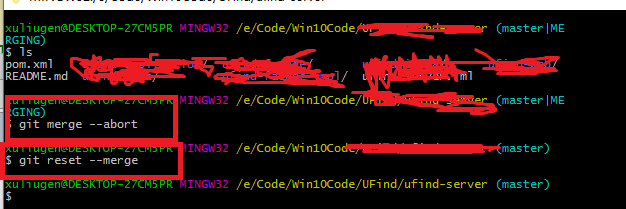
Then click Termianl on SourceTree and an error occurs:


The error may be caused by code that you pulled down before not merging automatically.
There are two solutions:
1. Keep your local changes

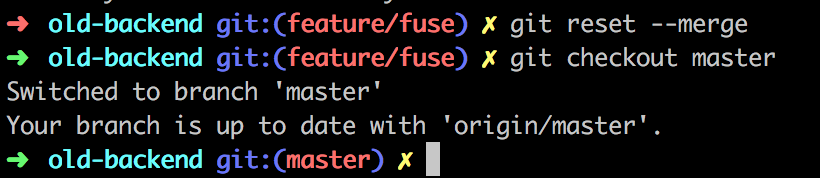
git merge --abort

git reset --merge

Be sure to commit the local merge after merging
Then get the online warehouse

git pull


2. Down the code version, discard local modifications
This is not recommended, but if you have small local changes, or if you have a backup copy of your own, you can overwrite it locally directly with the latest version on your line

git fetch --all

git reset --hard origin/master

git fetch

Of course, the dumbest option is to clone a piece of code and discard the working directory, which is clumsy but equally effective.

Opencv error: insufficient memory

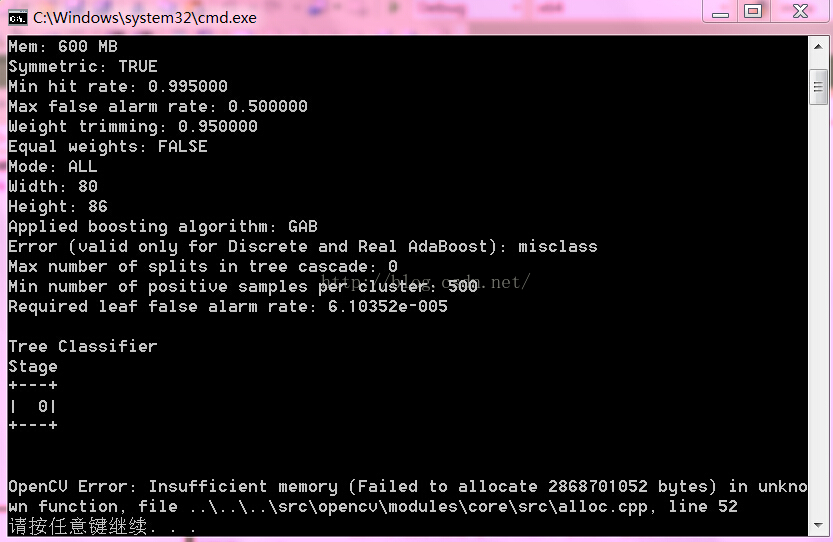
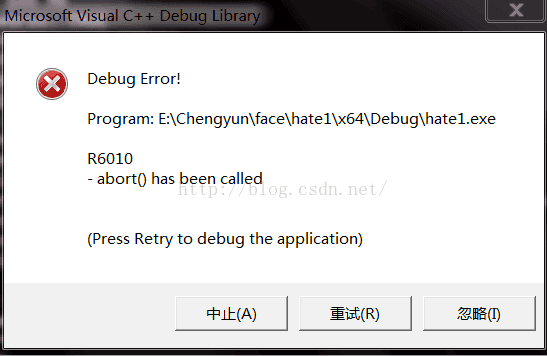
Recently, I have been using the function Haartraining provided by Opencv to train the classifier. The previous picture used was 20*20, which could train the classifier. Later, when it was changed to 80*86, the error was reported, which was due to insufficient memory. Here is a screenshot of the error report:

So, I looked it up on the Internet and found a solution: change the debugging platform from 32 to 64, because there seems to be a problem with 32 bits, no matter how big your actual memory is, it only works around 2 or 3 gs. Another solution is to make your training pictures smaller.

Error 1136 (21s01): column count doesn’t match value count at row 1

After creating the library, I inserted the data into ERROR “ERROR 1136 (21S01): Column count doesn’t match value Count at row 1”. At the beginning, I thought it was a data type ERROR. Then DESC looked at it and found that it was char (10).
 

You can see that the unknown column is displayed, which is obviously an SQL statement error, and then you can look at my statement and see that the quotes are missing (manual face-covering).
Mysql> insert into student values(ka,18);
ERROR 1054 (42S22): Unknown column ‘ka’ in ‘field list’
 
Mysql> insert into student values(‘saoka’,’18’);
Query OK, 1 row affected (0.01 SEC)