Author Archives: Robins

Taro Use React Hooks Error: TypeError: Object(…) is not a function

  I stepped on a version of the pit today

In the taro project, you want to use react hooks. The code is as follows. Errors are always reported in the wechat development tool
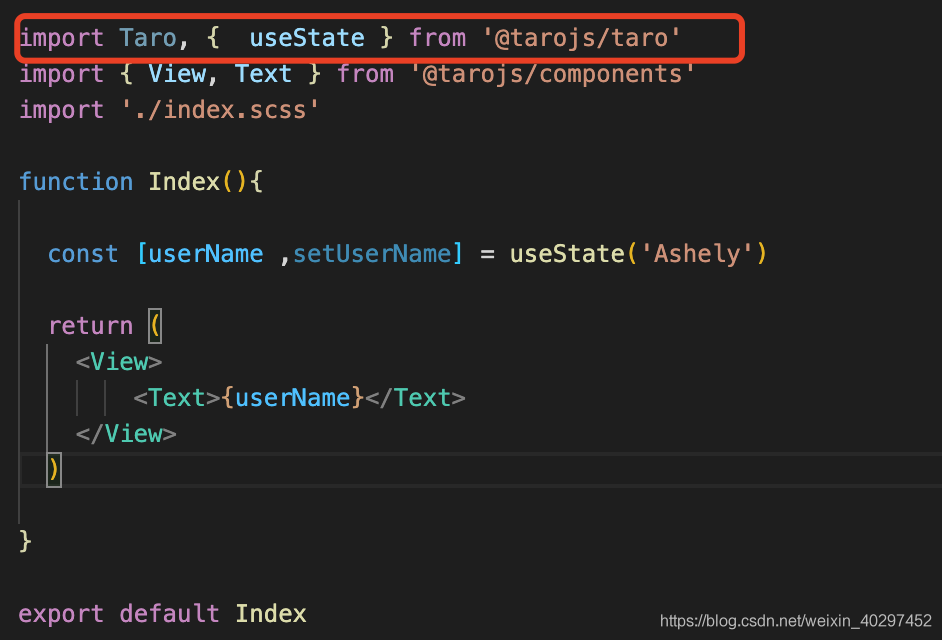
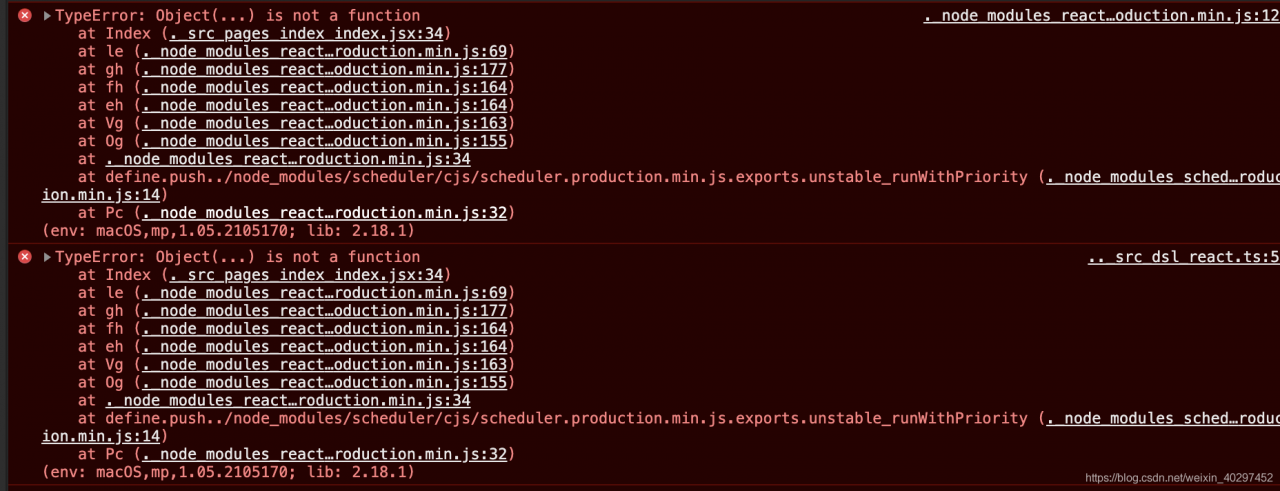
After looking at the official documents, I found that taro was introduced after version 3.xx   Usestate and so on need to be introduced from the corresponding framework react
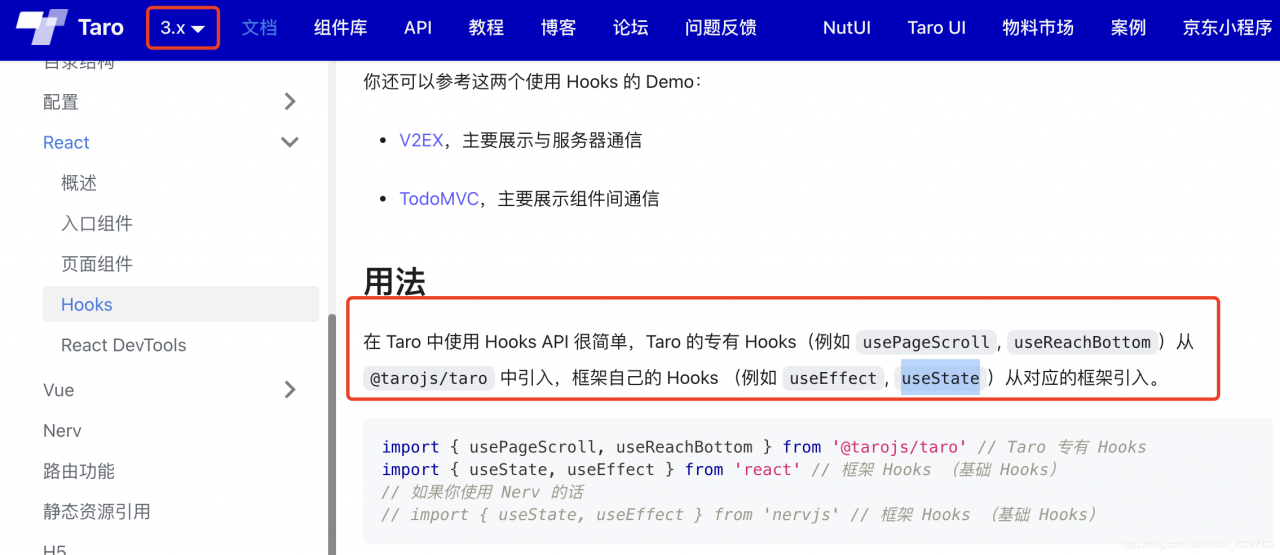
The code is modified as follows:

// React Hooks
import { useState, useEffect } from 'react' 
import { View, Text } from '@tarojs/components'
import './index.scss'
function Index() {
    const [userName, setUserName] = useState('Ashely')
    return (
        <View>
            <Text>{userName}</Text>
        </View>
    )
}

export default Index

You can compile normally
[Solved] Android Studio Error: The binary version of its metadata is 1.5.1, expected version is 1.1.15.

Question:

Android studio reports an error: module was compiled with an incompatible version of kotlin. The binary version of its metadata is 1.5.1, expected version is 1.1.15.
Solution 1:

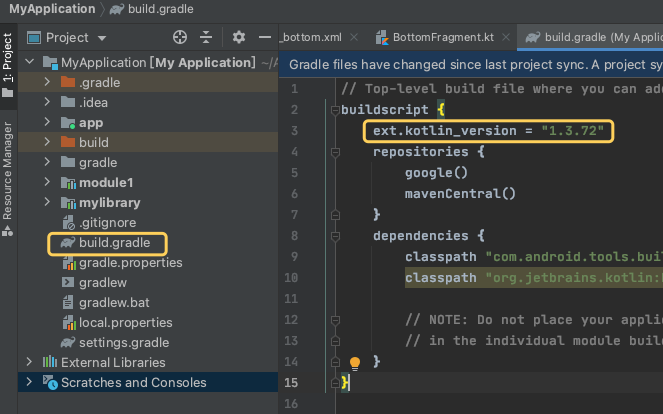
Add ext.kotlin in build.gradle of the project_ Version = "1.3.72" (lower version) changed to ext.kotlin_ Version = "1.5.21" (not necessarily 1.5.21, but also the latest version). Just sync and run again

Solution 2:

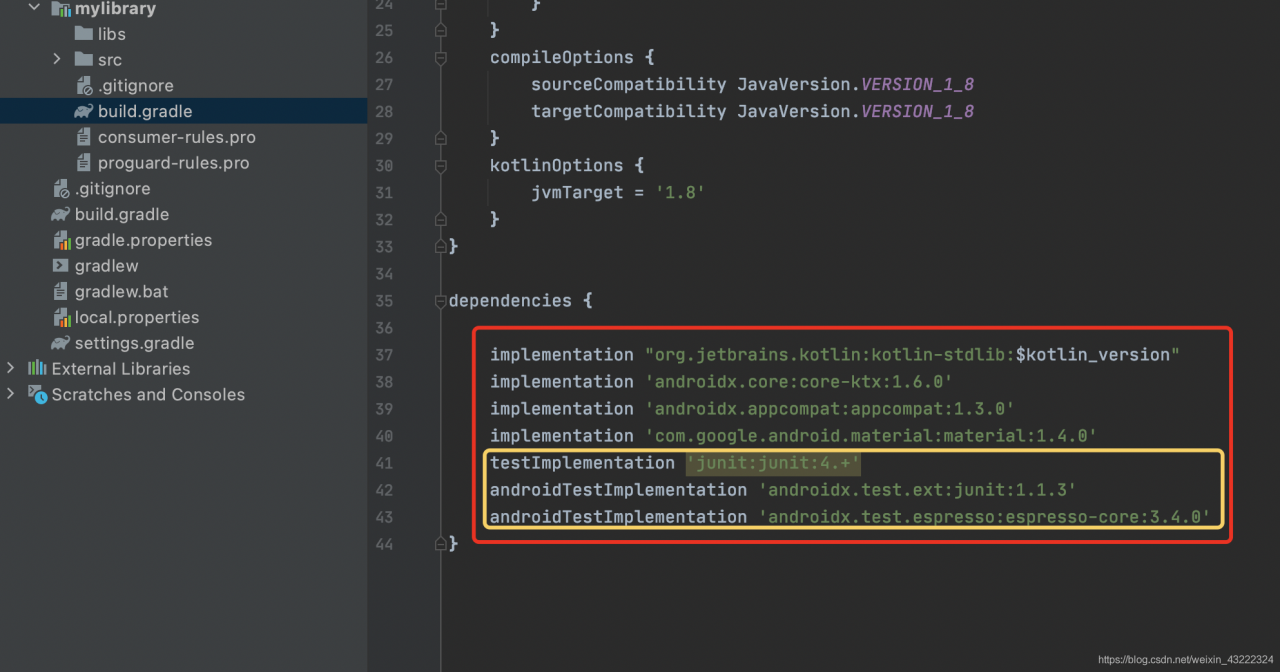
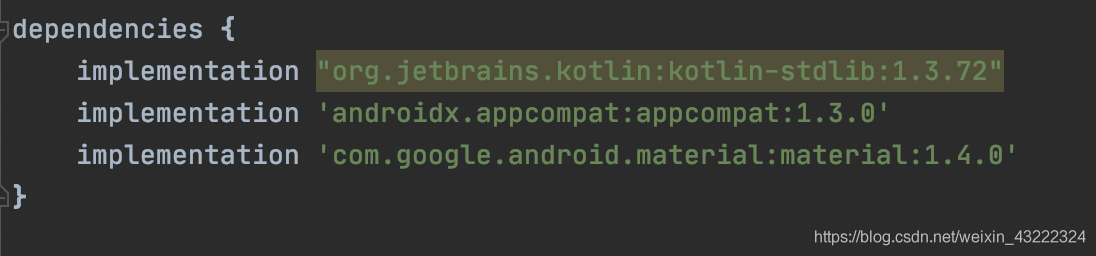
Open build.gradle under your module (my module name here is MyLibrary) directory, delete some lines in dependencies, and only the corresponding lines in the second figure are left. Just run it again

these lines remain:

from keras.preprocessing.text import Tokenizer error: AttributeError: module ‘tensorflow.compat.v2‘ has..

Error from keras.preprocessing.text import tokenizer: attributeerror: module ‘tensorflow. Compat. V2’ has

Import the vocabulary mapper tokenizer in keras in NLP code

from keras.preprocessing.text import Tokenizer

Execute code and report error:

AttributeError: module 'tensorflow.compat.v2' has no attribute '__ internal__'

Baidu has been looking for the same error for a long time, but it sees a similar problem. Just change the above code to:

from tensorflow.keras.preprocessing.text import Tokenizer

That’s it!

AttributeError: DatetimeProperties object has no attribute

1.Question

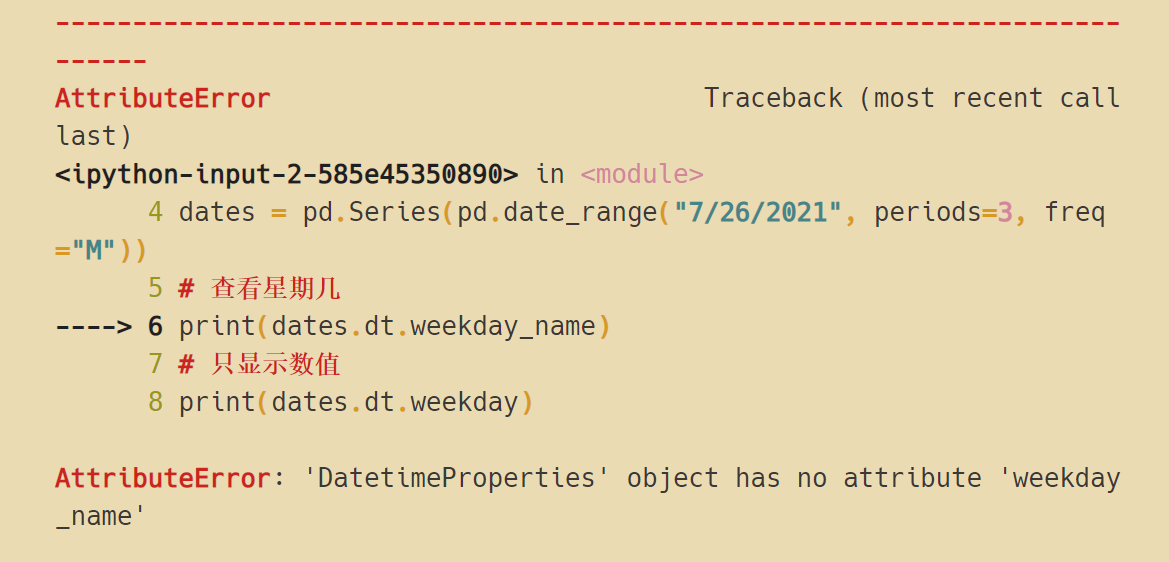
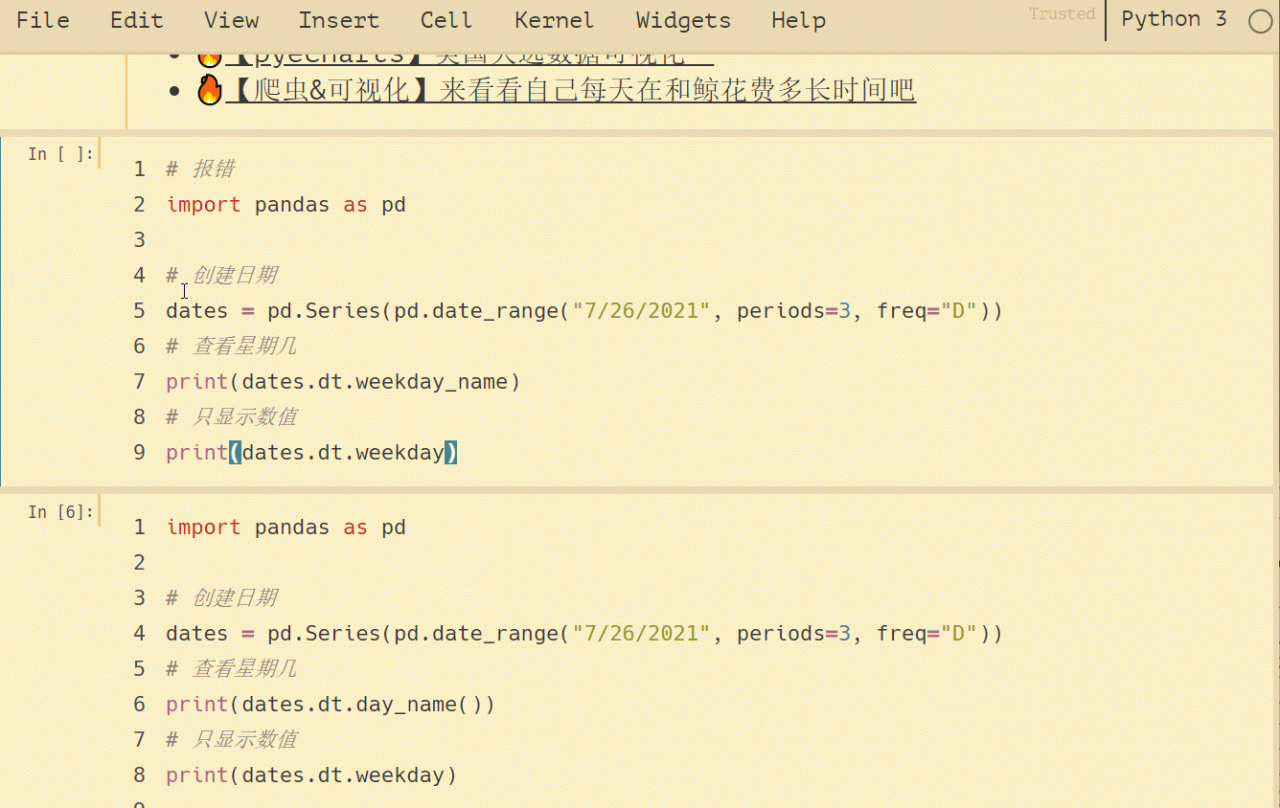
AttributeError: ‘DatetimeProperties’ object has no attribute ‘weekday_ name’

Simple test, run the following code:

import pandas as pd

# Create dates
dates = pd.Series(pd.date_range("7/26/2021", periods=3, freq="D"))
# Check the day of the week
print(dates.dt.weekday_name)
# Show only values
print(dates.dt.weekday)

2.Solution

weekday_ Change name to day_ name()

import pandas as pd

# Create dates
dates = pd.Series(pd.date_range("7/26/2021", periods=3, freq="D"))
# Check the day of the week
print(dates.dt.day_name())
# Show only values
print(dates.dt.weekday)

For example:

Type

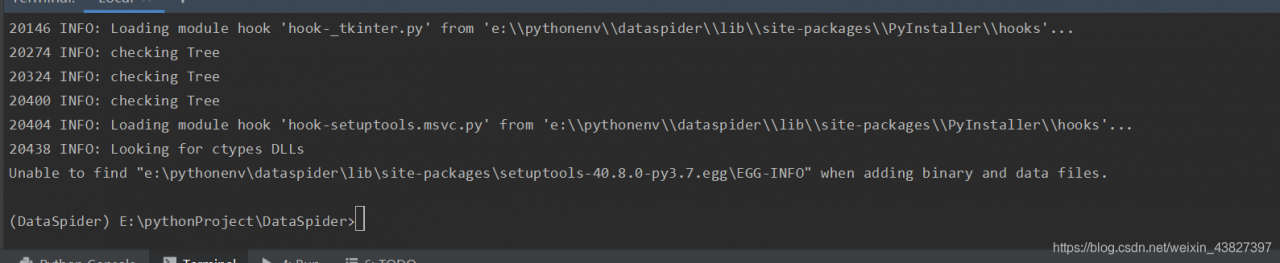
[Solved] Unable to find “…\setuptools-40.8.0-py3.7.egg\EGG-INFO“ when adding binary and data files

Unable to find “e:\pythonenv\dataspider\lib\sit-packages\setuptools-40.8.0-py3.7.egg\EGG-INFO” when adding binary and data files.

Error resolution.
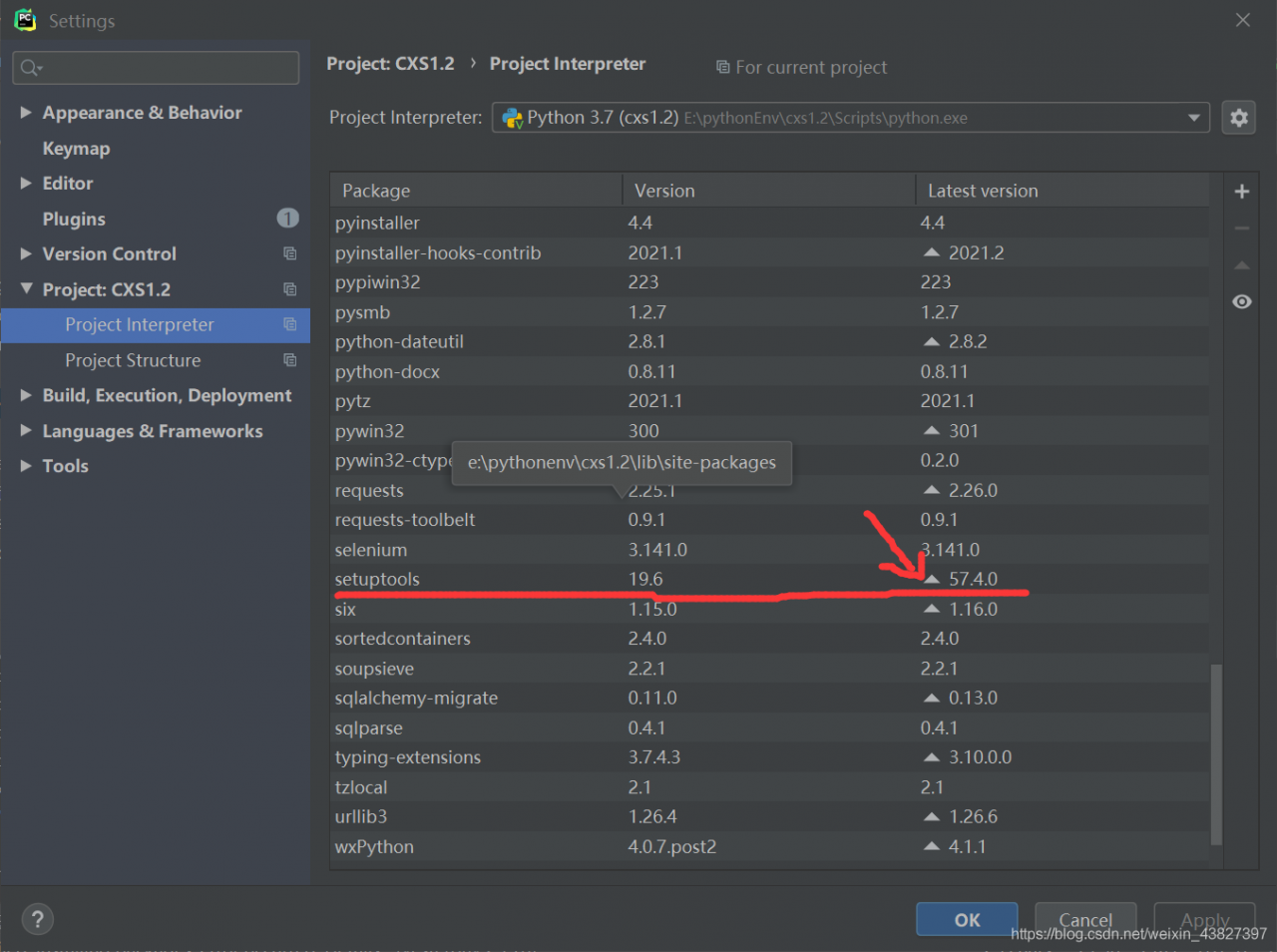
The version of setuptools is too low, upgrade the version on it, click File-settings-project:xxx-Project interpreter – click

然后install package即可

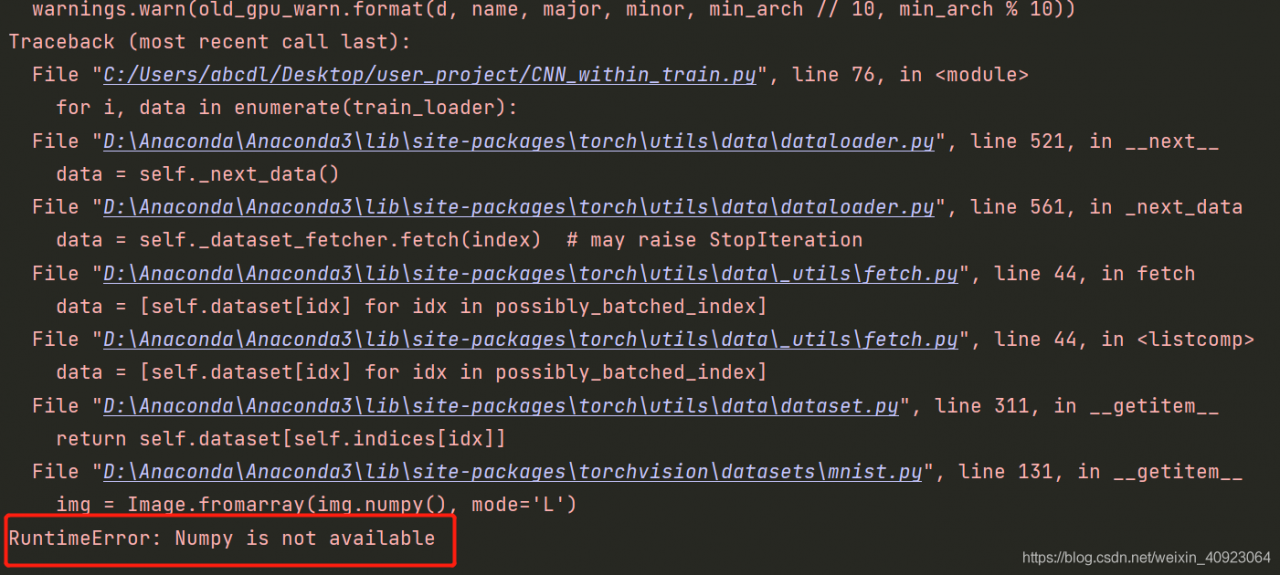
[Solved] RuntimeError: Numpy is not available (Associated Torch or Tensorflow)

Runtimeerror: numpy is not available solution

Problem Description:

Today, the old computer crashed (cried) and the new computer got started. I couldn’t wait to install the pytorch and check the operation of the previous project. As a result, there was an error running the model training

the key sentence is the sentence loading the model training data

for i, data in enumerate(train_loader):

The bottom layer of this statement is applied to the operation of converting the tensor variable to numpy, that is

import numpy
import torch
test_torch = torch.rand(100,1,28,28)
print(test_torch.numpy())
# will produce the same error

Problem root

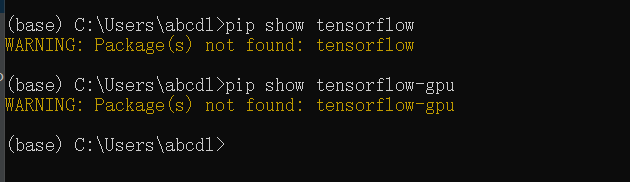
The direct correlation between pytoch and tensorflow is ignored
if there is only torch but no tensorflow in the environment, the tensor variable used by torch will lose the tensor related operation function, such as torch. Numpy()

Solution:

Install tensorflow in the basic environment, whether CPU version or GPU version
in Anaconda environment, you can directly

conda install tensorflow

Otherwise pip

pip install --ignore-installed --upgrade tensorflow-gpu

How to Use ffmpeg to convert MP4 and other formats to MP3 format

Single conversion

command

ffmpeg -i {input file} {output file}

Example

Mp4 to MP3

ffmpeg -i foo.mp4 foobar.mp3

flv 转 mp3

ffmpeg -i foo.flv foobar.mp3

mp4 transfer wav

ffmpeg -i foo.mp4 foobar.wav

wav transfer mp3

ffmpeg -i foo.wav foobar.mp3

Batch conversion

For example, there are *. MP4 files under the folder. To batch convert them to XX. MP3 files, you can use the following methods

for i in ./*.mp4
do
ffmpeg -i $i ${i}.mp3
done

For another example, all files under the folder should be converted into XX. MP3 files in batch. You can use the following methods

for i in ./*
do
ffmpeg -i $i ${i}.mp3
done

Connect two videos

ffmpeg -i "concat:1.ts|2.ts" -acodec copy -vcodec copy -absf aac_adtstoasc output.mp4

Multiple audio merging

ffmpeg.exe -i "concat:1.mp3|2.mp3" -acodec copy output.mp3

After SAP Spartacus successfully logs in, does the request base site need access token

I did test in two Spartacus instances,one is setup locally, the other one is http://cx-qa.eastus.cloudapp.azure.com:4200/

    create a new storefront using Schematics with version 3.1.

OCC endpoint: https://20.51.210.49:9002/
Login with url http://localhost:4200/electronics-spa/en/USD/
Wait for 1 minute till the access token is expired.
Refresh the browser.
Login page is displayed. This is working as designed.

    login with http://cx.eastus.cloudapp.azure.com:4200/

Wait for 1 minute till the access token is expired.
Refresh the browser.
No login page is displayed. Instead, blank screen is displayed.
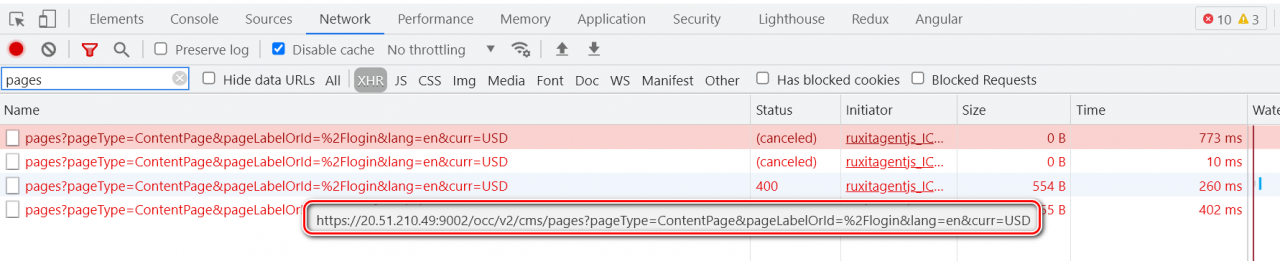
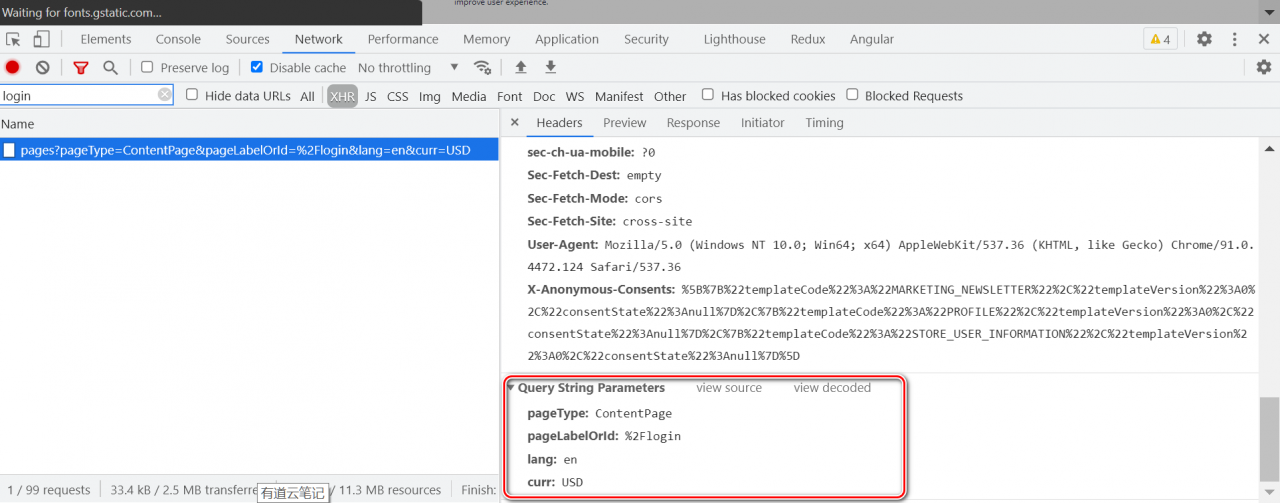
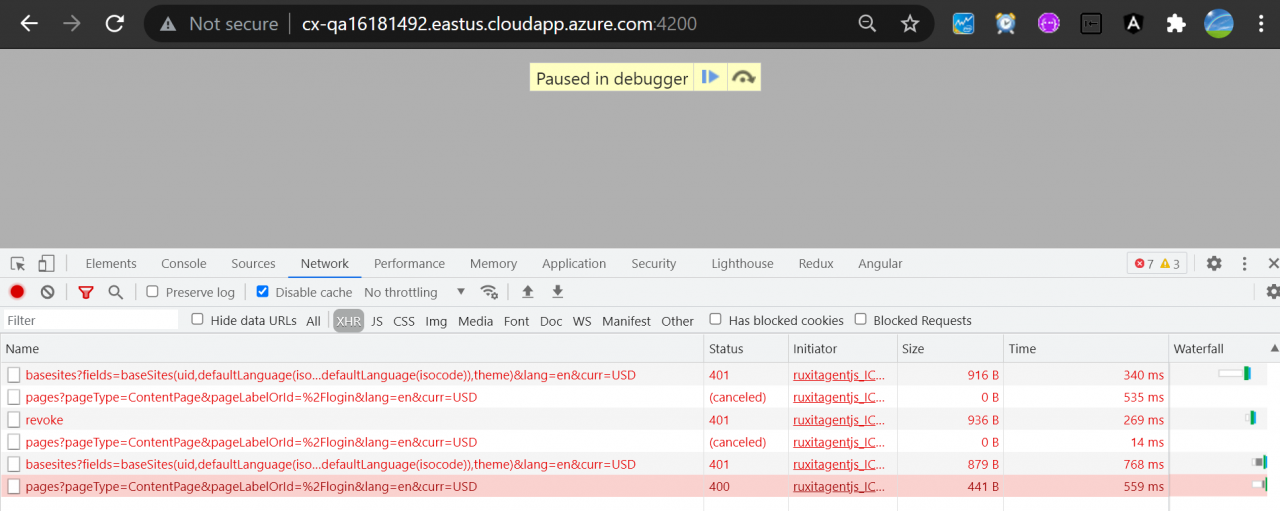
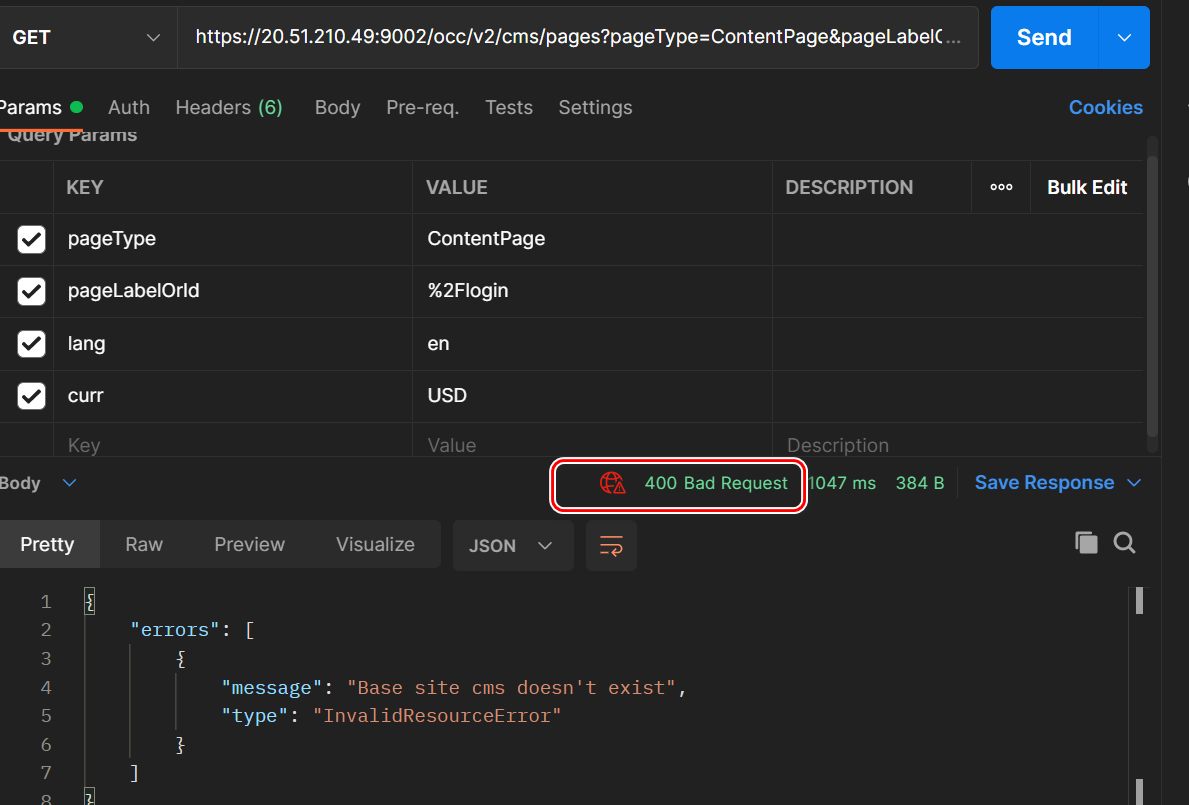
The cause of blank page is, the OCC API to retrieve CMS structure of login page fails with 400 response:

Because the url itself is wrong:
https://20.51.210.49:9002/occ/v2/cms/pages?pageType=ContentPage&pageLabelOrId=%2Flogin&lang=en&curr=USD
The base site is missing in url.
The correct url should be:
https://20.51.210.49:9002/occ/v2/electronics-spa/cms/pages?pageType=ContentPage&pageLabelOrId=%2Flogin&lang=en&curr=USD
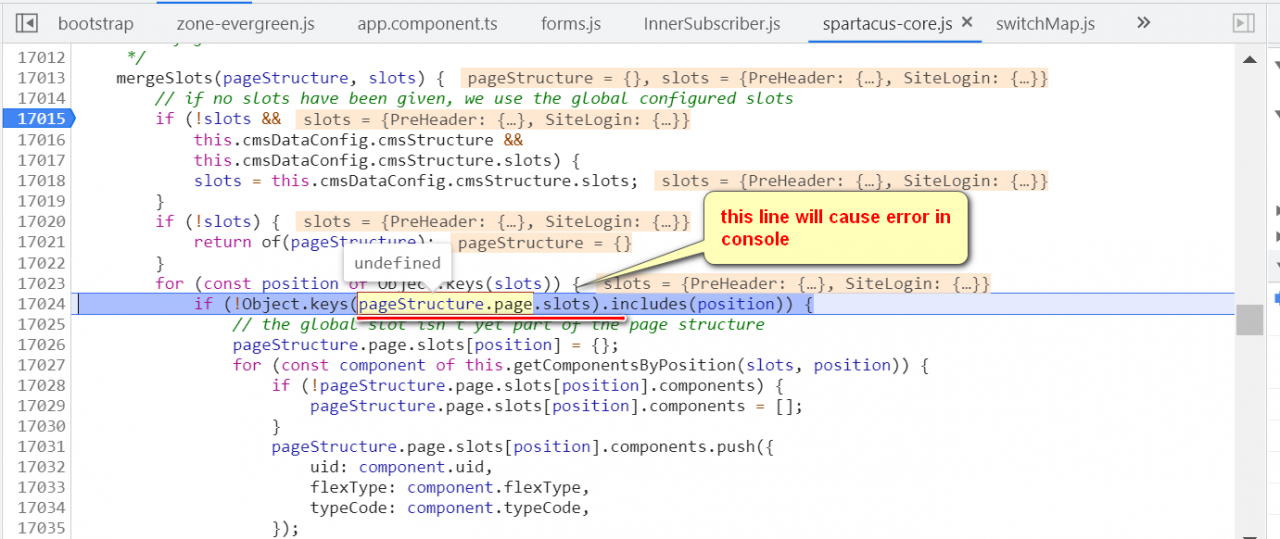
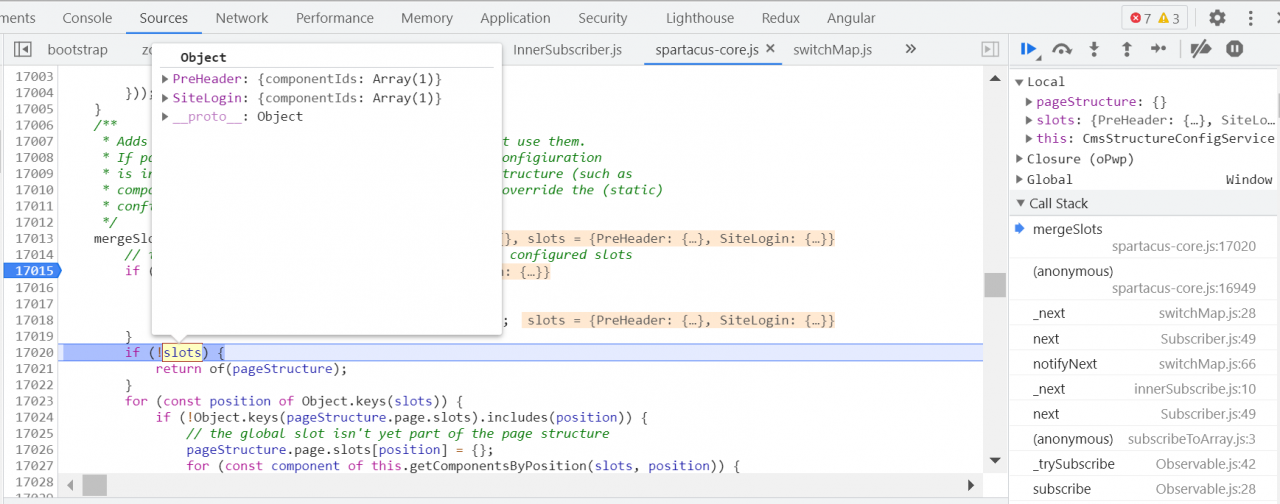
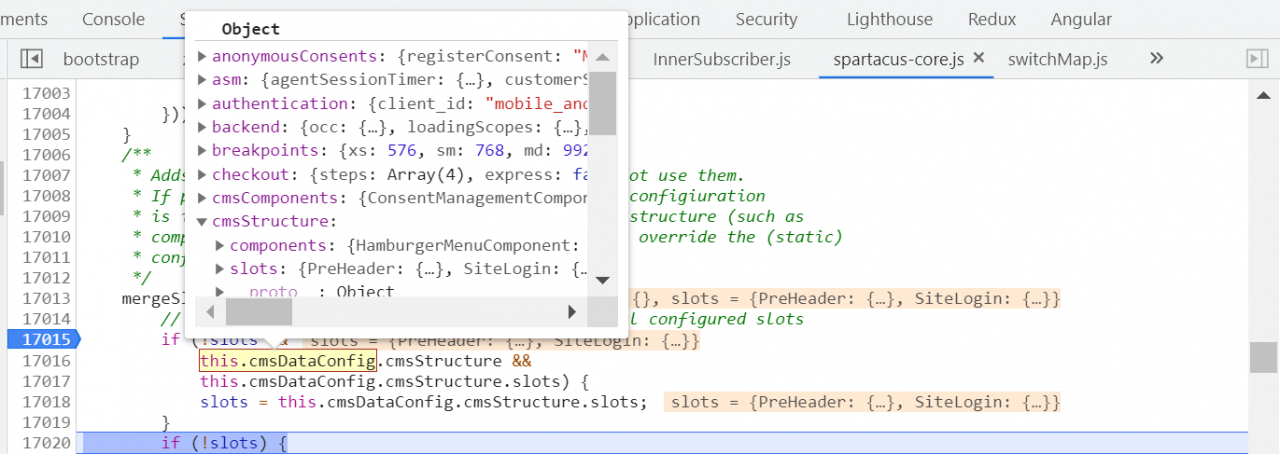
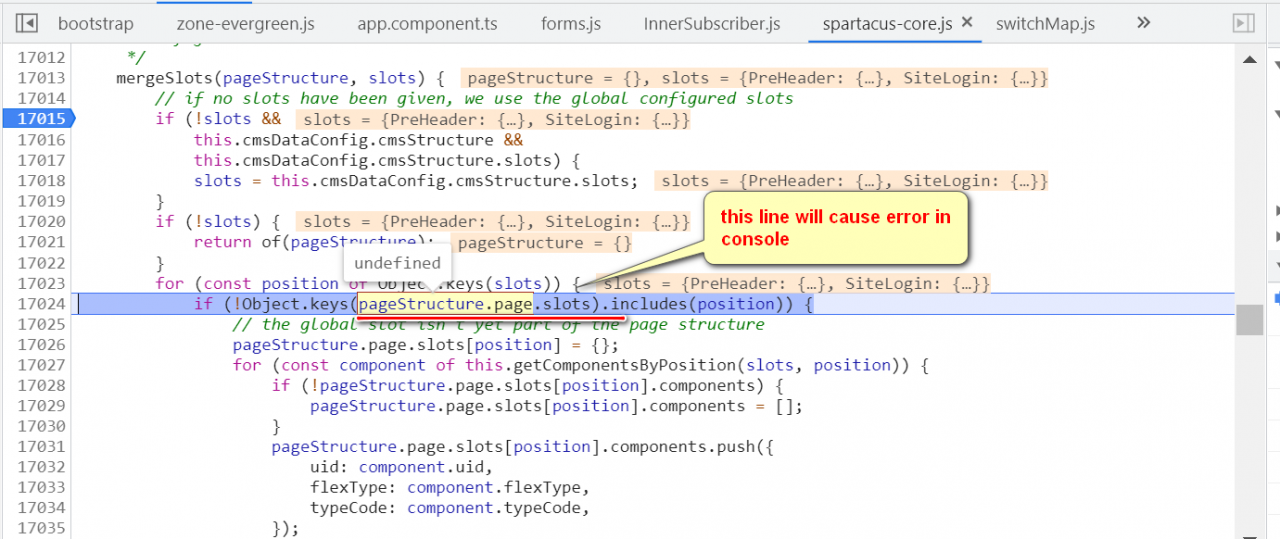
Due to this error, pageStructure.page is undefined, and the code below leads to JavaScript error in console. The login page fails to display. Then blank screen.

But why http://localhost:4200/electronics-spa/en/USD/ can work as expected?
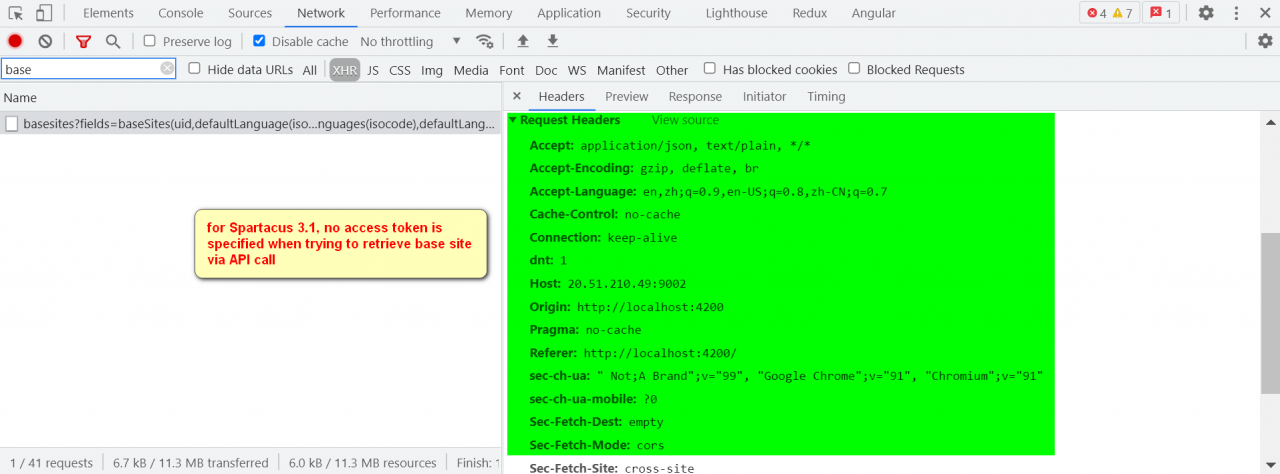
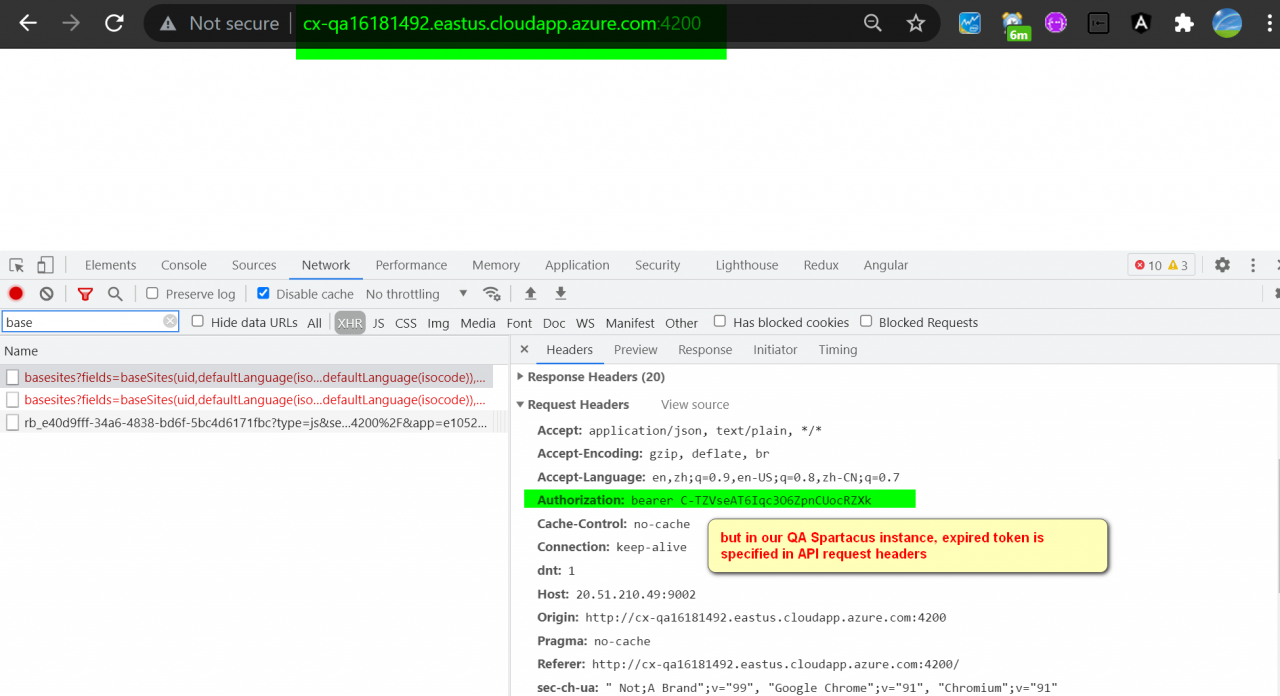
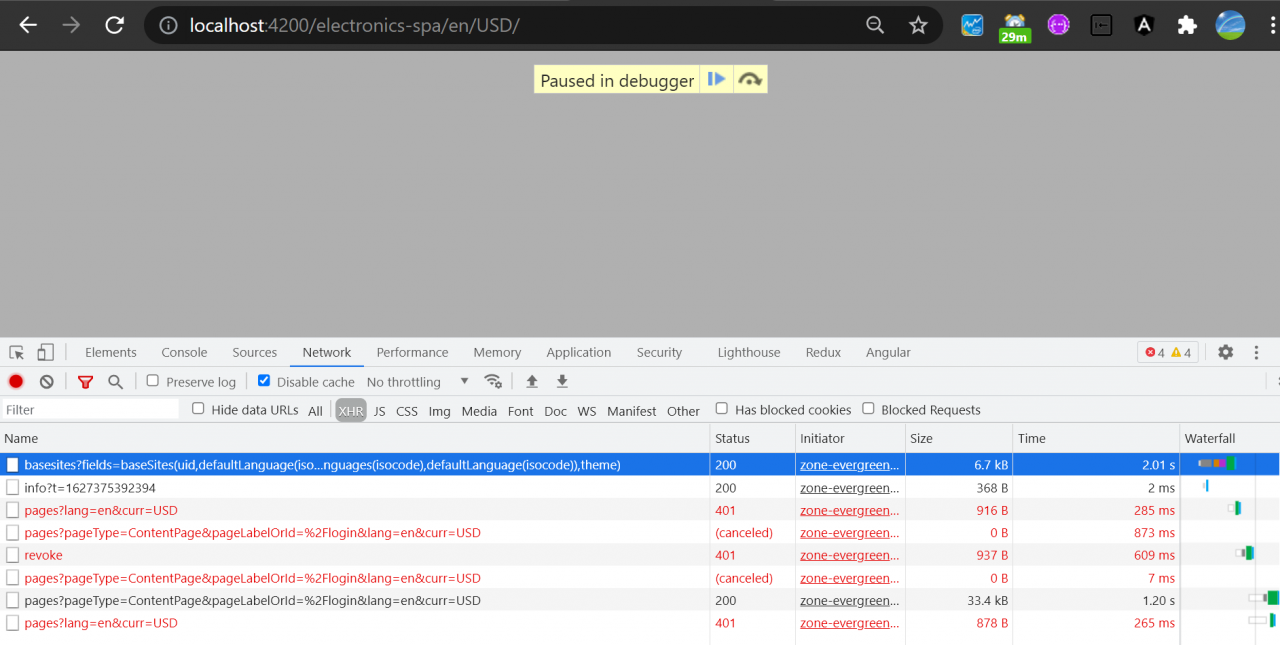
In Spartacus 3.1, there is no Authorization field appended to OCC API for base site request:

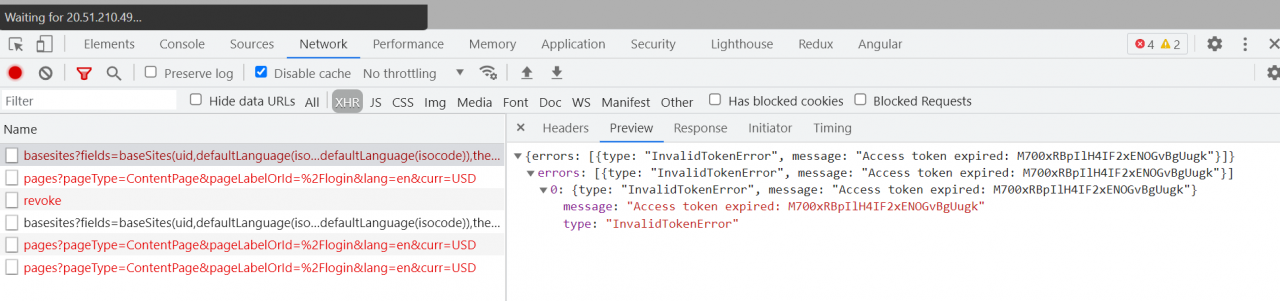
But in our QA instance, the access token is appended in API request headers, so 401 error occurs.

Due to this error, base site cannot be retrieved, so subsequent request for login page structure is failed as well. Finally no login page displayed.
Here is some specific debugging information.
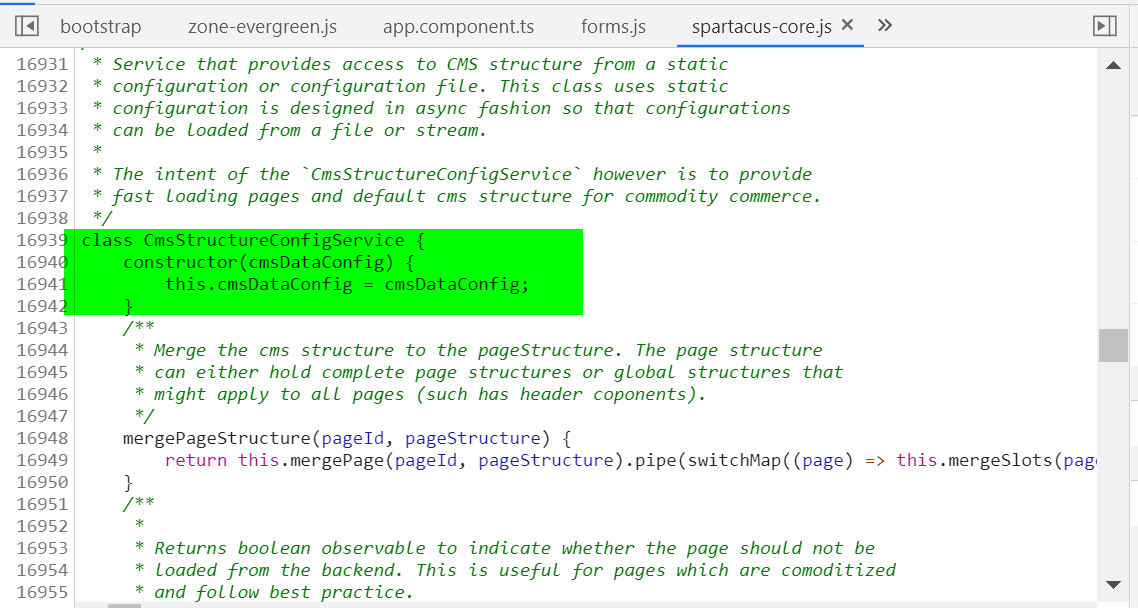
http://cx.eastus.cloudapp.azure.com:4200/electronics-spa/en/USD/

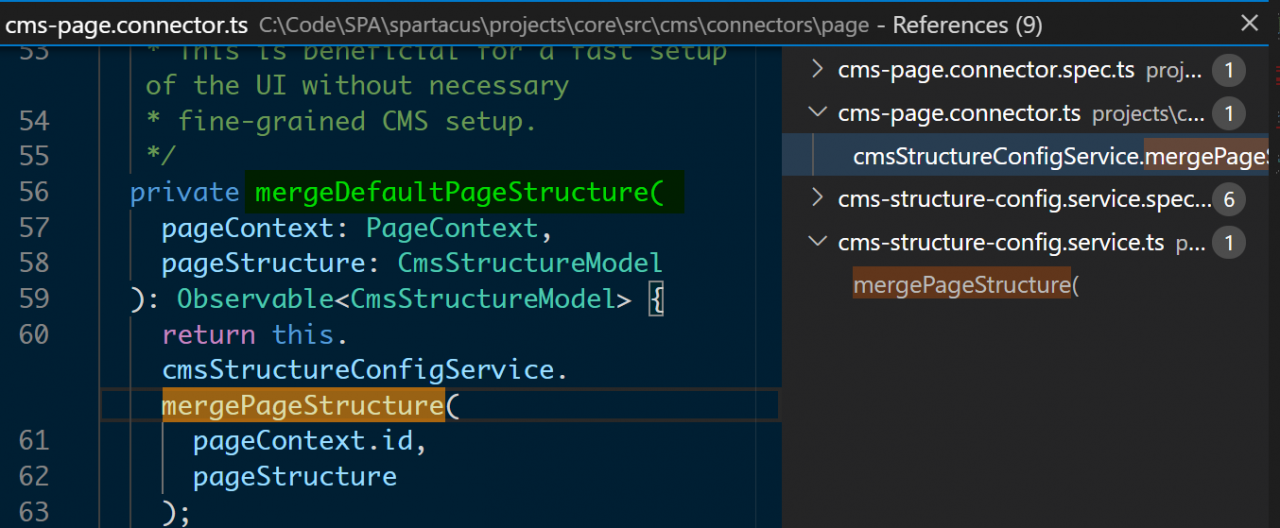
This method is called by cms-page.connector.ts.

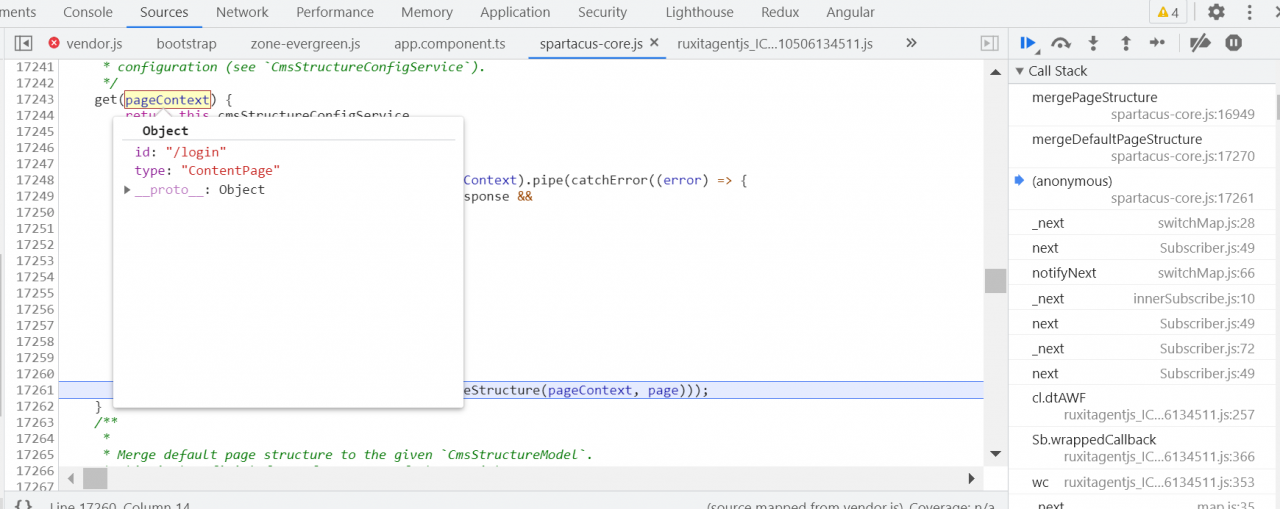
Read the context of the login page.

This request to read the page structure of the login page has succeeded.

Request parameters successfully read.


The context is now only PreHeader and SiteLogin.


On a properly working local Storefront, the basesite request returns success: