Author Archives: Robins

401 error after SAP Spartacus access token expires

    login with url: http://cx-qa16181492.eastus.cloudapp.azure.com:4200/electronics-spa/en/USD

open Chrome dev tools to see access token is generated and stored in local storage.
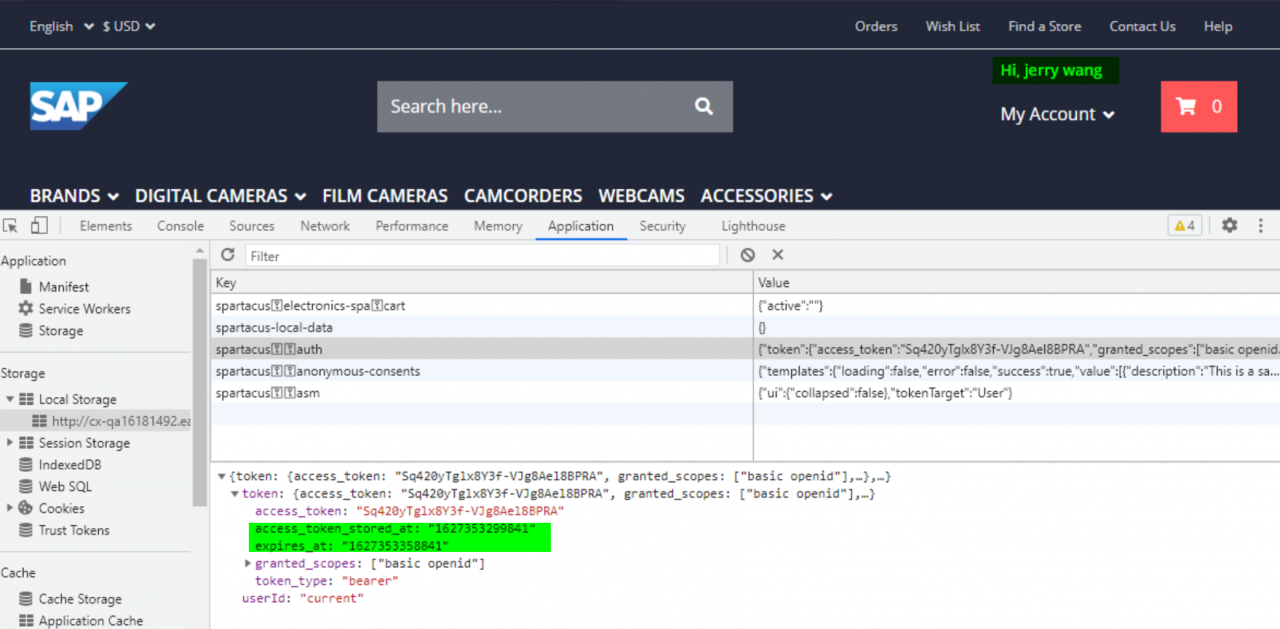
    do nothing but just wait till the token expires.

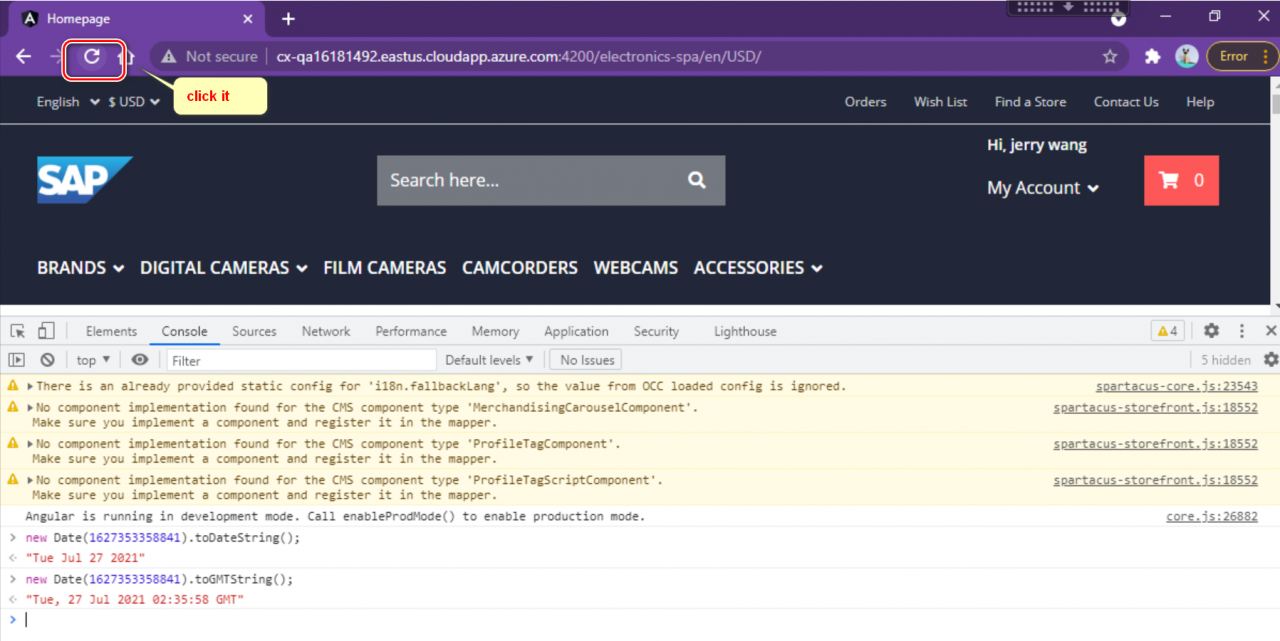
Then press F5 to refresh the browser.
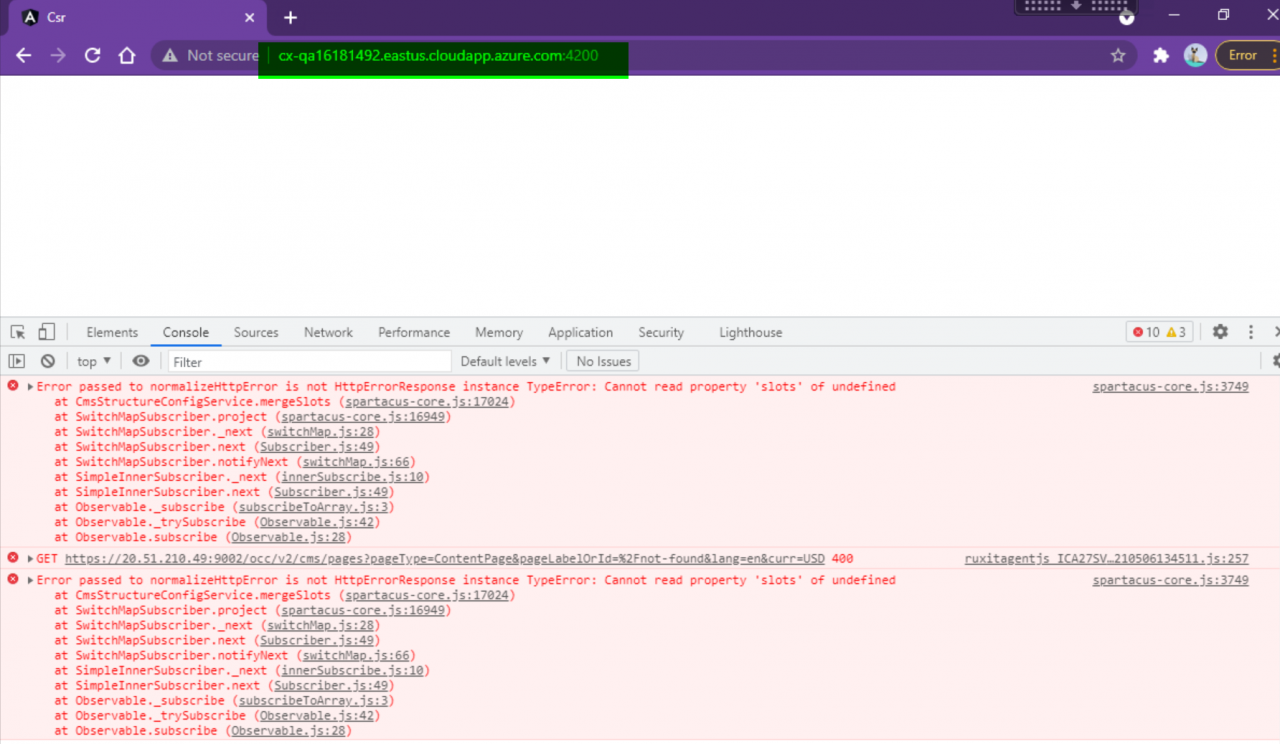
Then you see error message in Chrome dev tools console, and blank screen is displayed.
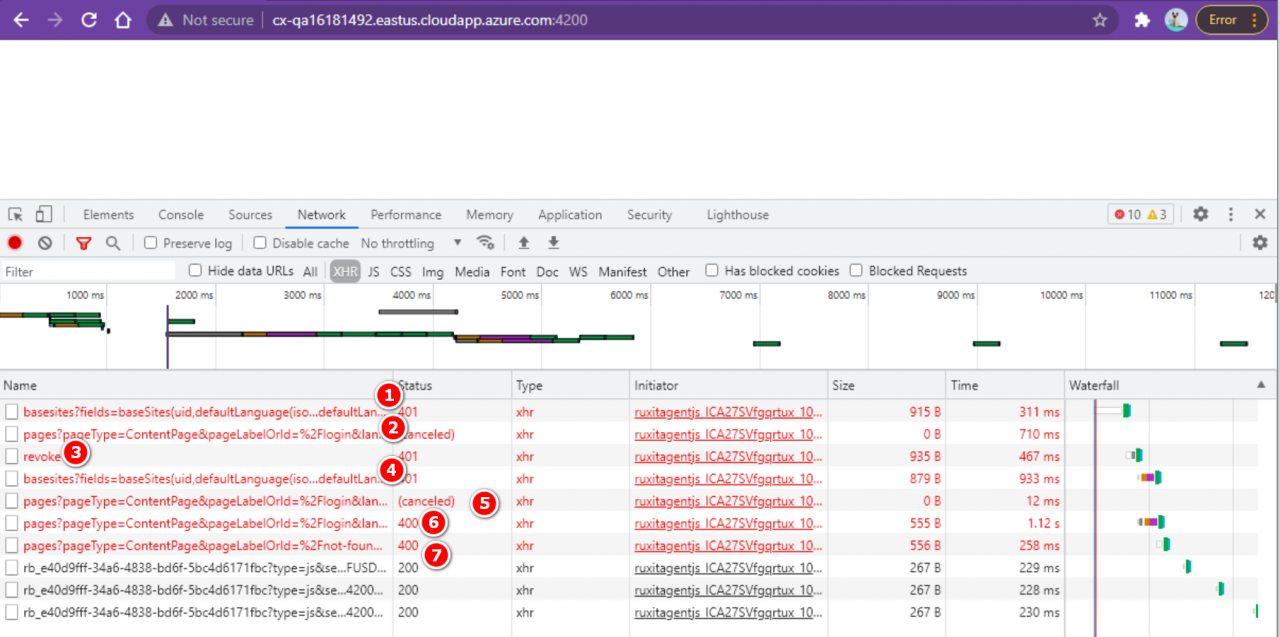
There are three 401 errors and two 400 errors observed in network tab:
Onnx to tensorrt model error [How to Solve]

Error message:

[2021-07-26 07:16:07   ERROR] 2: [ltWrapper.cpp::setupHeuristic::327] Error Code 2: Internal Error (Assertion cublasStatus == CUBLAS_STATUS_SUCCESS failed.)
terminate called after throwing an instance of 'std::runtime_error'
  what():  Failed to create object
Abandoned (core dumped)

Solution:
an error is reported here. Cuda10.2 is used
Download patch 1 here and install it

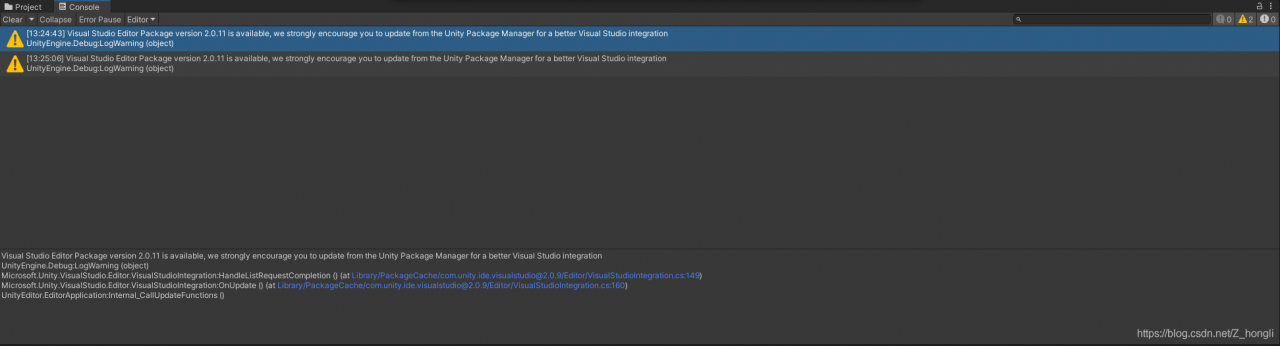
[Solved] Unity Error: Visual Studio Editor Package version 2.0.11 is available……..

Error: Visual Studio editor package version 2.0.11 is available, we strongly encode you to update from the unity package manager for a better visual studio integration

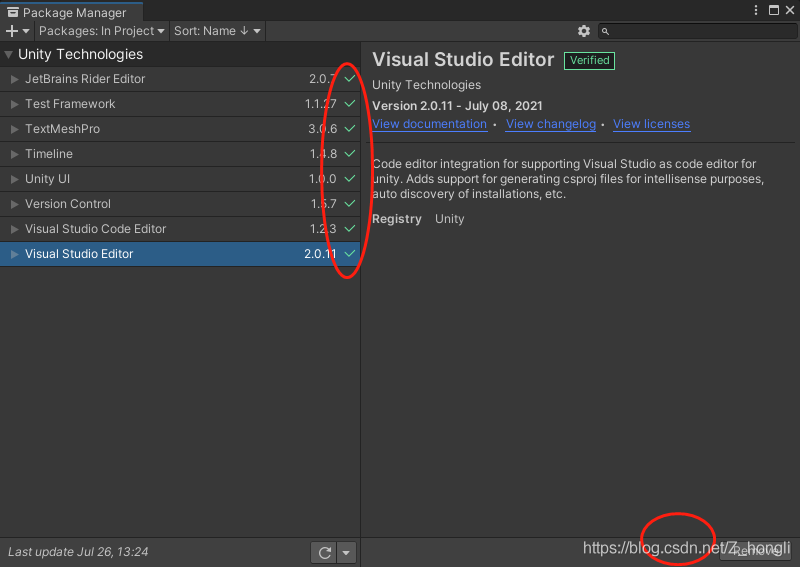
The details are shown in the following figure:
the reason for this problem is that the package in the package manager is not updated. We find the package manager in the window, observe where there is no green check, and then click in to update it.

Eclipse Lombok installation error [How to Solve]

Just downloaded from the official website of eclipse to install lombok (manually installed and automatically installed are reported as errors) after opening the java code error: module java.base does not “opens java.lang” to unnamed module
Solution.
In the eclipse.ini file, add

--add-exports=java.base/sun.nio.ch=ALL-UNNAMED 
--add-opens=java.base/java.lang=ALL-UNNAMED 
--add-opens=java.base/java.lang.reflect=ALL-UNNAMED 
--add-opens=java.base/java.io=ALL-UNNAMED 
--add-exports=jdk.unsupported/sun.misc=ALL-UNNAMED


Python Run Error: TypeError: hog() got an unexpected keyword argument ‘visualise‘”

Running Python code reports an error “typeerror: hog() got an unexpected keyword argument ‘visualise'”

FD, hog_ image = hog(image, orientations=8, pixels_ per_ cell=(12, 12),
cells_ per_ Block = (1, 1), visualise = true) can be normal by changing visualise to visualize, that is (changing the letter S to Z):

 fd, hog_image = hog(image, orientations=8, pixels_per_cell=(12, 12),
                    cells_per_block=(1, 1), visualize=True)

[Solved] RuntimeError: Expected all tensors to be on the same device, but found at least two devices, cpu and

RuntimeError: Expected all tensors to be on the same device, but found at least two devices, cpu and cuda:0! (when checking arugment for argument mat1 in method wrapper_addmm)
It says there are at least two devices, cup and cuda 0
Actually added a MLP, then tried to test it, and ended up reporting this error
RuntimeError: Expected all tensors to be on the same device, but found at least two devices, cpu and cuda:0! (when checking arugment for argument mat1 in method wrapper_addmm)

Solution:
self.mlp1 = MLP(2048) # Example: This code added
Add this code followed by the following sentence.
self.mlp1.cuda()
Problem solved!

From the tensorboard command line, enter tensorboard — logdir$$

On the tensorboard command line, enter tensorboard — logdir = log (log is the name of the stored log, which is variable. If it is not written, it defaults to runs)

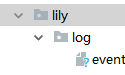
The following is the directory structure

The log storage location in the code

the generated directory structure

needs to enter the directory of the project. In Lily’s folder, the log of this article is saved as log, so execute the command tensorboard — logdir = log to enter and exit http://localhost:6006 You can see the visualization results

(Caused by SSLError(SSLError(1, ‘[SSL: WRONG_VERSION_NUMBER] wrong version number (_ssl.c:1123)‘)))

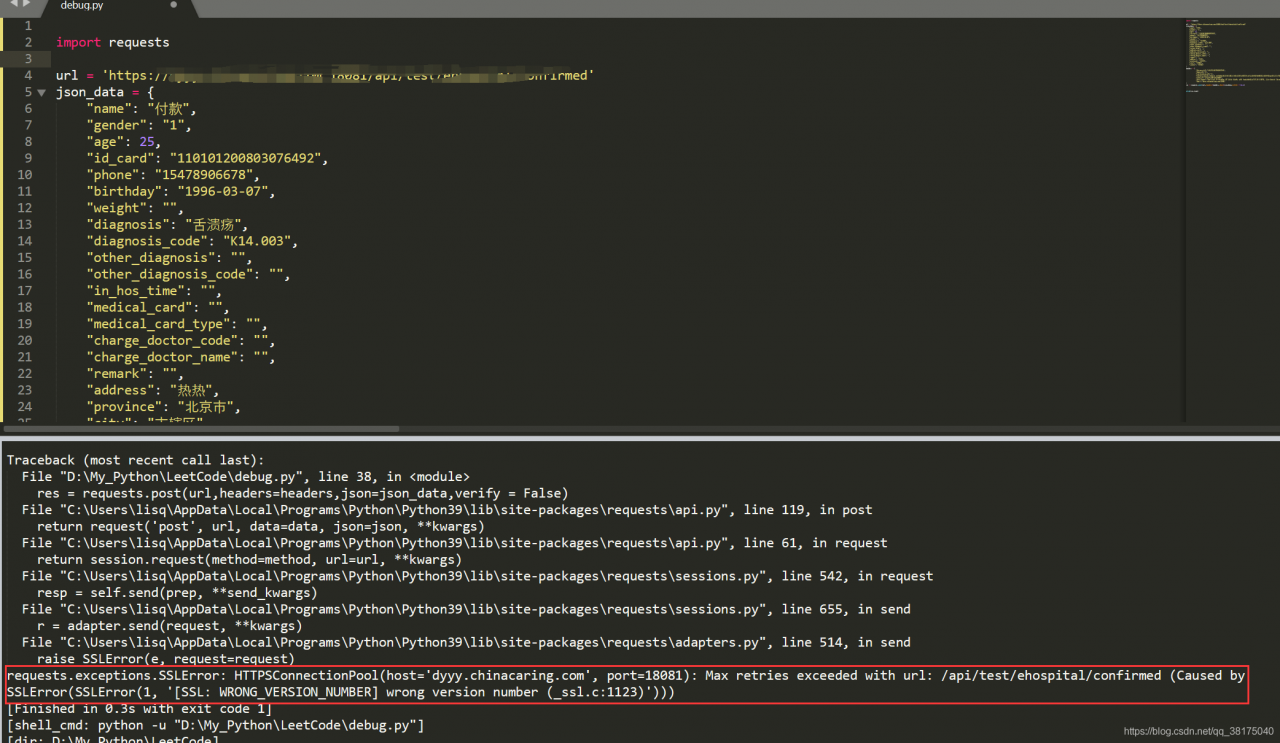
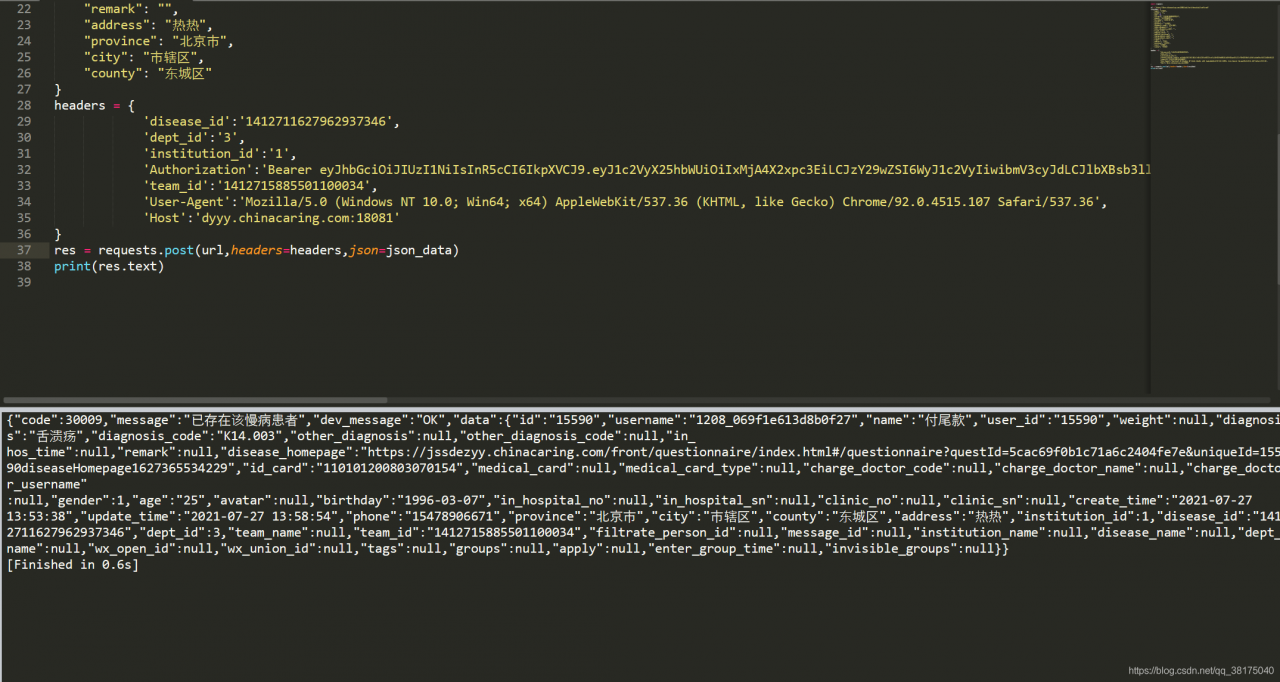
You want to use Python’s request library to call the company interface and create some data, but you finally report an error

Traceback (most recent call last):
  File "D:\My_Python\LeetCode\debug.py", line 38, in <module>
    res = requests.post(url,headers=headers,json=json_data,verify = False)
  File "C:\Users\lisq\AppData\Local\Programs\Python\Python39\lib\site-packages\requests\api.py", line 119, in post
    return request('post', url, data=data, json=json, **kwargs)
  File "C:\Users\lisq\AppData\Local\Programs\Python\Python39\lib\site-packages\requests\api.py", line 61, in request
    return session.request(method=method, url=url, **kwargs)
  File "C:\Users\lisq\AppData\Local\Programs\Python\Python39\lib\site-packages\requests\sessions.py", line 542, in request
    resp = self.send(prep, **send_kwargs)
  File "C:\Users\lisq\AppData\Local\Programs\Python\Python39\lib\site-packages\requests\sessions.py", line 655, in send
    r = adapter.send(request, **kwargs)
  File "C:\Users\lisq\AppData\Local\Programs\Python\Python39\lib\site-packages\requests\adapters.py", line 514, in send
    raise SSLError(e, request=request)
requests.exceptions.SSLError: HTTPSConnectionPool(host='dyyy.chinacaring.com', port=18081): Max retries exceeded with url: /api/test/ehospital/confirmed (Caused by SSLError(SSLError(1, '[SSL: WRONG_VERSION_NUMBER] wrong version number (_ssl.c:1123)')))

I searched many methods on the Internet and tried to verify = false, but it didn’t work.
finally, I found that it was because my packet capture tool was on, because I first used the packet capture tool to catch the interface, and then used the requests library to operate. The packet capture tool Charles was not off.
just turn off the packet capture tool

[go] error prompt proto. Unmarshal: missing method protoreflect

Problem: an error is reported when proto unmarshal is used, and the following information is prompted:

cannot use promoRule (variable of type *db.PromotionRuleSet) as protoreflect.ProtoMessage value in argument to proto.Unmarshal: missing method ProtoReflect (compile)

Solution:
Import package from

"google.golang.org/protobuf/proto"

Change to

"github.com/golang/protobuf/proto"

RuntimeError: Couldn‘t open shared file mapping: <torch_16716_3565374679>, error code: <1455>

Training times error

RuntimeError: Couldn't open shared file mapping: <torch_16716_3565374679>, error code: <1455>

This may be because your graphics card is too old or the computing pressure is too heavy for your graphics card.

Just like multithreading on CUDA tensor, it cannot succeed. There are two methods to choose from:

1. Do not use multithreading. The num of the dataloader_ Set worker to zero.

2. Change to CPU sharing tensor. Ensure that your custom dataset dataset returns the CPU tensor.

  Method 1 is effective

Failure of spring boot configuration server port

Problem Description: do not go to the port configured by yourself after the project is started?Just go 8080

Solution 1

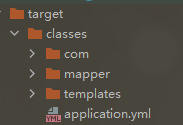
Please check whether there is any in the target file after packaging   Application profile

  If not, add the following code to the POM file

         <resources>
            <resource>
                <directory>src/main/java</directory>
                <includes>
                    <include>mapper/*.xml</include>
                </includes>
                <filtering>true</filtering>
            </resource>
            <resource>
                <directory>src/main/resources</directory>
            </resource>
        </resources>

Solution 2

        Check whether the configuration file format is aligned, whether there are redundant spaces, etc