Author Archives: Robins

Matlab 2018a cracked the licensing error: – 8523

Matlab 2018a cracked the licensing error: – 8523

The online cracking method is described as follows: after installation, the license_ Copy standalone.lic to the license folder of MATLAB folder; Then copy netapi32.dll to bin \ win64 folder of MATLAB folder and overwrite it.

After this operation, the program will report 8523 error, and some people on the Internet say the method is OK, others say no, but they can’t find a fundamental solution. I installed it under win10 and reported the same error. After the personal test, the following methods are effective:

1. Run bin \ win64 \ activate_ Matlab.exe, select license_ Standard.lic file registration (this step may be omitted)

2. Do not open the program from the desktop shortcut. Run bin \ matlab.exe in the installation directory to open it. If the problem is solved, you can also resend this file and overwrite it with the desktop shortcut. The original file path is OK, but I haven’t studied why not.

MySQL Workbench: Error Code: 1175 [How to Solve]

Error Code: 1175. You are using safe update mode and you tried to update a table without a WHERE that uses a KEY column.   To disable safe mode, toggle the option in Preferences -> SQL Editor and reconnect.

Error code: 1175. You are using secure update mode, and you try to update a table that uses key columns without where. To disable safe mode, in preferences – & gt; Switch this option in the SQL editor and reconnect.

Solution: it can be solved with one statement.

SET SQL_SAFE_UPDATES = 0;

After executing the statement, execute the update operation again.

Dpkg: error processing package XXX solution

1. Error content:

root@xxx:/home/my_project/application-necessities# sudo apt-get -y install build-essential nghttp2 libnghttp2-dev libssl-dev
Reading package lists... Done
Building dependency tree       
Reading state information... Done
build-essential is already the newest version (12.4ubuntu1).
libnghttp2-dev is already the newest version (1.30.0-1ubuntu1).
nghttp2 is already the newest version (1.30.0-1ubuntu1).
libssl-dev is already the newest version (1.1.1-1ubuntu2.1~18.04.6).
0 upgraded, 0 newly installed, 0 to remove and 0 not upgraded.
2 not fully installed or removed.
After this operation, 0 B of additional disk space will be used.
Setting up nghttp2-proxy (1.30.0-1ubuntu1) ...
Job for nghttpx.service failed because the control process exited with error code.
See "systemctl status nghttpx.service" and "journalctl -xe" for details.
invoke-rc.d: initscript nghttpx, action "start" failed.
● nghttpx.service - HTTP/2 proxy
   Loaded: loaded (/lib/systemd/system/nghttpx.service; disabled; vendor preset: enabled)
   Active: activating (auto-restart) (Result: exit-code) since Mon 2021-08-30 23:23:55 CST; 30ms ago
     Docs: man:nghttpx
  Process: 124287 ExecStart=/usr/sbin/nghttpx --conf=/etc/nghttpx/nghttpx.conf (code=exited, status=255)
 Main PID: 124287 (code=exited, status=255)
dpkg: error processing package nghttp2-proxy (--configure):
 installed nghttp2-proxy package post-installation script subprocess returned error exit status 1
dpkg: dependency problems prevent configuration of nghttp2:
 nghttp2 depends on nghttp2-proxy (>= 1.30.0-1ubuntu1); however:
  Package nghttp2-proxy is not configured yet.

dpkg: error processing package nghttp2 (--configure):
 dependency problems - leaving unconfigured
No apport report written because the error message indicates its a followup error from a previous failure.
                                                                                                          Errors were encountered while processing:
 nghttp2-proxy
 nghttp2
E: Sub-process /usr/bin/dpkg returned an error code (1)

2. Violence problem solving:

sudo mv /var/lib/dpkg/info/ /var/lib/dpkg/info_old/
sudo mkdir /var/lib/dpkg/info/
sudo apt-get update

3 install it again

apt-get install xxxx

4 Preferences

https://blog.csdn.net/dou3516/article/details/105120221

RuntimeError: cuda runtime error (100) : no CUDA-capable device is detected at /opt/conda/conda-bld/

problem

RuntimeError: cuda runtime error (100) : no CUDA-capable device is detected at /opt/conda/conda-bld/

solve

This problem is likely to be your CUDA number is wrong
for example, the variables you set use GPUs 2 and 3, but in fact you only have two GPUs 0 and 1, which will lead to this error.

[Solved] RuntimeError: cuDNN error: CUDNN_STATUS_INTERNAL_ERROR

This problem has been solved for a day….

Train the code well. If you change a machine, you will report an error.

I thought it was cuda11. I was worried that the CUDA version did not match the pytorch version. I reinstalled it, but it didn’t solve the problem.

Problem phenomenon:

raceback (most recent call last):
  File "train.py", line 100, in <module>
    main(opt)
  File "train.py", line 71, in main

……

  File "/home/xxxx/.local/lib/python3.8/site-packages/torch/nn/modules/conv.py", line 395, in _conv_forward
    return F.conv2d(input, weight, bias, self.stride,
RuntimeError: cuDNN error: CUDNN_STATUS_INTERNAL_ERROR
You can try to repro this exception using the following code snippet. If that doesn't trigger the error, please include your original repro script when reporting this issue.

import torch
torch.backends.cuda.matmul.allow_tf32 = True
torch.backends.cudnn.benchmark = True
torch.backends.cudnn.deterministic = False
torch.backends.cudnn.allow_tf32 = True
data = torch.randn([1, 64, 80, 144], dtype=torch.float, device='cuda', requires_grad=True)
net = torch.nn.Conv2d(64, 64, kernel_size=[3, 3], padding=[1, 1], stride=[1, 1], dilation=[1, 1], groups=1)
net = net.cuda().float()
out = net(data)
out.backward(torch.randn_like(out))
torch.cuda.synchronize()

ConvolutionParams
    data_type = CUDNN_DATA_FLOAT
    padding = [1, 1, 0]
    stride = [1, 1, 0]
    dilation = [1, 1, 0]
    groups = 1
    deterministic = false
    allow_tf32 = true
input: TensorDescriptor 0xaa030590
    type = CUDNN_DATA_FLOAT
    nbDims = 4
    dimA = 1, 64, 80, 144,
    strideA = 737280, 11520, 144, 1,
output: TensorDescriptor 0xaa0d6560
    type = CUDNN_DATA_FLOAT
    nbDims = 4
    dimA = 1, 64, 80, 144,
    strideA = 737280, 11520, 144, 1,
weight: FilterDescriptor 0xaa0d0360
    type = CUDNN_DATA_FLOAT
    tensor_format = CUDNN_TENSOR_NCHW
    nbDims = 4
    dimA = 64, 64, 3, 3,
Pointer addresses:
    input: 0x567e50000
    output: 0x568120000
    weight: 0x550a2da00

Solution:

Save CUDA’s prompt to a file,

import torch
torch.backends.cuda.matmul.allow_tf32 = True
torch.backends.cudnn.benchmark = True
torch.backends.cudnn.deterministic = False
torch.backends.cudnn.allow_tf32 = True
data = torch.randn([1, 64, 80, 144], dtype=torch.float, device='cuda', requires_grad=True)
net = torch.nn.Conv2d(64, 64, kernel_size=[3, 3], padding=[1, 1], stride=[1, 1], dilation=[1, 1], groups=1)
net = net.cuda().float()
out = net(data)
out.backward(torch.randn_like(out))
torch.cuda.synchronize()

When Python runs it, it will report the same error, then select the switch to adjust it, and try again whether it still reports an error.

For my code, modifying the following is work.

torch.backends.cudnn.benchmark = False

Then put this in front of the problem code.
How to Solve JAVA Error: error: A JNI error has occureed

Java error reporting

Notebook eslip ide error

error: a JNI error has occurred
solution:

Cause: this problem is caused by the error that the Java class file compiled by the higher version of JDK attempts to run on the lower version of JVM
method 1:
ensure that the versions of JVM (Java command) and JDK (javac command) are consistent. If it is a Windows version, enter the Java – version and javac – version commands on the command line to check whether the versions are consistent
if the versions are the same: see method 2.

If the versions are inconsistent: modify the environment variable classpath,
and then delete and uninstall the unnecessary versions in the system
Restart, delete javac, and regenerate the generated *. Class (* represents the main class name)
method 2:
if they are consistent, but still can not solve the problem, you must not compile directly with javac on the command line, but with compilers such as eclipse and NetBeans. Because many compilers come with javac instead of the compiler in the operating system. If your compiler is eclipse, you need to set the JDK version in the project properties by

-->java compiler --> Enable project specific settings -->
compiler compliance level

Set the compiler compliance level to the same version as the JVM (the version shown in Java – version on the command line).

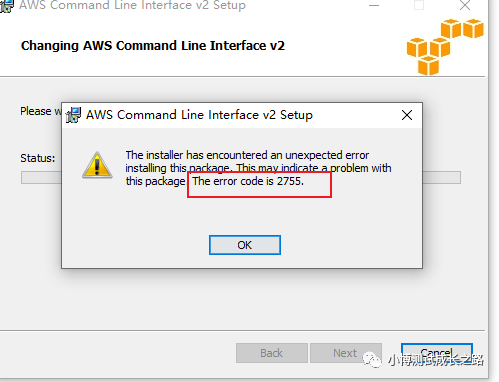
How to handle error 2755 when installing software under windows

Because there was an error when installing some MSI installer on windows on your computer before:

If you search for this error from Baidu, the general solution is to right-click the attribute, then modify the file permissions in the security group and check all the permissions that should be given. I have tried this method, but I still report the same error.

Later, find a method from the Internet:

Check whether the computer C: \ windows \ installer folder exists. If it does not exist, create a folder and grant administrator permission.

Then copy the installer to the installer folder and execute.

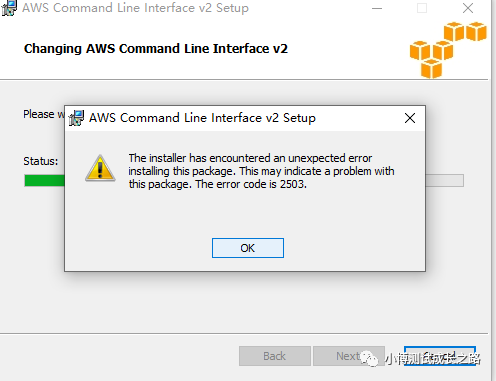
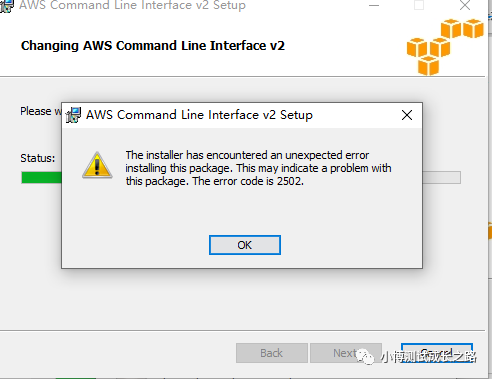
During re execution, the following new errors are found:

At this time, I tried to change the file permissions and found that it didn’t work. Maybe I changed it in the wrong way. At this time, I changed the way. Open the CMD window as an administrator, enter the C: \ windows \ installer directory, and then enter the file name of the installer to complete the installation.

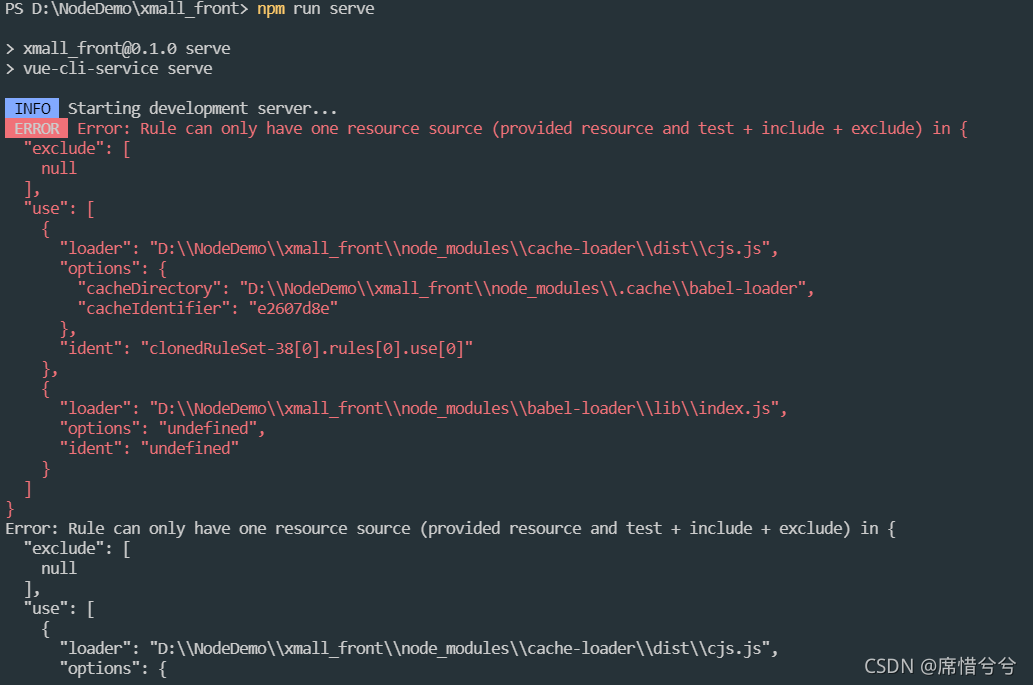
INFO Starting development server…. ERROR Error: Rule can only have one resource source (provided

Problem
when writing a Vue cli project, the following problems occurred when running NPM run serve

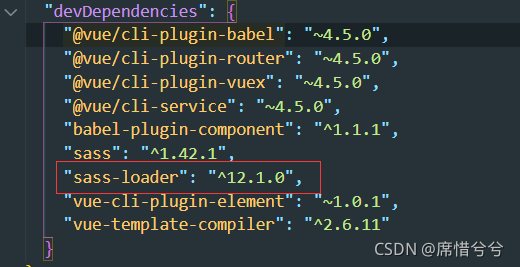
after consulting the data, you know that you have installed the latest version of SASS loader, which may be because the version is too new, Incompatible with project plug-ins or dependencies

solution
Enter
in the terminal, delete the newer version NPM uninstall sass loader
install the lower version NPM install sass- [email protected] –save-dev

[Solved] Failed to introspect Class [org.springframework.cloud.netflix.hystrix.HystrixCircuitBreakerConfigura

Caused by: java.lang.IllegalStateException: Failed to introspect Class [org.springframework.cloud.netflix.hystrix.HystrixCircuitBreakerConfiguration] from ClassLoader [jdk.internal.loader.ClassLoaders$AppClassLoader@1f89ab83]

Solution: Introduce hystrix coordinates

<dependency>
    <groupId>org.springframework.cloud</groupId>
    <artifactId>spring-cloud-starter-netflix-hystrix</artifactId>
</dependency>