  <!-- Database connection pooling-->
        <dependency>
            <groupId>com.alibaba</groupId>
            <artifactId>druid</artifactId>
            <version>1.1.22</version>
        </dependency>
Version issue updated to 1.1 22
<!-- Database connection pooling-->
<dependency>
<groupId>com.alibaba</groupId>
<artifactId>druid</artifactId>
<version>1.1.22</version>
</dependency>
Version issue updated to 1.1 22
Install pytorch for geforce RTX 3090 graphics card
pip uninstall torch
pip install torch==1.7.0+cu110 torchvision==0.8.1+cu110 torchaudio===0.7.0 -f https://download.pytorch.org/whl/torch_stable.html
When redis executes redis cli shutdown, it reports error err errors trying to shutdown Check logs.
1. Start the pseudo cluster after installing reids (the configuration file is in/data/server/redis/etc/redis.CONF)
redis-server /data/server/redis/etc/redis.conf
redis-server /data/server/redis/etc/redis.conf --port 6380
redis-server /data/server/redis/etc/redis.conf --port 6381
redis-server /data/server/redis/etc/redis.conf --port 6382
Generate multiple redis nodes
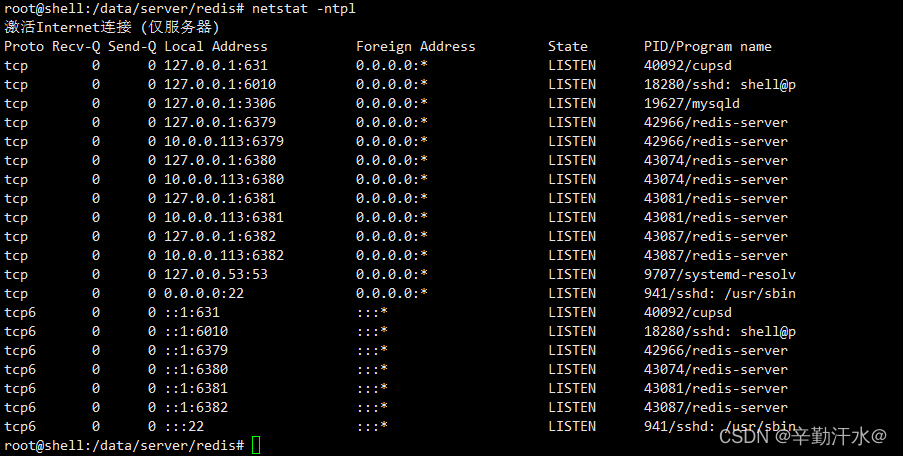
2 Suddenly want to delete the redundant nodes
redis-cli -p 6380 shutdown
Error reporting:

3 Solve the problem of
modifying the redis configuration file
vim /data/server/redis/etc/redis.conf
# Modify
logfile "/data/server/redis/log/redis.log"
Kill the redis process and restart it.
Redis cli shutdown can be used
Habse startup error
Habse startup error error: could not find or load main class org apache.hadoop.hbase.util.GetJavaProperty.
after referring to many articles on the Internet, it’s useless to modify classpath if the version doesn’t match.
Later, I saw an issue mentioned on Apache JIRA. Check his comments and see the following sentence:
Happens because I added hadoop to my PATH so then I go the HADOOP_IN_path in bin/hbase.
Thinking that Hadoop has been pre installed on the machine, it may be caused by this. Find hadpop in the the following variables are found: bin/HBase file_IN_Path
#If avail, add Hadoop to the CLASSPATH and to the JAVA_LIBRARY_PATH
# Allow this functionality to be disabled
if [ "$HBASE_DISABLE_HADOOP_CLASSPATH_LOOKUP" != "true" ] ; then
  HADOOP_IN_PATH=$(PATH="${HADOOP_HOME:-${HADOOP_PREFIX}}/bin:$PATH" which hadoop 2>/dev/null)
fi
In line 223 (hbase-3.0.0-alpha-1).
then add a line above this:
export HBASE_DISABLE_HADOOP_CLASSPATH_LOOKUP="true"
Disable lookup of haddop classpath.
Print the classpath with bin/HBase classpath , and it is found that there is no Hadoop path. There is no error message in bin/HBase version , and there will be no error when running the List command in bin/HBase shell. So the problem is solved.
However, why does the Hadoop path cause this problem? I didn’t take a closer look. There may be an explanation in the issue mentioned above. If you are interested, you can study it. I have to say that useful information on the Internet is too difficult to find. Make a record here. I hope this solution can help some people.
Error reporting for startup project:
error querying database Cause: java. sql. Sqlsyntaxerrorexception: expression #2 of select list is no…
solution:
Enter MySQL with CMD root account
execute commands in MySQL
SET GLOBAL sql_mode=(SELECT REPLACE(@@sql_mode,'ONLY_FULL_GROUP_BY',''));
Or use other connection tools to connect (root permission is required);
The error message is as follows
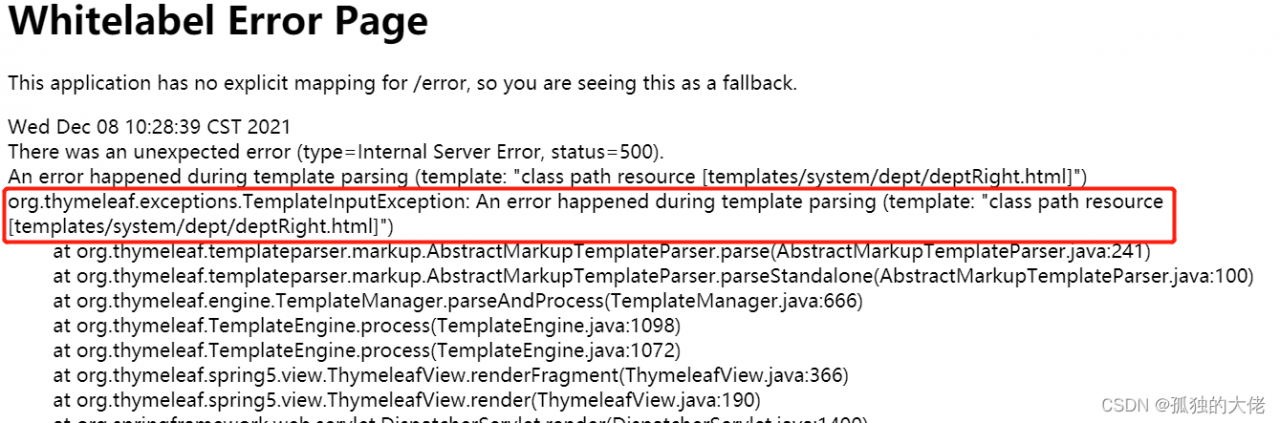
Reason:
because the expression between [[…]] is considered an inline expression in thymeleaf, rendering error occurs
Solution 1:
change [[]] after cols to [[]]
Solution 2:
in <script type=“text/javascript” > Add th: inline = “None”
<script type="text/javascript" th:inline="none">
My backend Shijian type is string, the SQL server time type is datetime,
the time format to be returned is “2021-12-09 12:20:45”
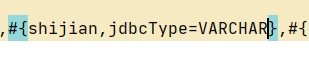
#{} just add a JDBC type = varchar
Solution:
CUDA 11.5, using cudnn-11.3-windows-x64-v8 2.1. 32. Do not use cudnn-11.5-windows-x64-v8 3.0.98!
IT IS A BUG!!!
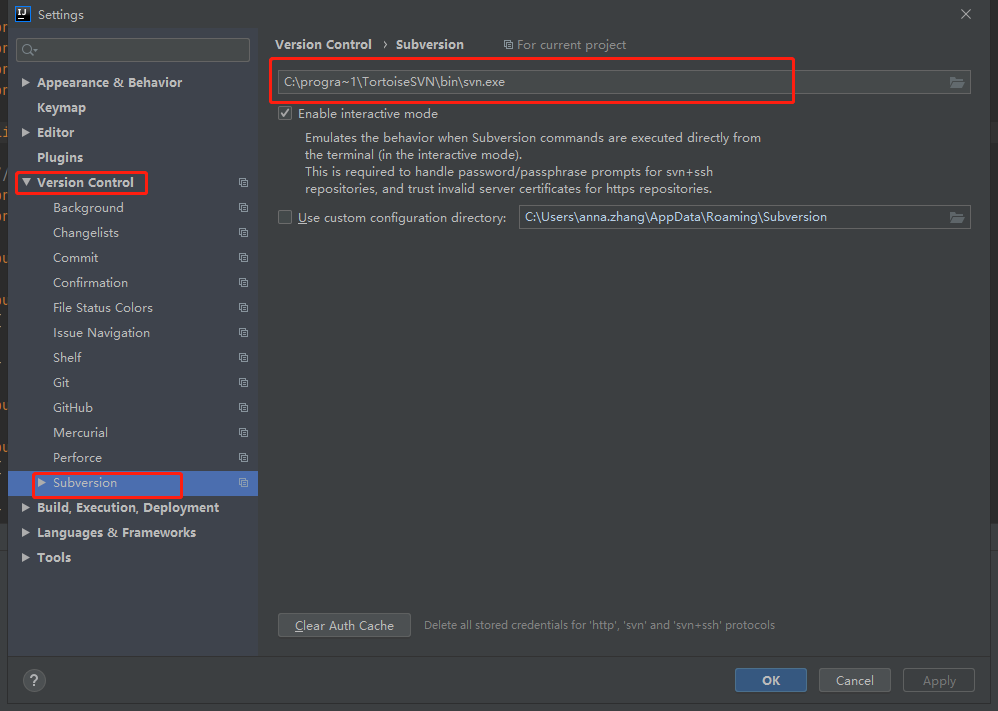
Because there are spaces in the configured SVN path, the spaces in the middle are not recognized;
Method I:
Reinstall SVN and select a recognized path;
Method II:
Replace [C:\program files\TortoiseSVN\bin\SVN.Exe] with [C:\progra ~ 1\TortoiseSVN\bin]
When installing wrapt, the following error is reported:
ERROR: pip's dependency resolver does not currently take into account all the packages that are installed. This behaviour is the source of the following dependency conflicts.
tensorflow 2.7.0 requires h5py>=2.9.0, which is not installed.
tensorflow 2.7.0 requires typing-extensions>=3.6.6, which is not installed.
tensorflow 2.7.0 requires wheel<1.0,>=0.32.0, which is not installed.
Just follow the prompts
pip install h5py
pip install typing-extensions
pip install wheel
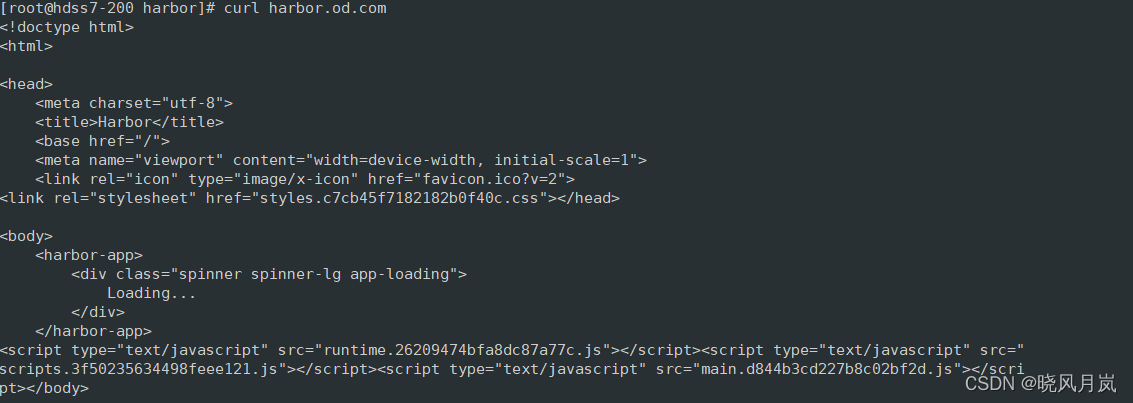
implement
curl harbor.od.comThe following error occurred
curl: (6) Could not resolve host: harbor.od.com; Unknown error
The reason is that there is an error in DNS
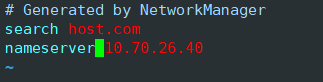
Open DNS profile
vim /etc/resolv.confFind the following. It is found that the DNS is inconsistent with your own configuration.
Modify the content behind the nameserver
Run again and you’ll succeed
1. Error code
java.net.ConnectException: Connection refused (Connection refused)
	at java.net.PlainSocketImpl.socketConnect(Native Method)
	at java.net.AbstractPlainSocketImpl.doConnect(AbstractPlainSocketImpl.java:476)
	at java.net.AbstractPlainSocketImpl.connectToAddress(AbstractPlainSocketImpl.java:218)
	at java.net.AbstractPlainSocketImpl.connect(AbstractPlainSocketImpl.java:200)
	at java.net.SocksSocketImpl.connect(SocksSocketImpl.java:394)
	at java.net.Socket.connect(Socket.java:606)
	at org.apache.zookeeper.server.quorum.QuorumCnxManager.connectOne(QuorumCnxManager.java:648)
	at org.apache.zookeeper.server.quorum.QuorumCnxManager.connectOne(QuorumCnxManager.java:705)
	at org.apache.zookeeper.server.quorum.QuorumCnxManager.toSend(QuorumCnxManager.java:618)
	at org.apache.zookeeper.server.quorum.FastLeaderElection$Messenger$WorkerSender.process(FastLeaderElection.java:477)
	at org.apache.zookeeper.server.quorum.FastLeaderElection$Messenger$WorkerSender.run(FastLeaderElection.java:456)
	at java.lang.Thread.run(Thread.java:748)
2. The cluster is not connected
# The number of milliseconds of each tick
tickTime=2000
# The number of ticks that the initial
# synchronization phase can take
initLimit=10
# The number of ticks that can pass between
# sending a request and getting an acknowledgement
syncLimit=5
# the directory where the snapshot is stored.
# do not use /tmp for storage, /tmp here is just
# example sakes.
dataDir=/usr/local/zookeeper2/zk1/data
# the port at which the clients will connect
clientPort=2181
# the maximum number of client connections.
# increase this if you need to handle more clients
#maxClientCnxns=60
#
# Be sure to read the maintenance section of the
# administrator guide before turning on autopurge.
#
# http://zookeeper.apache.org/doc/current/zookeeperAdmin.html#sc_maintenance
#
# The number of snapshots to retain in dataDir
#autopurge.snapRetainCount=3
# Purge task interval in hours
# Set to "0" to disable auto purge feature
#autopurge.purgeInterval=1
server.0=ip:2888:3888
server.1=ip:2889:3889
server.2=ip:2890:3890
3. Solution
Put zoo Replace the IP in CFG with the IP found by ifconfig
Compared with many posts on the Internet, I couldn’t find a solution. Finally, I found that it was zoo The IP in CFG is wrong (I use the IP given by alicloud server, but here I need to use ifconfig to find out the IP. The two are different.