Author Archives: Robins

[Solved] Windows10 Pycharm Use Virtual Environment Error: Cannot set up a python SDK

Solution:

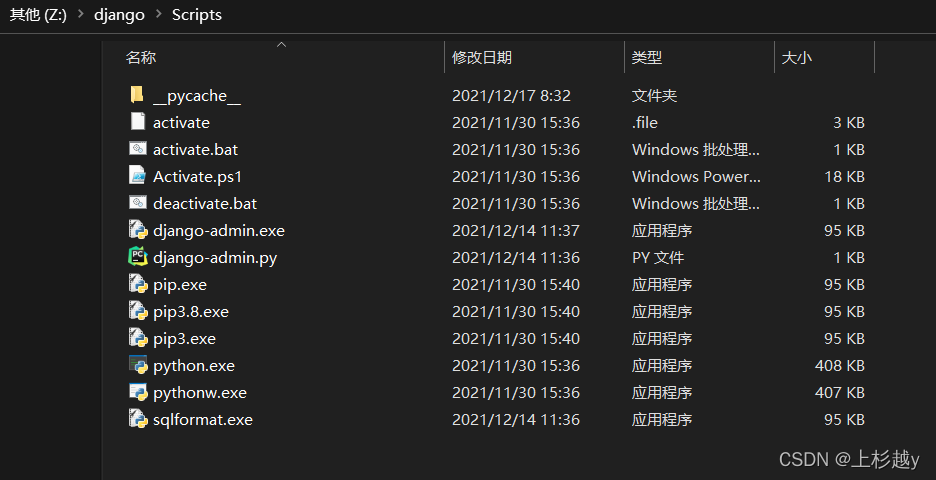
Configure environment variables for virtual environment

The path is the path of the Python interpreter in the virtual environment
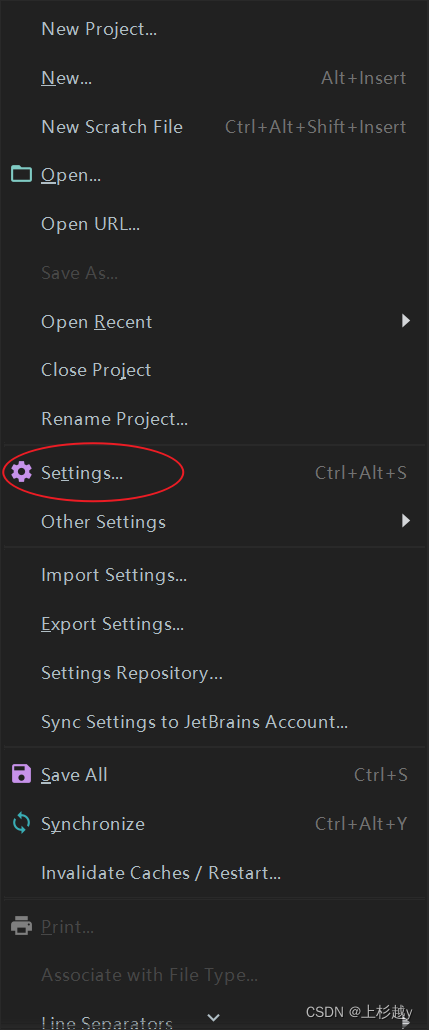
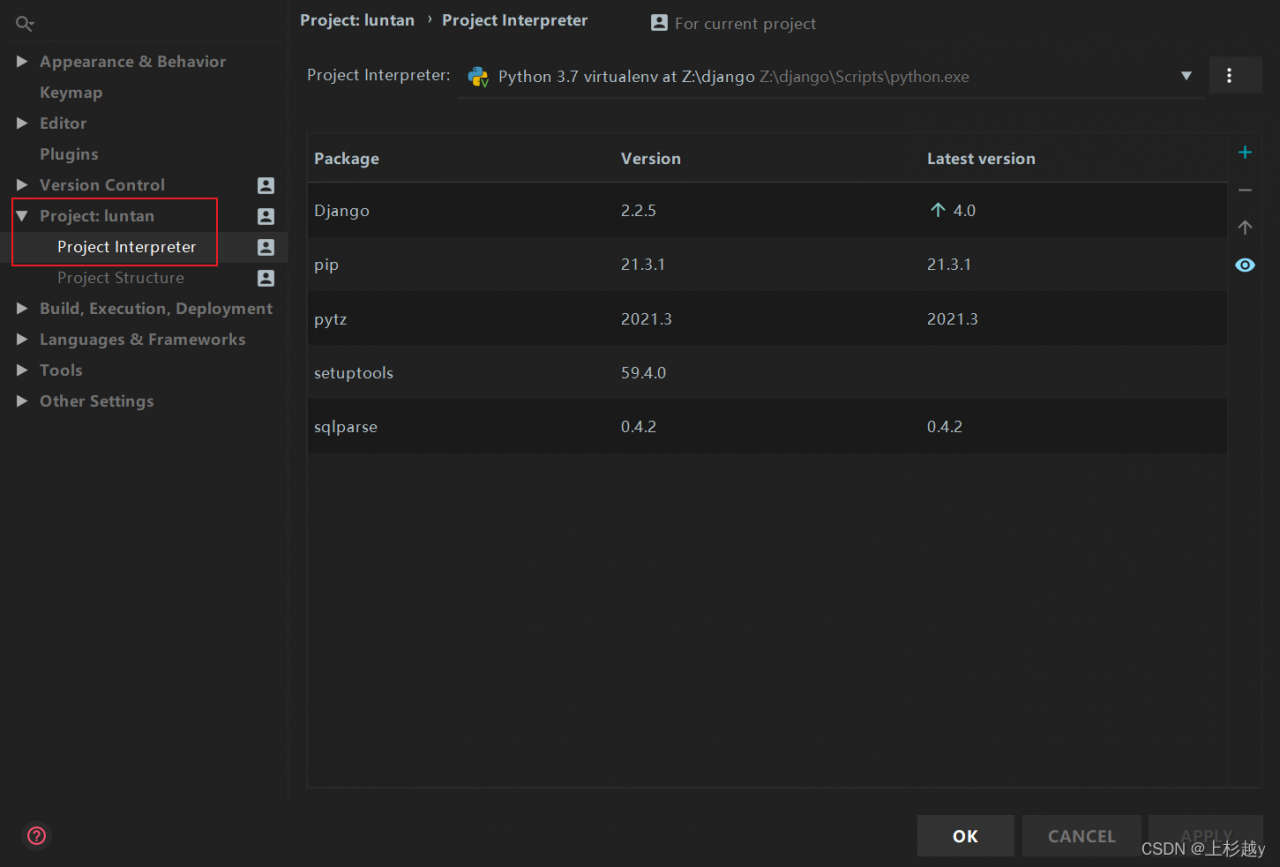
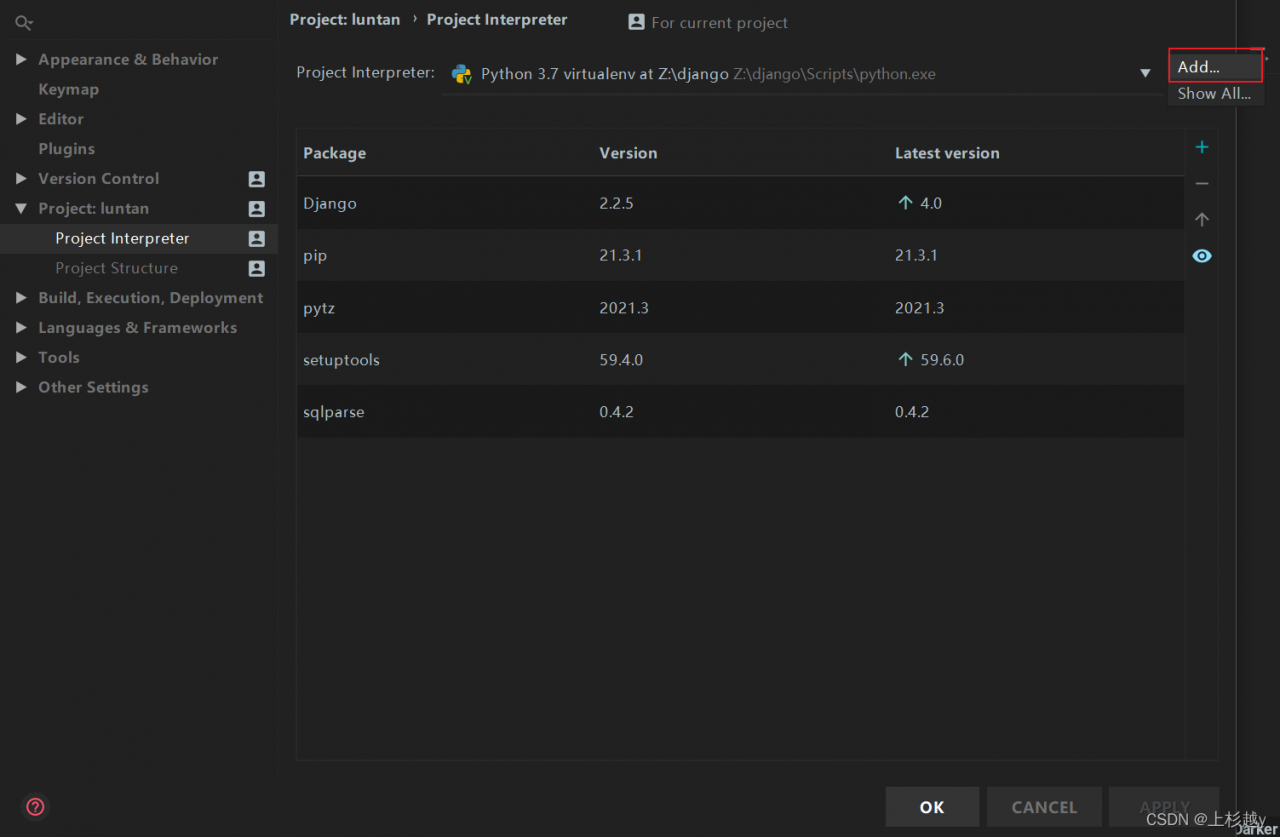
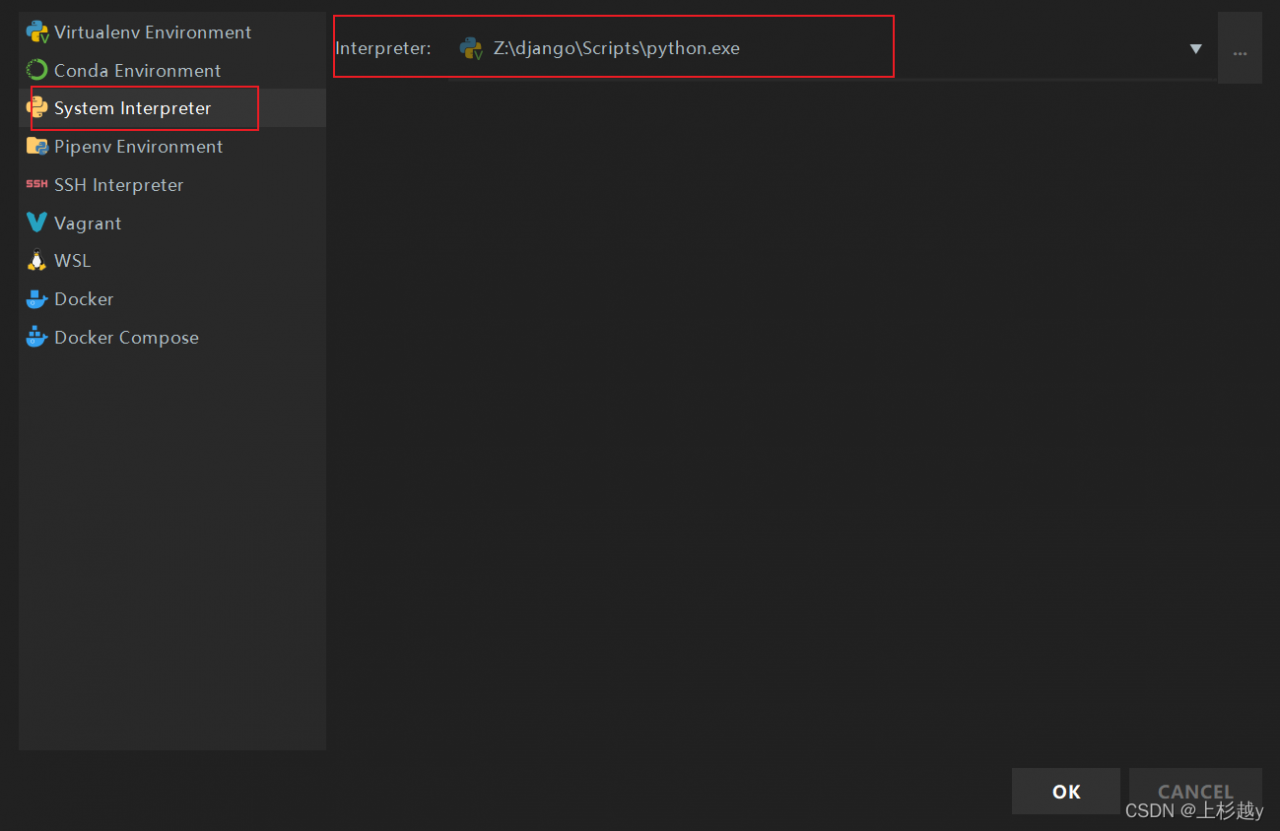
in Python, file => settings=> project interpreter=> add=> System
interpreter, select the python path of the above virtual environment, click OK, and no more errors will be reported


[Solved] Jupyter notebook use pyLDAvis Error: modulenotfounderror: no module named ‘pyLDAvis’‘

Background of the problem

Getting started with Python
try to use pyldavis for simple topic extraction;

Problems and related codes

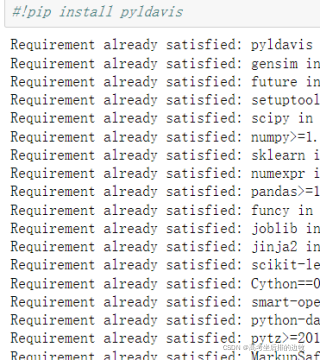
Pyldavis has been installed, as shown in the figure (Annotated):

but an error occurs when entering the following statement:
error code segment:

import pyLDAvis
import pyLDAvis.sklearn
pyLDAvis.enable_notebook()
pyLDAvis.sklearn.prepare(lda,tf,tf_vectorizer)

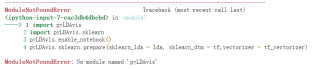
Screenshot of specific error reporting:

Solution:

Some bloggers suggested that the installation was not successful. I installed it as an administrator. I operated it, but it was useless
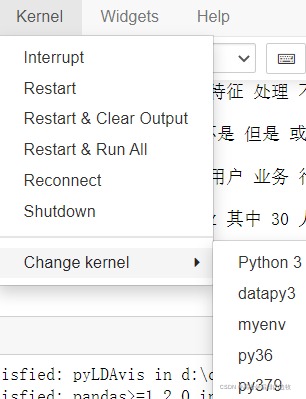
in fact, the final solution is very simple. I found that the kernel used by my Jupiter notebook is wrong. I used a virtual environment I set up before. Just change it to the default environment (my one is named python3).

[Solved] Windows startup error: unable to find launcherrsxruntime.exe

Problem phenomenon:

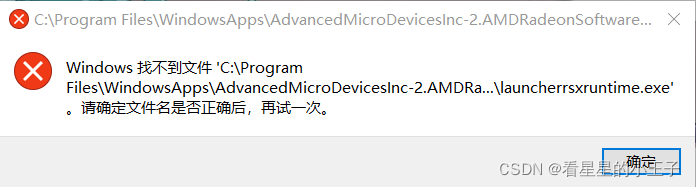
The win10 system will report the following error after each restart,

Windows cannot find the file

C:\Program Files\WindowsApps\AdvancedMicroDeviceslnc-2.AMDRad… launcherrsxruntime.exe
Cause of problem:

It is estimated that the file in AMD’s driver is damaged due to what software is installed or abnormal startup

Solution:

Use AMD’s own driver management software to repair it (effective through personal test). The repair steps are as follows:

Press wins + I to enter Windows settings –> Application –> Applications and functions–> AMD Radeon Software –> Advanced options –> Repair

Restart verification after repair

Note: the above solutions are not necessarily applicable to all situations. If they cannot be solved, you can try to upgrade the driver or reinstall the driver.

[Solved] IDEA globally replace yml Error: you have entered malformed replacement

Problem Description: because the YML configuration file needs to be replaced uniformly in the microservice project, but the replacement string contains’ $’, the editor reports an illegal format error.

Solution:

Just transfer the ‘$’ symbol and add the escape character ‘\’ in front of it: http://nacos-headless \.\${info.namespace}\.svc\.cluster\.local:8848

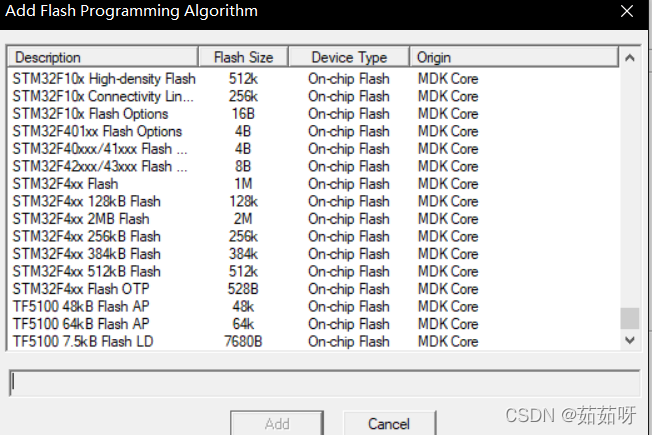
[Solved] No corresponding flash error is found during MDK download

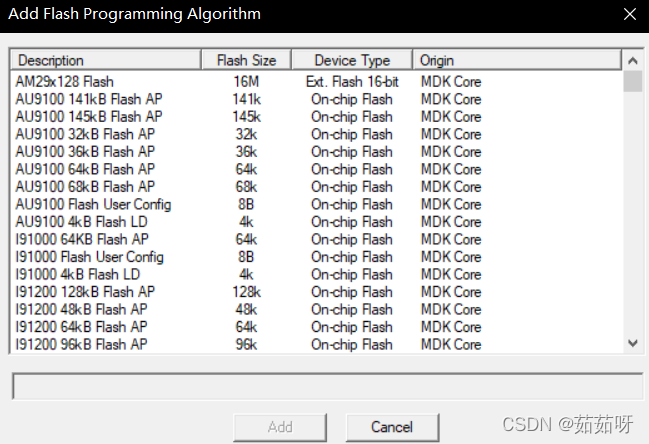
1. There is no stmf10x 128K flash model in keilmdk

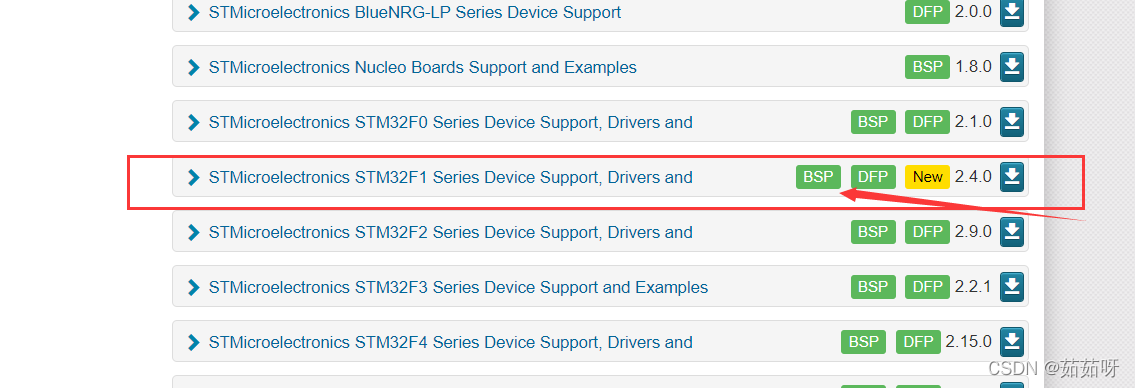
2. Go to keil’s official website to download the DFP package of the corresponding model

you can download the latest installation package
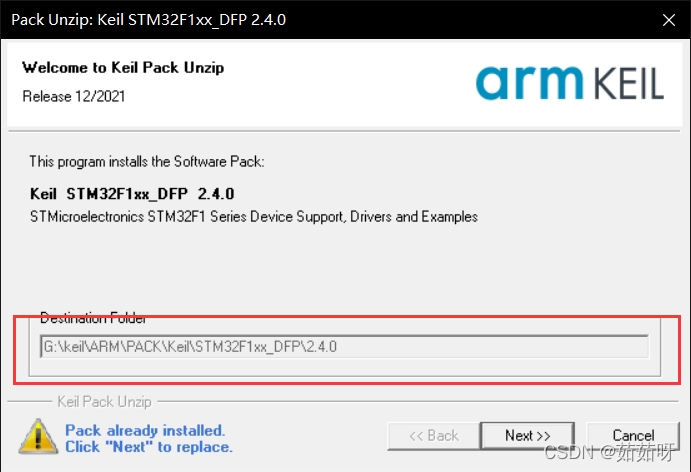
3. Put the downloaded DFP into the Keil installation directory, (you can leave it alone. The installation path of the pack package is the default and cannot be changed)

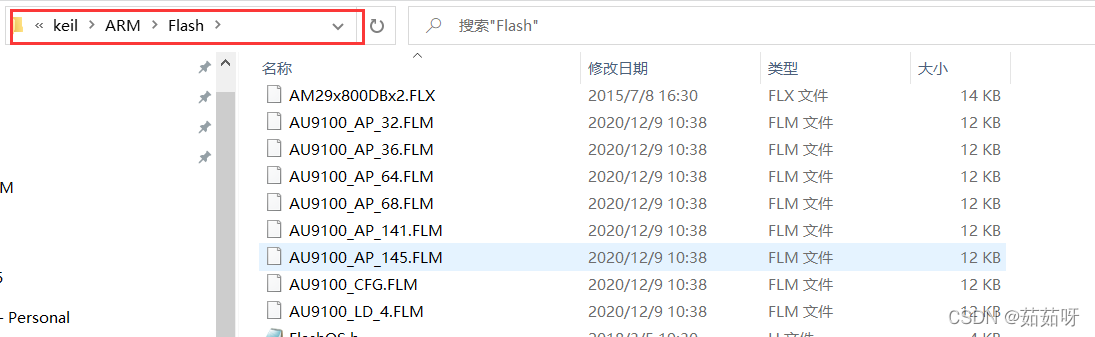
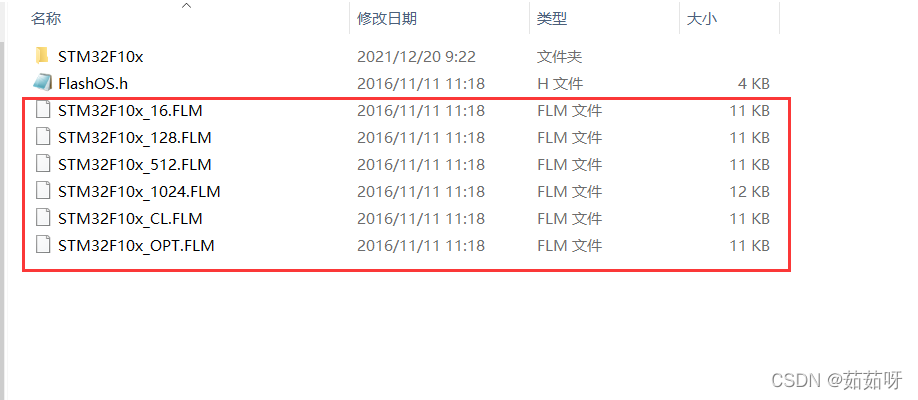
4. After installation, you need to put the. FLM file in the downloaded package under this path

5. The. FLM file cannot be found in the downloaded DFP. You need to copy the. FLM file in
G:\keil\arm\pack\keil\stm32f1xx_df\2.4.0\flash

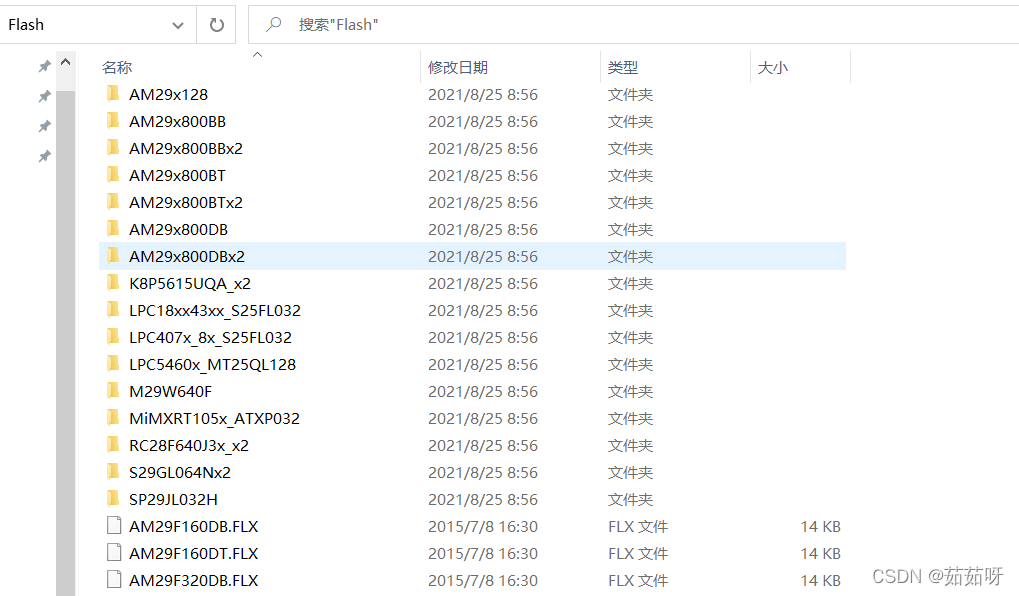
copy the copied file Put the parts into storage
in FLM package
G:\keil\arm\flash

then restart keil OK

[Solved] apex Xavier install torchvision error: illegal instruction

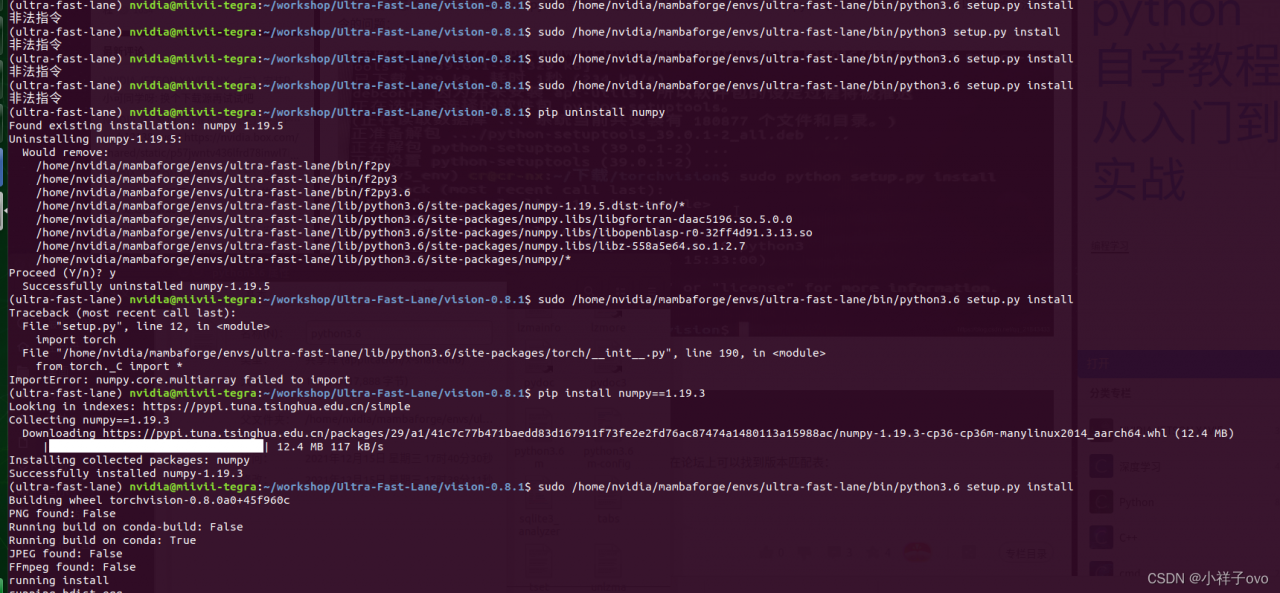
Description: I installed torch vision 0 eight

git clone -b v0.8.1 https://github.com/pytorch/vision.git vision-0.8.1

Installation:

cd vision-0.8.1
sudo /home/nvidia/mambaforge/envs/ultra-fast-lane/bin/python3.6 setup.py install

Note: be sure to make the path and sudo

Error: illegal instruction

Solution: reduce the numpy version. I use numpy = 1.19.3. Success

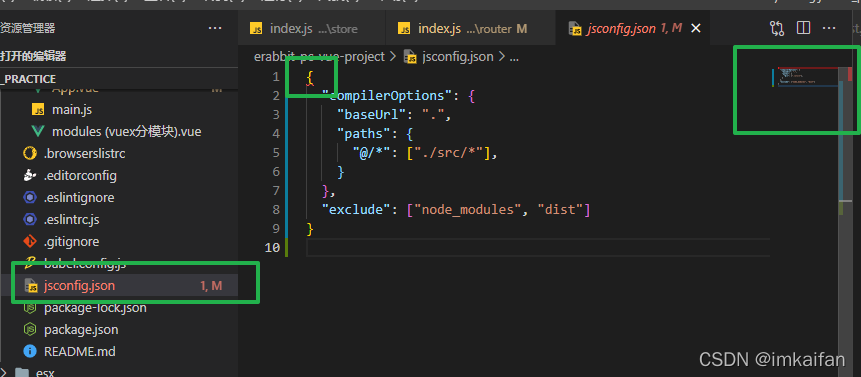
VScode jsconfig.json files First Line error for no reasons

Error reporting:

analysis

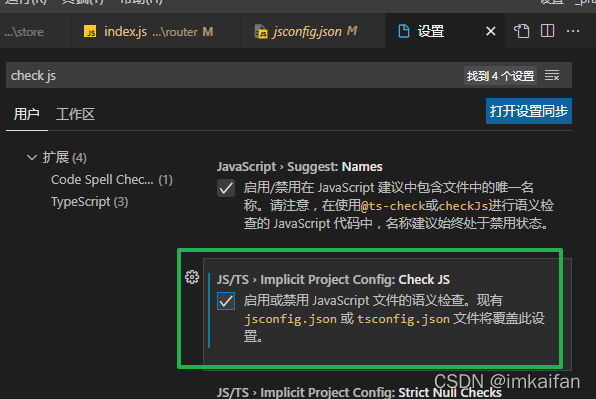
Vscode will automatically check the semantics of JavaScript files. Because of the custom jsconfig The JSON file cannot overwrite the configuration of vscode, so an error will be reported.

Solution:

Open the configuration settings.json file and let the custom jsconfig.js file override the vscode default options.

[Solved] Browser Access Error: Request Header or Cookie too large

Browser access page error

Error details

Possible causes:

The request header is too large, which is usually caused by writing a large value in the cookie. Access too frequently, the browser cache is too large, resulting in errors.

Solution:

The client can clean up the cookie cache
the server adjusts the size of nginx buffer and adds two lines

http
{
client_header_buffer_size 32k;
large_client_header_buffers 4 32k;  
......
}

Restart service

[Solved] NPM install error: Maximum call stack size exceeded

1. Scene reproduction

Today, I wanted to pull someone else’s code to have a look, and then NPM install reported this error: “maximum call stack size exceeded”. I haven’t seen this error before, and finally found a solution.

2. Solution

1. Upgrade NPM, NPM install – G NPM
2 Re execute, NPM/cnpm install
3 If not, try clearing the NPM cache. NPM cache clean — force
4 Re execute, NPM/cnpm install