Author Archives: Robins

[Solved] python Error: ValueError: The truth value of a Series is ambiguous. Use a.empty, a.bool(), a.item(), a.

Python Error: ValueError: The truth value of a Series is ambiguous. Use a.empty, a.bool(), a.item(), a.any() or a.all().
Error Codes:

if (code in list(changed_code['Old material code'])):
            temp_index = changed_code.loc[changed_code['Old material code'] == code].index

The type of code here is float.

Cause analysis:

In this judgment method, the judged value cannot be of float type.

Solution:

Just convert float format to int format

if (int(code) in list(changed_code['Old material code'])):
            temp_index = changed_code.loc[changed_code['Old material code'] == code].index

Solve the problem, brothers, get better!!
Flink SQL contains aggregation operators Error: you cannot print directly

Cannot print directly when Flink SQL contains aggregation operators

Exception in thread "main" org.apache.flink.table.api.TableException: AppendStreamTableSink doesn't support consuming update and delete changes which is produced by node Rank(strategy=[UndefinedStrategy], rankType=[ROW_NUMBER], rankRange=[rankStart=1, rankEnd=1], partitionBy=[category], orderBy=[sales DESC], select=[category, sales])
    at org.apache.flink.table.planner.plan.optimize.program.FlinkChangelogModeInferenceProgram$SatisfyModifyKindSetTraitVisitor.createNewNode(FlinkChangelogModeInferenceProgram.scala:355)
    at org.apache.flink.table.planner.plan.optimize.program.FlinkChangelogModeInferenceProgram$SatisfyModifyKindSetTrai 

reason:

In normal circumstances, toappendstream is used by default for table stream conversion, while the aggregation operation involves delete operation, which can not be satisfied by appendstream alone. Therefore, retractstream or upsertstream are considered.

Solution:

Use tableenvironment Toretractstream() for output
for example:

Table table = tEnv.sqlQuery(
                        "SELECT\n" +
                        "    userName,\n" +
                        "    product,\n" +
                        "    amount\n" +
                        "FROM\n" +
                        "    orders,\n" +
                        "    user_table\n" +
                        "WHERE\n" +
                        "    orders.userId = user_table.userId");
Table table = tEnv.sqlQuery("SELECT userId,sum(amount) as boughtSum " +
                            "FROM orders group by userId");
tEnv.toRetractStream(table, TypeInformation.of(new TypeHint<Tuple2<String, Integer>>() {
})).print();

[Solved] python-sutime Error: the JSON object must be str, bytes or bytearray, not ‘java.lang.String‘

Problems arising

The JSON object must be STR, bytes or byte array, not ‘Java.lang.String’

Solution:

The last in sutime.py is this:

	return json.loads(self._sutime.annotate(input_str, reference_date))
return json.loads(self._sutime.annotate(input_str))

Replace it with:

	return json.loads(str(self._sutime.annotate(input_str, reference_date)))
return json.loads(str(self._sutime.annotate(input_str)))


Test sutime package (this part is also referred to the above website)

import json
import os
from sutime import SUTime

if __name__ == '__main__':
    test_case = "I need a desk for tomorrow from 2pm to 3pm"
    # D:/python_projects/SPARQA/common_resources/resources_sutime/python-sutime-master/jars
    jar_files = os.path.join(os.path.dirname('D:/python_projects/SPARQA/common_resources/resources_sutime/python-sutime-master/jars'),'jars')
    sutime = SUTime(jars=jar_files, include_range=True)
    print(json.dumps(sutime.parse(test_case), sort_keys=True, indent=4))

The operation result is:

[
    {
        "end": 26,
        "start": 18,
        "text": "tomorrow",
        "type": "DATE",
        "value": "2021-12-31"
    },
    {
        "end": 35,
        "start": 32,
        "text": "2pm",
        "type": "TIME",
        "value": "2021-12-30T14:00"
    },
    {
        "end": 42,
        "start": 39,
        "text": "3pm",
        "type": "TIME",
        "value": "2021-12-30T15:00"
    }
]

[Solved] gulp-sass Package scss Files Error: Error in plugin “gulp-sass“Message:

Install gulp-sass separately

npm install sass gulp-sass --save-dev

In gulpfile.js file

const gulp = require('gulp');
// const sass = require('gulp-sass'); 
var sass = require('gulp-sass')(require('sass'));//sass-css

My gulpfile.js is configured as follows

const gulp = require('gulp');
// const sass = require('gulp-sass'); //sass-css
var sass = require('gulp-sass')(require('sass'));
const minifyCSS = require('gulp-minify-css')
gulp.task('sass', async function () {
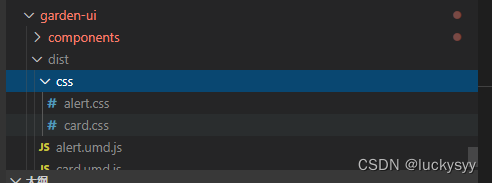
	return gulp.src('components/css/**/*.scss').pipe(sass()).pipe(minifyCSS()).pipe(gulp.dest('dist/css'))
})

Configure the following in the packages file

{
	"name": "garden-ui",
	"version": "0.1.0",
	"private": true,
	"scripts": {
		"serve": "vue-cli-service serve",
		"build": "npm run build:js && npm run build:css",
		"lint": "vue-cli-service lint",
		"build:js": "webpack --config ./webpack.config.js",
		"build:css": "npx gulp sass"
	},

Execute npm run build:css to compile successfully

[Solved] docker Error: System has not been booted with systemd as init system (PID 1). Can‘t operate. Failed to con

Environment centos7 eight

The docker container reported an error using the systemctl command:

[root@d7a74069b83c yum.repos.d]# systemctl status firewalld
System has not been booted with systemd as init system (PID 1). Can't operate.
Failed to connect to bus: Host is down

Solution:

Add the parameter — privileged when starting the container

[root@localhost ~]# docker run -itd --name c8 --privileged centos /usr/sbin/init
6a6a3c9f9fa9acc59d62a6e82ccb6a637db8aada004aa8a096c6061108c6b144
[root@localhost ~]# docker exec -it c8 /bin/bash

[Solved] CUDA unknown error – this may be due to an incorrectly set up environment

preface

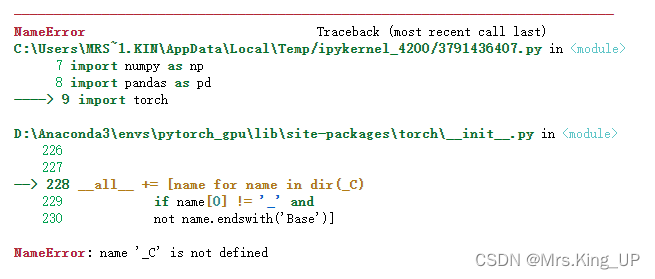
Today, a project using pytorch on the viewing server suddenly made an error after upgrading. The whole content of the error report is limited by the title. I’ll send it below.

builtins. RuntimeError: CUDA unknown error – this may be due to an incorrectly set up environment, e.g. changing env variable CUDA_ VISIBLE_ DEVICES after program start. Setting the available devices to be zero.

Screenshot of error reporting

Later, I consulted some materials, and the following are some solutions.

Solution:

Method 1: add environment variables

Since I started the project as a docker container, I installed VIM after entering the container, and then in ~/Bashrc finally added something.

export CUDA_ VISIBLE_ DEVICES=0

Since the selected graphics card number is 0 when building the container, the number I configured above is 0.

Check $CUDA after restarting the container_ VISIBLE_ The devices output is normal, but the problem is not solved, and the error is still reported.

Method 2: add environment variables to the code

Add the following code at the beginning of the initialization CUDA area.

import os
os.environ['CUDA_VISIBLE_DEVICES'] =‘0’

It still hasn’t solved the problem.

Method 3: restart the server

Referring to some articles, I mentioned that if the system upgrades the graphics card driver without restarting, it will also lead to the same error.

So I restarted the server and solved the problem.

Vue Project Error: Error from chokidar [How to Solve]

The temporary solution is to enter the following command at the terminal, but this temporary change will not work after restarting the system.

echo fs.inotify.max_user_watches=524288 | sudo tee -a /etc/sysctl.conf && sudo sysctl -p

The reason for this is that the number of monitoring handles set by the Linux system is not enough, so you need to modify the limit.conf configuration file. vi Open /etc/security/limit.conf and then modify the number of monitoring handles.

*               soft    nofile         524288
*               hard    nofile         524288

: wq after saving and restarting, the problem is solved successfully.

[Solved] Matlab 2021b install activate Error: License manager error – 103

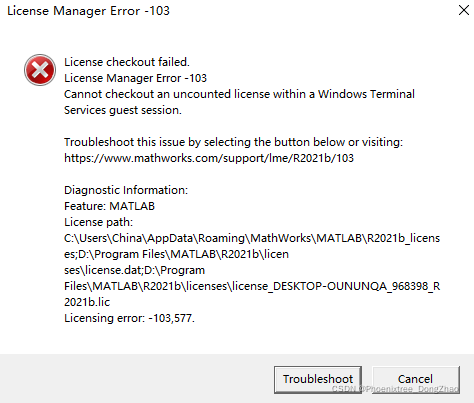
Error reporting:

Firstly, this error is not a problem with the installation or activation of MATLAB. Secondly, this occurs only when the remote desktop uses MATLAB.

Cause analysis:

This is because matlab uses FLEXlm for license management, while FLEXlm does not support remote desktop access. However, you can use the license file with a little modification.

(reprint the solution of the license manager error – 103 reported by MATLAB on the remote desktop)

Solution:

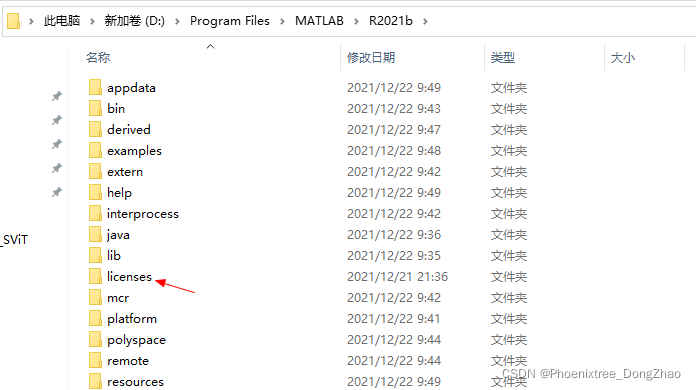
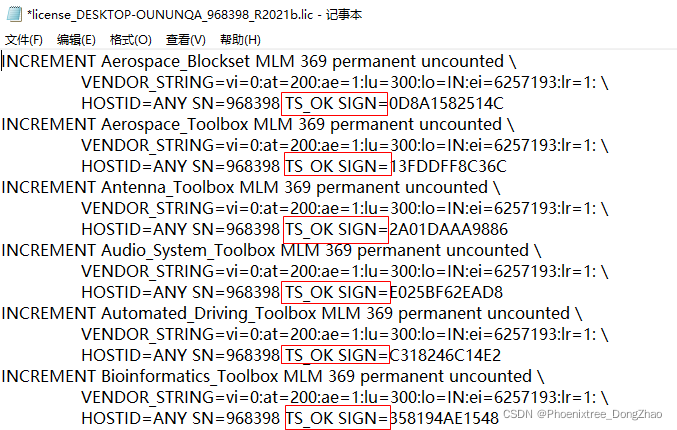
1. Enter the license file under r2021b\licenses:

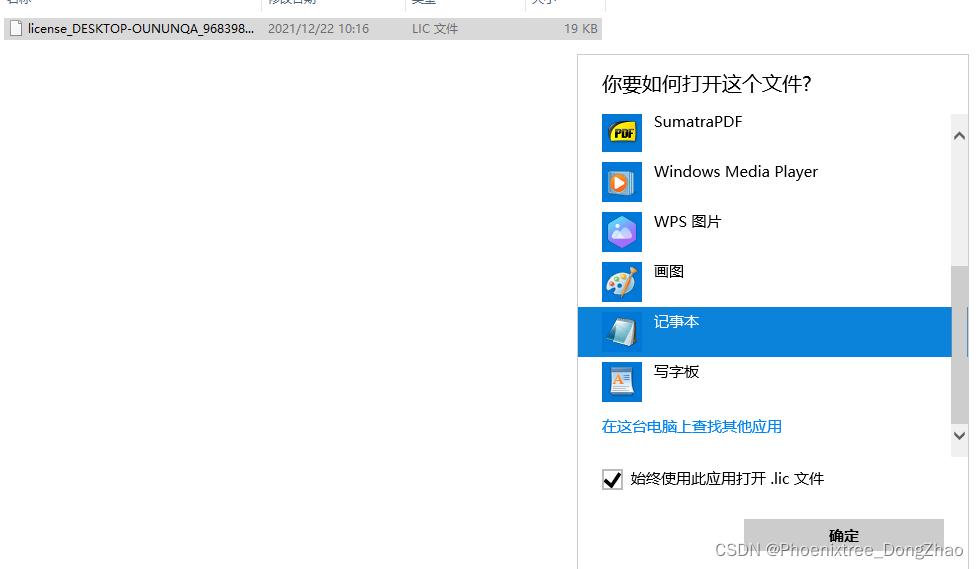
2. Open with Notepad:

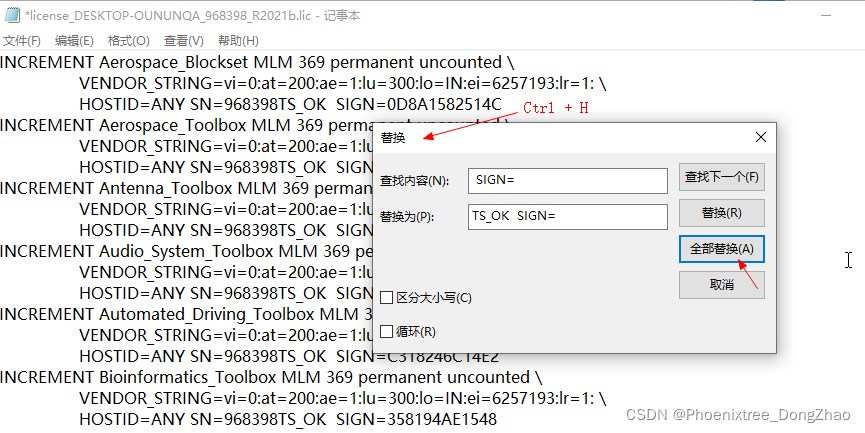
3. Ctrl + H enters the replacement window and replaces’ sign = ‘with’ ts’_OK SIGN=’:

After modification, save.

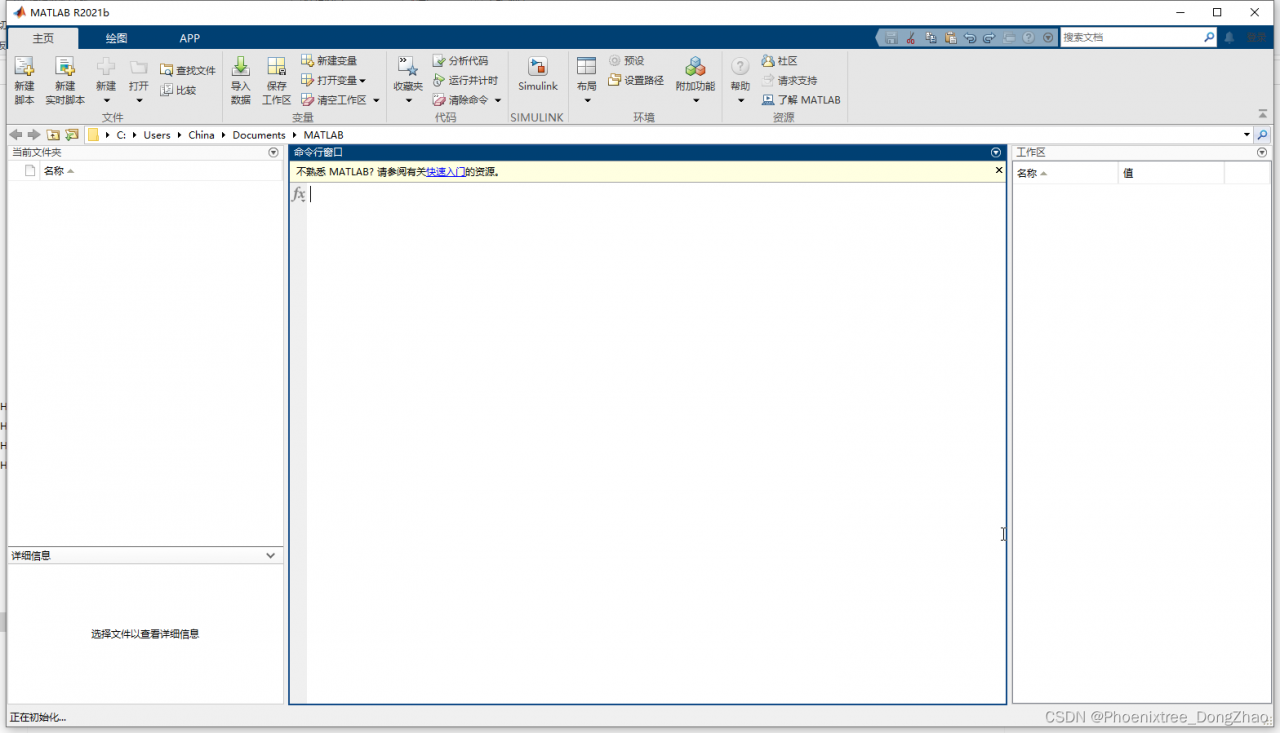
Directly open matlab again, you can succeed!

How to Solve Geopy library Error: Configurationerror Error

Error details

geopy.exc.ConfigurationError: 
Using Nominatim with default or sample `user_agent` "geopy/2.2.0" is strongly discouraged, as it violates Nominatim's ToS https://operations.osmfoundation.org/policies/nominatim/ and may possibly cause 403 and 429 HTTP errors. Please specify a custom `user_agent` with `Nominatim(user_agent="my-application")` or by overriding the default `user_agent`: `geopy.geocoders.options.default_user_agent = "my-application"`.

Solution:

This error is because the default value of UA is bad. Just specify user-agent as a unique string. For example
, when BuyiXiao initializes Nominatim, specify user-agent.

geolocator = Nominatim(user_agent='BuyiXiao')