Author Archives: Robins

[Solved] mmdetection benchmark.py Error: RuntimeError: Distributed package doesn‘t have NCCL built in

Cause:
use mmdetection’s tools/benchmark An error occurs when py calculates FPS
the error contents are as follows:

Traceback (most recent call last):
  File "tools/analysis_tools/benchmark.py", line 191, in <module>
    main()
  File "tools/analysis_tools/benchmark.py", line 183, in main
    init_dist(args.launcher, **cfg.dist_params)
  File "D:\Anaconda\envs\eagermot\lib\site-packages\mmcv\runner\dist_utils.py", line 18, in init_dist
    _init_dist_pytorch(backend, **kwargs)
  File "D:\Anaconda\envs\eagermot\lib\site-packages\mmcv\runner\dist_utils.py", line 32, in _init_dist_pytorch
    dist.init_process_group(backend=backend, **kwargs)
  File "D:\Anaconda\envs\eagermot\lib\site-packages\torch\distributed\distributed_c10d.py", line 510, in init_process_group
    timeout=timeout))
  File "D:\Anaconda\envs\eagermot\lib\site-packages\torch\distributed\distributed_c10d.py", line 597, in _new_process_group_helper
    raise RuntimeError("Distributed package doesn't have NCCL "
RuntimeError: Distributed package doesn't have NCCL built in

Cause analysis:
Windows does not support nccl backend

Solution:
1. Locate the following code location

File "D:\Anaconda\envs\eagermot\lib\site-packages\mmcv\runner\dist_utils.py", line 32, in _init_dist_pytorch

2. Add code before 1 (line 32)

backend='gloo'
[Solved] Maven Project Error: java.lang.ClassNotFoundException: org.springframework.web.context.ContextLoaderListener

Tomcat does not publish the jar package added by Maven dependency when publishing the project

Solution:

eclipse project right click -> properties -> Deployment Assembly -> Add -> Java Build Path Entries -> select Maven Dependencies -> Apply -> Finish -> it’s OK
This will publish the corresponding Maven dependencies to tomcat, and tomcat will be able to find the dependencies

Special case: tomcat service (Servers) has more than one project, will also report such an error, the project does not need to start to remove can be

[Solved] Linux program error: dpkg is interrupted. You must manually run ‘sudo dpkg — configure – a’

The Linux program reports an error: dpkg is interrupted. You must manually run ‘sudo dpkg — configure – a’ to solve this problem.

Run the following command to resolve the error

sudo rm /var/lib/dpkg/updates/*
sudo apt-get update
sudo apt-get upgrade

The main reason should be that there are errors in the data in the/var/lib/dpkg/updates folder, resulting in errors in the software update program, so they have to be completely deleted. The sudo apt get update command will re-establish these data, use sudo apt get upgrade to update the details of the software installed in your computer, and update the software to the latest version according to the details of the software.

[Solved] Spring Boot Startup Error: Failed to load property source from location ‘classpath:/application-dev.yml‘

Application.yml file format problem

If your project has no configuration errors and the configuration file name is normal, and you still have this problem, it must be a problem with the encoding of your yml file.

Because the encoding format of this file is GBK, the encoding format of the project is UTF-8, there are comments in it, and the comments are garbled, which leads to compilation failure.

Solution:

IDEA open path: File –> Settings –> File Encodings, then change the format of /application.yml to the same as the project, i.e.: UTF-8.
To be on the safe side, change “Project Encoding” to UTF-8 as well.
Restart IDEA, then start the project, OK.

Translated with www.DeepL.com/Translator (free version)

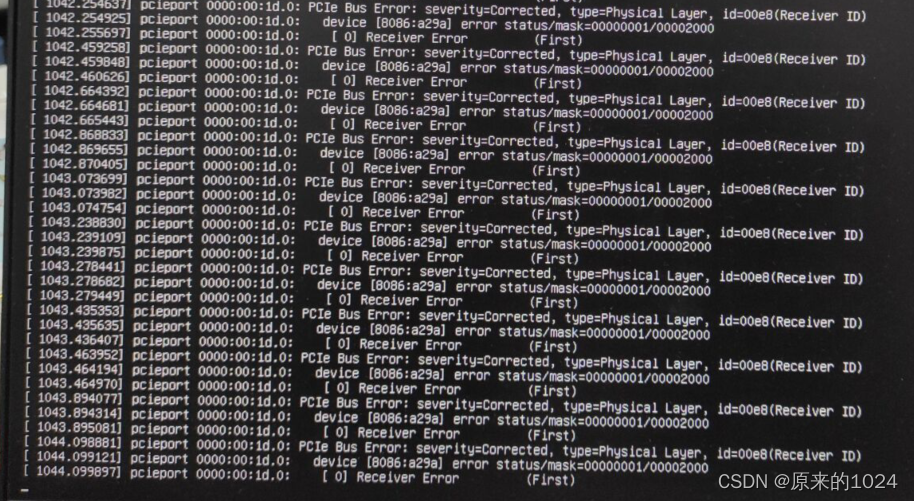
[Solved] Ubuntu Error: PCIe Bus Error:severity=Corrected, type=Physical Layer, id=00e8(Receiver ID)

Reason for error reporting: it is probably caused by imperfect peripheral driver under Ubuntu

Solution: modify the grub file as follows

# Open the grub file with sudo privileges
sudo -H gedit /etc/default/grub

# Modify the GRUB_CMDLINE_LINUX_DEFAULT parameter
GRUB_CMDLINE_LINUX_DEFAULT="quiet splash pci=nomsi pci=noaer pcie_aspm=off"

# save and quit

# update grub
sudo update-grub

# restart

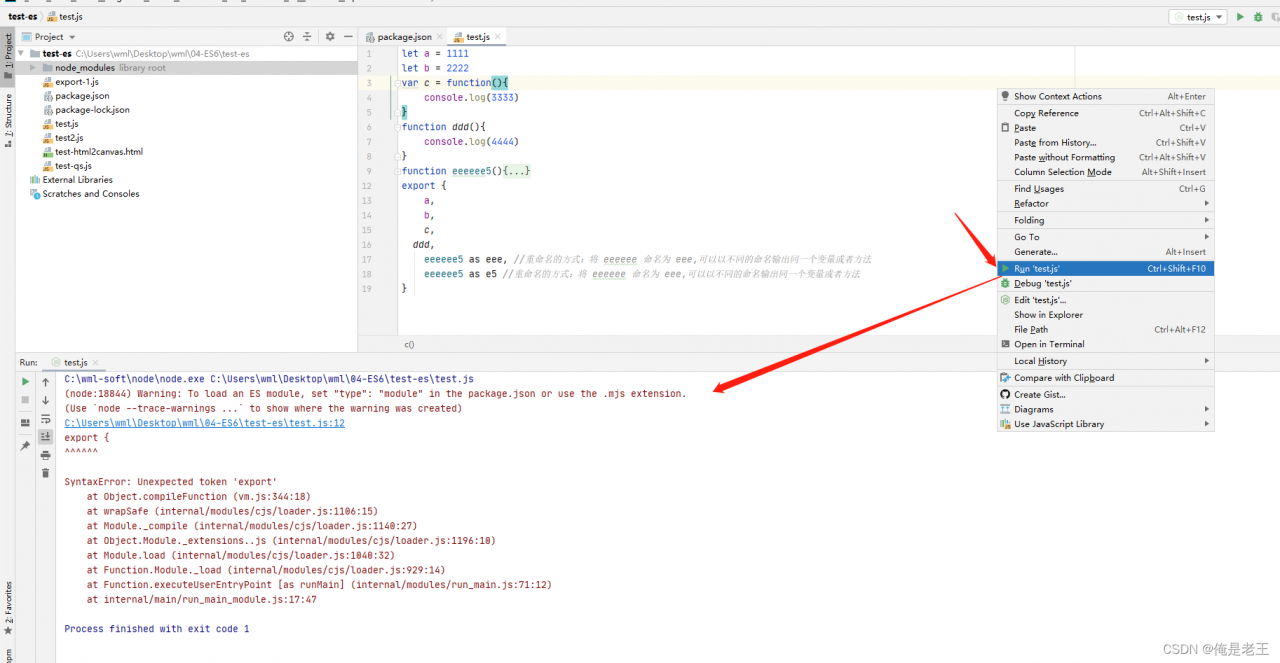
[Solved] Warning: To load an ES module, set “type“: “module“ in the package.json or use the .mjs extension

In the process of learning ES6, an error is reported when and running JavaScript files, which is reproduced in detail

1. Create a new file, add test es, and use idea to open the folder
2. Add package.json file: NPM init – y
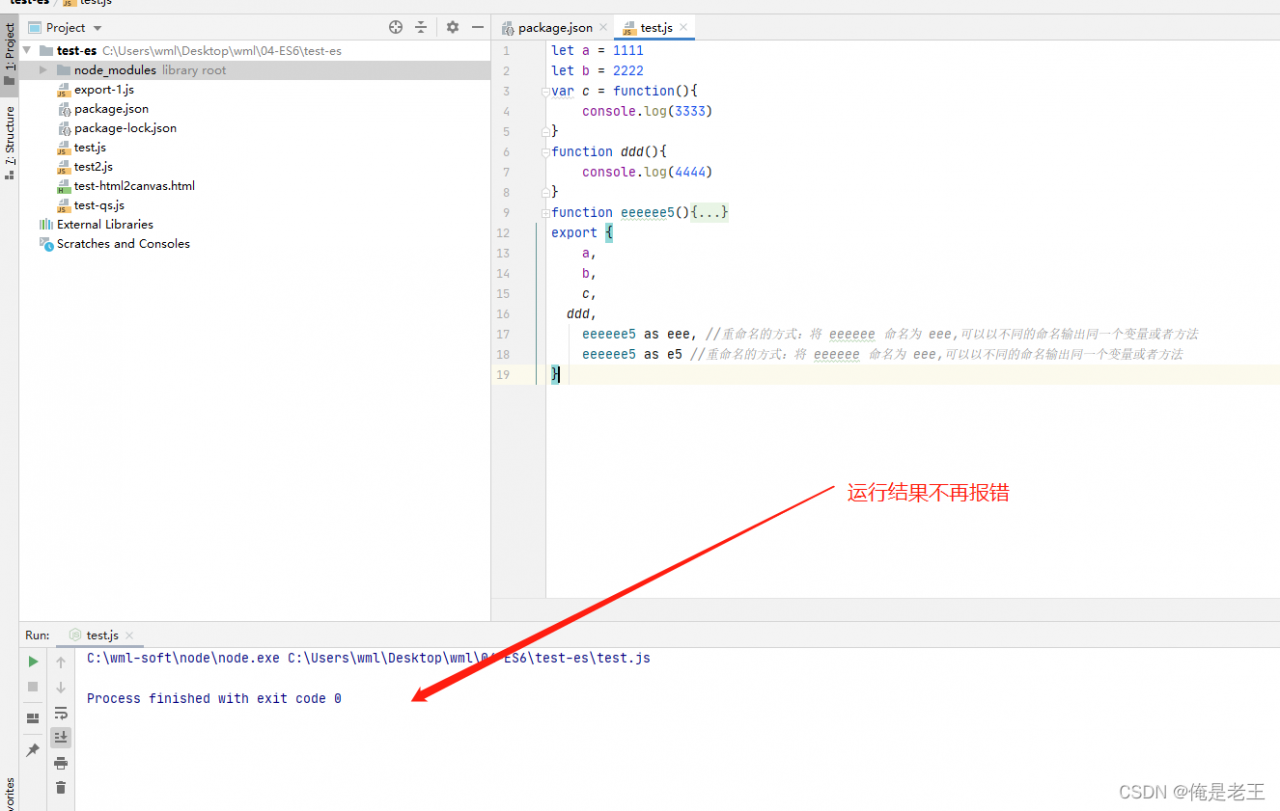
3. Create a new test.js file in the folder test-es, the contents of which are as follows

let a = 1111
let b = 2222
var c = function(){
	console.log(3333)
}
function ddd(){
	console.log(4444)
}
function eeeeee5(){
	console.log(555)
}
export {
	a,
	b,
 	c,
    ddd,
	eeeeee5 as eee, //The way to rename: name eeeeeeee as eee, you can output the same variable or method with different names
	eeeeee5 as e5 // rename the way: name eeeeee as eee, you can output the same variable or method with a different name
}

4. Right click and click Run ‘test.JS’, the error is reported as follows:

Solution:

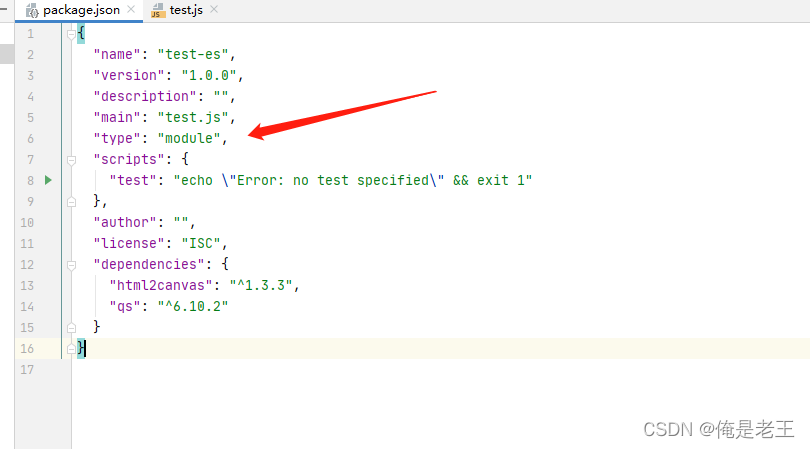
According to the error message, in package JSON add “type”: “module”, and then run test.JS file, no error will be reported

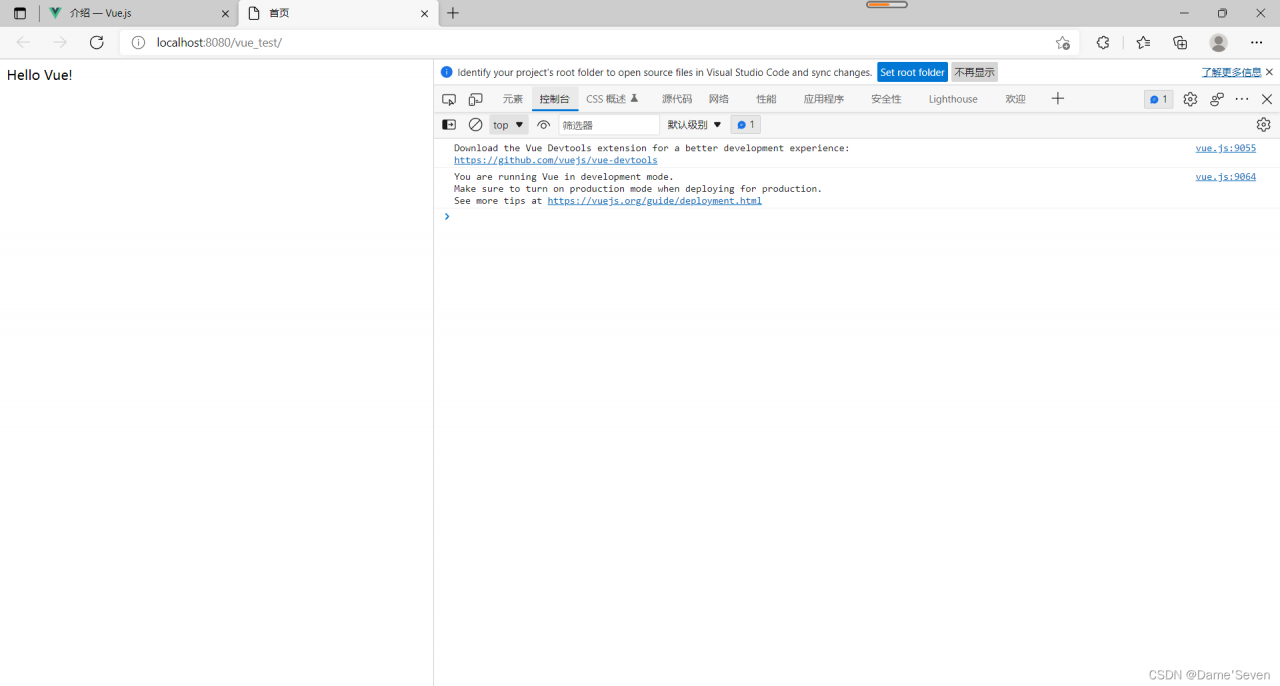
Vue Browser Error: Failed to load resource: the server responded with a status of 404 (Not Found)

When you create a maven project in idea and use Vue to modify the content in HTML, you find that the HTML page is not modified successfully. F12 opens the background and displays an error: failed to load resource: the server responded with a status of 404 (not found). The browser does not find Vue JS file
reason:
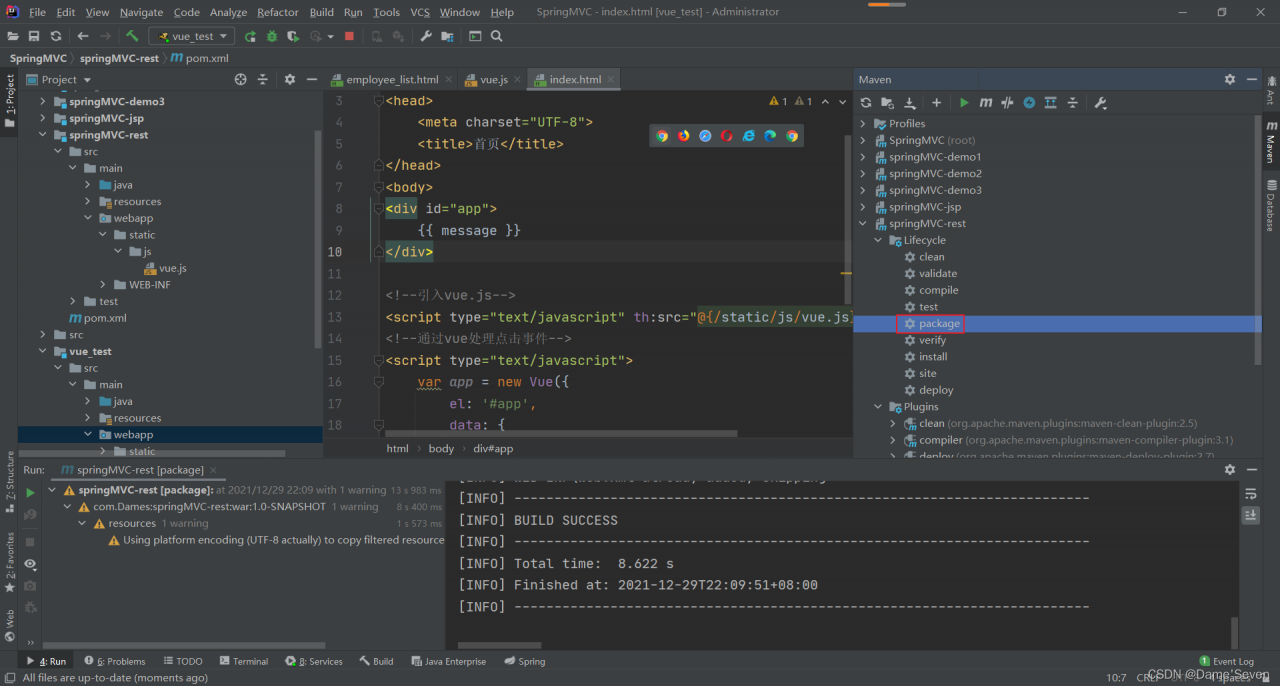
(1) maven project to introduce vue.js file after the project needs to be packaged, double-click the package button.

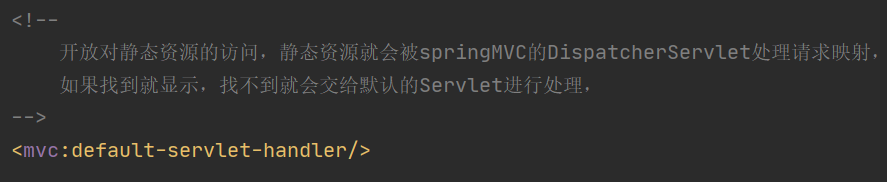
(2) Since the vue.js file is stored in a static resource, check whether the project’s configuration file springMVC.xml opens access to the static resource.

After completing the above steps, the browser F12 background shows that vue.js was successfully fetched and the page content was successfully modified!

[Solved] UnicodeDecodeError: ‘utf-8‘ codec can‘t decode byte 0xbf in position 7: invalid start byte

The code is as follows:

f = csv.reader(open(csvroot, 'r',encoding='utf-8'))
for i in f:
    print(i)

Solution: view the file encoding format

import chardet

f = open(full_csvroot, 'rb')
data = f.read()
print(chardet.detect(data))

# Outcome:
# {'encoding': 'GB2312', 'confidence': 0.99, 'language': 'Chinese'}

Amend to read:

f = csv.reader(open(csvroot, 'r',encoding='GB2312'))
for i in f:
    print(i)

Perfect operation