Event: 2022/2/5 21:04
Error reason: in the cloud folder, JS files do not need to use Wx to call functions.
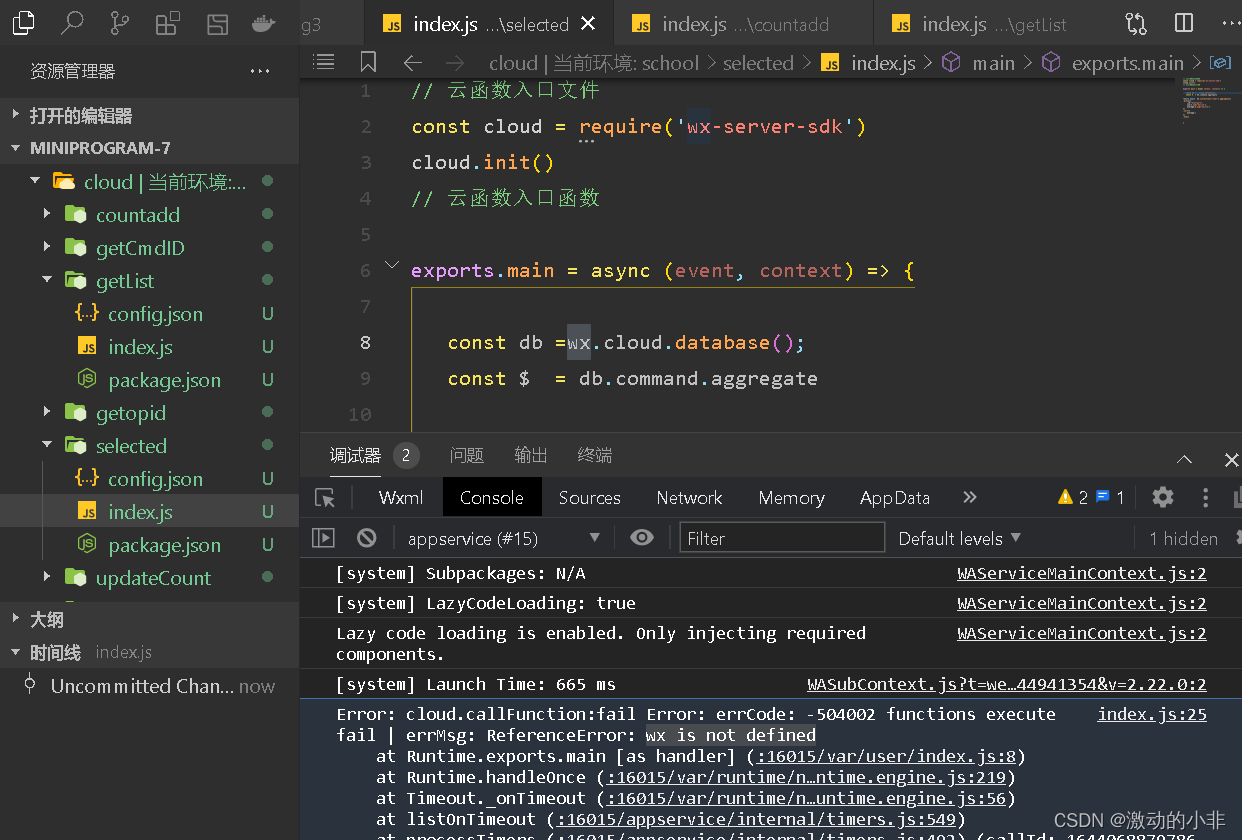
After removing the Wx call, the cloud function is used successfully.
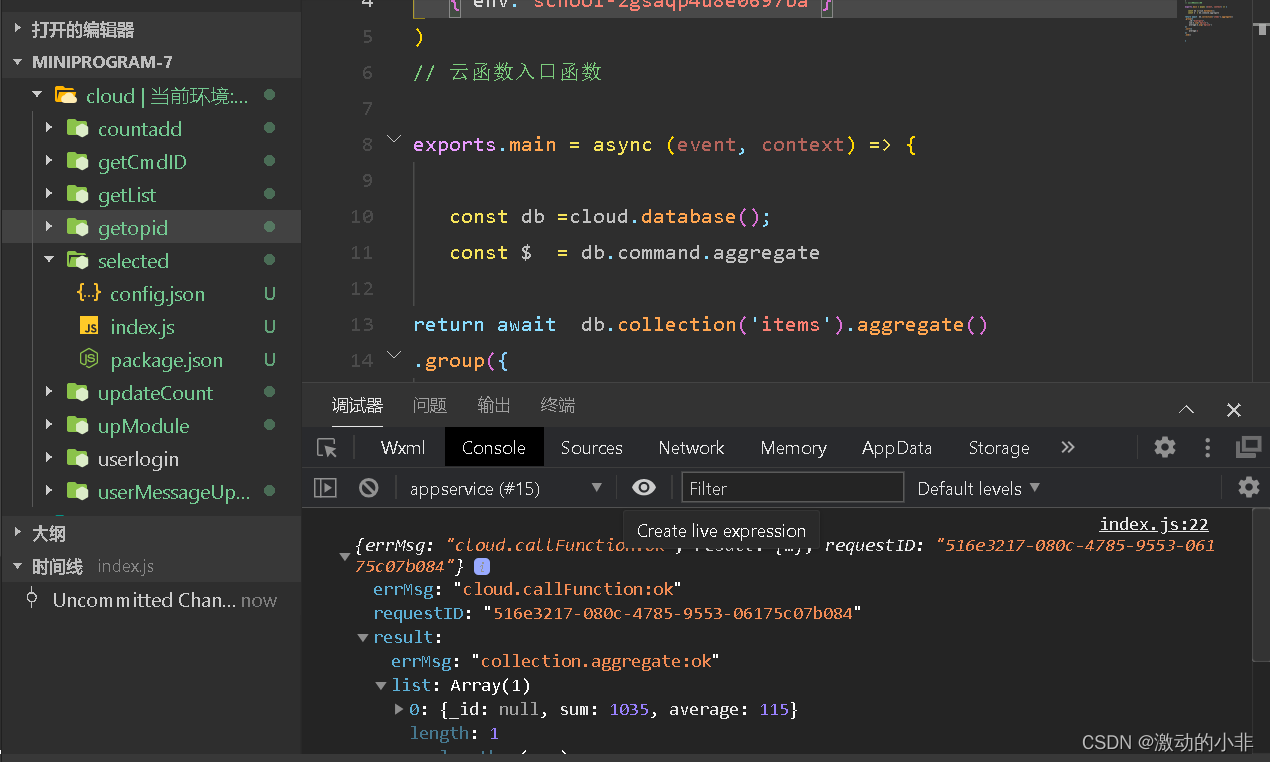
Be careful.
Event: 2022/2/5 21:04
Error reason: in the cloud folder, JS files do not need to use Wx to call functions.
After removing the Wx call, the cloud function is used successfully.
Be careful.
Could not identify launch activity: default activity not found appears in Android studio Error while Launching activity
Check androidmanifest Are the following settings in XML
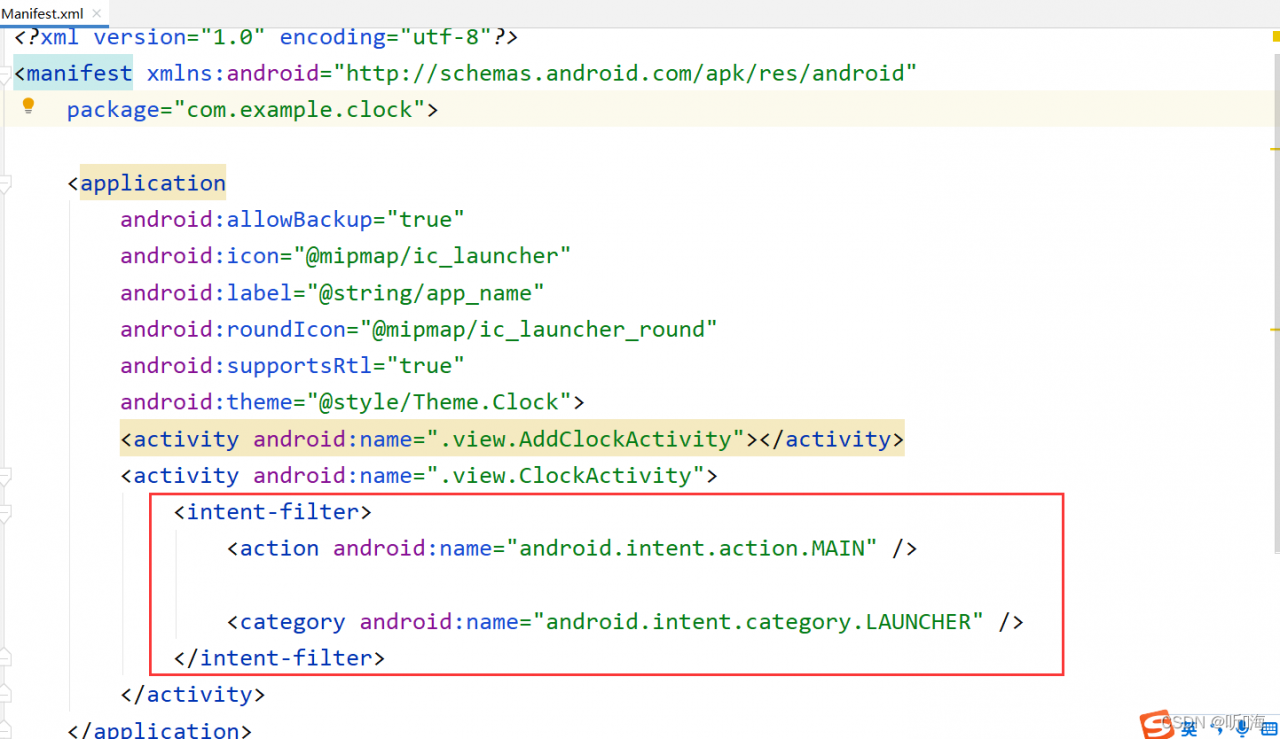
Solution: Configure the following code for the activity to be started
<intent-filter>
	<action android:name="android.intent.action.MAIN" />

	<category android:name="android.intent.category.LAUNCHER" />
</intent-filter>
MSBUILD : error MSB3428: Could not load the Visual C++ component “VCBuild.exe”.
This problem occurs in the install front-end project
MSBUILD : error MSB3428: Could not load the Visual C++ component “VCBuild.exe”…
Solution:
1. The administrator opens CMD and sets the agent (optional, if you have one)
set HTTP_PROXY=http://127.0.0.1:1080
set HTTPS_PROXY=http://127.0.0.1:1080
2. Install windows build tool
npm install -g --production windows-build-tools
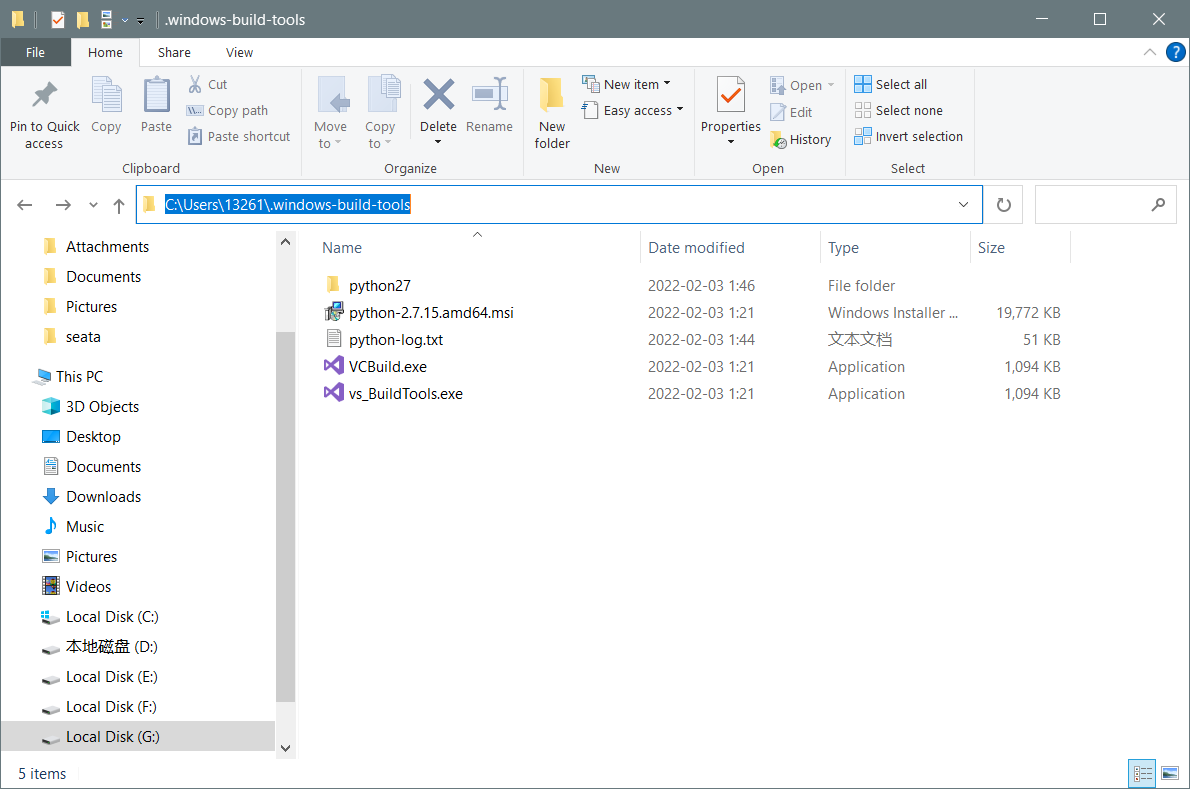
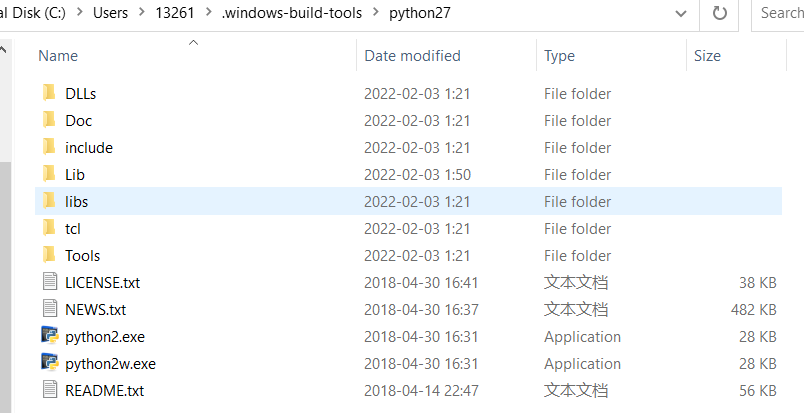
3. If the card is completely stuck, wait for one minute, and then enter C:\Users\Username\.windows-build-tools
If there is a file in the figure below, the download is successful, and if there is no file, the download fails
If the download fails, download it manually and extract it to C:\Users\Username\
The final status is shown in the figure:
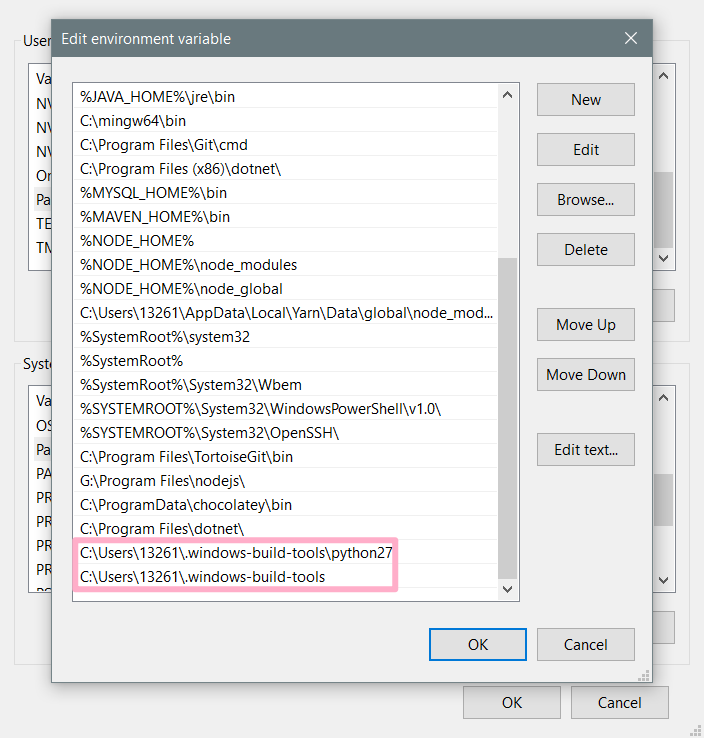
5 Configure system environment variables (Setting -> advanced system settings -> environment variables)
Append to path item
C:\Users\13261.windows-build-tools
C:\Users\13261.windows-build-tools\python27
6. change the file name
Because the problem I encountered was MSBUILD : error MSB3428: Could not load the Visual C++ component “VCBuild.exe”…
The project will use the executable file VCBuild.exe to build
So I made a copy of vs_BuildTools.exe and modified it to VCBuild.exe, so that cmd can use “VCBuild”!
Because I have already installed python3 or higher, the command is also “python”
so python2.7 I will also modify the executable to python.exe -> python2.exe, pythonw.exe -> python2w.exe
TIP: If your front-end project will be built with commands like “python2” or “python3” instead of “python” to execute python code, then you also need to rename the executable
Translated with www.DeepL.com/Translator (free version)
process[feature_tracker-2]: started with pid [8459]
RLException: Roslaunch got a 'No such file or directory' error while attempting to run:
xterm -e gdb --args /home/matthew/projects/vinsmono/devel/lib/vins_estimator/vins_estimator __name:=vins_estimator __log:=/home/matthew/.ros/log/5eeae726-84a9-11ec-ad3c-378f34e64432/vins_estimator-3.log
Please make sure that all the executables in this command exist and have
executable permission. This is often caused by a bad launch-prefix.
The traceback for the exception was written to the log file
Solution:
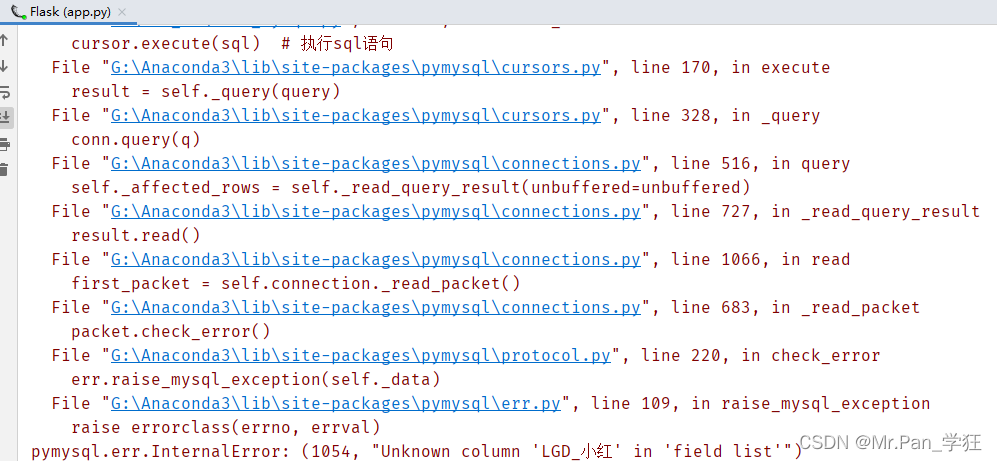
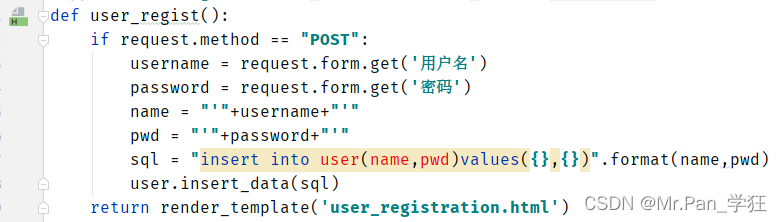
sudo apt-get install xtermThis is the problem I encountered in mongodb project. The original code is as follows:

running result:
the modified code is nested with quotation marks:
running result:
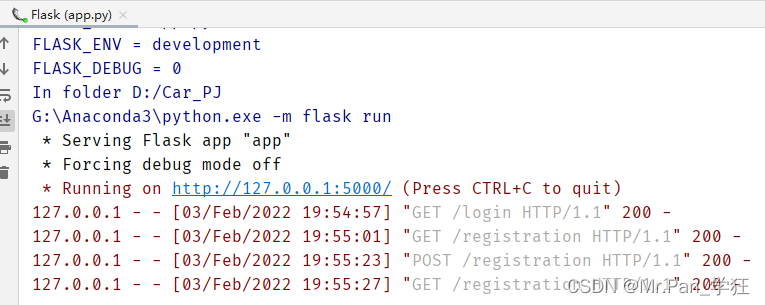

mysql database view data, as shown in the following figure:
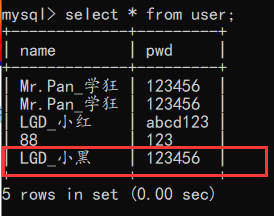
successfully insert data. I wish everyone a smooth solution, I wish you success!!
Opencv4 error
This is the source code:
#include <opencv2/opencv.hpp>
#include <iostream>

using namespace cv;

int main(int argc, const char* argv[]) {

	Mat src, dst;
	src = imread("./test.jpg");
	//if (src.empty()) {
	if (!src.data){
		printf("could not load image...\n");
		return -1;
	}
	//namedWindow("input img");
	//imshow("input img", src);

	//Three for loops, performing operations g_dstImage(i,j) =a*g_srcImage(i,j) + b
	for (int y = 0; y < src.rows; y++)
	{
		for (int x = 0; x < src.cols; x++)
		{
			for (int c = 0; c < 3; c++)
			{
				//g_dstImage.at<Vec3b>(y, x)[c] = saturate_cast<uchar>((g_nContrastValue*0.01)*(g_srcImage.at<Vec3b>(y, x)[c]) + g_nBrightValue);
				dst.at<Vec3b>(y, x)[c] = src.at<Vec3b>(y, x)[c];
			}
		}
	}


	namedWindow("output img");
	imshow("output img", dst);

	waitKey(0);
	return 0;
}
Vs compile run error:

reason
The nonexistent subscript of the access array (because we did not initialize the size and data type of mat array DST in the above code…)
Solution:
Add code: dst = Mat::zeros(src.size(), src.type());
#include <opencv2/opencv.hpp>
#include <iostream>

using namespace cv;

int main(int argc, const char* argv[]) {

	Mat src, dst;
	src = imread("./test.jpg");
	//if (src.empty()) {
	if (!src.data){
		printf("could not load image...\n");
		return -1;
	}
	namedWindow("input img");
	imshow("input img", src);

	dst = Mat::zeros(src.size(), src.type());

	//Three for loops, performing operations g_dstImage(i,j) =a*g_srcImage(i,j) + b
	for (int y = 0; y < src.rows; y++)
	{
		for (int x = 0; x < src.cols; x++)
		{
			for (int c = 0; c < 3; c++)
			{
				//g_dstImage.at<Vec3b>(y, x)[c] = saturate_cast<uchar>((g_nContrastValue*0.01)*(g_srcImage.at<Vec3b>(y, x)[c]) + g_nBrightValue);
				dst.at<Vec3b>(y, x)[c] = 255 - src.at<Vec3b>(y, x)[c];
			}
		}
	}


	namedWindow("output img");
	imshow("output img", dst);

	waitKey(0);
	return 0;
}
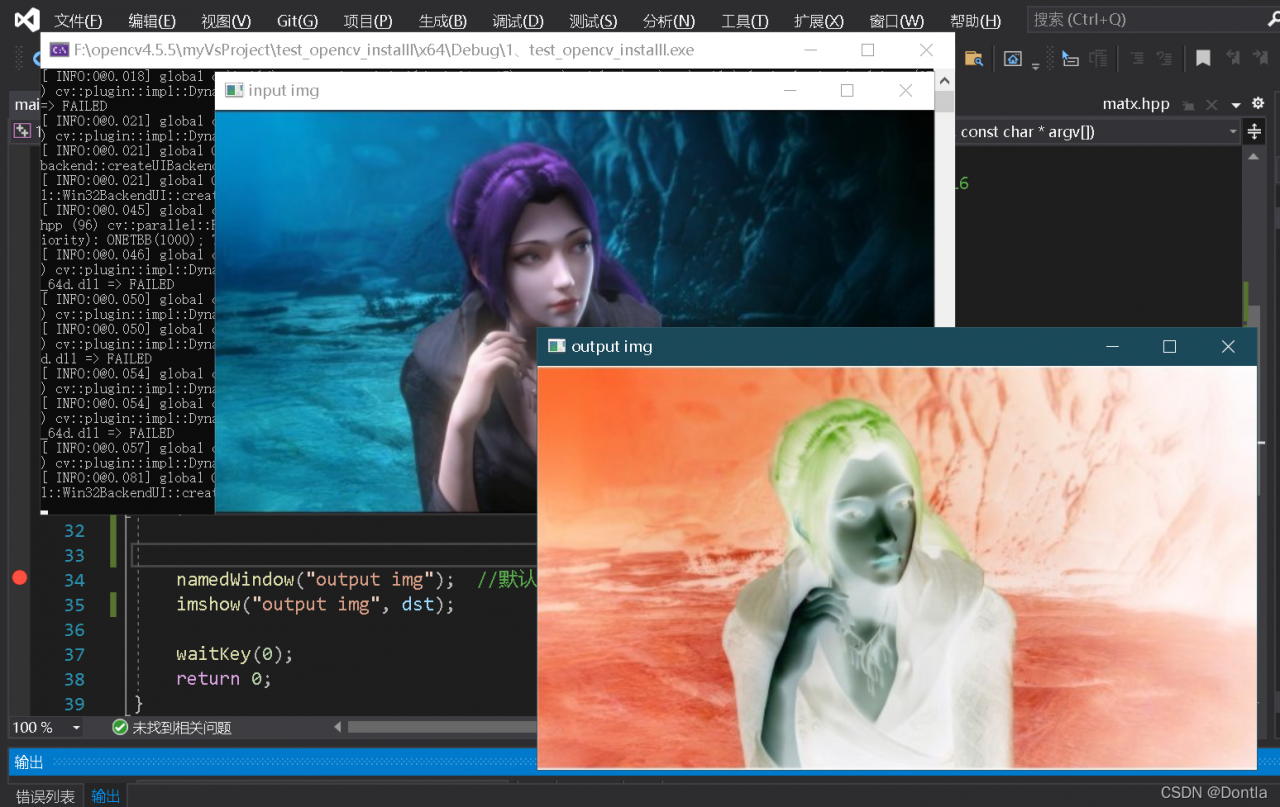
Vs compilation run result:
The v95 version of gbase 8A supports fast replacement of failed nodes through free nodes (omitting the need to find the installation package and check the installation and configuration process). However, free node is only for the scene with VC enabled. For single VC, that is, the mode compatible with V8 version, free node is not supported, so it does not support this node replacement method. The solution is to use a new node.
Error message
version: 9.5.3.22
install prefix: /opt/gbase/10.0.2.103
execute replace node os user: gbase
replaced nodes: ['10.0.2.104']
freenode: ['10.0.2.106']
Error: replace.py(line 1147) -- single vc mode does not support '--freenode'
[gbase@gbase_rh7_003 gcinstall]$
Reason
the cluster is in single VC mode, compatible with V8, and does not support freenode. Look at the bottom of the gcadmin output. There is really no freenode information.
[gbase@gbase_rh7_003 gcinstall]$ gcadmin
CLUSTER STATE:         ACTIVE
VIRTUAL CLUSTER MODE:  NORMAL

====================================
| GBASE GCWARE CLUSTER INFORMATION |
====================================
| NodeName |  IpAddress   | gcware |
------------------------------------
| gcware1  |  10.0.2.103  |  OPEN  |
------------------------------------
====================================================
|      GBASE COORDINATOR CLUSTER INFORMATION       |
====================================================
|   NodeName   | IpAddress  | gcluster | DataState |
----------------------------------------------------
| coordinator1 | 10.0.2.103 |   OPEN   |     0     |
----------------------------------------------------
=========================================================================================================
|                                    GBASE DATA CLUSTER INFORMATION                                     |
=========================================================================================================
| NodeName |                IpAddress                 | DistributionId | gnode | syncserver | DataState |
---------------------------------------------------------------------------------------------------------
|  node1   |                10.0.2.103                |       1        | OPEN  |    OPEN    |     0     |
---------------------------------------------------------------------------------------------------------
|  node2   |                10.0.2.104                |       1        | OPEN  |    OPEN    |     0     |
---------------------------------------------------------------------------------------------------------
|  node3   |                10.0.2.105                |       1        | OPEN  |    OPEN    |     0     |
---------------------------------------------------------------------------------------------------------
|  node4   |                10.0.2.106                |                | OPEN  |    OPEN    |     0     |
---------------------------------------------------------------------------------------------------------

[gbase@gbase_rh7_003 gcinstall]$
Solution
adopt the scheme of new machines and replace nodes on the original IP.
1. Error record
function
class Student1 {
}
Groovy code will report an error;
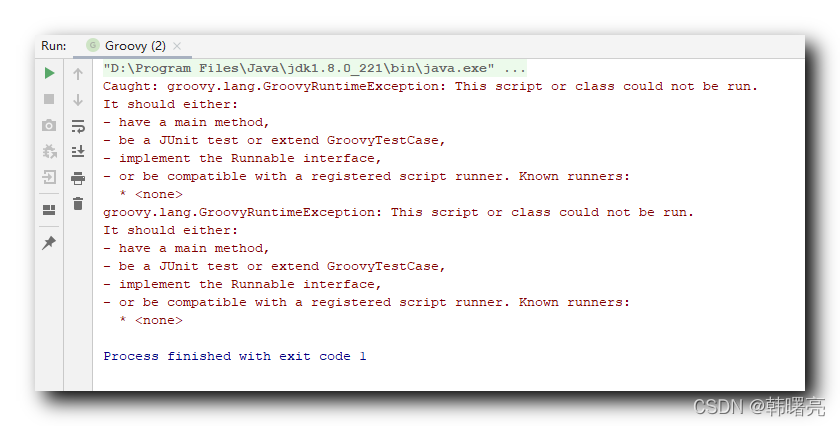
Error message:
groovy.lang.GroovyRuntimeException: This script or class could not be run.
It should either:
- have a main method,
- be a JUnit test or extend GroovyTestCase,
- implement the Runnable interface,
- or be compatible with a registered script runner. Known runners:
  * <none>
2. Problem analysis
Only groovy code that meets the following requirements can run:
With main function
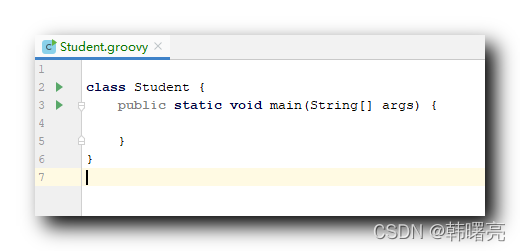
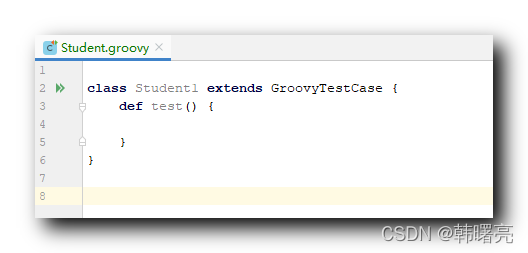
test case, used as JUnit test or extended GroovyTestCase
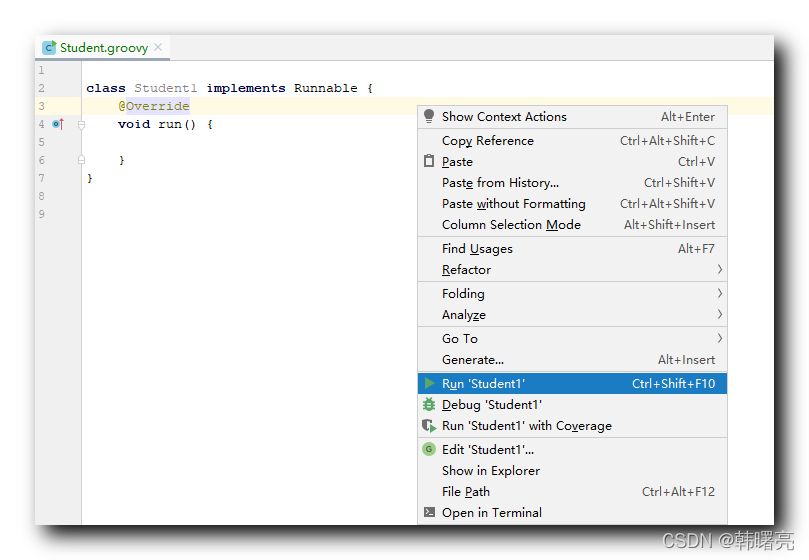
Thread related and implements the runnable interface
 It is compatible with the registered script running program
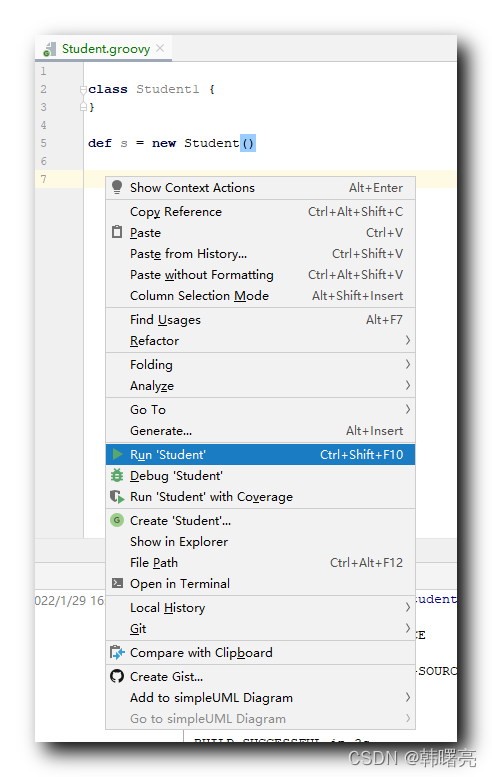
Groovy code in other cases cannot be run;
Set scan parameters failed: operation not allowed
The reason is that the function of hcitool tool is missing, and the lescan function needs to be supplemented
sudo apt-get install libcap2-bin
sudo setcap 'cap_net_raw,cap_net_admin+eip' `which hcitool`
getcap !$
Execute again at this time
hcitool -i hci1 lescan
It is found that it can be scanned normally
Problem description
In the process of using VMware, the virtual machine environment was configured, but due to the confusion of pending shutdown, the following errors were found when restarting today:
Ping www.google.com, the following errors are found: Ping name or service not known
Since it can be used correctly before, ensure that the virtual network editor of the virtual machine is configured correctly. If it is the first configuration and has not been successfully started before, you can check the configuration of the network editor.
In the process of finding a solution, the following errors are found by using the restart network command service network restart :
restarting network failed journalctl - Xe for detail control process exited with error code
Problem-solving
systemctl stop NetworkManager
systemctl disable NetworkManager
systemctl start network.service1. System configuration information:
System MacOS bigsur 11.6
MySQL 8.0.26
2. Start MySQL service:
sudo /usr/local/mysql/support-files/mysql. server start
The error message is as follows:
Starting MySQL
.. ERROR! The server quit without updating PID file (/usr/local/mysql/data/jinjideleishen.local.pid).
Solution commands
mac default user is _mysql, under linux the default user of mysql is mysql
Use chown to change the owner of the specified file to the specified user or group
-R : Process all files in the specified directory and its subdirectories
sudo chown -R _mysql:_mysql /usr/local/mysql/Restart successful:
 sudo /usr/local/mysql/support-files/mysql.server restart
 ERROR! MySQL server PID file could not be found!
Starting MySQL
.................................................... SUCCESS!
3. Stop MySQL service
sudo /usr/local/mysql/support-files/mysql.server stop4. Restart MySQL service
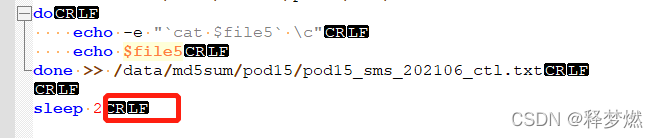
sudo /usr/local/mysql/support-files/mysql.server restart[problem] the error content reported by the Linux server running the shell script is shown in the following figure. 
[reason] incompatible carriage return and line feed characters under Linux and windows
[solution] change the windows newline character “CR lf” in the file to UNIX “LF”
Use Notepad + + to set the view first -> Display symbol -> When all symbols are displayed, you will see “CR lf”
Edit -> with Notepad + +; Document format conversion -> Convert to UNIX (LF)
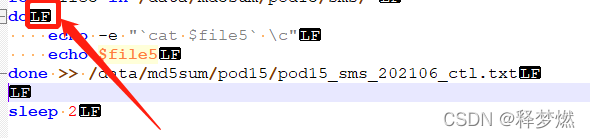
Re-run to solve the problem.