Author Archives: Robins

How to Solve Gbase 8A Troubleshooting (rhel7 start CGroup error)

Problem
RHEL7 starts cgroup with an error Filed to start cgconfig.service:Unit not found.
Steps
Step 1
Check if the following installation packages are installed, if they are missing, please install them.

libcgroup-0.41-8.el7.x86_64.rpm
libcgroup-tools-0.41-8.el7.x86_64.rpm

Step 2
Set up the cgroup service to start on boot after installation.

systemctl enable cgconfig.service

Step 3
Start the cgconfig service.

systemctl start cgconfig.service

[Solved] Linux gcc Compile Error: unknown type name ‘bool‘

Error description

error: unknown type name ‘bool’; did you mean ‘_Bool’?

Cause of error
Unknown type name: ‘bool’, because the boolean type is not defined in the C standard (C89), so it will report an error. C99 provides a header file that defines bool, true for 1 and false for 0. Just import stdbool.h and you can manipulate boolean types very easily.

Solution:

//add the header file 
#include <stdbool.h>

[Solved] Arcgis Pro2.8 Error: kernel error, failed open to kernel

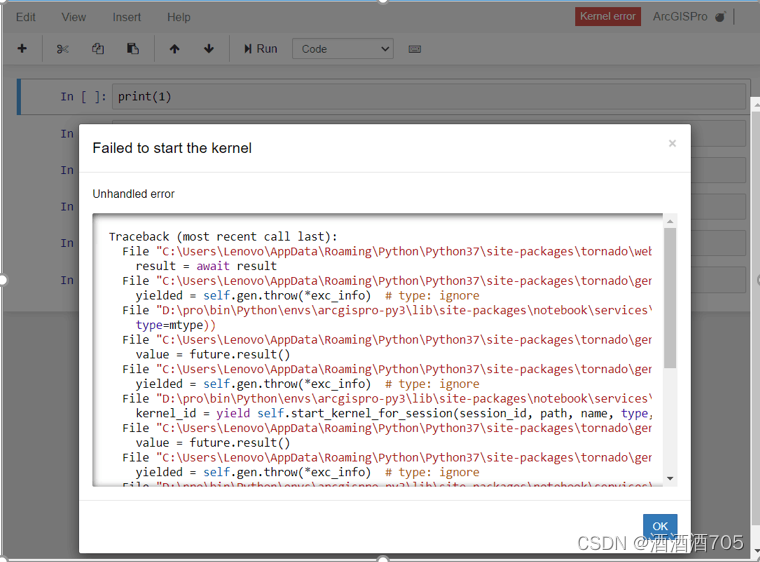
This is the most depressing thing I encountered in learning ArcGIS pro. The error is reported as follows. This is the most depressing thing I encountered in learning ArcGIS pro. The error is reported as follows

This error occurs when using jupyter notbook because “Due to repeated uninstallation of anaconda or too many python versions installed, the path of the notbook kernel startup is confused and needs to be manually adjusted by yourself”. The solution is simple, open Python Prompt and type python -m ipykernel install -user, reinstall the kernel and restart.

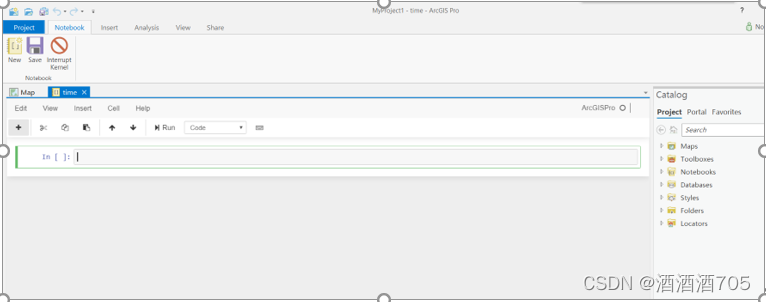
I changed the version, I reinstalled Arcgis Pro2.5, and the above problem was solved wonderfully

[Solved] kubelet Startup Error: cannot find network namespace for the terminated container

1. Error reporting:

Use the journalctl – xefu kubelet command to view the kubelet log. The following errors are found:

cannot find network namespace for the terminated container

2. Solution:

# docker system prune

# systemctl restart kubelet

Instructions for using docker system:

# docker system -h

Flag shorthand -h has been deprecated, please use –help

Usage: docker system COMMAND

Manage Docker

Commands:

df             Show docker disk usage

Check the usage of docker space.

events     Get real time events from the server

View live events.

info         Display system-wide information

View system information.

prune     Remove unused data

Docker cleans the stopped container, and there is no network, image and cache used by the container.

[Solved] Android Studio Compile Error: Could not determine java version from ‘11.0.8‘.

There are two solutions to solve Error: Could not determine java version from '11.0.8'.

Method 1: downgrade Android Studio and use the historical version of Android Studio environment;

Method 2: upgrade Gradle version;

1. Error reporting information


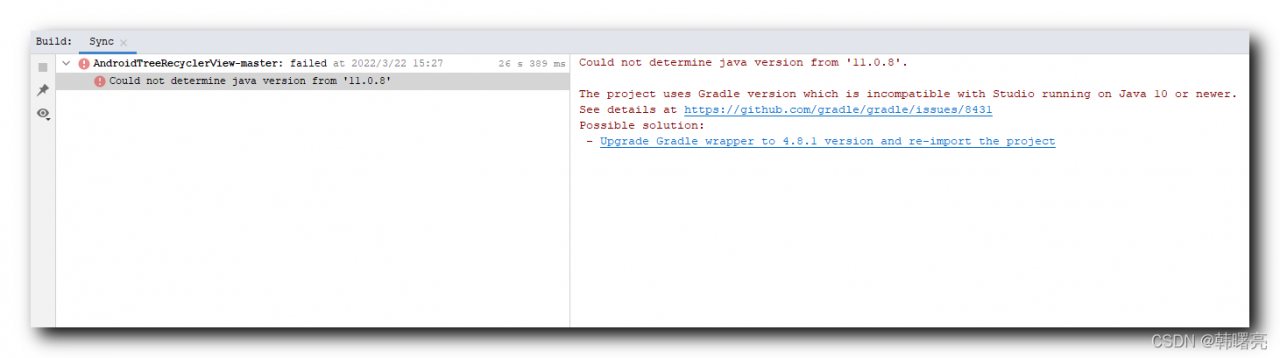
Open an old project and report the following error:

Could not determine java version from '11.0.8'.

The project uses Gradle version which is incompatible with Studio running on Java 10 or newer.
See details at https://github.com/gradle/gradle/issues/8431
Possible solution:
 - Upgrade Gradle wrapper to 4.8.1 version and re-import the project
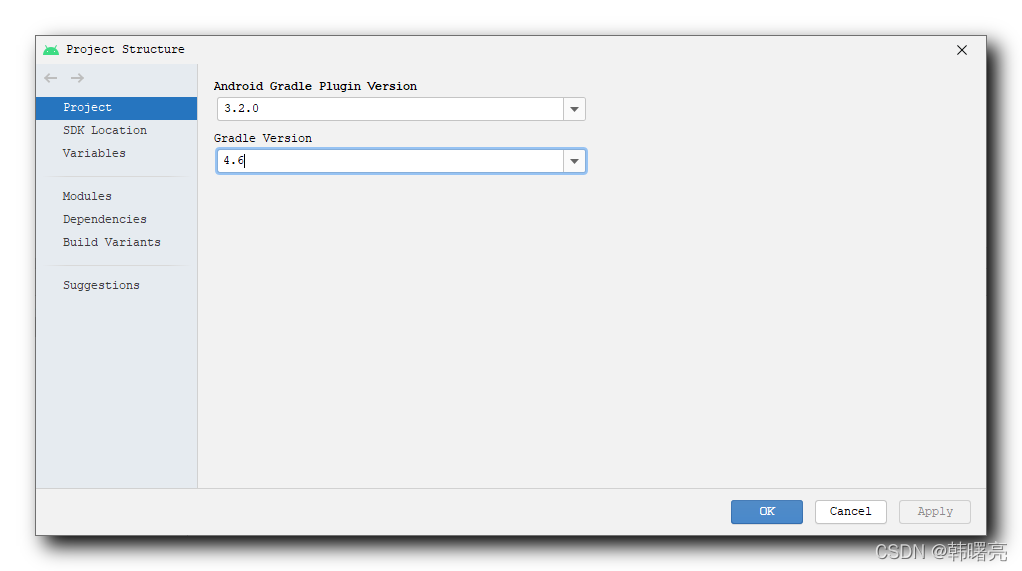
Select the “menu bar/file/Project Structure” option,

Check that the Android Gradle plug-in version of the Android project is 3.2.0 and the Gradle version is 4.6. This is the version used a few years ago. At present, the project cannot be compiled using the latest Android studio;


2. Solution

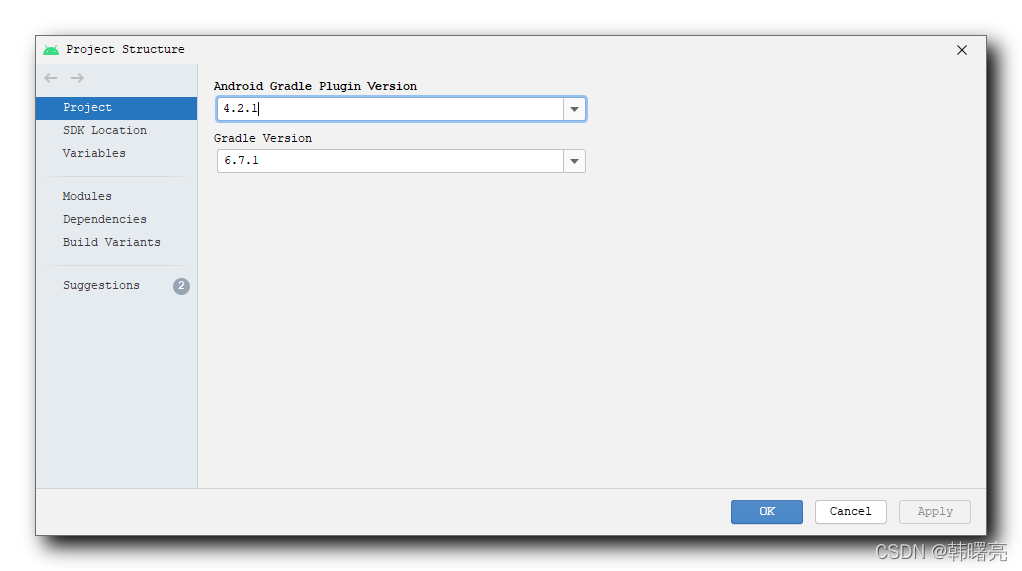
Select the menu bar/file/project structure option,

In the pop-up project structure dialog box, update the Android gradle plug-in version to 4.2.1 and the gradle plug-in version to 6.7.1;

DevTools failed to load SourceMap Could not load content [Solved]

DevTools failed to load SourceMap: Could not load content

What it means here is that the dev tool failed to load the source mapping: it couldn’t load the content. The focus is on the part after the for.
The hint I encountered was something like this

DevTools failed to load SourceMap: Could not load content for chrome extension://ncennffkjdiamlpmcbajkmaiiiddgioo/js/xl-content.js.map

That is, the part of the chrome extension tool, the mapping failed to load successfully.

After inquiry, the latter link is caused by the opening of the Xunlei extension tool in chrome, but it does not affect normal operation, you can also consider disabling the tool in the extension program

Raspberry pie import opencv error: ImportError: numpy.core.multiarray failed to import

After installing opencv with PIP3, an error is reported when importing CV2 through Python 3, as follows:

 from .cv2 import *
ImportError: numpy.core.multiarray failed to import

Beacuse the version of NumPy library is too low or too high, which is not suitable for the newly installed opencv version
if we use pip to install the latest version of OpenCV, that is, the installation command:

pip3 install opencv-python
pip3 install opencv_contrib-python

It means that the numpy version is too low, so we should install the latest version:

Command: pip3 install -U numpy

After installation, you can import OpenCV

[Solved] Maven Publish Error: Failed to execute goal org.apache.maven.pluginsmaven-deploy-plugin2.8.2deploy

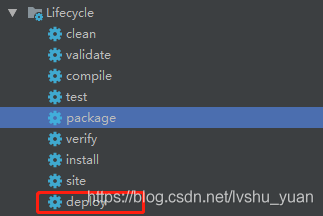
Maven released jar package

error: failed to execute goal org.apache.maven.plugins:maven-deploy-plugin:2.8.2:deploy

Cause: missing configuration

Solution: Add configuration to the Maven configuration file settings.xml

Open the file settings.xml under the directory …apache-maven-3.2.3-binapache-maven-3.2.3conf and add the configuration.

<!-- servers
   | This is a list of authentication profiles, keyed by the server-id used within the system.
   | Authentication profiles can be used whenever maven must make a connection to a remote server.
   |-->
  <servers>
    <!-- server
     | Specifies the authentication information to use when connecting to a particular server, identified by
     | a unique name within the system (referred to by the 'id' attribute below).
     | 
     | NOTE: You should either specify username/password OR privateKey/passphrase, since these pairings are 
     |       used together.
     |-->
    <server>
      <id>xxxx</id>
      <username>xxxx</username>
      <password>xxxx</password>
    </server>
    
    <!-- Another sample, using keys to authenticate.
    <server>
      <id>siteServer</id>
      <privateKey>/path/to/private/key</privateKey>
      <passphrase>optional; leave empty if not used.</passphrase>
    </server>
    -->
  </servers>

[Solved] Failed to find glog – Could not find glog include directory, set…

catkin_make Compile Error:

– Found OpenCV: /opt/ros/kinetic (found version “3.3.1”)
CMake Error at cmake/FindGlog.cmake:77 (MESSAGE):
Failed to find glog - Could not find glog include directory, set
GLOG_INCLUDE_DIR to directory containing glog/logging.h
Call Stack (most recent call first):
cmake/FindGlog.cmake:103 (GLOG_REPORT_NOT_FOUND)
CMakeLists.txt:147 (find_package)


Solution:
$ sudo apt-get install libgoogle-glog-dev

[Solved] mnn Import Error: initMNN: init numpy failed

import MNN Error:

initMNN: init numpy failed

Solution:
pip uninstall numpy
pip install numpy

Error Messages:

D:\Anaconda3\lib\site-packages\numpy\_distributor_init.py:32: UserWarning: loaded more than 1 DLL from .libs:
D:\Anaconda3\lib\site-packages\numpy\.libs\libopenblas.WCDJNK7YVMPZQ2ME2ZZHJJRJ3JIKNDB7.gfortran-win_amd64.dll
D:\Anaconda3\lib\site-packages\numpy\.libs\libopenblas.XWYDX2IKJW2NMTWSFYNGFUWKQU3LYTCZ.gfortran-win_amd64.dll


mnn compile succefully:

Start to Convert Other Model Format To MNN Model...
[22:16:38] :30: ONNX Model ir version: 4
Start to Optimize the MNN Net...
inputTensors : [ images, ]
outputTensors: [ output, ]
Converted Success!

However, even so, MNN reasoning may report errors

Export failed:

Start to Convert Other Model Format To MNN Model...
[22:19:55] :30: ONNX Model ir version: 4
Start to Optimize the MNN Net...
inputTensors : [ images, ]
outputTensors: [ Transpose156, ]
Converted Success!

DLL load failed while importing rdBase [How to Solve]

At first, there was no problem with using rdkit. When deep Chem is installed later, this error will be reported,

DLL load failed while importing rdBase

The rdkit package may be damaged, so you can reinstall the rdkit. The installation code is as follows

conda install -c rdkit rdkit

However, it is recommended to install deepchem in a separate virtual environment, it will affect many of the previously installed packages, such as numpy and so on