Author Archives: Robins

[Solved] RuntimeError: cuda runtime error (100) : no CUDA-capable device is detected at

When we upload our code to the server to run, we encounter the following problems:

THCudaCheck FAIL file=/pytorch/aten/src/THC/THCGeneral.cpp line=50 error=100 : no CUDA-capable device is detected
Traceback (most recent call last):
  File "HyperAttentionDTI_main.py", line 185, in <module>
    model = AttentionDTI(hp).cuda()
  File "/usr/local/lib/python3.7/site-packages/torch/nn/modules/module.py", line 304, in cuda
    return self._apply(lambda t: t.cuda(device))
  File "/usr/local/lib/python3.7/site-packages/torch/nn/modules/module.py", line 201, in _apply
    module._apply(fn)
  File "/usr/local/lib/python3.7/site-packages/torch/nn/modules/module.py", line 223, in _apply
    param_applied = fn(param)
  File "/usr/local/lib/python3.7/site-packages/torch/nn/modules/module.py", line 304, in <lambda>
    return self._apply(lambda t: t.cuda(device))
  File "/usr/local/lib/python3.7/site-packages/torch/cuda/__init__.py", line 197, in _lazy_init
    torch._C._cuda_init()
RuntimeError: cuda runtime error (100) : no CUDA-capable device is detected at /pytorch/aten/src/THC/THCGeneral.cpp:50

It’s because our graphics card settings are wrong, because we know whether we have a graphics card or not, otherwise we won’t report the wrong graphics card problem

Solution:

Let’s look at the program code we executed and check the CUDA part. I set my graphics card to 6. We don’t have so many graphics cards to use. I checked the location of my graphics card, which is No. 0. Therefore, we set the first line of the following code to 0!

os.environ["CUDA_VISIBLE_DEVICES"] = "6"
if __name__ == "__main__":
    """select seed"""
    SEED = 1234
    random.seed(SEED)
    torch.manual_seed(SEED)
    torch.cuda.manual_seed_all(SEED)
    # torch.backends.cudnn.deterministic = True
[Solved] main.py: error: the following arguments are required:

Error “main. Py: error: the following arguments are required:”

1. Check the error message first

As shown in the figure below,
main.py: error: the following arguments are required: -- task, -- dataset, -- param
generally speaking, the three parameters I set task, dataset, param have problems
find the place where I set the parameters and find that these three parameters have the attribute required=True

parser.add_argument("--task", default='uabsa', type=str, required=True,
                    help="The name of the task, selected from: [uabsa, aste, tasd, aope]")
parser.add_argument("--dataset", default='rest14', type=str, required=True,
                    help="The name of the dataset, selected from: [laptop14, rest14, rest15, rest16]")
parser.add_argument("--model_name_or_path", default='t5-base', type=str,
                    help="Path to pre-trained model or shortcut name")
parser.add_argument("--paradigm", default='annotation', type=str, required=True,
                    help="The way to construct target sentence, selected from: [annotation, extraction]")

2. Solutions

Method 1:

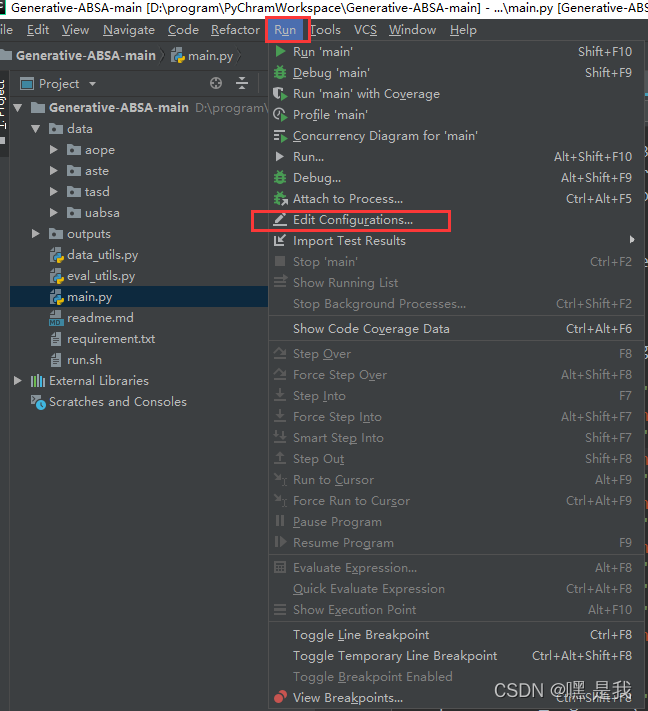
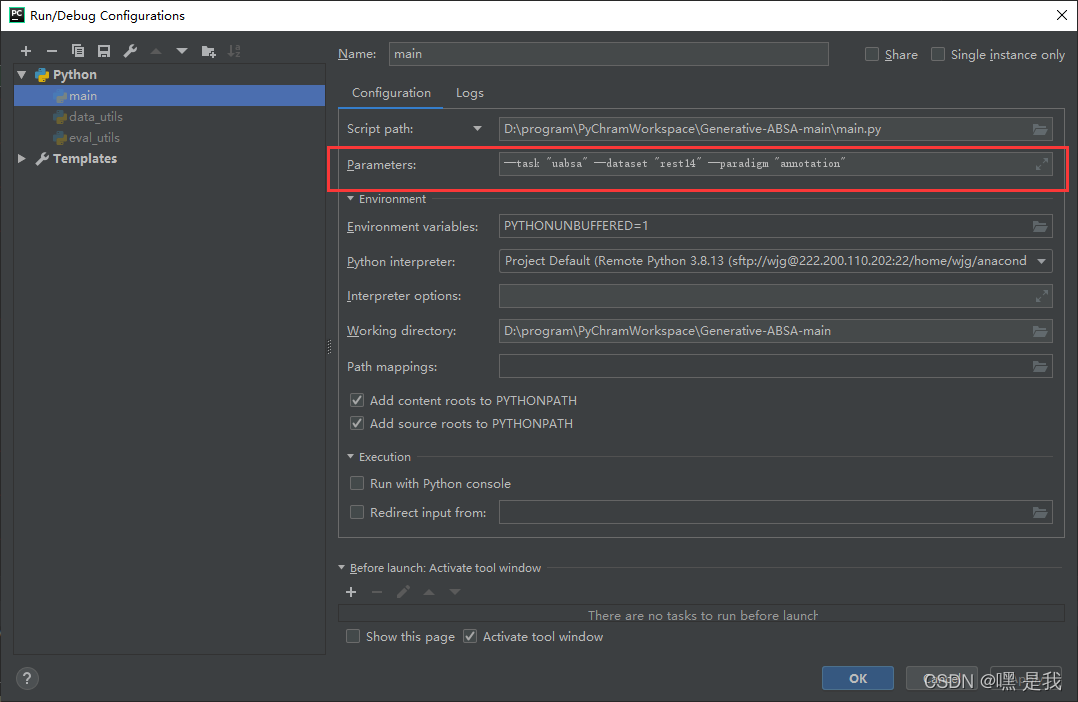
1.Run–> Edit Configurations

2. main.py (corresponding error report file), fill in the corresponding -- task "uabsa" -- dataset "rest14" -- param "Annotation", here are the error report parameters and the corresponding default values
for example, here — the default of task is “uabsa”, note: it is double quotation marks instead of single quotation marks, and there may be problems with single quotation marks Click OK after filling in.

Method 2: if method 1 and other methods do not work (simple, but not recommended)

Find the set generation of three variables and delete required=True in the code.
initially

parser.add_argument("--task", default='uabsa', type=str, required=True,
                    help="The name of the task, selected from: [uabsa, aste, tasd, aope]")
parser.add_argument("--dataset", default='rest14', type=str, required=True,
                    help="The name of the dataset, selected from: [laptop14, rest14, rest15, rest16]")
parser.add_argument("--model_name_or_path", default='t5-base', type=str,
                    help="Path to pre-trained model or shortcut name")
parser.add_argument("--paradigm", default='annotation', type=str, required=True,
                    help="The way to construct target sentence, selected from: [annotation, extraction]")

After deletion

parser.add_argument("--task", default='uabsa', type=str,
                    help="The name of the task, selected from: [uabsa, aste, tasd, aope]")
parser.add_argument("--dataset", default='rest14', type=str, 
                    help="The name of the dataset, selected from: [laptop14, rest14, rest15, rest16]")
parser.add_argument("--model_name_or_path", default='t5-base', type=str,
                    help="Path to pre-trained model or shortcut name")
parser.add_argument("--paradigm", default='annotation', type=str,
                    help="The way to construct target sentence, selected from: [annotation, extraction]")

[Solved] uiautomatorviewer Error: Error obtaining UI hierarchy

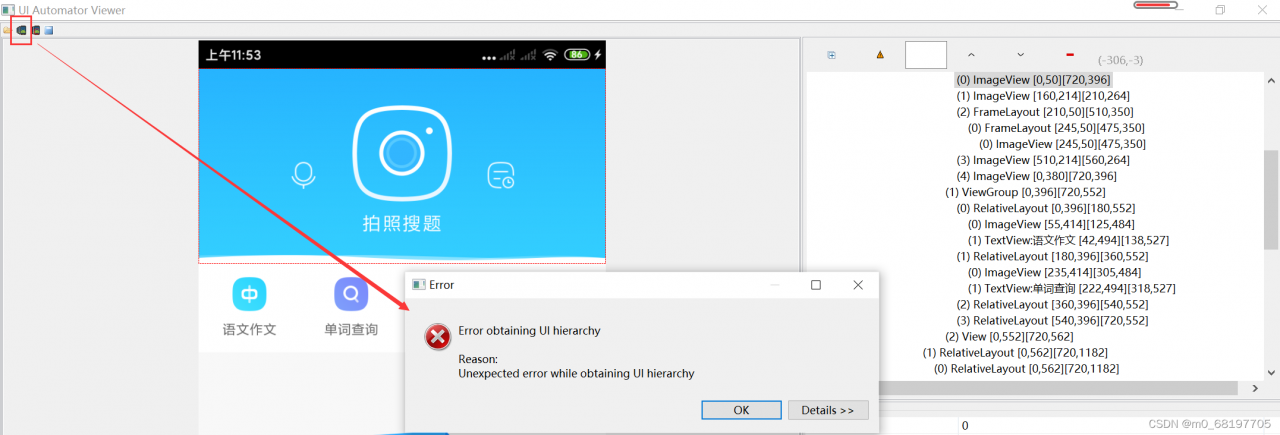
1. Problem reappearance: when learning appium framework and using uiautomatorviewer to locate Android App controls, directly selecting [device screenshot] will report an error:

2. Solution:

Create a new bat file with the following contents:

adb shell uiautomator dump /sdcard/screen.uix
adb pull /sdcard/screen.uix D:/uiscreen/screen.uix
adb shell screencap -p /sdcard/screen.png
adb pull /sdcard/screen.png D:/uiscreen/screen.png

In fact, these commands can also be directly input in CMD, but they need to be input every time, which is more troublesome. All commands can be written into bat files and run directly to obtain interface information.

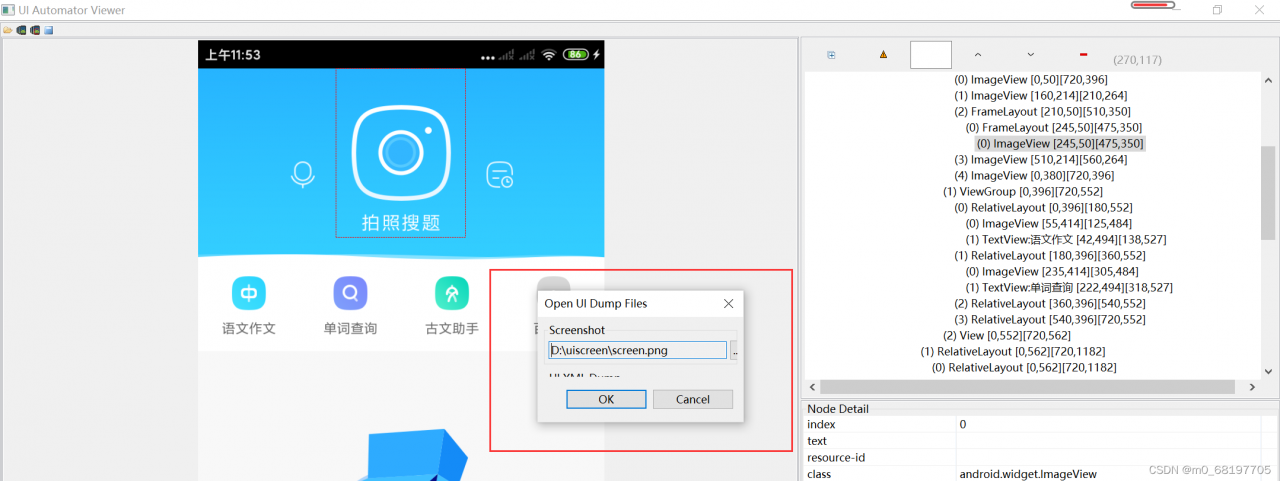
3. Select the path of the picture and uix file in uiautomatorviewer:

My frame is too small. I can’t click the path of the second uix at all. The solution is to press the tab key, locate the button to select the file, and then enter can select it normally.

4. Then you can load the interface and locate the elements normally.

[Solved] Pycharm paddle Error: Error: (External) CUDA error(35), CUDA driver version is insufficient for CUDA

Error content:

UserWarning: You are using GPU version Paddle, but your CUDA device is not set properly. CPU device will be used by default.
  "You are using GPU version Paddle, but your CUDA device is not set properly. CPU device will be used by default."
Traceback (most recent call last):
  File "D:/python-pic/exm4/fruits/01_fruits.py", line 178, in <module>
    place=fluid.CUDAPlace(0)#GPU上执行
OSError: (External) CUDA error(35), CUDA driver version is insufficient for CUDA runtime version. 
  [Hint: 'cudaErrorInsufficientDriver'. This indicates that the installed NVIDIA CUDA driver is older than the CUDA runtime library. This is not a supported configuration.Users should install an updated NVIDIA display driver to allow the application to run.] (at ..\paddle\fluid\platform\gpu_info.cc:108)

reason:

This indicates that the installed NVIDIA CUDA driver is older than the CUDA runtime library. This is not a supported configuration.Users should install an updated NVIDIA display driver to allow the application to run.

Solution: update the graphics card driver

Debian9 g++ Compile Error: error: ‘EDOM’ was not declared in this scope

In file included from /usr/include/c++/6/bits/basic_string.h:5417:0,
                 from /usr/include/c++/6/string:52,
                 from ../../../linux/../Include/I2Str.h:3,
                 from ../../../linux/../Include/trk_CfgMgr.h:11,
                 from ../../../linux/../Include/trk_svc_policy.h:10,
                 from trk_svc_tk_policy_sync.cpp:9:
/usr/include/c++/6/ext/string_conversions.h: In function ‘_Ret __gnu_cxx::__stoa(_TRet (*)(const _CharT*, _CharT**, _Base ...), const char*, const _CharT*, std::size_t*, _Base ...)’:
/usr/include/c++/6/ext/string_conversions.h:72:25: error: ‘ERANGE’ was not declared in this scope
       else if (errno == ERANGE
                         ^~~~~~
In file included from /usr/include/c++/6/system_error:39:0,
                 from /usr/include/c++/6/bits/ios_base.h:46,
                 from /usr/include/c++/6/ios:42,
                 from /usr/include/c++/6/ostream:38,
                 from /usr/include/c++/6/iostream:39,
                 from ../../../linux/../Include/I2Str.h:4,
                 from ../../../linux/../Include/trk_CfgMgr.h:11,
                 from ../../../linux/../Include/trk_svc_policy.h:10,
                 from trk_svc_tk_policy_sync.cpp:9:
/usr/include/x86_64-linux-gnu/c++/6/bits/error_constants.h: At global scope:
/usr/include/x86_64-linux-gnu/c++/6/bits/error_constants.h:47:35: error: ‘EDOM’ was not declared in this scope
       argument_out_of_domain =    EDOM,
                                   ^~~~
/usr/include/x86_64-linux-gnu/c++/6/bits/error_constants.h:75:34: error: ‘EILSEQ’ was not declared in this scope
       illegal_byte_sequence =    EILSEQ,
                                  ^~~~~~
/usr/include/x86_64-linux-gnu/c++/6/bits/error_constants.h:148:32: error: ‘ERANGE’ was not declared in this scope
       result_out_of_range =    ERANGE,


Solution:
Add #include <errno.h>

[Solved] Linux wget Error: ERROR: cannot verify Issued certificate has expire

Linux wget download Tomact error.

The following error appears:

wget https://dlcdn.apache.org/tomcat/tomcat-8/v8.5.78/bin/apache-tomcat-8.5.78.tar.gz --2022-04-06 21:54:57-- https://dlcdn.apache.org/tomcat/tomcat-8/v8.5.78/bin/apache-tomcat-8.5.78.tar.gz Resolving dlcdn.apache.org (dlcdn.apache.org)… 191.101.2.132, 2a04:4e42::644 Connecting to dlcdn.apache.org (dlcdn.apache.org)|191.101.2.132|:443… connected. ERROR: cannot verify dlcdn.apache.org’s certificate, issued by ‘/C=US/O=Let’s Encrypt/CN=R3’: Issued certificate has expired. To connect to dlcdn.apache.org insecurely, use `–no-check-certificate’.


Solution:

Add parameters in wget: –no-check-certificate

「wget –no-check-certificate https://dlcdn.apache.org/tomcat/tomcat-8/v8.5.78/bin/apache-tomcat-8.5.78.tar.gz」

Done!!!

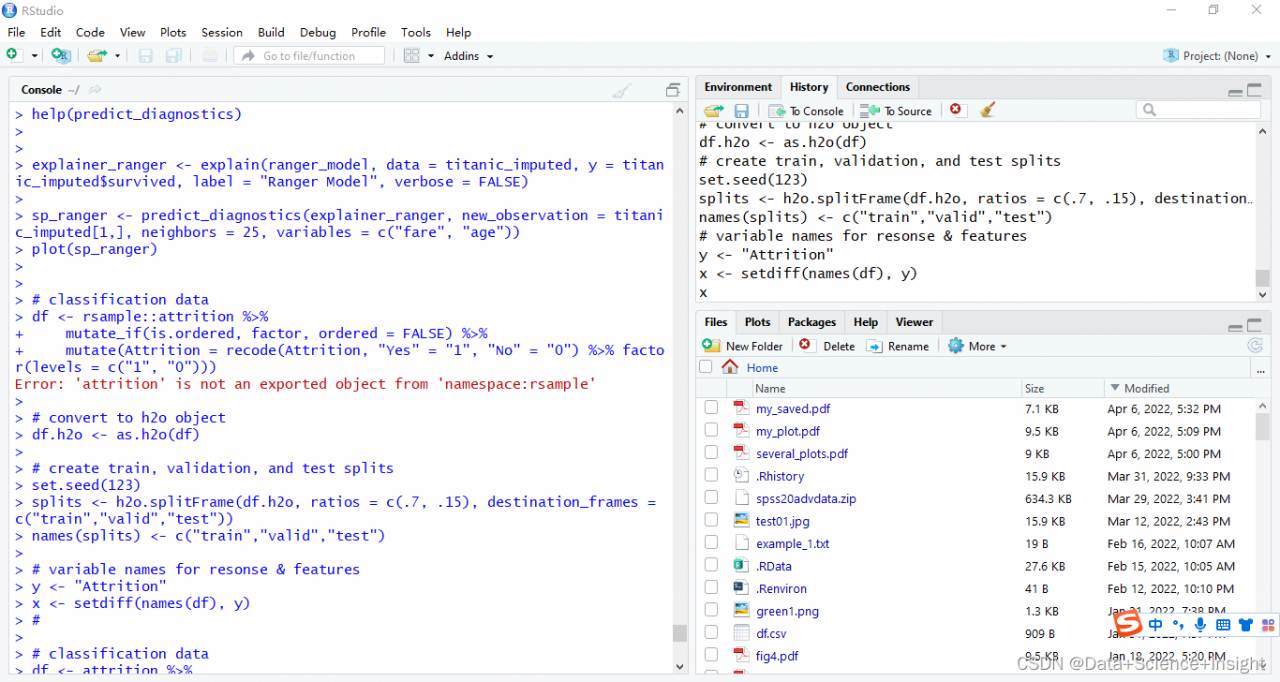
[Solved] Error: ‘attrition‘ is not an exported object from ‘namespace:rsample‘

Error: ‘attrition’ is not an exported object from ‘namespace:rsample’


# Import package and library

# load required packages
library(rsample)
library(dplyr)
library(h2o)
library(DALEX)

# initialize h2o session
h2o.no_progress()
h2o.init()
##  Connection successful!
## 
## R is connected to the H2O cluster: 
##     H2O cluster uptime:         4 hours 30 minutes 
##     H2O cluster timezone:       America/New_York 
##     H2O data parsing timezone:  UTC 
##     H2O cluster version:        3.18.0.11 
##     H2O cluster version age:    1 month and 17 days  
##     H2O cluster name:           H2O_started_from_R_bradboehmke_gny210 
##     H2O cluster total nodes:    1 
##     H2O cluster total memory:   1.01 GB 
##     H2O cluster total cores:    4 
##     H2O cluster allowed cores:  4 
##     H2O cluster healthy:        TRUE 
##     H2O Connection ip:          localhost 
##     H2O Connection port:        54321 
##     H2O Connection proxy:       NA 
##     H2O Internal Security:      FALSE 
##     H2O API Extensions:         XGBoost, Algos, AutoML, Core V3, Core V4 
##     R Version:                  R version 3.5.0 (2018-04-23)

#Data preprocessing and processing to h2o format;

Error: ‘attrition’ is not an exported object from ‘namespace:rsample’

#

# classification data
df <- rsample::attrition %>% 
  mutate_if(is.ordered, factor, ordered = FALSE) %>%
  mutate(Attrition = recode(Attrition, "Yes" = "1", "No" = "0") %>% factor(levels = c("1", "0")))

# convert to h2o object
df.h2o <- as.h2o(df)

# create train, validation, and test splits
set.seed(123)
splits <- h2o.splitFrame(df.h2o, ratios = c(.7, .15), destination_frames = c("train","valid","test"))
names(splits) <- c("train","valid","test")

# variable names for resonse & features
y <- "Attrition"
x <- setdiff(names(df), y) 

Solution:

You can use the attrition dataset of DALEX package directly;

Remove resample:

#

# classification data
df <- attrition %>% 
  mutate_if(is.ordered, factor, ordered = FALSE) %>%
  mutate(Attrition = recode(Attrition, "Yes" = "1", "No" = "0") %>% factor(levels = c("1", "0")))

# convert to h2o object
df.h2o <- as.h2o(df)

# create train, validation, and test splits
set.seed(123)
splits <- h2o.splitFrame(df.h2o, ratios = c(.7, .15), destination_frames = c("train","valid","test"))
names(splits) <- c("train","valid","test")

# variable names for resonse & features
y <- "Attrition"
x <- setdiff(names(df), y) 

Full Error Messages:

> # classification data
> df <- rsample::attrition %>% 
+     mutate_if(is.ordered, factor, ordered = FALSE) %>%
+     mutate(Attrition = recode(Attrition, "Yes" = "1", "No" = "0") %>% factor(levels = c("1", "0")))
Error: 'attrition' is not an exported object from 'namespace:rsample'
>

[Solved] Vue Startup Error: Emitted value instead of an instance of Error

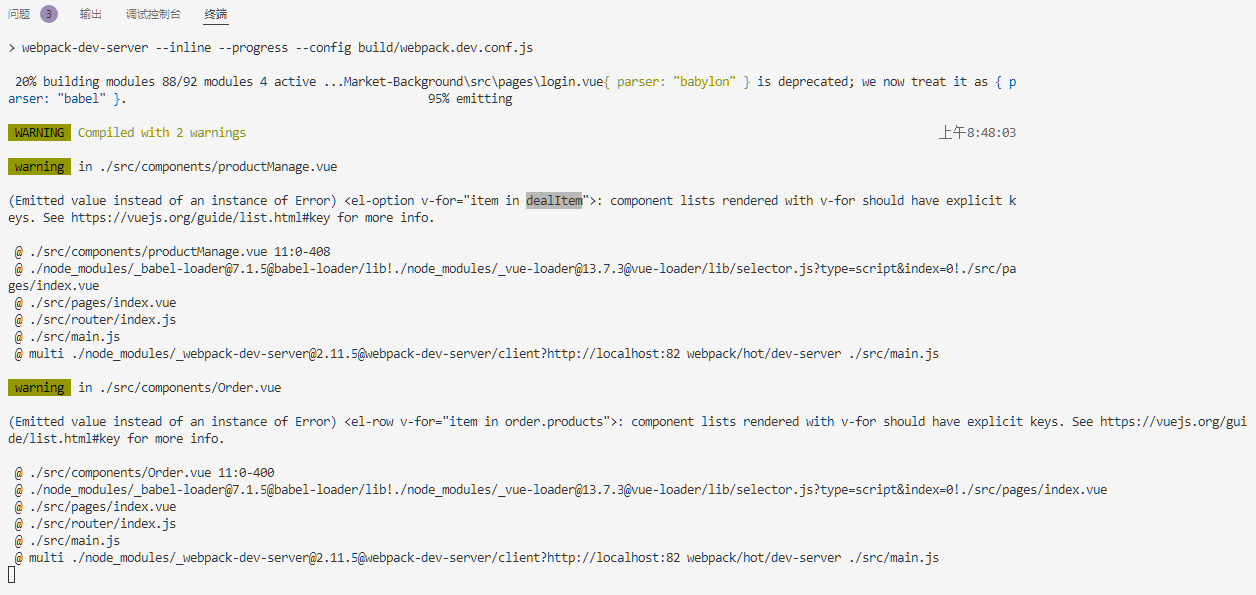
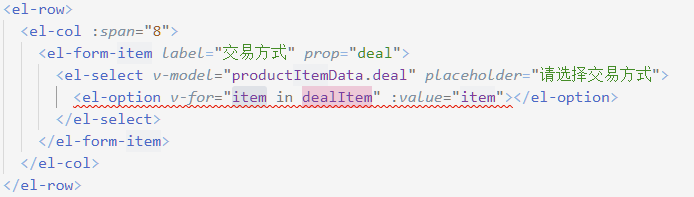
Vue project install is normal. When NPM run dev is started, the project cannot be started due to warnings.

Exception prompt:

(Emitted value instead of an instance of Error)
 <el-row v-for="item in order.products">: component lists rendered with v-for should have explicit keys. 
 See https://vuejs.org/guide/list.html#key for more info.

Anomaly analysis:

On the child elements of the transition-group tag, do not use the v-for index as the key, otherwise it is the same as not using the key

Solution:
V-for specifies subscript, :key="index"

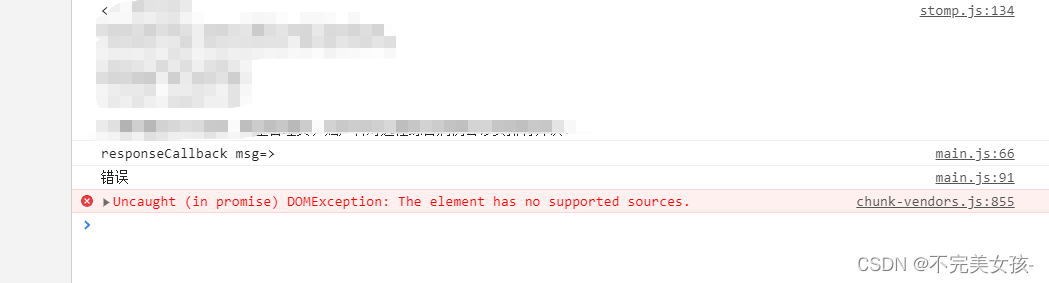
[Solved] Uncaught (in promise) DOMException: Failed to load because no supported source was found.

The audio error of uniapp,
my situation is that sometimes it is good and sometimes it is not good
the error report is shown in the figure below:

the reason for the error report is that the audio cannot find resources
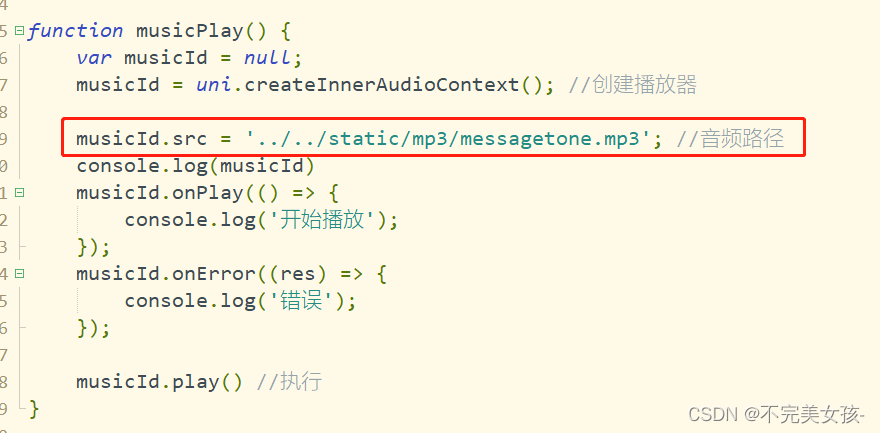
check the code and find that the path is written like this

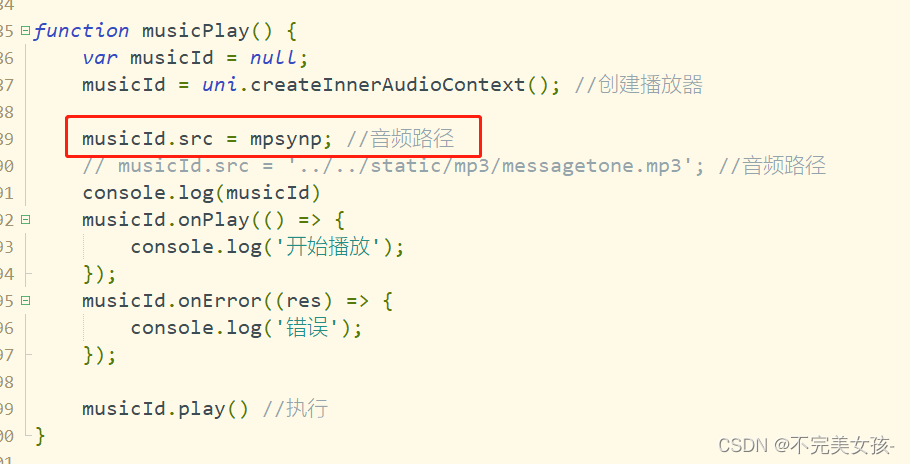
so the following modifications are made:
just import it directly above


solved~

[Solved] Failed to apply plugin appears when Android studio imports a project

There was a problem importing the project from Android studio

Caused by: org. gradle. api. internal. plugins. PluginApplicationException: Failed to apply plugin [id ‘com.android.internal.application’]

Solution

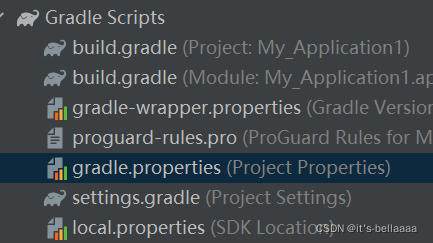
Script in gradle.gradle Add the following statement to properties

android.overridePathCheck=true

(the document sending assistant failed, so I added all the contents of my documents, just ignore them)

# Project-wide Gradle settings.
# IDE (e.g. Android Studio) users:
# Gradle settings configured through the IDE *will override*
# any settings specified in this file.
# For more details on how to configure your build environment visit
# http://www.gradle.org/docs/current/userguide/build_environment.html
# Specifies the JVM arguments used for the daemon process.
# The setting is particularly useful for tweaking memory settings.
org.gradle.jvmargs=-Xmx2048m -Dfile.encoding=UTF-8
# When configured, Gradle will run in incubating parallel mode.
# This option should only be used with decoupled projects. More details, visit
# http://www.gradle.org/docs/current/userguide/multi_project_builds.html#sec:decoupled_projects
# org.gradle.parallel=true
# AndroidX package structure to make it clearer which packages are bundled with the
# Android operating system, and which are packaged with your app"s APK
# https://developer.android.com/topic/libraries/support-library/androidx-rn
android.useAndroidX=true
# Enables namespacing of each library's R class so that its R class includes only the
# resources declared in the library itself and none from the library's dependencies,
# thereby reducing the size of the R class for that library
android.nonTransitiveRClass=true
android.overridePathCheck=true

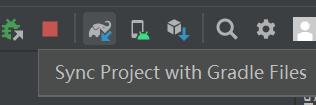
Then restart

start successfully!

[Solved] Failed to load plugin ‘vue‘ declared in ‘.eslintrc.js‘: createRequire is not a function

In vscode, NPM run a vue2.X’s project directly threw an inexplicable error:

TypeError: Failed to load plugin 'vue' declared in '.eslintrc.js': createRequire is not a function


The general error description is as follows:

 ERROR  Failed to compile with 1 error
                               16:42:37
Syntax Error: TypeError: Failed to load plugin 'vue' declared in '.eslintrc.js': createRequire is not a function
Referenced from: D:\codeSource\myProject\ldsz-cloud\ui-ldsz-adm\.eslintrc.js
    at _normalizeObjectConfigDataBody.next (<anonymous>)
    at _normalizeObjectConfigData.next (<anonymous>)


You may use special comments to disable some warnings.
Use // eslint-disable-next-line to ignore the next line.
Use /* eslint-disable */ to ignore all warnings in a file.

How to Solve:

    1. 1. For VSCode, you can delete the eslint extension directly
    1. 2. Upgrade the node version to the latest or keep it consistent with the node version of your colleagues

[Solved] Ubuntu 20.04.3 Fail to Start sshd Error: Failed to start OpenBSD Secure Shell server

Environmental Science:

Ubuntu 20.04.3-live-server
Hyper-V virtual environment

Problem Description:

Ubuntu 20.04.3 fails to start sshd with error: failed to start OpenBSD secure shell server
sshd – T
prompt sshd: no hostkeys available – exiting.

Solution:

1. Check whether the SSH service is enabled
PS - e | grep ssh

No response

2. Install ssh

 apt update
apt-get install openssh-server openssh-client

Prompt installed

3. Implementation

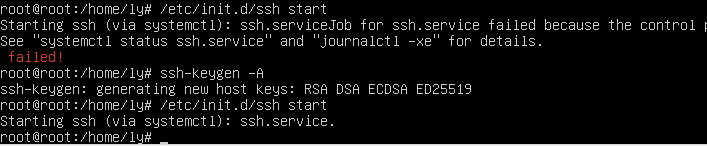
/etc/init.d/ssh start

fail to start

Continue to execute ssh-keygen -A
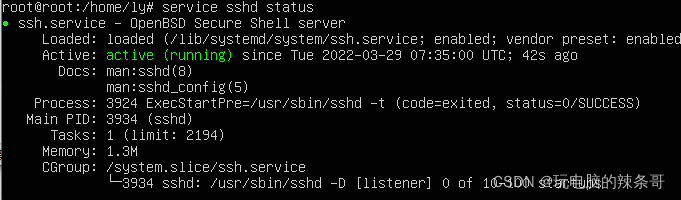
Restart successfully