Author Archives: Robins

[619]libgtk-3.so.0 or libXt.so.6: cannot open shared object file: No such file or directory

libgtk-3.so.0 or libXt.so.6: cannot open shared object file: No such file or directory

Error Message:

[root@test firefox]# firefox 

XPCOMGlueLoad error for file /usr/lib64/firefox/libmozgtk.so:
libgtk-3.so.0: cannot open shared object file: No such file or directory
Couldn't load XPCOM.

Solutions:
1. Uninstall firefox:

yum romove firefox

2. Install GTK3

yum install gtk3

3. Download the latest Firefox installation

wget https://download-ssl.firefox.com.cn/releases/firefox/60.0/zh-CN/Firefox-latest-x86_64.tar.bz2

Tar: tar-xjvf Firefox-latest-x86_64. Tar. Bz2
The unzipped file is Firefox
4. Set environment variables
Modify configuration file

vim /etc/profile

Add at the end

PATH=$PATH:/usr/local/firefox   #/usr/local/firefoxThe path for firefox after unzipping
export PATH

: wq! Exit file
execution

source /etc/profile

libXt.so. 6: cannot open shared object file: No such file or directory

[root@crawl-01 bin]# firefox -v
XPCOMGlueLoad error for file /usr/lib64/firefox/libxul.so:
libXt.so.6: cannot open shared object file: No such file or directory
Couldn't load XPCOM.

Solution:

yum install libXt*  Install the appropriate package
rpm -qa | grep libXt Check the installed packages to see if the number is full.

Note: you cannot install with rpm-uvh libXt*. This installation mode will have packet dependency error, even if you install interdependent packages together. The reason is that RPM does not solve the problem of packet dependency
Reference: https://blog.csdn.net/chief_victo/article/details/80424987
https://blog.csdn.net/u012359618/article/details/51199170
Swift fatal error: unexpectedly found nil while unwrapping an Optional value?

Reason for error: The control may not be associated with a definition in the code.
Solution one: Second, click the control, drag the dot to the control in the interface from Show the Connections Inspector, select the correct control and make the connection. Leave the object unreleased and remove the weak keyword.
Solution 2: Use the Guard keyword for judgment.

1, the judgment is not empty
If the sender. TitleLabel. Text! = nil {
Print (” Contains a value!” )
} else {
Print (” Doesn ‘t contain a value. “)
}
             
             
2. Optional binding
If let text = sender.titlelabel.text {
Print (” Contains a value! It is \(number)!” )
} else {
Print (” Doesn ‘t contain a number “)
}
            
             
3. Guard statement
Guard let text = sender.titlelabel.text else {
The return
}

MySQL failed to add foreign key: SQL 1452 cannot add or update a child row:a foreign key constraint fails

Today, adding a foreign key to one of the two existing tables encountered the following error:
sql 1452 Cannot add or update a child row:a foreign key constraint fails
The reason:
The foreign key set does not match the primary key value of the corresponding table.
Solutions:
Find the mismatched value changes.
Or empty both tables of data.
 
The original link
 
It is my personal understanding that the cause should be (untested) :
1. The names of fields in the two tables are different;
2. The types of fields in two tables are different (such as an int and a VARCHar);
3. According to the original author’s idea, there should be data in the two tables, and the data are different;

Samba mount directory file rename strange failure

Let’s start with the scenario where the problem occurs:
two Linux servers mount via samba, one for writing files and one for reading files. To prevent files from being read before they are written, a temporary file name is used first, then a rename
As a result, there is a problem that rename calls successfully, but the file name does not change. Mv command is executed manually and the error is “are the same file”. This situation occurs frequently after a machine is rebooted.
All kinds of search on the Internet, there is no appropriate keywords, search not useful information. I suddenly remembered to look at Dmesg and found useful error messages

CIFS VFS: Unexpected lookup error -112
CIFS VFS: cifs_mount failed w/return code = -112
CIFS VFS: Unexpected lookup error -112

Using this keyword to search the solution, tried renaming success

echo 0 > /proc/fs/cifs/OplockEnabled
# The following sentence didn't work. Renaming was successful.
echo 0 > /proc/fs/cifs/LookupCacheEnabled


Using dism to fix Windows Update errors

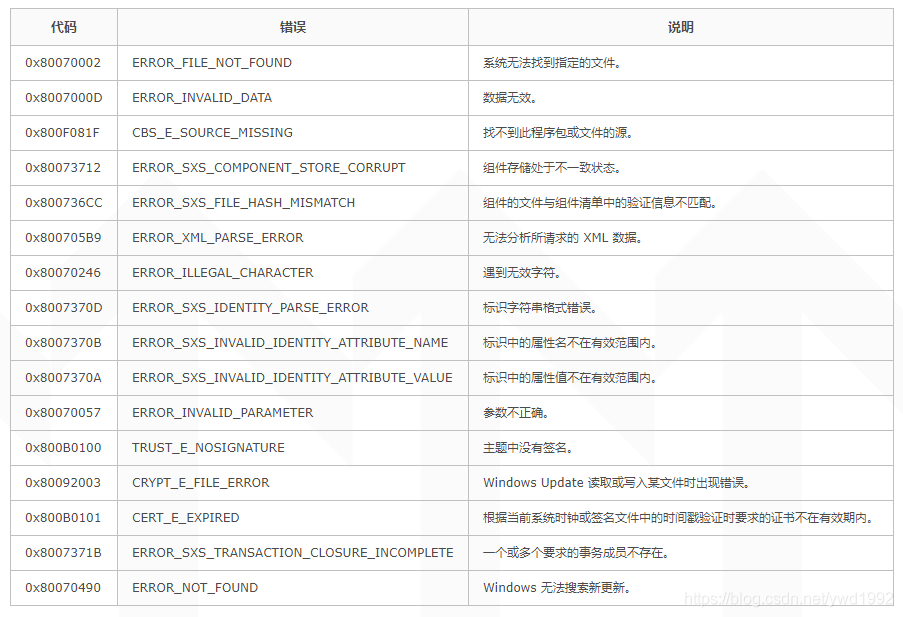
Install IIS times in the server 2012 system made the mistake, the error code of 0 x800736cc, checked the official community found this problem is the system by some tools to optimize the damaged system files or some other operation, cause the system can’t install updates installed (IIS is also a system update process), the solution is as follows:
1. If the system can be networked
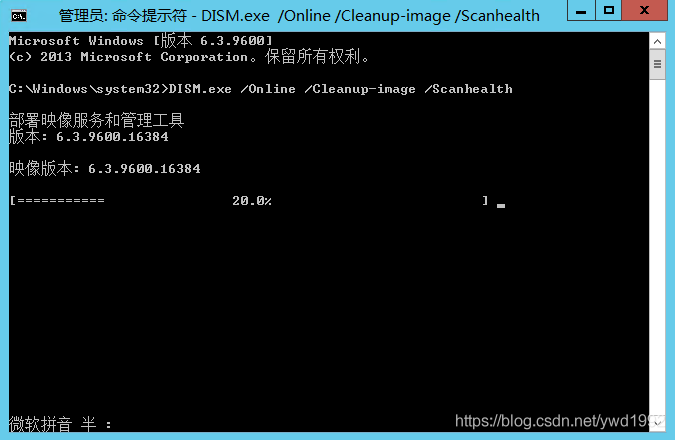
The administrator opens a command prompt, runs the following command, and scans the current system for corrupted or modified components. After scanning, the current system components are listed as corrupted or modified

DISM.exe /Online /Cleanup-image /Scanhealth

Note: scan time is generally within 15 minutes, but in some machines on time may be more long, can see the progress bar seems to have stopped, but in fact scanning continues, so don’t cancel, the patient can

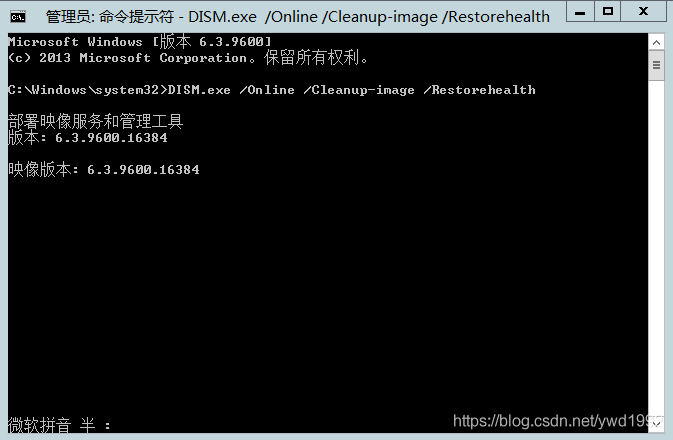
the scanning process is just a list of the current system is damaged or modified components, can skip in theory, run the following repair orders directly, can repair component

DISM.exe /Online /Cleanup-image /Restorehealth


2. If the system cannot be connected to the Internet
In the offline environment, the online repair orders above clearly with no, we can use the system image offline repair, need to be aware of is the use of a mirror image of the need to tell you the current system version corresponds to the
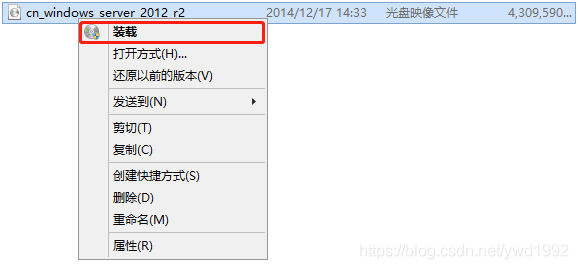
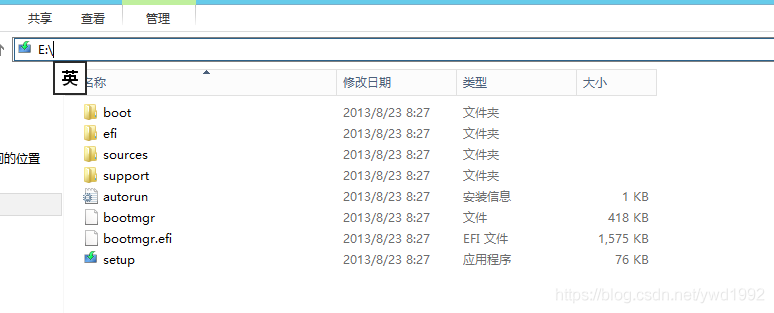
(1) the system image “loaded” into the system


(2) the administrator open a command prompt, run the following repair order can begin repair, where X loading for you to drive a mirror image of the current system directory

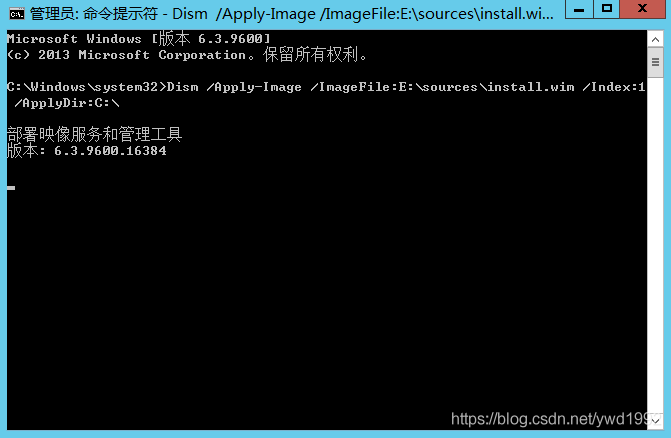
Dism /Apply-Image /ImageFile:X:\sources\install.wim /Index:1 /ApplyDir:C:\


(3) if the above method cannot be repaired, try to extract the system image directly, extract the sources folder to the local, directly specify the sources folder for offline repair, where X is the disk character where the directory is extracted

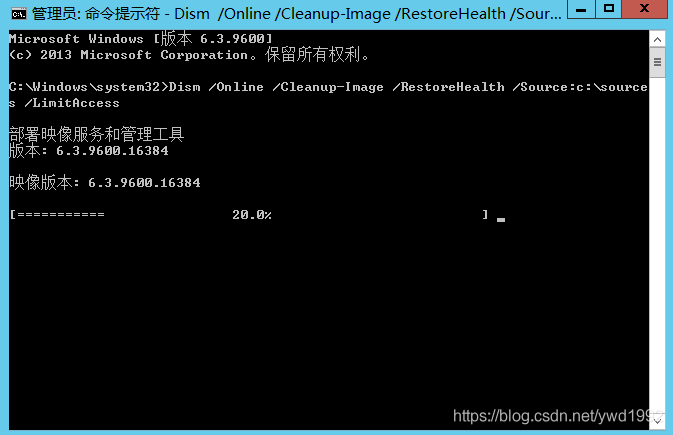
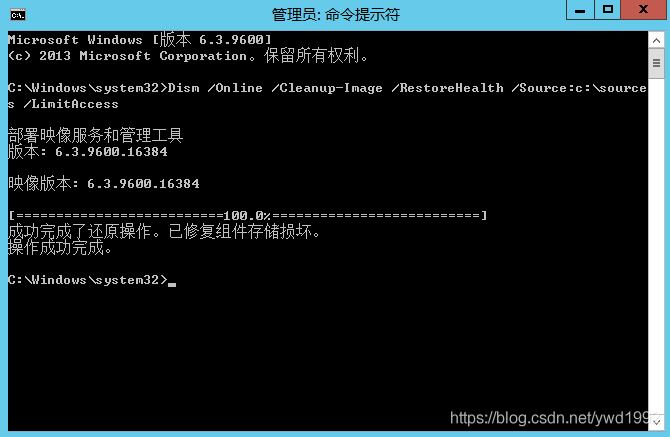
Dism /Online /Cleanup-Image /RestoreHealth /Source:X:\sources /LimitAccess

[step on the pit] idea submits the code to GitHub and prompts 403 — the requested URL returned error: 403

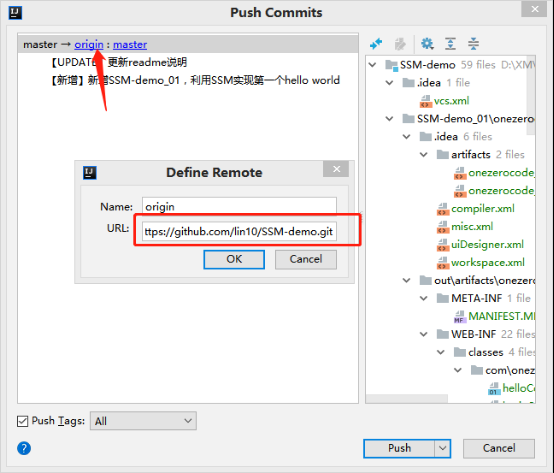
Recently, I encountered a problem when I submitted the code to Github through IDEA for a long time, and I kept reminding 403. I checked the git configuration and found that there was no problem. Later, I found that the user who submitted had a problem, not his own user, so I could not find the remote warehouse address.
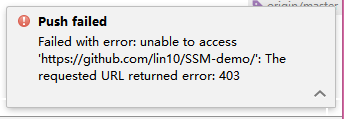
Prompt error:

Failed with error: unable to access 'https://github.com/lin10/SSM-demo/': The requested URL returned error: 403


This problem is most likely due to the fact that your local Git user is not a user of the repository to which you committed your code. For this reason, you need to delete the git user data that you have saved locally.
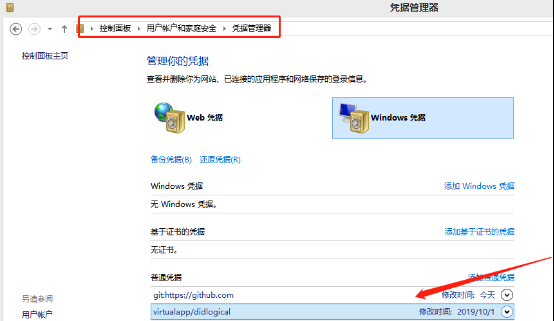
First, you need to open the computer control panel, then enter the user account and home security, and finally go to the credential manager, select Windows credentials.

In the Windows credentials you can see that the github user has been logged in, and now all you need to do is delete the user.
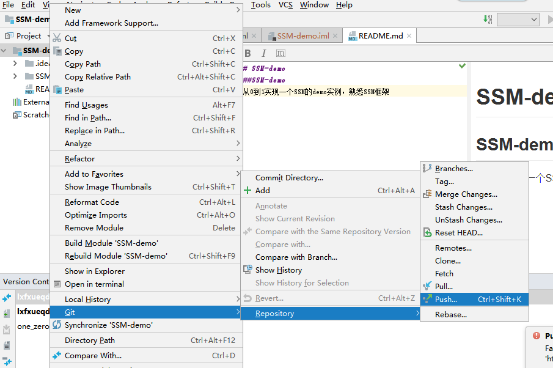
When this is done, resubmit the code to the remote Git repository.

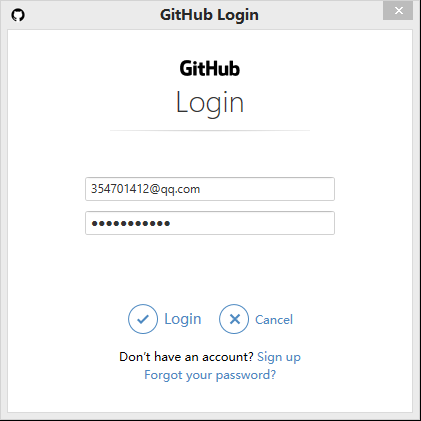
You’ll see a pop-up window that says you need to log on to Github. Just log back in and enter your password.

Continue to re-push and submit to Github, you can confirm whether the correct Git address is configured and the submitted user

You can see a hint of success.

16:25 51 files committed: [ADD] new SSM framework demo

16:42 Push successful: Pushed 1 commit to origin/master

</ div>

MySQL error: error 1010 (HY000) when deleting database

mysql> drop database testdb;

ERROR 1010 (HY000): Error dropping database (can’t rmdir ‘./testdb/’, errno: 17)

mysql> select @@datadir;

+————————+

| @ @ datadir |

+————————+

| /usr/local/mysql/data/ |

+————————+

1 row in set (0.00 SEC)
The reason is that there are files other than database files in the directory of data /usr/local/mysql/data/. You can CD to its directory after clearing it out. Drop again
[root-@localhost104 testdb]# CD testdb
[root-@localhost104 testdb]# ll
total 0
-rw-r — r-1 root root 0 Jul 23 10:22 delete.txt
[root-@localhost104 testdb]# rm delete.txt
rm: Remove regular empty File ‘delete.txt’?yes
mysql> drop database testdb;
Query OK, 0 rows affected (0.06 SEC)
The database directory cannot hold files unrelated to the database!

C + +: error in X utility file

In the middle of writing the program and testing it, there were a bunch of syntax errors that came from xUtility files.
opens the xutility file, which defines many constructs and function templates. Find the source of the error is not found, because it is similar to the lack of; “And so on. So back before writing the code, and finally found the problem: in the global defines a short function, then the short function and a function template name repetition, combined with the incoming parameters when calling type does not conform to the global defines the type of function, to the template, but does not define the type of template function, hence lead to errors.
correction method:
1. Change function name, error parameter type will report the correct position
2. Use scope to avoid ambiguity caused by improper parameter types

mysql ERROR:1396

Cause:
First delete the user, then create the user, execute the SQL:

 create user yong@localhost identified by '111111'

Exception:

ERROR 1396 (HY000): Operation CREATE USER failed for 'yong'@'localhost'

Solution:

flush privileges;
drop user yong@localhost;
flush privileges;