[Solved] zookeeper Cluster error: Error: JAVA_HOME is not set and java could not be found in PATH.

zookeeper Cluster error: Error: JAVA_HOME is not set and java could not be found in PATH.

When learning to build a zookeeper cluster, you will often start and stop the zookeeper service and check the service status. Starting one by one is very troublesome. It is very convenient to start through a shell script
when the problem comes, there is no problem when starting the zookeeper service alone. An error will be reported when starting it through a script:

Solution:
in the bin directory under the zookeeper directory, there is a zkEnv.sh file, add your own path of JAVA_HOME in front of the code.

export JAVA_HOME=/opt/module/jdk1.8.0_261
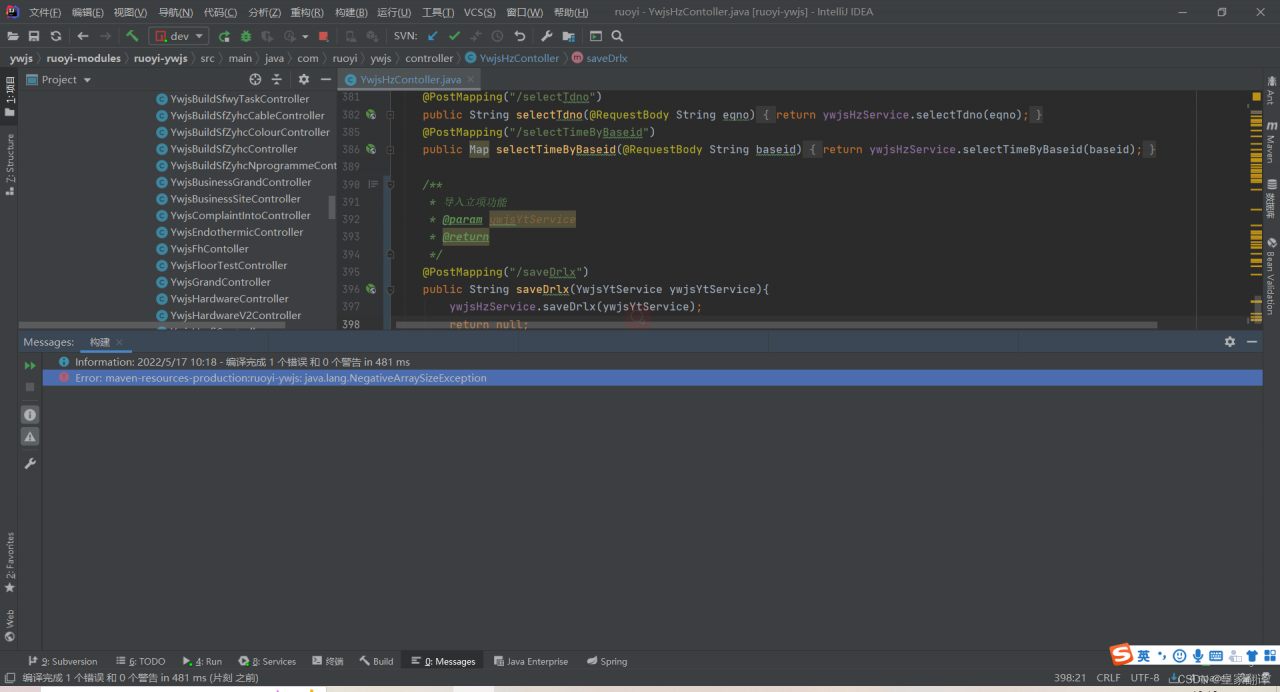
 

[Solved] Error:maven-resources-production:ruoyi-ywjs: java.lang.NegativeArraySizeException

Error:maven-resources-production:ruoyi-ywjs: java.lang.NegativeArraySizeException

Cause: nothing is done. This exception is reported when restarting the project: array exception

Error:maven-resources-production:ruoyi-ywjs: java.lang.NegativeArraySizeException

Solution:

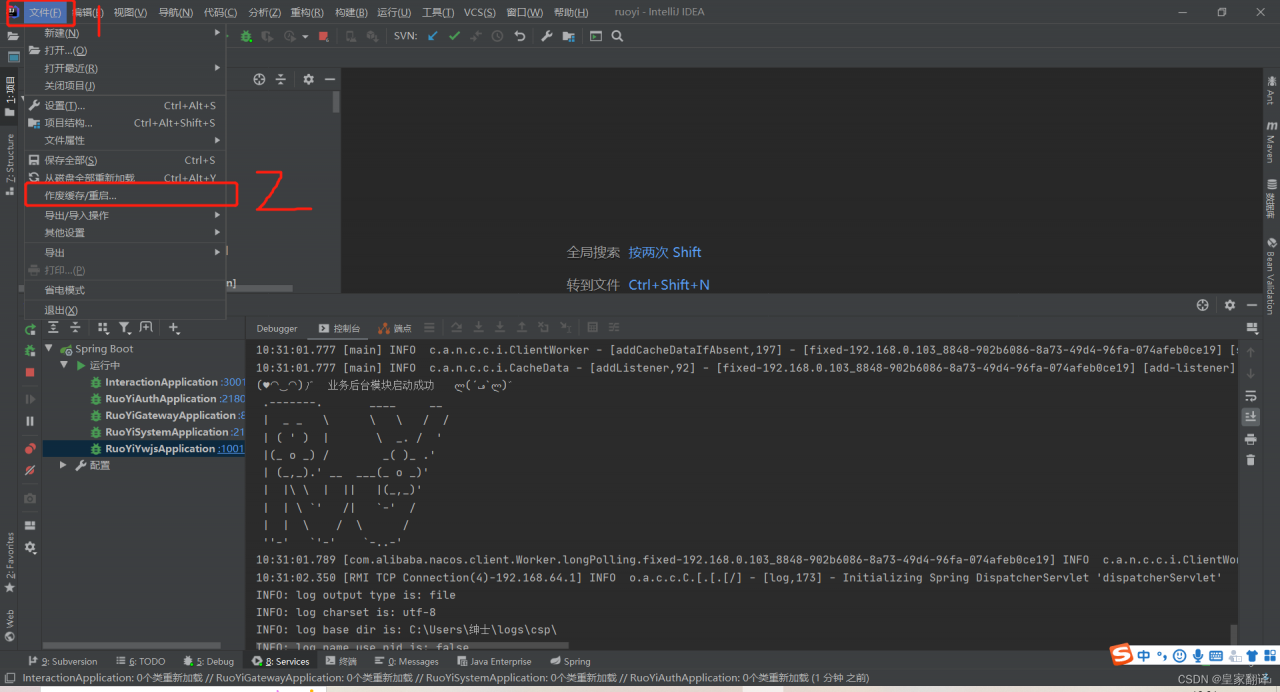
1. Click file,

2 Click void cache/restart,

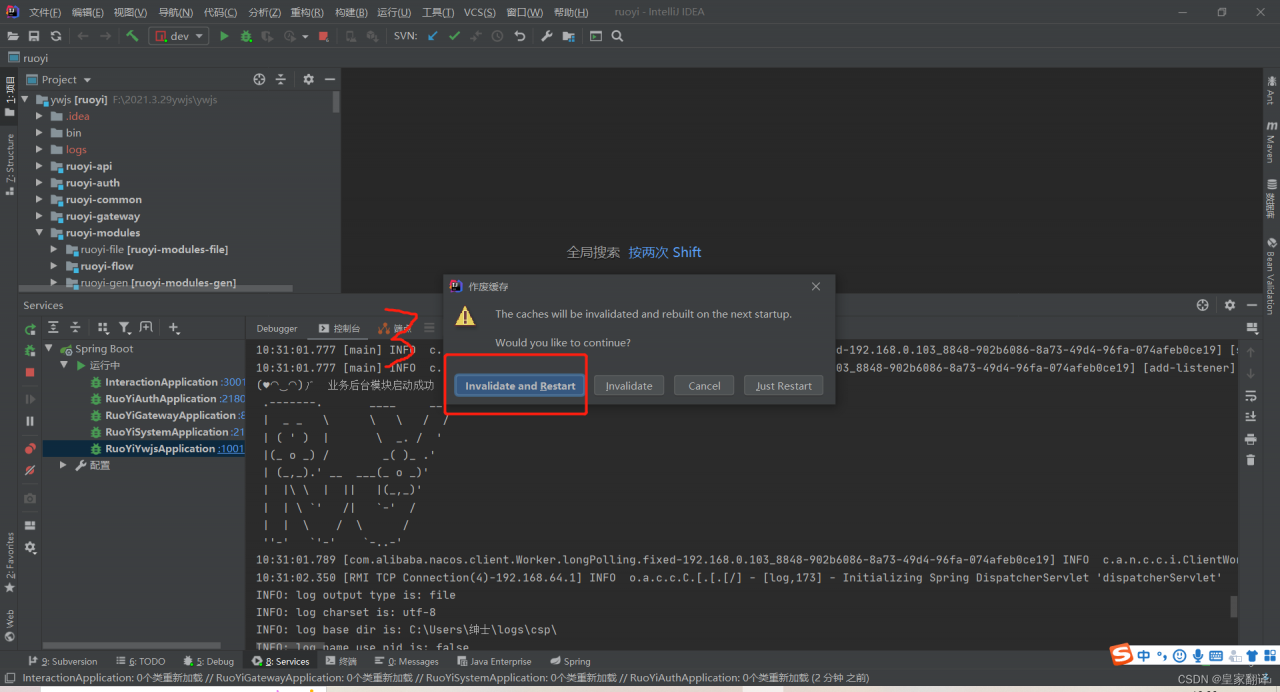
3 Click: invalidate and restart,

4 Just restart the project

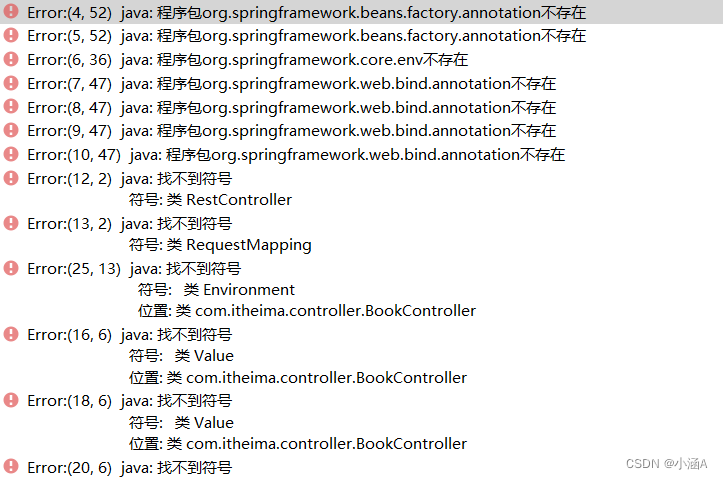
[Solved] Error: (4, 52) Java: package org springframework. beans. factory. Annotation does not exist

Idea version: 2020, JDK version: 11

Use Maven to import other springboot modules, modify the JDK and compiler of the module to 11, and run with an error:

(original JDK version of this module: 1.8, spring boot starter parent version 2.5.0 in POM file)

Solution:

Modify the version of spring boot starter parent in POM file to 2.6.7 (or other suitable version) and run successfully.

Possible causes of error:

Version mismatch……

[Solved] Geopy library Error: Configurationerror Error

Geopy library Error: Configuration Error

Error details

geopy.exc.ConfigurationError: 
Using Nominatim with default or sample `user_agent` "geopy/2.2.0" is strongly discouraged, as it violates Nominatim's ToS https://operations.osmfoundation.org/policies/nominatim/ and may possibly cause 403 and 429 HTTP errors. Please specify a custom `user_agent` with `Nominatim(user_agent="my-application")` or by overriding the default `user_agent`: `geopy.geocoders.options.default_user_agent = "my-application"`.

Solution:
This error is because the default value of UA is bad. Just specify user-agent as a unique string. For example
, when BuyiXiao initializes Nominatim, specify user-agent.

geolocator = Nominatim(user_agent='BuyiXiao')

[Solved] mybatis plus Insert Error: mybatis plus Error setting null for parameter #1 with JdbcType OTHER

Record the error report generated when using mybatis plus once. The value inserted into the database has a null value, indicating that the invalid data type 1111:

mybatis plus Error setting null for parameter #1 with JdbcType OTHER 

The following configuration can be added to the settings in the property file:

​​mybatis-plus.configuration.jdbc-type-for-null=null

[Solved] Error setting driver on UnpooledDataSource. Cause: java.lang.ClassNotFoundException: Cannot find cla

preface

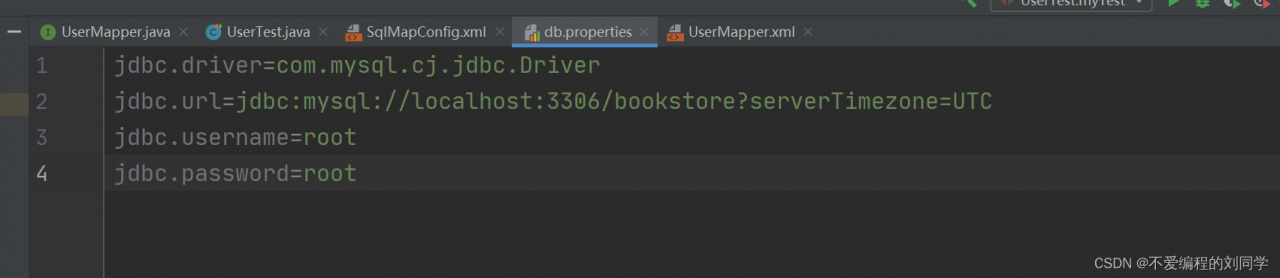
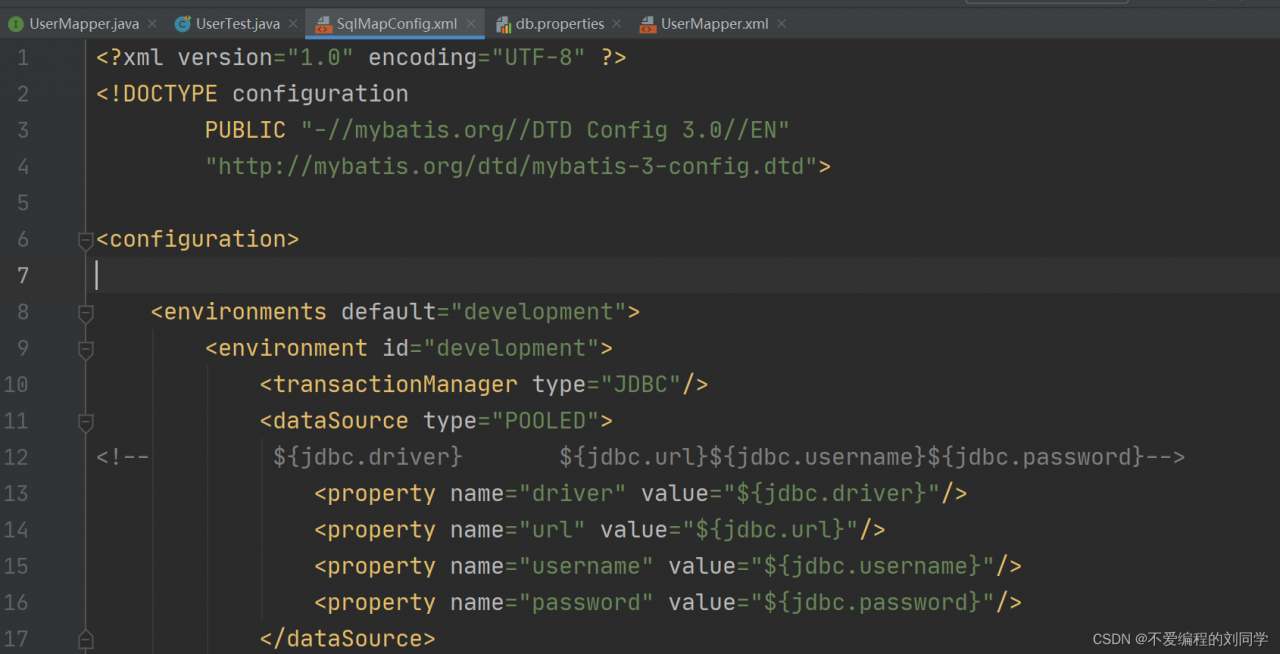
The problem encountered when learning Mybatis for the first time, when writing the global configuration file SqlMapConfig.xml, in the database connection pool section would like to introduce the configuration of db.properties as follows.

db.properties configuration

SqlMapConfig.xml

The error reports given are:

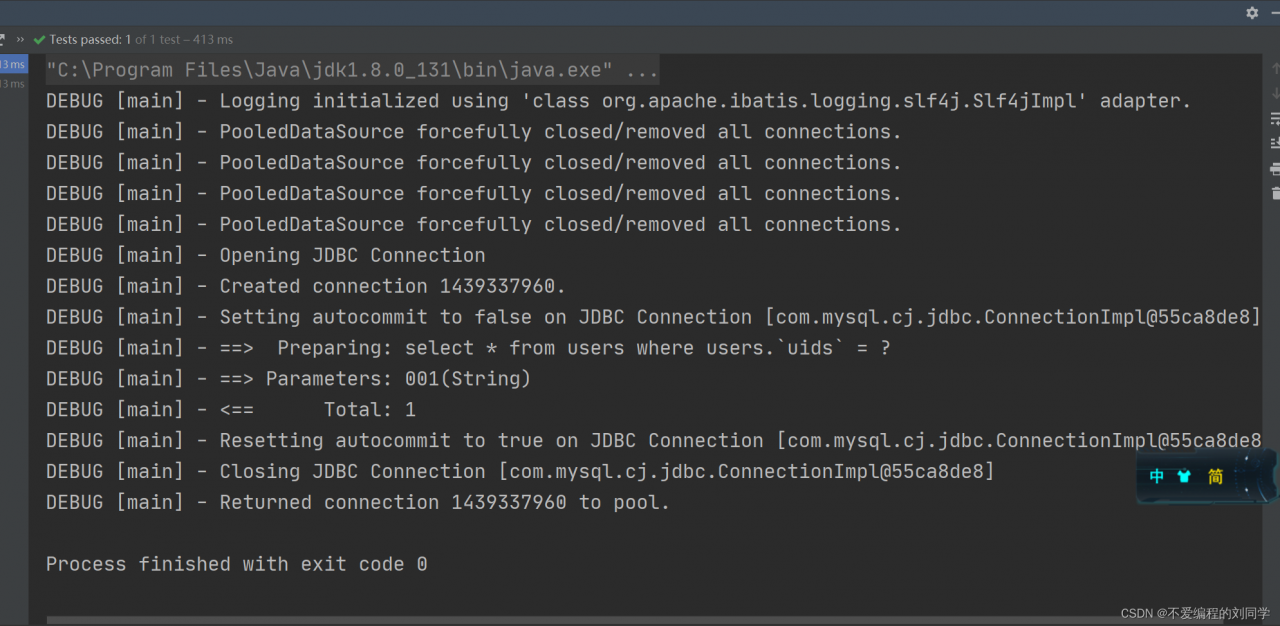
Error setting driver on UnpooledDataSource. Cause:java.lang.ClassNotFoundException: Cannot find class: ${jdbc.driver}

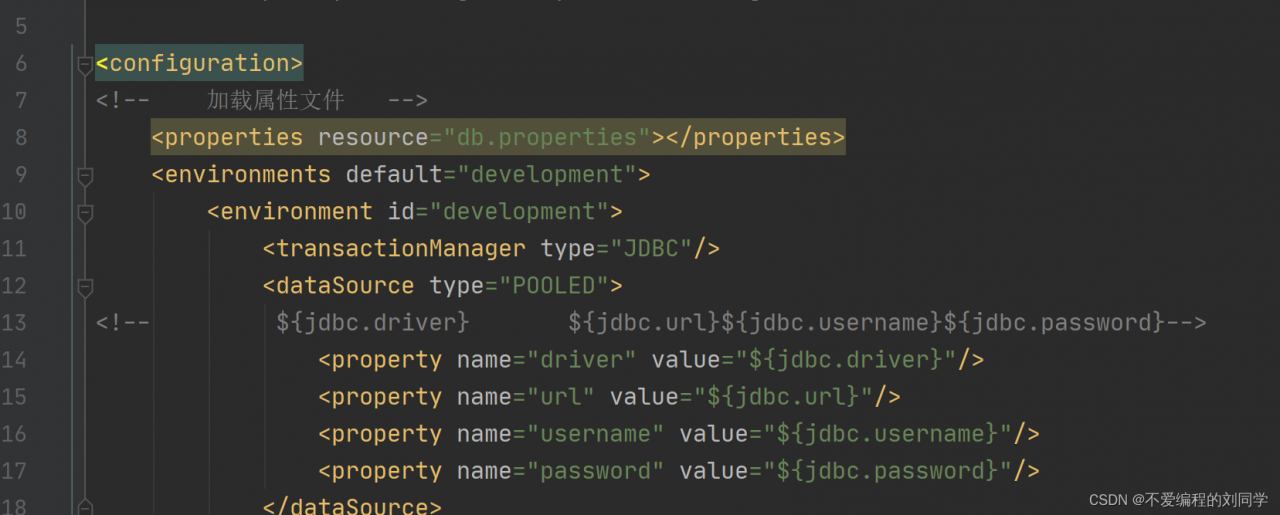
No corresponding connection was obtained. Because the properties file was not loaded:

After Add <properties> labeling, the program runs normally.

Done.

[Solved] error {dataSource-1} init error java.sql.SQLException: com.mysql.cj.jdbc.Driver

error {dataSource-1} init error java.sql.SQLException: com.mysql.cj.jdbc.Driver

July 08, 2019 2:39:14 PM com.alibaba.druid.pool.DruidDataSource error
WARNING:error {dataSource-1} init error java.sql.SQLException: com.mysql.cj.jdbc.Driver
	at com.alibaba.druid.util.JdbcUtils.createDriver(JdbcUtils.java:520)
	at com.alibaba.druid.pool.DruidDataSource.init(DruidDataSource.java:583)
	at com.alibaba.druid.pool.DruidDataSource.getConnection(DruidDataSource.java:915)
	at com.alibaba.druid.pool.DruidDataSource.getConnection(DruidDataSource.java:911)
	at com.alibaba.druid.pool.DruidDataSource.getConnection(DruidDataSource.java:98)
	at org.springframework.jdbc.datasource.DataSourceUtils.fetchConnection(DataSourceUtils.java:151)
	at org.springframework.jdbc.datasource.DataSourceUtils.doGetConnection(DataSourceUtils.java:115)
	at org.springframework.jdbc.datasource.DataSourceUtils.getConnection(DataSourceUtils.java:78)
	at org.springframework.jdbc.core.JdbcTemplate.execute(JdbcTemplate.java:598)
	at org.springframework.jdbc.core.JdbcTemplate.query(JdbcTemplate.java:655)
	at org.springframework.jdbc.core.JdbcTemplate.query(JdbcTemplate.java:686)
	at org.springframework.jdbc.core.JdbcTemplate.query(JdbcTemplate.java:698)
	at org.springframework.jdbc.core.JdbcTemplate.queryForObject(JdbcTemplate.java:776)
	at edu.haizi.dao.UserDao.login(UserDao.java:17)
	at edu.haizi.test.UserDaoTest.testLogin(UserDaoTest.java:15)
	at sun.reflect.NativeMethodAccessorImpl.invoke0(Native Method)
	at sun.reflect.NativeMethodAccessorImpl.invoke(NativeMethodAccessorImpl.java:62)
	at sun.reflect.DelegatingMethodAccessorImpl.invoke(DelegatingMethodAccessorImpl.java:43)
	at java.lang.reflect.Method.invoke(Method.java:498)
	at org.junit.runners.model.FrameworkMethod$1.runReflectiveCall(FrameworkMethod.java:50)
	at org.junit.internal.runners.model.ReflectiveCallable.run(ReflectiveCallable.java:12)
	at org.junit.runners.model.FrameworkMethod.invokeExplosively(FrameworkMethod.java:47)
	at org.junit.internal.runners.statements.InvokeMethod.evaluate(InvokeMethod.java:17)
	at org.junit.runners.ParentRunner.runLeaf(ParentRunner.java:325)
	at org.junit.runners.BlockJUnit4ClassRunner.runChild(BlockJUnit4ClassRunner.java:78)
	at org.junit.runners.BlockJUnit4ClassRunner.runChild(BlockJUnit4ClassRunner.java:57)
	at org.junit.runners.ParentRunner$3.run(ParentRunner.java:290)
	at org.junit.runners.ParentRunner$1.schedule(ParentRunner.java:71)
	at org.junit.runners.ParentRunner.runChildren(ParentRunner.java:288)
	at org.junit.runners.ParentRunner.access$000(ParentRunner.java:58)
	at org.junit.runners.ParentRunner$2.evaluate(ParentRunner.java:268)
	at org.junit.runners.ParentRunner.run(ParentRunner.java:363)
	at org.junit.runner.JUnitCore.run(JUnitCore.java:137)
	at com.intellij.junit4.JUnit4IdeaTestRunner.startRunnerWithArgs(JUnit4IdeaTestRunner.java:68)
	at com.intellij.rt.execution.junit.IdeaTestRunner$Repeater.startRunnerWithArgs(IdeaTestRunner.java:47)
	at com.intellij.rt.execution.junit.JUnitStarter.prepareStreamsAndStart(JUnitStarter.java:242)
	at com.intellij.rt.execution.junit.JUnitStarter.main(JUnitStarter.java:70)
Caused by: java.lang.ClassNotFoundException: com.mysql.cj.jdbc.Driver
	at java.net.URLClassLoader.findClass(URLClassLoader.java:381)
	at java.lang.ClassLoader.loadClass(ClassLoader.java:424)
	at sun.misc.Launcher$AppClassLoader.loadClass(Launcher.java:331)
	at java.lang.ClassLoader.loadClass(ClassLoader.java:357)
	at java.lang.Class.forName0(Native Method)
	at java.lang.Class.forName(Class.java:264)
	at com.alibaba.druid.util.JdbcUtils.createDriver(JdbcUtils.java:518)
	... 36 more

July 08, 2019 2:39:14 PM com.alibaba.druid.pool.DruidDataSource info
MESSAGES:{dataSource-1} inited

org.springframework.jdbc.CannotGetJdbcConnectionException: Failed to obtain JDBC Connection; nested exception is java.sql.SQLException: com.mysql.cj.jdbc.Driver

	at org.springframework.jdbc.datasource.DataSourceUtils.getConnection(DataSourceUtils.java:81)
	at org.springframework.jdbc.core.JdbcTemplate.execute(JdbcTemplate.java:598)
	at org.springframework.jdbc.core.JdbcTemplate.query(JdbcTemplate.java:655)
	at org.springframework.jdbc.core.JdbcTemplate.query(JdbcTemplate.java:686)
	at org.springframework.jdbc.core.JdbcTemplate.query(JdbcTemplate.java:698)
	at org.springframework.jdbc.core.JdbcTemplate.queryForObject(JdbcTemplate.java:776)
	at edu.haizi.dao.UserDao.login(UserDao.java:17)
	at edu.haizi.test.UserDaoTest.testLogin(UserDaoTest.java:15)
	at sun.reflect.NativeMethodAccessorImpl.invoke0(Native Method)
	at sun.reflect.NativeMethodAccessorImpl.invoke(NativeMethodAccessorImpl.java:62)
	at sun.reflect.DelegatingMethodAccessorImpl.invoke(DelegatingMethodAccessorImpl.java:43)
	at java.lang.reflect.Method.invoke(Method.java:498)
	at org.junit.runners.model.FrameworkMethod$1.runReflectiveCall(FrameworkMethod.java:50)
	at org.junit.internal.runners.model.ReflectiveCallable.run(ReflectiveCallable.java:12)
	at org.junit.runners.model.FrameworkMethod.invokeExplosively(FrameworkMethod.java:47)
	at org.junit.internal.runners.statements.InvokeMethod.evaluate(InvokeMethod.java:17)
	at org.junit.runners.ParentRunner.runLeaf(ParentRunner.java:325)
	at org.junit.runners.BlockJUnit4ClassRunner.runChild(BlockJUnit4ClassRunner.java:78)
	at org.junit.runners.BlockJUnit4ClassRunner.runChild(BlockJUnit4ClassRunner.java:57)
	at org.junit.runners.ParentRunner$3.run(ParentRunner.java:290)
	at org.junit.runners.ParentRunner$1.schedule(ParentRunner.java:71)
	at org.junit.runners.ParentRunner.runChildren(ParentRunner.java:288)
	at org.junit.runners.ParentRunner.access$000(ParentRunner.java:58)
	at org.junit.runners.ParentRunner$2.evaluate(ParentRunner.java:268)
	at org.junit.runners.ParentRunner.run(ParentRunner.java:363)
	at org.junit.runner.JUnitCore.run(JUnitCore.java:137)
	at com.intellij.junit4.JUnit4IdeaTestRunner.startRunnerWithArgs(JUnit4IdeaTestRunner.java:68)
	at com.intellij.rt.execution.junit.IdeaTestRunner$Repeater.startRunnerWithArgs(IdeaTestRunner.java:47)
	at com.intellij.rt.execution.junit.JUnitStarter.prepareStreamsAndStart(JUnitStarter.java:242)
	at com.intellij.rt.execution.junit.JUnitStarter.main(JUnitStarter.java:70)
Caused by: java.sql.SQLException: com.mysql.cj.jdbc.Driver
	at com.alibaba.druid.util.JdbcUtils.createDriver(JdbcUtils.java:520)
	at com.alibaba.druid.pool.DruidDataSource.init(DruidDataSource.java:583)
	at com.alibaba.druid.pool.DruidDataSource.getConnection(DruidDataSource.java:915)
	at com.alibaba.druid.pool.DruidDataSource.getConnection(DruidDataSource.java:911)
	at com.alibaba.druid.pool.DruidDataSource.getConnection(DruidDataSource.java:98)
	at org.springframework.jdbc.datasource.DataSourceUtils.fetchConnection(DataSourceUtils.java:151)
	at org.springframework.jdbc.datasource.DataSourceUtils.doGetConnection(DataSourceUtils.java:115)
	at org.springframework.jdbc.datasource.DataSourceUtils.getConnection(DataSourceUtils.java:78)
	... 29 more
Caused by: java.lang.ClassNotFoundException: com.mysql.cj.jdbc.Driver
	at java.net.URLClassLoader.findClass(URLClassLoader.java:381)
	at java.lang.ClassLoader.loadClass(ClassLoader.java:424)
	at sun.misc.Launcher$AppClassLoader.loadClass(Launcher.java:331)
	at java.lang.ClassLoader.loadClass(ClassLoader.java:357)
	at java.lang.Class.forName0(Native Method)
	at java.lang.Class.forName(Class.java:264)
	at com.alibaba.druid.util.JdbcUtils.createDriver(JdbcUtils.java:518)
	... 36 more


Process finished with exit code -1

Solution: the version of MySQL under windows is higher than idea, which makes the version incompatible

Modify Maven dependency package

Original version 5.1.9

<dependency>
      <groupId>mysql</groupId>
      <artifactId>mysql-connector-java</artifactId>
      <version>5.1.9</version>
    </dependency>

Modify to a later version

<dependency>
      <groupId>mysql</groupId>
      <artifactId>mysql-connector-java</artifactId>
      <version>8.0.28</version>
    </dependency>

[Solved] Visdom Error: raise ConnectionError

Use visdom to visualize loss in the network. First, enter in the terminal:

python -m visdom.server

Then run the code, the result is an error, and the following information appears:

 raise ConnectionError(e, request=request)
requests.exceptions.ConnectionError: 
HTTPConnectionPool(host='localhost', port=8097): 
Max retries exceeded with url: /events (Caused by NewConnectionError('<urllib3.connection.HTTPConnection object at 0x7f6734182d50>: 
Failed to establish a new connection: 
[Errno 111] Connection refused'))

After Baidu, I found the solution:

Finished running the command: python -m visdom.serve, the following sentence will appear:

Setting up a new session...

To keep the terminal on this page, create a new terminal and run the network code in the new terminal.

Then open the link in the browser:

http://localhost:8097/

You can see the curve being drawn.

[Solved] svn: OPTIONS of ‘https://xxx/svn/xxx’: SSL handshake failed: SSL error: Key usage violation in certificate has been detected.

svn SSL handshake failed: SSL error

Use the SVN server for version management, and suddenly use the version browser to report an error. svn: OPTIONS of ‘ https://xxx/svn/xxx ’: SSL handshake failed: SSL error: Key usage violation in certificate has been detected. (https://xxx), Then you cannot export or import files


Solution:

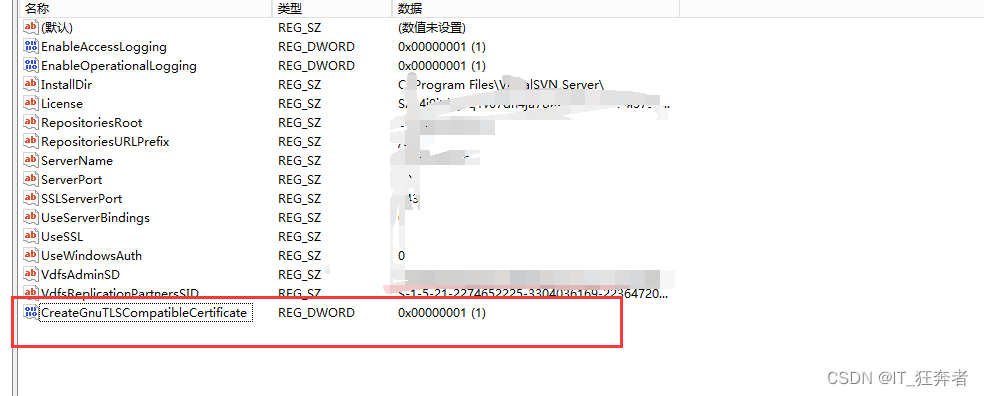
1. My is win2012 32-bit English version system. First modify the registry and add a value
[HKEY_LOCAL_MACHINE\SOFTWARE\Wow6432Node\VisualSVN\VisualSVN Server] "CreateGnuTLSCompatibleCertificate"=dword:00000001

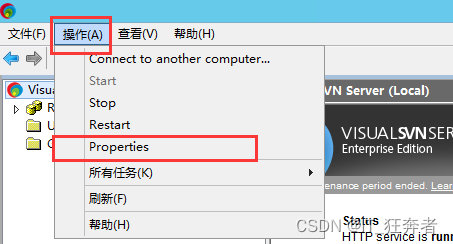
2. VisualSVN Server Manager

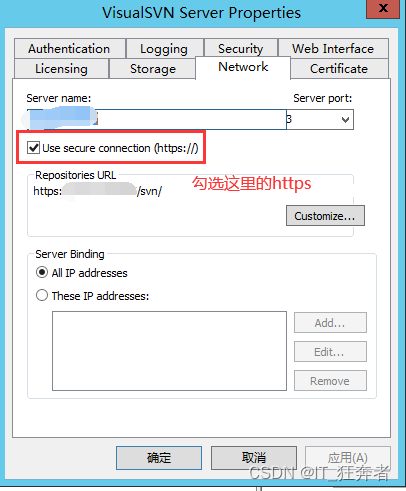
Action -> Properties -> Certificate-> Change certificate, and then go to the next step

if it still doesn’t work, change the login method, check HTTPS and then http. Then log in and you can solve the problem

[Solved] TDengine Error: Unable to resolve FQDN

TDengine Error: Unable to resolve FQDN

Project scenario:

Win10 using Python link tdengine to read the database

Problem description

Problems encountered in the Project:

Unable to resolve FQDN is reported when the code reads the contents of the database

# connect the database of taos
conn = taos.connect(host=ip, user=user, password=pwd, database=db_database)
cursor = conn.cursor()
cursor.execute('select * from sensor_data')

Solution:

In the server, find the contents under the/etc/hosts file, copy them to the local file C:\Windows\System32\drivers\etc\hosts, and rerun the code