Generally, the condarc file appears in the/home/user directory, but sometimes it cannot be found. The solution is as follows:
Create condarc file command
CONDA config — add channels r
That is, the condarc file appears in the/home/user directory
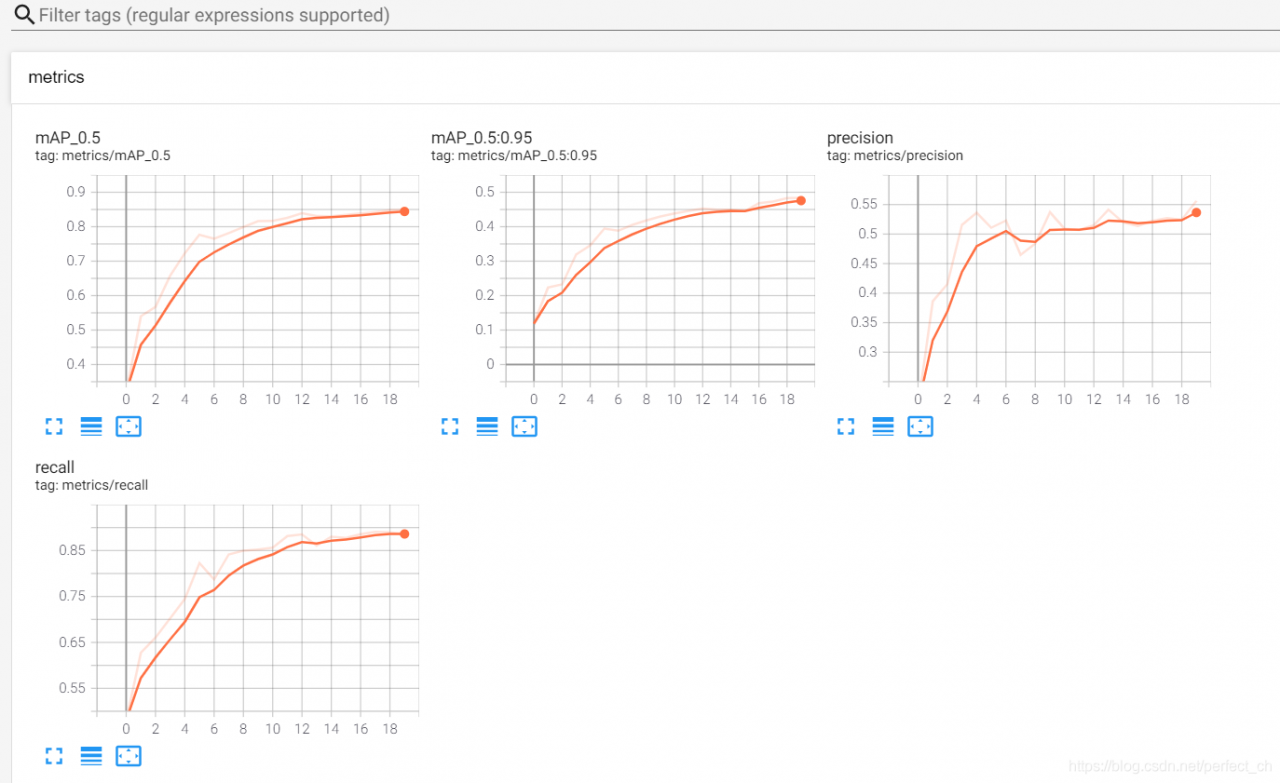
Viewing events.out.tfevents file visually in tensorboard
Command line
Tensorboard — logdir = event dir (event save path)
After meeting the problem of “no dashboards are active for the current data set”, it is not solved after searching on the Internet for several hours; I tried several times according to my own ideas and finally solved the problem. Now I share the solutions as follows:
1> Find the path of tensorboard, and then CD to the path;
2> Copy and paste the directory of the file to be displayed to the path of the tensorboard;
3> CD to the directory of tensorboard, enter:
tensorboard –logdir=
4> Copy address http://localhost : 6006 /, input to browser, finish.
Solution to the problem that some special characters in finereport cannot be displayed or displayed as question mark
M ² In the case of no processing, finereport will ² What is it
it’s not that finereport doesn’t support it, it’s because of the problem of character set conversion
solution:
in WEB-INF/resources/config.xml
<Write serverCharacterEncoding="GBK"/>
Change to:
<Write serverCharacterEncoding="UTF-8"/>
After restarting the service, you can see the ² It’s over
nginx: [warn] conflicting server name “www.yqq.org“ on 0.0.0.0:80, ignored
When implementing nginx redirection, the following warning appears:
[root@lnmp1 conf]# nginx -s reload
nginx: [warn] conflicting server name "www.yqq.org" on 0.0.0.0:80, ignored
reason:
www.yqq.org This domain name appears twice or even many times, resolving the same domain name to different directories. Generally, this error occurs when the configuration file is separated separately.
If you bind server name repeatedly, a warning will appear. However, this warning will not affect the operation of the server
moreover, this duplicate binding means that the nginx service running now is duplicate with the nginx service in the new configuration to be loaded. Therefore, this warning is unnecessary.
In the configuration file, the statement that also uses the domain name is annotated. If the domain name is loaded smoothly again, no warning will appear
Java. Lang. outofmemoryerror when using idea build project
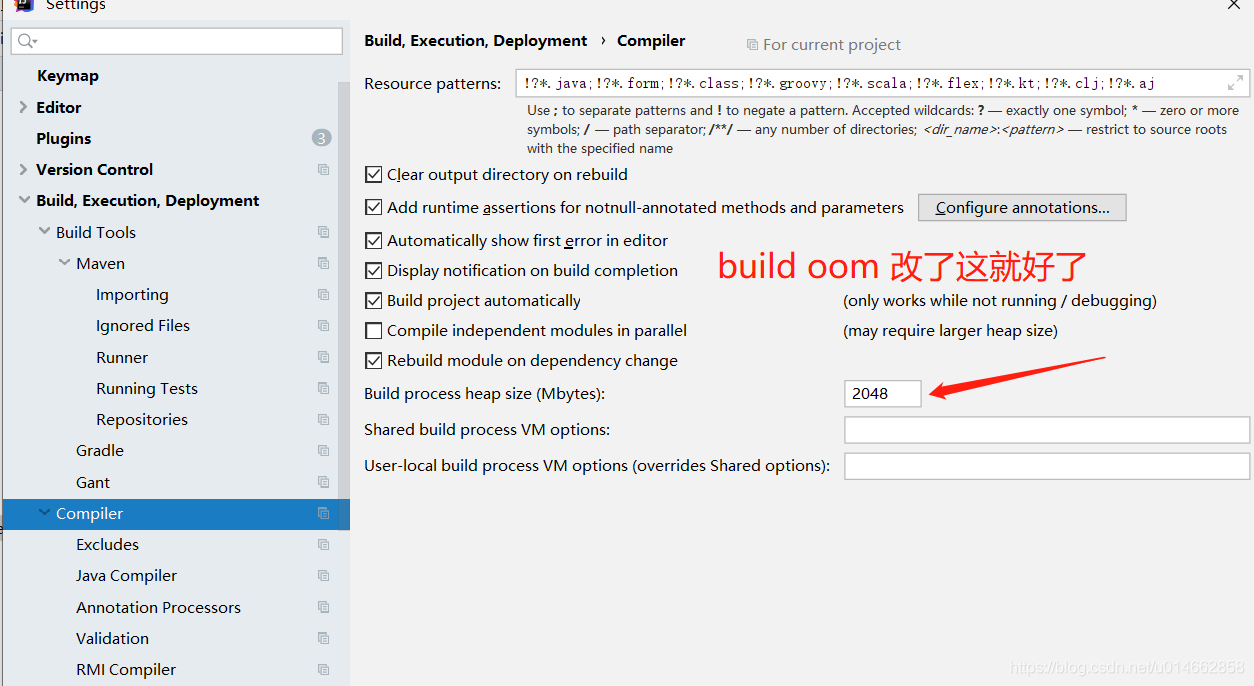
Recently, I ran a new monomer project with a large volume. During the start-up of the build process, it was always oom. Adjusting the Maven parameter and idea parameter didn’t work. When I flipped through the idea setting, I saw this configuration item: build process heap size. I adjusted it up a bit, and the problem was solved
How to use the menu of elementui unique opened sidebar
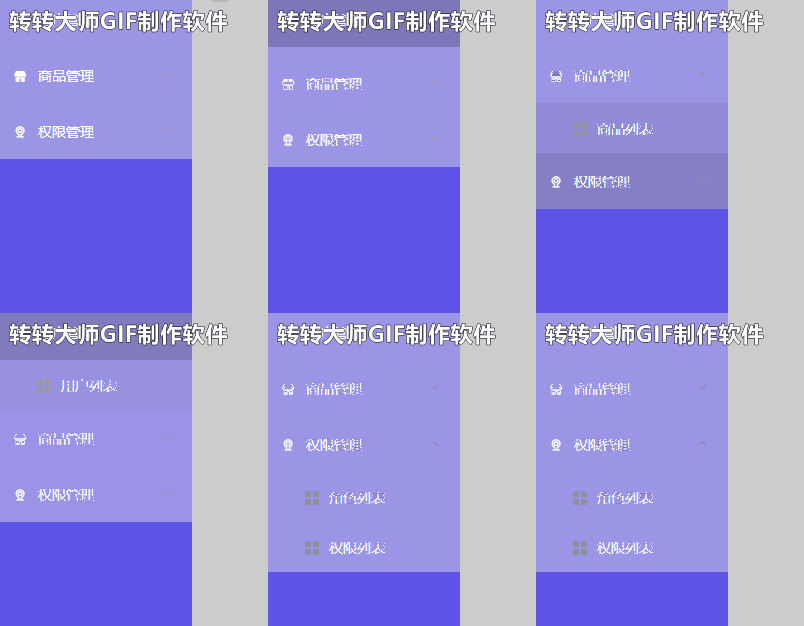
Unique opened can control the display of menu sidebar, whether to display only one submenu
We can set it to: unique opened = “true” in the tag
The results are as follows
However, sometimes this will report an error:
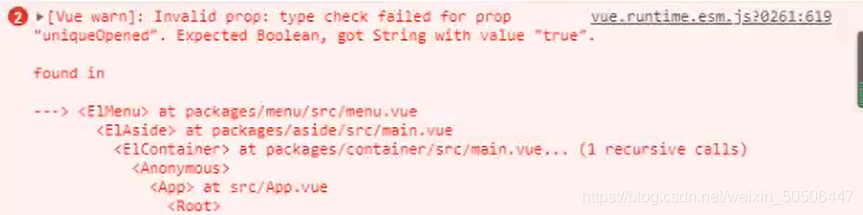
The solution is to define a bool type attribute in data, and then bind the attribute to the tag’s unique opened
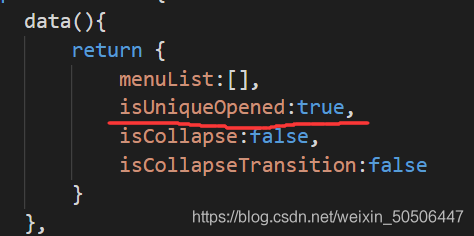
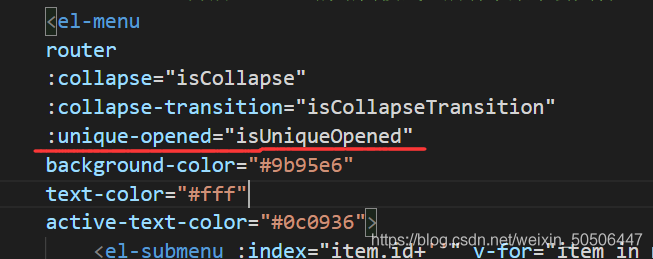
In this way, the effect is the same, and the problem of error message is solved.
Property xxx was accessed during render but is not defined on instance
Vue3. X version is used in combination with element plus. If you use form elements and V-model commands, you will see similar warnings on the console. Although it does not affect JS operation, it is hard for obsessive-compulsive disorder players. Let’s take a look at how this problem is generated and how to solve it
In vue3. X, a new composite API, namely the setup method, is added. In this method, we can create a data with a responsive basic data type through Ref. however, we can also set the ref attribute to the element to obtain dom. Please refer to the official documents for details, This also leads to the problem
I believe most people just want to know what the solution is. Look down at the solution
to ensure that the data of V-model and the value of ref do not have the same name
avoid using V-model when you do not need to use V-model (of course, this method is a bit of bullshit)
this method is a little bit of nonsense
Record a problem of no module named ‘tensorflow. Examples’ and’ tensorflow. Examples. Tutorials’ in tensorflow 2.0
1: No module named ‘tensorflow. Examples’
I downloaded tensorflow directly from the Internet, which is version 2.5. The path to add examples is in C:// program data/anaconda3/envs/tensorflow/lib/site packages/tensorflow, which is similar to that on the Internet_ In the core folder, there is no such folder in version 2.5, so all the next operations are performed in site package/tensorflow.
First of all, you have to go to the official website of tensorflow( https://github.com/tensorflow/tensorflow/tree/master/tensorflow )Download the examples folder and copy it to the site package/tensorflow folder mentioned above. If you continue to run your code, there will be a problem of no module named ‘tensorflow. Examples. Tutorials’.
2: No module named ‘tensorflow. Examples. Tutorials’
in the site package/tensorflow folder, click the examples file you just copied in (I believe you have downloaded many tutorials files on the Internet, just copy them in directly), and then the code can run
Note: if you have not downloaded to the tutorials file, you can go to the official website of tensorflow, and then adjust the version to the version before 2.40, you will find the tutorials file in the examples folder (this method has not been tested, if it is feasible after the test, you can leave a message in the comments area, thank you). 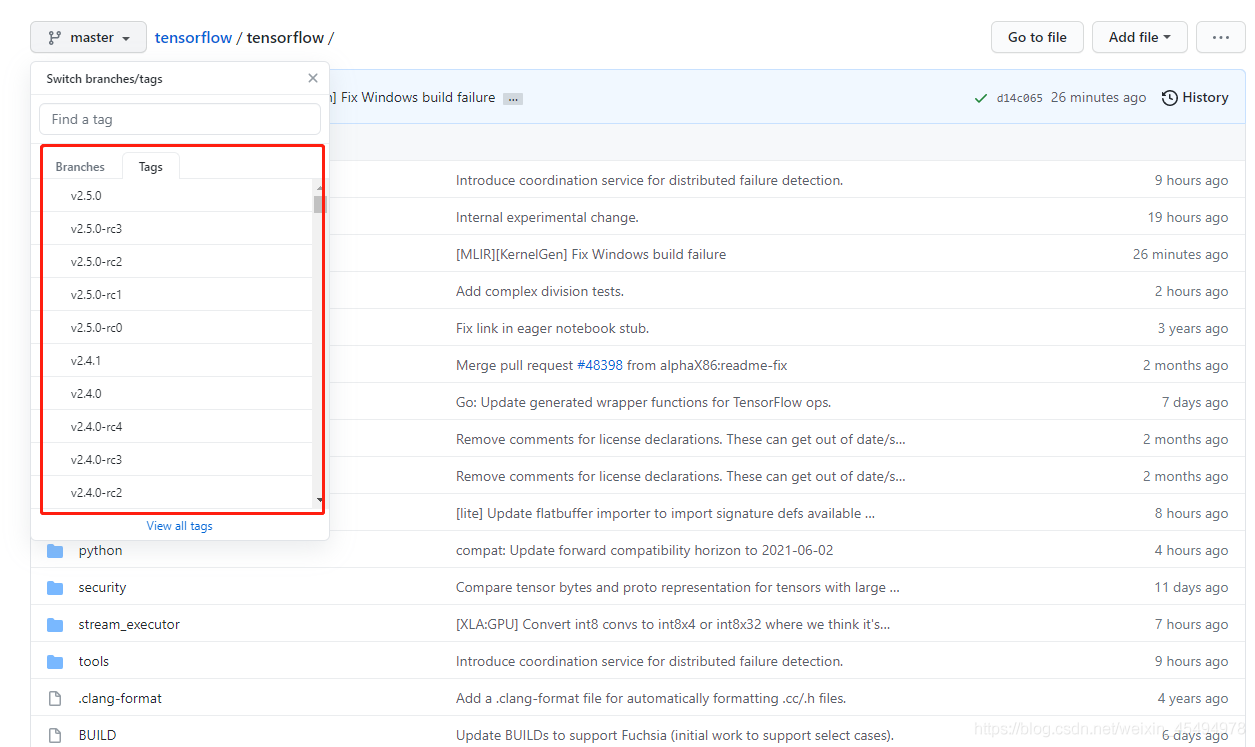
Unbuntu 18.04 unable to install mkcramfs
Problem description
In the morning, I received user feedback and applied to add mkcramfs and libxml dev to the offline source
which was strange. After asking the user, the user gave a screenshot of the question:

Problem analysis
Firstly, the first step is to get the user node information and login mode, and the path of the command in the screenshot
after logging in, the user problem is reproduced, and the error is indeed reported; Try the following:
1、apt-get install mkcramfs
Report an error, indicating that there is no such package
2、apt-get install libxml2-dev
I still report an error. I feel strange. I suspect that there is something wrong with the source.
3. Check the source configuration of the user’s machine and find that there is no/etc/apt/source.list file, only/etc/apt/source.text; The reason is that the MV of the last step is not executed when the user installs the offline source document.
4. Modify the source information and update it
mv /etc/apt/source.text /etc/apt/source.list
apt-get update
5. After trying to install the previous two packages, it is found that libxml2 dev is installed normally, and mkcramfs cannot be installed
Problem solving
For all the relevant information on the Internet, it is found that some Ubuntu can’t install mkcramfs in APT get mode, so they need to download the package to the local and then install it.
1. Find the corresponding package in the offline source, and then download it:
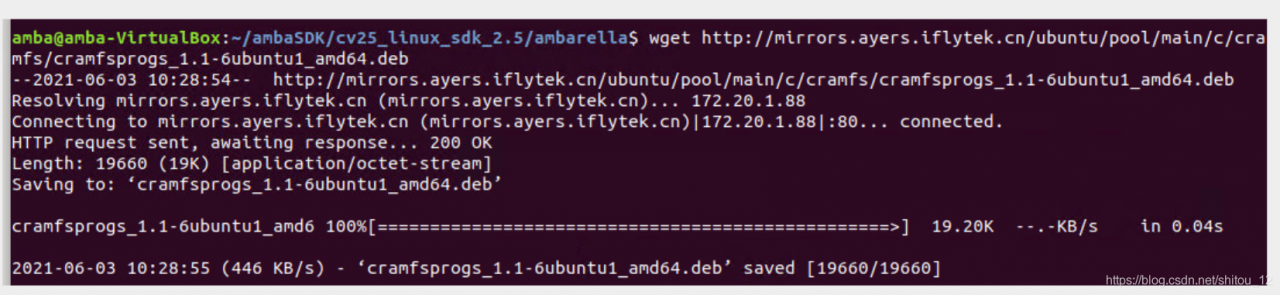
2. Install it in dpkg-i mode
3. Verify it by performing the user’s previous operation; Problem solving:

Summary
Some Ubuntu can’t install mkcramfs in APT get mode, so you need to download the package to the local and then install it
extension: there may be other packages with this situation, which can be used as a reference for subsequent analysis
JMeter: java.net.bindexception: address already in use: connect solution
The operating system will reserve a temporary port for TCP/IP services, and JMeter will start every thread (new operation) when running concurrency test
reason:
Windows reserves a temporary port for TCP/IP service. When JMeter runs concurrency test, every thread (new socket operation) will occupy a temporary port. If the TCP/IP port is occupied and not released in time (socket. Close() operation can not release the bound port immediately, but set the port to time_ Wait status, it will be released after a period of time, the default is 240s), and java.net.bindexception: address already in use: connect will appear.
resolvent:
To increase the number of ports reserved for TCP/IP service, it is necessary to operate on the system installed with JMeter. This paper introduces the solution on Windows system.
1. Key win + R, enter regedit to open the registry, or enter regedit command in CMD to open the registry;
2. Choose HKEY_ LOCAL_ MACHINE\SYSTEM\CurrentControlSet\Services\Tcpip\Parameters;
3. Right click parameters to create a new DWORD named maxuserport;
4. Then double-click maxuserport, select decimal base, input value data as 6553465534, which is the maximum value, exceeding The system uses the closest effective value (min 5000 or max 65534);
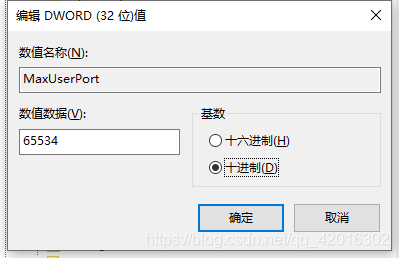
5. Right click parameters to create a new DWORD named TCPTimedWaitDelay;
6. Double click tcptimed waitdelay, select decimal base, input numerical data as 30, set time as 30 seconds, default is 240 seconds;
7. Restart the computer to take effect!!
AttributeError: ‘NoneType‘ object has no attribute ‘append‘
Python error:
attributeerror: ‘nonetype’ object has no attribute ‘append’
a=[]
b=[1,2,3,4]
a = a.append(b)
After one execution, the type of a changes to nonetype
the above errors will appear in the next execution.
This is because append modifies a itself and returns none. The return value cannot be reassigned to a.
terms of settlement:
Change the variable name:
C =]
b = [1,2,3,4]
C = A. append (b)
problem solving.
Or
change a = a.append (b) to a.append (b)
Solution to error report of Jackson coordinate introduced by spring
Solution to error report of Jackson coordinate introduced by spring
report errors:
The correct version of Jackson’s coordinates are introduced into pom.xml, but the error is still reported as follows:
java.lang.NoClassDefFoundError: com/fasterxml/jackson/databind/ObjectMapper
terms of settlement:
Open project structure – & gt; Delete the original one and add another one
Reference connection:
0 https://www.cnblogs.com/cocobear9/p/13746628.html